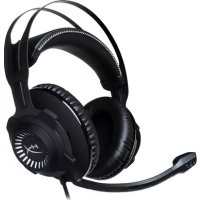
Cloud Revolver Pro - Headphones HYPERX - Free user manual and instructions
Find the device manual for free Cloud Revolver Pro HYPERX in PDF.



| Product Type | Closed-back circumaural headset |
| Brand | HyperX |
| Model | Cloud Revolver Pro |
| Drivers | 50mm dynamic drivers with neodymium magnets |
| Frequency response | 12 Hz - 28 000 Hz |
| Impedance | 30 Ω |
| Maximum sound pressure level | 104.5 dBSPL/mW at 1 kHz |
| Total harmonic distortion (THD) | < 2 % |
| Rated / maximum power | 30 mW / 500 mW |
| Weight (without mic) | 360 g |
| Weight (with mic) | 376 g |
| Cable length (headset) | 1 m |
| Cable length (control box) | 2 m |
| Connectivity | 3.5mm jack (4-pole) + 3.5mm stereo and mic outputs on control box |
| Microphone type | Electret condenser microphone |
| Microphone polar pattern | Unidirectional with noise cancellation |
| Microphone frequency response | 50 Hz - 18 000 Hz |
| Microphone sensitivity | -40 dBV (0 dB = 1 V/Pa, 1 kHz) |
| Materials | Steel headband, leather ear pads with memory foam |
| Detachable microphone | Yes, with noise reduction |
| Compatibility | PC, Xbox One, PlayStation 4, Wii U, mobile devices |
| Key features | Studio-grade audio, immersive surround sound, volume control and mic mute on control box |
| Care and cleaning | Clean with a soft, dry cloth. Do not use chemical products. |
| Safety | Avoid prolonged high volumes to protect your hearing. |
Frequently Asked Questions - Cloud Revolver Pro HYPERX
User questions about Cloud Revolver Pro HYPERX
0 question about this device. Answer the ones you know or ask your own.
Ask a new question about this device
Download the instructions for your Headphones in PDF format for free! Find your manual Cloud Revolver Pro - HYPERX and take your electronic device back in hand. On this page are published all the documents necessary for the use of your device. Cloud Revolver Pro by HYPERX.
USER MANUAL Cloud Revolver Pro HYPERX
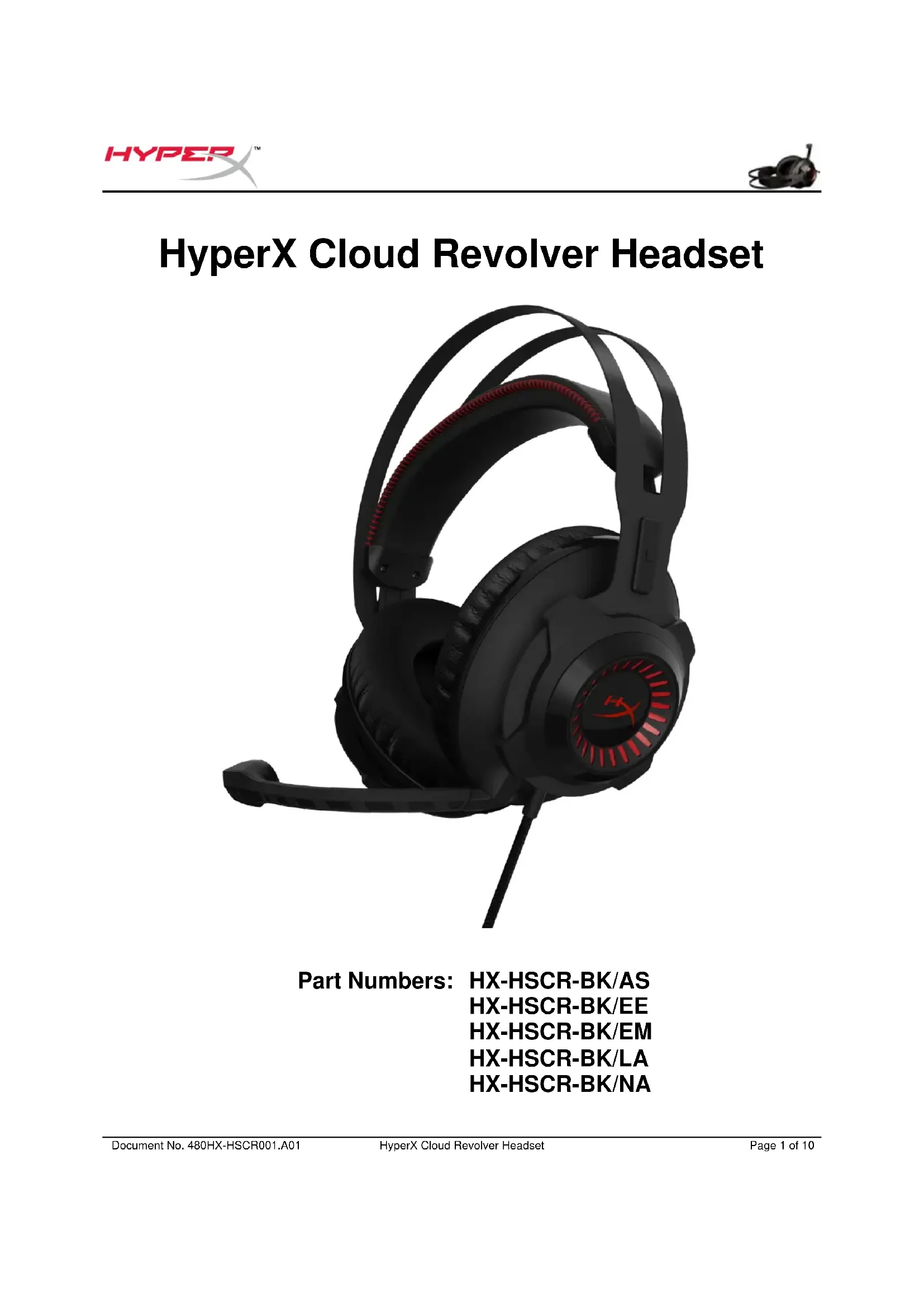
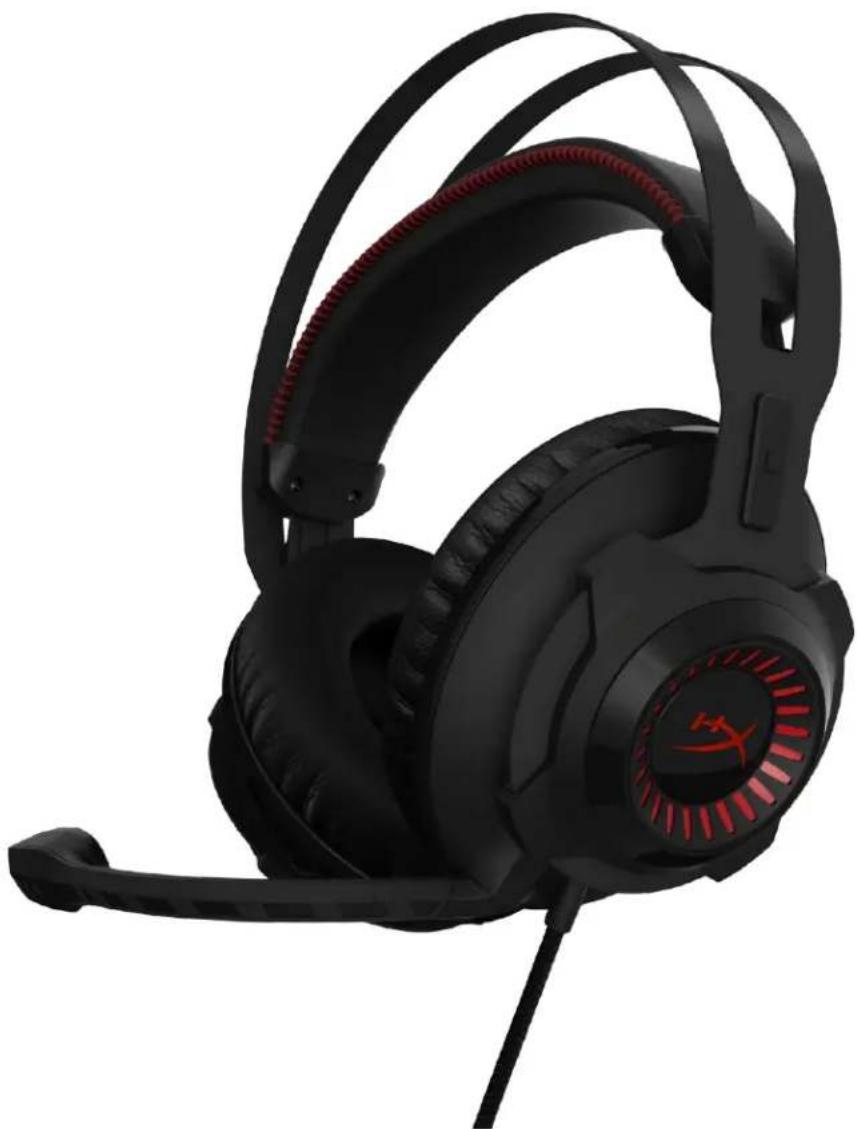
HyperX Cloud Revolver Headset
Find the language and latest documentation for your HyperX Cloud Revolver Headset here.
HyperX Cloud Revolver Headset Installation Guide


For instructions in English


Part Numbers: HX-HSCR-BK/AS
HX-HSCR-BK/EE
HX-HSCR-BK/EM
HX-HSCR-BK/LA
HX-HSCR-BK/NA
Introduction
HyperX Cloud Revolver™ has a wider audio range that creates depth and width for improved audio precision. Get the competitive edge by hearing your opponents' location more accurately, even when they're further away. Re-engineered audio profiles create a larger sound stage that's ideal for FPS and open-environment gameplay and for a concert-hall-like experience when listening to music. Next-generation 50mm drivers direct sound into the ear for precise audio positioning, making HyperX Cloud Revolver the only headset you need for both PC and console gaming.
What's included:
HyperX Cloud Revolver Headset
- Detachable microphone
Audio control box


Features:
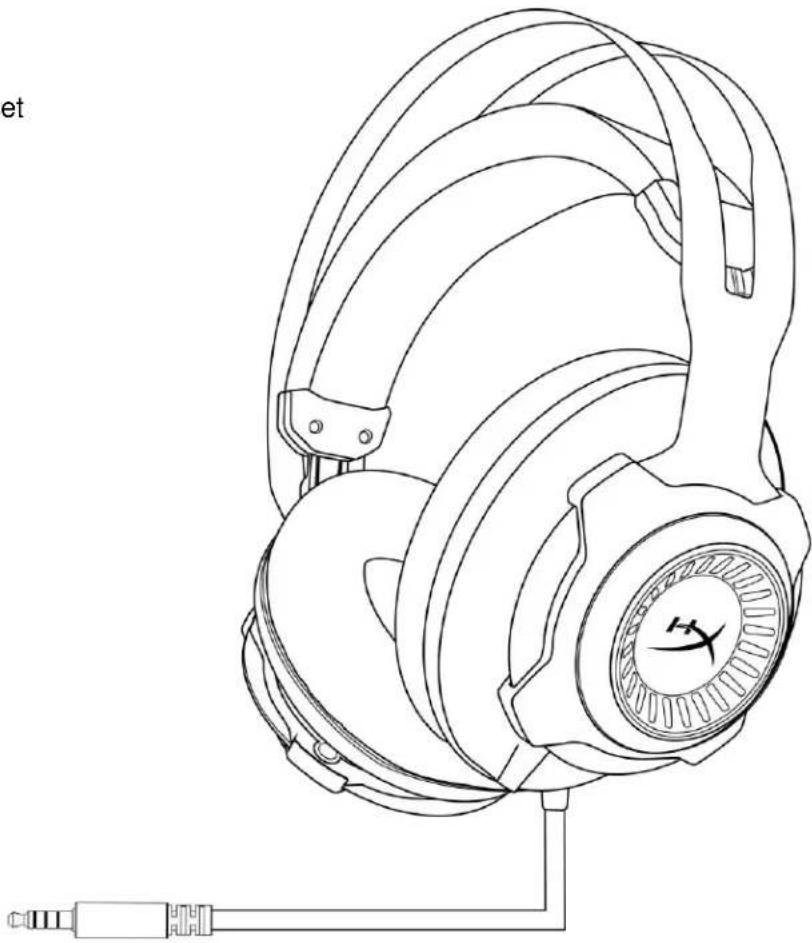
- Studio-grade sound stage
- Signature HyperX memory foam with premium leatherette
- Durable steel frame
- Detachable noise-cancellation microphone
- Next-generation directional 50mm drivers
Multi-platform compatibility
Technical specifications:
Headphone
- Driver: Dynamic, 50mm with neodymium magnets
- Type: Circumaural, closed back
Frequency response: 12Hz - 28,000Hz
Impedance: 30 Ω
Sound pressure level: 104.5dB SPL/mW at 1kHz
THD: < 2%
Input power: Rated 30mW, maximum 500mW
Weight:360g
Weight w/ mic: 376g - Cable length and type: Headset (1m) + audio control Box (2m)
- Connection: Headset - 3.5mm plug (4 pole) + Audio Control Box - 3.5mm stereo and mic plugs
Microphone
- Element: Electret condenser microphone
- Polar pattern: Uni-directional, Noise-cancelling
Frequency response: 50Hz-18.000 Hz - Sensitivity: -40dBV (0dB=1V/Pa,1kHz)
Overview
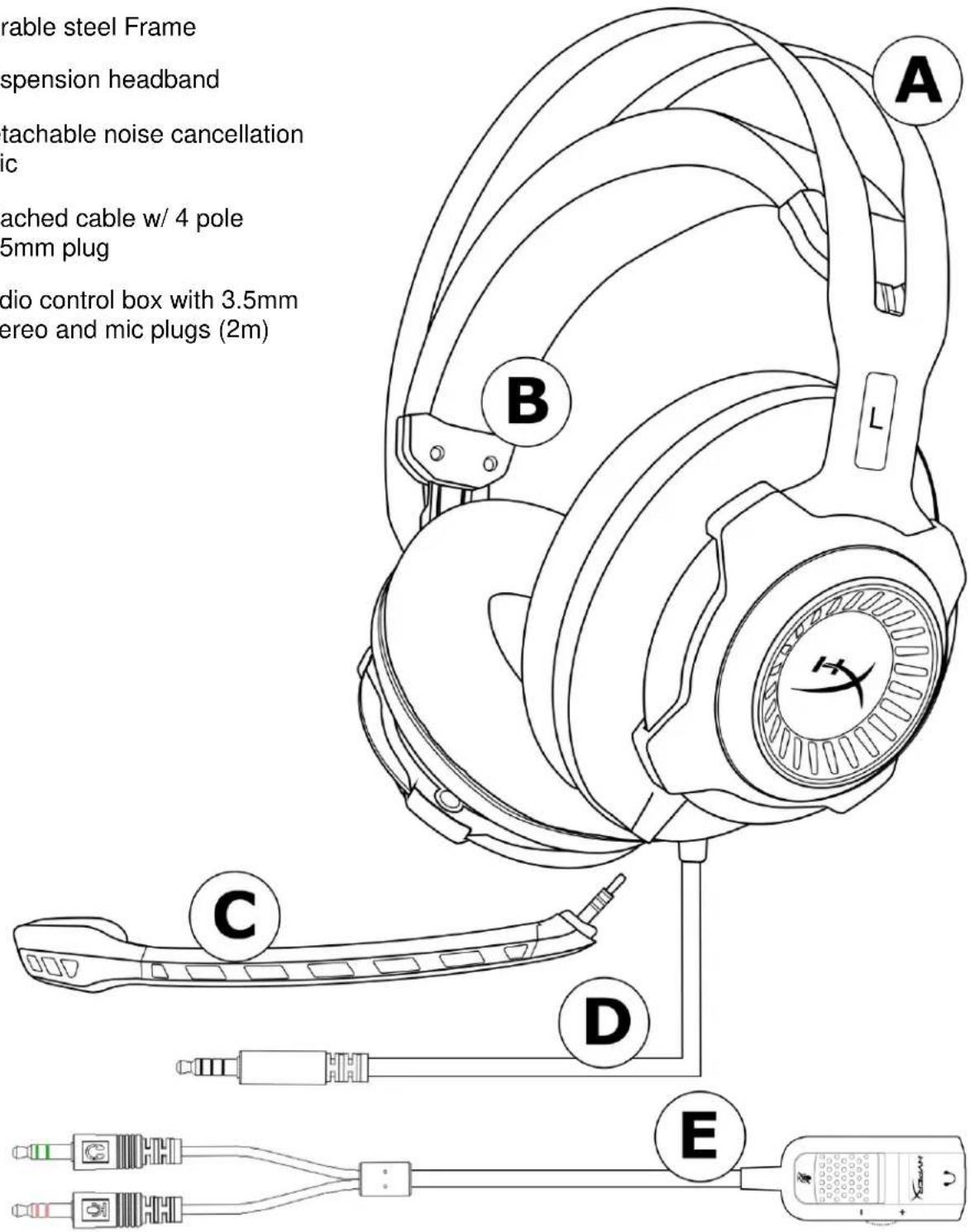
A. Durable steel Frame
B. Suspension headband
C. Detachable noise cancellation mic
D. Attached cable w/ 4 pole 3.5mm plug
E. Audio control box with 3.5mm stereo and mic plugs (2m)
Audio control box operation
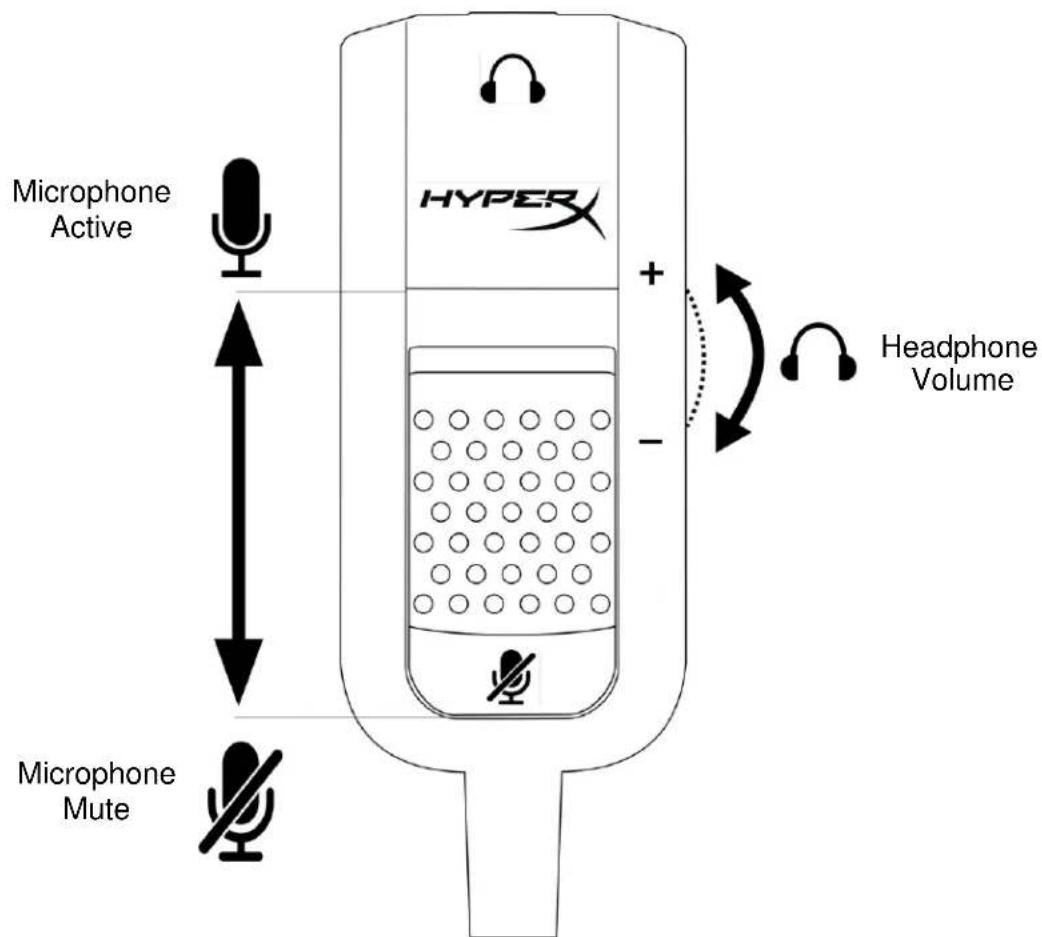
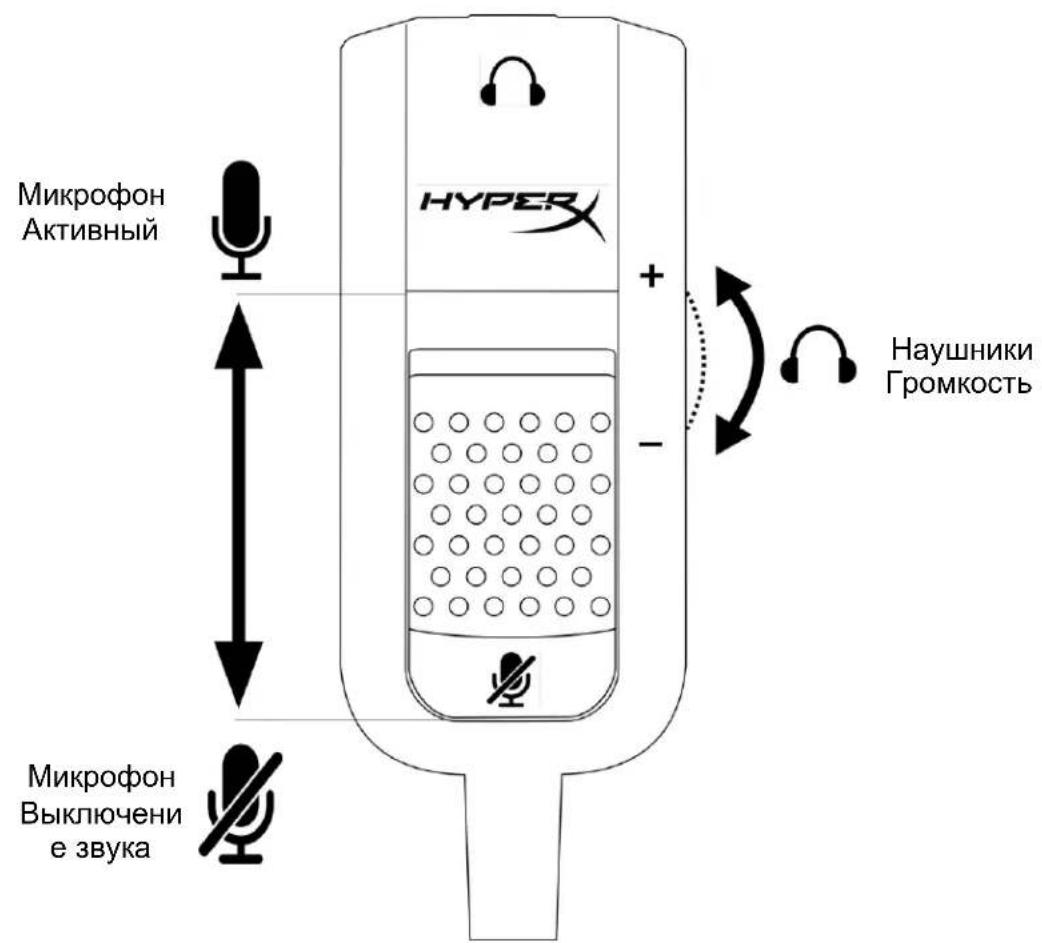
The audio control box contains a volume dial to adjust the headphone output volume and a microphone mute slider to mute the microphone output.
To increase the volume of the headset, rotate the volume wheel towards the + sign (anticlockwise). To reduce the volume, rotate the volume wheel towards the - sign (clockwise).
To mute the microphone output, slide the microphone mute button to the down position. To activate the microphone output, slide the microphone mute button to the up position.
Usage (PC)
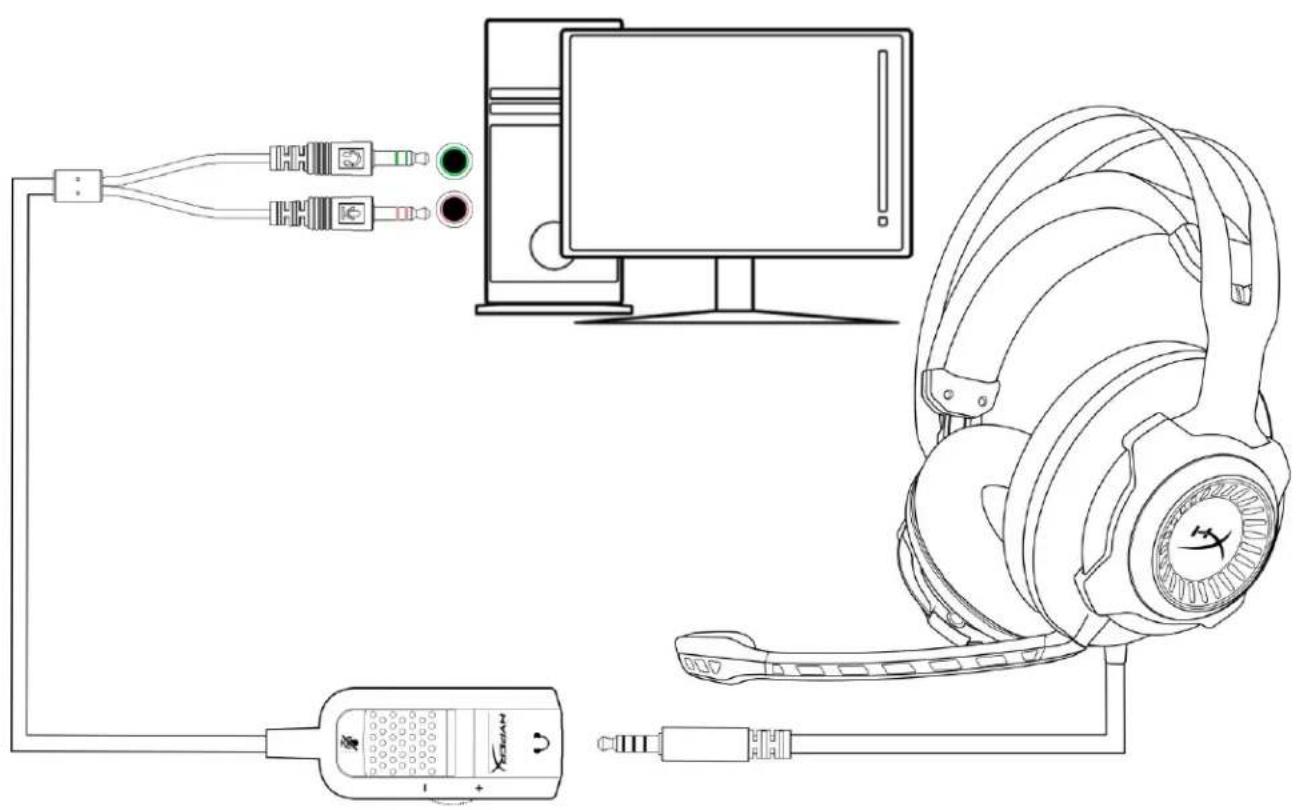
To connect the headset to your computer (or other device) that has both a headphone jack and a microphone jack, connect the headset's 3.5mm plug to the female jack on the audio control box. The audio control box has two 3.5mm jacks. The audio plug, which has green stripes, plugs into the port signified by a green input or headphone symbol . The extension cable microphone plug, which has pink stripes, plugs into the port signified by a pink input or a microphone symbol .
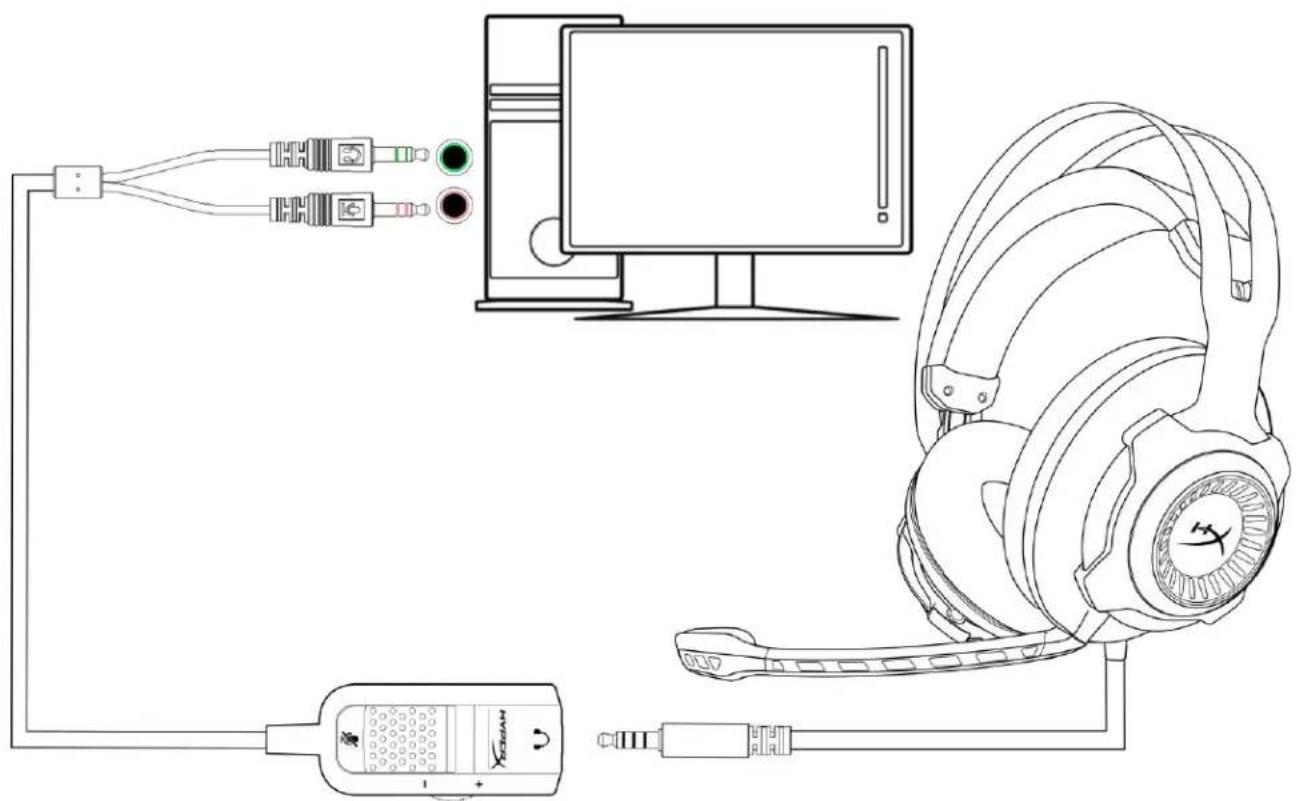
Using with PC extension cable
Usage (Xbox One)
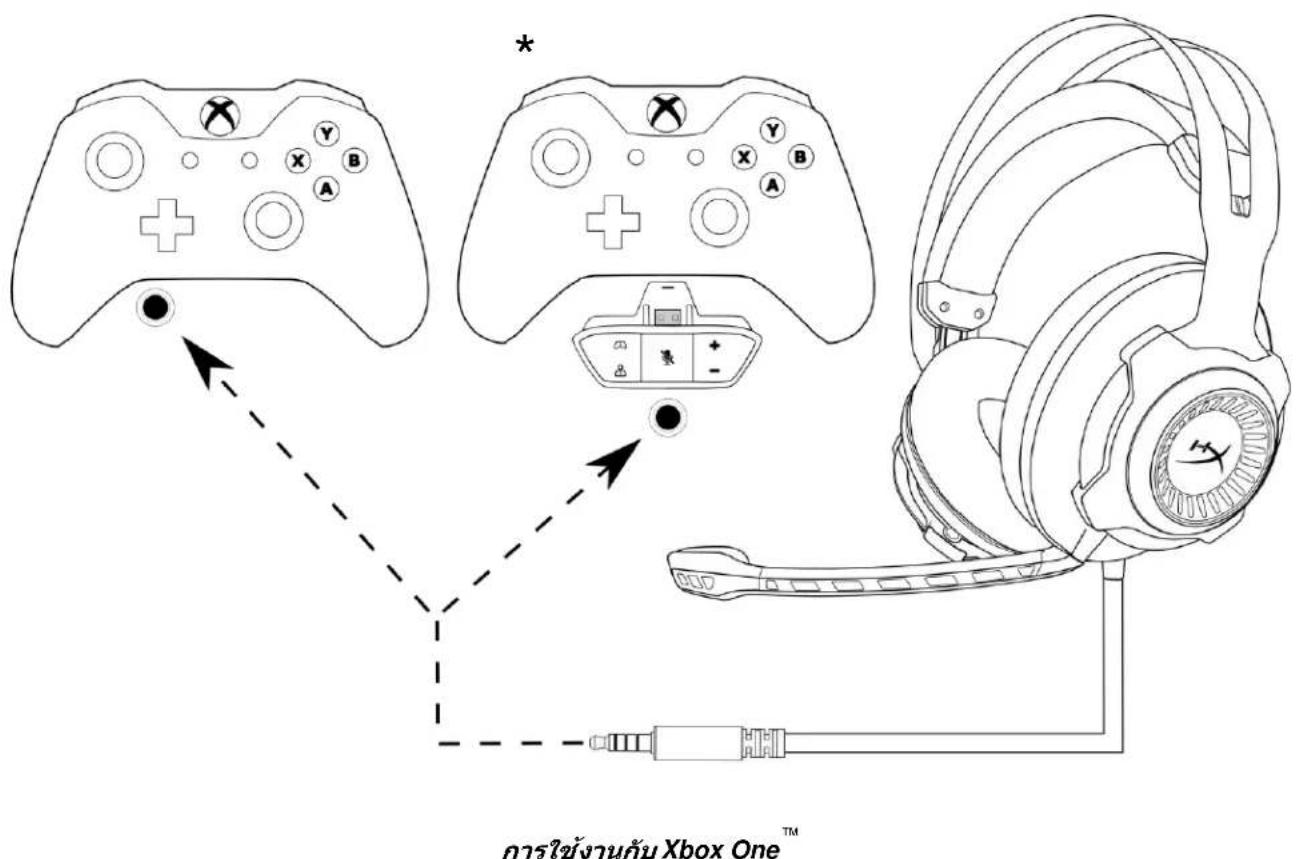
To use the headset with Xbox One™, connect the 3.5mm plug on the headset directly to the 3.5mm jack on the Xbox One controller
* If your Xbox One controller does not have a 3.5mm jack you will need the Xbox One Stereo Headset adapter (sold separately) that plugs into the Xbox One controller (pictured below).
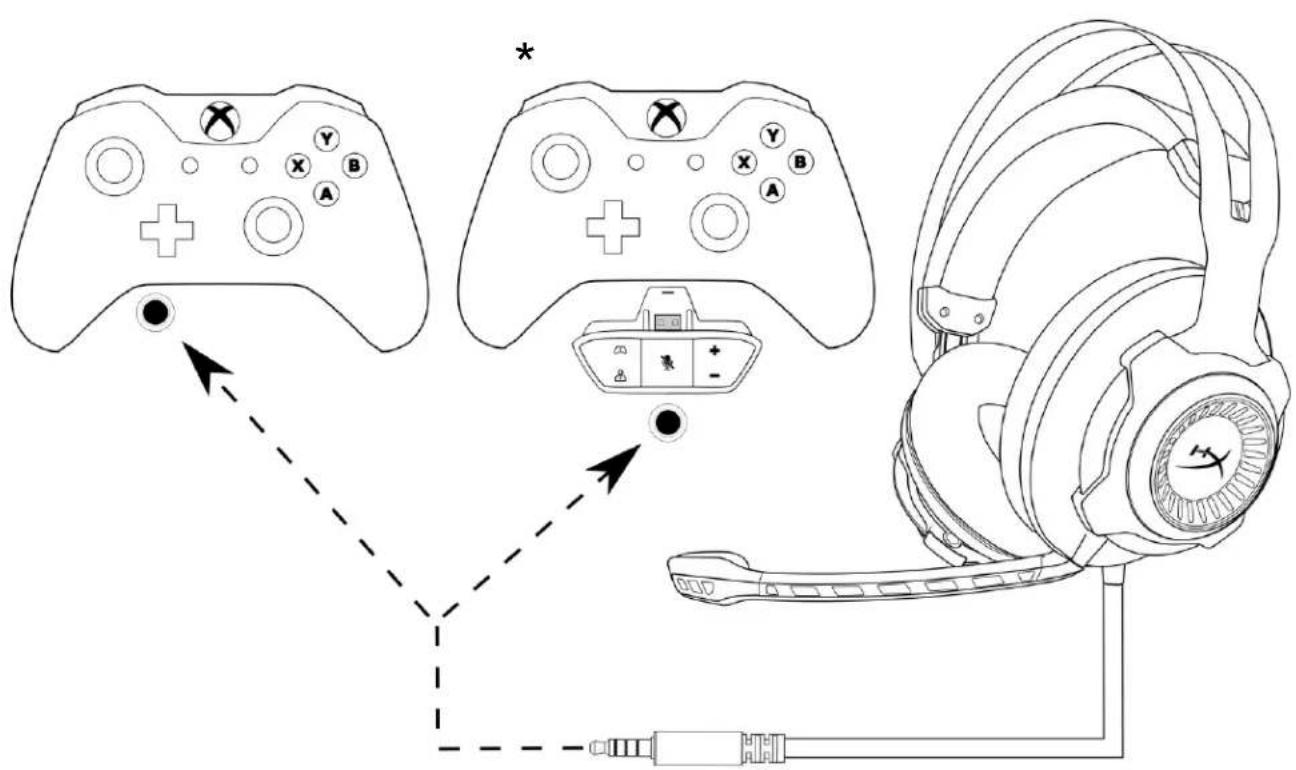
Using with Xbox One
Usage (PlayStation 4)
To use the headset with PlayStation® 4 (PS4™), connect the 3.5mm plug on the headset directly to the PS4 game controller and follow these steps:
- Turn on your PS4 game console.
- Navigate to the Settings menu and select it.
- Highlight the 'Devices' menu option and select it.
- Scroll down to 'Audio Devices' and select it.
- Choose 'Output to Headphones' and select 'All Audio'.
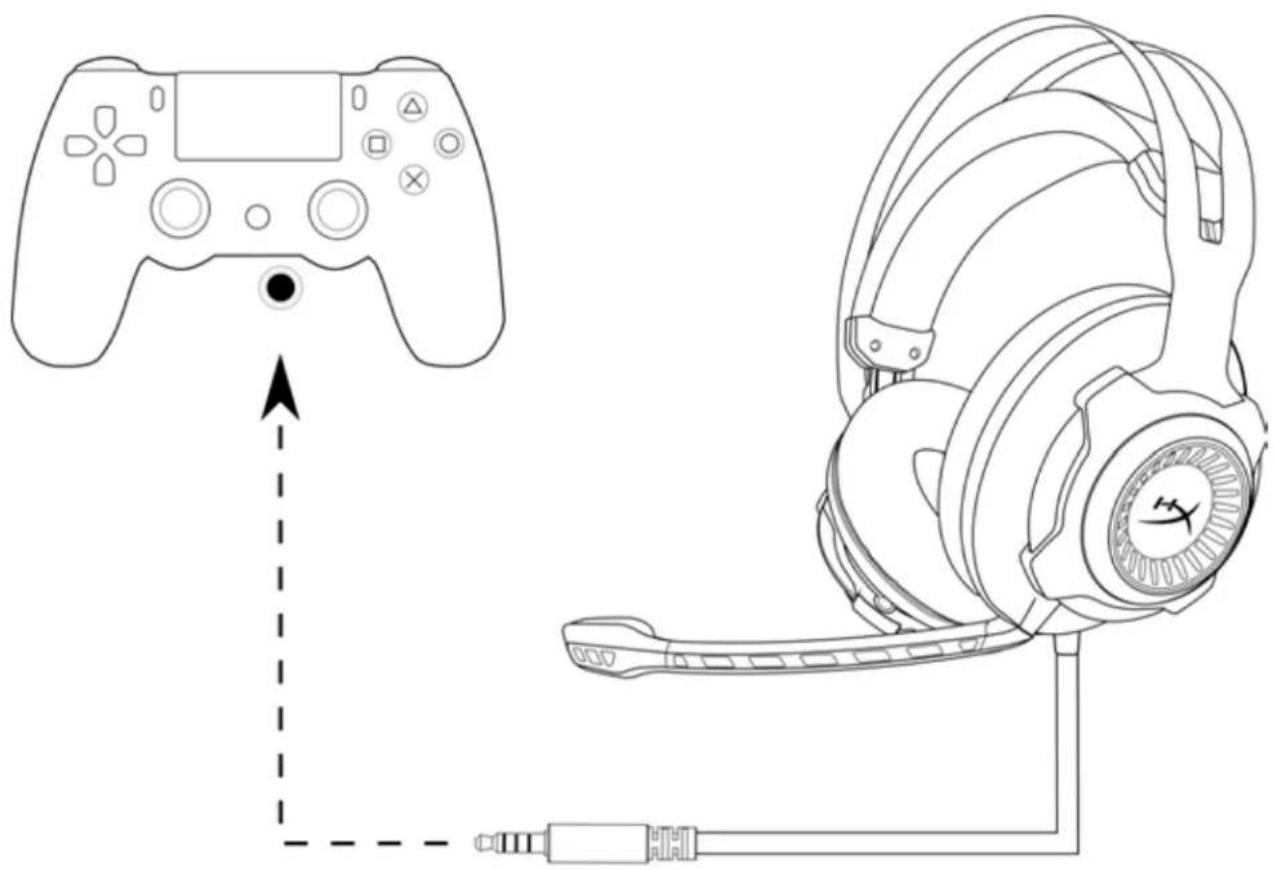
Using with PS4
Usage (Wii U)
To use the headset with Wii U™, connect the 3.5mm plug on the headset directly to the Wii U gamepad controller.
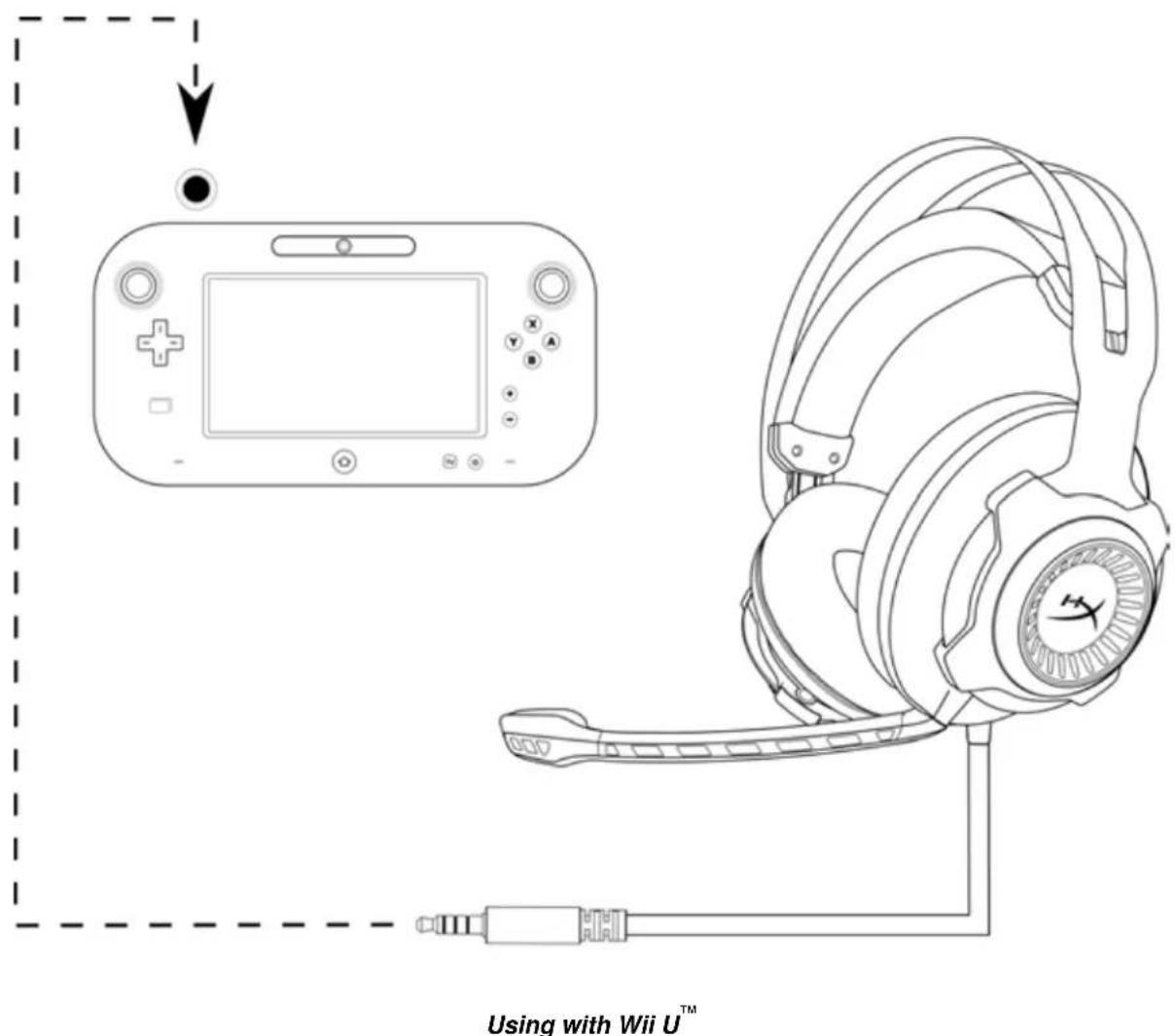
Usage (mobile device)
To use the headset with a mobile device (or other device) with a headset jack (4 pole CTIA), connect the 3.5mm plug directly into the headset jack on your device.
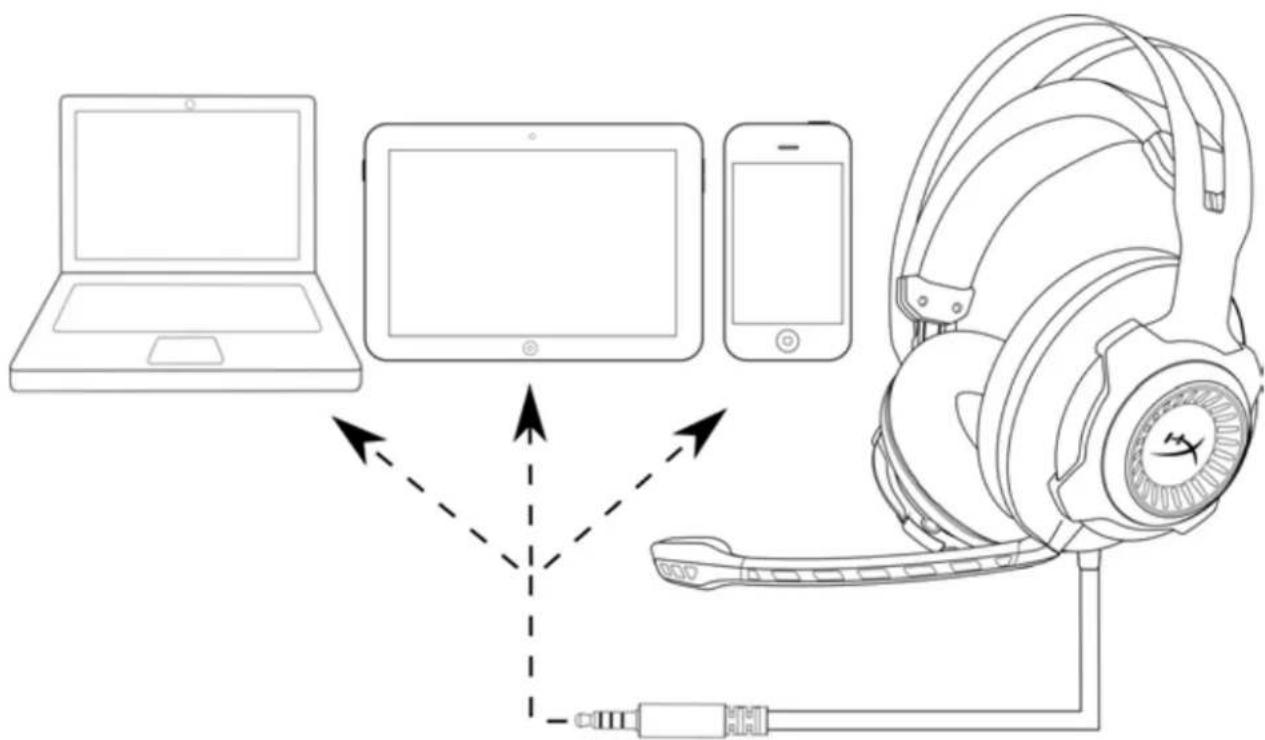
Using with mobile device (phone, tablet or notebook)
Audifonos HyperX Cloud Revolver™
Numeros de parte: HX-HSCR-BK/AS
HX-HSCR-BK/EE
HX-HSCR-BK/EM
HX-HSCR-BK/LA
HX-HSCR-BK/NA
Presentación
Homepa no katanory: HX-HSCR-BK/AS
HX-HSCR-BK/EE
HX-HSCR-BK/EM
HX-HSCR-BK/LA
HX-HSCR-BK/NA
BveeHne
TapnHtpa HyperX Cloud RevolverTM nMeet pacuHpeHHb aydnoaana3OH dna MaKcMaJIbHO ToUHOro BocnpOn3BedeHn 3Byka. IOnyUHe TpeBOcXODCTBO HaI npOTNBHKAMN: TOUHO ONpeDeJnTe INx NonoJKeHne C 6OJIbWeO paCtOHaHn. YnyUeHHbIe ayDIOpOoHn CO3DAIOT 6OJIe UINPOKyo 3ByKOByIO CuEnHy, KOtOpA NDeAJIbHO IOxOJNT DnIyUtePob OT NepBOrO JInca HnRb OTKpbIToI CpeDe, a TaKke DnI pyocNyUWBaHn My3bIKn C aTMOCFepoK KOHCepTHoro 3ana. 50-MmIIImeTpOBbIe DnHAMNK HOBOrO NOKOIeHn HAnpaBnIOT 3ByK HeNOCpeDCTBeHHo B yxo, ObecneuVBaT OTOHoe NOnuONHpoBaHnE 3Byka, NO3OMy rAPnHTypbl HyperX Cloud Revolver otJInuHo NoXoJrT dNra Irp nHa PIK, nHa KOHcONJx.
KomnJIeKToNCTaBKn:
- TaphnItypa HyperX Cloud Revolver
- CbeMHbIMNKpOoH
-БлкупавлениЗвков
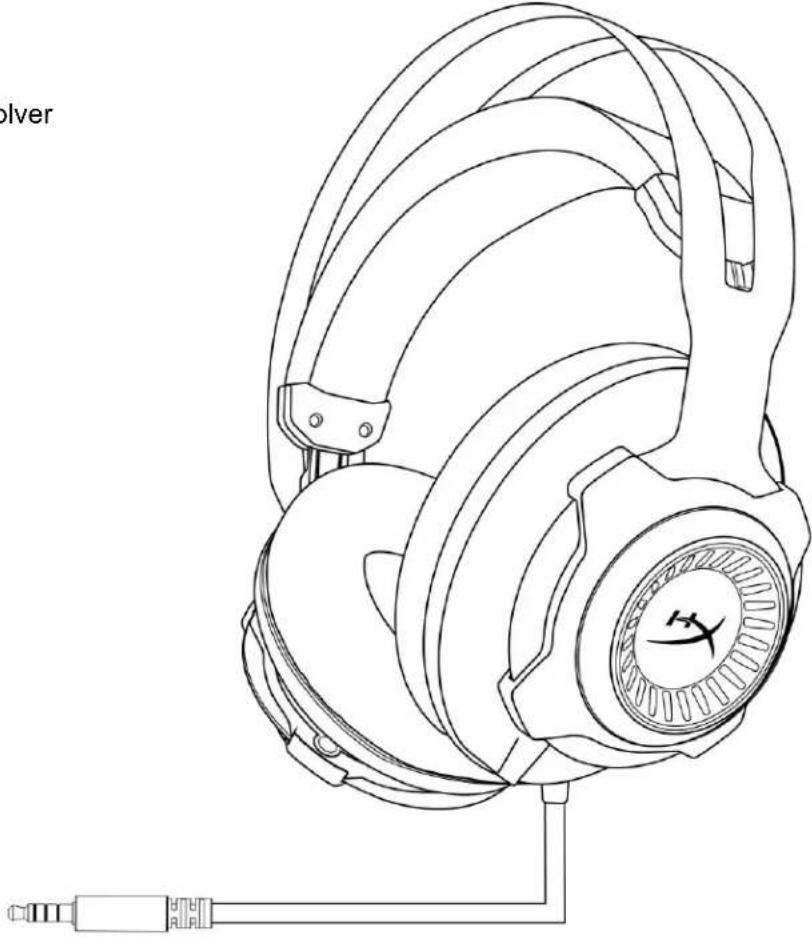


OTJNUHTeJIbHbIeOCO6eHHoCTN:
3BykoBaCcHa CtyuHOrO ypoBna
- Φирмehная поа HyperX сnamЯтьо Форmbис пpeBOCXODHBIM KOK3aMeHNTeJIem
-Долговец сальна KOHCTpyKця
CbeMHbIMMKpOoHcpyHKUneIyMOnOaBHeHnA
- HanpaBHeHHbIe DnHAmNK (50 MM) HOBOr NOKoJIeHNr
Cobmectnmoctb pa3hbIMn nataopMaMn
TexHnueckne xapaKTepeNCTnKN:
Hayushnkn
-ДиHamNK:ДиHamMueckn(50MM)c HeOДIMOBbIMMaHHTaM
TIN: OXBtBbIbAUJIne, 3aKpbIToro TUNa
- YacToTHaXapaKTepeNtHa: 12-28000 T
- CnpotnBJIeHne: 30 Om
- YpOBeHb 3BykoBOrO daBJeHn: 104,5 dSPL/MBT npn 1 KfU
- Ko3φΦnμηENT HeJIHηHeNbIX NcKaJxEHn: < 2%
- BxOHaH MaUHOCTb: HOMHaJIbHa 30 MBT, MAKcImaJIbHa 500 MBT
Macca:360r
Macca c mKpOohom: 376 r
-Динан.TTN Ka6eЯ:ГарНурpa(1M) + 6JIOK ynpaBneHn8 3BykOM (2M)
CoeHHeHHe: TapHHTypa - WTeKe3,5 MM (4-non.) + 6nok ynpabHeHna 3Bykom - 3,5 MM WTeKepeBcTepeo mMKpOfoHa
MnKpOΦoH
- ΘлemeHT: ΘлeКтpeTHbI KOнДeHcAToPbI MнКрфоH
-Диарраима HanpaBneHHOCTn: OdHohanpaBneHHa, c WymonoDAbJIeHHem - YacToTHaXapaKTepeNtka:50-18000T
- UyBCTBNTeIbHocTb: -40 dB (0 dB=1 B/Πa, 1 kΓι)
0630p
A.Долговая сальая KOHCTpyKuzna
B. AmopTn3npyiooee orOIOBbe
C. CbeMHbIM MKNpOcHc
ФункцeншymonoДаВленя
D. Пилагаим Кабельс 4-нлочьIM WTekepOM 3,5 MM
E.БLOK ynpaBHeHn3BykOM co WTeKepaMn Ctepeo mNkofoHa 3,5 MM (2 M)

Pa6ota 6Joka ynpaBHeHn 3ByKOM
Блok ураленя 3BykOM BKNIOUaET peryIЯТОг ромкocTи ДЯ рERYIINPOBКВ ВбIXODHOr rgomKOCtN rapHtypbl N NOJ3yHOK BBIKIQUeHn 3Byka MINKpofoHa ДЯ OTKIIQUeHn BbIXOda MINKPOFOHa.
Дя увелоченя Гомкости rapнтурь NOBepHnte KOJecNKO ГOMKOCTN NO HAnpaBNeHIO K 3HaKy + (npOTNB YacOBON CTpeJIKN).ДЯ yMeHbSeHnRA GOMKOSTN NOBepHnte KOJecNKO ГOMKOSTN NO HAnpaBNeHIO K 3HaKy - (no YacOBON CTpeJIKe).
Iyra BbIKIOueHn BixOda MmKPOoHa yCTaHOBnTe KONky OTKIOueHn 3Byka MmKPOoHa B HIXHee NOIOKeHne. Iyra BkIOueHn BixOda MmKPOoHa yCTaHOBnTe KONky OTKIOueHn 3Byka MmKPOoHa B BepXHee NOIOKeHne.
Mcnonb30aHue (PK)
Для покюецни rapнтурь к komьЮтepy Или дуromу устpoичы, IMeJOшем и pa3be М rapнтурь, И разьем мИКрофona, покюоче Штукет 3,5 MM rapнтурь КгHe3doBOMу pa3beуна 6лoke упавлесни 3Bykom. Блok упавлесни 3Bykom Имeel Два разьема 3,5 MM. Aydnoштукет сельим NOLOcamN BCTabЯETСВ ВNot,об03haueHHbI 3eJIeHbIM BXODOM IIN CNMBOLOM HayshNKOB MmKpOfoHHbI ŠTuKeP yIINHITeHbHOrO Ka6eIc P03OBIM NOLOcamN BCTabЯETCSB INOT,об03haueHHbI p03OBbIM BXODOM IIN CNMBOLOM MmKpOfoHO

HcnoB3oehue c yduuHumeIbHbIM Ka6eIeM IK
IcnoJb3OBaHne (Xbox One)
3.5 3.5 uu. uuuuuyuuyuuyuuyuuyuuyuuyuuyuuyuuyuuyuuyuuyuuyuuyuuyuuyu
n721anwPC
nssu (Xbox One)
Xbox One 3.5 m.
Xbox One 3.5 uXbox One Stereo Headset (x) Xbox One (
n# (PlayStation 4)
JnuuuaWnuPlayStation4 (PS4TM) 3.5 m. WnuuWnuuauauauu u

- HYPERX CLOUD REVOLVER HEADSET
- HYPERX CLOUD REVOLVER HEADSET INSTALLATION GUIDE
- INTRODUCTION
- WHAT'S INCLUDED
- FEATURES
- TECHNICAL SPECIFICATIONS
- HEADPHONE
- MICROPHONE
- OVERVIEW
- AUDIO CONTROL BOX OPERATION
- USAGE (PC)
- USAGE (XBOX ONE)
- USAGE (PLAYSTATION 4)
- USAGE (WII U)
- USAGE (MOBILE DEVICE)
- AUDIFONOS HYPERX CLOUD REVOLVER™
- PRESENTACIÓN
- BVEEHNE
- KOMNJIEKTONCTABKN
- OTJNUHTEJIBHBIEOCO6EHHOCTN
- TEXHNUECKNE XAPAKTEPENCTNKN
- HAYUSHNKN
- MNKPOΦOH
- 0630P
- PA6OTA 6JOKA YNPABHEHN 3BYKOM
- MCNONB30AHUE (PK)
- ICNOJB3OBAHNE (XBOX ONE)
- NSSU (XBOX ONE)
- N# (PLAYSTATION 4)
Brand : HYPERX
Model : Cloud Revolver Pro
Category : Headphones