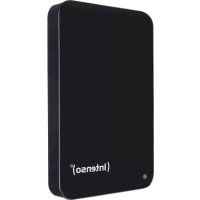
2.5 Memory Drive - Hard Drive INTENSO - Free user manual and instructions
Find the device manual for free 2.5 Memory Drive INTENSO in PDF.



| Product type | 2.5-inch external hard drive |
| Brand | Intenso |
| Model | 2.5 Memory Drive |
| Interface | USB 3.0 (backward compatible with USB 2.0) |
| Max transfer rate | 5 Gbit/s (USB 3.0) |
| Operating system compatibility | Windows 7/8/8.1/10, Mac OS 10.x |
| Power supply | Via USB port (bus-powered) |
| Dimensions (L x W x H) | 127 x 78 x 13 mm |
| Weight | Approx. 180 g |
| What's included | Hard drive, USB 3.0 cable, synthetic leather case, user manual |
| Warranty | 2 years (excluding data loss) |
| Standards and certifications | CE |
| Maintenance and cleaning | Clean with a dry cloth; avoid moisture, dust and heat |
| Safety instructions | Do not expose to water, do not open, protect from shocks and magnetic fields |
| Spare parts and repairability | Not user-repairable; contact customer service in case of defect |
| General information | Intended use: data storage on PC, laptop, Mac; not for commercial or medical use |
Frequently Asked Questions - 2.5 Memory Drive INTENSO
User questions about 2.5 Memory Drive INTENSO
0 question about this device. Answer the ones you know or ask your own.
Ask a new question about this device
Download the instructions for your Hard Drive in PDF format for free! Find your manual 2.5 Memory Drive - INTENSO and take your electronic device back in hand. On this page are published all the documents necessary for the use of your device. 2.5 Memory Drive by INTENSO.
USER MANUAL 2.5 Memory Drive INTENSO
natural_image
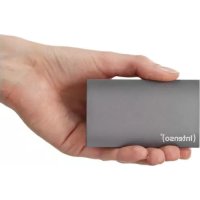
Black Intenso brand hard drive with leather case, no visible text or symbols on device body(Intenso)®
Intenso International GmbH
Gutenbergstraße 2 | 49377 Vechta | Germany
LANGUAGES
natural_image
Simple line drawing of a cylindrical object with a vertical line at the bottom (no text or symbols)2
natural_image
Pure electrical connector symbol without any text or labels3
1 Intenso Super Speed USB 3.0 Festplatte (abwärtskompatibel)
Tasche in Lederoptik
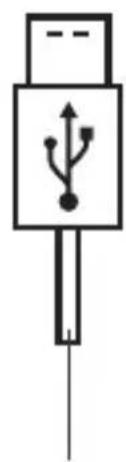
3 USB 3.0 Kabel
Bedienungsanleitung

Declaration of conformity 2
General 2
Use
System requirements 3
Connecting the hard drive 3
Removing the hard drive 3
Safety instructions 4
Assistance with problems 4
Technical data 5
Disposal 5
Exclusion of liability 5
Guarantee Conditions and complaints procedure 6
2
3
OVERVIEW
Delivery scope
1
natural_image
Simple line drawing of a cylindrical object with a vertical line at the bottom (no text or symbols)2
natural_image
Pure electrical connector symbol without any text or labels3
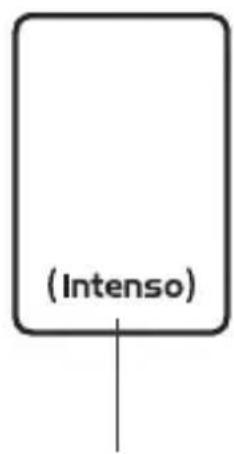
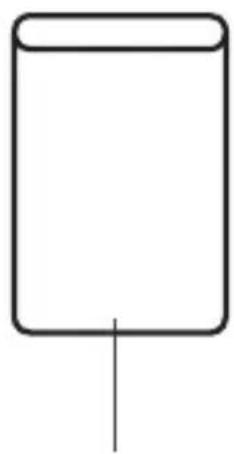
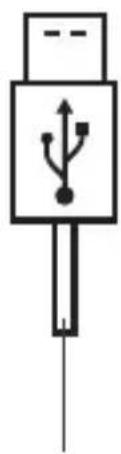
1 Intenso Super Speed USB 3.0 hard drive (downwards compatible)
Bag (leather imitation)
3 USB 3.0 cable Operating Instructions
4
Declaration of conformity
The CE marking says that this product meets the requirements of all EU Directives applicable for this product.
GENERAL
About these instructions
Read these instructions carefully and please observe and heed all references made in these instructions to guarantee a long life and reliable use of the device. Please keep these instructions ready to hand and pass them on to other users of the device.
Intended use
The primary purpose of this external hard drive is the storage of data from PCs, Notebooks, Ultrabooks or MAC computers. This product is not intended for commercial use or for medical and special applications, where the failure of the product can cause injuries, mortalities or considerable material damages. In the case of use which does not correspond to the intended use, the liability expires. TThe opening, as well as conversion of the device and the use of additional devices and accessories, which are not approved by us, must be refrained from. Do not use the device under extreme ambient conditions and observe the safety instructions. Non-observance of the information and safety instructions in these Instructions is deemed as non-observance of the intended use and leads to expiry of the liability and can lead to personal or material damage.
USE
System requirements
This hard drive is compatible with the operating systems MS Windows 7 / 8 / 8.1 / 10 and Mac OS 10.x*. A free USB interface is required to operate it.
*Trademarks: Windows 7 / 8 / 8.1 / 10 are registered trademarks of the Microsoft Corporation. Macintosh and MAC are registered trademarks of Apple Computer. All brands and third party names are the property of the respective user.
Notes:
A USB 3.0 interface card is necessary for the USB 3.0 operation The hard drive is downward compatible to previous USB standards. The hardware configuration of your PC and the used operating system can influence the compatibility of the hard drive.
Power supply under USB 2.0: In the case that your USB 3.0 hard drive is not recognised on a computer with a USB 2.0 port, the power supply could be a possible cause. Please connect a USB hub with external power supply in this case.
Connecting the hard drive
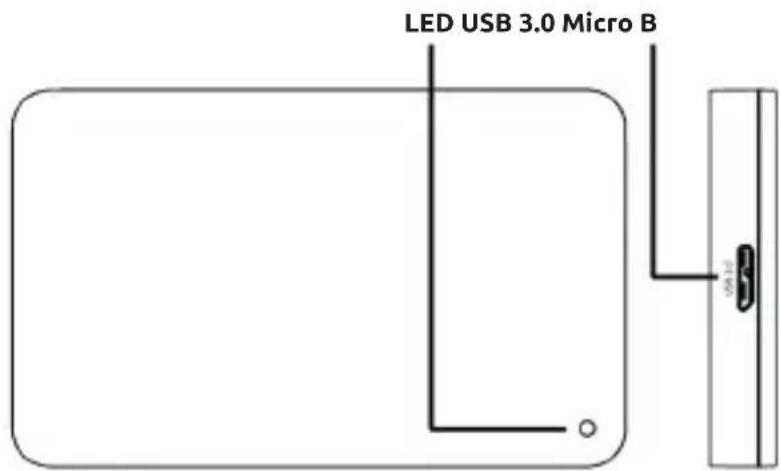
To connect the external hard drive to your computer, please use only the supplied USB cable. Connect the USB 3.0 plug with the Intenso hard drive and the plug of the USB cable end with your computer.
The computer recognizes the “new hardware” and installs the driver automatically. Wait until the driver installation is completed. In the “workplace” there is now another drive with the designation “Intenso” available.
As soon as the external drive is connected with the computer, the LED lights up The LED flashes when a write or read operation is carried out.
Removing the hard drive
Depending on the used operating system, the hard drive must be logged off before the connection to the computer is interrupted. For further details please refer to the Help Section of your operating system provider. The device may not be removed when it is still being accessed (flashing LED). This can lead to damages and/or data loss. Please close all the files located on the hard drive (photos, documents, etc.) before removing the hard drive.
SAFETY INSTRUCTIONS
Dangers for children and persons with restricted physical, sensory or mental abilities:
Children often underestimate dangers or do not recognise them at all. This device is not intended to be used by persons (including children) with restricted sensory, physical or mental abilities or lack of experience and/or knowledge, unless they are supervised by a person responsible for their safety or received instructions from the person on how to use the device and they have understood the resultant dangers. Unsupervised children should not have access to the device. Make sure that children do not play with the device.
General
The device may not be exposed to spray or dripping water.
Vessels filled with liquid (vases, glasses or similar) may not be placed on the device. There is danger that the vessel tips over and the liquid impairs the electrical safety.
Do not operate this device with wet hands.
Do not insert any items, which are not intended for its use, into the openings of the device. This could lead to an electrical short-circuit and a resultant fire.
Do not block or cover the openings of the product.
Under no circumstances use the device in the case of visible damages on it or the USB cable.
When positioning the device, pay attention that no one can tread on the cable or trip over it. Do not place any objects onto the cable.
Do not drop the device or subject it to vibrations or impacts, this applies in particular to the transport. Do not move the device when it is in operation. Hard drives are extremely vulnerable and the data located on them can be destroyed irretrievably through this. Such damages are not contained in the guarantees.
Carry out data backups frequently to avoid a possible data loss.
Data recovery is not part of the guarantees and cannot be conducted by our Service Centre!
Keep the device away from any type of moisture and avoid dust, heat and direct sunlight.
Do not open the housing of the device and do not disassemble it into its component parts. Do not try to repair it yourself. The guarantee expires in this case.
Avoid using the device in strongly magnetized areas such as, for example, in the direct proximity of TV sets, loudspeakers, etc. to avoid data loss or other malfunctions.
During operation pay attention to a vibration-free base to avoid damages.
ASSISTANCE WITH PROBLEMS
Status LED is not illuminated
Check the external hard drive and the USB cable for visible damages. Should there be damage please contact our Support to exchange it. Under no circumstances use the defective device or cable. Check that the cable connection is plugged correctly.
Hard Drive is not recognized
Check the points under "Status LED is not illuminated" first.
Please check all further USB ports of your device (in particular on the rear side of PCs), it is possible that the hard drive does not get enough power at the used USB port. Please use only the supplied cable and, in particular, no extension.
If you use a USB hub between hard drive and computer, this should have an own power supply.
If the hard drive is not recognized at any USB port of your device, please try if it works on another device to exclude a possible defect.
Check the Disk Management, it is possible that only a drive letter has to be assigned (please see the Help file of your Windows version).
If you have used the hard drive previously, for example on a TV set, it could be that you have to format the hard drive first so that you can use it on a computer again (please refer to the operating instructions of the previously used device and/or the Help file of your operating system provider for details).
TECHNICAL DATA
| EXTERNAL USB 3.0 HARD DRIVE 2.5" (6.35CM) | |
| Dimensions (2.5" housing): 11 / 13 / 17 / 20 x 78 x 127 mm | |
| Transfer rate: max. 5 GBit/sec (USB 3.0) | |
| Capacity calculation: 1 MB = 1,000,000 bytes/1 GB = 1,000,000,000 bytes |
DISPOSAL
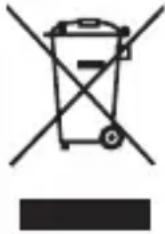 | Disposal of old electronic equipment:The devices marked with this symbol are subject to the European Directive 2012/19/EC. All electrical appliances and old electrical appliances must be disposed of separate from the municipal waste stream via designated collection facilities appointed by the government or the local authorities.You avoid environmental damage with the proper disposal of old electrical equipment. |
 | Packaging:Packaging is raw material. The packaging material of this product is suitable for recycling and can be re-used. Please pay attention to the local recycling provisions when disposing of any materials. |
EXCLUSION OF LIABILITY
The firmware and/or hardware may be changed at any time without prior notice. For this reason it is possible that parts of these instructions, technical data and images in this documentation differ slightly from the product in your possession. All points described in these instructions only serve the purpose of clarification and must not inevitably correspond to a certain situation. Legal claims cannot be made on the basis of these instructions.
GUARANTEE CONDITIONS AND COMPLAINTS PROCEDURE
Guarantee conditions:
Intenso International GmbH grants a two-year guarantee for this product in addition to the statutory warranty. The guarantee applies only to material and production errors. Intenso International GmbH is not liable for the loss of data. The free-of-charge guarantee relates to the repair or exchange of faulty parts. You are responsible for the safe elimination of your data which is not carried out by us. The sales receipt must be retained for the determination of the guarantee period. Please understand that we cannot provide a guarantee service in the case of, e.g.:
• Non-observance of the Operating Instructions
• Abusive or improper treatment, installation or use
• Damages, scratches or wear
• Arbitrary modifications, opening the housing, interventions or repairs
• Damage through other devices, force majeur or transport
Complaints procedure:
In the case of a complaint, please proceed as follows:
- Only returns with sales receipt and full accessories will be accepted.
- Furthermore, an RMA number is absolute precondition for returns. You can request this RMA number via the homepage, by email or via the service hotline. It must be attached clearly visible on the parcel.
- Please pack the product including the sales receipt and complete accessories in a transport-proof manner. The parcel must have sufficient postage.
Please send the parcel to the following address:
INTENSO INTERNATIONAL GMBH
Service Center (your RMA-No.)
(0,39 € / min. from the German fixed network mobile phone prices may vary.)
MODE D'EMPLOI
Table des matières
Vue d'ensemble
Matériel fourni
natural_image
Simple line drawing of a cylindrical object with a vertical line at the base (no text or symbols)2
natural_image
Simple line drawing of a USB connector with a USB symbol on its body (no text or labels)3
1 Disque dur Intenso Super Speed USB 3.0 (rétrocompatible)
Email (assistance technique): support@intenso-international.de
natural_image
Simple line drawing of a cylindrical object with a vertical line at the bottom (no text or symbols)2
natural_image
Simple line drawing of a USB port with a key inserted (no text or symbols)3
natural_image
Symbol of a trash bin with no text or labels, crossed by diagonal lines and a solid black rectangle below (no readable text or symbols)natural_image
Simple line drawing of a cylindrical object with a vertical line at the base (no text or symbols)2
natural_image
Simple line drawing of a USB connector with a USB symbol on its body (no text or labels)3
1 Disco rigido Intenso Super Speed USB 3.0 (retrocompatibile)
Custodia in pelle
natural_image
Simple line drawing of a cylindrical object with a vertical line at the bottom (no text or symbols)2
natural_image
Simple line drawing of a USB port with a USB symbol on its side (no text or labels)3
natural_image
Symbol of a trash bin crossed with a diagonal line, no text or numbers presentMANUAL DE INSTRUÇÕES
Índice
Visão geral
Material fornecido
natural_image
Simple line drawing of a cylindrical object with a vertical line at the base (no text or symbols)2
natural_image
Simple line drawing of a USB port with a USB symbol on its side (no text or labels)3
natural_image
Simple line drawing of a cylindrical object with a vertical line at the bottom (no text or symbols)2
natural_image
Simple line drawing of a USB port with a USB symbol on its side (no text or labels)3
natural_image
Symbol of a trash bin crossed with no text or numbers, representing waste sorting or disposal (no text present)natural_image
Simple line drawing of a cylindrical object with a vertical line at the bottom (no text or symbols)2
natural_image
Simple line drawing of a USB connector with a pin (no text or symbols)3
1 Intenso Super Speed USB 3.0 tvrdi disk Torbica u imizaciji koje (kompatibilan sa nižim verzijama)
3 USB 3.0 kabel Upute za uporabu
4
Izjava o sukladnosti
natural_image
Simple line drawing of a cylindrical object with a vertical line at the base (no text or symbols)2
natural_image
Simple line drawing of a USB port with a USB symbol on its side (no text or labels)3
POMOC W PRZYPADKU PROBLEMÓW
natural_image
Simple line drawing of a cylindrical object with a vertical line at the base (no text or symbols)2
natural_image
Simple line drawing of a USB connector with a USB symbol on its body (no text or labels)3
1 Intenso Super Speed USB 3.0 pevný disk (spätne kompatibilný)
natural_image
Simple line drawing of a cylindrical object with a vertical line at the bottom (no text or symbols)2
natural_image
Simple line drawing of a USB connector with a keyhole symbol (no text or labels)3
natural_image
Simple line drawing of a cylindrical object with a vertical line at the bottom (no text or symbols)2
natural_image
Simple line drawing of a USB connector with a key symbol (no text or labels)3

- LANGUAGES
- General 2
- Use
- Safety instructions 4
- Technical data 5
- OVERVIEW
- Delivery scope
- Declaration of conformity
- GENERAL
- About these instructions
- Intended use
- System requirements
- Notes:
- Connecting the hard drive
- Removing the hard drive
- SAFETY INSTRUCTIONS
- Dangers for children and persons with restricted physical, sensory or mental abilities:
- ASSISTANCE WITH PROBLEMS
- Status LED is not illuminated
- Hard Drive is not recognized
- TECHNICAL DATA
- DISPOSAL
- EXCLUSION OF LIABILITY
- GUARANTEE CONDITIONS AND COMPLAINTS PROCEDURE
- Guarantee conditions:
- Complaints procedure:
- MODE D'EMPLOI
- Table des matières
- MANUAL DE INSTRUÇÕES
- Índice
- Izjava o sukladnosti
- POMOC W PRZYPADKU PROBLEMÓW
Brand : INTENSO
Model : 2.5 Memory Drive
Category : Hard Drive