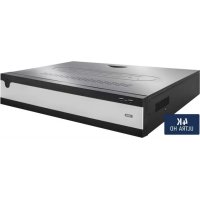
NVR10040 - Network video recorder ABUS - Free user manual and instructions
Find the device manual for free NVR10040 ABUS in PDF.


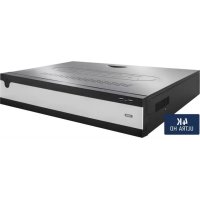
| Product Type | 32-channel Network Video Recorder |
| Brand | ABUS |
| Model | NVR10040 |
| Power Supply | AC 100-240 V, 200 W |
| Total Network Bandwidth | 576 Mbit/s (input/output) |
| Monitor Outputs | 2 x VGA (1080p), 1 x HDMI (4K), 1 x HDMI (1080p) |
| Audio | 2 RCA inputs, 2 RCA outputs |
| Storage | 8 x SATA, 1 x eSATA |
| Network Connection | 2 x RJ45 10/100/1000 Mbps |
| Direct Display Resolution | Up to 12 MP |
| Alarm Inputs | 16 (NO/NC) |
| Relay Outputs | 4 (12 V DC/1 A) |
| Operating Mode | Triplex |
| Management Software | CMS ABUS |
| Mobile App | iDVR Plus/HD (iOS and Android) |
| VCA Functions | Intrusion detection, Tripwire, Face detection, etc. |
| OSD Languages | German, English, French, Dutch, Danish |
| Operating Temperature | -10°C to 55°C |
| Max Humidity | 90 % |
| Maintenance and Cleaning | Unplug before cleaning, use a dry cloth, avoid liquids |
| Security | Complex administrator password, GUID file for reset |
| Technical Support | Contact ABUS Security-Center support |
Frequently Asked Questions - NVR10040 ABUS
User questions about NVR10040 ABUS
0 question about this device. Answer the ones you know or ask your own.
Ask a new question about this device
Download the instructions for your Network video recorder in PDF format for free! Find your manual NVR10040 - ABUS and take your electronic device back in hand. On this page are published all the documents necessary for the use of your device. NVR10040 by ABUS.
USER MANUAL NVR10040 ABUS
abus.com/ger/products/NVR10040

Scope of delivery 29
Warnings 30
Connections and status LED 31
Hardware Installation 33
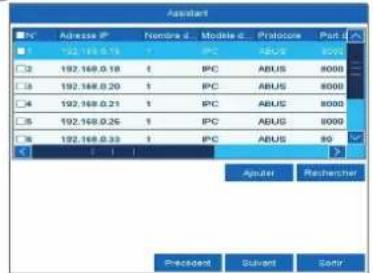
System activation 37
Resetting the password 38
Software Set-up 39
Specifications 45
Instructions, software and app 48
Nederlands
Leveringsomvang 52
Waarschuwingen 53
Security Tech Germany
16
2xVGA(1080p:1920x1080p),1xHDMI(4k:3840x2160p),1xHDMI(1080p: 1920x1080p)
Tripwire Detection, Intrusion Detection, Face Detection, Defocus Detection, Scene Change Detection, PIR-Alarm
This quickstart guide describes the initial installation steps for your network video recorder. You can download the user guide/installation instructions via the link below: abus.com/eng/products/NVR10040
Dear Customer,
Thank you for purchasing one of our products. This device complies with the requirements of the following EU directives: the EMC Directive (2014/30/EU), the Low Voltage Directive (2014/35/EU) and the RoHS Directive (2011/65/EU).
Conformity has been verified, and the corresponding declarations and documents are kept on file by the manufacturer: ABUS Security-Center GmbH & Co. KG, Linker Kreuthweg 5, 86444 Affing, Germany.
To maintain this standard and guarantee safe operation, it is your obligation as the user to observe this user guide. Read the entire user guide carefully before putting the product into operation and observe all operating and safety information.
All company names and product descriptions are trademarks of the corresponding owner. All rights reserved. If you have any questions, please contact your specialist dealer.
SCOPE OF DELIVERY

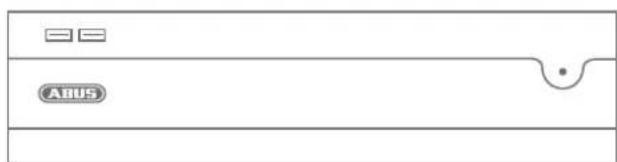
32-channel network video recorder
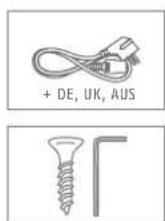
- 3x power cable (DE, UK, AU)
- 8x S-ATA cable and screws for hard disk drives
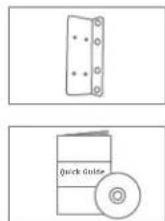
- Mounts and screws for server cabinet
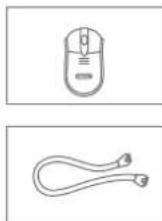
- USB wireless mouse
Quick guide
Safety information
General information
CD (software)
WARNING
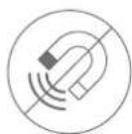
Keep the recorder away from strong magnetic fields.
Ensure an uninterrupted power supply.

Keep liquids away from the recorder.

Only operate and store the recorder in the ambient conditions recommended by the manufacturer.

Turn the recorder off before connecting or removing peripheral devices.

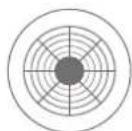
Ensure that there is always sufficient ventilation.
CONNECTIONS AND STATUS LED

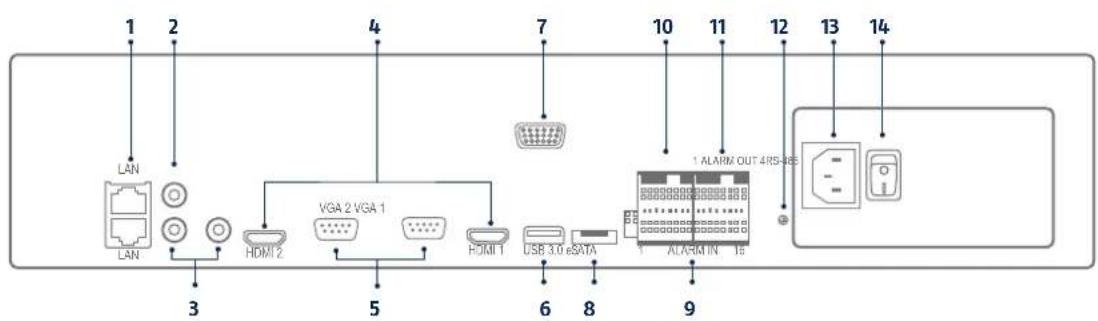
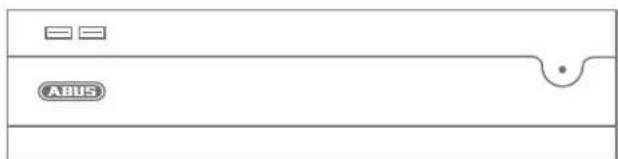
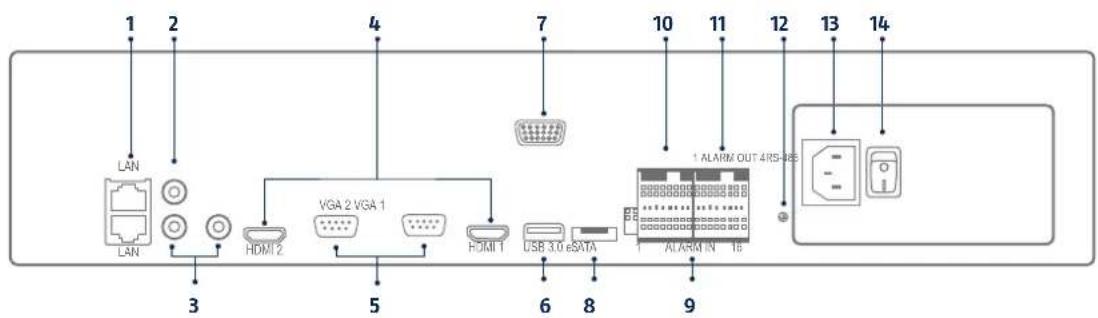
1 2x LAN (RJ45 connection)
8 eS-ATA (connection for external storage)
2 Audio in (RCA audio input)
9 Alarm In
3 Audio out (RCA audio output)
10 RS-485 serial connection
4HDM1 (HDM1 monitor connection; HDM1: 4K, HDM12: 1080p)
11 Alarm Out
5 VGA (VGA monitor connection)
12 Grounding
6 USB 3.0 (connection for USB devices)
13 240 V AC (connection for power supply)
7 RS-232 serial connection (for service pur poses only)
14 Power (on/off switch for the device)
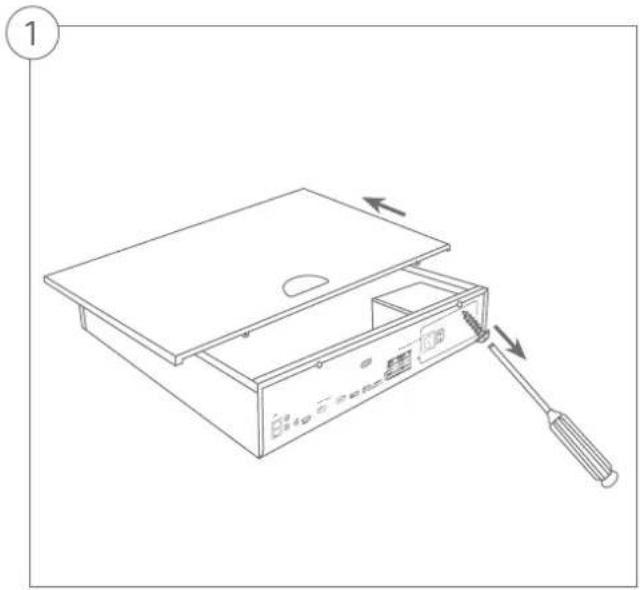
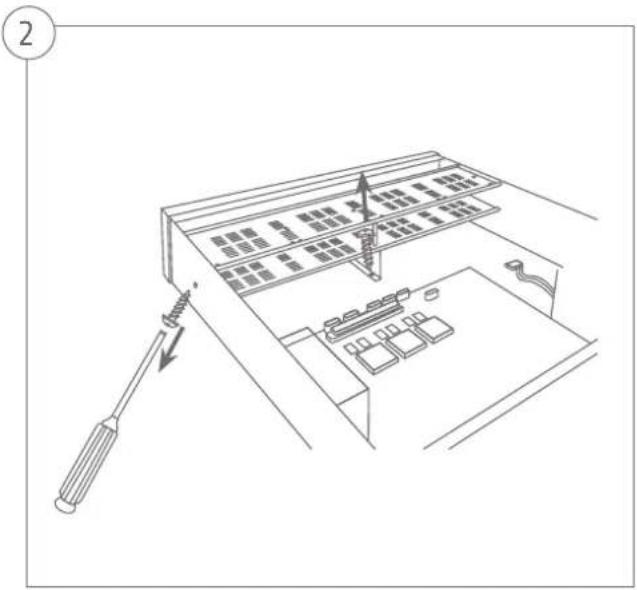
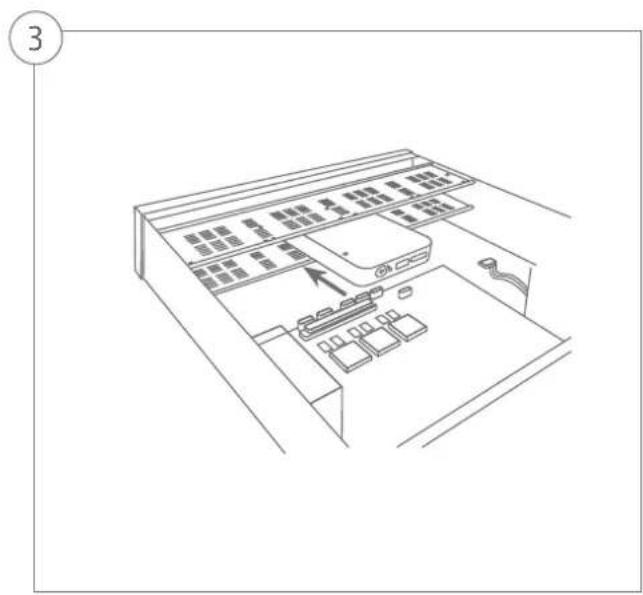
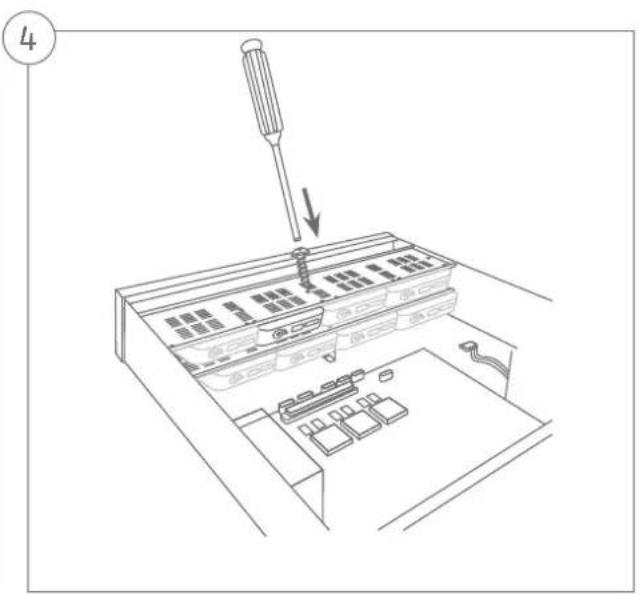
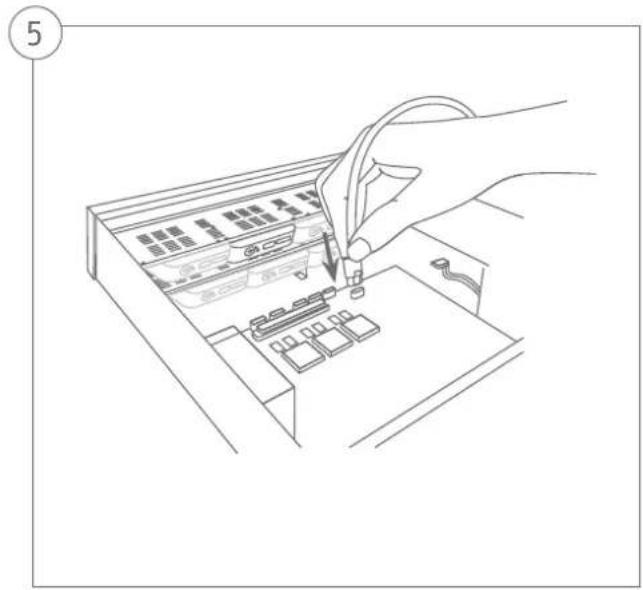
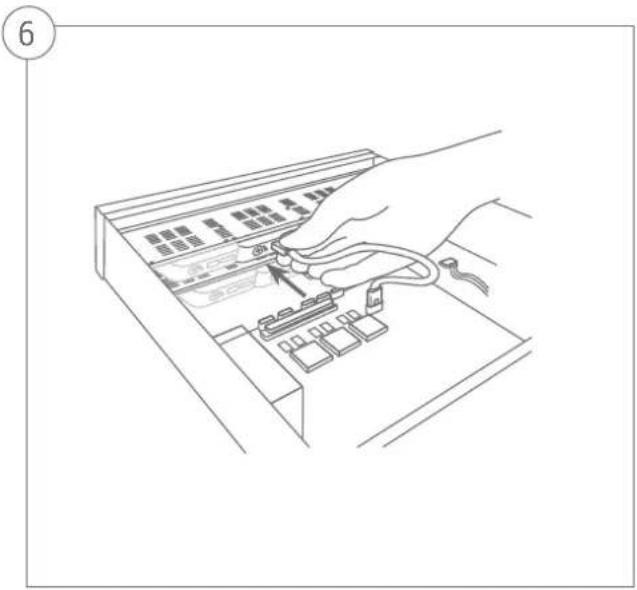
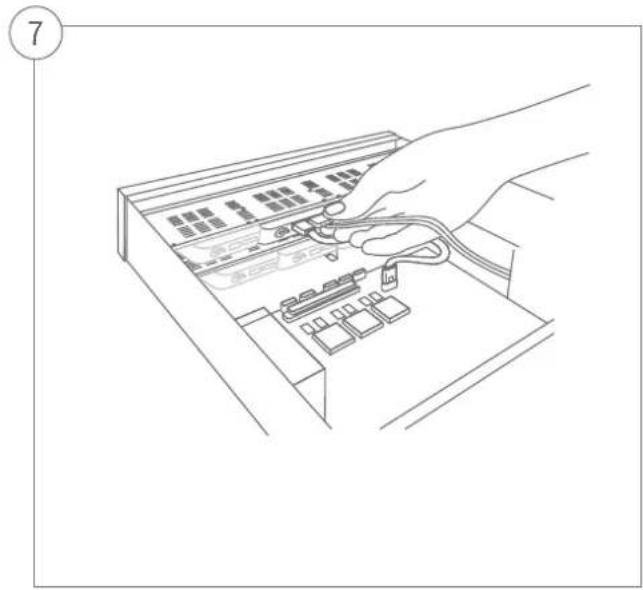
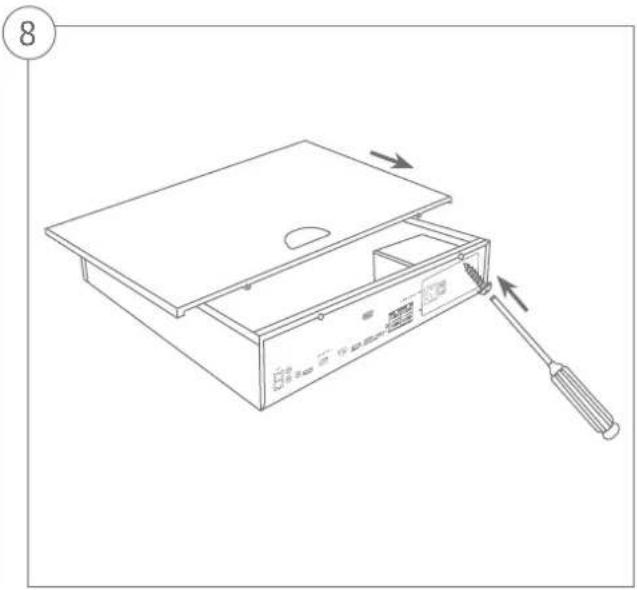
HARDWARE INSTALLATION

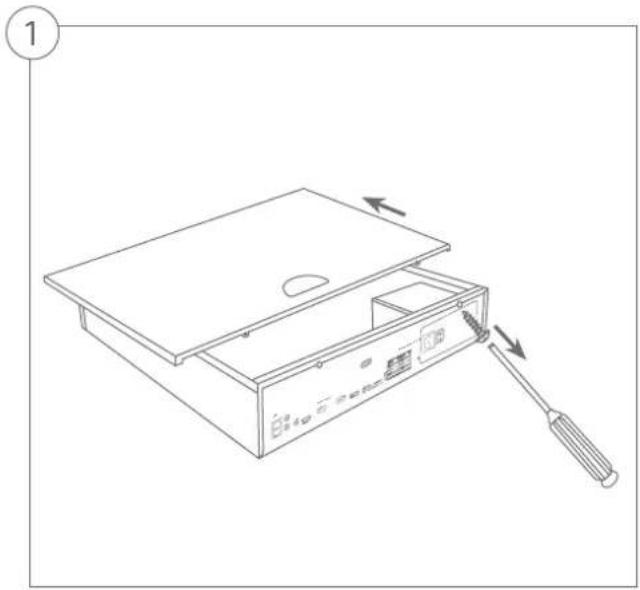
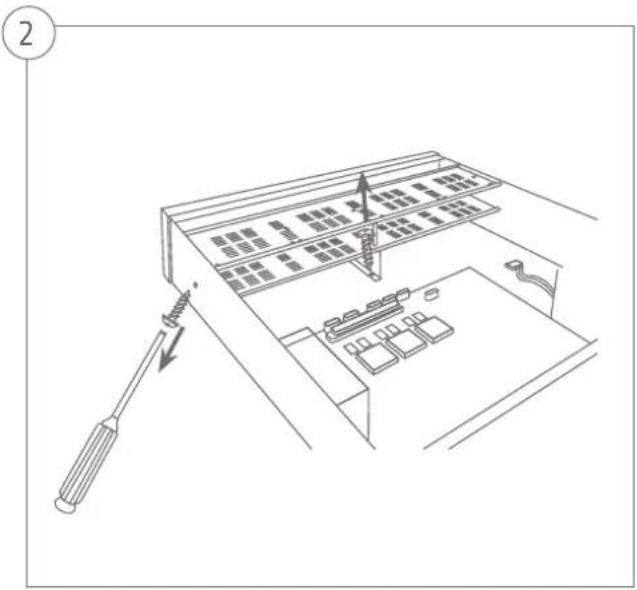
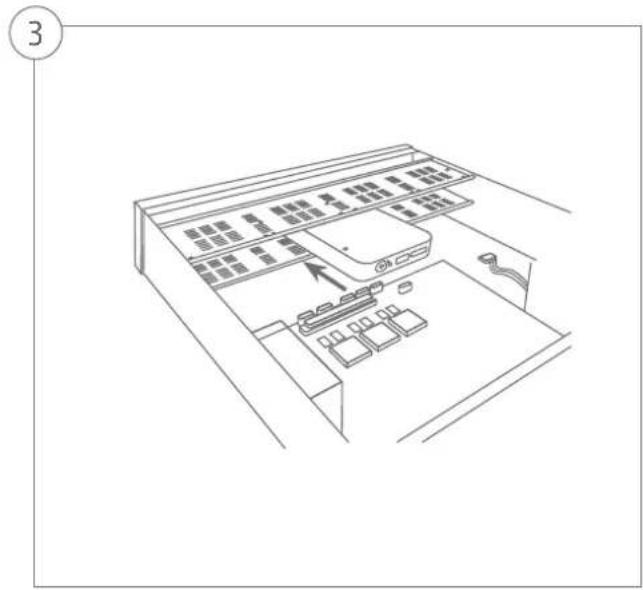
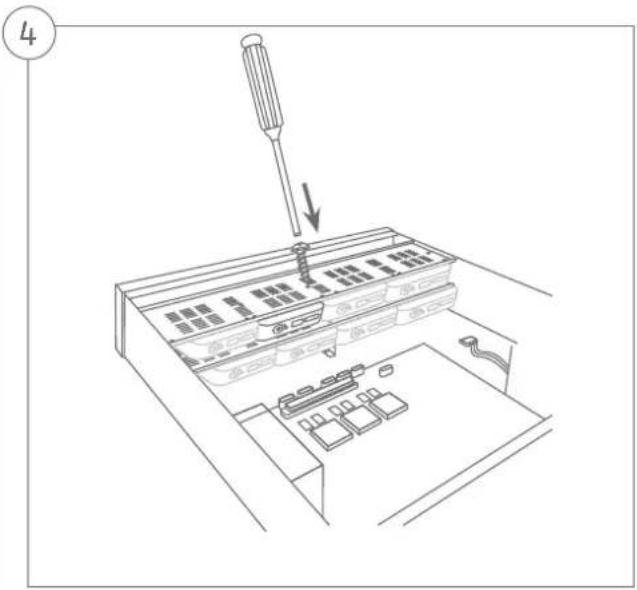

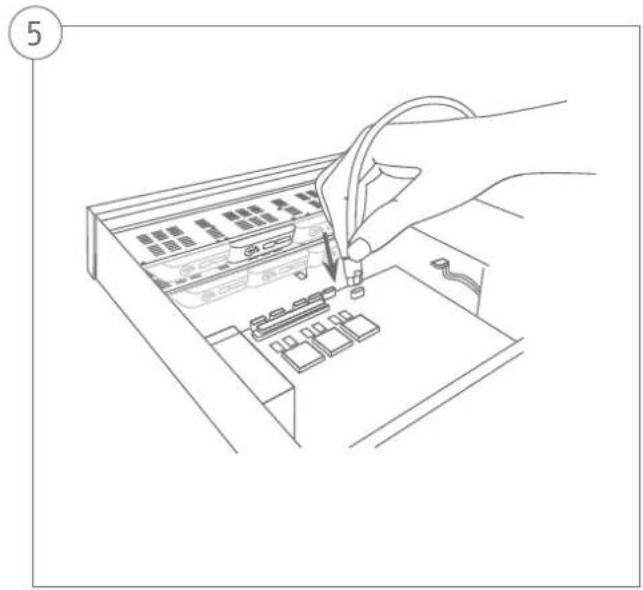
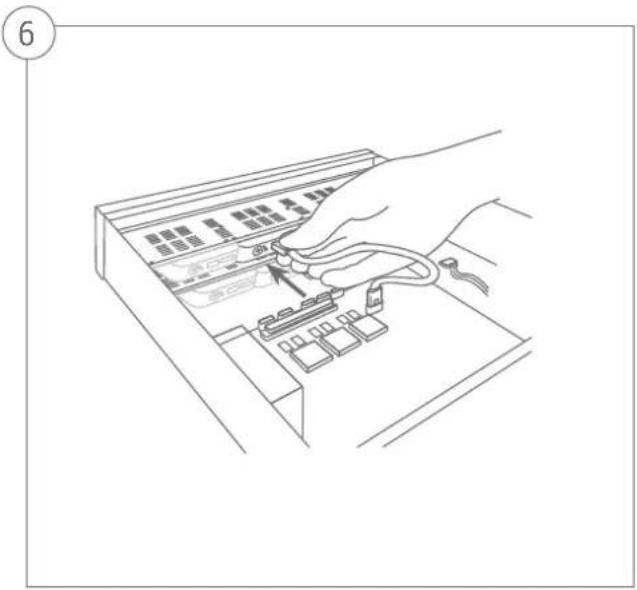
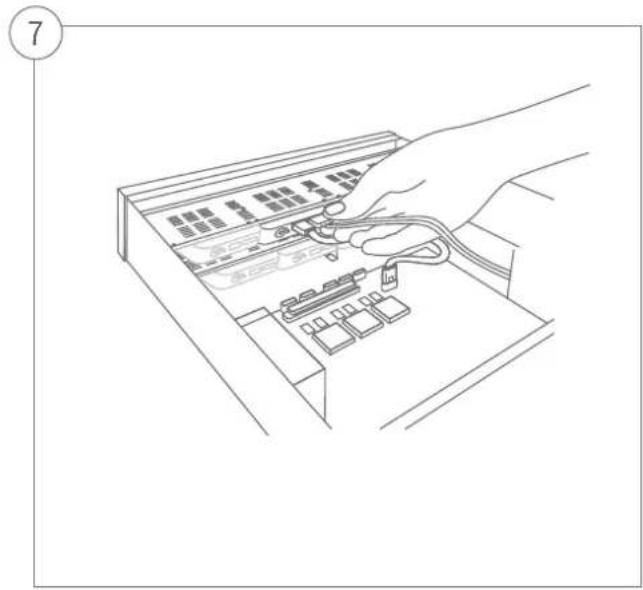
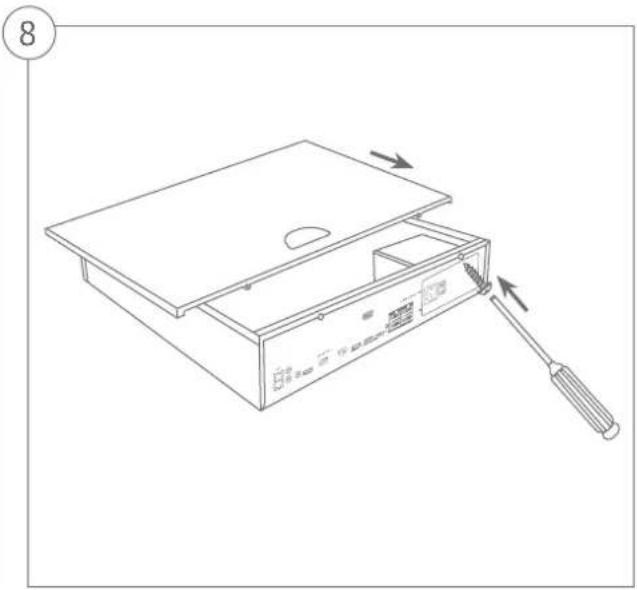
SYSTEM ACTIVATION

Security Tech Germany
1
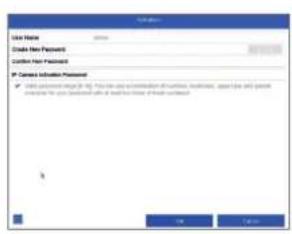
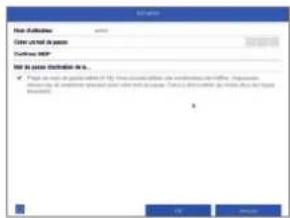
In the fi eld 'New password' enter a password for the admin user. The password must meet the specified minimum requirements. Recommendation: Use a password that is as complex as possible and is classified as 'strong'.
2
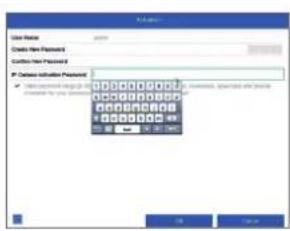
Enter a password here, which the video recorder uses to activate inactive IP cameras.
3
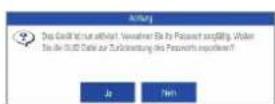
The device is activated and all of its functions can now be used.
You will require the GUI file in order to reset the password yourself. Export the file on to a USB stick and store it securely.
Note: Due to the pre-set default language, the arming process is always in German. Language independently, you can activate the recorder with the ABUS IP-Installer via the network.
Admin password:
RESETTING THE PASSWORD
1
You can only reset the admin password yourself using the GUI file.
Please be aware that this file becomes invalid if the password is subsequently changed or the GUI file has already been used. In both cases, a new file will need to be created manually.
2
GUID import, local interface:
Click on the 'Forgotten password' button in the local login dialog. Insert a USB data carrier containing the secure GUI file and select this file. Click on the 'Import' button to reset the password.
3
GUID import, web interface:
Open your recorder's web interface and click on the 'Forgotten password' button. Insert a USB data carrier containing the secure GUI file and select this file. Click on the 'Import' button to reset the password.
Note: Resetting the admin password is a critical and complex process. Please ensure that you have access to this data in the event of an emergency by storing the password securely (leave a note in these instructions or keep the GUI file on an external data carrier). Therefore, please plan for this eventuality at initial start-up and specify where and how this data will be stored and who will have access to it.
Important: If the password needs to be reset, and the password has not been noted down and the GUI file cannot be accessed (or is no longer valid), you will need to contact Technical Support at the ABUS Security-Center. To reset the password with the help of ABUS, you must have a PC on the premises with a network connection to the recorder, and there must be internet access in order to receive the data that will be provided to you by technical support. If these requirements are not met, it will not be possible to reset the password on the recorder.
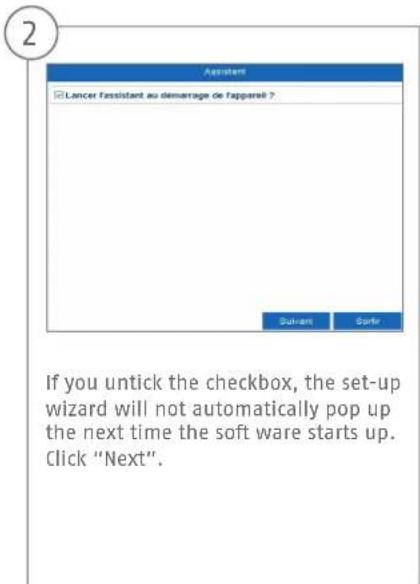
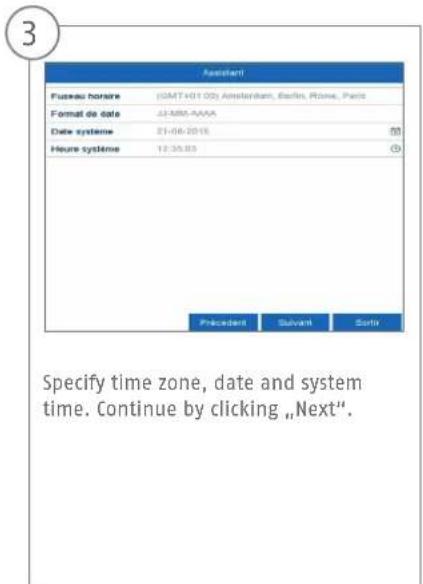
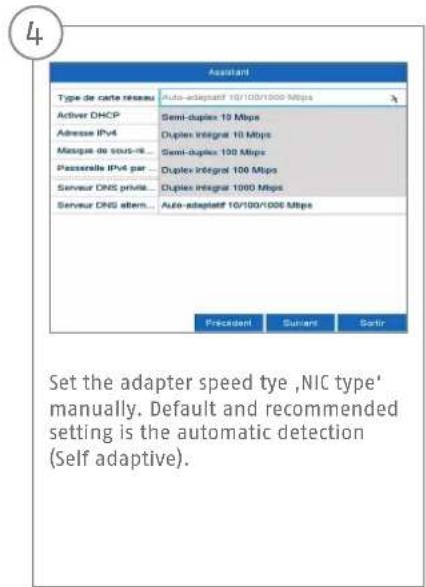
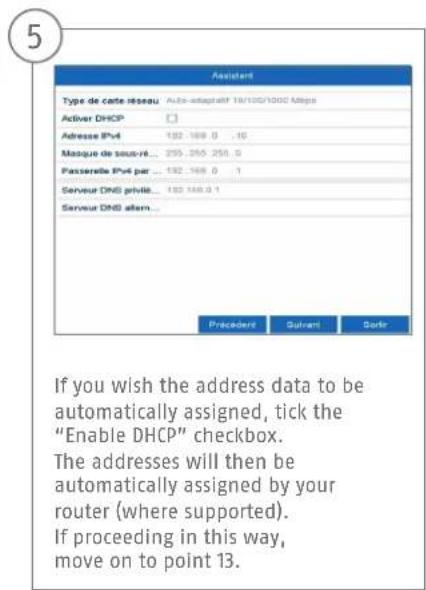
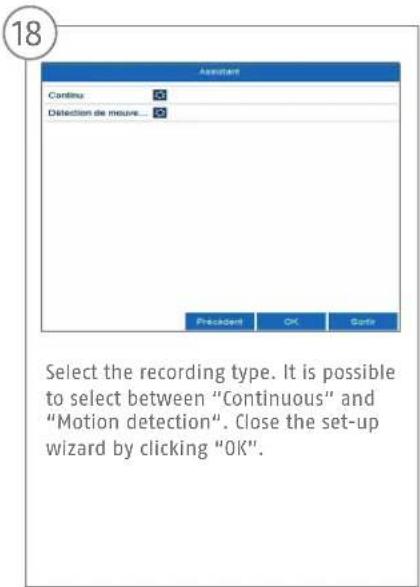
SOFTWARE SET-UP

Security Tech Germany


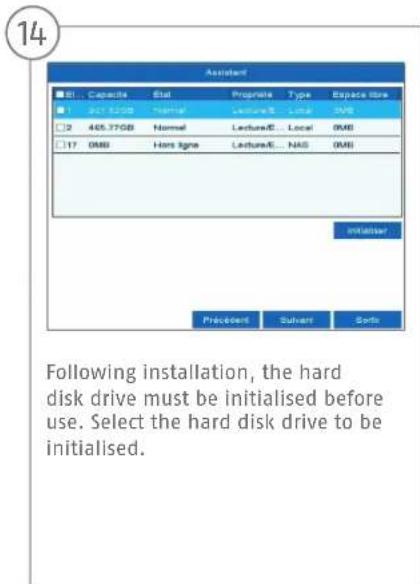
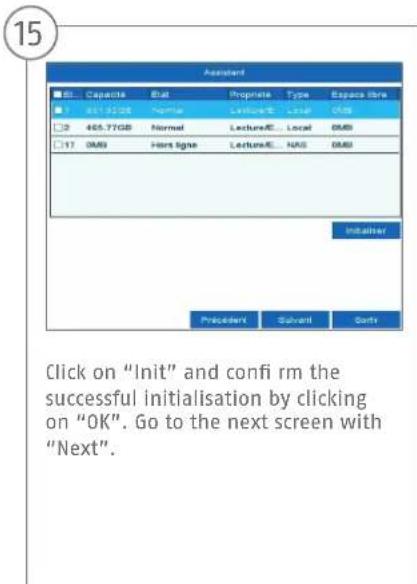
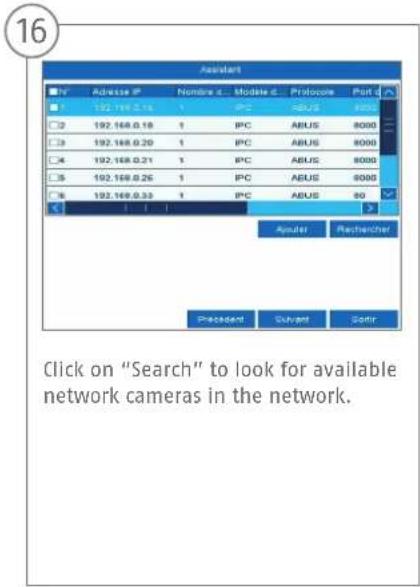
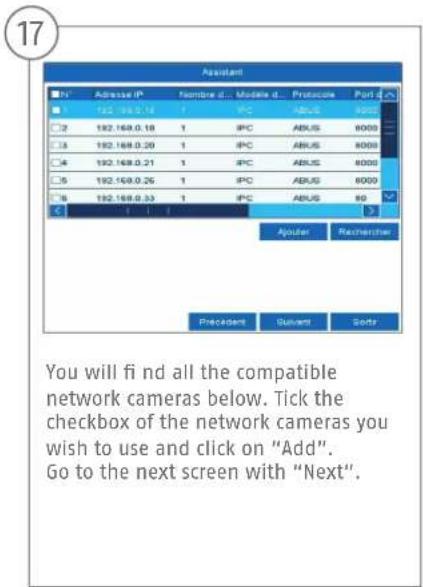
SPECIFICATIONS

Model NVR10040
| Total network throughput (input/output) 576 MBit/s (320 MBit/s/256 MBit/s) | |
| IP video channels 32 | |
| Monitor outputs | 2 x VGA (1080p:1920x1080p), 1 x HDMI (4k:3840x2160p), 1 x HDMI (1080p:1920 x 1080p) |
| Live view resolution | 12MP / 8MP / 6MP / 5MP / 4MP / 3MP / 1080p / UXGA / 720p / VGA / 4CIF / DCIF / 2CIF / CIF / QCIF |
| Views 1 / 4 / 6 / 8 / 9 / 16 / 25 / 32 | |
| Control Mouse | |
| Audio Two-way audio: 1-ch, RCA (2.0 Vp-p, 1000 Ω) | Audio output: 2-ch, RCA (Linear, 1000 Ω) |
| Storage medium 8 x S-ATA, 1 x eS-ATA | |
| Total frame rate (PAL) 800 | |
| Recording modes | Manual, time schedule, motion detection, alarm, motion detection and alarm, motion detection or alarm, VCA |
| Search modes By event, date and time, Smart Search, VCA | |
| Storage 2 x USB 2.0, 1 x USB 3.0, 1 x eS-ATA | |
| Network access 2x RJ45 10/100/1000 Mbps | |
| Network functions Live view, playback, data export, settings | |
| Simultaneous network access 128 camera connections | |
| ONVIF Profile S | |
| Network camera protocols | ABUS network cameras, Axis, Panasonic, Samsung (see compatibility list at www.abus.com) |
| Mobile access iDVR Plus/HD (Apple iOS & Android) | |
| Software ABUS CMS software | |
| DDNS Yes | |
| NTP Yes | |
| Video content analysis (VCA) | Tripwire detection, intrusion detection, face detection, defocus detection, scene change detection, PIR alarm |
| Relay output 4 (max. load: 12 V DC/1 A) | |
| Alarm inputs (NO/NC) 16 | |
| Alarming Acoustic warning signal, OSD signal, email, VCA | |
| User levels | 2 (max. 31 users) |
| Operating mode | Triplex |

OSD language English, German, French, Dutch, Danish
Dimensions (WxHxD) 450 x 95 x 440
Net weight 6.4
Max. operating temperature 55
Max. humidity 90
Min. operating temperature -10
AC voltage supply 100-240
Power consumption 200
Certifications CE, C-Tick, RoHS II, REACH, FCC, Law Sarkozy compliant
INSTRUCTIONS, SOFTWARE AND APP
Instructions:

Other instructions for operating the online and recorder interfaces can be found under the "Downloads" tab at the following link:
http://www.abus.com
Soft ware:
001 ABUS Central Monitor Station (CMS) allows you to monitor, control and manage the video data from your recorder on your PC:
www.abus.com
The ABUS IP Installer to find your recorder in the network, to check for and install firmware updates and to download instruction manuals and quickguides directly to your PC:
http://www.abus.com
App:
us/HD App
you free, fast remote access
recorder:

Download on the
App Store

GETITON
Google Play


NVR10040
QUICKGUIDE VOOR
Security Tech Germany
Security Tech Germany
1
Certificeringen CE, C-Tick, RoHS II, REACH, FCC, Law Sarkozy conform
HANDLEIDING + SOFTWARE + APP

Handleidingen:
Download on the App Store

GET ON Google Play

Security Tech Germany
NVR10040
GUIDE RAPIDE POUR ENREGI-STREUR NUMÉRIQUE RÉSEAU
Security Tech Germany
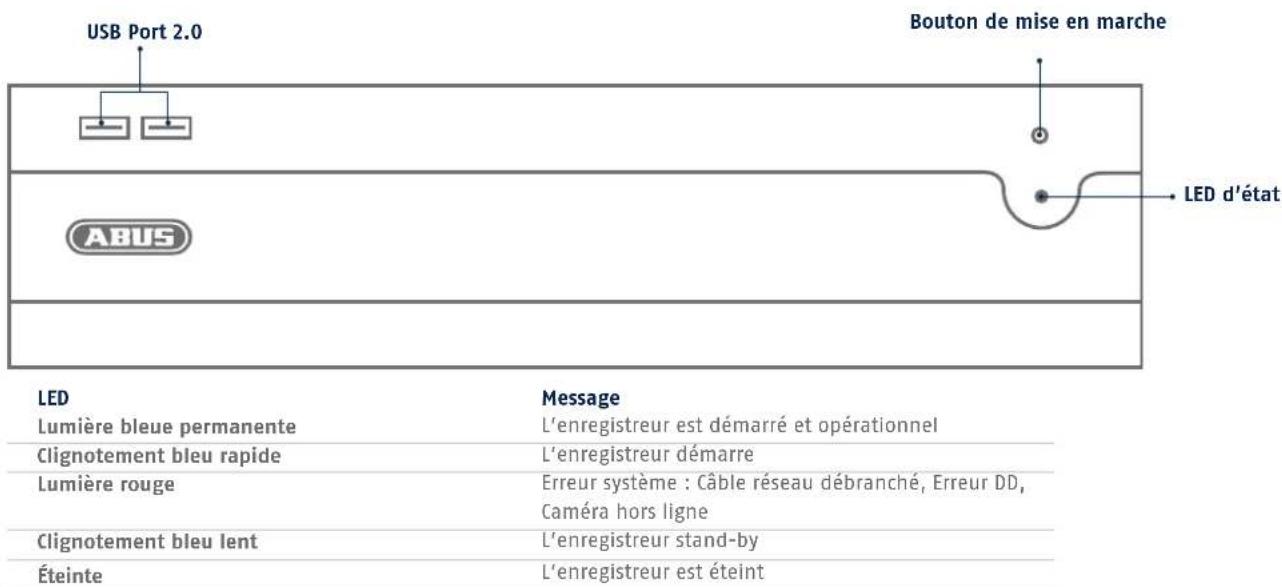
1 2 LAN (connexion RJ45)
Security Tech Germany

ACTIVATION DU SYSTÉME

Security Tech Germany
123
Security Tech Germany
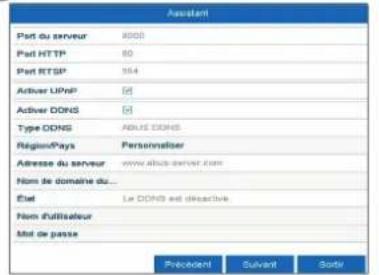
13
Dimensions (L x H x P) 450 x 95 x 440
Poids net 6,4
Certifications Conformce CE, C-Tick, RoHS II, REACH, FCC, Ioi Sarkozy
MANUEL + LOGICIEL + APPLICATION
Manuels :

Security Tech Germany
NVR10040
KVIKGUIDE TIL NETVærKS-VIDEOOPTAGER
abus.com/eng/products/NVR10040

Kare kunde
Security Tech Germany
Security Tech Germany
1
Security Tech Germany
10
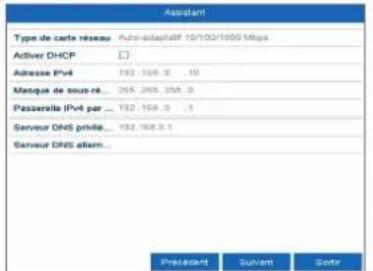
DNS-serveren,oversaetter en internetadresse til en IP-adresse. Hvis du har en foretrukket DNS-server, skal du indtaste varendien for standard-gatewayen.
11
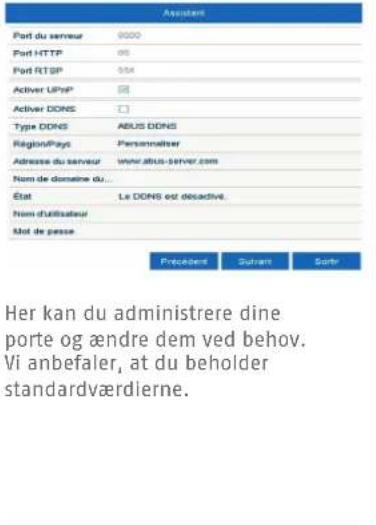
12
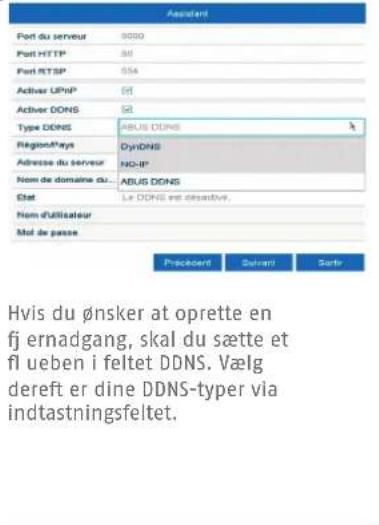
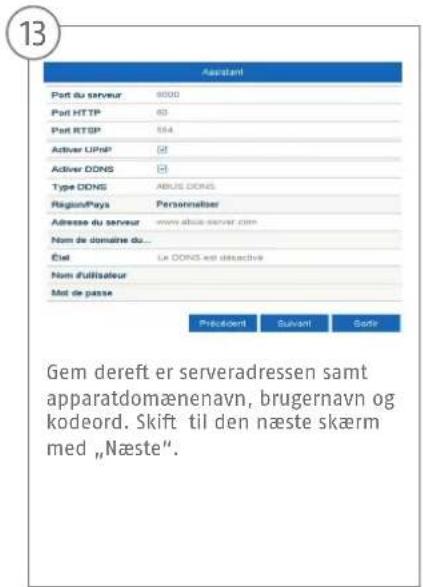
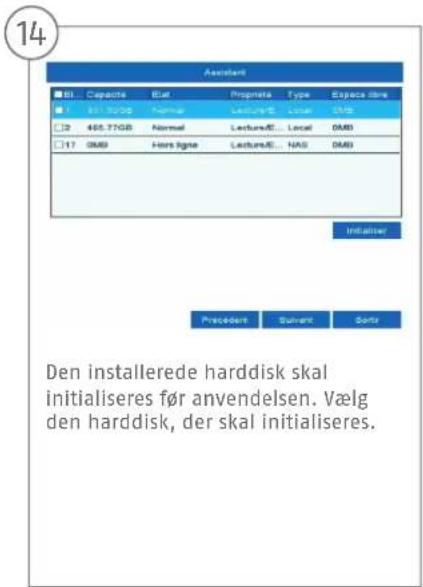

SPECIFICATIONER
Model NVR10040
Netvarkrowthput l alt (input/output) 576 MBit/s (320 MBit/s/256 MBit/s)
Videokanaler IP 32
Monitorudgange 2xVGA(1080p:1920x1080p),1xHDMI(4k:3840x2160p),1xHDMI(1080p:1920 x1080p)
Opnsing livevising 12MP/8MP/6MP/5MP/4MP/3MP/1080p/UXGA/720p/VGA/4CIF/DCIF /2CIF/CIF/QCIF
Visninger1/4/6/8/9/16/25/32
Styring Mus, kontrolpanel
Audio Two-way-audio: 1-ch, RCA (2,0 Vp-p, 1000 Ω)
Audio-output: 2-ch, RCA (lineaer, 1000 Ω)
Lagermedium B x S-ATA, 1 x eSATA
Samlet billedhastighed (PAL) 800
Certificeringer CE, C-Tick, RoHS II, REACH, FCC, Law Sarkozy conform
VEJLEDNING + SOFTWARE + APP

Vejledninger:

vevjedninger veder. betjening af web- og optager-overfl ade fi ndes under fanen "Downloads" via ffolgende link: http://www.abus.com
Soft ware:
Download on the App Store

Get it on Google Play
ABUS
Security Tech Germany
NVR10040
GUIDA RAPIDA PER
VIDEOREGISTRATORE DI RETE
abus.com/it/products/NVR10040
Gentile clientele,
Security Tech Germany
Security Tech Germany
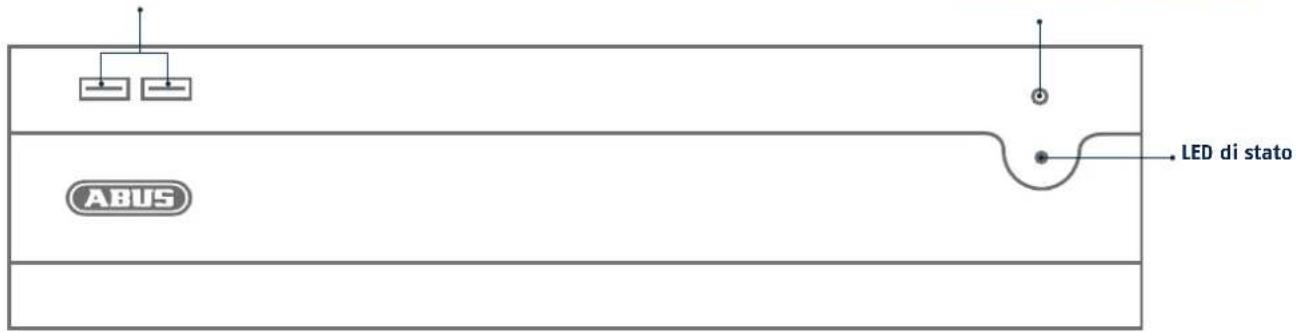
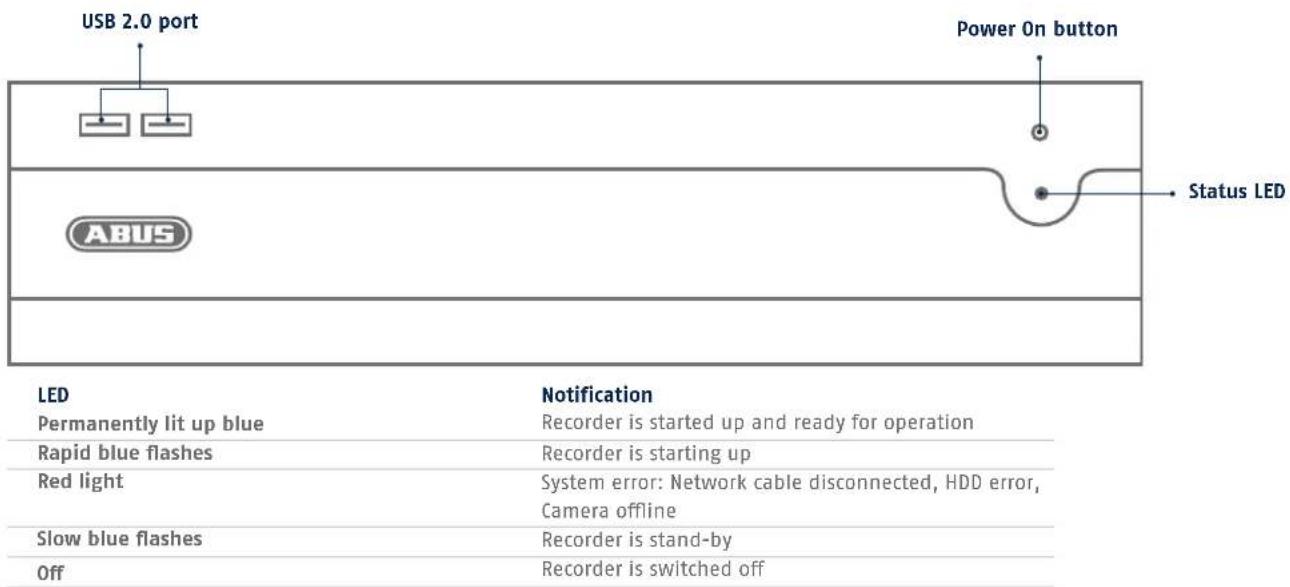
Pulsante Power-On Porta USB 2.0
LED
Messaggio
Security Tech Germany
13 14 15
Uscite monitor 2 VGA (1080p:1920x1080p), 1 HDMI (4k:3840x2160p), 1 HDMI (1080p: 1920 x 1080p)
Risoluzione visualizzazione live 12MP/8MP/6MP/5MP/4MP/3MP/1080p/UXGA/720p/VGA/4CIF/DCIF /2CIF/CIF/QCIF
Download on the App Store

SET ON Google Play
abus.com
- Nederlands
- SCOPE OF DELIVERY
- WARNING
- CONNECTIONS AND STATUS LED
- HARDWARE INSTALLATION
- SYSTEM ACTIVATION
- RESETTING THE PASSWORD
- SOFTWARE SET-UP
- SPECIFICATIONS
- INSTRUCTIONS, SOFTWARE AND APP
- NVR10040
- QUICKGUIDE VOOR
- HANDLEIDING + SOFTWARE + APP
- GUIDE RAPIDE POUR ENREGI-STREUR NUMÉRIQUE RÉSEAU
- ACTIVATION DU SYSTÉME
- MANUEL + LOGICIEL + APPLICATION
- KVIKGUIDE TIL NETVærKS-VIDEOOPTAGER
- 10
- 11
- 12
- SPECIFICATIONER
- VEJLEDNING + SOFTWARE + APP
- GUIDA RAPIDA PER
- VIDEOREGISTRATORE DI RETE
- LED
- Messaggio
- 14 15
Brand : ABUS
Model : NVR10040
Category : Network video recorder