SDP51DC - Screwdriver Tacklife - Free user manual and instructions

Find the device manual for free SDP51DC Tacklife in PDF.

📄 99 pages English EN 💬 AI Question 8 questions ⚙️ Specs
Notice Tacklife SDP51DC - page 2
Technical Features Tacklife SDP51DC cordless screwdriver, maximum torque of 30 Nm, no-load speed of 0-350 rpm and 0-1300 rpm, 12V lithium-ion battery, charging time of 1-2 hours.
Usage Ideal for screwing and unscrewing in wood, metal, and plastic, suitable for household tasks and DIY projects.
Maintenance and Repair Regularly clean the device, check the condition of the battery and bits, replace worn parts according to the manufacturer's recommendations.
Safety Use protective glasses, avoid overloading the tool, do not use in damp environments, follow the instructions in the user manual.
General Information Lightweight for easy handling, ergonomic design, 2-year warranty, included accessories: charger and screwdriver bits.

Frequently Asked Questions - SDP51DC Tacklife

How do I charge the Tacklife SDP51DC screwdriver?
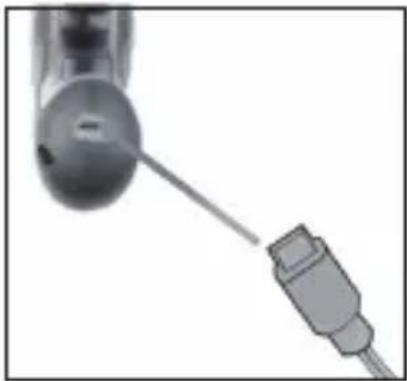
To charge the Tacklife SDP51DC screwdriver, simply insert the charger into the outlet and connect it to the tool's battery. Make sure the charging indicator lights up to confirm the battery is charging.
Why is my screwdriver not working?
First, check if the battery is fully charged. If the battery is charged and the tool still does not work, try resetting the device or consult the manual for further instructions.
How do I change the rotation direction of the screwdriver?
To change the rotation direction of the Tacklife SDP51DC screwdriver, use the direction switch located near the trigger. Push it forward for screwing mode and backward for unscrewing mode.
How do I maintain my Tacklife SDP51DC screwdriver?
Regularly clean the exterior with a soft, dry cloth. Ensure the vents are not blocked and check the battery condition. Avoid exposing the tool to extreme conditions.
What type of screws can be used with the Tacklife SDP51DC screwdriver?
The Tacklife SDP51DC screwdriver is compatible with a variety of screws, including wood screws, metal screws, and self-tapping screws. Make sure to use the correct bit for the type of screw you are using.
What is the warranty for the Tacklife SDP51DC screwdriver?
The Tacklife SDP51DC screwdriver typically comes with a 2-year warranty. For detailed warranty information and conditions, please consult the user manual or the Tacklife website.
How do I adjust the torque of the screwdriver?
Turn the torque selector located on the top of the tool. Choose the desired value based on the type of material and the size of the screw to be used.
What should I do if the battery does not charge?
If the battery does not charge, check that the charger is properly connected and functional. Try another power outlet. If the problem persists, the battery may be defective and need to be replaced.

Download the instructions for your Screwdriver in PDF format for free! Find your manual SDP51DC - Tacklife and take your electronic device back in hand. On this page are published all the documents necessary for the use of your device. SDP51DC by Tacklife.

USER MANUAL SDP51DC Tacklife

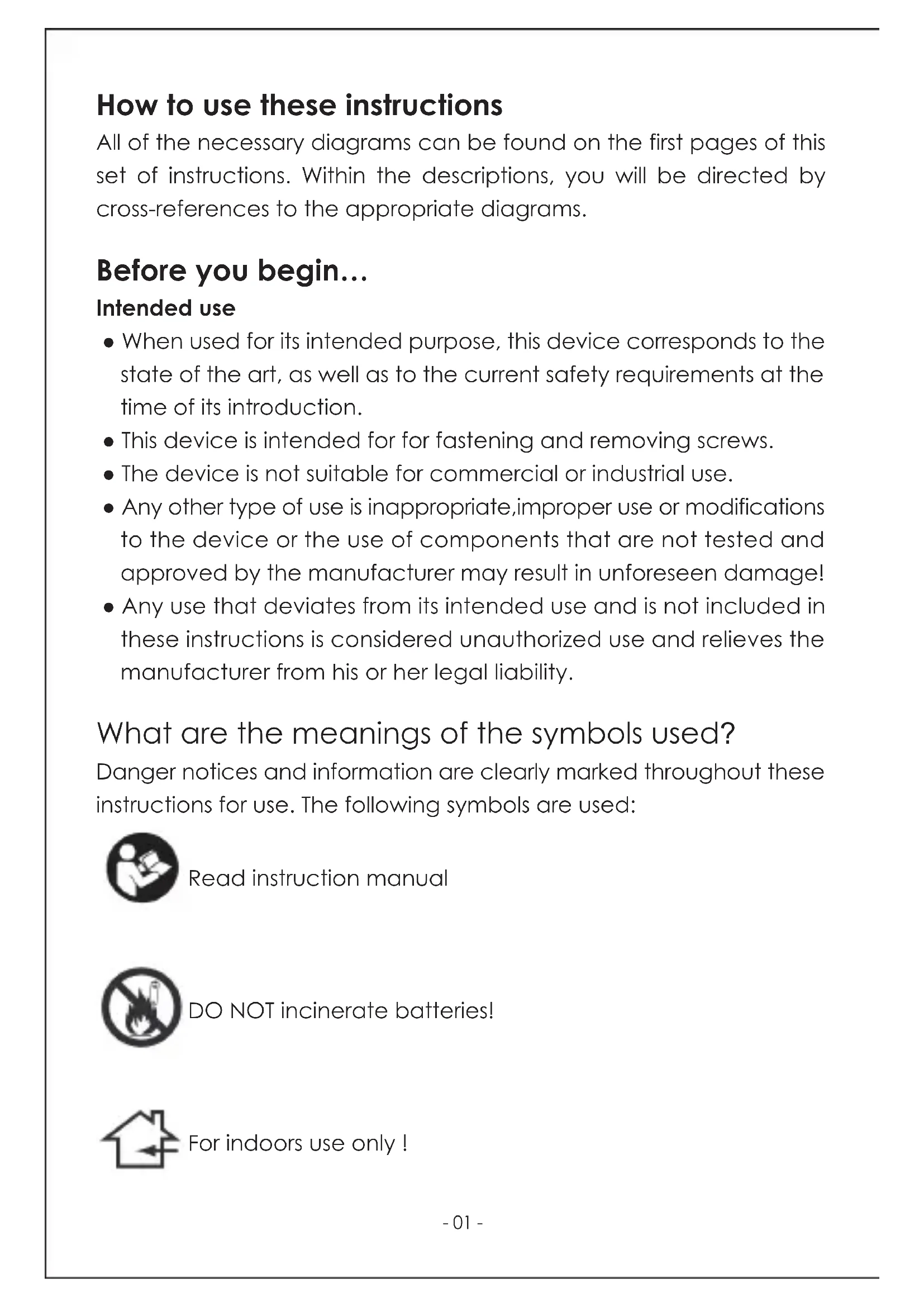
SDP51DC Cordless Screwdriver SDP51DCHow to use these instructions All of the necessary diagrams can be found on the first pages of this set of instructions. Within the descriptions, you will be directed by cross-references to the appropriate diagrams. Before you begin… Intended use ● When used for its intended purpose, this device corresponds to the state of the art, as well as to the current safety requirements at the time of its introduction. ● This device is intended for for fastening and removing screws. ● The device is not suitable for commercial or industrial use. ● Any other type of use is inappropriate,improper use or modifications to the device or the use of components that are not tested and approved by the manufacturer may result in unforeseen damage! ● Any use that deviates from its intended use and is not included in these instructions is considered unauthorized use and relieves the manufacturer from his or her legal liability. What are the meanings of the symbols used? Danger notices and information are clearly marked throughout these instructions for use. The following symbols are used:

Dangerous situation that may lead to injuries. NOTICE! Risk of damage to the device! Situation that may lead to property damage. Note: Information to help you reach a better understanding of the processes involved. For your safety General safety instructions ● To operate this device safely, the user must have read and understood these instructions for use before using the device for the first time. ● If you sell or pass the device on, you must also hand over these operating instructions. General safety information for power tools WARNING! Read all instructions. Failure to follow all instructions listed below may result in electric shock, fire and/or serious injury. ● Store all safety notes and safety instructions for future reference. The term power tool in all of the warnings listed below refers to your mains operated (corded) power tool or battery operated (cordless) power tool. Safety at work ● Keep work area clean and well lit. Cluttered and dark areas invite accidents. ● Do not operate power tools in explosive atmospheres, such as in the presence of flammable liquids, gasses or dust. Power tools create sparks, which may ignite the dust or fumes. ● Keep children and bystanders away while operating a power tool. Distractions can cause you to lose control. Electrical safety ● Power tool plugs must match the outlet. Never modify the plug in any way. Do not use any adapter plugs with earthed (grounded) power tools. Unmodified plugs and matching outlets will reduce risk of electric shock. ● Avoid body contact with earthed or grounded surfaces such as pipes, radiators, ranges and refrigerators. There is an increased risk of electric shock if your body is earthed or grounded. ● Do not expose power tools to rain or wet conditions. Water entering a power tool will increase the risk of electric shock. ● Do not abuse the cord. Never use the cord for carrying, pulling or unplugging the power tool. Keep cord away from heat, oil, sharp edges or moving parts. Damaged or entangled cords increase the risk of electric shock. ● When operating a power tool outdoors, use an extension cord suitable for outdoor use. Use of a cord suitable for outdoor use reduces the risk of electric shock. ● If operating a power tool in a damp location is unavoidable, use a residual current device (RCD) protected supply. Use of an RCD reduces the risk of electric shock. Personal safety ● Stay alert, watch what you are doing and use common sense when operating a power tool. Do not use a power tool while you are tired or under the influence of drugs, alcohol or medication. A moment of inattention while operating power tools may result in serious personal injury. ● Use safety equipment. Always wear eye protection. Safety equipment such as dust mask, non-skid safety shoes, hard hat, or hearing protection used for appropriate conditions will reduce personal injuries. ● Avoid accidental starting. Ensure the switch is in the off position before plugging in. Carrying power tools with your finger on the switch or plugging in power tools that have the switch on invites accidents. ● Remove any adjusting key or wrench before turning the power tool on. A wrench or a key left attached to a rotating part of the power tool may result in personal injury. ● Do not overreach. Keep proper footing and balance at all times. This enables better control of the power tool in unexpected situations. ● Dress properly. Do not wear loose clothing or jewelry. Keep your hair, clothing and gloves away from moving parts. Loose clothes, jewelry or long hair can be caught in moving parts. ● If devices are provided for the connection of dust extraction and collection facilities, ensure these are connected and properly used. Use of these devices can reduce dust related hazards. Power tool use and care ● Do not force the power tool. Use the correct power tool for your application. The correct power tool will do the job better and safer at the rate for which it was designed. ● Do not use the power tool if the switch does not turn it on and off. Any power tool that cannot be controlled with the switch is dangerous and must be repaired. ● Disconnect the plug from the power source before making any adjustments, changing accessories, or storing power tools. Such preventive safety measures reduce the risk of starting the power tool accidentally. ● Store idle power tools out of the reach of children and do not allow persons unfamiliar with the power tool or these instructions to operate the power tool. Power tools are dangerous in the hands of untrained users. ● Maintain power tools. Check for misalignment or binding of moving parts, breakage of parts and any other condition that may affect the power tools operation. If damaged, have the power tool repaired before use. Many accidents are caused by poorly maintained electrical tools. ● Keep cutting tools sharp and clean. Properly maintained cutting tools with sharp cutting edges are less likely to bind and are easier to control. ● Use the power tool, accessories and tool bits etc. in accordance with these instructions and in the manner intended for the particular type of power tool, taking into account the working conditions and the work to be performed. Use of the power tool for operations different from intended could result in hazardous situation. Battery tool use and care ● Recharge only with the charger specified by the manufacturer. A charger that is suitable for one type of battery pack may create a risk of fire when used with another battery pack. ● Use power tools only with specifically designated battery packs. Use of any other battery packs may create a risk of injury and fire. ● When battery pack is not in use, keep it away from other metal objects, like paper clips, coins, keys, nails, screws or other small metal objects, that can make a connection from one terminal to another. Shorting the battery terminals together may cause burns or a fire. ● Under abusive conditions, liquid may be ejected from the battery; avoid con-tact. If contact accidentally occurs, flush with water. If liquid contacts eyes, additionally seek medical help. Liquid ejected from the battery may cause irritation or burns. ● Do not open the rechargeable battery. The rechargeable battery can be damaged by improper handling. ● Do not expose the rechargeable battery to heat, fire, water and humidity. There is a danger of explosion. ● Vapors may escape in case of dam-age or improper use of the rechargeable battery. Provide good ventilation and seek medical assistance in case any symptoms occur. The vapors can irritate your respiratory tract and cause illness. ● Never attempt to charge non rechargeable batteries. There is a danger of fire and explosion. ● The rechargeable battery may only be used in conjunction with this electrical tool. Other electrical tools can overload and hence damage the rechargeable battery. ● Only chargers approved by the manufacturer with the values stated on the type plate of the rechargeable battery may be used. The use of deviating chargers can pose the risk of injuries and material damage caused by exploding batteries. Safety information for chargers ● Keep the charger away from rain and wet. The risk of electric shock increases if water penetrates a charging device. ● Keep the charging device clean. Soiling involves the danger of an electric shock. ● Check the charging device, cable and plug before each use. Do not use the charging device if you detect any damage. ● Do not open the charging device your-self and only have it repaired by qualified professionals and only with original spare parts. Damaged charging devices, cables and plugs increase the risk of electric shock. ● Do not use the charging device on easily flammables items (e.g. paper, textiles etc.) or in combustible atmospheres. There is a danger of fire due to the heating of the charging device during the charging process. ● Supervise children and make sure that they do not play with the charger. Children and persons with mental or physical restrictions may only use the charger under supervision or after having been instructed how to use it. Careful instruction reduces the risk of incorrect operation and injuries. Service ● Have your power tool serviced by a qualified repair person using only identical replacement parts. This will ensure that the safety of the power tool is maintained. Safety Warnings for Drills and Screw-drivers ● Hold power tool by insulated gripping surfaces, when performing an operation where the cutting accessory or fastener may contact hidden wiring. Cutting accessory and fasteners contacting a live wire may make exposed metal parts of the power tool live and could give the operator an electric shock. Additional safety notes ● Prior to starting work, use appropriate tool to determine whether there are any hidden supply lines are located on the area you are working in. If in doubt, ask the relevant supply services. Con-tact with power lines may cause fire and electrical shock. Damaging a gas pipe may cause an explosion. Damaging a water pipe leads to considerable property damage and may cause electrical shock. ● Immediately switch off the power tool when it becomes blocked. Be prepared for sudden forces occurring which may cause kickback. The insert tool blocks, for example, due to overloading or tilting. ● Hold the power tool firmly. When tightening and undoing screws, high forces may occur for a short time. ● Secure the work piece. Use tense equipment or a vice to secure the work piece to help prevent kickback or uncontrolled flying of the work piece (e.g. when getting jammed in the work piece). ● Never set the power tool down before the tool has come to a completed standstill. The rotating tool may come into contact with the surface and cause you to loose control over the power tool. ● Do not open the battery. The battery may be damaged as a result of improper actions. ● Do not expose the battery to heat, fire, water and damp. There is a risk of explosion ● In the event of damage or incorrect use of the battery, vapors may escape. Make sure that the ventilation is good and, if you have any medical com-plaints, consult a doctor. These vapors may irritate the air passages and cause illness. ● Never attempt to recharge batteries that are not designated rechargeable. There is a risk of fire and explosion. ● The battery may only be used in con-junction with this power tool. Other power tools may overload the battery and thus damage it. ● Only batteries authorized by the manufacturer with the values listed on the type plate of this power tool may be used. The use of a different battery may cause a risk of injuries and property dam-age as a result of an exploding battery. ● Only chargers authorized by the manufacturer with the values listed on the type plate of this battery may be used. The use of a different charger may cause a risk of injuries and property damage as a result of an exploding battery. ● Keep your workplace clean. Mixed contamination by various materials is particularly dangerous. Light metal dust (e.g. aluminum) can ignite or explode easily. ● Inform yourself about the materials to be processed and any dusts and vapors that may be generated. Do not breath in even small amounts of the generated dusts and vapors. When processing certain materials (various metals, minerals or woods as well as weather protecting paints) damaging/poisonous dusts may be generated which can cause allergic reactions or serious illness. Do not breathe these dusts and vapors in and avoid all con-tact. Materials containing asbestos may only be processed by specialists. ● Set the switch for right/left rotation to the central position before carrying out any work on the power tool (e.g. maintenance, changing a tool) and during transportation of storage of the item. Unintentional activation of the On/Off switch may cause a risk of injury. ● First activate the power tool after it has been placed on the screw. If the inserted tool is already rotating when you attempt to position it, it may slip ● Do not leave tools, objects or cable laying around in the vicinity of the device. If you stumble, you may injure yourself on the power tool. ● When working with the device make sure the area is well lit. Bad vision can result in injuries caused by the power tool. ● Only use drill and screwdriver bits authorized by the manufacturer. The use of different drill and screwdriver bits may cause a risk of injuries and damages to the power tool. Make sure that the drills and screwdriver bits are securely installed before switching on the device. ● Keep cutting tools sharp and clean. Properly maintained cutting tools with sharp cutting edges are less likely to jam and are easier to control. ● Prevent overheating of the device and the work piece. Excess heat may dam-age the tool and the device. ● Never use power tool near flammable materials. Sparks may set fire to these materials. ● Keep the handles dry and free of grease. Slippery handles can lead to accidents. ● Do not use accessories that have not been designed and recommended by the manufacturer for this specific power tool. Just because you are able to attach an accessory to your power tool this does not guarantee that it is safe to use ● The permitted revolutions of the tool must be at least as high as the highest revolutions specified on the power tool. Accessories that rotate faster than they are permitted to may break and fly and thus cause injuries. ● Remember that moving parts may also be located behind ventilation and venting slots. ● Symbols affixed to your unit may not be removed or covered. Information on the unit that is no longer legible must be replaced immediately. Before putting the unit into operation, read and observe the instructions for use. Risk of damage to the eyes! Never look directly into the LED. Read instruction manual DO NOT incinerate batteries! For indoors use only ! Class II construction Environmental Protection Waste electrical products should not be disposed of with household waste. Please recycle where facilities exist. Check with your local authority or retailer for recycling advice. Conforms to relevant legislation and safety standards. Li-ion battery cells are recyclable and should not be disposed of with household waste. Please recycle where facilities exist. Check with your local authority or retailer for recycling advice - 01 -How to use these instructions All of the necessary diagrams can be found on the first pages of this set of instructions. Within the descriptions, you will be directed by cross-references to the appropriate diagrams. Before you begin… Intended use ● When used for its intended purpose, this device corresponds to the state of the art, as well as to the current safety requirements at the time of its introduction. ● This device is intended for for fastening and removing screws. ● The device is not suitable for commercial or industrial use. ● Any other type of use is inappropriate,improper use or modifications to the device or the use of components that are not tested and approved by the manufacturer may result in unforeseen damage! ● Any use that deviates from its intended use and is not included in these instructions is considered unauthorized use and relieves the manufacturer from his or her legal liability. What are the meanings of the symbols used? Danger notices and information are clearly marked throughout these instructions for use. The following symbols are used:


Dangerous situation that may lead to injuries. NOTICE! Risk of damage to the device! Situation that may lead to property damage. Note: Information to help you reach a better understanding of the processes involved. For your safety General safety instructions ● To operate this device safely, the user must have read and understood these instructions for use before using the device for the first time. ● If you sell or pass the device on, you must also hand over these operating instructions. General safety information for power tools WARNING! Read all instructions. Failure to follow all instructions listed below may result in electric shock, fire and/or serious injury. ● Store all safety notes and safety instructions for future reference. The term power tool in all of the warnings listed below refers to your mains operated (corded) power tool or battery operated (cordless) power tool. Safety at work ● Keep work area clean and well lit. Cluttered and dark areas invite accidents. ● Do not operate power tools in explosive atmospheres, such as in the presence of flammable liquids, gasses or dust. Power tools create sparks, which may ignite the dust or fumes. ● Keep children and bystanders away while operating a power tool. Distractions can cause you to lose control. Electrical safety ● Power tool plugs must match the outlet. Never modify the plug in any way. Do not use any adapter plugs with earthed (grounded) power tools. Unmodified plugs and matching outlets will reduce risk of electric shock. ● Avoid body contact with earthed or grounded surfaces such as pipes, radiators, ranges and refrigerators. There is an increased risk of electric shock if your body is earthed or grounded. ● Do not expose power tools to rain or wet conditions. Water entering a power tool will increase the risk of electric shock. ● Do not abuse the cord. Never use the cord for carrying, pulling or unplugging the power tool. Keep cord away from heat, oil, sharp edges or moving parts. Damaged or entangled cords increase the risk of electric shock. ● When operating a power tool outdoors, use an extension cord suitable for outdoor use. Use of a cord suitable for outdoor use reduces the risk of electric shock. ● If operating a power tool in a damp location is unavoidable, use a residual current device (RCD) protected supply. Use of an RCD reduces the risk of electric shock. Personal safety ● Stay alert, watch what you are doing and use common sense when operating a power tool. Do not use a power tool while you are tired or under the influence of drugs, alcohol or medication. A moment of inattention while operating power tools may result in serious personal injury. ● Use safety equipment. Always wear eye protection. Safety equipment such as dust mask, non-skid safety shoes, hard hat, or hearing protection used for appropriate conditions will reduce personal injuries. ● Avoid accidental starting. Ensure the switch is in the off position before plugging in. Carrying power tools with your finger on the switch or plugging in power tools that have the switch on invites accidents. ● Remove any adjusting key or wrench before turning the power tool on. A wrench or a key left attached to a rotating part of the power tool may result in personal injury. ● Do not overreach. Keep proper footing and balance at all times. This enables better control of the power tool in unexpected situations. ● Dress properly. Do not wear loose clothing or jewelry. Keep your hair, clothing and gloves away from moving parts. Loose clothes, jewelry or long hair can be caught in moving parts. ● If devices are provided for the connection of dust extraction and collection facilities, ensure these are connected and properly used. Use of these devices can reduce dust related hazards. Power tool use and care ● Do not force the power tool. Use the correct power tool for your application. The correct power tool will do the job better and safer at the rate for which it was designed. ● Do not use the power tool if the switch does not turn it on and off. Any power tool that cannot be controlled with the switch is dangerous and must be repaired. ● Disconnect the plug from the power source before making any adjustments, changing accessories, or storing power tools. Such preventive safety measures reduce the risk of starting the power tool accidentally. ● Store idle power tools out of the reach of children and do not allow persons unfamiliar with the power tool or these instructions to operate the power tool. Power tools are dangerous in the hands of untrained users. ● Maintain power tools. Check for misalignment or binding of moving parts, breakage of parts and any other condition that may affect the power tools operation. If damaged, have the power tool repaired before use. Many accidents are caused by poorly maintained electrical tools. ● Keep cutting tools sharp and clean. Properly maintained cutting tools with sharp cutting edges are less likely to bind and are easier to control. ● Use the power tool, accessories and tool bits etc. in accordance with these instructions and in the manner intended for the particular type of power tool, taking into account the working conditions and the work to be performed. Use of the power tool for operations different from intended could result in hazardous situation. Battery tool use and care ● Recharge only with the charger specified by the manufacturer. A charger that is suitable for one type of battery pack may create a risk of fire when used with another battery pack. ● Use power tools only with specifically designated battery packs. Use of any other battery packs may create a risk of injury and fire. ● When battery pack is not in use, keep it away from other metal objects, like paper clips, coins, keys, nails, screws or other small metal objects, that can make a connection from one terminal to another. Shorting the battery terminals together may cause burns or a fire. ● Under abusive conditions, liquid may be ejected from the battery; avoid con-tact. If contact accidentally occurs, flush with water. If liquid contacts eyes, additionally seek medical help. Liquid ejected from the battery may cause irritation or burns. ● Do not open the rechargeable battery. The rechargeable battery can be damaged by improper handling. ● Do not expose the rechargeable battery to heat, fire, water and humidity. There is a danger of explosion. ● Vapors may escape in case of dam-age or improper use of the rechargeable battery. Provide good ventilation and seek medical assistance in case any symptoms occur. The vapors can irritate your respiratory tract and cause illness. ● Never attempt to charge non rechargeable batteries. There is a danger of fire and explosion. ● The rechargeable battery may only be used in conjunction with this electrical tool. Other electrical tools can overload and hence damage the rechargeable battery. ● Only chargers approved by the manufacturer with the values stated on the type plate of the rechargeable battery may be used. The use of deviating chargers can pose the risk of injuries and material damage caused by exploding batteries. Safety information for chargers ● Keep the charger away from rain and wet. The risk of electric shock increases if water penetrates a charging device. ● Keep the charging device clean. Soiling involves the danger of an electric shock. ● Check the charging device, cable and plug before each use. Do not use the charging device if you detect any damage. ● Do not open the charging device your-self and only have it repaired by qualified professionals and only with original spare parts. Damaged charging devices, cables and plugs increase the risk of electric shock. ● Do not use the charging device on easily flammables items (e.g. paper, textiles etc.) or in combustible atmospheres. There is a danger of fire due to the heating of the charging device during the charging process. ● Supervise children and make sure that they do not play with the charger. Children and persons with mental or physical restrictions may only use the charger under supervision or after having been instructed how to use it. Careful instruction reduces the risk of incorrect operation and injuries. Service ● Have your power tool serviced by a qualified repair person using only identical replacement parts. This will ensure that the safety of the power tool is maintained. Safety Warnings for Drills and Screw-drivers ● Hold power tool by insulated gripping surfaces, when performing an operation where the cutting accessory or fastener may contact hidden wiring. Cutting accessory and fasteners contacting a live wire may make exposed metal parts of the power tool live and could give the operator an electric shock. Additional safety notes ● Prior to starting work, use appropriate tool to determine whether there are any hidden supply lines are located on the area you are working in. If in doubt, ask the relevant supply services. Con-tact with power lines may cause fire and electrical shock. Damaging a gas pipe may cause an explosion. Damaging a water pipe leads to considerable property damage and may cause electrical shock. ● Immediately switch off the power tool when it becomes blocked. Be prepared for sudden forces occurring which may cause kickback. The insert tool blocks, for example, due to overloading or tilting. ● Hold the power tool firmly. When tightening and undoing screws, high forces may occur for a short time. ● Secure the work piece. Use tense equipment or a vice to secure the work piece to help prevent kickback or uncontrolled flying of the work piece (e.g. when getting jammed in the work piece). ● Never set the power tool down before the tool has come to a completed standstill. The rotating tool may come into contact with the surface and cause you to loose control over the power tool. ● Do not open the battery. The battery may be damaged as a result of improper actions. ● Do not expose the battery to heat, fire, water and damp. There is a risk of explosion ● In the event of damage or incorrect use of the battery, vapors may escape. Make sure that the ventilation is good and, if you have any medical com-plaints, consult a doctor. These vapors may irritate the air passages and cause illness. ● Never attempt to recharge batteries that are not designated rechargeable. There is a risk of fire and explosion. ● The battery may only be used in con-junction with this power tool. Other power tools may overload the battery and thus damage it. ● Only batteries authorized by the manufacturer with the values listed on the type plate of this power tool may be used. The use of a different battery may cause a risk of injuries and property dam-age as a result of an exploding battery. ● Only chargers authorized by the manufacturer with the values listed on the type plate of this battery may be used. The use of a different charger may cause a risk of injuries and property damage as a result of an exploding battery. ● Keep your workplace clean. Mixed contamination by various materials is particularly dangerous. Light metal dust (e.g. aluminum) can ignite or explode easily. ● Inform yourself about the materials to be processed and any dusts and vapors that may be generated. Do not breath in even small amounts of the generated dusts and vapors. When processing certain materials (various metals, minerals or woods as well as weather protecting paints) damaging/poisonous dusts may be generated which can cause allergic reactions or serious illness. Do not breathe these dusts and vapors in and avoid all con-tact. Materials containing asbestos may only be processed by specialists. ● Set the switch for right/left rotation to the central position before carrying out any work on the power tool (e.g. maintenance, changing a tool) and during transportation of storage of the item. Unintentional activation of the On/Off switch may cause a risk of injury. ● First activate the power tool after it has been placed on the screw. If the inserted tool is already rotating when you attempt to position it, it may slip ● Do not leave tools, objects or cable laying around in the vicinity of the device. If you stumble, you may injure yourself on the power tool. ● When working with the device make sure the area is well lit. Bad vision can result in injuries caused by the power tool. ● Only use drill and screwdriver bits authorized by the manufacturer. The use of different drill and screwdriver bits may cause a risk of injuries and damages to the power tool. Make sure that the drills and screwdriver bits are securely installed before switching on the device.

Keep cutting tools sharp and clean. Properly maintained cutting tools with sharp cutting edges are less likely to jam and are easier to control. ● Prevent overheating of the device and the work piece. Excess heat may dam-age the tool and the device. ● Never use power tool near flammable materials. Sparks may set fire to these materials. ● Keep the handles dry and free of grease. Slippery handles can lead to accidents. ● Do not use accessories that have not been designed and recommended by the manufacturer for this specific power tool. Just because you are able to attach an accessory to your power tool this does not guarantee that it is safe to use ● The permitted revolutions of the tool must be at least as high as the highest revolutions specified on the power tool. Accessories that rotate faster than they are permitted to may break and fly and thus cause injuries. ● Remember that moving parts may also be located behind ventilation and venting slots. ● Symbols affixed to your unit may not be removed or covered. Information on the unit that is no longer legible must be replaced immediately. Before putting the unit into operation, read and observe the instructions for use. Risk of damage to the eyes! Never look directly into the LED. DANGER! Direct danger to life and risk of injury! Directly dangerous situation that may lead to death or severe injuries. WARNING! Probable danger to life and risk of injury! Generally dangerous situation that may lead to death or severe injuries. CAUTION! Possible risk of injury! Read instruction manual DO NOT incinerate batteries! For indoors use only ! Class II construction Environmental Protection Waste electrical products should not be disposed of with household waste. Please recycle where facilities exist. Check with your local authority or retailer for recycling advice. Conforms to relevant legislation and safety standards. Li-ion battery cells are recyclable and should not be disposed of with household waste. Please recycle where facilities exist. Check with your local authority or retailer for recycling advice - 02 -How to use these instructions All of the necessary diagrams can be found on the first pages of this set of instructions. Within the descriptions, you will be directed by cross-references to the appropriate diagrams. Before you begin… Intended use ● When used for its intended purpose, this device corresponds to the state of the art, as well as to the current safety requirements at the time of its introduction. ● This device is intended for for fastening and removing screws. ● The device is not suitable for commercial or industrial use. ● Any other type of use is inappropriate,improper use or modifications to the device or the use of components that are not tested and approved by the manufacturer may result in unforeseen damage! ● Any use that deviates from its intended use and is not included in these instructions is considered unauthorized use and relieves the manufacturer from his or her legal liability. What are the meanings of the symbols used? Danger notices and information are clearly marked throughout these instructions for use. The following symbols are used:

Dangerous situation that may lead to injuries. NOTICE! Risk of damage to the device! Situation that may lead to property damage. Note: Information to help you reach a better understanding of the processes involved. For your safety General safety instructions ● To operate this device safely, the user must have read and understood these instructions for use before using the device for the first time. ● If you sell or pass the device on, you must also hand over these operating instructions. General safety information for power tools WARNING! Read all instructions. Failure to follow all instructions listed below may result in electric shock, fire and/or serious injury. ● Store all safety notes and safety instructions for future reference. The term power tool in all of the warnings listed below refers to your mains operated (corded) power tool or battery operated (cordless) power tool. Safety at work ● Keep work area clean and well lit. Cluttered and dark areas invite accidents. ● Do not operate power tools in explosive atmospheres, such as in the presence of flammable liquids, gasses or dust. Power tools create sparks, which may ignite the dust or fumes. ● Keep children and bystanders away while operating a power tool. Distractions can cause you to lose control. Electrical safety ● Power tool plugs must match the outlet. Never modify the plug in any way. Do not use any adapter plugs with earthed (grounded) power tools. Unmodified plugs and matching outlets will reduce risk of electric shock. ● Avoid body contact with earthed or grounded surfaces such as pipes, radiators, ranges and refrigerators. There is an increased risk of electric shock if your body is earthed or grounded. ● Do not expose power tools to rain or wet conditions. Water entering a power tool will increase the risk of electric shock. ● Do not abuse the cord. Never use the cord for carrying, pulling or unplugging the power tool. Keep cord away from heat, oil, sharp edges or moving parts. Damaged or entangled cords increase the risk of electric shock. ● When operating a power tool outdoors, use an extension cord suitable for outdoor use. Use of a cord suitable for outdoor use reduces the risk of electric shock. ● If operating a power tool in a damp location is unavoidable, use a residual current device (RCD) protected supply. Use of an RCD reduces the risk of electric shock. Personal safety ● Stay alert, watch what you are doing and use common sense when operating a power tool. Do not use a power tool while you are tired or under the influence of drugs, alcohol or medication. A moment of inattention while operating power tools may result in serious personal injury. ● Use safety equipment. Always wear eye protection. Safety equipment such as dust mask, non-skid safety shoes, hard hat, or hearing protection used for appropriate conditions will reduce personal injuries. ● Avoid accidental starting. Ensure the switch is in the off position before plugging in. Carrying power tools with your finger on the switch or plugging in power tools that have the switch on invites accidents. ● Remove any adjusting key or wrench before turning the power tool on. A wrench or a key left attached to a rotating part of the power tool may result in personal injury. ● Do not overreach. Keep proper footing and balance at all times. This enables better control of the power tool in unexpected situations. ● Dress properly. Do not wear loose clothing or jewelry. Keep your hair, clothing and gloves away from moving parts. Loose clothes, jewelry or long hair can be caught in moving parts. ● If devices are provided for the connection of dust extraction and collection facilities, ensure these are connected and properly used. Use of these devices can reduce dust related hazards. Power tool use and care ● Do not force the power tool. Use the correct power tool for your application. The correct power tool will do the job better and safer at the rate for which it was designed. ● Do not use the power tool if the switch does not turn it on and off. Any power tool that cannot be controlled with the switch is dangerous and must be repaired. ● Disconnect the plug from the power source before making any adjustments, changing accessories, or storing power tools. Such preventive safety measures reduce the risk of starting the power tool accidentally. ● Store idle power tools out of the reach of children and do not allow persons unfamiliar with the power tool or these instructions to operate the power tool. Power tools are dangerous in the hands of untrained users. ● Maintain power tools. Check for misalignment or binding of moving parts, breakage of parts and any other condition that may affect the power tools operation. If damaged, have the power tool repaired before use. Many accidents are caused by poorly maintained electrical tools. ● Keep cutting tools sharp and clean. Properly maintained cutting tools with sharp cutting edges are less likely to bind and are easier to control. ● Use the power tool, accessories and tool bits etc. in accordance with these instructions and in the manner intended for the particular type of power tool, taking into account the working conditions and the work to be performed. Use of the power tool for operations different from intended could result in hazardous situation. Battery tool use and care ● Recharge only with the charger specified by the manufacturer. A charger that is suitable for one type of battery pack may create a risk of fire when used with another battery pack. ● Use power tools only with specifically designated battery packs. Use of any other battery packs may create a risk of injury and fire. ● When battery pack is not in use, keep it away from other metal objects, like paper clips, coins, keys, nails, screws or other small metal objects, that can make a connection from one terminal to another. Shorting the battery terminals together may cause burns or a fire. ● Under abusive conditions, liquid may be ejected from the battery; avoid con-tact. If contact accidentally occurs, flush with water. If liquid contacts eyes, additionally seek medical help. Liquid ejected from the battery may cause irritation or burns. ● Do not open the rechargeable battery. The rechargeable battery can be damaged by improper handling. ● Do not expose the rechargeable battery to heat, fire, water and humidity. There is a danger of explosion. ● Vapors may escape in case of dam-age or improper use of the rechargeable battery. Provide good ventilation and seek medical assistance in case any symptoms occur. The vapors can irritate your respiratory tract and cause illness. ● Never attempt to charge non rechargeable batteries. There is a danger of fire and explosion. ● The rechargeable battery may only be used in conjunction with this electrical tool. Other electrical tools can overload and hence damage the rechargeable battery. ● Only chargers approved by the manufacturer with the values stated on the type plate of the rechargeable battery may be used. The use of deviating chargers can pose the risk of injuries and material damage caused by exploding batteries. Safety information for chargers ● Keep the charger away from rain and wet. The risk of electric shock increases if water penetrates a charging device. ● Keep the charging device clean. Soiling involves the danger of an electric shock. ● Check the charging device, cable and plug before each use. Do not use the charging device if you detect any damage. ● Do not open the charging device your-self and only have it repaired by qualified professionals and only with original spare parts. Damaged charging devices, cables and plugs increase the risk of electric shock. ● Do not use the charging device on easily flammables items (e.g. paper, textiles etc.) or in combustible atmospheres. There is a danger of fire due to the heating of the charging device during the charging process. ● Supervise children and make sure that they do not play with the charger. Children and persons with mental or physical restrictions may only use the charger under supervision or after having been instructed how to use it. Careful instruction reduces the risk of incorrect operation and injuries. Service ● Have your power tool serviced by a qualified repair person using only identical replacement parts. This will ensure that the safety of the power tool is maintained. Safety Warnings for Drills and Screw-drivers ● Hold power tool by insulated gripping surfaces, when performing an operation where the cutting accessory or fastener may contact hidden wiring. Cutting accessory and fasteners contacting a live wire may make exposed metal parts of the power tool live and could give the operator an electric shock. Additional safety notes ● Prior to starting work, use appropriate tool to determine whether there are any hidden supply lines are located on the area you are working in. If in doubt, ask the relevant supply services. Con-tact with power lines may cause fire and electrical shock. Damaging a gas pipe may cause an explosion. Damaging a water pipe leads to considerable property damage and may cause electrical shock. ● Immediately switch off the power tool when it becomes blocked. Be prepared for sudden forces occurring which may cause kickback. The insert tool blocks, for example, due to overloading or tilting. ● Hold the power tool firmly. When tightening and undoing screws, high forces may occur for a short time. ● Secure the work piece. Use tense equipment or a vice to secure the work piece to help prevent kickback or uncontrolled flying of the work piece (e.g. when getting jammed in the work piece). ● Never set the power tool down before the tool has come to a completed standstill. The rotating tool may come into contact with the surface and cause you to loose control over the power tool. ● Do not open the battery. The battery may be damaged as a result of improper actions. ● Do not expose the battery to heat, fire, water and damp. There is a risk of explosion ● In the event of damage or incorrect use of the battery, vapors may escape. Make sure that the ventilation is good and, if you have any medical com-plaints, consult a doctor. These vapors may irritate the air passages and cause illness. ● Never attempt to recharge batteries that are not designated rechargeable. There is a risk of fire and explosion. ● The battery may only be used in con-junction with this power tool. Other power tools may overload the battery and thus damage it. ● Only batteries authorized by the manufacturer with the values listed on the type plate of this power tool may be used. The use of a different battery may cause a risk of injuries and property dam-age as a result of an exploding battery. ● Only chargers authorized by the manufacturer with the values listed on the type plate of this battery may be used. The use of a different charger may cause a risk of injuries and property damage as a result of an exploding battery. ● Keep your workplace clean. Mixed contamination by various materials is particularly dangerous. Light metal dust (e.g. aluminum) can ignite or explode easily. ● Inform yourself about the materials to be processed and any dusts and vapors that may be generated. Do not breath in even small amounts of the generated dusts and vapors. When processing certain materials (various metals, minerals or woods as well as weather protecting paints) damaging/poisonous dusts may be generated which can cause allergic reactions or serious illness. Do not breathe these dusts and vapors in and avoid all con-tact. Materials containing asbestos may only be processed by specialists. ● Set the switch for right/left rotation to the central position before carrying out any work on the power tool (e.g. maintenance, changing a tool) and during transportation of storage of the item. Unintentional activation of the On/Off switch may cause a risk of injury. ● First activate the power tool after it has been placed on the screw. If the inserted tool is already rotating when you attempt to position it, it may slip ● Do not leave tools, objects or cable laying around in the vicinity of the device. If you stumble, you may injure yourself on the power tool. ● When working with the device make sure the area is well lit. Bad vision can result in injuries caused by the power tool. ● Only use drill and screwdriver bits authorized by the manufacturer. The use of different drill and screwdriver bits may cause a risk of injuries and damages to the power tool. Make sure that the drills and screwdriver bits are securely installed before switching on the device. ● Keep cutting tools sharp and clean. Properly maintained cutting tools with sharp cutting edges are less likely to jam and are easier to control. ● Prevent overheating of the device and the work piece. Excess heat may dam-age the tool and the device. ● Never use power tool near flammable materials. Sparks may set fire to these materials. ● Keep the handles dry and free of grease. Slippery handles can lead to accidents. ● Do not use accessories that have not been designed and recommended by the manufacturer for this specific power tool. Just because you are able to attach an accessory to your power tool this does not guarantee that it is safe to use ● The permitted revolutions of the tool must be at least as high as the highest revolutions specified on the power tool. Accessories that rotate faster than they are permitted to may break and fly and thus cause injuries. ● Remember that moving parts may also be located behind ventilation and venting slots. ● Symbols affixed to your unit may not be removed or covered. Information on the unit that is no longer legible must be replaced immediately. Before putting the unit into operation, read and observe the instructions for use. Risk of damage to the eyes! Never look directly into the LED. - 03 -How to use these instructions All of the necessary diagrams can be found on the first pages of this set of instructions. Within the descriptions, you will be directed by cross-references to the appropriate diagrams. Before you begin… Intended use ● When used for its intended purpose, this device corresponds to the state of the art, as well as to the current safety requirements at the time of its introduction. ● This device is intended for for fastening and removing screws. ● The device is not suitable for commercial or industrial use. ● Any other type of use is inappropriate,improper use or modifications to the device or the use of components that are not tested and approved by the manufacturer may result in unforeseen damage! ● Any use that deviates from its intended use and is not included in these instructions is considered unauthorized use and relieves the manufacturer from his or her legal liability. What are the meanings of the symbols used? Danger notices and information are clearly marked throughout these instructions for use. The following symbols are used:


Dangerous situation that may lead to injuries. NOTICE! Risk of damage to the device! Situation that may lead to property damage. Note: Information to help you reach a better understanding of the processes involved. For your safety General safety instructions ● To operate this device safely, the user must have read and understood these instructions for use before using the device for the first time. ● If you sell or pass the device on, you must also hand over these operating instructions. General safety information for power tools WARNING! Read all instructions. Failure to follow all instructions listed below may result in electric shock, fire and/or serious injury. ● Store all safety notes and safety instructions for future reference. The term power tool in all of the warnings listed below refers to your mains operated (corded) power tool or battery operated (cordless) power tool. Safety at work ● Keep work area clean and well lit. Cluttered and dark areas invite accidents. ● Do not operate power tools in explosive atmospheres, such as in the presence of flammable liquids, gasses or dust. Power tools create sparks, which may ignite the dust or fumes. ● Keep children and bystanders away while operating a power tool. Distractions can cause you to lose control. Electrical safety ● Power tool plugs must match the outlet. Never modify the plug in any way. Do not use any adapter plugs with earthed (grounded) power tools. Unmodified plugs and matching outlets will reduce risk of electric shock. ● Avoid body contact with earthed or grounded surfaces such as pipes, radiators, ranges and refrigerators. There is an increased risk of electric shock if your body is earthed or grounded. ● Do not expose power tools to rain or wet conditions. Water entering a power tool will increase the risk of electric shock. ● Do not abuse the cord. Never use the cord for carrying, pulling or unplugging the power tool. Keep cord away from heat, oil, sharp edges or moving parts. Damaged or entangled cords increase the risk of electric shock. ● When operating a power tool outdoors, use an extension cord suitable for outdoor use. Use of a cord suitable for outdoor use reduces the risk of electric shock. ● If operating a power tool in a damp location is unavoidable, use a residual current device (RCD) protected supply. Use of an RCD reduces the risk of electric shock. Personal safety ● Stay alert, watch what you are doing and use common sense when operating a power tool. Do not use a power tool while you are tired or under the influence of drugs, alcohol or medication. A moment of inattention while operating power tools may result in serious personal injury. ● Use safety equipment. Always wear eye protection. Safety equipment such as dust mask, non-skid safety shoes, hard hat, or hearing protection used for appropriate conditions will reduce personal injuries. ● Avoid accidental starting. Ensure the switch is in the off position before plugging in. Carrying power tools with your finger on the switch or plugging in power tools that have the switch on invites accidents. ● Remove any adjusting key or wrench before turning the power tool on. A wrench or a key left attached to a rotating part of the power tool may result in personal injury. ● Do not overreach. Keep proper footing and balance at all times. This enables better control of the power tool in unexpected situations. ● Dress properly. Do not wear loose clothing or jewelry. Keep your hair, clothing and gloves away from moving parts. Loose clothes, jewelry or long hair can be caught in moving parts. ● If devices are provided for the connection of dust extraction and collection facilities, ensure these are connected and properly used. Use of these devices can reduce dust related hazards. Power tool use and care ● Do not force the power tool. Use the correct power tool for your application. The correct power tool will do the job better and safer at the rate for which it was designed. ● Do not use the power tool if the switch does not turn it on and off. Any power tool that cannot be controlled with the switch is dangerous and must be repaired. ● Disconnect the plug from the power source before making any adjustments, changing accessories, or storing power tools. Such preventive safety measures reduce the risk of starting the power tool accidentally. ● Store idle power tools out of the reach of children and do not allow persons unfamiliar with the power tool or these instructions to operate the power tool. Power tools are dangerous in the hands of untrained users. ● Maintain power tools. Check for misalignment or binding of moving parts, breakage of parts and any other condition that may affect the power tools operation. If damaged, have the power tool repaired before use. Many accidents are caused by poorly maintained electrical tools. ● Keep cutting tools sharp and clean. Properly maintained cutting tools with sharp cutting edges are less likely to bind and are easier to control. ● Use the power tool, accessories and tool bits etc. in accordance with these instructions and in the manner intended for the particular type of power tool, taking into account the working conditions and the work to be performed. Use of the power tool for operations different from intended could result in hazardous situation. Battery tool use and care ● Recharge only with the charger specified by the manufacturer. A charger that is suitable for one type of battery pack may create a risk of fire when used with another battery pack. ● Use power tools only with specifically designated battery packs. Use of any other battery packs may create a risk of injury and fire. ● When battery pack is not in use, keep it away from other metal objects, like paper clips, coins, keys, nails, screws or other small metal objects, that can make a connection from one terminal to another. Shorting the battery terminals together may cause burns or a fire. ● Under abusive conditions, liquid may be ejected from the battery; avoid con-tact. If contact accidentally occurs, flush with water. If liquid contacts eyes, additionally seek medical help. Liquid ejected from the battery may cause irritation or burns. ● Do not open the rechargeable battery. The rechargeable battery can be damaged by improper handling. ● Do not expose the rechargeable battery to heat, fire, water and humidity. There is a danger of explosion. ● Vapors may escape in case of dam-age or improper use of the rechargeable battery. Provide good ventilation and seek medical assistance in case any symptoms occur. The vapors can irritate your respiratory tract and cause illness. ● Never attempt to charge non rechargeable batteries. There is a danger of fire and explosion. ● The rechargeable battery may only be used in conjunction with this electrical tool. Other electrical tools can overload and hence damage the rechargeable battery. ● Only chargers approved by the manufacturer with the values stated on the type plate of the rechargeable battery may be used. The use of deviating chargers can pose the risk of injuries and material damage caused by exploding batteries. Safety information for chargers ● Keep the charger away from rain and wet. The risk of electric shock increases if water penetrates a charging device. ● Keep the charging device clean. Soiling involves the danger of an electric shock. ● Check the charging device, cable and plug before each use. Do not use the charging device if you detect any damage. ● Do not open the charging device your-self and only have it repaired by qualified professionals and only with original spare parts. Damaged charging devices, cables and plugs increase the risk of electric shock. ● Do not use the charging device on easily flammables items (e.g. paper, textiles etc.) or in combustible atmospheres. There is a danger of fire due to the heating of the charging device during the charging process. ● Supervise children and make sure that they do not play with the charger. Children and persons with mental or physical restrictions may only use the charger under supervision or after having been instructed how to use it. Careful instruction reduces the risk of incorrect operation and injuries. Service ● Have your power tool serviced by a qualified repair person using only identical replacement parts. This will ensure that the safety of the power tool is maintained. Safety Warnings for Drills and Screw-drivers ● Hold power tool by insulated gripping surfaces, when performing an operation where the cutting accessory or fastener may contact hidden wiring. Cutting accessory and fasteners contacting a live wire may make exposed metal parts of the power tool live and could give the operator an electric shock. Additional safety notes ● Prior to starting work, use appropriate tool to determine whether there are any hidden supply lines are located on the area you are working in. If in doubt, ask the relevant supply services. Con-tact with power lines may cause fire and electrical shock. Damaging a gas pipe may cause an explosion. Damaging a water pipe leads to considerable property damage and may cause electrical shock. ● Immediately switch off the power tool when it becomes blocked. Be prepared for sudden forces occurring which may cause kickback. The insert tool blocks, for example, due to overloading or tilting. ● Hold the power tool firmly. When tightening and undoing screws, high forces may occur for a short time. ● Secure the work piece. Use tense equipment or a vice to secure the work piece to help prevent kickback or uncontrolled flying of the work piece (e.g. when getting jammed in the work piece). ● Never set the power tool down before the tool has come to a completed standstill. The rotating tool may come into contact with the surface and cause you to loose control over the power tool. ● Do not open the battery. The battery may be damaged as a result of improper actions. ● Do not expose the battery to heat, fire, water and damp. There is a risk of explosion ● In the event of damage or incorrect use of the battery, vapors may escape. Make sure that the ventilation is good and, if you have any medical com-plaints, consult a doctor. These vapors may irritate the air passages and cause illness. ● Never attempt to recharge batteries that are not designated rechargeable. There is a risk of fire and explosion. ● The battery may only be used in con-junction with this power tool. Other power tools may overload the battery and thus damage it. ● Only batteries authorized by the manufacturer with the values listed on the type plate of this power tool may be used. The use of a different battery may cause a risk of injuries and property dam-age as a result of an exploding battery. ● Only chargers authorized by the manufacturer with the values listed on the type plate of this battery may be used. The use of a different charger may cause a risk of injuries and property damage as a result of an exploding battery. ● Keep your workplace clean. Mixed contamination by various materials is particularly dangerous. Light metal dust (e.g. aluminum) can ignite or explode easily. ● Inform yourself about the materials to be processed and any dusts and vapors that may be generated. Do not breath in even small amounts of the generated dusts and vapors. When processing certain materials (various metals, minerals or woods as well as weather protecting paints) damaging/poisonous dusts may be generated which can cause allergic reactions or serious illness. Do not breathe these dusts and vapors in and avoid all con-tact. Materials containing asbestos may only be processed by specialists. ● Set the switch for right/left rotation to the central position before carrying out any work on the power tool (e.g. maintenance, changing a tool) and during transportation of storage of the item. Unintentional activation of the On/Off switch may cause a risk of injury. ● First activate the power tool after it has been placed on the screw. If the inserted tool is already rotating when you attempt to position it, it may slip ● Do not leave tools, objects or cable laying around in the vicinity of the device. If you stumble, you may injure yourself on the power tool. ● When working with the device make sure the area is well lit. Bad vision can result in injuries caused by the power tool. ● Only use drill and screwdriver bits authorized by the manufacturer. The use of different drill and screwdriver bits may cause a risk of injuries and damages to the power tool. Make sure that the drills and screwdriver bits are securely installed before switching on the device. ● Keep cutting tools sharp and clean. Properly maintained cutting tools with sharp cutting edges are less likely to jam and are easier to control. ● Prevent overheating of the device and the work piece. Excess heat may dam-age the tool and the device. ● Never use power tool near flammable materials. Sparks may set fire to these materials. ● Keep the handles dry and free of grease. Slippery handles can lead to accidents. ● Do not use accessories that have not been designed and recommended by the manufacturer for this specific power tool. Just because you are able to attach an accessory to your power tool this does not guarantee that it is safe to use ● The permitted revolutions of the tool must be at least as high as the highest revolutions specified on the power tool. Accessories that rotate faster than they are permitted to may break and fly and thus cause injuries. ● Remember that moving parts may also be located behind ventilation and venting slots. ● Symbols affixed to your unit may not be removed or covered. Information on the unit that is no longer legible must be replaced immediately. Before putting the unit into operation, read and observe the instructions for use. Risk of damage to the eyes! Never look directly into the LED. - 04 -How to use these instructions All of the necessary diagrams can be found on the first pages of this set of instructions. Within the descriptions, you will be directed by cross-references to the appropriate diagrams. Before you begin… Intended use ● When used for its intended purpose, this device corresponds to the state of the art, as well as to the current safety requirements at the time of its introduction. ● This device is intended for for fastening and removing screws. ● The device is not suitable for commercial or industrial use. ● Any other type of use is inappropriate,improper use or modifications to the device or the use of components that are not tested and approved by the manufacturer may result in unforeseen damage! ● Any use that deviates from its intended use and is not included in these instructions is considered unauthorized use and relieves the manufacturer from his or her legal liability. What are the meanings of the symbols used? Danger notices and information are clearly marked throughout these instructions for use. The following symbols are used:

Dangerous situation that may lead to injuries. NOTICE! Risk of damage to the device! Situation that may lead to property damage. Note: Information to help you reach a better understanding of the processes involved. For your safety General safety instructions ● To operate this device safely, the user must have read and understood these instructions for use before using the device for the first time. ● If you sell or pass the device on, you must also hand over these operating instructions. General safety information for power tools WARNING! Read all instructions. Failure to follow all instructions listed below may result in electric shock, fire and/or serious injury. ● Store all safety notes and safety instructions for future reference. The term power tool in all of the warnings listed below refers to your mains operated (corded) power tool or battery operated (cordless) power tool. Safety at work ● Keep work area clean and well lit. Cluttered and dark areas invite accidents. ● Do not operate power tools in explosive atmospheres, such as in the presence of flammable liquids, gasses or dust. Power tools create sparks, which may ignite the dust or fumes. ● Keep children and bystanders away while operating a power tool. Distractions can cause you to lose control. Electrical safety ● Power tool plugs must match the outlet. Never modify the plug in any way. Do not use any adapter plugs with earthed (grounded) power tools. Unmodified plugs and matching outlets will reduce risk of electric shock. ● Avoid body contact with earthed or grounded surfaces such as pipes, radiators, ranges and refrigerators. There is an increased risk of electric shock if your body is earthed or grounded. ● Do not expose power tools to rain or wet conditions. Water entering a power tool will increase the risk of electric shock. ● Do not abuse the cord. Never use the cord for carrying, pulling or unplugging the power tool. Keep cord away from heat, oil, sharp edges or moving parts. Damaged or entangled cords increase the risk of electric shock. ● When operating a power tool outdoors, use an extension cord suitable for outdoor use. Use of a cord suitable for outdoor use reduces the risk of electric shock. ● If operating a power tool in a damp location is unavoidable, use a residual current device (RCD) protected supply. Use of an RCD reduces the risk of electric shock. Personal safety ● Stay alert, watch what you are doing and use common sense when operating a power tool. Do not use a power tool while you are tired or under the influence of drugs, alcohol or medication. A moment of inattention while operating power tools may result in serious personal injury. ● Use safety equipment. Always wear eye protection. Safety equipment such as dust mask, non-skid safety shoes, hard hat, or hearing protection used for appropriate conditions will reduce personal injuries. ● Avoid accidental starting. Ensure the switch is in the off position before plugging in. Carrying power tools with your finger on the switch or plugging in power tools that have the switch on invites accidents. ● Remove any adjusting key or wrench before turning the power tool on. A wrench or a key left attached to a rotating part of the power tool may result in personal injury. ● Do not overreach. Keep proper footing and balance at all times. This enables better control of the power tool in unexpected situations. ● Dress properly. Do not wear loose clothing or jewelry. Keep your hair, clothing and gloves away from moving parts. Loose clothes, jewelry or long hair can be caught in moving parts. ● If devices are provided for the connection of dust extraction and collection facilities, ensure these are connected and properly used. Use of these devices can reduce dust related hazards. Power tool use and care ● Do not force the power tool. Use the correct power tool for your application. The correct power tool will do the job better and safer at the rate for which it was designed. ● Do not use the power tool if the switch does not turn it on and off. Any power tool that cannot be controlled with the switch is dangerous and must be repaired. ● Disconnect the plug from the power source before making any adjustments, changing accessories, or storing power tools. Such preventive safety measures reduce the risk of starting the power tool accidentally. ● Store idle power tools out of the reach of children and do not allow persons unfamiliar with the power tool or these instructions to operate the power tool. Power tools are dangerous in the hands of untrained users. ● Maintain power tools. Check for misalignment or binding of moving parts, breakage of parts and any other condition that may affect the power tools operation. If damaged, have the power tool repaired before use. Many accidents are caused by poorly maintained electrical tools. ● Keep cutting tools sharp and clean. Properly maintained cutting tools with sharp cutting edges are less likely to bind and are easier to control. ● Use the power tool, accessories and tool bits etc. in accordance with these instructions and in the manner intended for the particular type of power tool, taking into account the working conditions and the work to be performed. Use of the power tool for operations different from intended could result in hazardous situation. Battery tool use and care ● Recharge only with the charger specified by the manufacturer. A charger that is suitable for one type of battery pack may create a risk of fire when used with another battery pack. ● Use power tools only with specifically designated battery packs. Use of any other battery packs may create a risk of injury and fire. ● When battery pack is not in use, keep it away from other metal objects, like paper clips, coins, keys, nails, screws or other small metal objects, that can make a connection from one terminal to another. Shorting the battery terminals together may cause burns or a fire. ● Under abusive conditions, liquid may be ejected from the battery; avoid con-tact. If contact accidentally occurs, flush with water. If liquid contacts eyes, additionally seek medical help. Liquid ejected from the battery may cause irritation or burns. ● Do not open the rechargeable battery. The rechargeable battery can be damaged by improper handling. ● Do not expose the rechargeable battery to heat, fire, water and humidity. There is a danger of explosion. ● Vapors may escape in case of dam-age or improper use of the rechargeable battery. Provide good ventilation and seek medical assistance in case any symptoms occur. The vapors can irritate your respiratory tract and cause illness. ● Never attempt to charge non rechargeable batteries. There is a danger of fire and explosion. ● The rechargeable battery may only be used in conjunction with this electrical tool. Other electrical tools can overload and hence damage the rechargeable battery. ● Only chargers approved by the manufacturer with the values stated on the type plate of the rechargeable battery may be used. The use of deviating chargers can pose the risk of injuries and material damage caused by exploding batteries. Safety information for chargers ● Keep the charger away from rain and wet. The risk of electric shock increases if water penetrates a charging device. ● Keep the charging device clean. Soiling involves the danger of an electric shock. ● Check the charging device, cable and plug before each use. Do not use the charging device if you detect any damage. ● Do not open the charging device your-self and only have it repaired by qualified professionals and only with original spare parts. Damaged charging devices, cables and plugs increase the risk of electric shock. ● Do not use the charging device on easily flammables items (e.g. paper, textiles etc.) or in combustible atmospheres. There is a danger of fire due to the heating of the charging device during the charging process. ● Supervise children and make sure that they do not play with the charger. Children and persons with mental or physical restrictions may only use the charger under supervision or after having been instructed how to use it. Careful instruction reduces the risk of incorrect operation and injuries. Service ● Have your power tool serviced by a qualified repair person using only identical replacement parts. This will ensure that the safety of the power tool is maintained. Safety Warnings for Drills and Screw-drivers ● Hold power tool by insulated gripping surfaces, when performing an operation where the cutting accessory or fastener may contact hidden wiring. Cutting accessory and fasteners contacting a live wire may make exposed metal parts of the power tool live and could give the operator an electric shock. Additional safety notes ● Prior to starting work, use appropriate tool to determine whether there are any hidden supply lines are located on the area you are working in. If in doubt, ask the relevant supply services. Con-tact with power lines may cause fire and electrical shock. Damaging a gas pipe may cause an explosion. Damaging a water pipe leads to considerable property damage and may cause electrical shock. ● Immediately switch off the power tool when it becomes blocked. Be prepared for sudden forces occurring which may cause kickback. The insert tool blocks, for example, due to overloading or tilting. ● Hold the power tool firmly. When tightening and undoing screws, high forces may occur for a short time. ● Secure the work piece. Use tense equipment or a vice to secure the work piece to help prevent kickback or uncontrolled flying of the work piece (e.g. when getting jammed in the work piece). ● Never set the power tool down before the tool has come to a completed standstill. The rotating tool may come into contact with the surface and cause you to loose control over the power tool. ● Do not open the battery. The battery may be damaged as a result of improper actions. ● Do not expose the battery to heat, fire, water and damp. There is a risk of explosion ● In the event of damage or incorrect use of the battery, vapors may escape. Make sure that the ventilation is good and, if you have any medical com-plaints, consult a doctor. These vapors may irritate the air passages and cause illness. ● Never attempt to recharge batteries that are not designated rechargeable. There is a risk of fire and explosion. ● The battery may only be used in con-junction with this power tool. Other power tools may overload the battery and thus damage it. ● Only batteries authorized by the manufacturer with the values listed on the type plate of this power tool may be used. The use of a different battery may cause a risk of injuries and property dam-age as a result of an exploding battery. ● Only chargers authorized by the manufacturer with the values listed on the type plate of this battery may be used. The use of a different charger may cause a risk of injuries and property damage as a result of an exploding battery. ● Keep your workplace clean. Mixed contamination by various materials is particularly dangerous. Light metal dust (e.g. aluminum) can ignite or explode easily. ● Inform yourself about the materials to be processed and any dusts and vapors that may be generated. Do not breath in even small amounts of the generated dusts and vapors. When processing certain materials (various metals, minerals or woods as well as weather protecting paints) damaging/poisonous dusts may be generated which can cause allergic reactions or serious illness. Do not breathe these dusts and vapors in and avoid all con-tact. Materials containing asbestos may only be processed by specialists. ● Set the switch for right/left rotation to the central position before carrying out any work on the power tool (e.g. maintenance, changing a tool) and during transportation of storage of the item. Unintentional activation of the On/Off switch may cause a risk of injury. ● First activate the power tool after it has been placed on the screw. If the inserted tool is already rotating when you attempt to position it, it may slip ● Do not leave tools, objects or cable laying around in the vicinity of the device. If you stumble, you may injure yourself on the power tool. ● When working with the device make sure the area is well lit. Bad vision can result in injuries caused by the power tool. ● Only use drill and screwdriver bits authorized by the manufacturer. The use of different drill and screwdriver bits may cause a risk of injuries and damages to the power tool. Make sure that the drills and screwdriver bits are securely installed before switching on the device. ● Keep cutting tools sharp and clean. Properly maintained cutting tools with sharp cutting edges are less likely to jam and are easier to control. ● Prevent overheating of the device and the work piece. Excess heat may dam-age the tool and the device. ● Never use power tool near flammable materials. Sparks may set fire to these materials. ● Keep the handles dry and free of grease. Slippery handles can lead to accidents. ● Do not use accessories that have not been designed and recommended by the manufacturer for this specific power tool. Just because you are able to attach an accessory to your power tool this does not guarantee that it is safe to use ● The permitted revolutions of the tool must be at least as high as the highest revolutions specified on the power tool. Accessories that rotate faster than they are permitted to may break and fly and thus cause injuries. ● Remember that moving parts may also be located behind ventilation and venting slots. ● Symbols affixed to your unit may not be removed or covered. Information on the unit that is no longer legible must be replaced immediately. Before putting the unit into operation, read and observe the instructions for use. Risk of damage to the eyes! Never look directly into the LED. - 05 -How to use these instructions All of the necessary diagrams can be found on the first pages of this set of instructions. Within the descriptions, you will be directed by cross-references to the appropriate diagrams. Before you begin… Intended use ● When used for its intended purpose, this device corresponds to the state of the art, as well as to the current safety requirements at the time of its introduction. ● This device is intended for for fastening and removing screws. ● The device is not suitable for commercial or industrial use. ● Any other type of use is inappropriate,improper use or modifications to the device or the use of components that are not tested and approved by the manufacturer may result in unforeseen damage! ● Any use that deviates from its intended use and is not included in these instructions is considered unauthorized use and relieves the manufacturer from his or her legal liability. What are the meanings of the symbols used? Danger notices and information are clearly marked throughout these instructions for use. The following symbols are used:

Dangerous situation that may lead to injuries. NOTICE! Risk of damage to the device! Situation that may lead to property damage. Note: Information to help you reach a better understanding of the processes involved. For your safety General safety instructions ● To operate this device safely, the user must have read and understood these instructions for use before using the device for the first time. ● If you sell or pass the device on, you must also hand over these operating instructions. General safety information for power tools WARNING! Read all instructions. Failure to follow all instructions listed below may result in electric shock, fire and/or serious injury. ● Store all safety notes and safety instructions for future reference. The term power tool in all of the warnings listed below refers to your mains operated (corded) power tool or battery operated (cordless) power tool. Safety at work ● Keep work area clean and well lit. Cluttered and dark areas invite accidents. ● Do not operate power tools in explosive atmospheres, such as in the presence of flammable liquids, gasses or dust. Power tools create sparks, which may ignite the dust or fumes. ● Keep children and bystanders away while operating a power tool. Distractions can cause you to lose control. Electrical safety ● Power tool plugs must match the outlet. Never modify the plug in any way. Do not use any adapter plugs with earthed (grounded) power tools. Unmodified plugs and matching outlets will reduce risk of electric shock. ● Avoid body contact with earthed or grounded surfaces such as pipes, radiators, ranges and refrigerators. There is an increased risk of electric shock if your body is earthed or grounded. ● Do not expose power tools to rain or wet conditions. Water entering a power tool will increase the risk of electric shock. ● Do not abuse the cord. Never use the cord for carrying, pulling or unplugging the power tool. Keep cord away from heat, oil, sharp edges or moving parts. Damaged or entangled cords increase the risk of electric shock. ● When operating a power tool outdoors, use an extension cord suitable for outdoor use. Use of a cord suitable for outdoor use reduces the risk of electric shock. ● If operating a power tool in a damp location is unavoidable, use a residual current device (RCD) protected supply. Use of an RCD reduces the risk of electric shock. Personal safety ● Stay alert, watch what you are doing and use common sense when operating a power tool. Do not use a power tool while you are tired or under the influence of drugs, alcohol or medication. A moment of inattention while operating power tools may result in serious personal injury. ● Use safety equipment. Always wear eye protection. Safety equipment such as dust mask, non-skid safety shoes, hard hat, or hearing protection used for appropriate conditions will reduce personal injuries. ● Avoid accidental starting. Ensure the switch is in the off position before plugging in. Carrying power tools with your finger on the switch or plugging in power tools that have the switch on invites accidents. ● Remove any adjusting key or wrench before turning the power tool on. A wrench or a key left attached to a rotating part of the power tool may result in personal injury. ● Do not overreach. Keep proper footing and balance at all times. This enables better control of the power tool in unexpected situations. ● Dress properly. Do not wear loose clothing or jewelry. Keep your hair, clothing and gloves away from moving parts. Loose clothes, jewelry or long hair can be caught in moving parts. ● If devices are provided for the connection of dust extraction and collection facilities, ensure these are connected and properly used. Use of these devices can reduce dust related hazards. Power tool use and care ● Do not force the power tool. Use the correct power tool for your application. The correct power tool will do the job better and safer at the rate for which it was designed. ● Do not use the power tool if the switch does not turn it on and off. Any power tool that cannot be controlled with the switch is dangerous and must be repaired. ● Disconnect the plug from the power source before making any adjustments, changing accessories, or storing power tools. Such preventive safety measures reduce the risk of starting the power tool accidentally. ● Store idle power tools out of the reach of children and do not allow persons unfamiliar with the power tool or these instructions to operate the power tool. Power tools are dangerous in the hands of untrained users. ● Maintain power tools. Check for misalignment or binding of moving parts, breakage of parts and any other condition that may affect the power tools operation. If damaged, have the power tool repaired before use. Many accidents are caused by poorly maintained electrical tools. ● Keep cutting tools sharp and clean. Properly maintained cutting tools with sharp cutting edges are less likely to bind and are easier to control. ● Use the power tool, accessories and tool bits etc. in accordance with these instructions and in the manner intended for the particular type of power tool, taking into account the working conditions and the work to be performed. Use of the power tool for operations different from intended could result in hazardous situation. Battery tool use and care ● Recharge only with the charger specified by the manufacturer. A charger that is suitable for one type of battery pack may create a risk of fire when used with another battery pack. ● Use power tools only with specifically designated battery packs. Use of any other battery packs may create a risk of injury and fire. ● When battery pack is not in use, keep it away from other metal objects, like paper clips, coins, keys, nails, screws or other small metal objects, that can make a connection from one terminal to another. Shorting the battery terminals together may cause burns or a fire. ● Under abusive conditions, liquid may be ejected from the battery; avoid con-tact. If contact accidentally occurs, flush with water. If liquid contacts eyes, additionally seek medical help. Liquid ejected from the battery may cause irritation or burns. ● Do not open the rechargeable battery. The rechargeable battery can be damaged by improper handling. ● Do not expose the rechargeable battery to heat, fire, water and humidity. There is a danger of explosion. ● Vapors may escape in case of dam-age or improper use of the rechargeable battery. Provide good ventilation and seek medical assistance in case any symptoms occur. The vapors can irritate your respiratory tract and cause illness. ● Never attempt to charge non rechargeable batteries. There is a danger of fire and explosion. ● The rechargeable battery may only be used in conjunction with this electrical tool. Other electrical tools can overload and hence damage the rechargeable battery. ● Only chargers approved by the manufacturer with the values stated on the type plate of the rechargeable battery may be used. The use of deviating chargers can pose the risk of injuries and material damage caused by exploding batteries. Safety information for chargers ● Keep the charger away from rain and wet. The risk of electric shock increases if water penetrates a charging device. ● Keep the charging device clean. Soiling involves the danger of an electric shock. ● Check the charging device, cable and plug before each use. Do not use the charging device if you detect any damage. ● Do not open the charging device your-self and only have it repaired by qualified professionals and only with original spare parts. Damaged charging devices, cables and plugs increase the risk of electric shock. ● Do not use the charging device on easily flammables items (e.g. paper, textiles etc.) or in combustible atmospheres. There is a danger of fire due to the heating of the charging device during the charging process. ● Supervise children and make sure that they do not play with the charger. Children and persons with mental or physical restrictions may only use the charger under supervision or after having been instructed how to use it. Careful instruction reduces the risk of incorrect operation and injuries. Service ● Have your power tool serviced by a qualified repair person using only identical replacement parts. This will ensure that the safety of the power tool is maintained. Safety Warnings for Drills and Screw-drivers ● Hold power tool by insulated gripping surfaces, when performing an operation where the cutting accessory or fastener may contact hidden wiring. Cutting accessory and fasteners contacting a live wire may make exposed metal parts of the power tool live and could give the operator an electric shock. Additional safety notes ● Prior to starting work, use appropriate tool to determine whether there are any hidden supply lines are located on the area you are working in. If in doubt, ask the relevant supply services. Con-tact with power lines may cause fire and electrical shock. Damaging a gas pipe may cause an explosion. Damaging a water pipe leads to considerable property damage and may cause electrical shock. ● Immediately switch off the power tool when it becomes blocked. Be prepared for sudden forces occurring which may cause kickback. The insert tool blocks, for example, due to overloading or tilting. ● Hold the power tool firmly. When tightening and undoing screws, high forces may occur for a short time. ● Secure the work piece. Use tense equipment or a vice to secure the work piece to help prevent kickback or uncontrolled flying of the work piece (e.g. when getting jammed in the work piece). ● Never set the power tool down before the tool has come to a completed standstill. The rotating tool may come into contact with the surface and cause you to loose control over the power tool. ● Do not open the battery. The battery may be damaged as a result of improper actions. ● Do not expose the battery to heat, fire, water and damp. There is a risk of explosion ● In the event of damage or incorrect use of the battery, vapors may escape. Make sure that the ventilation is good and, if you have any medical com-plaints, consult a doctor. These vapors may irritate the air passages and cause illness. ● Never attempt to recharge batteries that are not designated rechargeable. There is a risk of fire and explosion. ● The battery may only be used in con-junction with this power tool. Other power tools may overload the battery and thus damage it. ● Only batteries authorized by the manufacturer with the values listed on the type plate of this power tool may be used. The use of a different battery may cause a risk of injuries and property dam-age as a result of an exploding battery. ● Only chargers authorized by the manufacturer with the values listed on the type plate of this battery may be used. The use of a different charger may cause a risk of injuries and property damage as a result of an exploding battery. ● Keep your workplace clean. Mixed contamination by various materials is particularly dangerous. Light metal dust (e.g. aluminum) can ignite or explode easily. ● Inform yourself about the materials to be processed and any dusts and vapors that may be generated. Do not breath in even small amounts of the generated dusts and vapors. When processing certain materials (various metals, minerals or woods as well as weather protecting paints) damaging/poisonous dusts may be generated which can cause allergic reactions or serious illness. Do not breathe these dusts and vapors in and avoid all con-tact. Materials containing asbestos may only be processed by specialists. ● Set the switch for right/left rotation to the central position before carrying out any work on the power tool (e.g. maintenance, changing a tool) and during transportation of storage of the item. Unintentional activation of the On/Off switch may cause a risk of injury. ● First activate the power tool after it has been placed on the screw. If the inserted tool is already rotating when you attempt to position it, it may slip ● Do not leave tools, objects or cable laying around in the vicinity of the device. If you stumble, you may injure yourself on the power tool. ● When working with the device make sure the area is well lit. Bad vision can result in injuries caused by the power tool. ● Only use drill and screwdriver bits authorized by the manufacturer. The use of different drill and screwdriver bits may cause a risk of injuries and damages to the power tool. Make sure that the drills and screwdriver bits are securely installed before switching on the device. ● Keep cutting tools sharp and clean. Properly maintained cutting tools with sharp cutting edges are less likely to jam and are easier to control. ● Prevent overheating of the device and the work piece. Excess heat may dam-age the tool and the device. ● Never use power tool near flammable materials. Sparks may set fire to these materials. ● Keep the handles dry and free of grease. Slippery handles can lead to accidents. ● Do not use accessories that have not been designed and recommended by the manufacturer for this specific power tool. Just because you are able to attach an accessory to your power tool this does not guarantee that it is safe to use ● The permitted revolutions of the tool must be at least as high as the highest revolutions specified on the power tool. Accessories that rotate faster than they are permitted to may break and fly and thus cause injuries. ● Remember that moving parts may also be located behind ventilation and venting slots. ● Symbols affixed to your unit may not be removed or covered. Information on the unit that is no longer legible must be replaced immediately. Before putting the unit into operation, read and observe the instructions for use. Risk of damage to the eyes! Never look directly into the LED. - 06 -How to use these instructions All of the necessary diagrams can be found on the first pages of this set of instructions. Within the descriptions, you will be directed by cross-references to the appropriate diagrams. Before you begin… Intended use ● When used for its intended purpose, this device corresponds to the state of the art, as well as to the current safety requirements at the time of its introduction. ● This device is intended for for fastening and removing screws. ● The device is not suitable for commercial or industrial use. ● Any other type of use is inappropriate,improper use or modifications to the device or the use of components that are not tested and approved by the manufacturer may result in unforeseen damage! ● Any use that deviates from its intended use and is not included in these instructions is considered unauthorized use and relieves the manufacturer from his or her legal liability. What are the meanings of the symbols used? Danger notices and information are clearly marked throughout these instructions for use. The following symbols are used:

Dangerous situation that may lead to injuries. NOTICE! Risk of damage to the device! Situation that may lead to property damage. Note: Information to help you reach a better understanding of the processes involved. For your safety General safety instructions ● To operate this device safely, the user must have read and understood these instructions for use before using the device for the first time. ● If you sell or pass the device on, you must also hand over these operating instructions. General safety information for power tools WARNING! Read all instructions. Failure to follow all instructions listed below may result in electric shock, fire and/or serious injury. ● Store all safety notes and safety instructions for future reference. The term power tool in all of the warnings listed below refers to your mains operated (corded) power tool or battery operated (cordless) power tool. Safety at work ● Keep work area clean and well lit. Cluttered and dark areas invite accidents. ● Do not operate power tools in explosive atmospheres, such as in the presence of flammable liquids, gasses or dust. Power tools create sparks, which may ignite the dust or fumes. ● Keep children and bystanders away while operating a power tool. Distractions can cause you to lose control. Electrical safety ● Power tool plugs must match the outlet. Never modify the plug in any way. Do not use any adapter plugs with earthed (grounded) power tools. Unmodified plugs and matching outlets will reduce risk of electric shock. ● Avoid body contact with earthed or grounded surfaces such as pipes, radiators, ranges and refrigerators. There is an increased risk of electric shock if your body is earthed or grounded. ● Do not expose power tools to rain or wet conditions. Water entering a power tool will increase the risk of electric shock. ● Do not abuse the cord. Never use the cord for carrying, pulling or unplugging the power tool. Keep cord away from heat, oil, sharp edges or moving parts. Damaged or entangled cords increase the risk of electric shock. ● When operating a power tool outdoors, use an extension cord suitable for outdoor use. Use of a cord suitable for outdoor use reduces the risk of electric shock. ● If operating a power tool in a damp location is unavoidable, use a residual current device (RCD) protected supply. Use of an RCD reduces the risk of electric shock. Personal safety ● Stay alert, watch what you are doing and use common sense when operating a power tool. Do not use a power tool while you are tired or under the influence of drugs, alcohol or medication. A moment of inattention while operating power tools may result in serious personal injury. ● Use safety equipment. Always wear eye protection. Safety equipment such as dust mask, non-skid safety shoes, hard hat, or hearing protection used for appropriate conditions will reduce personal injuries. ● Avoid accidental starting. Ensure the switch is in the off position before plugging in. Carrying power tools with your finger on the switch or plugging in power tools that have the switch on invites accidents. ● Remove any adjusting key or wrench before turning the power tool on. A wrench or a key left attached to a rotating part of the power tool may result in personal injury. ● Do not overreach. Keep proper footing and balance at all times. This enables better control of the power tool in unexpected situations. ● Dress properly. Do not wear loose clothing or jewelry. Keep your hair, clothing and gloves away from moving parts. Loose clothes, jewelry or long hair can be caught in moving parts. ● If devices are provided for the connection of dust extraction and collection facilities, ensure these are connected and properly used. Use of these devices can reduce dust related hazards. Power tool use and care ● Do not force the power tool. Use the correct power tool for your application. The correct power tool will do the job better and safer at the rate for which it was designed. ● Do not use the power tool if the switch does not turn it on and off. Any power tool that cannot be controlled with the switch is dangerous and must be repaired. ● Disconnect the plug from the power source before making any adjustments, changing accessories, or storing power tools. Such preventive safety measures reduce the risk of starting the power tool accidentally. ● Store idle power tools out of the reach of children and do not allow persons unfamiliar with the power tool or these instructions to operate the power tool. Power tools are dangerous in the hands of untrained users. ● Maintain power tools. Check for misalignment or binding of moving parts, breakage of parts and any other condition that may affect the power tools operation. If damaged, have the power tool repaired before use. Many accidents are caused by poorly maintained electrical tools. ● Keep cutting tools sharp and clean. Properly maintained cutting tools with sharp cutting edges are less likely to bind and are easier to control. ● Use the power tool, accessories and tool bits etc. in accordance with these instructions and in the manner intended for the particular type of power tool, taking into account the working conditions and the work to be performed. Use of the power tool for operations different from intended could result in hazardous situation. Battery tool use and care ● Recharge only with the charger specified by the manufacturer. A charger that is suitable for one type of battery pack may create a risk of fire when used with another battery pack. ● Use power tools only with specifically designated battery packs. Use of any other battery packs may create a risk of injury and fire. ● When battery pack is not in use, keep it away from other metal objects, like paper clips, coins, keys, nails, screws or other small metal objects, that can make a connection from one terminal to another. Shorting the battery terminals together may cause burns or a fire. ● Under abusive conditions, liquid may be ejected from the battery; avoid con-tact. If contact accidentally occurs, flush with water. If liquid contacts eyes, additionally seek medical help. Liquid ejected from the battery may cause irritation or burns. ● Do not open the rechargeable battery. The rechargeable battery can be damaged by improper handling. ● Do not expose the rechargeable battery to heat, fire, water and humidity. There is a danger of explosion. ● Vapors may escape in case of dam-age or improper use of the rechargeable battery. Provide good ventilation and seek medical assistance in case any symptoms occur. The vapors can irritate your respiratory tract and cause illness. ● Never attempt to charge non rechargeable batteries. There is a danger of fire and explosion. ● The rechargeable battery may only be used in conjunction with this electrical tool. Other electrical tools can overload and hence damage the rechargeable battery. ● Only chargers approved by the manufacturer with the values stated on the type plate of the rechargeable battery may be used. The use of deviating chargers can pose the risk of injuries and material damage caused by exploding batteries. Safety information for chargers ● Keep the charger away from rain and wet. The risk of electric shock increases if water penetrates a charging device. ● Keep the charging device clean. Soiling involves the danger of an electric shock. ● Check the charging device, cable and plug before each use. Do not use the charging device if you detect any damage. ● Do not open the charging device your-self and only have it repaired by qualified professionals and only with original spare parts. Damaged charging devices, cables and plugs increase the risk of electric shock. ● Do not use the charging device on easily flammables items (e.g. paper, textiles etc.) or in combustible atmospheres. There is a danger of fire due to the heating of the charging device during the charging process. ● Supervise children and make sure that they do not play with the charger. Children and persons with mental or physical restrictions may only use the charger under supervision or after having been instructed how to use it. Careful instruction reduces the risk of incorrect operation and injuries. Service ● Have your power tool serviced by a qualified repair person using only identical replacement parts. This will ensure that the safety of the power tool is maintained. Safety Warnings for Drills and Screw-drivers ● Hold power tool by insulated gripping surfaces, when performing an operation where the cutting accessory or fastener may contact hidden wiring. Cutting accessory and fasteners contacting a live wire may make exposed metal parts of the power tool live and could give the operator an electric shock. Additional safety notes ● Prior to starting work, use appropriate tool to determine whether there are any hidden supply lines are located on the area you are working in. If in doubt, ask the relevant supply services. Con-tact with power lines may cause fire and electrical shock. Damaging a gas pipe may cause an explosion. Damaging a water pipe leads to considerable property damage and may cause electrical shock. ● Immediately switch off the power tool when it becomes blocked. Be prepared for sudden forces occurring which may cause kickback. The insert tool blocks, for example, due to overloading or tilting. ● Hold the power tool firmly. When tightening and undoing screws, high forces may occur for a short time. ● Secure the work piece. Use tense equipment or a vice to secure the work piece to help prevent kickback or uncontrolled flying of the work piece (e.g. when getting jammed in the work piece). ● Never set the power tool down before the tool has come to a completed standstill. The rotating tool may come into contact with the surface and cause you to loose control over the power tool. ● Do not open the battery. The battery may be damaged as a result of improper actions. ● Do not expose the battery to heat, fire, water and damp. There is a risk of explosion ● In the event of damage or incorrect use of the battery, vapors may escape. Make sure that the ventilation is good and, if you have any medical com-plaints, consult a doctor. These vapors may irritate the air passages and cause illness. ● Never attempt to recharge batteries that are not designated rechargeable. There is a risk of fire and explosion. ● The battery may only be used in con-junction with this power tool. Other power tools may overload the battery and thus damage it. ● Only batteries authorized by the manufacturer with the values listed on the type plate of this power tool may be used. The use of a different battery may cause a risk of injuries and property dam-age as a result of an exploding battery. ● Only chargers authorized by the manufacturer with the values listed on the type plate of this battery may be used. The use of a different charger may cause a risk of injuries and property damage as a result of an exploding battery. ● Keep your workplace clean. Mixed contamination by various materials is particularly dangerous. Light metal dust (e.g. aluminum) can ignite or explode easily. ● Inform yourself about the materials to be processed and any dusts and vapors that may be generated. Do not breath in even small amounts of the generated dusts and vapors. When processing certain materials (various metals, minerals or woods as well as weather protecting paints) damaging/poisonous dusts may be generated which can cause allergic reactions or serious illness. Do not breathe these dusts and vapors in and avoid all con-tact. Materials containing asbestos may only be processed by specialists. ● Set the switch for right/left rotation to the central position before carrying out any work on the power tool (e.g. maintenance, changing a tool) and during transportation of storage of the item. Unintentional activation of the On/Off switch may cause a risk of injury. ● First activate the power tool after it has been placed on the screw. If the inserted tool is already rotating when you attempt to position it, it may slip ● Do not leave tools, objects or cable laying around in the vicinity of the device. If you stumble, you may injure yourself on the power tool. ● When working with the device make sure the area is well lit. Bad vision can result in injuries caused by the power tool. ● Only use drill and screwdriver bits authorized by the manufacturer. The use of different drill and screwdriver bits may cause a risk of injuries and damages to the power tool. Make sure that the drills and screwdriver bits are securely installed before switching on the device. ● Keep cutting tools sharp and clean. Properly maintained cutting tools with sharp cutting edges are less likely to jam and are easier to control. ● Prevent overheating of the device and the work piece. Excess heat may dam-age the tool and the device. ● Never use power tool near flammable materials. Sparks may set fire to these materials. ● Keep the handles dry and free of grease. Slippery handles can lead to accidents. ● Do not use accessories that have not been designed and recommended by the manufacturer for this specific power tool. Just because you are able to attach an accessory to your power tool this does not guarantee that it is safe to use ● The permitted revolutions of the tool must be at least as high as the highest revolutions specified on the power tool. Accessories that rotate faster than they are permitted to may break and fly and thus cause injuries. ● Remember that moving parts may also be located behind ventilation and venting slots. ● Symbols affixed to your unit may not be removed or covered. Information on the unit that is no longer legible must be replaced immediately. Before putting the unit into operation, read and observe the instructions for use. Risk of damage to the eyes! Never look directly into the LED. - 07 -How to use these instructions All of the necessary diagrams can be found on the first pages of this set of instructions. Within the descriptions, you will be directed by cross-references to the appropriate diagrams. Before you begin… Intended use ● When used for its intended purpose, this device corresponds to the state of the art, as well as to the current safety requirements at the time of its introduction. ● This device is intended for for fastening and removing screws. ● The device is not suitable for commercial or industrial use. ● Any other type of use is inappropriate,improper use or modifications to the device or the use of components that are not tested and approved by the manufacturer may result in unforeseen damage! ● Any use that deviates from its intended use and is not included in these instructions is considered unauthorized use and relieves the manufacturer from his or her legal liability. What are the meanings of the symbols used? Danger notices and information are clearly marked throughout these instructions for use. The following symbols are used:

Dangerous situation that may lead to injuries. NOTICE! Risk of damage to the device! Situation that may lead to property damage. Note: Information to help you reach a better understanding of the processes involved. For your safety General safety instructions ● To operate this device safely, the user must have read and understood these instructions for use before using the device for the first time. ● If you sell or pass the device on, you must also hand over these operating instructions. General safety information for power tools WARNING! Read all instructions. Failure to follow all instructions listed below may result in electric shock, fire and/or serious injury. ● Store all safety notes and safety instructions for future reference. The term power tool in all of the warnings listed below refers to your mains operated (corded) power tool or battery operated (cordless) power tool. Safety at work ● Keep work area clean and well lit. Cluttered and dark areas invite accidents. ● Do not operate power tools in explosive atmospheres, such as in the presence of flammable liquids, gasses or dust. Power tools create sparks, which may ignite the dust or fumes. ● Keep children and bystanders away while operating a power tool. Distractions can cause you to lose control. Electrical safety ● Power tool plugs must match the outlet. Never modify the plug in any way. Do not use any adapter plugs with earthed (grounded) power tools. Unmodified plugs and matching outlets will reduce risk of electric shock. ● Avoid body contact with earthed or grounded surfaces such as pipes, radiators, ranges and refrigerators. There is an increased risk of electric shock if your body is earthed or grounded. ● Do not expose power tools to rain or wet conditions. Water entering a power tool will increase the risk of electric shock. ● Do not abuse the cord. Never use the cord for carrying, pulling or unplugging the power tool. Keep cord away from heat, oil, sharp edges or moving parts. Damaged or entangled cords increase the risk of electric shock. ● When operating a power tool outdoors, use an extension cord suitable for outdoor use. Use of a cord suitable for outdoor use reduces the risk of electric shock. ● If operating a power tool in a damp location is unavoidable, use a residual current device (RCD) protected supply. Use of an RCD reduces the risk of electric shock. Personal safety ● Stay alert, watch what you are doing and use common sense when operating a power tool. Do not use a power tool while you are tired or under the influence of drugs, alcohol or medication. A moment of inattention while operating power tools may result in serious personal injury. ● Use safety equipment. Always wear eye protection. Safety equipment such as dust mask, non-skid safety shoes, hard hat, or hearing protection used for appropriate conditions will reduce personal injuries. ● Avoid accidental starting. Ensure the switch is in the off position before plugging in. Carrying power tools with your finger on the switch or plugging in power tools that have the switch on invites accidents. ● Remove any adjusting key or wrench before turning the power tool on. A wrench or a key left attached to a rotating part of the power tool may result in personal injury. ● Do not overreach. Keep proper footing and balance at all times. This enables better control of the power tool in unexpected situations. ● Dress properly. Do not wear loose clothing or jewelry. Keep your hair, clothing and gloves away from moving parts. Loose clothes, jewelry or long hair can be caught in moving parts. ● If devices are provided for the connection of dust extraction and collection facilities, ensure these are connected and properly used. Use of these devices can reduce dust related hazards. Power tool use and care ● Do not force the power tool. Use the correct power tool for your application. The correct power tool will do the job better and safer at the rate for which it was designed. ● Do not use the power tool if the switch does not turn it on and off. Any power tool that cannot be controlled with the switch is dangerous and must be repaired. ● Disconnect the plug from the power source before making any adjustments, changing accessories, or storing power tools. Such preventive safety measures reduce the risk of starting the power tool accidentally. ● Store idle power tools out of the reach of children and do not allow persons unfamiliar with the power tool or these instructions to operate the power tool. Power tools are dangerous in the hands of untrained users. ● Maintain power tools. Check for misalignment or binding of moving parts, breakage of parts and any other condition that may affect the power tools operation. If damaged, have the power tool repaired before use. Many accidents are caused by poorly maintained electrical tools. ● Keep cutting tools sharp and clean. Properly maintained cutting tools with sharp cutting edges are less likely to bind and are easier to control. ● Use the power tool, accessories and tool bits etc. in accordance with these instructions and in the manner intended for the particular type of power tool, taking into account the working conditions and the work to be performed. Use of the power tool for operations different from intended could result in hazardous situation. Battery tool use and care ● Recharge only with the charger specified by the manufacturer. A charger that is suitable for one type of battery pack may create a risk of fire when used with another battery pack. ● Use power tools only with specifically designated battery packs. Use of any other battery packs may create a risk of injury and fire. ● When battery pack is not in use, keep it away from other metal objects, like paper clips, coins, keys, nails, screws or other small metal objects, that can make a connection from one terminal to another. Shorting the battery terminals together may cause burns or a fire. ● Under abusive conditions, liquid may be ejected from the battery; avoid con-tact. If contact accidentally occurs, flush with water. If liquid contacts eyes, additionally seek medical help. Liquid ejected from the battery may cause irritation or burns. ● Do not open the rechargeable battery. The rechargeable battery can be damaged by improper handling. ● Do not expose the rechargeable battery to heat, fire, water and humidity. There is a danger of explosion. ● Vapors may escape in case of dam-age or improper use of the rechargeable battery. Provide good ventilation and seek medical assistance in case any symptoms occur. The vapors can irritate your respiratory tract and cause illness. ● Never attempt to charge non rechargeable batteries. There is a danger of fire and explosion. ● The rechargeable battery may only be used in conjunction with this electrical tool. Other electrical tools can overload and hence damage the rechargeable battery. ● Only chargers approved by the manufacturer with the values stated on the type plate of the rechargeable battery may be used. The use of deviating chargers can pose the risk of injuries and material damage caused by exploding batteries. Safety information for chargers ● Keep the charger away from rain and wet. The risk of electric shock increases if water penetrates a charging device. ● Keep the charging device clean. Soiling involves the danger of an electric shock. ● Check the charging device, cable and plug before each use. Do not use the charging device if you detect any damage. ● Do not open the charging device your-self and only have it repaired by qualified professionals and only with original spare parts. Damaged charging devices, cables and plugs increase the risk of electric shock. ● Do not use the charging device on easily flammables items (e.g. paper, textiles etc.) or in combustible atmospheres. There is a danger of fire due to the heating of the charging device during the charging process. ● Supervise children and make sure that they do not play with the charger. Children and persons with mental or physical restrictions may only use the charger under supervision or after having been instructed how to use it. Careful instruction reduces the risk of incorrect operation and injuries. Service ● Have your power tool serviced by a qualified repair person using only identical replacement parts. This will ensure that the safety of the power tool is maintained. Safety Warnings for Drills and Screw-drivers ● Hold power tool by insulated gripping surfaces, when performing an operation where the cutting accessory or fastener may contact hidden wiring. Cutting accessory and fasteners contacting a live wire may make exposed metal parts of the power tool live and could give the operator an electric shock. Additional safety notes ● Prior to starting work, use appropriate tool to determine whether there are any hidden supply lines are located on the area you are working in. If in doubt, ask the relevant supply services. Con-tact with power lines may cause fire and electrical shock. Damaging a gas pipe may cause an explosion. Damaging a water pipe leads to considerable property damage and may cause electrical shock. ● Immediately switch off the power tool when it becomes blocked. Be prepared for sudden forces occurring which may cause kickback. The insert tool blocks, for example, due to overloading or tilting. ● Hold the power tool firmly. When tightening and undoing screws, high forces may occur for a short time. ● Secure the work piece. Use tense equipment or a vice to secure the work piece to help prevent kickback or uncontrolled flying of the work piece (e.g. when getting jammed in the work piece). ● Never set the power tool down before the tool has come to a completed standstill. The rotating tool may come into contact with the surface and cause you to loose control over the power tool. ● Do not open the battery. The battery may be damaged as a result of improper actions. ● Do not expose the battery to heat, fire, water and damp. There is a risk of explosion ● In the event of damage or incorrect use of the battery, vapors may escape. Make sure that the ventilation is good and, if you have any medical com-plaints, consult a doctor. These vapors may irritate the air passages and cause illness. ● Never attempt to recharge batteries that are not designated rechargeable. There is a risk of fire and explosion. ● The battery may only be used in con-junction with this power tool. Other power tools may overload the battery and thus damage it. ● Only batteries authorized by the manufacturer with the values listed on the type plate of this power tool may be used. The use of a different battery may cause a risk of injuries and property dam-age as a result of an exploding battery. ● Only chargers authorized by the manufacturer with the values listed on the type plate of this battery may be used. The use of a different charger may cause a risk of injuries and property damage as a result of an exploding battery. ● Keep your workplace clean. Mixed contamination by various materials is particularly dangerous. Light metal dust (e.g. aluminum) can ignite or explode easily. ● Inform yourself about the materials to be processed and any dusts and vapors that may be generated. Do not breath in even small amounts of the generated dusts and vapors. When processing certain materials (various metals, minerals or woods as well as weather protecting paints) damaging/poisonous dusts may be generated which can cause allergic reactions or serious illness. Do not breathe these dusts and vapors in and avoid all con-tact. Materials containing asbestos may only be processed by specialists. ● Set the switch for right/left rotation to the central position before carrying out any work on the power tool (e.g. maintenance, changing a tool) and during transportation of storage of the item. Unintentional activation of the On/Off switch may cause a risk of injury. ● First activate the power tool after it has been placed on the screw. If the inserted tool is already rotating when you attempt to position it, it may slip ● Do not leave tools, objects or cable laying around in the vicinity of the device. If you stumble, you may injure yourself on the power tool. ● When working with the device make sure the area is well lit. Bad vision can result in injuries caused by the power tool. ● Only use drill and screwdriver bits authorized by the manufacturer. The use of different drill and screwdriver bits may cause a risk of injuries and damages to the power tool. Make sure that the drills and screwdriver bits are securely installed before switching on the device. ● Keep cutting tools sharp and clean. Properly maintained cutting tools with sharp cutting edges are less likely to jam and are easier to control. ● Prevent overheating of the device and the work piece. Excess heat may dam-age the tool and the device. ● Never use power tool near flammable materials. Sparks may set fire to these materials. ● Keep the handles dry and free of grease. Slippery handles can lead to accidents. ● Do not use accessories that have not been designed and recommended by the manufacturer for this specific power tool. Just because you are able to attach an accessory to your power tool this does not guarantee that it is safe to use ● The permitted revolutions of the tool must be at least as high as the highest revolutions specified on the power tool. Accessories that rotate faster than they are permitted to may break and fly and thus cause injuries. ● Remember that moving parts may also be located behind ventilation and venting slots. ● Symbols affixed to your unit may not be removed or covered. Information on the unit that is no longer legible must be replaced immediately. Before putting the unit into operation, read and observe the instructions for use. Risk of damage to the eyes! Never look directly into the LED. - 08 -How to use these instructions All of the necessary diagrams can be found on the first pages of this set of instructions. Within the descriptions, you will be directed by cross-references to the appropriate diagrams. Before you begin… Intended use ● When used for its intended purpose, this device corresponds to the state of the art, as well as to the current safety requirements at the time of its introduction. ● This device is intended for for fastening and removing screws. ● The device is not suitable for commercial or industrial use. ● Any other type of use is inappropriate,improper use or modifications to the device or the use of components that are not tested and approved by the manufacturer may result in unforeseen damage! ● Any use that deviates from its intended use and is not included in these instructions is considered unauthorized use and relieves the manufacturer from his or her legal liability. What are the meanings of the symbols used? Danger notices and information are clearly marked throughout these instructions for use. The following symbols are used:

Dangerous situation that may lead to injuries. NOTICE! Risk of damage to the device! Situation that may lead to property damage. Note: Information to help you reach a better understanding of the processes involved. For your safety General safety instructions ● To operate this device safely, the user must have read and understood these instructions for use before using the device for the first time. ● If you sell or pass the device on, you must also hand over these operating instructions. General safety information for power tools WARNING! Read all instructions. Failure to follow all instructions listed below may result in electric shock, fire and/or serious injury. ● Store all safety notes and safety instructions for future reference. The term power tool in all of the warnings listed below refers to your mains operated (corded) power tool or battery operated (cordless) power tool. Safety at work ● Keep work area clean and well lit. Cluttered and dark areas invite accidents. ● Do not operate power tools in explosive atmospheres, such as in the presence of flammable liquids, gasses or dust. Power tools create sparks, which may ignite the dust or fumes. ● Keep children and bystanders away while operating a power tool. Distractions can cause you to lose control. Electrical safety ● Power tool plugs must match the outlet. Never modify the plug in any way. Do not use any adapter plugs with earthed (grounded) power tools. Unmodified plugs and matching outlets will reduce risk of electric shock. ● Avoid body contact with earthed or grounded surfaces such as pipes, radiators, ranges and refrigerators. There is an increased risk of electric shock if your body is earthed or grounded. ● Do not expose power tools to rain or wet conditions. Water entering a power tool will increase the risk of electric shock. ● Do not abuse the cord. Never use the cord for carrying, pulling or unplugging the power tool. Keep cord away from heat, oil, sharp edges or moving parts. Damaged or entangled cords increase the risk of electric shock. ● When operating a power tool outdoors, use an extension cord suitable for outdoor use. Use of a cord suitable for outdoor use reduces the risk of electric shock. ● If operating a power tool in a damp location is unavoidable, use a residual current device (RCD) protected supply. Use of an RCD reduces the risk of electric shock. Personal safety ● Stay alert, watch what you are doing and use common sense when operating a power tool. Do not use a power tool while you are tired or under the influence of drugs, alcohol or medication. A moment of inattention while operating power tools may result in serious personal injury. ● Use safety equipment. Always wear eye protection. Safety equipment such as dust mask, non-skid safety shoes, hard hat, or hearing protection used for appropriate conditions will reduce personal injuries. ● Avoid accidental starting. Ensure the switch is in the off position before plugging in. Carrying power tools with your finger on the switch or plugging in power tools that have the switch on invites accidents. ● Remove any adjusting key or wrench before turning the power tool on. A wrench or a key left attached to a rotating part of the power tool may result in personal injury. ● Do not overreach. Keep proper footing and balance at all times. This enables better control of the power tool in unexpected situations. ● Dress properly. Do not wear loose clothing or jewelry. Keep your hair, clothing and gloves away from moving parts. Loose clothes, jewelry or long hair can be caught in moving parts. ● If devices are provided for the connection of dust extraction and collection facilities, ensure these are connected and properly used. Use of these devices can reduce dust related hazards. Power tool use and care ● Do not force the power tool. Use the correct power tool for your application. The correct power tool will do the job better and safer at the rate for which it was designed. ● Do not use the power tool if the switch does not turn it on and off. Any power tool that cannot be controlled with the switch is dangerous and must be repaired. ● Disconnect the plug from the power source before making any adjustments, changing accessories, or storing power tools. Such preventive safety measures reduce the risk of starting the power tool accidentally. ● Store idle power tools out of the reach of children and do not allow persons unfamiliar with the power tool or these instructions to operate the power tool. Power tools are dangerous in the hands of untrained users. ● Maintain power tools. Check for misalignment or binding of moving parts, breakage of parts and any other condition that may affect the power tools operation. If damaged, have the power tool repaired before use. Many accidents are caused by poorly maintained electrical tools. ● Keep cutting tools sharp and clean. Properly maintained cutting tools with sharp cutting edges are less likely to bind and are easier to control. ● Use the power tool, accessories and tool bits etc. in accordance with these instructions and in the manner intended for the particular type of power tool, taking into account the working conditions and the work to be performed. Use of the power tool for operations different from intended could result in hazardous situation. Battery tool use and care ● Recharge only with the charger specified by the manufacturer. A charger that is suitable for one type of battery pack may create a risk of fire when used with another battery pack. ● Use power tools only with specifically designated battery packs. Use of any other battery packs may create a risk of injury and fire. ● When battery pack is not in use, keep it away from other metal objects, like paper clips, coins, keys, nails, screws or other small metal objects, that can make a connection from one terminal to another. Shorting the battery terminals together may cause burns or a fire. ● Under abusive conditions, liquid may be ejected from the battery; avoid con-tact. If contact accidentally occurs, flush with water. If liquid contacts eyes, additionally seek medical help. Liquid ejected from the battery may cause irritation or burns. ● Do not open the rechargeable battery. The rechargeable battery can be damaged by improper handling. ● Do not expose the rechargeable battery to heat, fire, water and humidity. There is a danger of explosion. ● Vapors may escape in case of dam-age or improper use of the rechargeable battery. Provide good ventilation and seek medical assistance in case any symptoms occur. The vapors can irritate your respiratory tract and cause illness. ● Never attempt to charge non rechargeable batteries. There is a danger of fire and explosion. ● The rechargeable battery may only be used in conjunction with this electrical tool. Other electrical tools can overload and hence damage the rechargeable battery. ● Only chargers approved by the manufacturer with the values stated on the type plate of the rechargeable battery may be used. The use of deviating chargers can pose the risk of injuries and material damage caused by exploding batteries. Safety information for chargers ● Keep the charger away from rain and wet. The risk of electric shock increases if water penetrates a charging device. ● Keep the charging device clean. Soiling involves the danger of an electric shock. ● Check the charging device, cable and plug before each use. Do not use the charging device if you detect any damage. ● Do not open the charging device your-self and only have it repaired by qualified professionals and only with original spare parts. Damaged charging devices, cables and plugs increase the risk of electric shock. ● Do not use the charging device on easily flammables items (e.g. paper, textiles etc.) or in combustible atmospheres. There is a danger of fire due to the heating of the charging device during the charging process. ● Supervise children and make sure that they do not play with the charger. Children and persons with mental or physical restrictions may only use the charger under supervision or after having been instructed how to use it. Careful instruction reduces the risk of incorrect operation and injuries. Service ● Have your power tool serviced by a qualified repair person using only identical replacement parts. This will ensure that the safety of the power tool is maintained. Safety Warnings for Drills and Screw-drivers ● Hold power tool by insulated gripping surfaces, when performing an operation where the cutting accessory or fastener may contact hidden wiring. Cutting accessory and fasteners contacting a live wire may make exposed metal parts of the power tool live and could give the operator an electric shock. Additional safety notes ● Prior to starting work, use appropriate tool to determine whether there are any hidden supply lines are located on the area you are working in. If in doubt, ask the relevant supply services. Con-tact with power lines may cause fire and electrical shock. Damaging a gas pipe may cause an explosion. Damaging a water pipe leads to considerable property damage and may cause electrical shock. ● Immediately switch off the power tool when it becomes blocked. Be prepared for sudden forces occurring which may cause kickback. The insert tool blocks, for example, due to overloading or tilting. ● Hold the power tool firmly. When tightening and undoing screws, high forces may occur for a short time. ● Secure the work piece. Use tense equipment or a vice to secure the work piece to help prevent kickback or uncontrolled flying of the work piece (e.g. when getting jammed in the work piece). ● Never set the power tool down before the tool has come to a completed standstill. The rotating tool may come into contact with the surface and cause you to loose control over the power tool. ● Do not open the battery. The battery may be damaged as a result of improper actions. ● Do not expose the battery to heat, fire, water and damp. There is a risk of explosion ● In the event of damage or incorrect use of the battery, vapors may escape. Make sure that the ventilation is good and, if you have any medical com-plaints, consult a doctor. These vapors may irritate the air passages and cause illness. ● Never attempt to recharge batteries that are not designated rechargeable. There is a risk of fire and explosion. ● The battery may only be used in con-junction with this power tool. Other power tools may overload the battery and thus damage it. ● Only batteries authorized by the manufacturer with the values listed on the type plate of this power tool may be used. The use of a different battery may cause a risk of injuries and property dam-age as a result of an exploding battery. ● Only chargers authorized by the manufacturer with the values listed on the type plate of this battery may be used. The use of a different charger may cause a risk of injuries and property damage as a result of an exploding battery. ● Keep your workplace clean. Mixed contamination by various materials is particularly dangerous. Light metal dust (e.g. aluminum) can ignite or explode easily. ● Inform yourself about the materials to be processed and any dusts and vapors that may be generated. Do not breath in even small amounts of the generated dusts and vapors. When processing certain materials (various metals, minerals or woods as well as weather protecting paints) damaging/poisonous dusts may be generated which can cause allergic reactions or serious illness. Do not breathe these dusts and vapors in and avoid all con-tact. Materials containing asbestos may only be processed by specialists. ● Set the switch for right/left rotation to the central position before carrying out any work on the power tool (e.g. maintenance, changing a tool) and during transportation of storage of the item. Unintentional activation of the On/Off switch may cause a risk of injury. ● First activate the power tool after it has been placed on the screw. If the inserted tool is already rotating when you attempt to position it, it may slip ● Do not leave tools, objects or cable laying around in the vicinity of the device. If you stumble, you may injure yourself on the power tool. ● When working with the device make sure the area is well lit. Bad vision can result in injuries caused by the power tool. ● Only use drill and screwdriver bits authorized by the manufacturer. The use of different drill and screwdriver bits may cause a risk of injuries and damages to the power tool. Make sure that the drills and screwdriver bits are securely installed before switching on the device. ● Keep cutting tools sharp and clean. Properly maintained cutting tools with sharp cutting edges are less likely to jam and are easier to control. ● Prevent overheating of the device and the work piece. Excess heat may dam-age the tool and the device. ● Never use power tool near flammable materials. Sparks may set fire to these materials. ● Keep the handles dry and free of grease. Slippery handles can lead to accidents. ● Do not use accessories that have not been designed and recommended by the manufacturer for this specific power tool. Just because you are able to attach an accessory to your power tool this does not guarantee that it is safe to use ● The permitted revolutions of the tool must be at least as high as the highest revolutions specified on the power tool. Accessories that rotate faster than they are permitted to may break and fly and thus cause injuries. ● Remember that moving parts may also be located behind ventilation and venting slots. ● Symbols affixed to your unit may not be removed or covered. Information on the unit that is no longer legible must be replaced immediately. Before putting the unit into operation, read and observe the instructions for use. Risk of damage to the eyes! Never look directly into the LED. - 09 -How to use these instructions All of the necessary diagrams can be found on the first pages of this set of instructions. Within the descriptions, you will be directed by cross-references to the appropriate diagrams. Before you begin… Intended use ● When used for its intended purpose, this device corresponds to the state of the art, as well as to the current safety requirements at the time of its introduction. ● This device is intended for for fastening and removing screws. ● The device is not suitable for commercial or industrial use. ● Any other type of use is inappropriate,improper use or modifications to the device or the use of components that are not tested and approved by the manufacturer may result in unforeseen damage! ● Any use that deviates from its intended use and is not included in these instructions is considered unauthorized use and relieves the manufacturer from his or her legal liability. What are the meanings of the symbols used? Danger notices and information are clearly marked throughout these instructions for use. The following symbols are used:

Dangerous situation that may lead to injuries. NOTICE! Risk of damage to the device! Situation that may lead to property damage. Note: Information to help you reach a better understanding of the processes involved. For your safety General safety instructions ● To operate this device safely, the user must have read and understood these instructions for use before using the device for the first time. ● If you sell or pass the device on, you must also hand over these operating instructions. General safety information for power tools WARNING! Read all instructions. Failure to follow all instructions listed below may result in electric shock, fire and/or serious injury. ● Store all safety notes and safety instructions for future reference. The term power tool in all of the warnings listed below refers to your mains operated (corded) power tool or battery operated (cordless) power tool. Safety at work ● Keep work area clean and well lit. Cluttered and dark areas invite accidents. ● Do not operate power tools in explosive atmospheres, such as in the presence of flammable liquids, gasses or dust. Power tools create sparks, which may ignite the dust or fumes. ● Keep children and bystanders away while operating a power tool. Distractions can cause you to lose control. Electrical safety ● Power tool plugs must match the outlet. Never modify the plug in any way. Do not use any adapter plugs with earthed (grounded) power tools. Unmodified plugs and matching outlets will reduce risk of electric shock. ● Avoid body contact with earthed or grounded surfaces such as pipes, radiators, ranges and refrigerators. There is an increased risk of electric shock if your body is earthed or grounded. ● Do not expose power tools to rain or wet conditions. Water entering a power tool will increase the risk of electric shock. ● Do not abuse the cord. Never use the cord for carrying, pulling or unplugging the power tool. Keep cord away from heat, oil, sharp edges or moving parts. Damaged or entangled cords increase the risk of electric shock. ● When operating a power tool outdoors, use an extension cord suitable for outdoor use. Use of a cord suitable for outdoor use reduces the risk of electric shock. ● If operating a power tool in a damp location is unavoidable, use a residual current device (RCD) protected supply. Use of an RCD reduces the risk of electric shock. Personal safety ● Stay alert, watch what you are doing and use common sense when operating a power tool. Do not use a power tool while you are tired or under the influence of drugs, alcohol or medication. A moment of inattention while operating power tools may result in serious personal injury. ● Use safety equipment. Always wear eye protection. Safety equipment such as dust mask, non-skid safety shoes, hard hat, or hearing protection used for appropriate conditions will reduce personal injuries. ● Avoid accidental starting. Ensure the switch is in the off position before plugging in. Carrying power tools with your finger on the switch or plugging in power tools that have the switch on invites accidents. ● Remove any adjusting key or wrench before turning the power tool on. A wrench or a key left attached to a rotating part of the power tool may result in personal injury. ● Do not overreach. Keep proper footing and balance at all times. This enables better control of the power tool in unexpected situations. ● Dress properly. Do not wear loose clothing or jewelry. Keep your hair, clothing and gloves away from moving parts. Loose clothes, jewelry or long hair can be caught in moving parts. ● If devices are provided for the connection of dust extraction and collection facilities, ensure these are connected and properly used. Use of these devices can reduce dust related hazards. Power tool use and care ● Do not force the power tool. Use the correct power tool for your application. The correct power tool will do the job better and safer at the rate for which it was designed. ● Do not use the power tool if the switch does not turn it on and off. Any power tool that cannot be controlled with the switch is dangerous and must be repaired. ● Disconnect the plug from the power source before making any adjustments, changing accessories, or storing power tools. Such preventive safety measures reduce the risk of starting the power tool accidentally. ● Store idle power tools out of the reach of children and do not allow persons unfamiliar with the power tool or these instructions to operate the power tool. Power tools are dangerous in the hands of untrained users. ● Maintain power tools. Check for misalignment or binding of moving parts, breakage of parts and any other condition that may affect the power tools operation. If damaged, have the power tool repaired before use. Many accidents are caused by poorly maintained electrical tools. ● Keep cutting tools sharp and clean. Properly maintained cutting tools with sharp cutting edges are less likely to bind and are easier to control. ● Use the power tool, accessories and tool bits etc. in accordance with these instructions and in the manner intended for the particular type of power tool, taking into account the working conditions and the work to be performed. Use of the power tool for operations different from intended could result in hazardous situation. Battery tool use and care ● Recharge only with the charger specified by the manufacturer. A charger that is suitable for one type of battery pack may create a risk of fire when used with another battery pack. ● Use power tools only with specifically designated battery packs. Use of any other battery packs may create a risk of injury and fire. ● When battery pack is not in use, keep it away from other metal objects, like paper clips, coins, keys, nails, screws or other small metal objects, that can make a connection from one terminal to another. Shorting the battery terminals together may cause burns or a fire. ● Under abusive conditions, liquid may be ejected from the battery; avoid con-tact. If contact accidentally occurs, flush with water. If liquid contacts eyes, additionally seek medical help. Liquid ejected from the battery may cause irritation or burns. ● Do not open the rechargeable battery. The rechargeable battery can be damaged by improper handling. ● Do not expose the rechargeable battery to heat, fire, water and humidity. There is a danger of explosion. ● Vapors may escape in case of dam-age or improper use of the rechargeable battery. Provide good ventilation and seek medical assistance in case any symptoms occur. The vapors can irritate your respiratory tract and cause illness. ● Never attempt to charge non rechargeable batteries. There is a danger of fire and explosion. ● The rechargeable battery may only be used in conjunction with this electrical tool. Other electrical tools can overload and hence damage the rechargeable battery. ● Only chargers approved by the manufacturer with the values stated on the type plate of the rechargeable battery may be used. The use of deviating chargers can pose the risk of injuries and material damage caused by exploding batteries. Safety information for chargers ● Keep the charger away from rain and wet. The risk of electric shock increases if water penetrates a charging device. ● Keep the charging device clean. Soiling involves the danger of an electric shock. ● Check the charging device, cable and plug before each use. Do not use the charging device if you detect any damage. ● Do not open the charging device your-self and only have it repaired by qualified professionals and only with original spare parts. Damaged charging devices, cables and plugs increase the risk of electric shock. ● Do not use the charging device on easily flammables items (e.g. paper, textiles etc.) or in combustible atmospheres. There is a danger of fire due to the heating of the charging device during the charging process. ● Supervise children and make sure that they do not play with the charger. Children and persons with mental or physical restrictions may only use the charger under supervision or after having been instructed how to use it. Careful instruction reduces the risk of incorrect operation and injuries. Service ● Have your power tool serviced by a qualified repair person using only identical replacement parts. This will ensure that the safety of the power tool is maintained. Safety Warnings for Drills and Screw-drivers ● Hold power tool by insulated gripping surfaces, when performing an operation where the cutting accessory or fastener may contact hidden wiring. Cutting accessory and fasteners contacting a live wire may make exposed metal parts of the power tool live and could give the operator an electric shock. Additional safety notes ● Prior to starting work, use appropriate tool to determine whether there are any hidden supply lines are located on the area you are working in. If in doubt, ask the relevant supply services. Con-tact with power lines may cause fire and electrical shock. Damaging a gas pipe may cause an explosion. Damaging a water pipe leads to considerable property damage and may cause electrical shock. ● Immediately switch off the power tool when it becomes blocked. Be prepared for sudden forces occurring which may cause kickback. The insert tool blocks, for example, due to overloading or tilting. ● Hold the power tool firmly. When tightening and undoing screws, high forces may occur for a short time. ● Secure the work piece. Use tense equipment or a vice to secure the work piece to help prevent kickback or uncontrolled flying of the work piece (e.g. when getting jammed in the work piece). ● Never set the power tool down before the tool has come to a completed standstill. The rotating tool may come into contact with the surface and cause you to loose control over the power tool. ● Do not open the battery. The battery may be damaged as a result of improper actions. ● Do not expose the battery to heat, fire, water and damp. There is a risk of explosion ● In the event of damage or incorrect use of the battery, vapors may escape. Make sure that the ventilation is good and, if you have any medical com-plaints, consult a doctor. These vapors may irritate the air passages and cause illness. ● Never attempt to recharge batteries that are not designated rechargeable. There is a risk of fire and explosion. ● The battery may only be used in con-junction with this power tool. Other power tools may overload the battery and thus damage it. ● Only batteries authorized by the manufacturer with the values listed on the type plate of this power tool may be used. The use of a different battery may cause a risk of injuries and property dam-age as a result of an exploding battery. ● Only chargers authorized by the manufacturer with the values listed on the type plate of this battery may be used. The use of a different charger may cause a risk of injuries and property damage as a result of an exploding battery. ● Keep your workplace clean. Mixed contamination by various materials is particularly dangerous. Light metal dust (e.g. aluminum) can ignite or explode easily. ● Inform yourself about the materials to be processed and any dusts and vapors that may be generated. Do not breath in even small amounts of the generated dusts and vapors. When processing certain materials (various metals, minerals or woods as well as weather protecting paints) damaging/poisonous dusts may be generated which can cause allergic reactions or serious illness. Do not breathe these dusts and vapors in and avoid all con-tact. Materials containing asbestos may only be processed by specialists. ● Set the switch for right/left rotation to the central position before carrying out any work on the power tool (e.g. maintenance, changing a tool) and during transportation of storage of the item. Unintentional activation of the On/Off switch may cause a risk of injury. ● First activate the power tool after it has been placed on the screw. If the inserted tool is already rotating when you attempt to position it, it may slip ● Do not leave tools, objects or cable laying around in the vicinity of the device. If you stumble, you may injure yourself on the power tool. ● When working with the device make sure the area is well lit. Bad vision can result in injuries caused by the power tool. ● Only use drill and screwdriver bits authorized by the manufacturer. The use of different drill and screwdriver bits may cause a risk of injuries and damages to the power tool. Make sure that the drills and screwdriver bits are securely installed before switching on the device. ● Keep cutting tools sharp and clean. Properly maintained cutting tools with sharp cutting edges are less likely to jam and are easier to control. ● Prevent overheating of the device and the work piece. Excess heat may dam-age the tool and the device. ● Never use power tool near flammable materials. Sparks may set fire to these materials. ● Keep the handles dry and free of grease. Slippery handles can lead to accidents. ● Do not use accessories that have not been designed and recommended by the manufacturer for this specific power tool. Just because you are able to attach an accessory to your power tool this does not guarantee that it is safe to use ● The permitted revolutions of the tool must be at least as high as the highest revolutions specified on the power tool. Accessories that rotate faster than they are permitted to may break and fly and thus cause injuries. ● Remember that moving parts may also be located behind ventilation and venting slots. ● Symbols affixed to your unit may not be removed or covered. Information on the unit that is no longer legible must be replaced immediately. Before putting the unit into operation, read and observe the instructions for use. Risk of damage to the eyes! Never look directly into the LED. - 10 -Chuck size Torque Battery capacity Speed Charging time Voltage Battery Type USB Output data 1/4“ 3Nm 2000mAh 200 / min 3hr 3.6V Li-ion DC5V, <2A Note: If any one of the parts is missing or damaged, contact the retailer. Using for the first time Charging the battery pack NOTICE! Risk of damage to the unit! Do not allow the battery pack to deep discharge. NOTICE! Risk of damage to the unit! Do not press the On/Off switch after the device has deactivated automatically Note: The Li-Ion battery pack can be charged at any time without affecting the lifetime of the unit. Interrupting the charging process will not damage the battery pack.



Cordless Screwdriver SDP50DCNote: If any one of the parts is missing or damaged, contact the retailer. Using for the first time Charging the battery pack NOTICE! Risk of damage to the unit! Do not allow the battery pack to deep discharge. NOTICE! Risk of damage to the unit! Do not press the On/Off switch after the device has deactivated automatically Note: The Li-Ion battery pack can be charged at any time without affecting the lifetime of the unit. Interrupting the charging process will not damage the battery pack. ● The battery pack must be charged prior to the first start-up

1. Connect the charging cable’s

micro USB connection to the driver socket.

2. Connect the charging cable’s

USB connection to the comp - uter’s USB port or a USB charger for a wall socket (sold separ - ately).
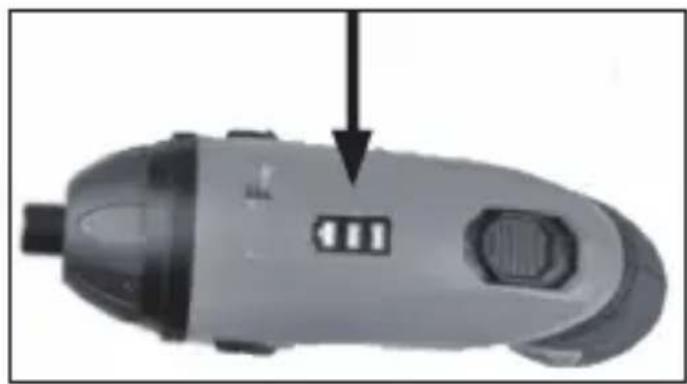
3. The battery level is shown during

the charging. When the battery level shows max the charging is ready. - 12 -Operation Use the machine with Angle Adaptor Inserting bits

1. Insert the bit in the magnetic bit holder.

2. Gently pull on the bit to check that

it is properly fitted and does not come loose. Removing bits

1. Pull hard on the bit so that

it comes loose from the magnetic bit holder.

Remove protective rubber nose piece. Select the Angle Adaptor and push onto the locking coupler.
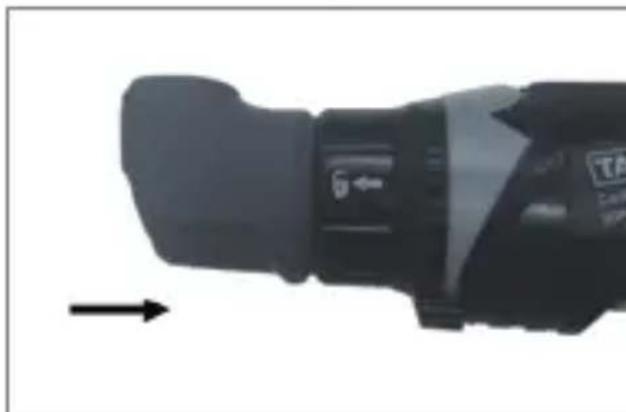
3) Can be working on any corner

positionChanging the rotation direction NOTICE! Risk of damage to the unit! Only use the rotation direction switch when the device is at a standstill.

1. To screw screws into place, press

the rotation direction switch (3) to the forwards (rotation in clockwise direction).

2. To remove screws, press the rotation

direction switch (3) to the backwards (rotation in an anti-clockwise direction). If the rotation direction switch is in the center position, the On/Off switch (2) is blocked. Check before switching on! Check to make sure the device is in a safe operating condition: – Check to make sure there are no visible defects. – Check to make sure all device components are correctly mounted. Switching on and off – To start the tool turning, press the On/Off button – The LED (4) will light up. – To switch the unit off, release the On/Off switch Screwdriver action – Keep the device in a straight line to the screw. Note: Always use the screw bit designed for the screw. If you use the incorrect bit, you may damage the head of the screw. Cleaning Cleaning overview Regularly and according to the operating conditions

Remove protective rubber nose piece. Select the Angle Adaptor and push onto the locking coupler.
3) Can be working on any corner

position1. To screw screws into place, press the rotation direction switch (3) to the forwards (rotation in clockwise direction).

2. To remove screws, press the rotation

direction switch (3) to the backwards (rotation in an anti-clockwise direction). If the rotation direction switch is in the center position, the On/Off switch (2) is blocked. Check before switching on! Check to make sure the device is in a safe operating condition: – Check to make sure there are no visible defects. – Check to make sure all device components are correctly mounted. Switching on and off – To start the tool turning, press the On/Off button – The LED (4) will light up. – To switch the unit off, release the On/Off switch Screwdriver action – Keep the device in a straight line to the screw. Note: Always use the screw bit designed for the screw. If you use the incorrect bit, you may damage the head of the screw. Cleaning Cleaning overview Regularly and according to the operating conditions What ? Clean the ventilation slots of the motor to remove dust. Clean the device. How ? Use a vacuum, cleaning brush orpaint brush. Wipe the unit with a damp cloth. Preparing for disposal Removing the battery At the end of the device lifetime, you should remove all batteries before disposing of the item. – To remove the batteries from the unit, operate the on/off switch (2) until the batteries are fully discharged. – Remove the screws on the housing and remove the housing shell. – Separate the connections on the batteries and remove. – Dispose of the batteries in accordance with the regulations. Disposal Disposal of the appliance Appliances which are labeled with the adjacent symbol must not be disposed of in household waste. You must dispose of such old electrical and electronic equipment separately. – Please check with your local authority about the possibilities for correct disposal. Through separate disposal you send old equipment for recycling or for other forms of re-use. You will thus help to avoid in some cases that damaging material gets into the environment. Disposal of the packaging The packaging consists of cardboard and correspondingly marked plastics that can be recycled. – Make these materials available for recycling. Disposal of batteries and accumulators Disused batteries and accumulators do not belong in domestic refuse; they must be disposed of as prescribed by regulations. – Bring batteries which are no longer usable to the battery collection point of the dealer or of your local authority. – Do not burn accumulators. Risk of explosion - 15 -Preparing for disposal Removing the battery At the end of the device lifetime, you should remove all batteries before disposing of the item. – To remove the batteries from the unit, operate the on/off switch (2) until the batteries are fully discharged. – Remove the screws on the housing and remove the housing shell. – Separate the connections on the batteries and remove. – Dispose of the batteries in accordance with the regulations. Disposal Disposal of the appliance Appliances which are labeled with the adjacent symbol must not be disposed of in household waste. You must dispose of such old electrical and electronic equipment separately. – Please check with your local authority about the possibilities for correct disposal. Through separate disposal you send old equipment for recycling or for other forms of re-use. You will thus help to avoid in some cases that damaging material gets into the environment. Disposal of the packaging The packaging consists of cardboard and correspondingly marked plastics that can be recycled. – Make these materials available for recycling. Disposal of batteries and accumulators Disused batteries and accumulators do not belong in domestic refuse; they must be disposed of as prescribed by regulations. – Bring batteries which are no longer usable to the battery collection point of the dealer or of your local authority. – Do not burn accumulators. Risk of explosion - 16 -Wie kann man die bedienungsanleitung verwenden? Alle Programme können auf der ersten Seite der Bedienungsanleitung gefunden werden.Innerhalb der Beschreibung kannst du nach der entsprechenden Instruktion die richtige Diagramme anleiten. Vor dem Beginn... Erwartende Anwendung ● Wenn man mit erwartender Absicht anwendet, kann diese Anlage der fortgeschrittenen Technologie und der Sicherheitsnorm der Instruktion entsprechen. ● Der Akuu-Schrauber kann die Schrauben befestigen oder entfernen. ● Das Gerät ist nicht für den gewerblichen oder industriellen Gebrauch geeignet. ● Andere Typen der Anwendung sind unangebracht. Unangebrachte Anwendung und Modifikation oder die Anwendung des Bestandteils sind nicht von Hersteller getestet.Das kann zu den unvorhersagbaren Schäden führen. ● Jede Anwendung des Geräts mit erwartender Absicht und außerhalb der Instruktionen sind unermächtig. Und die Hersteller sprechen sich von Haftungsverpflichtung los. Was sind die Bedeutungen der Symbole? Gefährliche Hinweise und Information sind klar gezeichnet. Die nächste Symbole sind abgewendet.
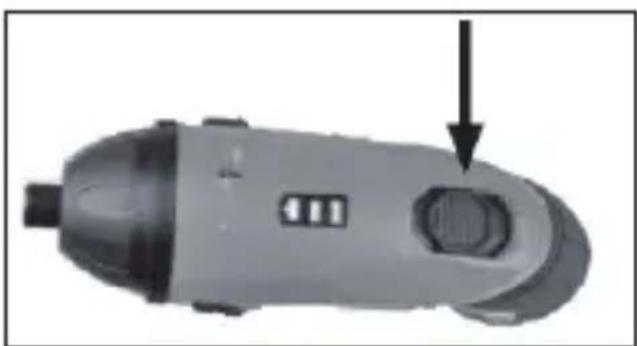

Manual assistant
Powered by ChatGPT
Waiting for your message
Product information

Brand : Tacklife

Model : SDP51DC

Category : Screwdriver