Smart ePano 360 - Tripod ROLLEI - Free user manual and instructions
Find the device manual for free Smart ePano 360 ROLLEI in PDF.



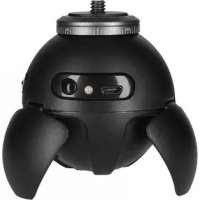
| Product type | Motorized panoramic head for smartphone and action cam |
| Brand | Rollei |
| Model | Smart ePano 360 |
| Dimensions | Height 65 mm, diameter 59 mm |
| Weight | 98 g |
| Maximum load | 500 g |
| Power supply | Rechargeable integrated battery 400 mAh, 3.3-4.2 V, charging via USB (4.8-5.0 V) |
| Charging time | Approximately 2 hours |
| Continuous operation battery life | 2 to 3 hours (full battery) |
| Panorama rotation speed | 1 rotation/min |
| Time-lapse rotation speed | 15/30/60/90 min/rotation |
| Noise | Max. 20 dB(A) |
| Connectivity | Bluetooth 2.4 GHz with dedicated remote control (range 10 m) and smartphone |
| Shooting modes | Panoramic (clockwise/counterclockwise), time-lapse, single photo |
| Thread | 1/4 inch for attaching smartphone holder or action cam adapter |
| Box contents | Panoramic head, smartphone holder, action cam adapter, remote control, USB cable |
| LED indicators | Red (charging), blue (connection/time-lapse speed) |
| Care and cleaning | Clean with a dry cloth, no chemicals |
| Safety | Do not expose to heat, fire, or acids; do not disassemble the battery; keep out of reach of children |
| Spare parts and repairability | Integrated battery not user-replaceable; for any repair, contact the retailer |
| Compliance | EMC Directive 2014/30/EU, CE marking |
Frequently Asked Questions - Smart ePano 360 ROLLEI
User questions about Smart ePano 360 ROLLEI
0 question about this device. Answer the ones you know or ask your own.
Ask a new question about this device
Download the instructions for your Tripod in PDF format for free! Find your manual Smart ePano 360 - ROLLEI and take your electronic device back in hand. On this page are published all the documents necessary for the use of your device. Smart ePano 360 by ROLLEI.
USER MANUAL Smart ePano 360 ROLLEI
natural_image
Illustration of various metallic mechanical components or tools against a dark background (no text or symbols)Smart ePano 360
for German | English | French | Spanish | Italian Portuguese | Dutch | Chinese (traditional and simplified)
www.rollei.de
Rollei
natural_image
Exterior view of a GoBel airship with orange visor and black body (no text or symbols visible)www.rollei.com
Inhalt
Anleitung 4
Warnhinweise....12
Entsorgung 13
natural_image
Line drawing of a futuristic spacecraft or spacecraft with four curved arms and a top-mounted head (no text or symbols)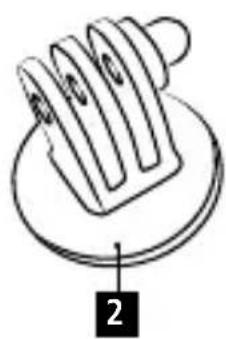
natural_image
Diagram of a mechanical component with labeled parts (no text or symbols present)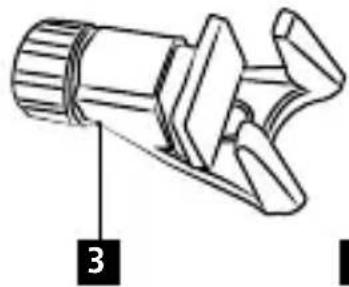
natural_image
Technical line drawing of a mechanical component with no visible text or symbols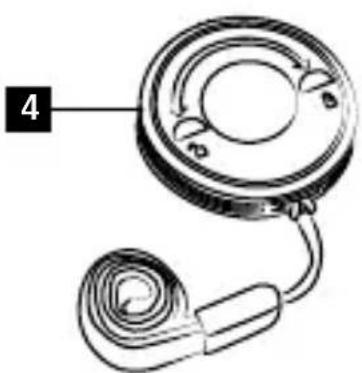
natural_image
Diagram of a mechanical component with a coiled spring and circular housing (no text or symbols)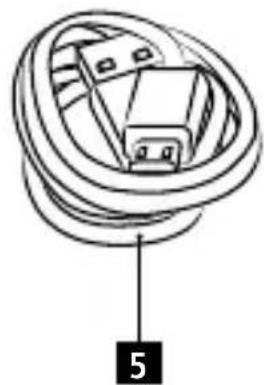
natural_image
Diagram of a coiled cable or connector with labeled component '5' (no text or symbols beyond label)DEUTSCH
Technische Daten
Actioncam Adapter
natural_image
Diagram showing a camera module connected to a target with an icon of a shooting device (no text or symbols present)Smartphone Halter
natural_image
Line drawing of a futuristic spacecraft or spacecraft with four curved heads and a top-mounted sensor (no text or symbols)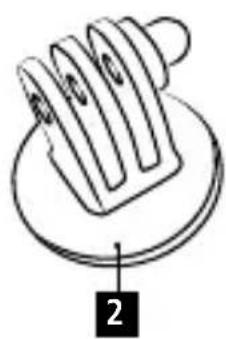
natural_image
Diagram of a mechanical component with labeled parts (no text or symbols present)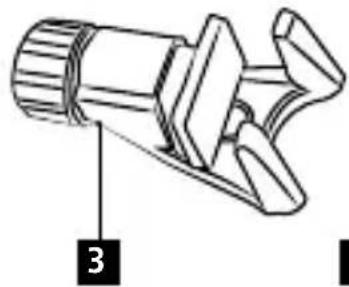
natural_image
Technical line drawing of a mechanical component with no visible text or symbols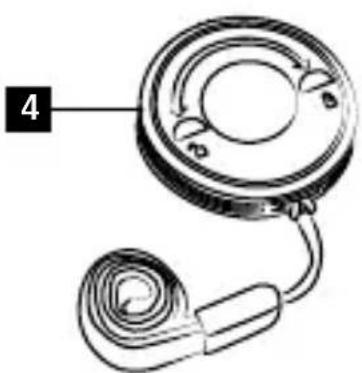
natural_image
Diagram of a mechanical component with a coiled spring and circular housing (no text or symbols)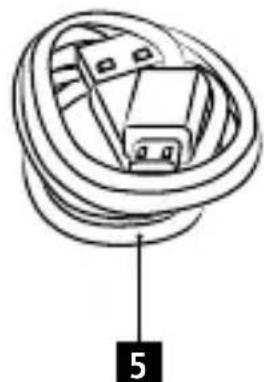
natural_image
Diagram of a coiled cable or connector with labeled component '5' (no text or symbols beyond label)ENGLISH
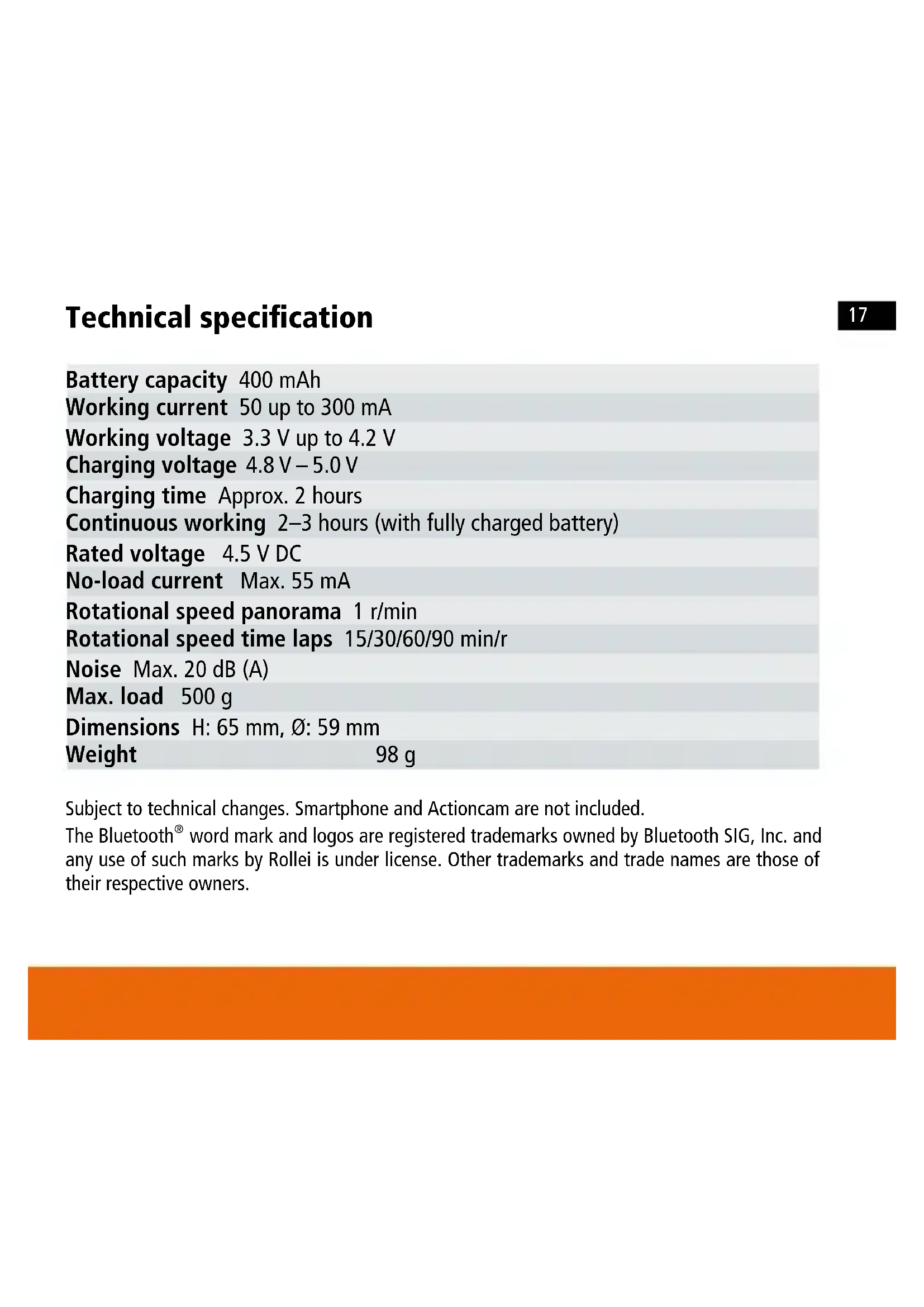
Technical specification
Battery capacity 400 mAh
Working current 50 up to 300 mA
Working voltage 3.3 V up to 4.2 V
Charging voltage 4.8 V – 5.0 V
Charging time Approx. 2 hours
Continuous working 2–3 hours (with fully charged battery)
Rated voltage 4.5 V DC
No-load current Max. 55 mA
Rotational speed panorama 1 r/min
Rotational speed time laps 15/30/60/90 min/r
Noise Max. 20 dB (A)
Max. load 500 g
Dimensions H: 65 mm, ∅: 59 mm
Weight 98 g
Subject to technical changes. Smartphone and Actioncam are not included.
The Bluetooth ^® word mark and logos are registered trademarks owned by Bluetooth SIG, Inc. and any use of such marks by Rollei is under license. Other trademarks and trade names are those of their respective owners.
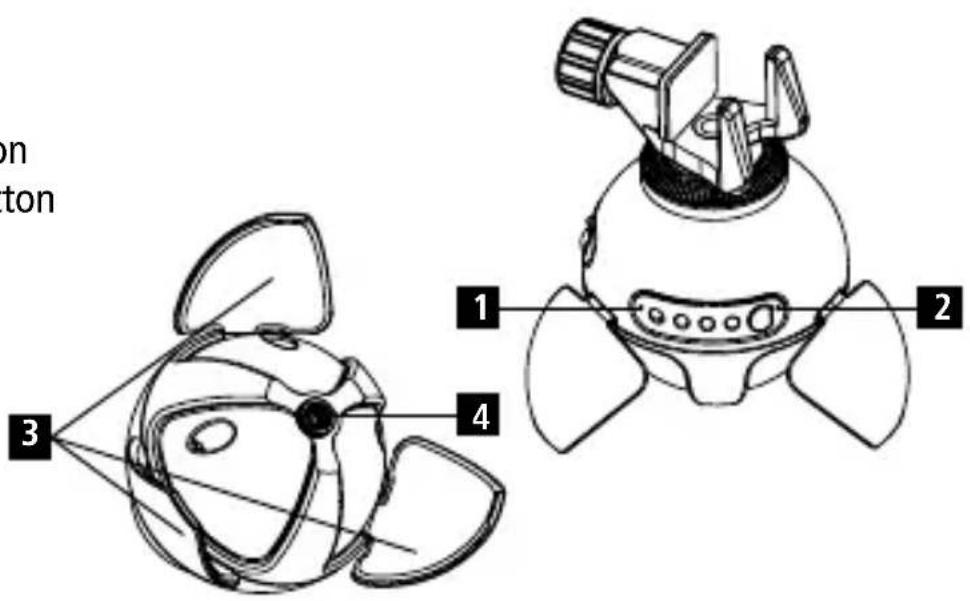
Indicator lights
- Red light: The red light is the indicator for charging. The red light turns on while charging. If the device is fully charged it will be turned off.
- Blue light: If the device is successfully connected via Bluetooth the blue light will be continuously on. During the panorama mode the blue light will flash. In time lapse mode the blue light will be turned off and the time lapse indication light will flash.
- The panorama head has a built-in rechargeable battery. The charging time is about 2 - 3 hours.
Note: If you turn on the device and the blue and red light will flash alternatively and afterwards the device is automatically turned off, this means the battery has no power. The device needs to be charged.
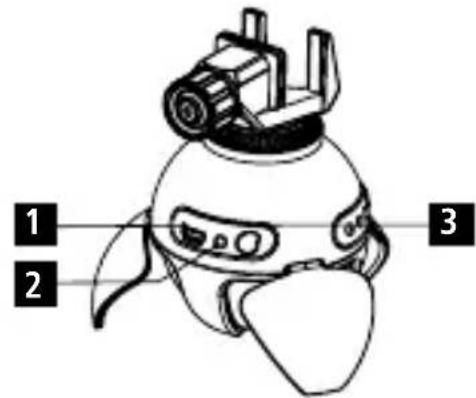
1 USB charging
2 Indication light
3 On / Off switch, panoramic shooting button
ENGLISH
Indicator lights
1 Time lapse indication
2 Time lapse stop button
3 Supporting leg
4 1/4 inch thread
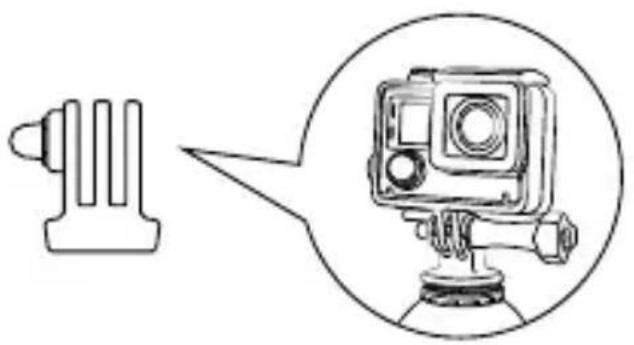
Actioncam adapter
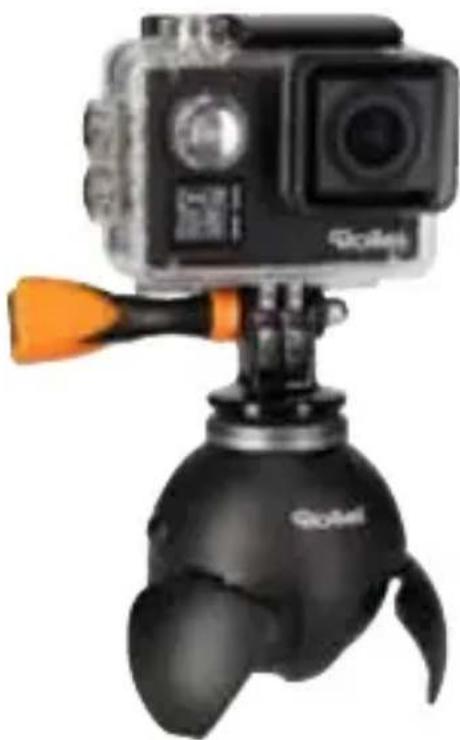
Screw the actioncam adapter onto the 1/4 inch screw on the top of the panoramic head. Afterwards please attach your actioncam by using the adapter.
natural_image
Diagram showing a camera with a connector and a circular inset view of the camera mounted on a base (no text or symbols)Smartphone adapter
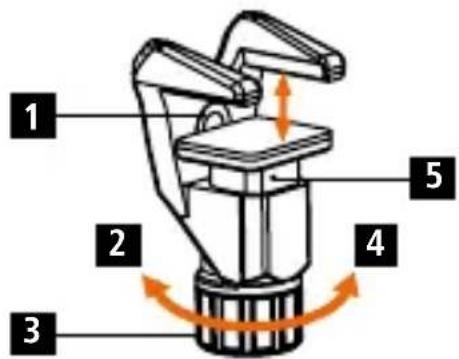
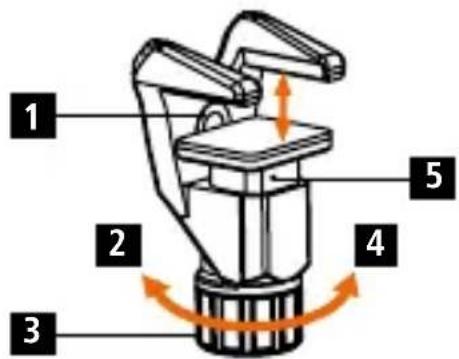
1 1/4 inch thread
2 Loosen
3 Knob
4 Tighten
5 Slider
Attaching your smartphone
1 Smartphone vertical shooting
2 Smartphone horizontal shooting
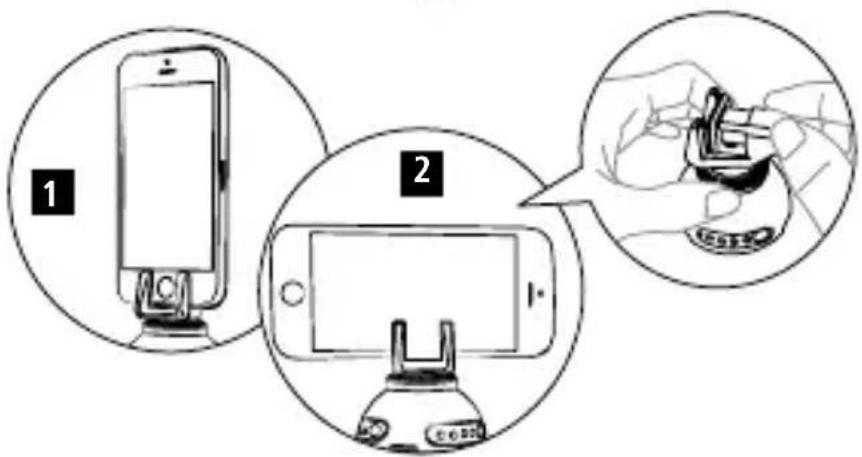
Screw the phone holder onto the 1/4 inch screw on the top of the panoramic head. Then attach your smartphone onto the holder in the position you would like to have it (vertical or horizontal). Therefore open the clamp of the phone holder by turning the knob counter clockwise, put your smartphone into the clamp and turn the knob clockwise to firmly fix your smartphone.
Remote control
1 Panorama shooting button
2 Stop button
3 Power button
4 Shoot button
5 Time lapse button
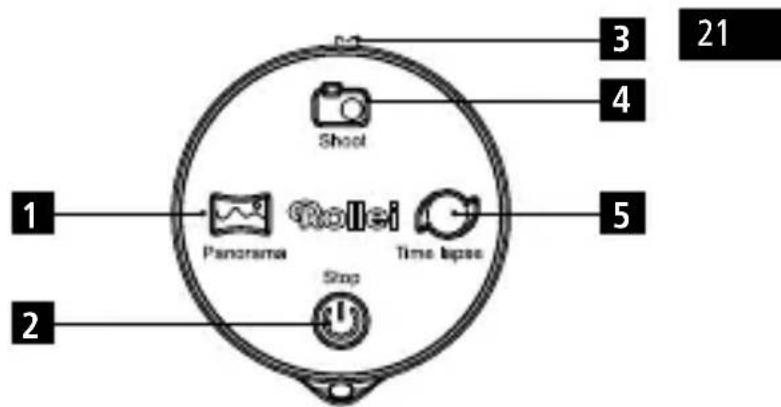
If the remote control is turned on and the indication light flashes for about 5 seconds when you press any button and turns off afterwards that means the head is not connected. If the remote control is turned on and the indication light flashes only once shortly when you press any button and turns off, then the remote is connected with the head.
This remote control can work with Android and iOS and offers a 2,4G signal for connecting. Therefore the connection is very stable and can work over a distance of up to 10 meters. The remote has 5 functions, on/off button, photo button, panorama button, time lapse button and the stop button.
Operation
- Slide the on/off switch to ON and the remote control will be automatically connected with the powered on head.
- Connect the panoramic head with your smartphone. Therefore start Bluetooth on your mobile phone and connect with the Rollei Smart ePano 360.
- Taking photos: Open the camera interface of your mobile phone. By pressing the photo button on the remote control, the camera of your smartphone will now take a photo.
- Taking panoramic photos: To take panoramic shots please go into the panoramic mode of your smartphone's camera.
If you press the on/off button on the panoramic head twice the panoramic head will directly start and will rotate clockwise. If you press the on/off button on the device three times it will immediately rotate counter clockwise.
If you use the remote control press the panoramic button once and the panoramic head will immediately start to rotate clockwise and the cell phone will start automatically. If you press the panoramic button twice, the cell phone will automatically start the shooting and the head will rotate counter clockwise.
Operation
- Time-Lapse shooting: To take time lapse shots please go into the time lapse mode of your smartphone's camera.
If you want to set the time lapse function directly on the head, press the time lapse button once (repeatedly) to set the desired time. After that press the time lapse button twice and the head will directly start to turn around within the amount of time that has been set.
If you use the remote control the usage is completely the same as on the head itself. - Stop working: Press the time lapse button on the head or press the stop button on the remote control to stop the panoramic head. You can stop the device at any time. To turn it off press the head's on/off button for about 3 seconds.
Note: If you have stopped the panoramic head it will go into the standby mode after 5 minutes, then the red and blue indicator light will flash alternatively. After the device is in standby mode for about 3 minutes it will completely turned off automatically. In standby mode press any button (on the remote or on the head) to go in normal working mode.
Warning notes
- Do not use any chemical solvents to clean the product.
- Do not sprinkle strongly acidic reagent to the product.
- Do not put the product into fire or heat the battery. Do not store it in high temperature environment.
- Do not squeeze or drop the product.
Disposal

Disposal of Packaging: For disposal please separate packaging into different types. Cardboard and board must be disposed of as paper and foil must be recycled.
Disposal of Waste Electrical and Electronic Equipment and/or Battery by users in private households in the European Union.
This symbol on the product or on the packaging indicates that this cannot be disposed of as a household waste. You must dispose of your waste equipment and battery by handling it over to the applicable take-back scheme for the recycling of electrical and electronic equipment and battery. For more information about recycling of this equipment and battery, please contact your city office, the shop where you purchased the equipment or your household waste disposal service. The recycling of materials will help to conserve natural resources and ensure that it is recycled in a manner that protects human health and environment.
Battery Warning
- Never dismantle, crush, or pierce the battery, or allow the battery to short-circuit. Do not expose battery being placed in high temperature environment, if battery leaks or bulges, stop continue to use.
- Always charge using the charger. Risk of explosion if battery is replaced by an incorrect typ.
- Keep the battery out of the reach of children.
- Batteries may explode if exposed to fire. Never through batteries into the fire.
- Never exchange batteries by yourself, please let it be done by the retailer.
- Dispose used batteries by observing local regulations.
- Before disposing the device, please remove the battery. For removing the battery open the housing via the screws.
Attention: It is not allowed to exchange the battery independently!
Conformity
The Manufacturer hereby declares that the CE marking was applied to the Rollei Smart ePano 360 in accordance with the basic requirements and other relevant provisions of the following CE Directives:
EMC directive 2014/30/EU
RoHS directive 2011/65/CE
RED directive 2014/53/EU
2012/19/EC WEEE Directive

The EC Declaration of Conformity can be requested from the address specified on the Warranty card.
Mode d'emploi
Fournitures incluses
natural_image
Line drawing of a futuristic spacecraft or spacecraft with four curved arms and a top-mounted head (no text or symbols)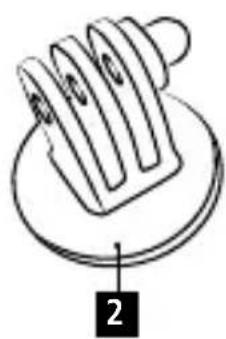
natural_image
Diagram of a mechanical component with labeled parts (no text or symbols present)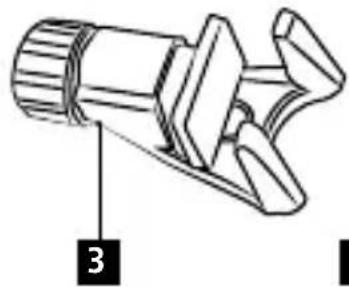
natural_image
Technical line drawing of a mechanical component with no visible text or symbols
natural_image
Diagram of a mechanical component with a circular housing and coiled cable, labeled with number 4 (no text or symbols on the diagram itself)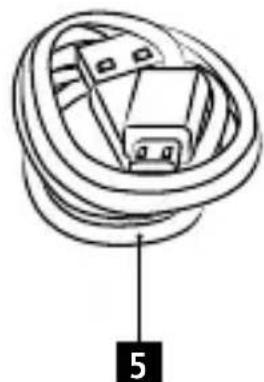
natural_image
Diagram of a coiled cable or connector with labeled point '5' (no text or symbols beyond label)FRENCH
natural_image
Diagram showing a camera module connected to a target with an icon of a shooting device (no text or symbols present)Support smartphone
1 Filetage 1/4 po
2 Desserrage
3 Molette
4 Serrage
5 Glissière smartphone
RoHS directive 2011/65/CE
RED directive 2014/53/EU
2012/19/EC WEEE Directive

natural_image
Diagram of a mechanical component with labeled parts (no text or symbols present)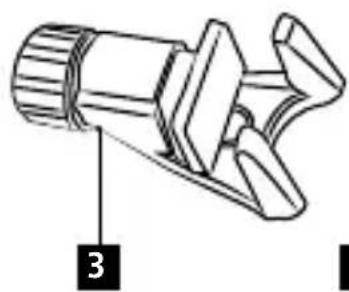
natural_image
Technical line drawing of a mechanical component with no visible text or symbols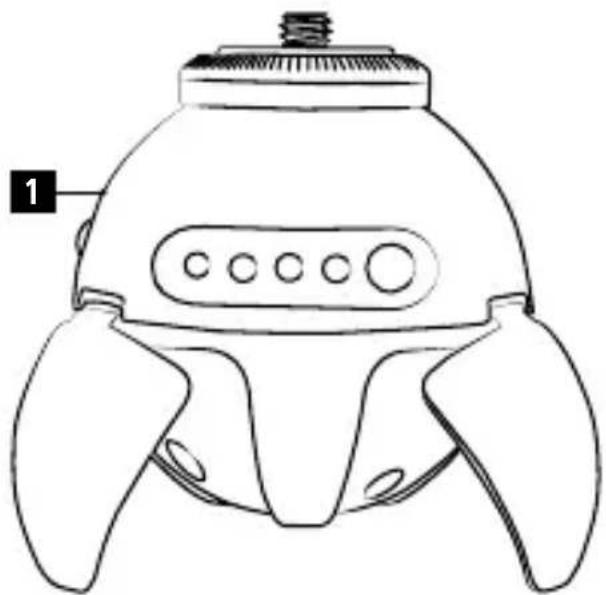
natural_image
Line drawing of a futuristic spacecraft or spacecraft with four curved arms and a top-mounted head (no text or symbols)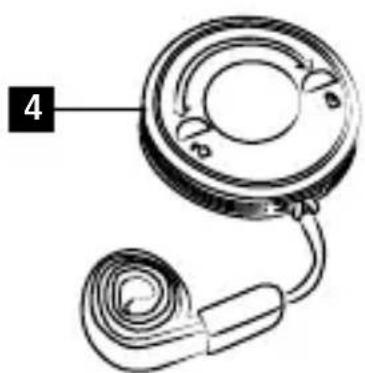
natural_image
Diagram of a mechanical component with a circular housing and coiled cable, labeled with number 4 (no text or symbols on the diagram itself)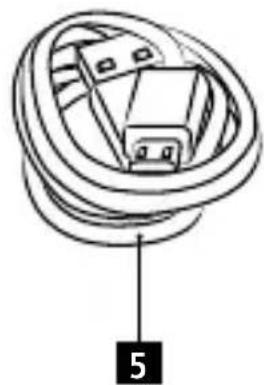
natural_image
Diagram of a coiled cable or connector with labeled component '5' (no text or symbols beyond label)SPANISH
natural_image
Diagram showing a camera module connected to a target with an icon of a shooting device (no text or symbols present)Soporte de smartphone
1 Rosca de 1/4 pulgada
2 Soltar
3 Rueda giratoria
4 Apretar
5 Insertar el smartphone
Fije su smartphone
natural_image
Line drawing of a futuristic spacecraft or spacecraft with four curved heads and a top-mounted sensor (no text or symbols)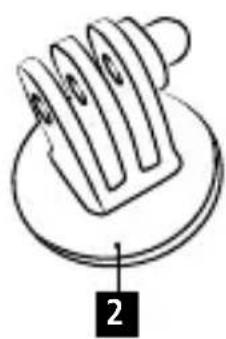
natural_image
Diagram of a mechanical component with labeled parts (no text or symbols present)
natural_image
Technical line drawing of a mechanical component with no visible text or symbols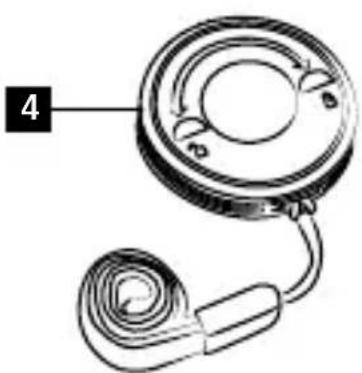
natural_image
Diagram of a mechanical component with a coiled spring and circular housing (no text or symbols)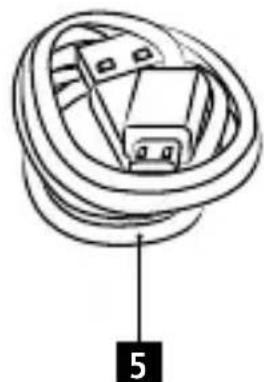
natural_image
Diagram of a coiled cable or connector with labeled point '5' (no text or symbols beyond label)ITALIAN
Specifiche tecniche
natural_image
Diagram showing a camera module connected to a device with an inset view of its camera (no text or symbols present)natural_image
Line drawing of a futuristic spacecraft or spacecraft with four curved heads and a top-mounted sensor (no text or symbols)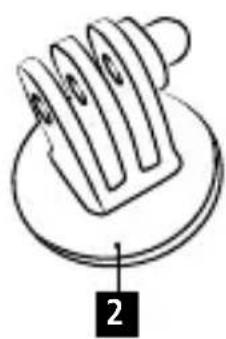
natural_image
Diagram of a mechanical component with labeled parts (no text or symbols present)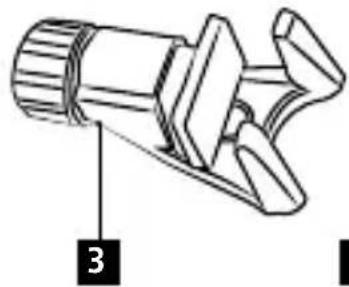
natural_image
Technical line drawing of a mechanical component with no visible text or symbols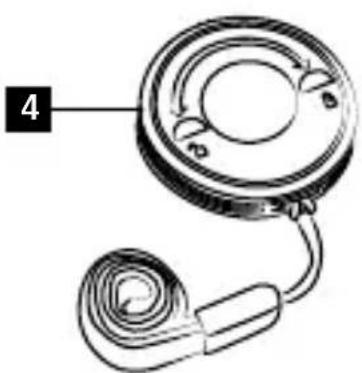
natural_image
Diagram of a mechanical component with a coiled spring and circular housing (no text or symbols)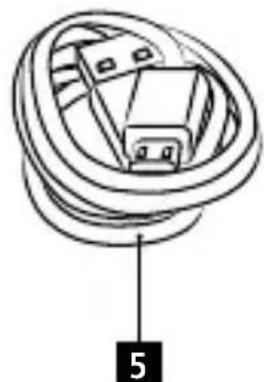
natural_image
Diagram of a coiled cable or connector with labeled component '5' (no text or symbols beyond label)PORTUGUESE
Dados Técnicos
natural_image
Diagram showing a camera module connected to a target with an icon of a shooting device (no text or symbols present)natural_image
Line drawing of a futuristic device with three curved legs and a top cap, labeled with number 1 (no text or symbols on the device itself)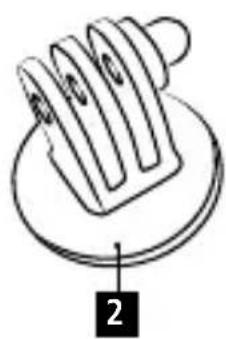
natural_image
Diagram of a mechanical component with labeled parts (no text or symbols present)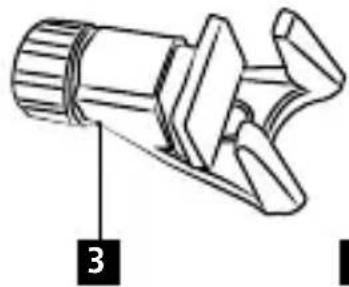
natural_image
Technical line drawing of a mechanical component with labeled part '3' (no text or symbols beyond label)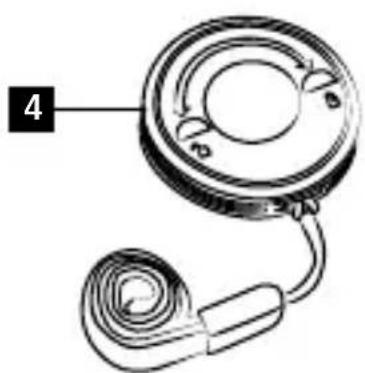
natural_image
Diagram of a mechanical component with a circular housing and coiled cable, labeled with number 4 (no text or symbols on the diagram itself)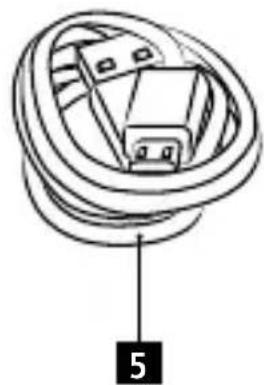
natural_image
Diagram of a coiled cable or connector with labeled component '5' (no text or symbols beyond label)DUTCH
Technische gegevens
Actioncam adapter
natural_image
Diagram showing a camera module connected to a device with an inset view of the camera (no text or symbols present)Smartphonehouder
natural_image
Simple line drawing of a mechanical component with no text or symbols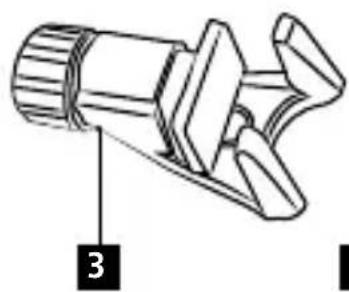
natural_image
Technical line drawing of a mechanical component with no visible text or symbols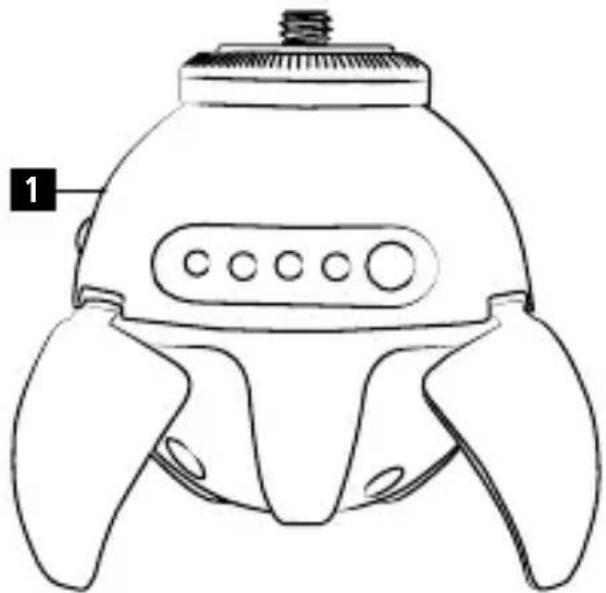
natural_image
Line drawing of a futuristic spacecraft or spacecraft with four curved heads and a top-mounted sensor (no text or symbols)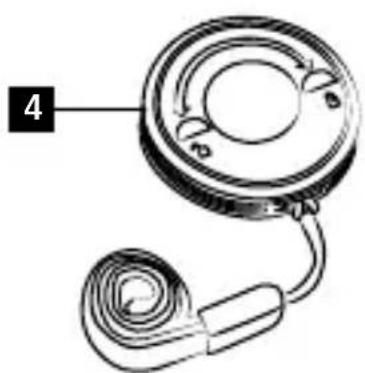
natural_image
Diagram of a mechanical component with a circular housing and coiled cable, labeled with number 4 (no text or symbols on the diagram itself)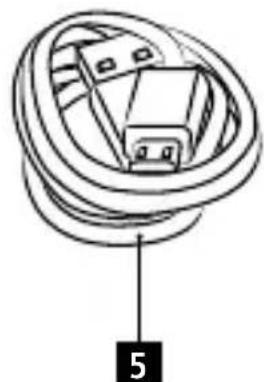
natural_image
Diagram of a coiled cable or connector with labeled point '5' (no text or symbols beyond label)中國傳統
技術規格
電池容量 400毫安培時
工作電流 50至300毫安培 mA
工作電壓 3.3伏特至4.2伏特
充電電壓 4.8伏特-5.0伏特
充電時間 大約2小時
運動攝影機適配器
natural_image
Diagram showing a camera module connected to a device with an arrow pointing to it, enclosed in a circle (no text or symbols present)92 智慧型手機支架
1 直徑1/4英吋螺紋
2 鬆開
3 旋鈕
4 擅緊
5 滑塊
連接智慧型手機
遙控
natural_image
Simple line drawing of a mechanical component with no text or symbols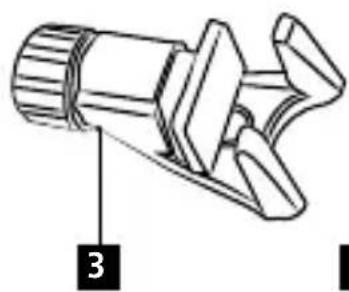
natural_image
Technical line drawing of a mechanical component with no visible text or symbols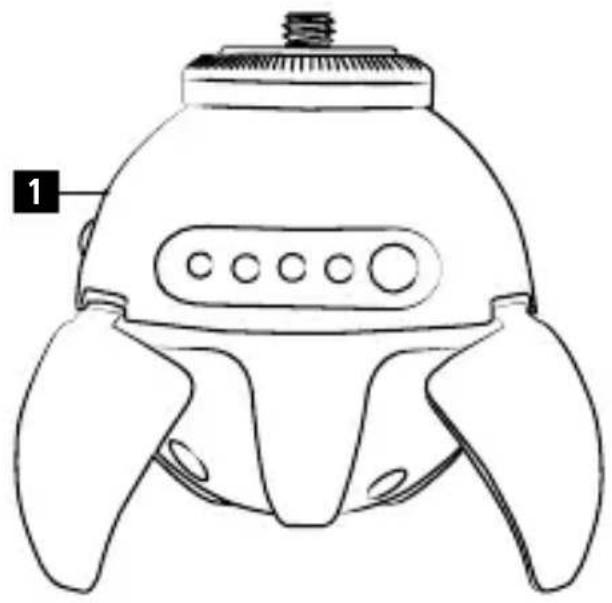
natural_image
Line drawing of a futuristic device with three curved legs and a top cap (no text or symbols)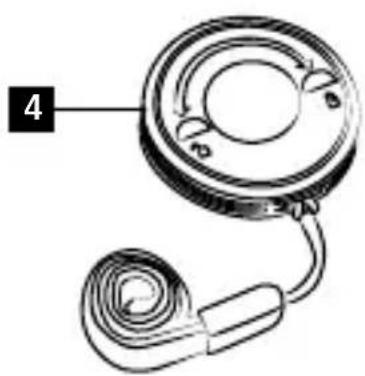
natural_image
Diagram of a mechanical component with a circular dial and attached spring (no text or symbols)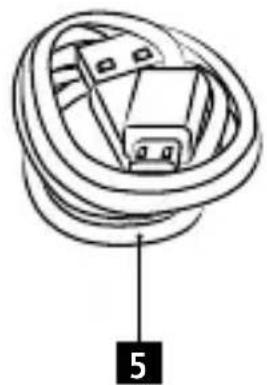
natural_image
Diagram of a coiled cable or connector with labeled component '5' (no text or symbols beyond label)简体中文
技术规格
电池容量 400毫安时
工作电流 50至300毫安 mA
工作电压 3.3伏特至4.2伏特
充电电压 4.8伏特-5.0伏特
充电时间 大约2小时
运动摄像机适配器
natural_image
Diagram showing a camera module connected to a device with an arrow pointing to it, enclosed in a circle (no text or symbols present)100 智能手机支架
简体中文
遥控
Email info-hk@rollei.com
www.cn.rollei.com/social
www.rollei.com
- Smart ePano 360
- Rollei
- Inhalt
- Technische Daten
- Actioncam Adapter
- Smartphone Halter
- Technical specification
- Indicator lights
- Smartphone adapter
- Attaching your smartphone
- Remote control
- Operation
- Warning notes
- Disposal
- Battery Warning
- Conformity
- Mode d'emploi
- Fournitures incluses
- Support smartphone
- Soporte de smartphone
- Fije su smartphone
- Specifiche tecniche
- Dados Técnicos
- Technische gegevens
- Smartphonehouder
- 技術規格
- 運動攝影機適配器
- 智慧型手機支架
- 連接智慧型手機
- 遙控
- 技术规格
- 运动摄像机适配器
- 智能手机支架
- 遥控
Brand : ROLLEI
Model : Smart ePano 360
Category : Tripod