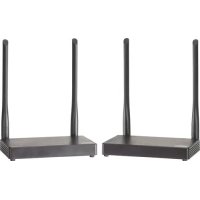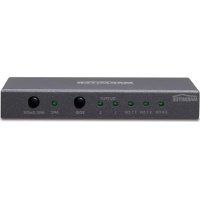
Connect AE 24 2.0 - Audio/video extension MARMITEK - Free user manual and instructions
Find the device manual for free Connect AE 24 2.0 MARMITEK in PDF.



Frequently Asked Questions - Connect AE 24 2.0 MARMITEK
User questions about Connect AE 24 2.0 MARMITEK
0 question about this device. Answer the ones you know or ask your own.
Ask a new question about this device
Download the instructions for your Audio/video extension in PDF format for free! Find your manual Connect AE 24 2.0 - MARMITEK and take your electronic device back in hand. On this page are published all the documents necessary for the use of your device. Connect AE 24 2.0 by MARMITEK.
USER MANUAL Connect AE 24 2.0 MARMITEK
Connect AE24 UHD 2.0
USER MANUAL 3
1 Table of contents. 3
2 Safety instructions 4
3 Your product 5
3.1 Introduction 5
3.2 Benefits 6
3.3 HDMI properties 7
3.4 Package contents.. 8
4 Getting started 9
4.1 Installation tips 9
4.2 Installation 9
5 Use 11
5.1 Audio settings 11
5.1.1 Audio Return Channel (ARC) 11
5.1.2 Audio format settings 11
6 Technical specifications 12
7 Frequently asked questions (FAQs) 13
8 Notification 15
8.1 Declaration of conformity 15
8.2 Recycling 15
8.3 Copyrights 16
2 Safety instructions
- Please read these instructions thoroughly before you use the device and keep them for future reference.
- Only for indoor use.
- Do not use the product in a damp environment or near water.
- Do not expose the product to extremely high or low temperatures, strong light sources or direct sunlight.
- This product is not a toy. Keep out of reach of children.
- Do not open the product: the device may contain live parts.
- Connect the adapter to the mains only after you have verified that the line voltage corresponds to the value specified on the type plates.
- Never connect a power adapter if it's damaged. In such cases, please contact your supplier.
- Repairs or service should only be performed by qualified personnel.
- Disconnect the AC/DC power adapter from the mains when this device is not in use for prolonged time.
- Improper use, self-installed modifications or repairs will void any and all warranties.
- Marmitek does not accept any product responsibility for incorrect use of the product or use other than for which the product is intended.
- Marmitek does not accept liability for any consequential damage other than the legal product responsibility.
3 Your product
3.1 Introduction
Congratulations on your purchase of the Marmitek Connect AE24 UHD 2.0^TM!
Connecting a TV to this type of audio equipment can often lead to problems when:
- Your TV, monitor or projector does not have a separate audio output;
- You want to use your TV's ARC function, but the audio amplifier is not equipped with it;
- You want to connect various HDMI sources to a soundbar that has too few connections;
- Your AV receiver does not support 4K UHD or 3D video formats;
- Your TV only has a digital audio output (TOSlink or coaxial), but you want to connect a stereo HiFi set.
The Connect AE24 UHD 2.0^TM allows you to separate the sound from the HDMI signal and connect it to your audio equipment (home cinema set, AV receiver or soundbar). The Connect AE24 UHD 2.0^TM can be used as a versatile problem solver when connecting your audio equipment.
All our products are designed and manufactured to the highest quality requirements. Please read this manual first and follow the instructions in order to fully enjoy the possibilities of this product.
3.2 Benefits
The Connect AE24 UHD 2.0^TM is a versatile problem solver when connecting your audio equipment to your TV, monitor or projector. This may include:
- Playing the audio from your Smart TV applications (Netflix, YouTube) or built-in TV decoder on your home cinema set, AV receiver or soundbar.
- Connecting HDMI sources without a dedicated audio output (Chromecast, Nintendo, media players) to your audio equipment anyway.
- Listening to music (MP3, audio streams, radio channels) without requiring the TV being turned on.
- Avoiding compatibility issues with your current AV receiver because of its unique HDMI output without image reproduction.
- Still being able to use your TV's Audio Return Channel (ARC) function, even when your audio equipment is not suitable for it.
- Being a versatile problem solver when connecting your audio equipment to your TV, monitor or projector.
3.3 HDMI properties
- The maximum throughput speed is 18 Gbit/s (gigabits per second). This allows HDMI 2.0 to display Ultra HD 4K images at 60 fps (frames per second).
- Suitable for the latest Ultra HD 4K60 resolution (3840 x 2160 / 60Hz), High Dynamic Range (HDR), Deep Color and 4:4:4 chroma colours.
- Supports all 3D formats (suitable for use with your own 3D equipment)
- Deep Color 36-bit (billions instead of millions of colours, better reproduction of subtle differences in gradation and a higher contrast ratio).
- ARC (Audio Return Channel, synchronises your TV's audio and video and sends it back to your AV amplifier, using the digital audio output.
Supports Dolby Atmos and DTS:X and all other common audio formats.
3.4 Package contents
A. 1 x Connect AE24 UHD 2.0^TM - HDMI audio extractor
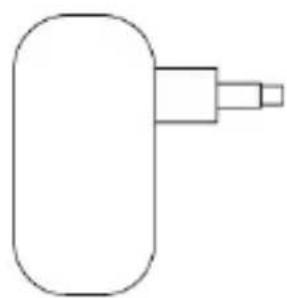
B. 1 × Power adapter
C. 1 × User manual

Power adapter
4 Getting started
4.1 Installation tips
- Turn off all devices (TV and HDMI sources) before connecting them to the Connect AE24 UHD 2.0^TM . If a device cannot be turned off, please remove the plug from the socket.
- Only use High Speed HDMI® certified cables for the best picture and sound quality. Using too much force to connect or disconnect the HDMI cables may damage them.
- Please be careful when connecting your HDMI cables. These damage easily.
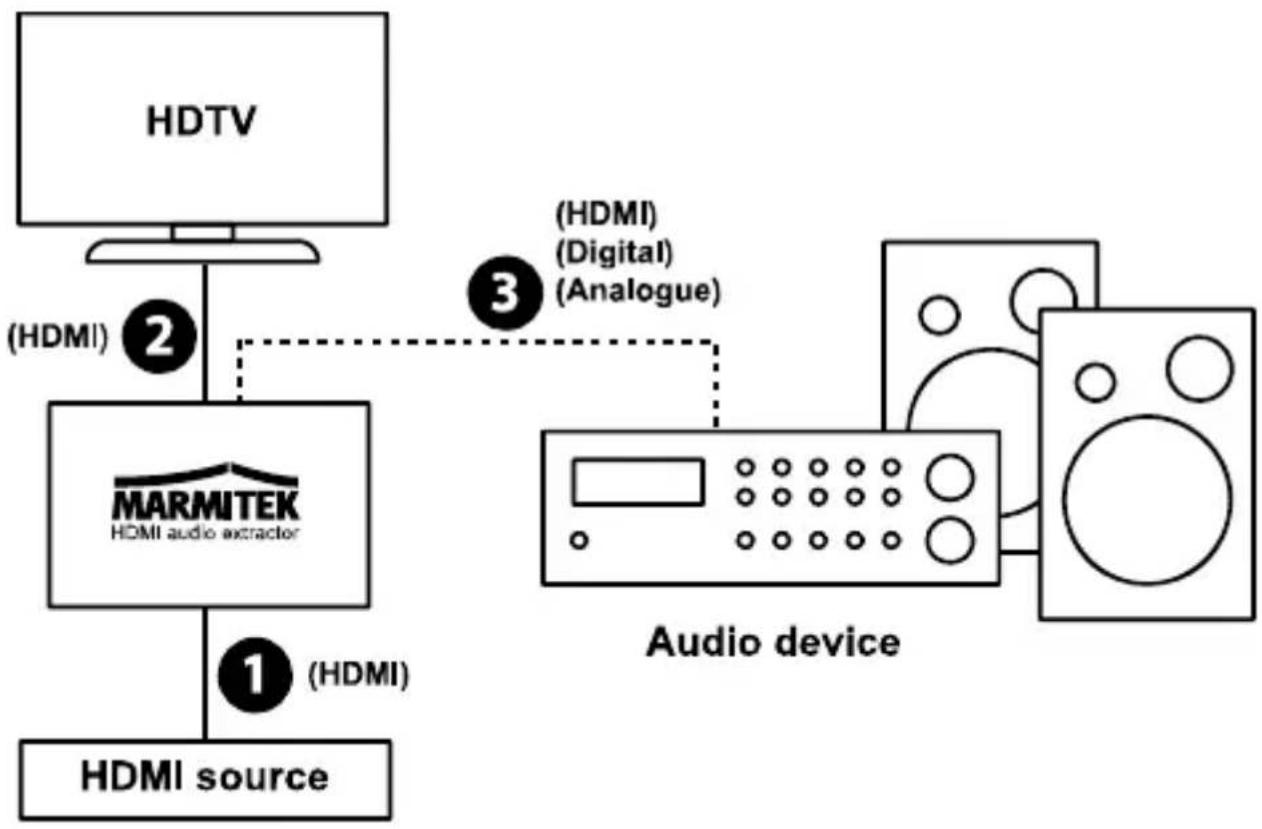
4.2 Installation

-
Use an HDMI cable to connect the HDMI source (digital TV decoder, Chromecast, media player) to the "Input" (1).
-
Use an HDMI cable to connect the TV (monitor or projector) to "Output 1" (2). If you want to use the ARC function (refer to page 11), your TV needs to support this. Please refer to your TV's user manual to check which HDMI port supports ARC.
-
Use the appropriate cable to connect your audio device (home cinema set, AV receiver or soundbar) to the output (3) marked "Audio only", "Digital audio" or "Analogue audio".
-
Audio only: use an HDMI cable. This output only reproduces audio and supports Dolby Atmos, DTS:X and all other common audio formats.
-
Digital audio: use an optical (Toslink) or coaxial cable. This audio output supports the DTS 5.1, Dolby Digital/AC3 and PCM 2.0CH stereo formats.
-
Analogue audio: use a stereo jack cable; this output supports the analogue stereo audio format.
-
Connect the power adapter to the "DC 5V" input (4) and insert the plug into the socket.
5 Use
5.1 Audio settings
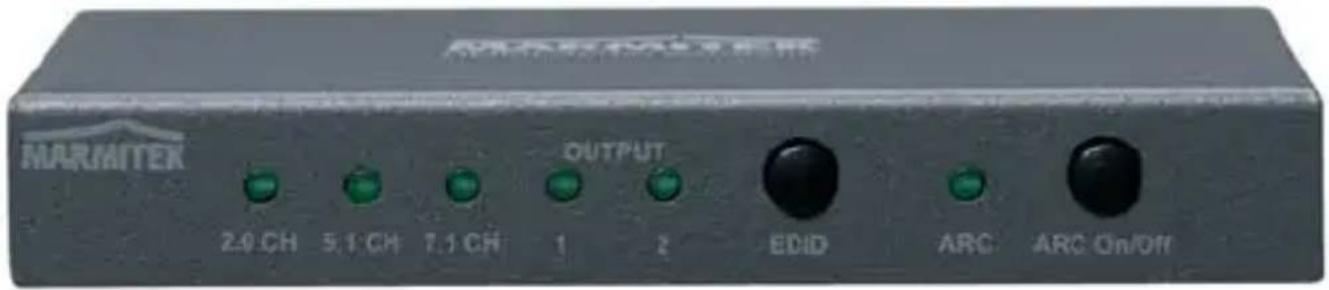
Select the desired audio settings by using the EDID and ARC buttons at the front of the Connect AE24 UHD 2.0^TM .
5.1.1 Audio Return Channel (ARC)
If your AV amplifier is connected via the "Audio out", there may be a slight lag between your TV's image and the sound coming from the AV amplifier. This is caused by image processing on your TV and is sometimes referred to as lip sync problem. The Connect AE24 UHD 2.0^TM supports ARC (Audio Return Channel).
This involves the sound first being sent to the TV, and then returned by your TV at exactly the right moment, using the same HDMI cable. This allows you, without the use of additional wiring or settings, to synchronise images and sound. The "ARC" switch allows you to enable or disable this feature.
ARC must be supported by your TV to be able to use this feature. If your TV does not support ARC, you can either turn off image processing on your TV, or delay the audio coming from your AV amplifier or HDMI source. Please refer to your device's manual for the correct settings.
5.1.2 Audio format settings
Using the EDID button, you can set the desired audio format for your audio equipment. In standard situations, it will be sufficient to select OUTPUT 1 or 2. However, should you experience any problems, please select another format manually.
- Output 1 automatically detects the best possible audio format that is supported by your TV.
- Output 2 automatically detects the best possible audio format that is supported by your AV receiver.
7.1CH supports up to HD audio. - 5.1CH supports up to DTS and Dolby Digital/AC3 audio.
2.0CH supports 2-channel audio.
6 Technical specifications
Connections
HDMI input 1 x HDMI (19-pin female)
HDMI output 1 x HDMI (19-pin female)
HDMI audio output 1 x HDMI (19-pin female, no video, only audio).
HDMI cable length max. 15 metres
Digital audio output 1 x toslink (optical)
Analogue audio output 1 x stereo 3.5mm
Video
Supported resolutions 4K (4096x2160)@
24/30/50/60Hz,
480i~1080p@50/60Hz,
1080p@120Hz
3D@1080p/60Hz.
Supported PC resolutions max. QSXGA
(2560x2048@60Hz).
HDMI standards HDMI 2.0b, HDR, CEC, ARC,
EDID, DVI, all 3D formats and
Deep Color 36-bit, x.y. colour.
HDCP standards HDCP 2.2 and HDCP 1.4
Colour formats RGB and YCbCr 4:4:4, 4:2:0
or 4:2:2.
Colour depth
max. 36-bit.
Throughput speed
max.18 Gbit/s.
Clock frequency
max. 600 MHz.
Audio
HDMI outputs
Dolby Atmos, Dolby TrueHD,
Dolby Digital/ AC3, DTS:X,
DTS-HD Master Audio, DTS
5.1 and PCM 2.0CH stereo.
Digital audio output DTS 5.1, Dolby Digital/ AC3
and PCM 2.0CH stereo.
Analogue audio output 2.0CH stereo
Housing
Dimensions (H x W x D) 130 x 75 x 19 mm
Weight 262
Environment
Ambient temperature +0 to +40^ C
Ambient humidity 20% to 90%
Power
External power adapter 100-240VAC @50-60Hz,
5VDC @ 1A
Specifications may change without prior notice.
7 Frequently asked questions (FAQs)
No (or poor) image and sound
If you experience poor or no picture after connecting the Connect AE24 UHD 2.0^TM , please try to identify the problem by connecting the devices to your screen (TV, monitor or projector) one by one. This allows you to determine whether the problem is with the HDMI sources, the HDMI cables, the Connect AE24 UHD 2.0^TM or the screen.
- Make sure the power adapter is connected and plugged in.
- For the best picture and sound quality, only use High Speed HDMI® certified cables.
- Do not use HDMI cables longer than those specified in the technical data.
- Check the HDMI cables and/or connectors for damage.
- Both the HDMI source and your screen should fully support HDMI.
- Check that your HDMI sources and screen support HDCP 2.2 (High Bandwidth Digital Content Protection) copy protection.
Incorrect 3D display
- Please check whether the HDMI source is set to display 3D and/or it is set to automatic.
- Both the HDMI source and your HD screen should support the same 3D formats.
- Please check that 3D is displayed correctly by connecting the HDMI source directly to the HD display with an HDMI cable.
Do you have any other questions that have not been resolved by the above information? Please go to www.marmitek.com
8 Notification
8.1 Declaration of conformity
CE Hereby, Marmitek BV, declares that this Connect AE24 UHD 2.0^TM is in compliance with the essential requirements and other relevant provisions of
the following Directives:
Directive 2014/30/EU of the European Parliament and of the Council of 26 February 2014 on the harmonisation of the laws of the Member States relating to electromagnetic compatibility (recast)
Directive 2014/35/EU of the European Parliament and of the Council of 26 February 2014 on the harmonisation of the laws of the Member States relating to the making available on the market of electrical equipment designed for use within certain voltage limits.
Directive 2011/65/eu of the European parliament and of the council of 8 June 2011 on the restriction of the use of certain hazardous substances in electrical and electronic equipment.
8.2 Recycling
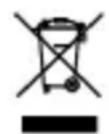
Environmental Information for Customers in the European Union. European Directive 2002/96/EC requires that the equipment bearing this symbol on the product and/or its
packaging must not be disposed of with unsorted municipal waste. The symbol indicates that this product should be disposed of separately from regular household waste streams. It is your responsibility to dispose of this and other electric and electronic equipment via designated collection facilities appointed by the government or local authorities. Correct disposal and recycling will help prevent potential negative consequences to the environment and human health. For more detailed information about the disposal of your old equipment, please contact your local authorities, waste disposal service, or the shop where you purchased the product.
8.3 Copyrights
Marmitek is a trademark of Germatron B.V.
Connect AE24 UHD 2.0^TM is a trademark of Marmitek B.V. All rights reserved. Every effort has been made to ensure that the information in this manual is accurate. Marmitek is not responsible for printing or clerical errors. Copyright and all other proprietary rights in the content (including but not limited to model numbers, software, audio, video, text and photographs) rests with Marmitek B.V. Any use of the Content, but without limitation, distribution, reproduction, modification, display or transmission without the prior written consent of Marmitek is strictly prohibited. All copyright and other proprietary notices shall be retained on all reproductions. Other company and product names mentioned herein may be trademarks of their respective companies. Mention of third-party products is for informational purposes only and constitutes neither an endorsement nor a recommendation. Marmitek assumes no responsibility with regard to the performance or use of these products.
Marmitek BV - PO Box 4257 - 5604 EG Eindhoven The Netherlands
Dimensions (H x L x P) 130 x 75 x 19 mm
Poids 262g
Environment
Deep Color 36-bit, x.y. Colour.
Standard HDCP HDCP 2.2 e HDCP 1.4
Formaticolore RGBeYCbCr4:4:4,4:2:0o
4:2:2.
Dimensioni (A x L x P) 130 x 75 x 19 mm
Peso 262 g
Ambiente
Temperature ambient +0 fino ai +40^ C
Umidità 20% all'90%