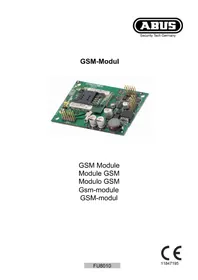
FU8010V2 - Electronic module ABUS - Free user manual and instructions
Find the device manual for free FU8010V2 ABUS in PDF.



| Product type | Additional GSM module for wireless alarm control panel |
| Brand | ABUS |
| Model | FU8010V2 |
| Compatibility | Secvest wireless alarm control panel |
| Frequency bands | 900 / 1800 MHz |
| Antenna cable | RG 174U, length approx. 290 mm |
| Antenna connector (cable) | MMCX |
| Antenna connector (module) | MMCX |
| SIM card | Standard (PIN deactivated or 0000) |
| Information display | IMEI, signal strength, network name, call number |
| Main functions | Telephone communication via GSM, SMS sending |
| Installation | Mounting inside the control panel housing |
| Power supply | Via the alarm control panel |
| Safety | Put the control panel in Installer mode before opening to avoid tamper alarm |
| Compliance | EU Directive 1999/5/EC |
| Provided manual | Multiple languages (FR, DA, DE, EN, IT, NL, etc.) |
Frequently Asked Questions - FU8010V2 ABUS
User questions about FU8010V2 ABUS
0 question about this device. Answer the ones you know or ask your own.
Ask a new question about this device
Download the instructions for your Electronic module in PDF format for free! Find your manual FU8010V2 - ABUS and take your electronic device back in hand. On this page are published all the documents necessary for the use of your device. FU8010V2 by ABUS.
USER MANUAL FU8010V2 ABUS
Many thanks for your purchase of this GSM module. In choosing our product, you now have a piece of equipment that is built according to state-of-the-art technology.
This product complies with current domestic and European regulations. Conformity has been proven, and all related certifications are available from the manufacturer on request.
To maintain this status and to guarantee safe operation, it is your obligation to observe these operating instructions! In the event of questions, please contact your local specialist dealer.

Observe the notes and instructions in this guide! If you do not follow these instructions, your guarantee claim becomes invalid! No liability can be accepted for resulting damages!
No part of the product may be changed or modified in any way.
Introduction
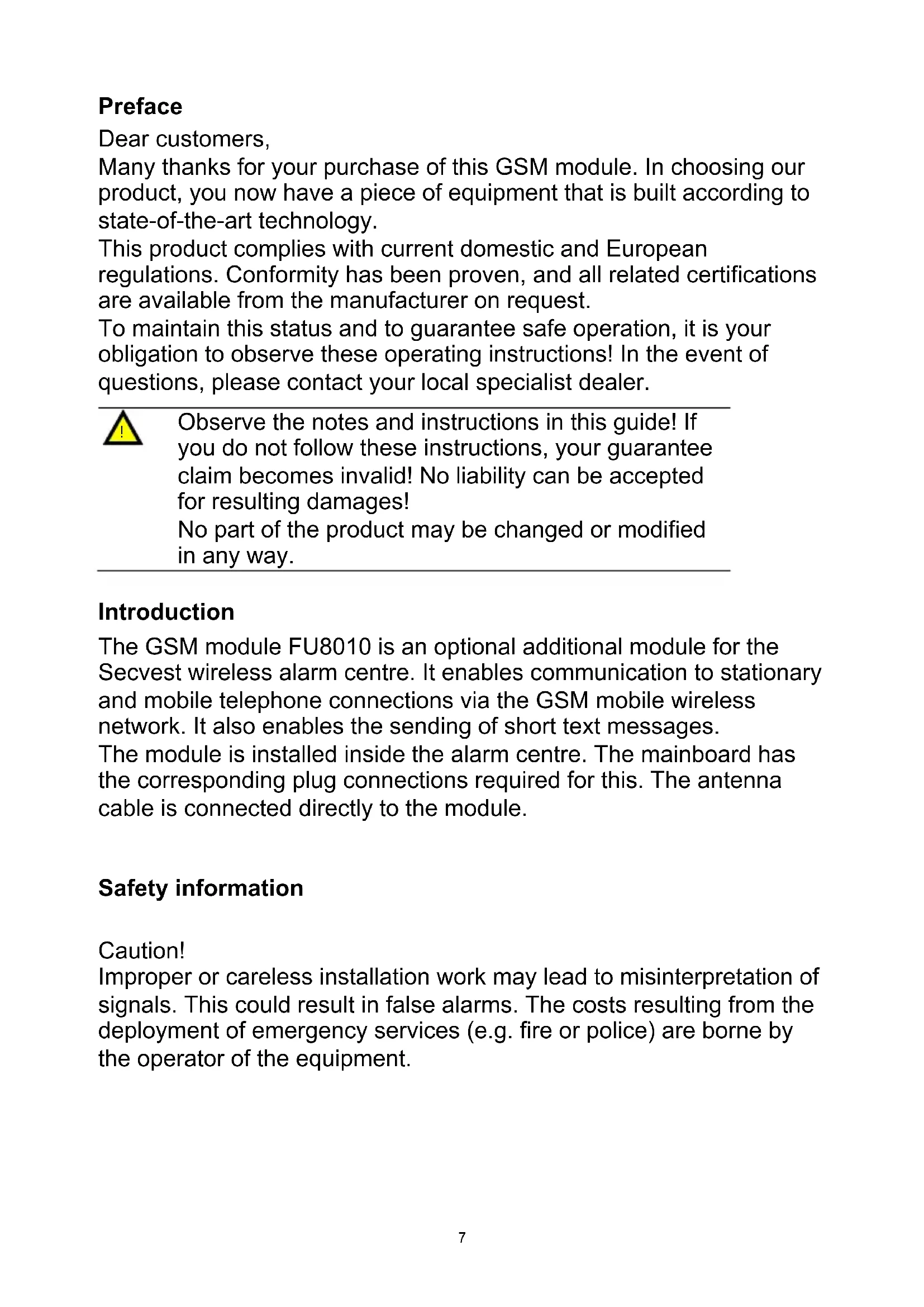
The GSM module FU8010 is an optional additional module for the Secvest wireless alarm centre. It enables communication to stationary and mobile telephone connections via the GSM mobile wireless network. It also enables the sending of short text messages.
The module is installed inside the alarm centre. The mainboard has the corresponding plug connections required for this. The antenna cable is connected directly to the module.
Safety information
Caution!
Improper or careless installation work may lead to misinterpretation of signals. This could result in false alarms. The costs resulting from the deployment of emergency services (e.g. fire or police) are borne by the operator of the equipment.
Scope of delivery
GSM module
GSM antenna
Multilingual instructions
Technical data
| Frequency range 900 / | 1800 MHz |
| Antenna cable RG 174U | |
| Cable length approx. 290 mm | |
| Antenna plug MMCX (on cable) | |
| Antenna socket MMCX (on module) |
Installation
Note:
If the alarm centre is already in operation, put the centre into setup mode. When the housing is opened, no tamper alarm will then be triggered.
- Remove both screws on the housing base.
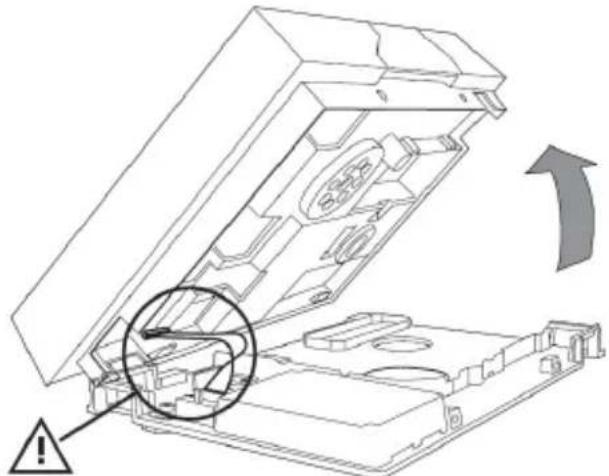
- Lift the housing carefully off the wall mounting plate. Detach the ribbon cable from the wall mounting plate before you open the housing fully.
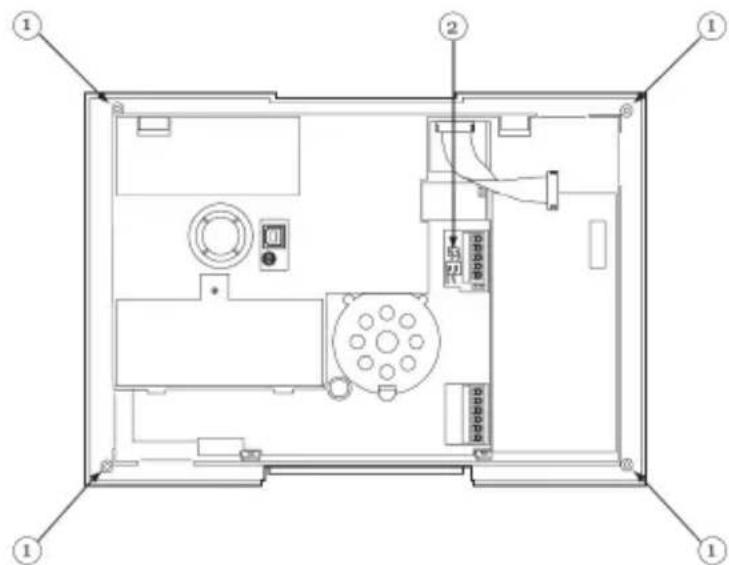
- Release all four screws holding the housing of the centre together (1).
- Detach the plug connection for the speaker and the connector for the battery compartment (2).
-
Before completely removing the rear housing panel, lift it slightly and pull out the siren plug.
-
Connect the antenna cable with the antenna socket on the module. Insert the SIM card correctly in the cardholder of the module.

The code of the SIM card must be switched off or set to "0000".
Now place the GSM module in the plug connections of the mainboard and insert firmly.
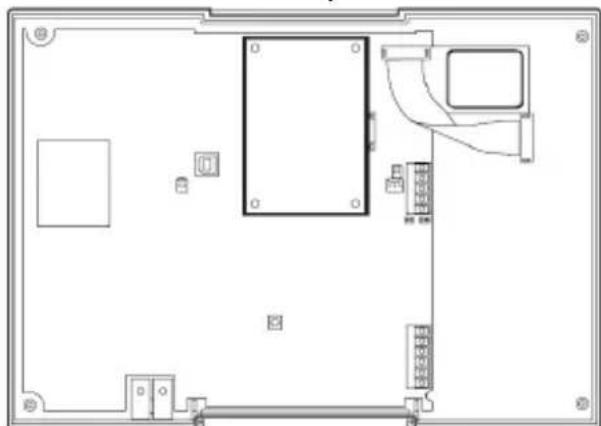
- Lay the antenna cable and affix the antenna securely to a suitable spot within the housing.
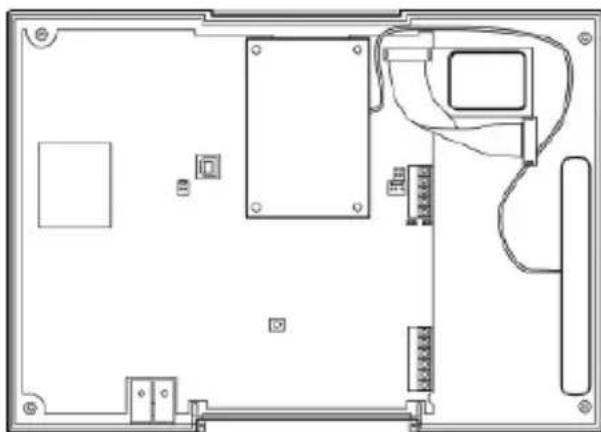
- Reconnect the sirens and ensure that the microphone is seated correctly. Replace the rear housing panel together with the front cover.
- Reinsert the plug for the speaker and the plug for the battery compartment (2). Fasten the rear panel with the four housing screws (1).
- Hook the housing onto the wall mounting plate and reconnect the ribbon cable. Ensure that no cables within the housing are pinched and bolt the housing onto the wall mounting plate.
Programming
To complete the programming for the centre, please follow the Installation and User Guide.
If the GSM module was detected by the centre, a display appears in the Secvest user menu under "System Options About Comms": "Comms: PSTN, GSM".
In addition, the IMEI number of the GSM module, the current signal strength, the GSM network name and the phone number of the SIM card are displayed. The phone number of the SIM card is only displayed if your service provider has stored the number on the card. If the signal is too weak, the alarm centre should be moved to a different location or you should switch to a different service provider.
This device fulfils the requirements of the European Parliament and Board EU directive 1999/5/EC of March 9, 1999 regarding wireless systems and telecommunication transmitters and the mutual recognition of their conformity.
The declaration of conformity can be ordered from:
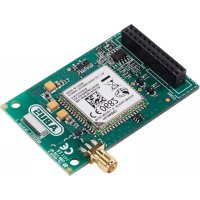
Brand : ABUS
Model : FU8010V2
Category : Electronic module