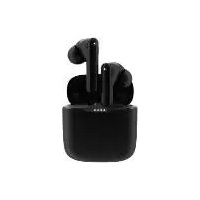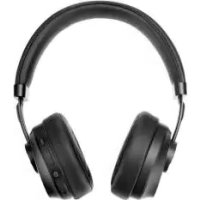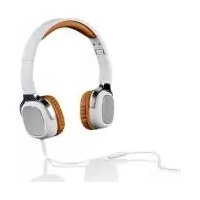
SKM 40 A1 - Wireless Earbuds SILVERCREST - Free user manual and instructions
Find the device manual for free SKM 40 A1 SILVERCREST in PDF.



| Product type | Wired headset with microphone |
| Brand | SilverCrest |
| Model | SKM 40 A1 |
| Dimensions (L x H x D) | approx. 160 x 185 x 74 mm |
| Weight | approx. 180 g |
| Impedance | 32 Ω ± 4 Ω |
| Sensitivity (1 mW/1 kHz) | 108 dB ± 10% |
| Frequency range | 20 – 20,000 Hz |
| Rated voltage | 145 mV ± 10% |
| Power supply | Operates via 3.5mm audio cable (not self-powered) |
| Cable length | approx. 120 cm |
| Cable connectors | Gold-plated 3.5mm jack connectors (one 2-ring, one 3-ring) |
| Microphone | Integrated cable microphone with multifunction button |
| Main functions | Audio listening, hands-free calling, playback control, voice command, connecting a second headset |
| Adjustment | Adjustable headband; earphones marked R/L |
| Operating temperature | 5 °C to 35 °C |
| Operating humidity | max. 85% relative humidity |
| Care and cleaning | Clean with a dry cloth; do not use aggressive liquids; do not open the case |
| Safety | Do not use at high volume for prolonged periods; keep away from pacemakers; do not use while driving |
| Warranty | 3 years |
| Article number (IAN) | 275613 |
Frequently Asked Questions - SKM 40 A1 SILVERCREST
User questions about SKM 40 A1 SILVERCREST
0 question about this device. Answer the ones you know or ask your own.
Ask a new question about this device
Download the instructions for your Wireless Earbuds in PDF format for free! Find your manual SKM 40 A1 - SILVERCREST and take your electronic device back in hand. On this page are published all the documents necessary for the use of your device. SKM 40 A1 by SILVERCREST.
USER MANUAL SKM 40 A1 SILVERCREST
natural_image
Exterior view of a gray audio headphones with a website URL (no signage on the headphones or background)
Kopfhörer SKM 40 A1 Headphones SKM 40 A1 Casque audio SKM 40 A1
DE AT Bedienungsanleitung und Serviceinformationen
GB IE User manual and service information
FR BE Manuel d'utilisation et informations sur les services
NL BE Gebruikershandleiding en service-informatie
ES Manual del usuario e información de servicio
CZ Uživatelská přiručka a informace o údržbě
PT Manual do Utilizador e Informação Relativa a Assistência
TARGA GMBH
Coesterweg 45
39494 SOB GERMANY
natural_image
Product image showing a pair of audio headphones (A) and a medical device with a catheter, alongside an open book icon (C), all without visible text or symbols.natural_image
Line drawing of a car wheel with a labeled component (R) and an arrow pointing to the side (no text or symbols beyond the label)natural_image
Line drawing of a pair of headsets with a curved headband and directional arrow indicating rotation (no text or symbols)natural_image
Pure electrical circuit lines without any symbolsnatural_image
Symbol of a trash bin with crossed lines indicating no waste or discharge, and a solid black rectangle below (no text or labels)Description of the controls 20
Technical data.... 20
Safety instructions 21
Prior to use 25
First use 25
Putting on and adjusting the headset 25
The audio jack cable 26
Using the headset 26
The microphone 26
The multi-function button in the microphone....26
Connecting an audio source....27
Connecting another headset....28
Transport or storage when not in use....28
Troubleshooting 28
No playback of external audio sources 28
Sound playback only in one headset earpiece....29
No sound playback when connecting a second headset 29
Cleaning 29
Environmental and disposal information 29
Conformity information 30
Warranty and servicing advice.... 30
Introduction
Thank you for purchasing a SilverCrest product.
The SilverCrest headset SKM 40 A1, hereinafter referred to as headset, is easy to use and is impressive with its modern design. Read how to use the headset on the following pages.
Intended use
This headset is a consumer electronics device which is used for playback of audio devices at normal listening levels. It is possible to connect external audio sources such as an MP3 player or a smartphone. In addition, you can use the device as a hands-free kit. The headset may only be used privately and not for industrial or commercial purposes. Furthermore, the device may not be used in tropical climates. This device meets all relevant standards and directives. The manufacturer does not accept any liability for any resulting damage or faults in the event of unauthorised modifications to the device. Only use accessories specified by the manufacturer. Please observe the regulations and laws in the country of use.
Supplied items
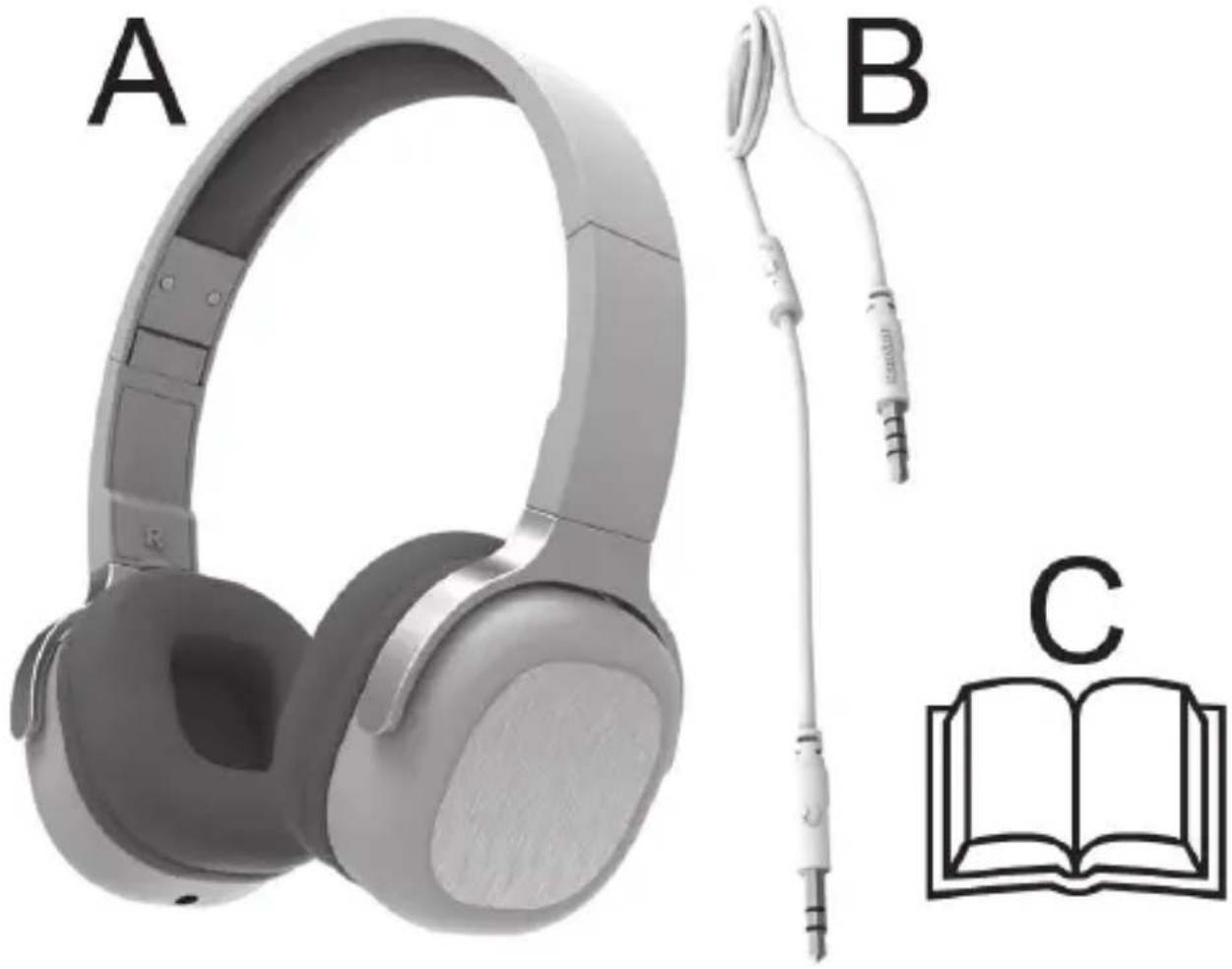
Take the device and all accessories from the packaging. Remove all packaging material and check that all parts are complete and undamaged. In the event of an incomplete or damaged delivery, please contact the manufacturer.
natural_image
Product image showing a pair of headphones (A) and a medical device with a catheter, alongside an open book icon (C), all without visible text or symbols.| A SilverCrest headset SKM 40 A1 |
| B 3.5mm audio jack cable (with built-in microphone and button) |
| C These operating instructions (symbolic representation) |
Description of the controls
These operating instructions have a fold-out cover. Fold out this page so that you always keep the controls in sight. The numbers indicate the following:
1 Headband
2 Adjustment slider (for adjusting size)
3 Headset earpieces
4 3.5mm jack plug
5 Microphone (with built-in button)
6 3.5mm jack socket
Technical data
| Model SKM 40 A1 | |
| Impedance 32 ohm +/- 4 ohm | |
| Sensitivity (1mW/1kHz) 108 dB +/- 10% | |
| Transmission range 20 to 20,000Hz | |
| Wideband characteristic voltage (WBCV) | 145 mV +/- 10% |
| Dimensions (W x H x D) approx. 160 x 185 x 74 mm | |
| Weight approx. 180 g | |
| Length of audio jack cable (B) approx. 120 cm | |
| Audio jack cable (B), plug 3.5 mm | jack plug, gold-plated |
| Operating temperature 5°C to 35°C | |
| Operating air humidity 85% rel. air humidity | |
| Permissible storage conditions | -10°C to +50°C, max. 85% rel. humidity |
The technical data and design may be changed without notification.
Safety instructions
Before using this headset for the first time, read the following instructions and pay attention to all warnings, even if you are familiar with handling electronic devices. Store these operating instructions in a safe place for future reference. If you sell or pass on the headset to someone else, be sure to always include these operating instructions as they are an integral part of the device.
Symbols used and their meaning

DANGER! This symbol in conjunction with the "danger" note indicates an imminent dangerous situation which, if not prevented, could result in serious injury or even death.

WARNING! This symbol in conjunction with the "warning" note indicates important information for safe operation of the device and the safety of the user.
Take care when using headphones. Listening at high volume for prolonged periods of time can impair your hearing.

This symbol indicates other important information on the topic.

DANGER! Ensure that
- no direct heat sources (e.g. heating) can affect the device
- no direct sunlight or bright artificial light reaches the device
-
any contact with splashed and dripping water and corrosive liquids is avoided and the device is not operated in the vicinity of water. In particular, the device should never be submerged in liquid (do not place any items filled with liquid, e.g. vases or drinks, on or near the device)
-
the device is not in the immediate vicinity of magnetic fields (e.g. loudspeakers)
- no fires sources (e.g. burning candles) are placed on or near the device
- no foreign objects penetrate the device
- the device is never subjected to extreme temperature fluctuations as this could result in condensation and electrical short circuits. If the device was subjected to extreme temperature fluctuations, however, wait (approx. 2 hours) until the device has reached ambient temperature before use
- the device is never subjected to excessive shocks and vibrations
- Always handle the audio jack cable (B) by the plug and do not pull on the cable itself. Never place furniture or other heavy objects on the cable and take care that the cable is not kinked, especially near the plug. Do not connect the cable over hot or sharp points and edges to prevent damage. Never make knots in the cable or tie it together with other cables. Ensure that the cable is placed so that no one can trip over it and it does not cause an obstruction.

DANGER! Children and persons with disabilities
Electrical devices do not belong in the hands of children. Children may not recognise potential risks. Persons with limited physical, mental or sensory abilities should also only use electrical devices appropriately. Never allow children to use electrical devices unsupervised unless they have been instructed accordingly or are supervised by a person responsible for their safety. Children should always be supervised to ensure that they do not play with this device. Small parts can be fatal if swallowed.
Always keep plastic packaging out of reach also.

It poses a suffocation risk!
Operating environment
The device is not designed for use in environments with a high temperature or humidity (e.g. bathrooms) or in extremely dusty conditions. Operating temperatures and operating air humidity: 5°C to 35°C, max. 85% rel. humidity.

DANGER! Pacemakers and implantable cardioverter defibrillators (ICDs)
The headset (A) produces permanent magnetic fields which can interfere with pacemakers and ICDs. Make sure that there is a distance of at least 10cm between the headset earpieces (3) and the pacemaker or ICD.

DANGER! Health risks due to excessive volume levels
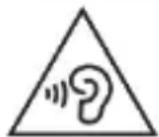
Take care when using a headset. Listening at high volume fc prolonged periods of time can impair your hearing.
Do not use the headset (A) at high volumes. This impairs your hearing and may disrupt your environment. Even if the device is designed to ensure that ambient noise can still be heard, adjust the volume so that you can continue to hear the ambient noise.
Never use the headset in situations that require your full attention. These include, for example, driving vehicles, working with machinery or similar situations. The sound can distract you or cause you to fail to perceive what is happening around you. Thus do not use the device in such situations.
Maintenance
It is necessary to service or repair the device if it has been damaged in any way, for example, if the housing is damaged, if liquid or object penetrated the device or if the product has been exposed to rain or moisture.
Servicing is also required if the device is not working properly or has been dropped. If you notice any smoke, unusual noises or strange odours, disconnect the device immediately from your audio source by removing the audio jack cable (B). In such cases, the device should not be used until it has been inspected by authorised service personnel. Only have qualified personnel carry out the maintenance work on the device. Clean the device using only a clean, dry cloth and never use any corrosive liquids. Do not attempt to open the housing of the device. This would void your warranty.
Copyright
All information contained in these instructions is subject to copyright and is provided for information purposes only.
It is only permitted to copy or duplicate data and information with the express and written consent of the author. This also includes commercial use of the content and data.
The text and illustrations are based on the state of the art at the time of printing.
Prior to use
Take the headset and all accessories out of the package and remove the plastic packaging. Check that all items have been included.
First use
Putting on and adjusting the headset
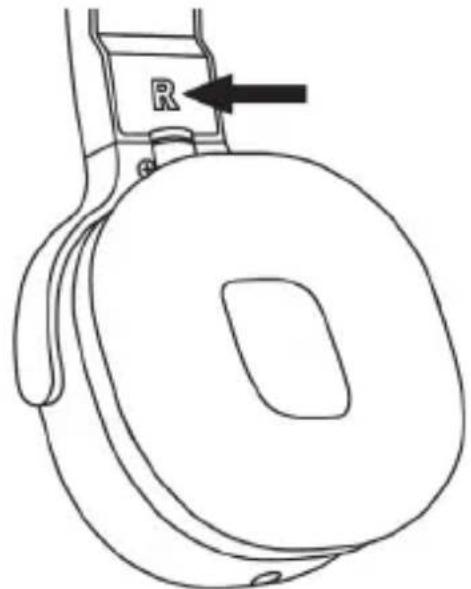
Note the markings on the headset earpieces (3) to put on the headset (A) correctly.
- R = right
- L = left
natural_image
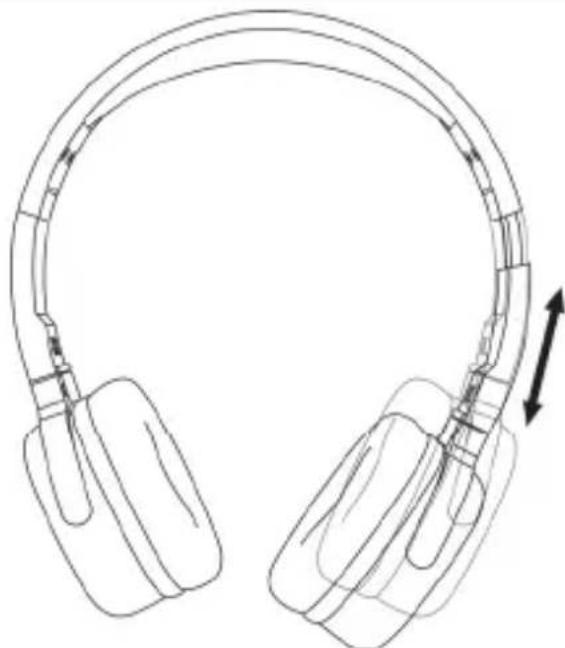
Line drawing of a car wheel with a labeled component (R) and arrow indicator, no text or symbols present.To ensure a perfect fit of the headset (A), the adjustment slider (2) can be adjusted. See illustration.
natural_image
Line drawing of a pair of headsets with a curved cable, showing front and side views (no text or symbols)The audio jack cable
| The two 3.5mm jack plugs of the supplied audio connection cable differ slightly from each other. | 1. | Headset connection (2 rings)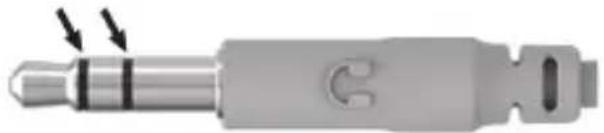 |
| 2. | Audio source connection (3 rings)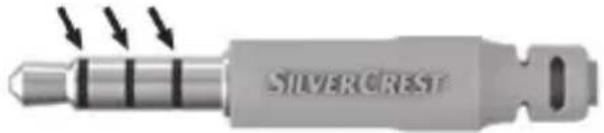 |
Take care that the cable is connected properly to ensure the correct functioning of the built-in microphone (5) in the audio jack cable (B). Also refer to the "Using the headset" section.
Using the headset

DANGER! To avoid hearing damage, you must set the volume of your audio source to the lowest level before connecting the headset. You can then adjust the volume to the desired level.
Insert the jack plug (4) of the audio jack cable (B) into one of the jack sockets (6) on the headset earpieces (3). To ensure the correct functioning of the microphone (5), the jack plug (4) with the two rings and the headphone symbol must be inserted into the jack socket (6) of the headset (A).
The microphone
You can communicate easily via the built-in microphone (5) in the audio jack cable (B) if you are using the headset (A) normally or as a hands-free kit.
The multi-function button in the microphone
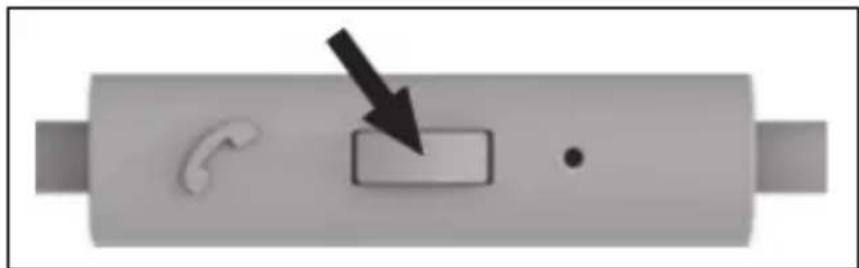
There is a multi-function button on the microphone (5) of the audio jack cable (B).
natural_image
Pure electrical circuit lines without any symbolsDepending on the operating mode and audio source you are using, this multifunction button can trigger various actions such as:
Briefly pressing during audio playback:
- Pause or resume playback
Press twice in rapid succession during audio playback.
- Select the next track.
Briefly pressing when using as headset or hands-free kit:
• Answering or ending a call
Prolonged pressing when using as headset or hands-free kit:
- Starting the voice control, for example, for smartphones or tablets or rejecting an incoming call

Please note that the functionality of the multi-function button is largely dependent on the audio source you are using, particularly the operating system, for example, for smartphones or tablets. For further details, please read the operating instructions for your audio source.
Connecting an audio source
Connect the free jack plug (4) with 3 rings of the audio jack cable (B) to the headset output of your audio source. Switch on the audio source and start the playback.
Please read the operating instructions for your audio source in any case.

You can adjust the volume via the volume control on your audio source.
Connecting another headset
You can use the free jack socket (6) of the headset to connect another headset.
The same audio signal is played back via the second headset.

WARNING! Never connect more than one other headset to the jack socket (for example, with a Y splitter or another SKM 40 A1). This can lead to an overload and thus can damage your audio source.
Never connect another audio source to the second jack socket.
Transport or storage when not in use
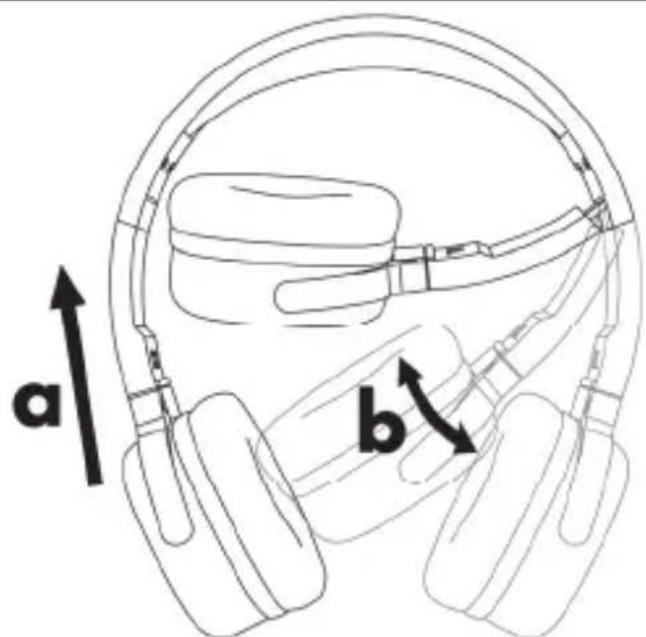
If you are not using the headset (A) or want to transport it, you can fold it in a space-saving manner as shown in the illustration. To do so, first slide the headset earpieces in the direction of the arrow (a) and then fold them (b).
text_image
a bTroubleshooting
No playback of external audio sources
- Check whether the audio jack cable (B) is inserted completely and securely into the jack socket (6) of the headset (A) and into the headset socket of the playback device.
- Check the settings on your audio source, for example:
Is the volume set correctly?
Has playback started?
- Press the button that is built into the microphone (5) to stop the playback pause.
Sound playback only in one headset earpiece
- Check whether the jack plugs (4) of the audio jack cable (B) are inserted fully into the jack sockets (6) of the headset (A) and audio source.
- Check the balance setting of the audio source.
No sound playback when connecting a second headset
Check whether the first and second headsets are connected correctly via a suitable audio cable.
Cleaning
Only use a clean, dry cloth for cleaning the headset (A) and never use any corrosive liquids. Never try to open the housing of the headset (A) as this would void your warranty.
Environmental and disposal information
natural_image
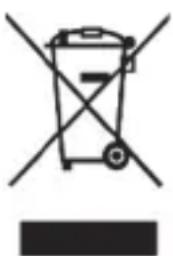
Symbol of a trash bin with crossed lines indicating no waste or restriction, and a solid black rectangle below (no text or symbols)When this symbol appears on a product, this indicates that the product is subject to the European Directive 2012/19/EU. All electrical and electronic devices must be disposed of separately from household waste at designated disposal points.
The correct disposal of old devices in this manner will prevent environmental pollution and human health hazards. For further information about proper
disposal, contact your local authorities, waste disposal office or the shop where you bought the device.
Dispose of the packaging in an environmentally compatible manner. Cardboard can be put out for municipal paper collections or brought to public collection points for recycling. Films and plastic used for packaging the device are collected by your local disposal services and disposed of in an environmentally compatible manner.
Conformity information
CE This device meets the basic requirements and other relevant regulations of the RoHS Directive 2011/65/EU. To obtain a complete EU Declaration of Conformity, send an e-m
following e-mail address: ce@targa.de
Warranty and servicing advice
Warranty of TARGA GmbH
This device is sold with three years warranty from the date of purchase. Please keep the original receipt in a safe place as proof of purchase. Before using your product for the first time, please read the enclosed documentation. Should any problems arise which cannot be solved in this way, please call our hotline. Please have the article number and, if available, the serial number to hand for all enquiries. If it is not possible to solve the problem on the phone, our hotline support staff will initiate further servicing procedures depending on the fault. Within the warranty period the product will be repaired or replaced free of charge as we deem appropriate. No new warranty period commences if the product is repaired or replaced. Consumables such as batteries, rechargeable batteries and lamps are not covered by the warranty.
Your statutory rights towards the seller are not affected or restricted by this warranty.

Service

Phone: 020 - 70 49 04 03
E-Mail: service.GB@targa-online.com

Phone: 01-4370121
E-Mail: service.IE@targa-online.com

Phone: 027 78 11 03
E-Mail: service.MT@targa-online.com

Phone: 02 - 20 09 025
E-Mail: service.CY@targa-online.com
IAN: 275613

Manufacturer
TARGA GmbH
Coesterweg 45
59494 SOEST
GERMANY