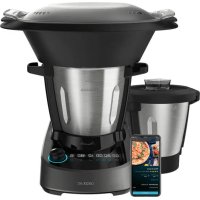
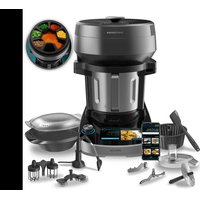
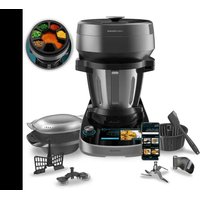
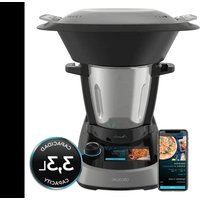
USER MANUAL Mambo 11090 Habana CECOTEC
Safety instructions 8
- Parts and components 55
2.Before use 55
- Operation 56
- Functions and recommendations 59
- Operation 61
- Cleaning and maintenance 65
7.Troubleshooting 66
- Technical specifications 67
- Disposal of old electrical appliances 67
- Technical support and warranty 68
- Copyright 68
12.Declaration of conformity 68
SOMMAIRE
Before using the appliance, read the following instructions carefully. Keep this instruction manual for future reference or new users.
- When using electrical appliances, basic precautions must always be followed to reduce the risk of fire, electric shock, and injury.
- Make sure the voltage of your mains supply matches the voltage requirements specified in the rating label of the appliance.
- We recommend that the room where you intend to use the appliance is equipped with a working extractor fan or it is well ventilated.
- Use this appliance only for intended purposes as described in this manual. Incorrect or improper use can be dangerous for both the device and the user.
- Do not use this appliance outdoors.
- Check the power cord regularly for visible damage. If the cord is damaged, it must be replaced by the official Technical Support Service of Cecotec in order to avoid any type of danger.
- Switch off the appliance and disconnect it from the mains when not in use or when cleaning, before changing accessories, disassembling or assembling the product. Allow it to cool down completely before attaching or removing parts, and before cleaning the appliance.
- Do not twist, bend, pull or damage the power cord. Protect it from sharp edges and heat sources. Do not allow it to touch hot surfaces. Do not let the cord hang over the edge of the working surface or worktop.
-
Do not remove the lid of the appliance when boiling water or during operation.
-
Do not use extension cords, unless advised by a qualified electrician. Using the wrong type of extension cord could cause damage or injuries to the user.
- The appliance should not be used in potentially dangerous locations, such as flammable, explosive, chemical-laden, or wet atmospheres.
- Place the appliance on an even, heat-resistant surface. Do not place the appliance near heat sources, places with high humidity levels or near flammable materials, keep a minimum safety distance from the edge of the worktop to prevent it from falling.
- Be careful when handling the product blades when changing accessories, cleaning and emptying the jar.
- Do not immerse the cord, plug or any non-removable part of the appliance in water or any other liquid, nor expose electrical connections to water.
- Make sure your hands are dry before handling the plug or switching on the appliance.
- Check the condition of the main body, jar, steamer and other components and accessories for damage. If you detect any damage, do not use the appliance and contact the official Technical Support Service of Cecotec.
- Make sure that the blades are correctly placed, with the sealing ring in place, before using the appliance.
- Do not leave the appliance plugged into the socket unattended.
- This symbol means: caution, hot surface. Do not touch the surface of the device while it is operating, as it will become hot when in use. Use some type of protection to touch or move it.
-
Do not exceed the "max." marks. (1.8L for speed cooking or 2.3L for speed 0 cooking) of the jar.
-
If the product stops working unexpectedly, switch it off and disconnect it from the mains immediately and contact the official Technical Support Service of Cecotec.
- Make sure the lid is properly placed in its position before operating and do not open it until the product stops operating. You can only cook without a lid if you cook on speed 0. Do not touch the interior of the appliance while it is operating.
- After cooking with temperature, wait at least 3 minutes for the appliance to cool down before removing the lid.
- When cooking with temperature, do not block the measuring cup, leave it in the unlocked position or do not place it to facilitate steam release.
- When using the steamer, follow the below indications:
- Make sure that the steamer and jar are correctly fitted.
- When using it with speed, put the lid on and make sure it is securely closed.
- Do not expose any body part to the steam produced during operation.
- Make sure the vents on the product's back are not covered or blocked to avoid the appliance from damaging.
- Cleaning and maintenance must be carried out according to this instruction manual to make sure the device operates properly.
- Do not try to repair the device by yourself.
- The gap on the product's lid can only be covered with the measuring cup. Do not use clothing or other objects.
- This product is exclusively designed for household use.
- The appliance is not intended to be used by children. Keep this appliance and its power cord out of reach of children.
- This product can be used by children and persons with reduced physical, sensory or mental capabilities or lack of experience and knowledge, as long as they have been given supervision or instruction concerning the use of the appliance
in a safe way and understand the hazards involved.
- Supervise young children to make sure that they do not play with the appliance. Close supervision is necessary when the appliance is being used by or near children.
INSTRUCTIONS DE SECURITE
Inicio/Pausa/Selector
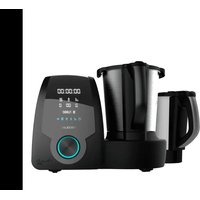
- Main body
- Jar
- Jar lid
- Measuring cup
- Steamer body
- Steamer tray
- Steamer cover
- Basket
- Butterflywhisk
- Spatula
- MamboMix Spoon
- Blades
- Accessory holder
- Sealing ring
- Power switch
- Fixing bracket
2. BEFORE USE
- This food processor includes a package designed to protect it during transport. Unpack the appliance and keep the original packaging box and other packaging materials in a safe place. It will help prevent any damage if the food processor needs to be transported in the future. In case the original packaging is disposed of, make sure all packaging materials are recycled accordingly.
- Make sure all parts and components are included and in good conditions. If there is any piece missing or not in good condition, immediately contact the Technical Support Service of Cecotec.
Box contents:
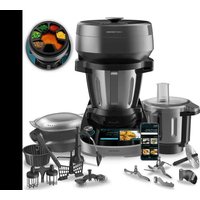
Mambo 11090 food processor
Inox jar
Habana jar (only on the Mambo 11090 Habana model)
Blades
MamboMix Spoon
Boiling basket
Butterfly whisk
2-level steamer
ESPANOL
Spatula
Instruction manual
App manual
- Clean the jar and other accessories thoroughly with hot water, detergent and a non-abrasive sponge.
- Place the food processor on a flat, stable surface. Keep a distance of at least 110mm between the power socket and the wall, furniture, etc. and your food processor.
- Use a damp cloth to clean the main body and wipe it dry.
Warning
Do not place the food processor on any surface that it is not heat-resistant.
3. OPERATION
Assembly of the jar
- Place the jar in the main body, matching the mark on the jar with the front of the main body, if it is not correctly positioned and you try to start cooking, the display will show the warning A2. Fig. 2
- There are capacity markings on the side of the jar. The maximum usable capacity of the jar is 2.3L when using the food processor at speed 0 and 1.8L when using the food processor at a speed between 1 and 10 or with one of the preset functions.
Assembly of the hinged lid
- Place the lid on the jar, matching the markings on the jar and the lid, press the lid around the rim of the jar and turn the lid clockwise to secure the lid on the jar. If the cover is not correctly fitted when the speed is other than 0, the A1 warning will appear on the display. Fig. 3
- When you open the lid, you have the possibility to leave it in the folding position, just turn the lid counterclockwise until it is fixed in the holder, this way you can open the lid without removing it completely. Fig. 4
Assembly of accessory holder and fixing bracket
- Make sure that the accessory holder has the sealing gasket properly installed. When installing it on the jar you must take into account that the bracket has a certain position, make sure that it fits correctly. Fig. 5
- Hold and install the accessory holder making sure that it is correctly fitted and turn it clockwise. Fig. 6
- Install the fixing bracket to the bottom of the jar and turn it clockwise to attach the accessory holder to the jar. Fig. 7
Blade assembly
- Once the accessory holder is installed and secured, place the blades in it and, pressing down, rotate counterclockwise. Fig. 8
- To remove them, press and turn clockwise. The blades are very sharp, use extreme caution when handling them.
Warnings
- Use a cloth to cover the blades unit before handling them to avoid injuries.
- Assemble the fixing bracket and the sealing ring properly to avoid food or liquids being cooked from splattering.
Tip
Setting speed 1 may be helpful when removing the blades, until you are familiar with the removal system.
Assembly of the MamboMix spoon
Remove the blades, attach the Mambomix in the same way as you attach the blades. It can be used for kneading, or stirring and mixing without cutting the food. Do not use it for a speed higher than 3, otherwise it will cause a high vibration in the food processor and may cause hazards. Fig. 9
Warnings
It is possible that some food may get between the wall of the jar and the MamboMix spoon, if this happens, the motor of the product will stop working as a method of protection. Use the spatula to mix and remove stuck food so that the food processor can continue the cooking process.
Assembly of the measuring cup
- The measuring cup is used as a cover accessory to avoid splashing and reduce heat loss during cooking. In addition, it is marked with a scale of measurements in ml.
- To place it in the lid, make sure that the anchoring tabs fit correctly into the lid and turn clockwise. Fig. 10
Warning
- Use the measuring cup and not any accessory or object to avoid splashing and reduce heat loss of the jar.
- When cooking with temperature setting, place the measuring cup in the cover's gap without locking it in place. This way, steam will be safely released.
Spatula
- The spatula is the only component that must be used to stir the food in the jar.
ESPANOL
- Do not use it to mix in the jar when the blades, butterfly whisk attachment or MamboMix are working.
Warning
Mix food from the jar only when the food processor motor is at a standstill.
Basket
The basket allows you to stew soft foods, like pasta or noodles, and cook side dishes, like rice or potatoes
Assembly of the butterfly whisk
- This accessory is installed on the upper part of the blades unit, its main function is to whip cream, egg whites or similar. In addition, this accessory helps to mix the food without being cut by the blades and to break up lumps.
- Install the butterfly whisk over the blades unit, ensuring that the centre of the shaft engages with the recess in the butterfly whisk fitting, and press down.
- To ensure correct fitting of the butterfly whisk, when fitting the butterfly whisk it should make a small 'click', once fitted, pull it out very gently and check that it cannot be removed easily. Fig. 11
Warning
- Do not operate the food processor unless the accessory is fixed in its place.
- Do not operate it with speeds over 4.
- Do not use the butterfly whisk at the same time as the spatula.
- Do not pour food into the interior of the jar while it is operating with this accessory to avoid damage or blockage.
Assembly of the steamer
- The steamer consists of 3 parts: The body, the tray and the cover.
- Place the ingredients to be cooked in the steamer, place the cover and assemble the steamer correctly in the jar.
- If you place the steamer on top of the jar with the lid, make sure to remove the measuring cup, if present, and fit it correctly.
- You can also use the steamer without the lid of the jar, as long as you cook on speed 0, to better optimise the steam and improve your cooking results. Fig. 12
Warning
- Do not touch or get close to the steamer to avoid burns.
- Do not cover the gap of the steamer with any cloth or object. Steam may come out from the edge or other parts causing risk of burns.
- Allow steam to be released through the middle gap of the lid and sides; this way, steam circulation will be improved, allowing a more even cooking of foods.
4. FUNCTIONS AND RECOMMENDATIONS
- Chop: Chops all kinds of ingredients, from meat or fish to fruit or vegetables. Perfect cuts assured.
- Mince: Mince vegetables, meat, spices and crush ice easily in just a few seconds. Perfect for processing raw ingredients.
- Mash: Prepare sauces and creams with perfect texture. Mashes cold or hot ingredients just by adjusting speed and time to each foodtype.
- Grind: Perfect ground level for all your recipes. Grinds coffee, seeds, rice and dry nuts. It also allows preparing homemade flour.
- Pulverise: Pulverise any type of ingredient until it reaches the finest texture. Prepare icing sugar or vanilla sugar for confectionery recipes.
- Grate: Introduce ingredients in the jar, do not exceed halfway the jar, and set speed 10 for some seconds. Perfect results.
- Blend: Blend perfect mixtures in the simplest way. Prepare delicious milkshakes, sponge cake dough, pancakes, crepes, beat eggs and more.
- Whip: Whip cream or egg whites until stiff thanks to its butterfly whisk. This is the ideas function to turn into a professional cook.
- Emulsify: This function allows preparing dips, dressings and different types of mayonnaise easily. Just introduce ingredients in the jar, Mambo will do the rest. Emulsifies evenly for you to finish off your dishes as desired.
- Mix: Performs homogeneous mixtures with its 10 Mambo speeds. Perfect doughs obtained in the simplest way.
- Cook: Cook all types of dishes, such as stews, chicken with almonds or ratatouille, all of them perfectly textured.
- Stir: Stirs food as it cooks it to ensure even heating and to achieve professional textures. Cook delicious risottos, pasta salads, custard or prepare hot chocolate.
- Steam: This function is ideal for steaming the healthiest recipes. It allows saving time thanks to its 2-level steamer, as you can cook more than 1 dish at once.
- Poach: Progressive and little-by-little cooking, with absolute control over temperature and time. Perfectly poached without paying attention to the clock. Perfect for obtaining soft, juicy results.
- Comfit: Process ingredients at low temperatures and obtain irresistible results. This technique is ideal for cooking all types of foodstuffs, especially meat, hard fish and all kinds of poultry.
- Knead: Kneads perfect doughs in one whole piece. Kneading has never been as easy as with the exclusive MamboMix spoon. It does not cut dough, instead it stretches it out for perfect results. Enjoy homemade bread and pizzas at any time.
- Boil: Pour enough water into the jar as to cover all the ingredients, set 120^ and heating power 10, and then choose the desired cooking time depending on the ingredients.
- Keep warm: Keep your dishes hot until they are served. After cooking, set the food processor to 45^ for solid food and 60^ for liquid food for the appropriate time.
ESPANOL
- Precision cooking: This function is the widest and most general function out of all. It allows cooking any type of dish with absolute control over power.
- Ferment: Use this function to prepare excellent doughs. It finishes off bread or confectionery recipes in little time, making dough rise quickly just by keeping it in the cup at 50^ and speed 0.
- Bain Marie: Prepare perfect flans and tender vegetables. To cook in a bain-marie, fill the jar with 2 litres of water, set the food processor without speed, at a temperature of 120^ and heat power 10. When it starts boiling, turn the heat to power 9 and insert the mould until its base is in contact with the water.
- Turbo: Process hard ingredients in the most effective way. Do not fill the jar over halfway to achieve maximum performance.
- SlowMambo: The best risottos and traditional stews with its exclusive MamboMix spoon and SlowMambo motion. This unique Mambo motion allows stirring and mixing recipes as if it was done with a real spoon.
- Juice: Prepare lemonade, juices and multi-fruit shakes in just a few seconds.
- Stir-frying: Stir-frying ingredients before cooking them, enhances flavours and improves final results. Stir-fry from garlics to meats. Brown the food to taste, adjusting power and time.
- Reheat: Mambo allows reheating cooked food. If it is cold, from the previous day or frozen, heat it at 87^ and heat power 7, and it will be ready in a few minutes.
- Yoghurt: Prepare homemade yoghurts easily. Just out all the ingredients in the jar and Mambo will do the rest for you. It keeps the mixture at ferment temperature so that the next morning yoghurt is ready to cool and eat.
- Basket: It can be used to steam food inside the jar and allows preparing up to 4 dishes at once. It also can be used to allow better evaporation of food or liquids, instead of the measuring cup.
- Simmer: The traditional stews that require long-lasting cooking processes can be now done with Mambo. Slow cooking, long hours, the best flavours.
- Zero speed: Cooking without speed setting allows you to cook without the cover and to stir it when desired. You can taste food as you cook it, as if it was cooked in a conventional pot or pan.
- Stew function (A): Achieve traditional results thanks to the stew mode which will alternate between different speeds to achieve the best results.
- Bakery function (B): Get a dough with a professional finish, just put the ingredients in the jar and Mambo does the rest.
- Smoothie-Maker function (C): Make homemade smoothies easily, just put the ingredients in the jar and Mambo does the rest.
- Chopper function (D): Easily chop vegetables, meat, spices or ice in a matter of seconds with the best results.
-
Auto-Cleaning function (E): With the self-cleaning function cleaning the Mambo will be easier than ever.
-
ScreenBlock function: If you want to lock the screen functions, press and hold the speed button for 5 seconds. All the function buttons and the start/stop knob will be blocked. To use them again, press and hold the speed button again for 5 seconds. This can be done with the food processor at rest or in operation.
- Timer function: if you want to finish cooking at a certain time, you can use this function to ensure that your food is ready when the timer runs out.
5. OPERATION
Control panel. Fig. 13
- Time indicator
- Speed level indicator
- Temperature indicator
- Heat power indicator
- Wi-Fi
- Turbo
- Scale
- Timer
- Speed
- Temperature
- Heat power
- Start/pause/selector
Start/pause/selector
- Connect the plug to a power socket and operate the power switch to switch on the Mambo.
- Once connected and after entering the desired working parameters, press this button to start your Mambo food processor.
- By pressing this button during the cooking process, the machine pauses and goes into standby (you can open the lid, remove the jar, etc., but you must put it back in place before you can start cooking again). If it is pressed again, it starts again.
- Your Mambo food processor will switch to standby mode after 10 minutes of non-operation under the PAUSE status.
- It is also a selector to adjust the timer, stopwatch, speed, temperature, heat power. To do so, you have to select the setting you want to change and turn the selector clockwise to increase it and counterclockwise to decrease it.
- The preset functions are selected from the speed menu by turning the selector counterclockwise.
- Stew function (A): In this mode the food processor will alternate between different speeds to obtain the best results, you can set the temperature, heat power and time to your liking.
ESPANOL
- Bakery function (B): In this mode the food processor will set the optimum speed for the best results, you can set the temperature, heat power and time to your liking.
- Smoothie-Maker function (C): In this mode the food processor will set the optimal speed and temperature for the best results. The default setting is 2 minutes of program time, but you can modify it to your liking if you wish.
- Chopper function (D): In this mode the food processor will set the optimal speed and temperature for the best results.
- Auto-Cleaning function (E): In this mode the food processor will heat the water up to 70 degrees and then perform two cleaning cycles.
Warning
- After a few minutes the food processor will go into standby mode. To start it again, press the start button.
- Once the setting has been confirmed, the Mambo food processor will take a few seconds to start working. The same will happen when you pause or end a function: it will take a few seconds before you can unlock the system and open the lid and/or remove the jar from the robot.
Timer
- The LCD display shows the time indicator (hours: minutes: seconds).
- Press the timer button and the minute sign on the LCD will flash; turn the selector to set the minutes. Press it again, the seconds signal on the LCD will flash, turn the selector to set the seconds. Press it again, the time signal on the LCD flashes, turn the selector to set the hours from 1 to 12h.
- If you press the timer during the cooking process, the food processor will start the countdown directly.
- To start the timer function you must press and hold this icon for 5 seconds, by default the time set is 30 minutes, you can modify it by pressing the timer icon again and using the selector to set the desired time. Once the time has been selected, press the selector to start the countdown.
- At the end of the countdown the food processor will beep.
Speed
- Press this button in standby mode or during the cooking process, the appliance will enter the speed setting mode. The signal on the LCD display will flash, then the speed will be adjustable. Turn the selector clockwise to select the desired speed or counterclockwise to select one of the five preset functions.
- The speed range is from level 1 to 10.
-
The preset functions range from letter A to E.
There is a speed transfer in the structure, so it is normal to hear a small noise before the engine starts running and in the shift between speeds 5 and 6.
-
To activate the ScreenBlock (child lock) press and hold the speed icon for 5 seconds, while the child lock is activated all other functions will remain disabled. To disable the lock, press the speed icon again for 5 seconds.
Temperature
- Press this button in standby mode or during the heating process, the appliance enters the temperature setting mode. The signal on the LCD display will flash, then the temperature will be adjustable. Turn the knob to select the desired temperature.
- Temperature range: 37 - 120^
Heat power
- Press this button in standby mode or during the heating process, the appliance will enter the temperature setting mode. The signal on the LCD display will flash, then the heat power will be adjustable. Turn the selector to set the desired heat power.
- The heat power range is from level 1 to 10.
- It will not work if the heat power is selected but the temperature is not selected. It is recommended to follow the default settings when choosing different temperature levels.
Scale
- Electronic scales can help you control the amount of ingredients more conveniently.
- 0000 will be displayed on the LCD. You can add ingredients.
- The maximum weight is 5000 g .
- Follow these steps to recalibrate the scale:
- Unlock the cover.
- Press the scale button.
- Press and hold the temperature button for 2 seconds.
- When the scale icon starts flashing put 1kg in the jar.
- When the scale icon is fixed, remove the weight and add 3kg .
- When the scale icon flashes again, remove the weight and add 5 kg.
- If the calibration has been successfully completed the scale will be automatically activated and the scale will have been recalibrated. Otherwise, error A13 will be displayed.
Wi-Fi
The Mambo 11090 and Mambo 11090 Habana food processors are equipped with an application for mobile devices that connects via Wi-Fi network and allows full control of the cooking process.
Warnings
- Do not attempt to open the lid while the blades are in operation, as the contents of the jar may be spilled.
ESPANOL
- The food processor has a safety mechanism that prevents the lid from being opened or the jar from being removed when the motor is running. Once you have finished mashing, wait at least 10 seconds before opening the cover.
- When using the food processor at a speed higher than 6 and a temperature higher than 60^ , make sure that the measuring cup is positioned correctly, otherwise the contents may be spilled.
- Do not activate the shredding function with liquids or hot ingredients with a volume of more than 1.8 litres.
- When operating functions with temperature, do not lock the measuring cup to allow steam to be released.
Suggested speed and capacity for each accessory
| Accessory Figure | Function Speed | Capacity Operating | | time |
| Stainless steel multifunctional blades | | Cut (+) 51.8 L | | maximum, the size of the food must be 1-2 cm before operation |
| Cut (++ ) 101.3 L | | maximum |
| MamboMix Spoon | | Knead dough for bread, pizza, etc. | 2-3 Maximum | 5-20 minutes |
| Knead spaghetti dough | 3 Maximum | 600 g of dough |
| 3 minutes |
| Butterfly whisk Mix 1-3 Maximum 2 L 30 minutes |
| Whip egg whites or cream | 4 Maxim um 2 L 10 minutes |
| Steamer Steam | | vegetables | N/A Maxim um 3.5 L | 15 minutes | |
| Steam meat | N/A Maxim um 3.5 L | 20-30 minutes | | |
Warning: Do not assemble or use the MamboMix spoon and the basket at the same time.
6. CLEANING AND MAINTENANCE
| Warning code | Description Possible | cause Possible solution | |
| A1 warning | Locking system. The jar or the lid are not fixed properly. | Re-assemble the jar and lid, make sure all the parts are assembled properly and tightly and try operating it again. |
| A2 warning | The jar is incorrectly positioned | The jar is not in its correct position or connection of the temperature sensor at the jar base is damaged. | Re-assemble the jar and make sure it is fixed properly. |
| A3 warning | Content exceeded. | There is too much food inside the jar. | Remove some food from inside the jar or cut the food to smaller pieces and restart the food processor. |
| A4 warning | The temperature is too high. | There is no or very little food in the jar and the set temperature is too high for too much time. | Add food in the jar. |
| A5 warning | Motor temperature is too high. | The food processor has been running too long with too much food. | Stop using the food processor and allow it to cool down before operating it again. |
| A7 warning The change in speed could not be done successfully. | Speed change between low level (1-5) and high level (6-10) was blocked. | Remove the jar, turn the fixing bracket manually and place the jar again in place. Restart de food processor. |
| A8 warning | Wrong NTC sensor reading. | The temperature sensor is not working properly. | Contact the official Technical Support Service of Cecotec. |
| A12 warning | Maximum weight exceeded. | The maximum measurement value has been exceeded. | Remove weight from the scale until it reaches a value below 4.999 g. |
| A13 warning Calibration error. | The calibration of the scale has failed. | Repeat the process. If the problem persists, contact the official Technical Support Service of Cecotec. |
| Jar is blocked. | The jar release system does not work. | Restart the food processor and wait a few seconds, if the problem persists there is a manual release lever on the bottom of the main body. Pull this lever to release the jar lock. |
8. TECHNICAL SPECIFICATIONS
Product reference: 04341/04342
Model: Mambo 11090 Cecotec/Mambo 11090 Cecotec Habana
1600 W (Motor 600 W Heating power 1000 W) 200-240 V~ 50/60 Hz
Frequency band: 2400 - .4835 GHz
Made in China | Designed in Spain
9. DISPOSAL OF OLD ELECTRICAL APPLIANCES

This symbol indicates that, according to the applicable regulations, the product and/or battery must be disposed of separately from household waste. When this product reaches the end of its shelf life, you should dispose of the batteries/accumulators and take them to a collection point designated by the local authorities.
Consumers must contact their local authorities or retailer for information concerning the correct disposal of old appliances and/or their batteries.
Compliance with the above guidelines will help to protect the environment.
ESPANOL
10. TECHNICAL SUPPORT AND WARRANTY
Cecotec shall be liable to the end user or consumer for any lack of conformity that exists at the time of delivery of the product under the terms, conditions and deadlines established by the applicable regulations.
It is recommended that repairs be carried out by qualified personnel.
If at any moment you detect any problem with your product or have any doubt, do not hesitate to contact Cecotec official Technical Support Service at +34 96 321 07 28.
11. COPYRIGHT
The intellectual property rights over the texts in this manual belong to CECOTEC INNOVACIONES, S.L. All rights reserved. The contents of this publication may not, in whole or in part, be reproduced, stored in a retrieval system, transmitted or distributed by any means (electronic, mechanical, photocopying, recording or similar) without the prior authorization of CECOTEC INNOVACIONES, S.L.
Cecotec Innovaciones hereby declares that these two food processors, model 04341 Mambo 11090 and model 04342 Mambo 11090 Habana are in conformity with the Radio Equipment Directive 2014/53/EU.
The complete text of the EU declaration of conformity is available in the following Internet address: www.ceotec.es
1. PIECES ET COMPOSANTS
Img.1
6. LIMPEZA E MANUTENÇA
Kuchynsky robot Mambo 11090
Nádoba Inox
Habana džbán (pouze u modelu Mambo 11090 Habana)
Noze
Líce MamboMix
Kosik na va'rení
Motylek
Quart de Poblet, Valencia (Spain)
YV01220506