RIVER ilm - Audio/video converter Palmer - Free user manual and instructions
Find the device manual for free RIVER ilm Palmer in PDF.



| Product Type | Passive DI Box with Speaker Simulator |
| Reference | PILM |
| Number of Channels | 1 |
| Circuit Type | Passive with Isolated Transformer |
| Input | 6.3 mm unbalanced jack |
| Output | XLR male balanced |
| THRU Output | 6.3 mm jack (unmodified signal) |
| Input Attenuation (Pad) | 0 dB / 15 dB / 30 dB (switchable) |
| Tone Simulator | Bypass, Normal, Bright, Mellow (switchable) |
| Ground Lift | Yes (LIFT/GND switch) |
| Housing Material | Continuous cast aluminum |
| Dimensions (H x W x D) | 140 x 50 x 68 mm |
| Weight | 0.445 kg |
| Operating Temperature | -20 °C to 70 °C |
| Relative Humidity | < 80 % (non-condensing) |
| Included Accessories | Rubber feet, labeling sticker |
| Max. Input Level (20 Hz) | +12 dBu (< 1 % THD) |
| Max. Input Level (1 kHz) | +32 dBu (< 1 % THD) |
| Frequency Response | 10 Hz – 60 kHz (±1 dB) |
| Input Impedance (1 kHz, Bypass, 0 dB Pad) | 8.8 kΩ |
| Output Impedance (1 kHz, Bypass, 0 dB Pad) | 125 Ω |
| THD (30 Hz, +4 dBu) | < 0.25 % |
| THD (1 kHz, +4 dBu) | < 0.009 % |
| IMD SMPTE (60 Hz/7 kHz, 4:1) | < 0.005 % |
| Transmission Ratio | 1:5 |
Frequently Asked Questions - RIVER ilm Palmer
User questions about RIVER ilm Palmer
0 question about this device. Answer the ones you know or ask your own.
Ask a new question about this device
Download the instructions for your Audio/video converter in PDF format for free! Find your manual RIVER ilm - Palmer and take your electronic device back in hand. On this page are published all the documents necessary for the use of your device. RIVER ilm by Palmer.
USER MANUAL RIVER ilm Palmer
be true to your sound
text_image
speaker simulation DI-box passive ilm Palmer®5
years
guarantee
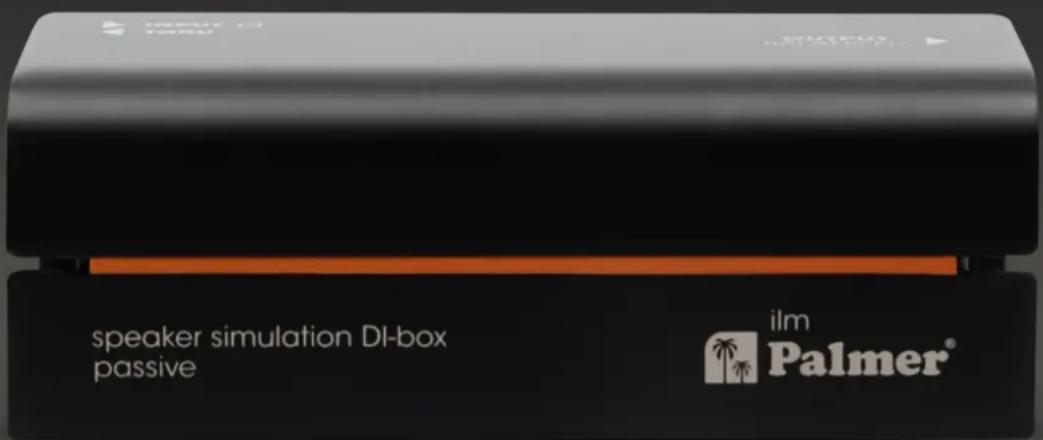
speaker simulation DI-box passive
ilm
speaker simulation DI-box passive
speaker simulation DI-box passive

text_image
LIFT GND 6 5 1 1 BYPASS 2 NORMAL 3 BRIGHT 4 MELLOW 0dB 15dB 30dB 1 2 3 4 ATN TONE 3 4| Ausgangsanschlüsse XLR |
This device complies with Part 15 of the FCC Rules. Operation is subject to the following two conditions:
(1) This device may not cause harmful interference, and
(2) This device must accept any interference received, including interference that may cause undesired operation
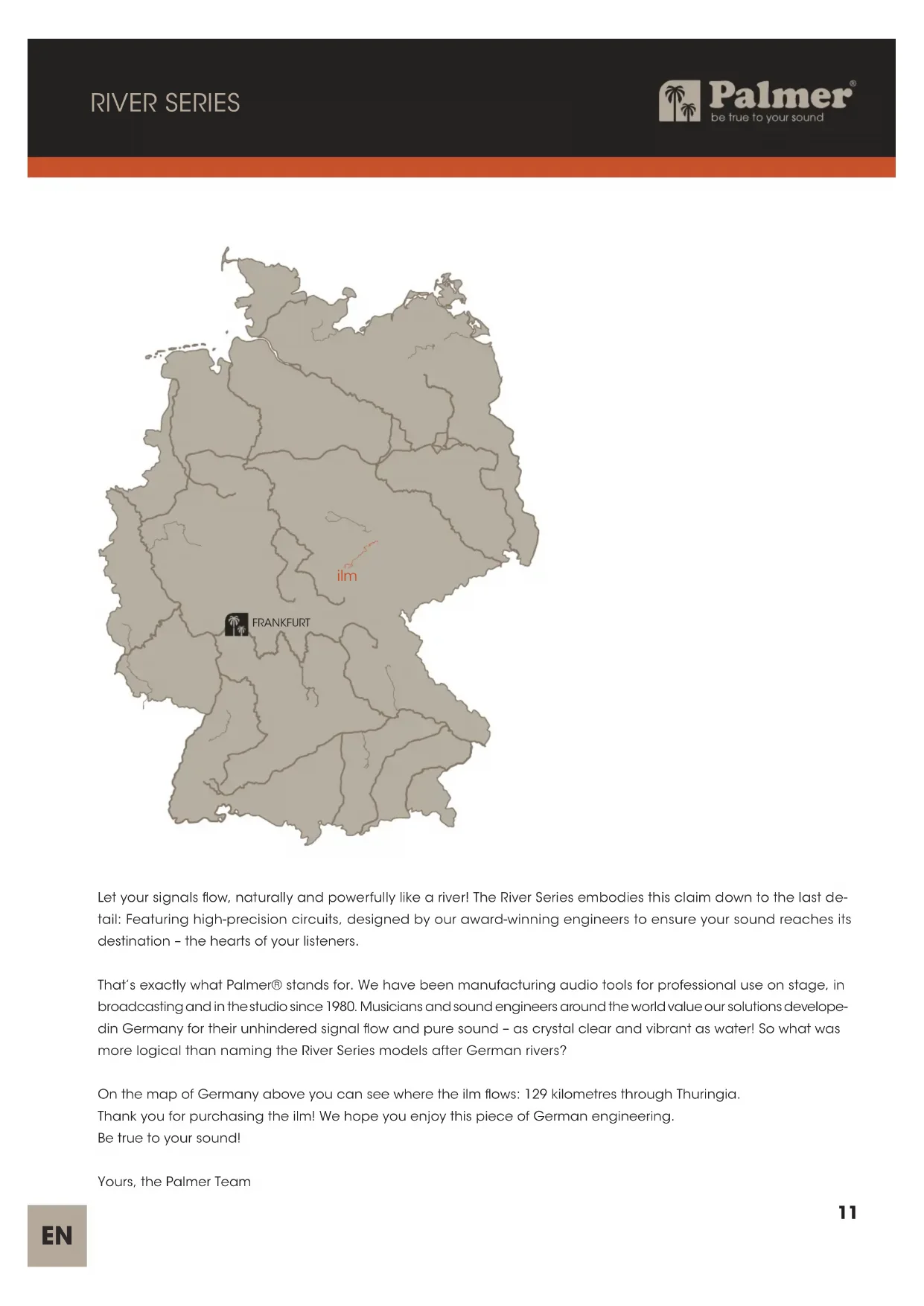
Let your signals flow, naturally and powerfully like a river! The River Series embodies this claim down to the last detail: Featuring high-precision circuits, designed by our award-winning engineers to ensure your sound reaches its destination – the hearts of your listeners.
That's exactly what Palmer® stands for. We have been manufacturing audio tools for professional use on stage, in broadcasting and in the studio since 1980. Musicians and sound engineers around the world value our solutions developed in Germany for their unhindered signal flow and pure sound – as crystal clear and vibrant as water! So what was more logical than naming the River Series models after German rivers?
On the map of Germany above you can see where the ilm flows: 129 kilometres through Thuringia.
Thank you for purchasing the ilm! We hope you enjoy this piece of German engineering.
Be true to your sound!
Yours, the Palmer Team
ilm
speaker simulation DI box passive
INTENDED USE
This product is a device for event technology, as well as studio, TV and broadcast!
This product has been developed for professional use in the field of event technology, studio, TV and broadcast. It is not suitable for household use!
Furthermore, this product is only intended for qualified users with specialist knowledge of event technology, as well as studio, TV and broadcast!
Use of the product outside the specified technical data and operating conditions is considered inappropriate! Liability for damage and third-party damage to persons and property due to inappropriate use is excluded!
This product is not suitable for:
▶ Persons (including children) with limited physical, sensory or mental abilities or lack of experience and knowledge.
Children (children must be instructed not to play with the device).
SAFETY INSTRUCTIONS
- Please read these instructions carefully.
- Keep all information and instructions in a safe place.
- Follow the instructions.
- Use the device in the prescribed manner only.
- Do not open the device and do not perform any modifications.
CHOKING HAZARD! KEEP OUT OF THE REACH OF CHILDREN! THE PRODUCT CONTAINS SMALL PARTS AND PACKAGING MATERIAL THAT CAN BE SWALLOWED! PLASTIC BAGS MUST BE KEPT OUT OF THE REACH OF CHILDREN!
INTRODUCTION
The passive speaker simulation DI box ilm, especially for guitarists, is integrated between the effects device or guitar preamp or amplifier and mixer. Behind a preamp (line signal) or connected between an amplifier and loudspeaker, the Speaker Simulation DI box enables the direct input of guitar signals into the mixer without a microphone. An integrated filter circuit simulates the sound of the speaker required for authentic reproduction. The sound characteristics can be switched between "Bypass", "Normal", "Bright" and "Mellow".
ilm
speaker simulation DI box passive

text_image
LIFT GND 6 5 1 1 BYPASS 2 NORMAL 3 BRIGHT 4 MELLOW 2 0dB 15dB 30dB 1 2 3 4 ATN TONE 3 4CONNECTIONS AND OPERATING ELEMENTS
1. INPUT
Audio input with 6.3 mm jack socket.
A. Connect a guitar preamp using a shielded line cable.
B. Connect the speaker output of a guitar amplifier using a speaker cable.

WARNING: Amplifiers must not be operated in bridge mode on the speaker simulation box

WARNING: If an amplifier is operated on the speaker simulation DI box, the ground ection between input and output must be separated (switch no. 6 in the non-pressed LIFT position).

WARNING: The amplifier output of a connected amplifier must not exceed 120 W at 8 ohms!

ATTENTION: CAUTION when using a tube amplifier: There is no load resistance in the speaker simulation box! To prevent damage to the amplifier, before switching on the amplifier, a suitable guitar loudspeaker or load resistor on the THRU jack socket must connected using a speaker cable!
2. THRU
The INPUT signal (INPUT) is output unchanged via the 6.3 mm jack socket THRU.
3. ATT = attenuator
Rotary switch for adjusting the output level. Recommendation:
Connecting a guitar preamp (line signal): 0 dB attenuation
Connection of an practice amplifier up to an output power of approx. 10 W: 15 dB attenuation
Connection of an amplifier over 10 W output power (max. 120 W @ 8 ohms): 30 dB attenuation
4. TONE
Rotary switch for setting the sound characteristics of the output signal.
1 BYPASS: Sound unchanged at time of input signal
2 NORMAL: Standard sound setting
3 BRIGHT: Bright sound
4 MELLOW: Soft sound
5. OUTPUT
Balanced audio output with a male 3-pin XLR socket. Use a balanced shielded cable (microphone cable) to connect the speaker simulation DI box to a balanced input of a mixer or audio interface.
6. LIFT/GND
Switch for disconnecting the ground connection from the input and output (ground lift). In the unpressed position, the ground connection is disconnected; the connection is established when the switch is pressed. Being able to prevent a humming loop using the ground lift switch depends on the grounding of the connected device. It is therefore possible that both one and the other switch position is able to effectively reduce or eliminate humming.

ATTENTION: Connecting signal cables can cause a lot of noise. Please ensure that the input
channel (mixer, audio interface, etc.) is muted during plugging. Otherwise, noise levels may cause damage.
PLEASE NOTE: Strong magnetic fields can cause humming. Therefore, do not position the speaker simulation DI box near strong magnetic fields (e.g. mains transformer).
WIRING EXAMPLES

flowchart
graph LR
    A["GUITAR"] --> B["AMPLIFIER"]
    B --> C["SPEAKER CARBINET"]
    C --> D["Speaker simulation DiBox positive"]
    D --> E["Mixer"]
    E --> F["Output"]
    C --> G["THRU INPUT"]
    G --> H["Speaker simulation DiBox positive"]
    H --> I["PALMER"]
    I --> J["Mixer"]
    J --> K["PA"]
    K --> L["Output"]
WIRING EXAMPLES
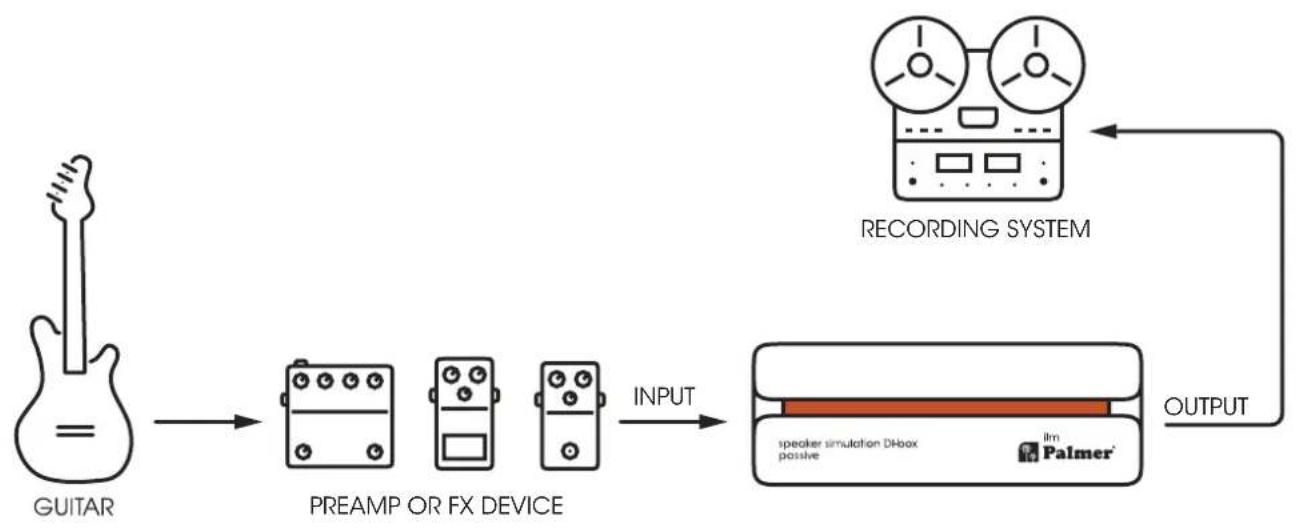
flowchart
graph LR
    A["GUITAR"] --> B["PREAMP OR FX DEVICE"]
    B --> C["INPUT"]
    C --> D["RECORDERING SYSTEM"]
    D --> E["OUTPUT"]
    E --> F["speaker simulation DHBox passive"]
    F --> G["lm Palmer"]

flowchart
graph LR
    A["Audio System"] -->|THRU TO AMP| B["Speaker Simulation DBox positive"]
    B --> C["MixerAmplifier"]
    C --> D["Output Signal"]
    E["Handheld Guitar"] -->|1 BYPASS 2 NORMAL 3 BRIGHT 4 MELLOW| B
    B --> F["Input Output"]
TECHNICAL DATA
GENERAL
| Product number PILM | |
| Product type Speaker simulation DI box | |
| No. of channels 1 | |
| Type passive | |
| Transformer isolated Yes | |
| No. of inputs 1 | |
| Input type unbalanced | |
| Input connections 6.3 mm jack | |
| No. of outputs 1 | |
| Output type balanced | |
| Output connections XLR | |
| THRU outputs per channel 1 | |
| Input attenuation (pad) | 0 dB / 15 dB / 30 dB |
| Ground/lift switch | Yes |
| Additional functions | Tone: Bypass, Normal, Bright, Mellow |
| Housing | Aluminium continuous casting |
| Dimensions (H/W/D) | 140 x 50 x 68 mm |
| Weight | 0.445 kg |
| Ambient temperature for operation | -20°C...70°C |
| Relative air humidity | <80%, non-condensing |
| Included accessories | Rubber feet, label (tour label) |
| AUDIO | |
| Max. input level (<1% THD, 20 Hz) | +12 dBu |
| Max. input level (< 1% THD, 1 kHz) | +32 dBu |
| Frequency response (±1 dB, relative 1 kHz) | 10 Hz-60 kHz |
| Input impedance (1 kHz, setting: bypass, 0 dB PAD) | 8.8 kΩ |
| Output impedance (1 kHz, setting: bypass, 0 dB PAD) | 125 Ω |
| THD (30 Hz, +4 dBu, unity, unweighted) | < 0.25% |
| THD (1 kHz, +4 dBu, unity, unweighted) | < 0.009% |
| IMD (SMPTE) (60 Hz/7 kHz, 4:1, +4 dBu) | < 0.005% |
| Transformer ratio | 1:5 |
All measurements were performed with a generator with 600 output impedance and 1k balanced load.

line
| Frequency (Hz) | Relative Level (dB) | | -------------- | ------------------- | | 20 | -0.5 | | 30 | -0.4 | | 40 | -0.3 | | 50 | -0.2 | | 60 | -0.1 | | 70 | 0.0 | | 80 | 0.1 | | 90 | 0.2 | | 100 | 0.3 | | 200 | 0.4 | | 300 | 0.5 | | 400 | 0.6 | | 500 | 0.7 | | 600 | 0.8 | | 700 | 0.9 | | 800 | 1.0 | | 1k | 1.1 | | 2k | 1.2 | | 3k | 1.3 | | 4k | 1.4 | | 5k | 1.5 | | 6k | 1.6 | | 7k | 1.7 | | 8k | 1.8 | | 9k | 1.9 | | 10k | 2.0 | | 20k | 2.1 |
line
| Frequency (Hz) | Phase (dBm) | | -------------- | ----------- | | 20 | 0 | | 30 | 0 | | 40 | 0 | | 50 | 0 | | 60 | 0 | | 70 | 0 | | 80 | 0 | | 90 | 0 | | 100 | 0 | | 200 | 0 | | 300 | 0 | | 400 | 0 | | 500 | 0 | | 600 | 0 | | 700 | 0 | | 800 | 0 | | 1k | -5 | | 2k | -10 | | 3k | -15 | | 4k | -20 | | 5k | -25 | | 6k | -30 | | 8k | -40 | | 10k | -50 | | 20k | -70 |
line
| Load | THD Ratio (Pq) | | ---- | -------------- | | 20 | 0.2 | | 30 | 0.15 | | 40 | 0.1 | | 50 | 0.07 | | 60 | 0.05 | | 80 | 0.03 | | 100 | 0.02 | | 200 | 0.015 | | 300 | 0.015 | | 400 | 0.015 | | 500 | 0.015 | | 600 | 0.015 | | 800 | 0.01 | | 1k | 0.008 | | 2k | 0.005 | | 3k | 0.003 | | 4k | 0.002 | | 5k | 0.0015 | | 6k | 0.001 | | 8k | 0.0008 | | 10k | 0.0008 | | 20k | 0.001 |DISPOSAL

PACKAGING:
- Packaging can be fed into the reusable material cycle using the usual disposal methods.
- Please separate the packaging in accordance with disposal laws and recycling regulations in your country.
DEVICE:

-
This device is subject to the European Waste Electrical and Electronic Equipment Directive in the currently valid version. WEEE Waste Electrical and Electronic Equipment Directive. Old appliances do not belong in household waste. The old device must be disposed of via an approved disposal company or a municipal disposal facility. Please observe the applicable regulations in your country!
-
Observe all disposal laws applicable in your country.
- As a private customer, you can obtain information on environmentally friendly disposal options from the seller of the product or the appropriate regional authorities.

BATTERIES:
- Batteries should not be disposed of in household waste. Batteries and rechargeable batteries must be disposed of via an approved disposal company or a municipal disposal facility.
- Observe all disposal laws applicable in your country.
- As a private customer, you can obtain information on environmentally friendly disposal options from the seller of the product or through the relevant regional authorities.
- Devices with batteries that cannot be removed by the user must be taken to a collection point for electrical appliances.
MANUFACTURER'S DECLARATIONS
Manufacturer's warranty & limitation of liability
Adam Hall GmbH
Adam-Hall-Str. 1
61627, Neu-Anspach, Germany
Email: Info@adamhall.com / +49 (0)6081 / 9419-0.
Our current warranty conditions and limitation of liability can be found at: https://cdn-shop.adamhall.com/media/pdf/Manufacturers-Declarations-PALMER_DE_EN_ES_FR.pdf
Contact your distribution partner for service.
CE CONFORMITY
Adam Hall GmbH hereby confirm that this product meets the following guidelines (where applicable): Low-Voltage Directive (2014/35/EU)
EMC Directive (2014/30/EU)
RoHS (2011/65/EU)
RED (2014/53/EU)
EC DECLARATION OF CONFORMITY
Declarations of conformity for products that are subject to the LVD, EMC, RoHS Directives, can be requested at info@adamhall.com. Declarations of conformity for products that are subject to the RED Directive can be downloaded at www.adamhall.com/compliance/
FCC STATEMENT
This device complies with Part 15 of the FCC Rules. Operation is subject to the following two conditions:
(1) This device may not cause harmful interference, and
(2) This device must accept any interference received, including interference that may cause undesired operation
SUBJECT TO MISPRINTS AND ERRORS, AS WELL AS TECHNICAL OR OTHER MODIFICATIONS!

text_image
ilm FRANKFURThttps://cdn-shop.adamhall.com/media/pdf/Manufacturers-Declarations-PALMER_DE_EN_ES_FR.pdf
Directive CEM (2014/30/UE)
RoHS (2011/65/UE)
RED (2014/53/UÉ)
DÉCLARATION DE CONFORMITÉ CE
https://cdn-shop.adamhall.com/media/pdf/Manufacturers-Declarations-PALMER_DE_EN_ES_FR.pdf