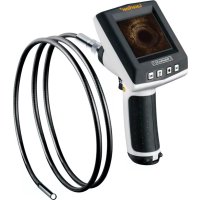
VideoFlex G2 - Surveillance Camera Laserliner - Free user manual and instructions
Find the device manual for free VideoFlex G2 Laserliner in PDF.


| Product Type | Surveillance Camera |
| Brand | Laserliner |
| Model | VideoFlex G2 |
| Camera head diameter | 9 mm (10 m model) / 6 mm or 9 mm (1.5 m model) |
| Flexible cable length | 10 m or 1.5 m depending on version |
| Weight (with batteries and cable) | 1.62 kg (10 m) / 0.65 kg (1.5 m) |
| Display type | 3.0 inch LCD, resolution 320 x 240 pixels |
| Image/video resolution | 640 x 480 pixels (ø 9 mm) / 320 x 240 pixels (ø 6 mm) |
| Recording formats | JPEG (image) / AVI (video) |
| Memory | Internal 32 MB + external SDHC card up to 8 GB |
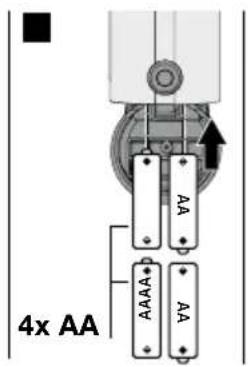
| Power supply | 4 AA 1.5 V batteries |
| Battery life | Approximately 5 minutes (auto shut-off) |
| Operating temperature | 0 °C to 45 °C |
| Storage temperature | -10 °C to 70 °C |
| Camera head waterproof rating | IP68 |
| Main functions | Image/video recording, digital zoom (100% to 400%), adjustable LED light (3 levels), 180° image rotation, webcam function, USB 1.1 interface |
| Maintenance and cleaning | Do not immerse the screen in water, avoid contact with chemicals, electrical current, hot or moving parts. Store in the provided case. |
| Safety | Do not use for medical examinations. Check for absence of voltage before any use near electrical installations. |
| Spare parts and repairability | Available accessories: camera heads with different focal lengths (F5, F25, F50). For repair, contact Laserliner after-sales service. |
Frequently Asked Questions - VideoFlex G2 Laserliner
User questions about VideoFlex G2 Laserliner
0 question about this device. Answer the ones you know or ask your own.
Ask a new question about this device
Download the instructions for your Surveillance Camera in PDF format for free! Find your manual VideoFlex G2 - Laserliner and take your electronic device back in hand. On this page are published all the documents necessary for the use of your device. VideoFlex G2 by Laserliner.
USER MANUAL VideoFlex G2 Laserliner
Read the operating instructions and the enclosed brochure "Guarantee and additional notices" completely. Follow the instructions they contain. Safely keep these documents for future reference.
Function / Application
This inspection camera features a micro-camera which sends colour video images to the LCD so that areas which are difficult to access (cavities, shafts, masonry or inside cars, for example) can be checked.
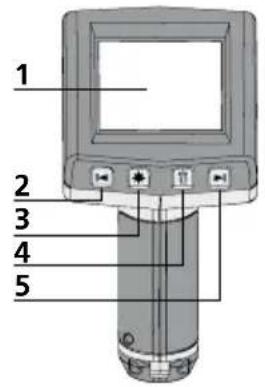
1 LCD
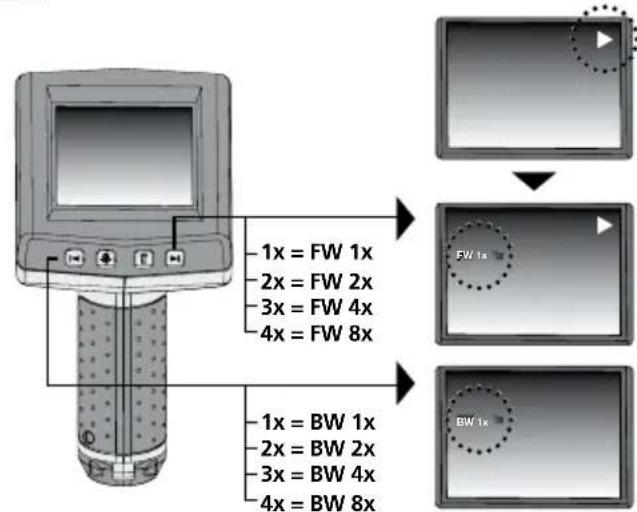
2 Zoom out / Navigate / Rewind / Playback speed -
3 LED lighting
4 DEL:Delete/ Rotation 180^
5 Zoom in / Navigate / Forward / Playback speed +
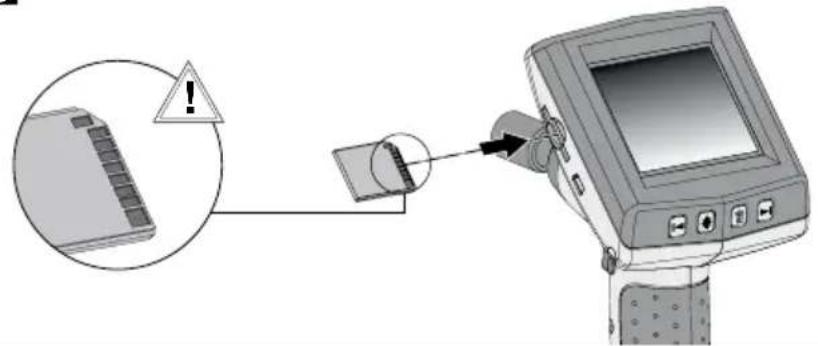
6 Slot for SD card
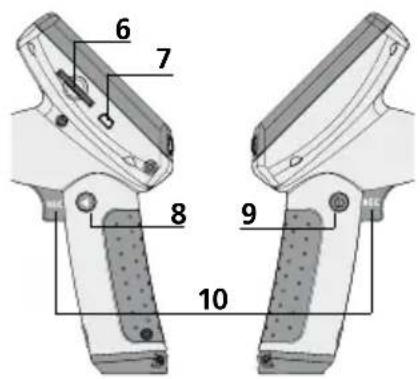
7 USB 1.1 port
8 Toggle mode
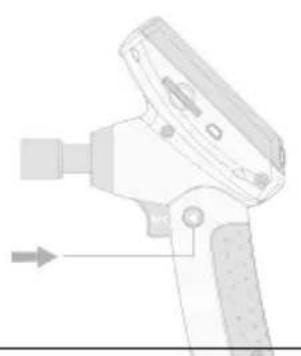
9 ON/OFF
10 REC:Trigger/ Record/ Confirm
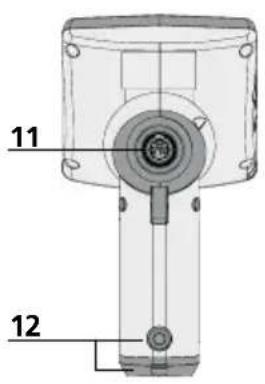
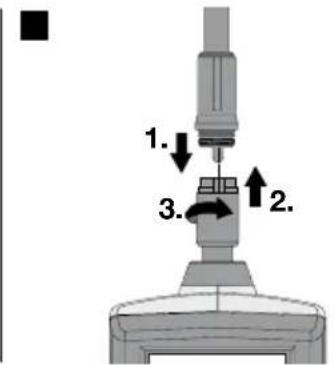
11 Connection for flex cable
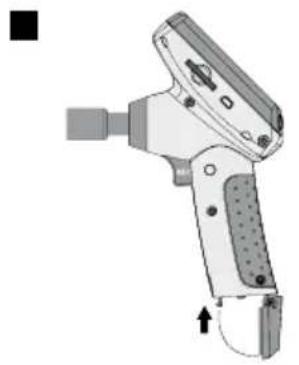
12 Battery compartment
13 Camera head
14 LEDs
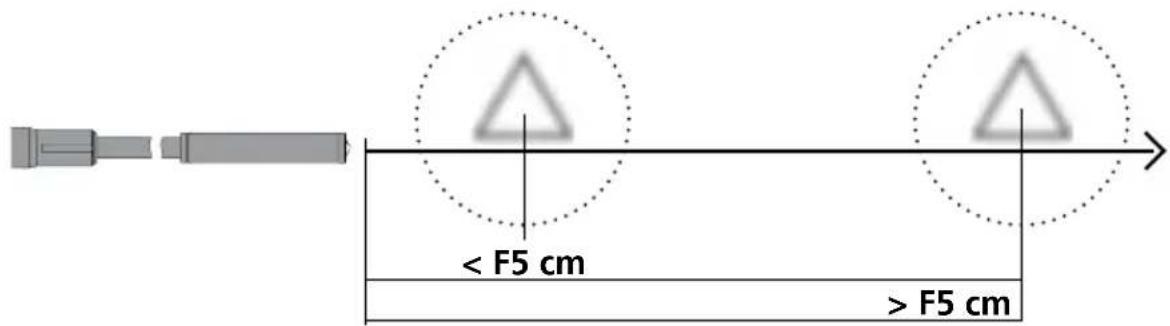
15 Lens NOTE: The camera is focused as standard to F5 cm. Refer to the accessories data for different focus settings. Objects outside the focus range may appear blurred.
Record mode Playback mode
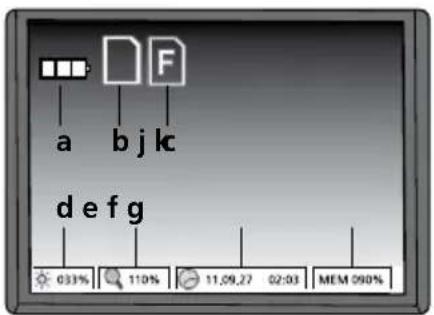
a Battery status
b SD card active
c Insert SD card
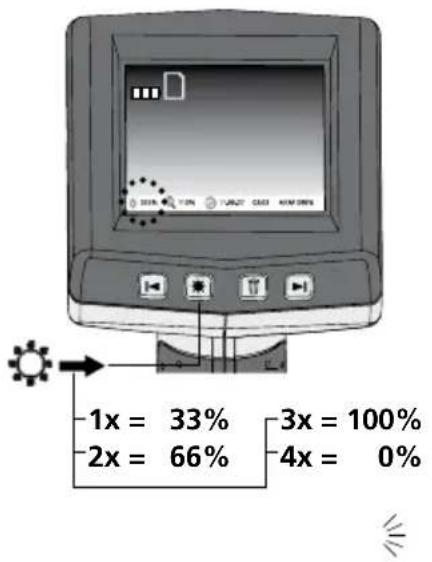
d Intensity of LED lighting (0%, 33%, 66%, 100%)
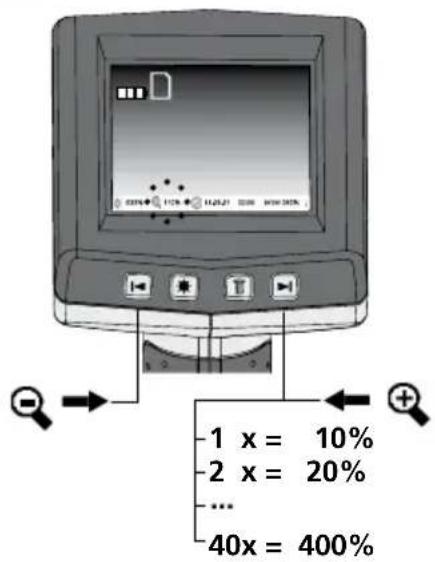
e Zoom level (100%-400%)
f Date/Time
g Available memory space
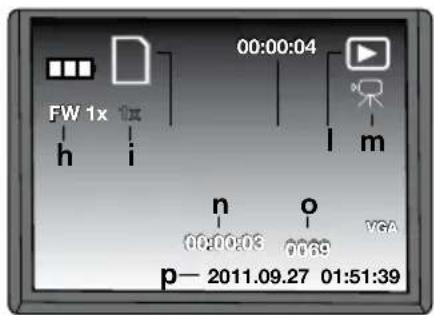
h FW: Forward / BW: Back
i Playback speed (1x, 2x, 4x, 8x)
j SD card active
k Recording time
Playback
m Video symbol
n Recording position
o Recording number
p Recording date/time
Settings mode
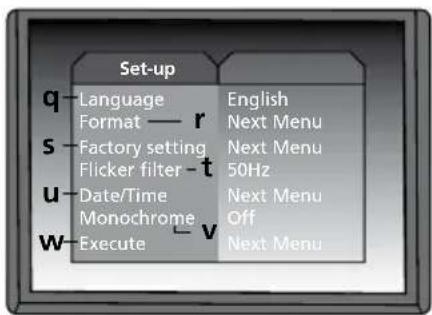
q Menu language
Format SD card
Restore factory settings
t Changeover 50/60 Hz
u Date/Time
v Display colour mode
W Software version
First use (1-6)
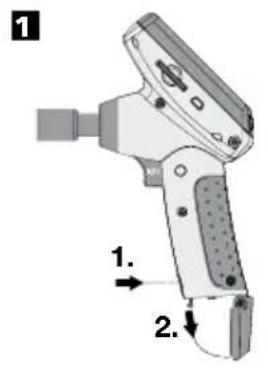
5
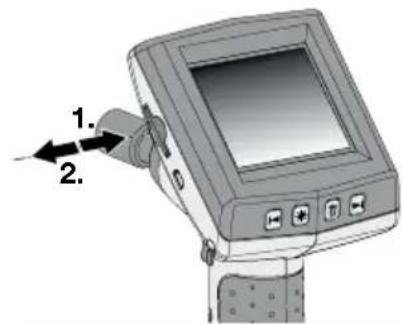
Removing the SD card
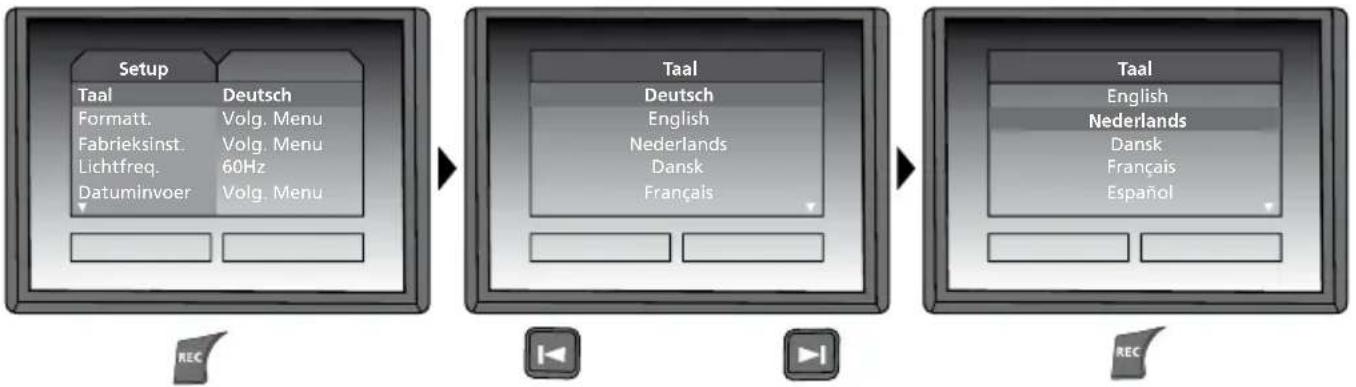
Setting the menu language
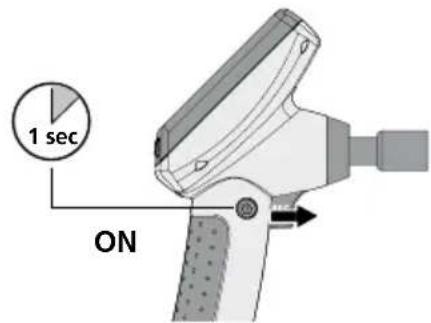
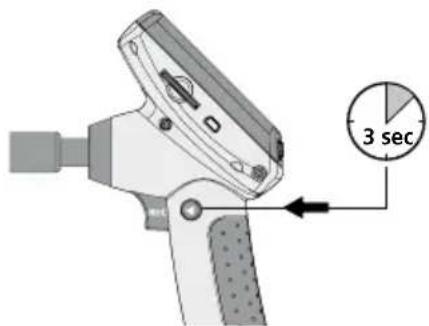
Changing the language
(DE, GB, NL, DK, FR, ES, IT, PL, FI, PT, SE, NO, TR, RU, UA, CZ, EE, LV, LT, RO, BG, GR)
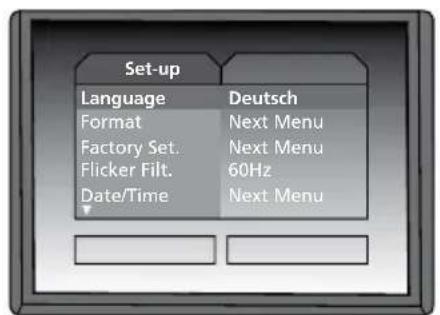
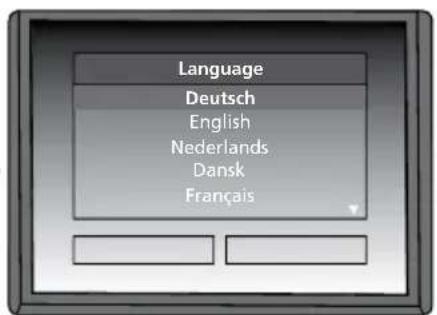
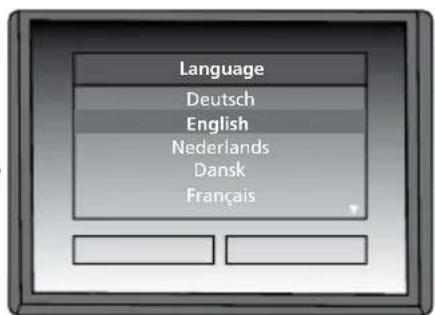
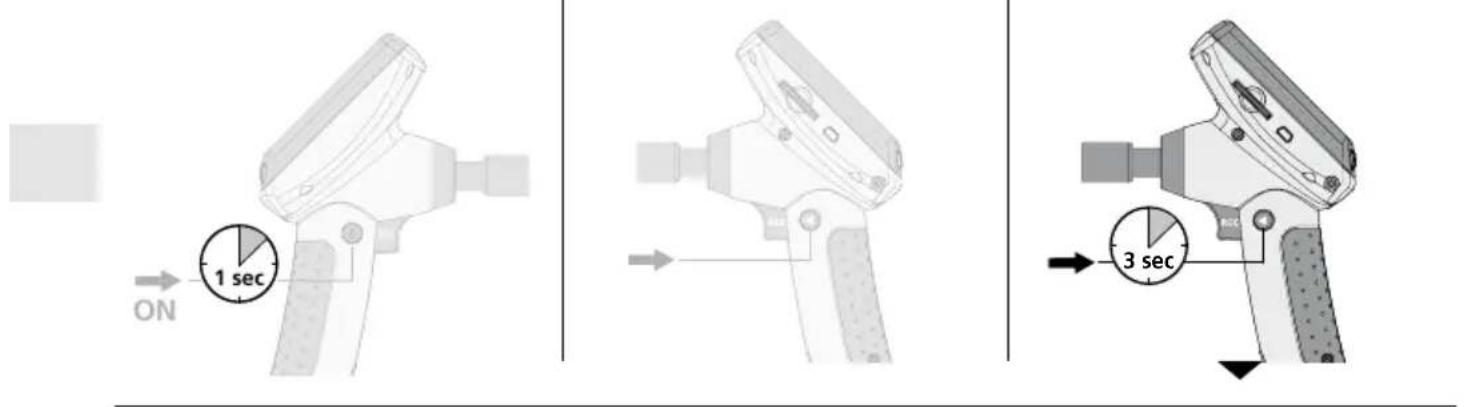
To return to recording mode, briefly press the button (8).
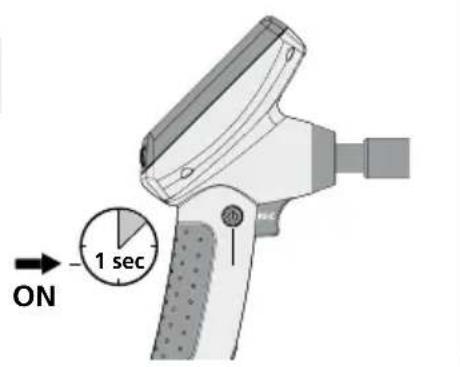
Record mode Playback mode Settings mode
Still images/Video recordings
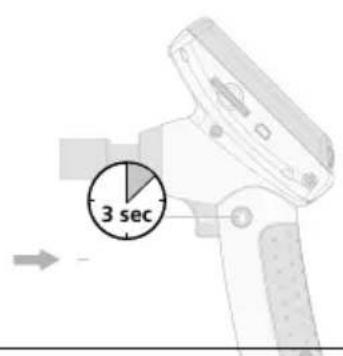
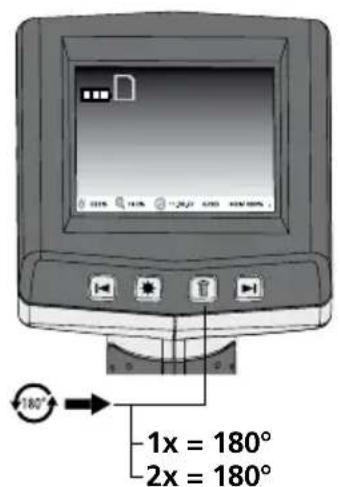
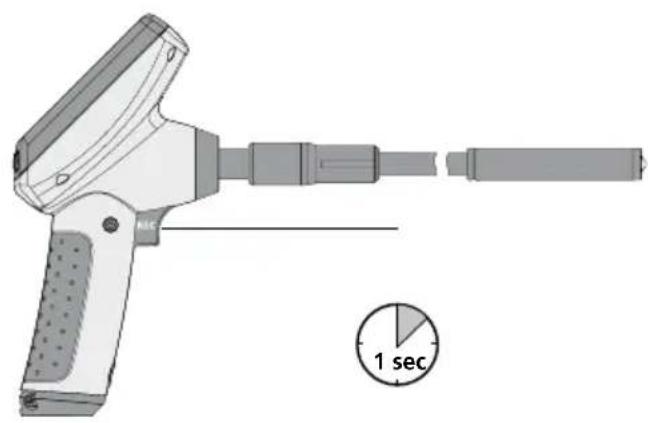
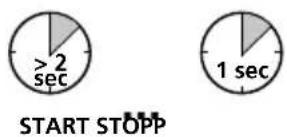
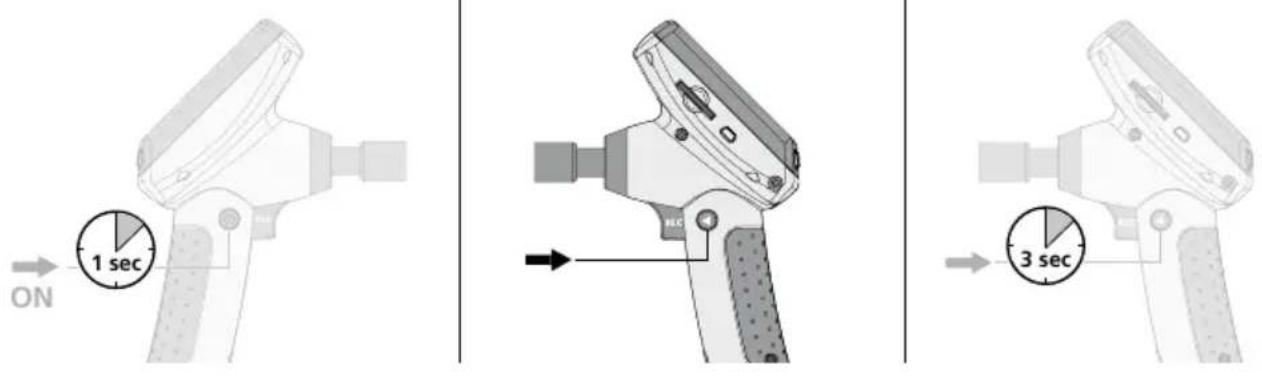
Line up the camera head on the flex cable and move it to the required position. If lighting conditions are poor, switch on the LED lighting. Zoom in on distant or small objects. The manual image rotation function enables the image to be rotated by 180^ on the monitor. Briefly press the REC button to take a still image and save it to the SD card. Press the REC button for longer than 2 seconds to start video recording. Press the button again to stop recording.
LED lighting
2 Image rotation
Zoom
B.a Still image Video

Record mode Playback mode Settings mode
Playback of still images/video recordings
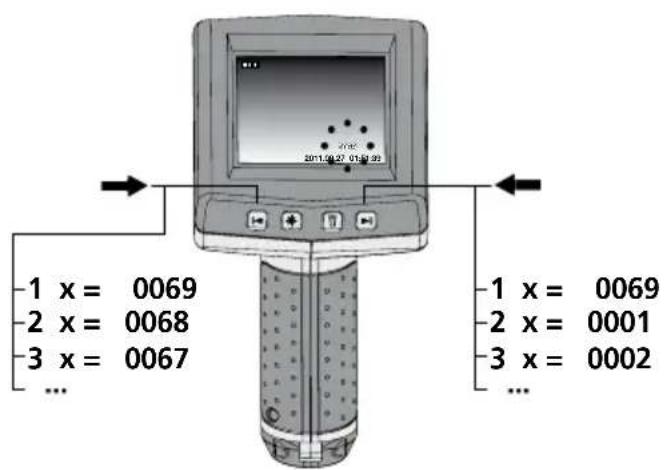
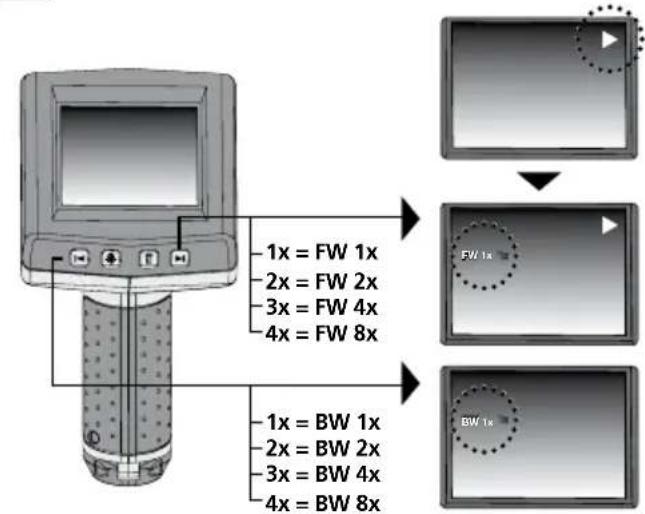
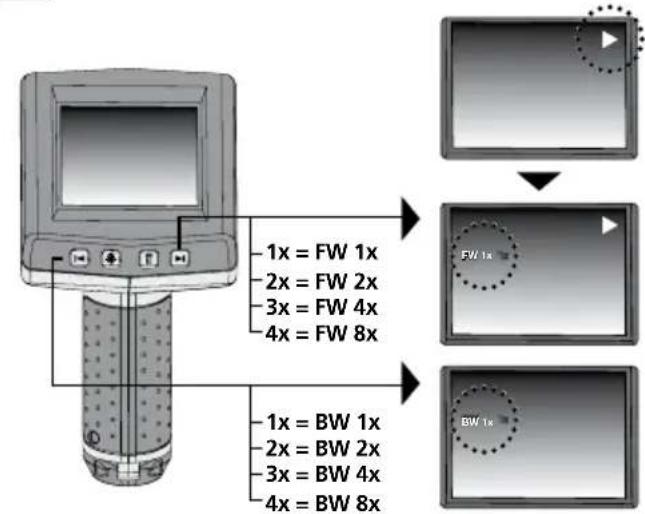
The last image or video recorded is shown on the display. Use the arrow keys to browse forward and back through the recordings. Video recording is indicated by a camera symbol. The REC button is used for the "Playback" function, the arrow buttons for "Forward/Back" and to change the playback speed only during playback. To delete a recording, press the "DEL" button.
Navigation Delete recording
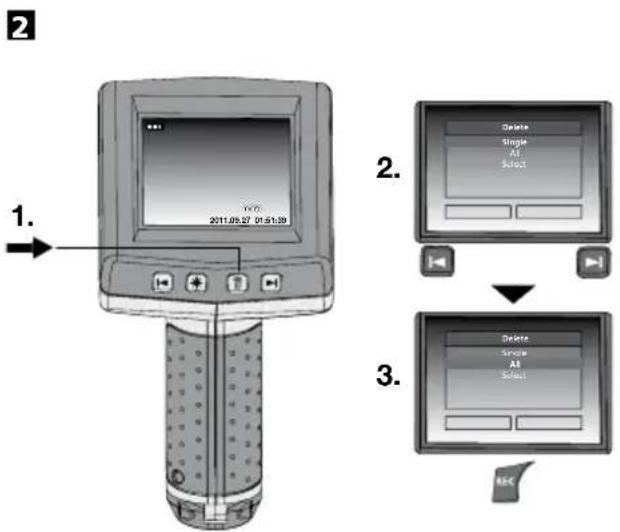
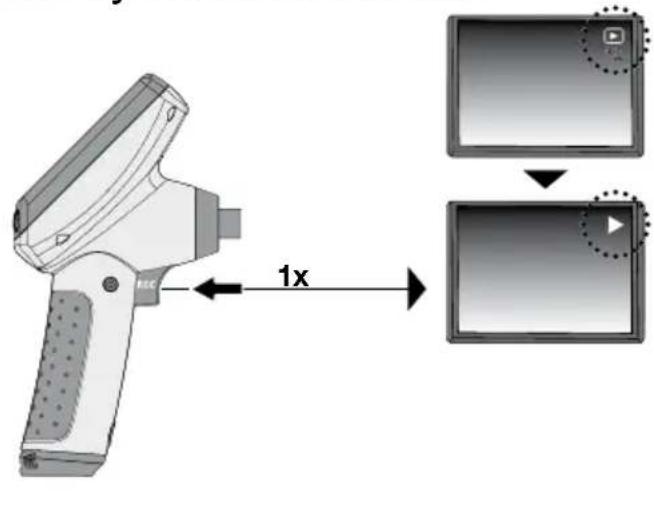
3.aPlayback Forward/Rewind
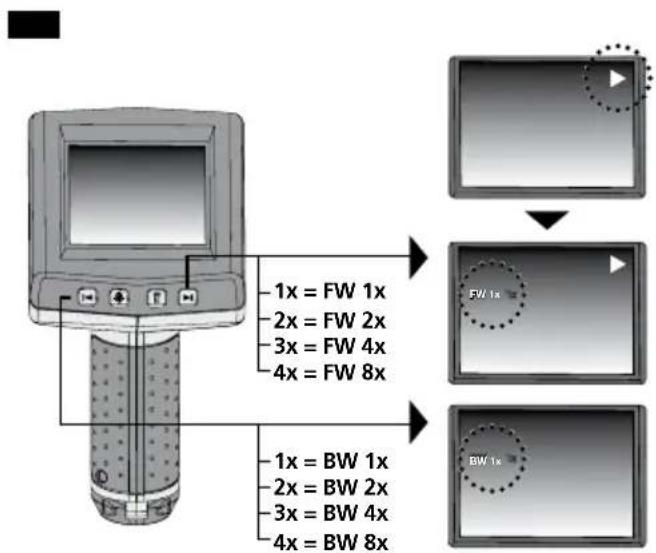
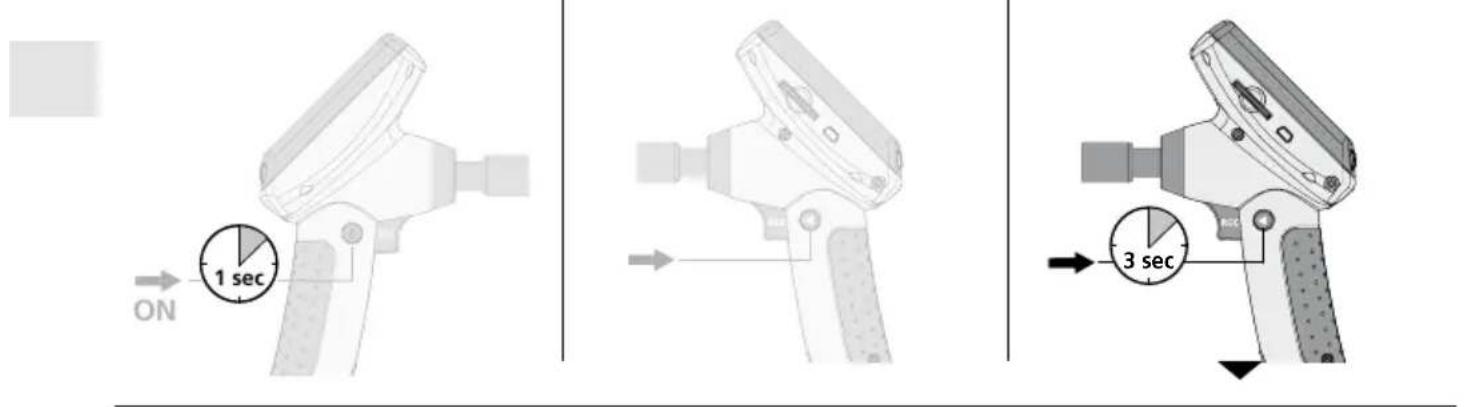
Record mode Playback mode Settings mode
a. Changing the language
(DE, GB, NL, DK, FR, ES, IT, PL, FI, PT, SE, NO, TR, RU, UA, CZ, EE, LV, LT, RO, BG, GR)
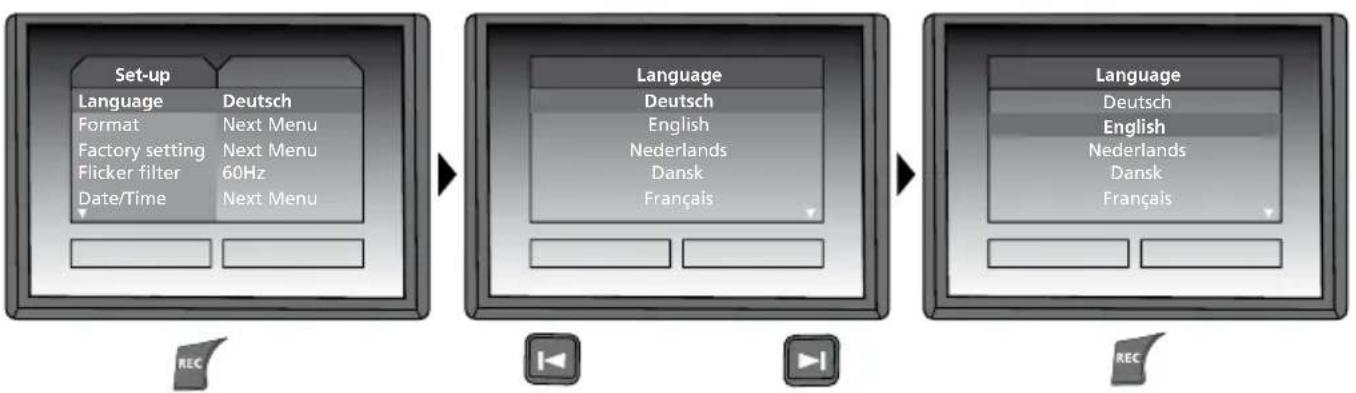
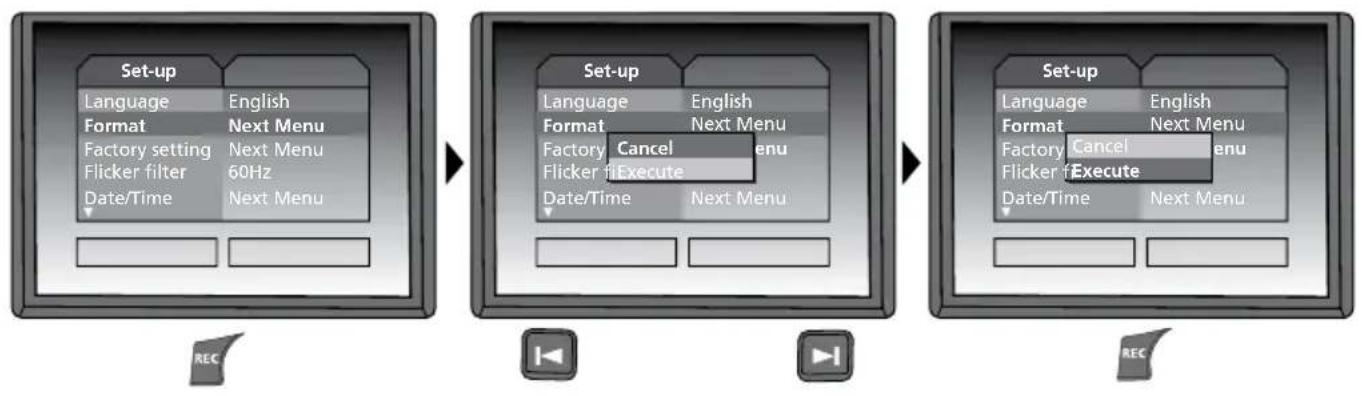
b. Format SD card
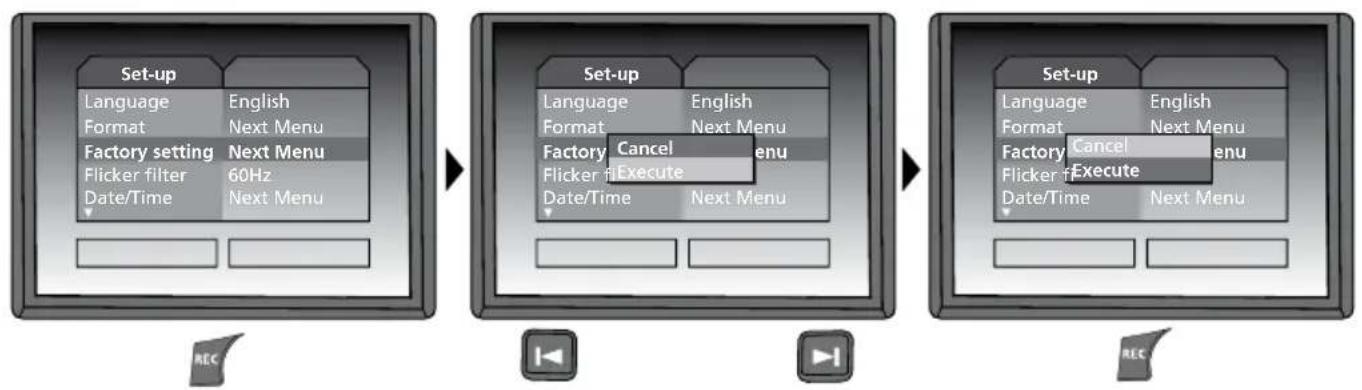
c. Restore factory settings
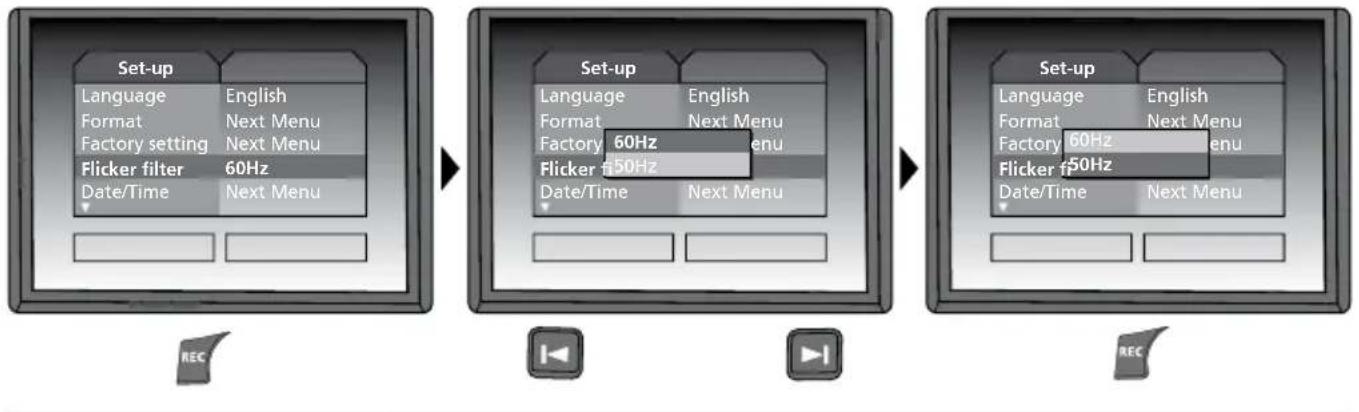
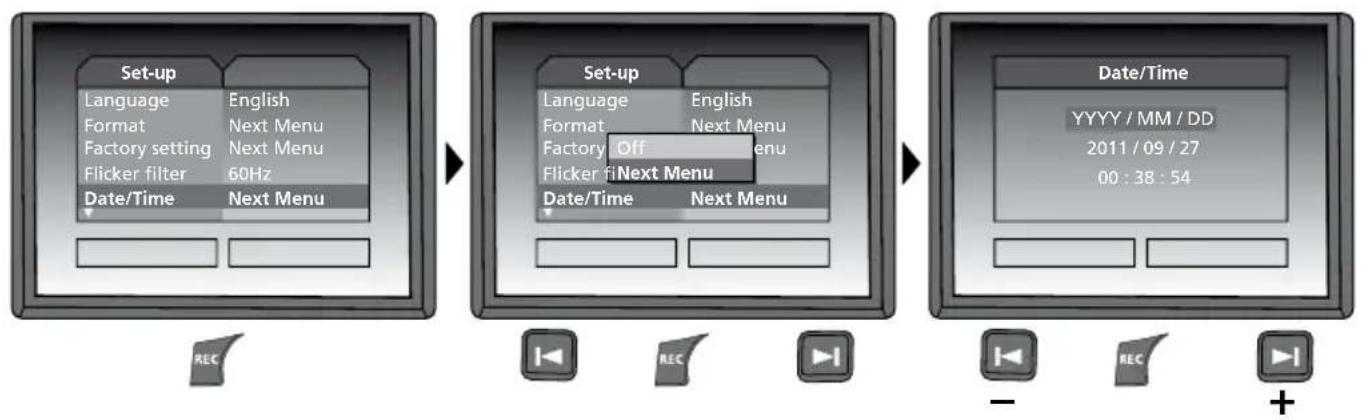
d. Set frequency filter
e. Set date/time (press the button to return to the menu)
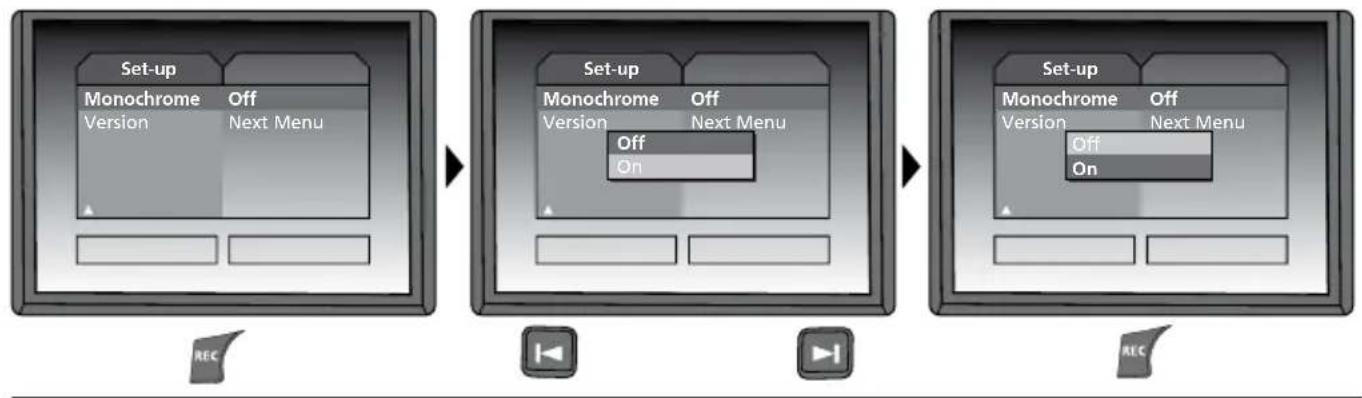
f. Display colour mode
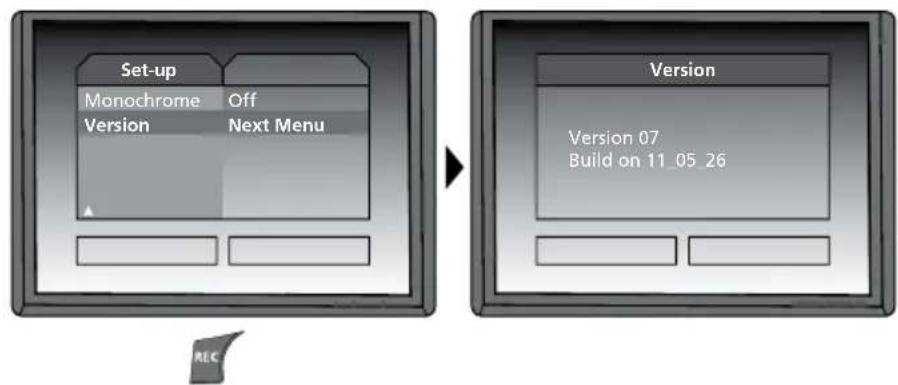
g. Software Version
USB data transfer
Data saved on the SD card can be transferred to PC either with a suitable card reader or directly via the USB port. Please refer to the manual supplied with your card reader for information about connecting your card adapter or card reader to a PC.
Webcam function
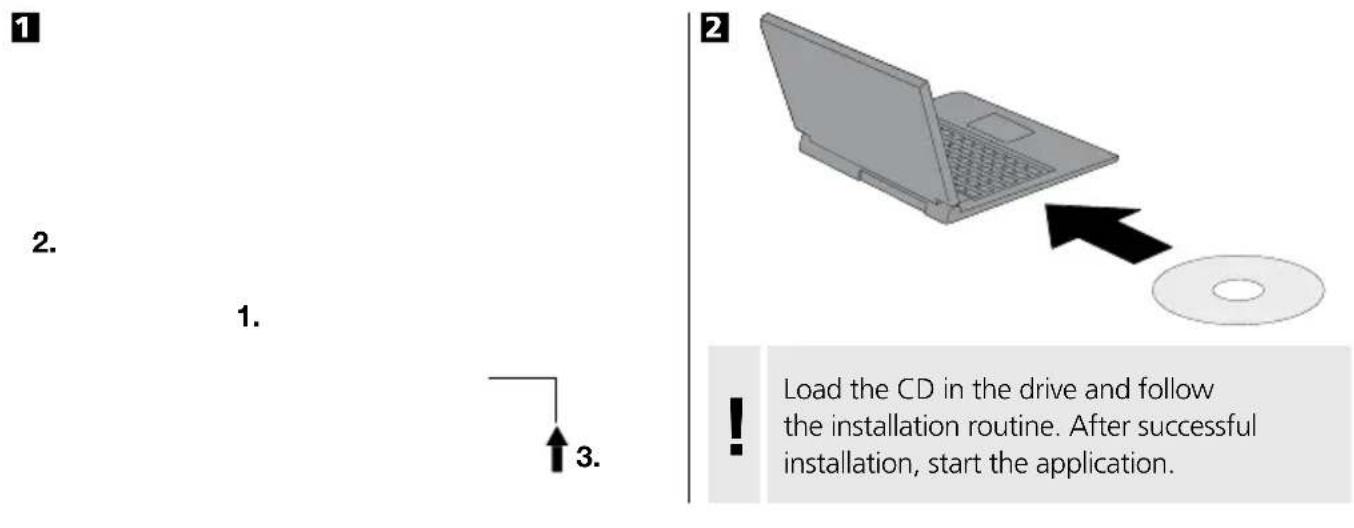
The VideoFlex G2 can be used as a webcam. To do so, connect the VideoFlex G2 to your computer via the USB interface.
Camera head/Focus
The VideoFlex G2 is fitted with a camera head as standard. The head is set to a focus of F5 cm. Refer to the accessories data for different focus settings, e.g. F25/F50.
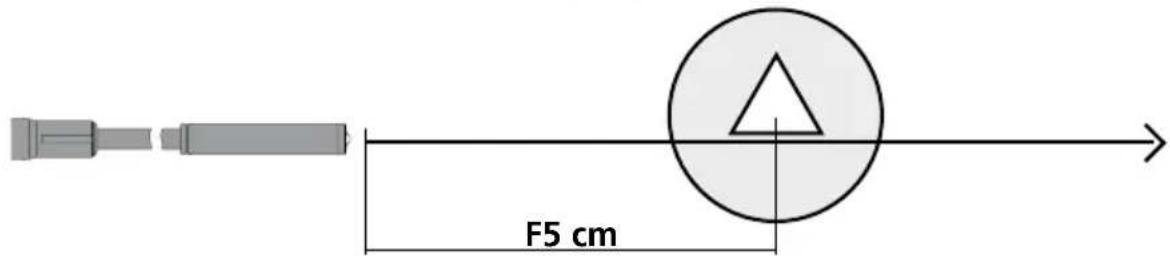
Objects well beyond the focus range may appear blurred. Ask your specialist retailer about camera heads with different focuses or contact Umarex Laserliner directly.
Instructions for use
- It is absolutely vital to ensure that the VideoFlex G2 does not come into contact with chemicals, current, moving or hot objects. This can damage the device and put its user at risk of serious injury.
- The LCD unit must not be immersed in water.
- The camera head is not acid-resistant or fireproof.
- The VideoFlex G2 must not be used for medical examinations/examining people.
- The device should always be stored in the case in which it was supplied.
- Avoid strong impact, extreme bending radii and deviations in temperature.
- The unit is not suitable for taking measurements close to dangerous voltages. Therefore always make sure that conductive parts are at zero potential when carrying out measurements in the vicinity of electrical systems. Safe isolation from the power supply and precautions to prevent systems being switched on again must be ensured by implementing suitable measures.
Technical Data
Technical revisions reserved. 08.14.
| VideoFlex G2 10 m | |
| Camera headø9 mm, water-resistant, IP 68 | |
| Camera focus F5 cm for 9 mm standard camera | |
| Length of flex cable 10 m | |
| Weight incl. batteries and flex cable 1,62 kg | |
| VideoFlex G2 1,5 m | |
| Camera headø6 mm / 9 mm, water-resistant, IP 68 | |
| Camera focus F5 cm for 6 mm / 9 mm standard camera | |
| Length of flex cable 1,5 m | |
| Weight incl. batteries and flex cable 0,65 kg | |
| Screen type 3.0" LCD | |
| Display resolution 320 x 240 pixels | |
| Image/Video resolution 640 x 480 pixels (ø9 mm) / 320 x 240 pixels (ø6 mm) | |
| Image format/Video format JPEG/AVI | |
| LED 3 brightness levels | |
| Zoom 4x digital zoom in 10% increments | |
| Internal/external memory | 32 MB / Supports up to max. 8 GB SDHC card |
| Port | USB 1.1 |
| Auto shutdown | 5 min |
| Power supply | 4 x AA 1.5 V batteries |
| Operating temperature | 0 °C ... 45 °C |
| Storage temperature | -10 °C ... 70 °C |
EU directives and disposal
This device complies with all necessary standards for the free movement of goods within the EU.
This product is an electric device and must be collected separately for disposal according to the European Directive on waste electrical and electronic equipment.
Further safety and supplementary notices at: www.laserliner.com/info

m = 311
Opnamemodus Weergavemodus Instellingsmodus
a. Taal wizzigen
(DE, GB, NL, DK, FR, ES, IT, PL, FI, PT, SE, NO, TR, RU, UA, CZ, EE, LV, LT, RO, BG, GR)
m = 311
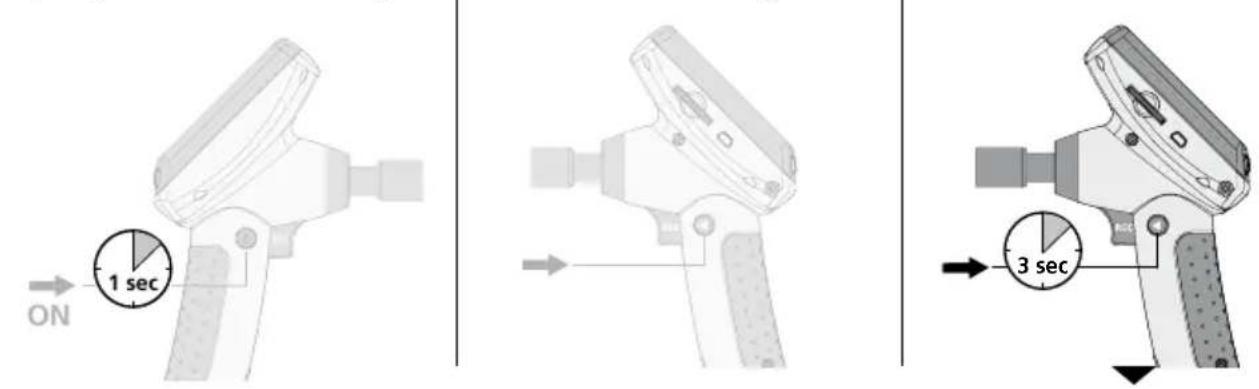
Optagelsesemodus Gengivelesmodus Indstillingsmodus
a. Skift sprog
(DE, GB, NL, DK, FR, ES, IT, PL, FI, PT, SE, NO, TR, RU, UA, CZ, EE, LV, LT, RO, BG, GR)
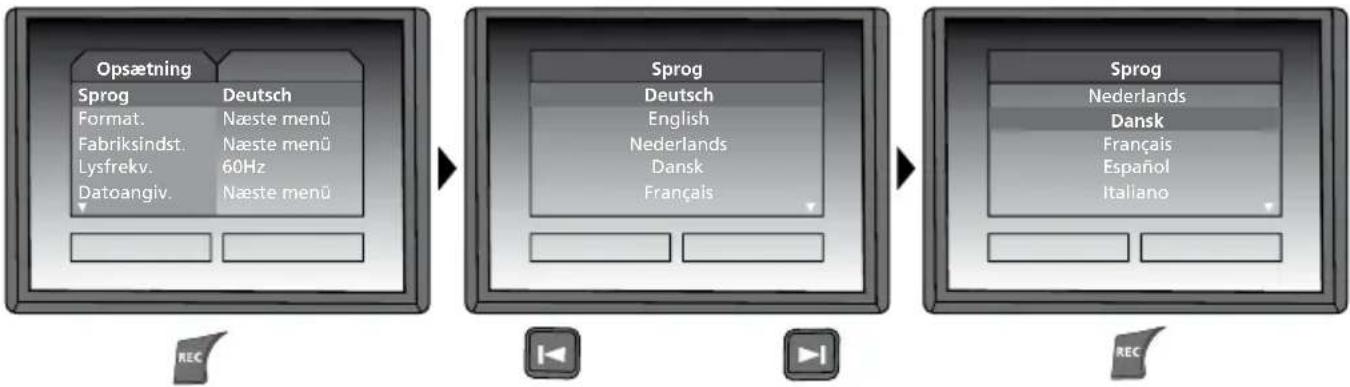
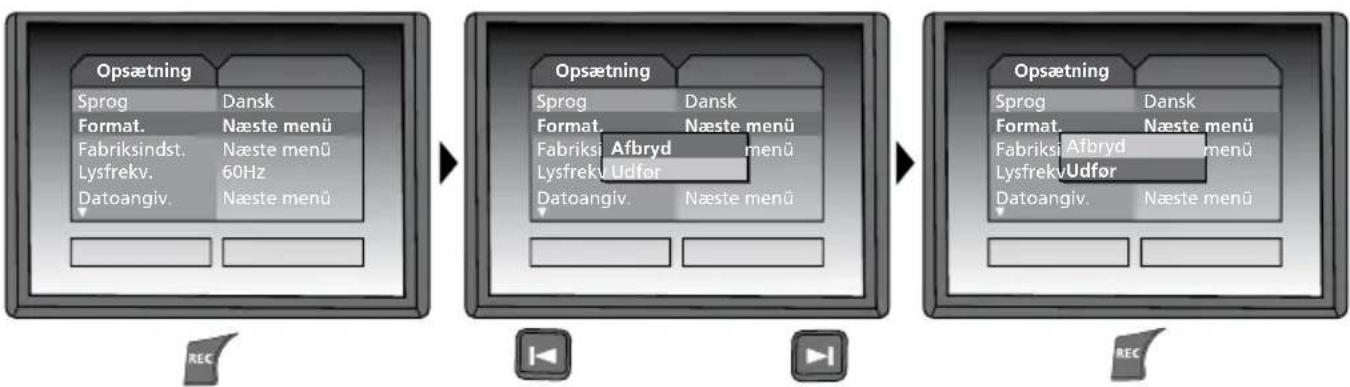
b. Formatér SD-kort
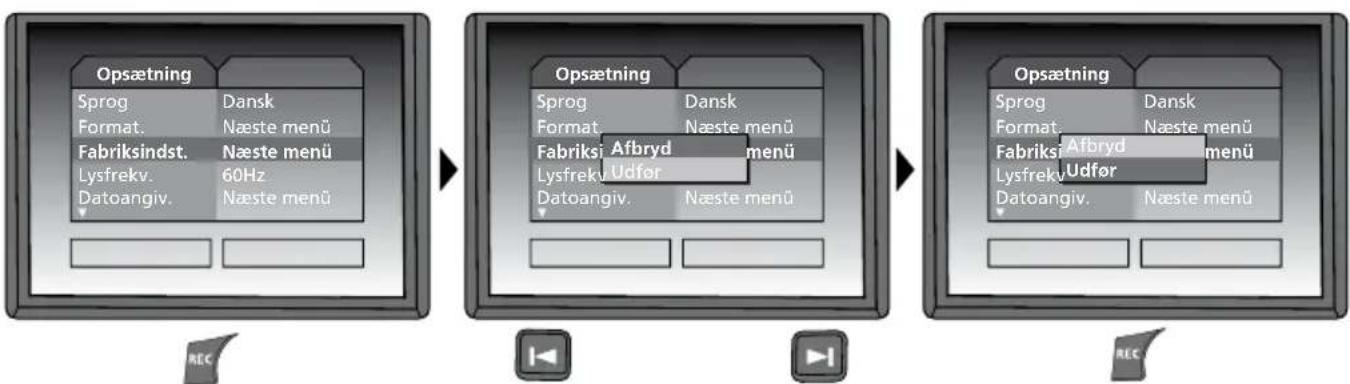
c. Genindstil fabriksindstilling
m = 311

m = 311
- Function / Application
- Record mode Playback mode
- Settings mode
- First use (1-6)
- Setting the menu language
- Changing the language
- Still images/Video recordings
- Playback of still images/video recordings
- d. Set frequency filter
- f. Display colour mode
- g. Software Version
- USB data transfer
- Webcam function
- Camera head/Focus
- Instructions for use
- EU directives and disposal
Brand : Laserliner
Model : VideoFlex G2
Category : Surveillance Camera