Rockefeller - Coin and bill counter Duramaxx - Free user manual and instructions
Find the device manual for free Rockefeller Duramaxx in PDF.

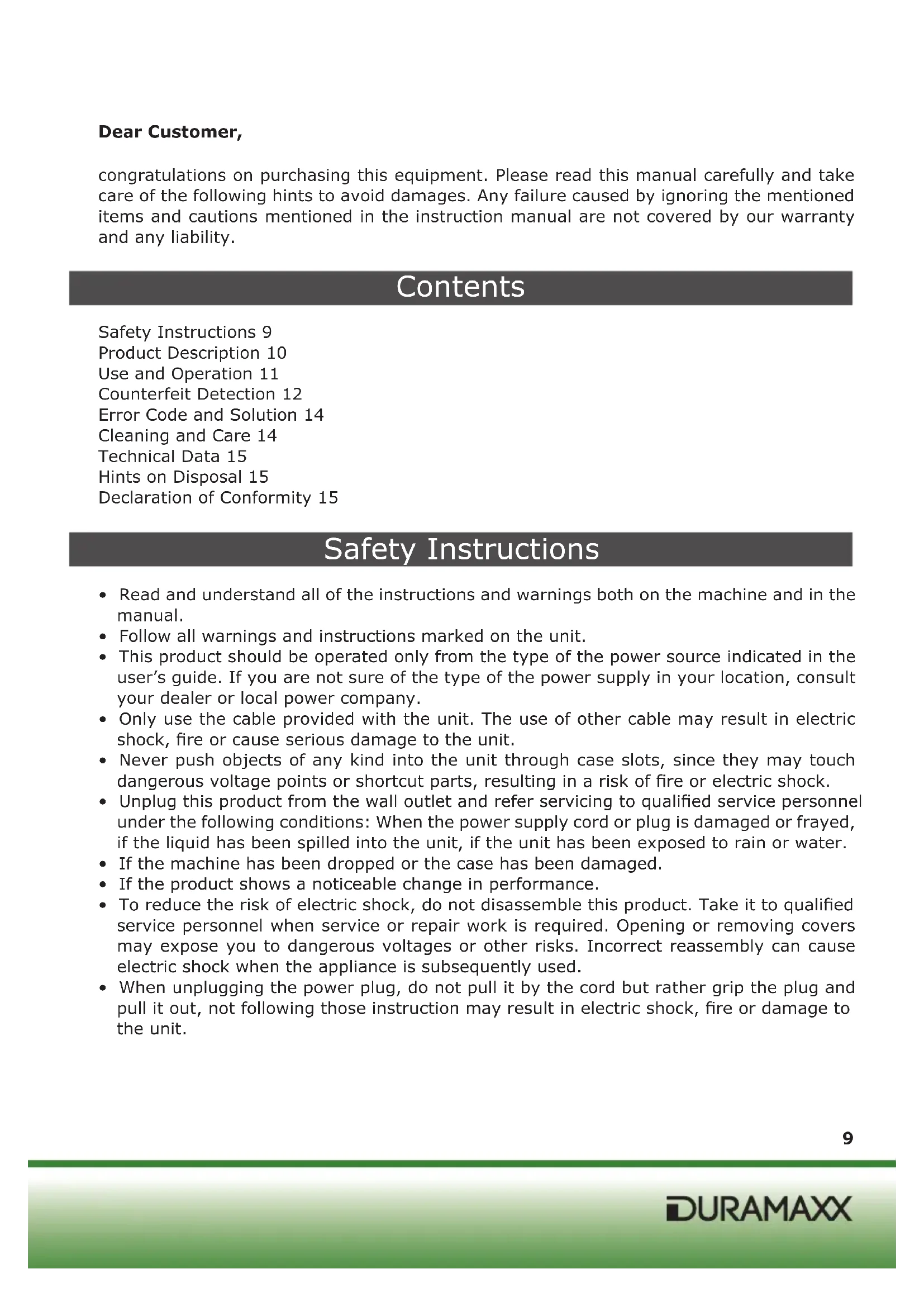


| Product Type | Coin and Banknote Counter |
| Brand | Duramaxx |
| Model | Rockefeller |
| Power Supply | 220 V ~ 50 Hz |
| Dimensions | 312 mm x 245 mm x 198 mm |
| Weight | 5.7 kg |
| Counting Speed | Up to 1000 banknotes/minute |
| Minimum Banknote Size | 50 x 100 mm |
| Maximum Banknote Size | 90 x 180 mm |
| Counting Functions | Normal counting, ADD mode (accumulation), BATCH mode (bundle) |
| Counterfeit Detection | UV, magnetic (MG), dual UV+MG, size detection, half-banknote detection |
| Display | External screen, batch and counter display |
| Control Panel | Keys FUNC, MODE, RESET, ADD, BATCH, +1, +10 |
| Insertion Tray | Adjustable via rear knob |
| Front Tray | With stacking device |
| Cleaning and Maintenance | Unplug before cleaning, avoid water and flammable aerosols, clean sensors regularly |
| Safety Instructions | Plug into grounded 220 V outlet, do not disassemble, use only the supplied cord |
| Article Number | 10020088 |
| Recycling | Compliant with European directive 2002/96/EC (WEEE) |
| Certifications | CE (EMC, RoHS, LVD) |
Frequently Asked Questions - Rockefeller Duramaxx
User questions about Rockefeller Duramaxx
0 question about this device. Answer the ones you know or ask your own.
Ask a new question about this device
Download the instructions for your Coin and bill counter in PDF format for free! Find your manual Rockefeller - Duramaxx and take your electronic device back in hand. On this page are published all the documents necessary for the use of your device. Rockefeller by Duramaxx.
USER MANUAL Rockefeller Duramaxx
natural_image
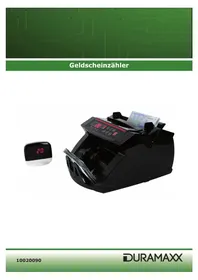
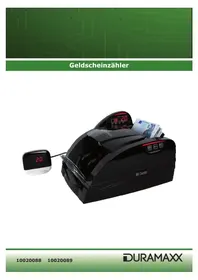
Abstract green circuit board pattern with interconnected lines and nodes (no text or symbols)Geldscheinzähler
natural_image
Black Bill Counter machine with digital clock, 200+ cash register, and currency notes (no readable text or symbols on main device)natural_image
Close-up of a hand pressing down on a piece of banknotes (no visible text or symbols)1
natural_image
Close-up of a hand pressing down on a piece of banknotes (no visible text or symbols)2
natural_image
Close-up of a hand pressing down on a mechanical press, handling a banknote (no visible text or symbols)3
natural_image
Pure electrical circuit lines without any symbols4
natural_image
Close-up of a white vehicle's front bumper with directional arrows and geometric shapes (no readable text or symbols)5
natural_image
Symbol of a trash bin crossed with a diagonal line, no text or labels presentcongratulations on purchasing this equipment. Please read this manual carefully and take care of the following hints to avoid damages. Any failure caused by ignoring the mentioned items and cautions mentioned in the instruction manual are not covered by our warranty and any liability.
Contents
Safety Instructions 9
Product Description 10
Use and Operation 11
Counterfeit Detection 12
Error Code and Solution 14
Cleaning and Care 14
Technical Data 15
Hints on Disposal 15
Declaration of Conformity 15
Safety Instructions
- Read and understand all of the instructions and warnings both on the machine and in the manual.
- Follow all warnings and instructions marked on the unit.
- This product should be operated only from the type of the power source indicated in the user's guide. If you are not sure of the type of the power supply in your location, consult your dealer or local power company.
- Only use the cable provided with the unit. The use of other cable may result in electric shock, fire or cause serious damage to the unit.
- Never push objects of any kind into the unit through case slots, since they may touch dangerous voltage points or shortcut parts, resulting in a risk of fire or electric shock.
- Unplug this product from the wall outlet and refer servicing to qualified service personnel under the following conditions: When the power supply cord or plug is damaged or frayed, if the liquid has been spilled into the unit, if the unit has been exposed to rain or water.
- If the machine has been dropped or the case has been damaged.
- If the product shows a noticeable change in performance.
- To reduce the risk of electric shock, do not disassemble this product. Take it to qualified service personnel when service or repair work is required. Opening or removing covers may expose you to dangerous voltages or other risks. Incorrect reassembly can cause electric shock when the appliance is subsequently used.
- When unplugging the power plug, do not pull it by the cord but rather grip the plug and pull it out, not following those instruction may result in electric shock, fire or damage to the unit.
Product Description
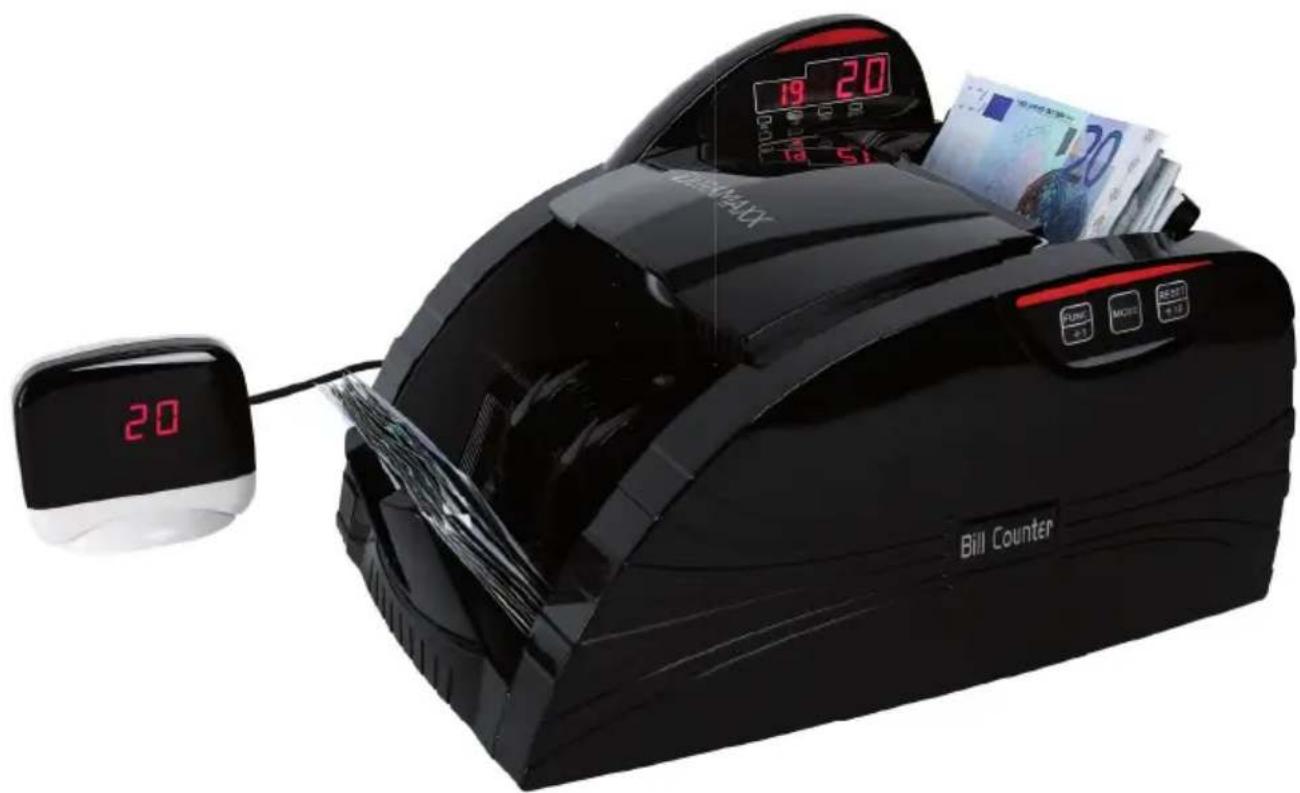
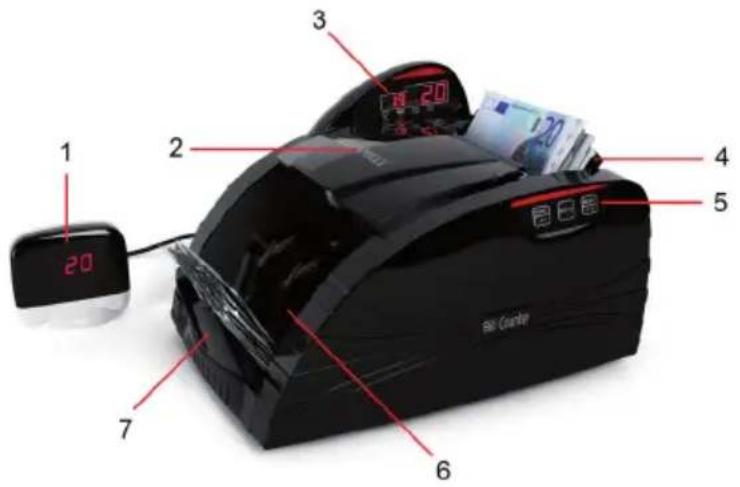
Front
1 External display
2 Handle
3 Function console
4 Hopper
5 Control panel
6 Frontal platform
7 Stacker
text_image
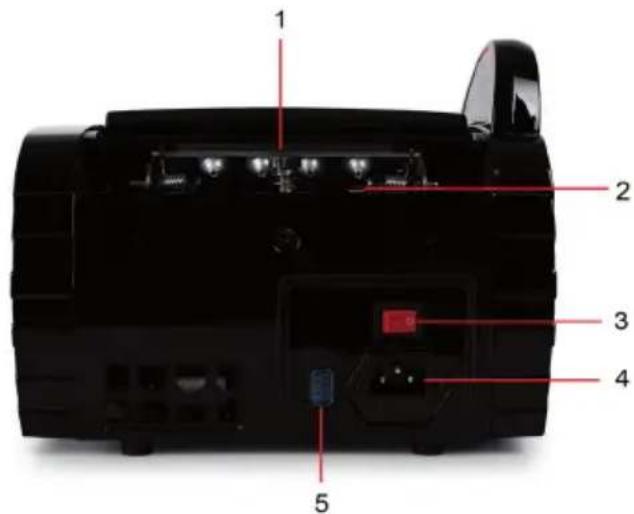
1 20 2 3 4 5 6 7 Bao CounterRear
1 Bill thickness adjustment wheel
2 Rubber tongue
3 Netzschalter
4 Power outlet
5 External screen jack
text_image
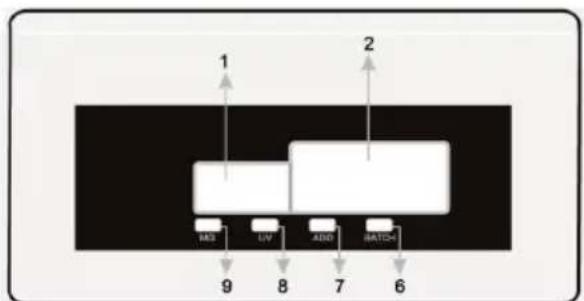
1 2 3 4 5Indicators and Keys
1 Batch display
2 Counter display
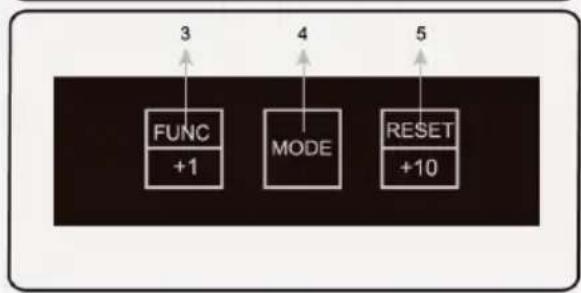
3 Functions key and +1 key in Batch mode, starts also the UV/MG detection
4 MODE key
5 RESET key and +10 key in Batch mode
6 BATCH indicator
7 ADD indicator
8 UV indicator
9 MG indicator
flowchart
graph TD
    A["Input"] --> B["1"]
    B --> C["2"]
    C --> D["3"]
    D --> E["4"]
    E --> F["5"]
    F --> G["6"]
    style A fill:#f9f,stroke:#333
    style B fill:#ccf,stroke:#333
    style C fill:#cfc,stroke:#333
    style D fill:#fcc,stroke:#333
    style E fill:#cff,stroke:#333
    style F fill:#ffc,stroke:#333
    style G fill:#cfc,stroke:#333
flowchart
graph TD
    A["FUNC"] -->|+1| B["MODE"]
    C["RESET"] -->|+10| D
    E["3"] --> F
    G["4"] --> H
    I["5"] --> J
Use and Operation
Power up
Connect the power cord to the machine (power outlet), then plug it to power source and turn the switch on; the unit will conduct a self-check by spanning the feeding roller while the MG and/or UV functions will be automatically turned on by default. The counter display will show "0" when the unit is ready (the machine is in its normal working condition).
Counting function
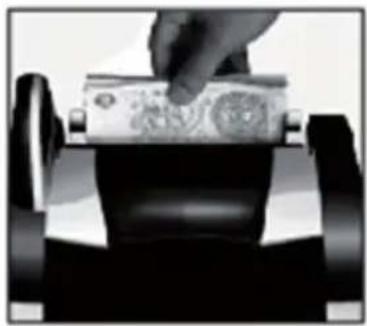
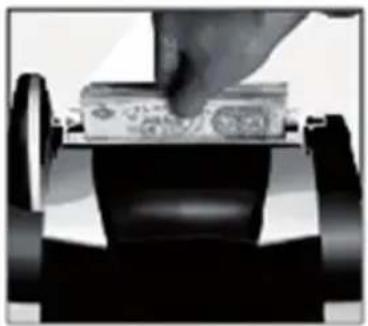
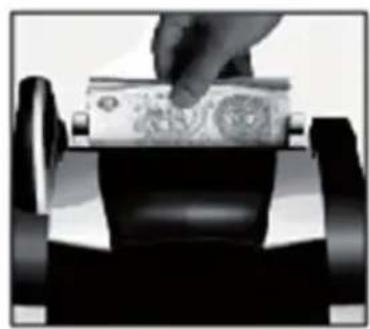
Once the bills are correctly placed in the hopper, the machine will start counting automatically. The number of counted bills will be shown on the counter display. Moreover, once the bills are removed from the stacker, the counter display will clear zero and the batch display in turn will show the number of counted bills instead.
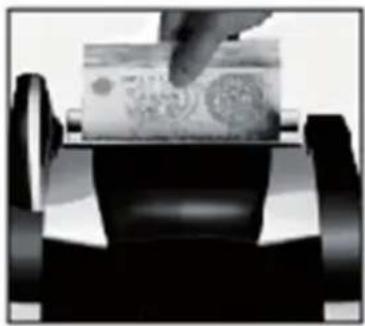
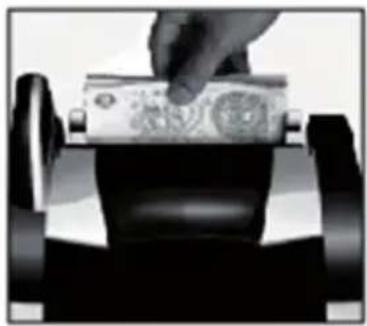
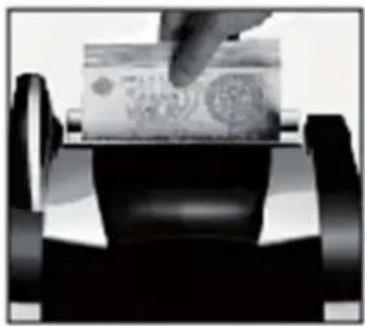
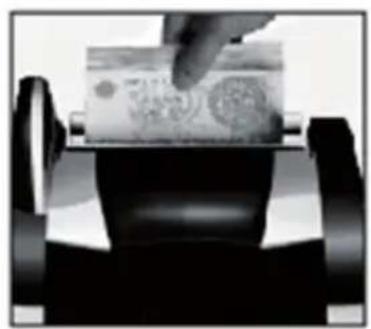
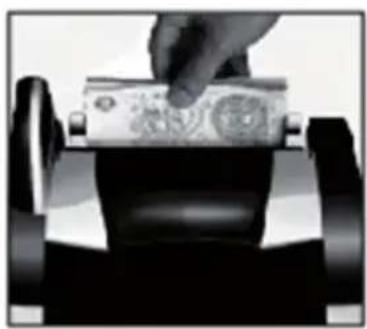
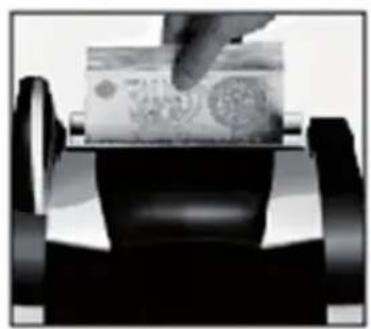
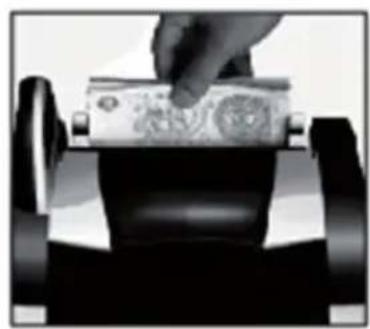
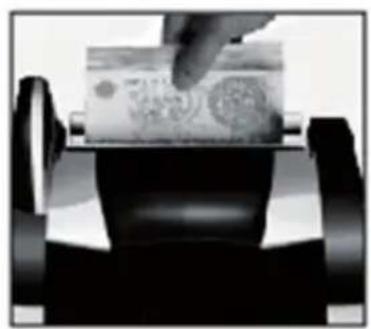
Bills should be correct placed as indicated in the following steps:
Place the bills between the counting guides as shown in the figure1 and figure2. Swiftly, push the bills with a figure
natural_image
Close-up of a hand pressing down on a piece of banknotes (no visible text or symbols)1
natural_image
Close-up of a hand pressing down on a rolled banknote (no visible text or symbols)2
natural_image
Close-up of a hand inserting a banknote into a machine (no visible text or symbols)3
Hopper adjustment
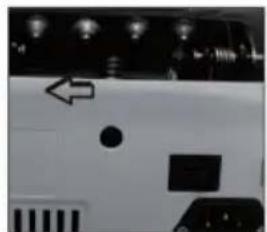
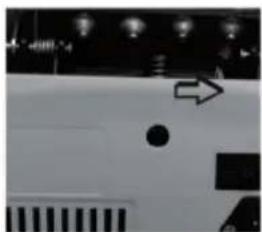
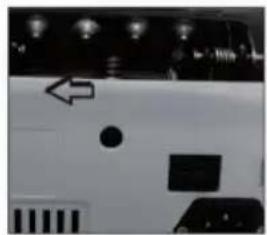
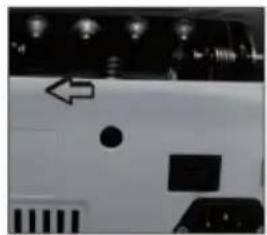
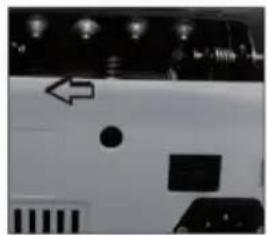
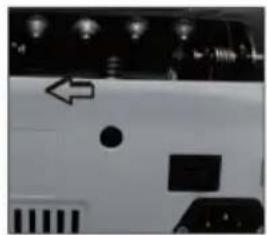
When the counting is not accurate, please kindly adjust the back screw of the machine. Turn it in clockwise to fasten the hopper (see figure 4). Turn it in anti-clockwise to loose the hopper (see figure 5).
natural_image
Black and white photo of a vehicle with a circular object and an arrow pointing right (no visible text or symbols)4
natural_image
Close-up of a white vehicle's front panel with visible buttons and a black square on the side (no text or symbols)5
Add counting Function
Add counting can be performed by pressing the "ADD" button (when the ADD indicator is on). In this case, removing the counted bills from the stack, it will not clear the quantity counted number and shown on the counter display. The next bills placed in the hopper will be counted and added to the preceding quantity. The total pieces of added bills will be shown on the counter screen. Press the "ADD" button to close the function and clear the count.
Batch Function
- The preset batch counting function can be performed by pressing the "BATCH" button and the BATCH indicator is on.
- By default, when pressing the "BATCH" button, the batch number is set to 100. By pressing it again, the batch number can be changed to be 50 the second time, and 20 the third time.
- The batch number can be setted in the range from 1 to 999 by pressing "+" or "-" button.
- Press the "+" or "-" button for more than 0.25 sec, the number will increase or decrease by 5 unit one time; while press the "+" or "-" with only a single and fast strokes, it will increase and decrease 1 by 1.
- To clear this function, press the "BATCH" button until and indicator is off.
- Under the batch counting mode, once the hopper is loaded, the machine will start counting and stop when the counted quantity reaches the preset batch number.
- To repeat the batch counting operation under the same preset batch quantity, just remover the counted bill from the stacker. The unit will batch the next group of bills under the same settings.
- If you wish to keep batching without removing the preset number, press the "RESTART" button.
- If the counted number does not reach with the preset batch number, the counter display will show the quantity with blinking number.
- When counting with MG and/or UV detection on, the machine will stop automatically when detecting counterfeit currency. This function can be resumed by removing the suspicious bill from the stacker and pressing "RESTART" button.
Counterfeit Detection
UV (Ultraviolet) detection function
Used to check all kinds of banknotes which contains UV features. The UV function is automatically turned on by default when the machine is powered up. It can also be selected or deselected by pressing the UV button located in the function console. If the machine detects a counterfeit note when counting, it will stop and emit beeping sound, while the batch display will show the Error code "A" and the UV indicator will blink (alerting the user and presence of a suspicious bill). The suspicious bill will always be the last one on the stacker. Remove the suspicious bill, press "RESTART" button to continue.
MG (Magnetic) detection function
Used to check all kinds of banknotes which contains MG features. The MG function is automatically turned on by default when the machine is powered up. It can also be selected or deselected by pressing the MG button. If the machine detects a counterfeit note without MG feature, when counting, it will stop and emit beeping sound, while the batch display will show the Error code "b" and the MG indicator will blink (alerting the user and presence of a suspicious bill). The suspicious bill will always be the last one on the stacker. Remove the suspicious bill, press "RESTART" button to continue.
Double Detection function (UV and MG)
The UV and MG detection can be used at the same time while counting to multiple the chances of detecting a counterfeit bill. By default, the UV and MG detection functions are automatically turned on when the unit is powered on. Those functions can also be selected or deselected by pressing both "UV" and "MG" buttons.
If the machine detects a double-note when counting, it will stop and emit beeping sound, while the batch display will show the Erro code "C" (alerting the user and presence of a double-note). The double-note will always be the last one on the stacker. Remove the dubious bill, press "RESTART" button to continue.
Size Detection
Used to check the note of size problem. By default, serving as a supplementary function, the size detection can be activated when the unit is powered up. If the machine detects a size problem, it will stop and emit beeping sound, while the batch display will show the message "d" (alerting the user and presence of a note of size problem). The note with size problem will always be the last one on the stacker. Remove the dubious bill, press "RE-START" button to continue.
Note: The size detection is subject to the size of USD, only the note which is smaller than that can be detected.
Half-note Detection
Used to check half-note. By default, serving as a supplementary function, the half-note detection can be activated when the unit is powered up. If the machine detects a half-note, it will stop and emit beeping sound, while the batch display will show the message "F" (alerting the user and presence of a half-note). The dubious bill will always be the last one on the stacker. Remove the dubious bill, press "RESTART" button to continue.
Error Codes and Solution
The batch display may show some error message when counting, which means there are some problems with the machine. Refer to the following diagram to find way to solve it.
| Code | Ursache Lösung | |
| a | Suspicious bill with UV feature Remove the | suspicious bill on the stacker. |
| b | Suspicious bill without MG feature Remove the | the suspicious bill on the stacker. |
| c | Double notes are counted as 1 piece. Remove the | the suspicious bill on the stacker. |
| d | Different wide size bill is being checked out | Remove the suspicious bill on the stacker. |
| f | Half note is being checked out Remove the | suspicious bill on the stacker. |
| EAO | Problem with the left counting sensor. Clean the sensor or replace it. | |
| EA 1 | Problem with the right counting sensor. | Clean the sensor or replace it. |
| EA 2 | Problem with the stacker sensor. | Clean the sensor or replace it. |
| EA 3 | Problem with the code disc sensor. | Clean the sensor or replace it. |
Generally speaking, most of the above-mentioned problems may be caused by dust or dirt inside of the machine. So keeping the machine clean is highly recommended.
Cleaning an Care
- Do not operate the unit in areas with high temperature or high humidity since it may cause the machine refuse to work or prevent it from counting accurately.
- When not using the unit for a long period of time, remove the power plug from the wall outlet.
- Never operate the unit under strong light.
- Clean the machine frequently after switching off and unplugging of the machine.
- Do not use this product in areas where it may be exposed to water or other liquids.
- Unplug this product from the wall outlet before cleaning. Do not use liquid cleaners or aerosol cleaners. Use a damp cloth for cleaning.
Technical Data
| Item number 10020088, 10020089 | |
| Power supply 220 V ~ 50 Hz | |
| Dimensions 312 mm x 245 mm x 198 mm | |
| Weight 5.7 kg | |
| Banknote Size MIN 50 x 100 mm | |
| Banknote Size MAX 90 x 180 mm | |
| Counting Speed (notes/minute) 1000 |
Hints on Disposal
natural_image
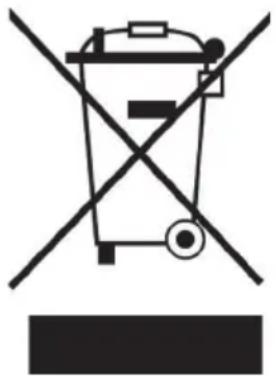
Symbol of a trash bin crossed with a diagonal line, no text or numbers presentAccording to the European waste regulation 2002/96/EC this symbol on the product or on its packaging indicates that this product may not be treated as household waste. Instead it should be taken to the appropriate collection point for the recycling of electrical and electronic equipment. By ensuring this product is disposed of correctly, you will help prevent potential negative consequences for the environment and human health, which could otherwise be caused by inappropriate waste handling of this product. For more detailed information about recycling of this product, please contact your local council or your household waste disposal service.
Declaration of Conformity
CE
Producer: Chal-Tec GmbH, Wallstraße 16, 10179 Berlin, Germany.
This product is conform to the following European Directives:
2004/108/EC (EMC)
2011/65/EU (RoHS)
2006/95/EC (LVD)
Estimado cliente:
natural_image
Close-up of a hand pressing down on a piece of banknotes (no visible text or symbols)1
natural_image
Hand pressing down on a rolled banknote (no visible text or symbols)2
natural_image
Close-up of a hand inserting a banknote into a machine (no visible text or symbols)3
Ajustar la ranura de entrada
natural_image
Black and white photo of a vehicle with a circular dot, arrow, and patterned bars (no visible text or symbols)4
natural_image
Close-up of a white vehicle's front panel with visible buttons and a black square on the side (no text or symbols)5
Función ADD (suma)
natural_image
Symbol of a trash bin crossed with a diagonal line, no text or labels presentnatural_image
Close-up of a hand pressing down on a piece of banknotes (no visible text or symbols)1
natural_image
Close-up of a hand pressing down on a rolled banknote (no visible text or symbols)2
natural_image
Close-up of a hand inserting a banknote into a machine (no visible text or symbols)3
natural_image
Black and white photo of a vehicle with a circular object and an arrow pointing right (no visible text or symbols)4
natural_image
Close-up of a white vehicle's front panel with visible buttons and a black square on the side (no text or symbols)5
natural_image
Symbol of a trash bin crossed with a diagonal line, no text or numbers presenttext_image
1 2 3 4 5 7 6 Bal CounterRetro
natural_image
Close-up of a hand pressing down on a piece of banknotes (no visible text or symbols)1
natural_image
Hand pressing down on a rolled banknote (no visible text or symbols)2
natural_image
Close-up of a hand inserting a banknote into a machine (no visible text or symbols)3
Regolare la fessura
natural_image
Abstract black-and-white graphic with arrow and geometric shapes (no text or symbols)4
natural_image
Close-up of a white vehicle's front panel with visible buttons and a black square on the side (no text or symbols)5