36045011 - Smart Home Niko - Free user manual and instructions
Find the device manual for free 36045011 Niko in PDF.



| Product type | Lighting management controller for DIN rail mounting (4U) |
| Dimensions (W x H) | 70 mm x 55 mm |
| Power supply | 24 V DC +/- 10% via Power Pack 360-47000 (SELV) |
| Self-consumption | 6 VA active, 2 VA standby |
| Control outputs | 3 channels 1-10 V (50 mA max per channel) |
| Number of channels | 1 to 3 channels (zones) selectable |
| Preprogrammed applications | 5 applications (10.01 to 14.01): automatic DIM, timed, manual, etc. |
| Compatible detectors | Light sensor 350-10011, motion detectors 350-20010/350-20011 (max. 8 in parallel) |
| Compatible manual controls | Push button 170-00000, switch 170-01100, quadruple push button 170-40100, timer 420-00200 |
| Energy saving function | Adjustable loadshedding switch from 0 to 10 V |
| DIM memory | Option with or without light level memory in manual mode |
| Ambient temperature range | +5 to +50 °C |
| Storage temperature | -20 to +60 °C |
| Protection rating | IP20 |
| Compliance | CE according to EN 60669-2-1 |
| Wiring | ± 0.5 mm min. diameter UTP cat. 5E |
| Warranty | 2 years from date of delivery |
Frequently Asked Questions - 36045011 Niko
User questions about 36045011 Niko
0 question about this device. Answer the ones you know or ask your own.
Ask a new question about this device
Download the instructions for your Smart Home in PDF format for free! Find your manual 36045011 - Niko and take your electronic device back in hand. On this page are published all the documents necessary for the use of your device. 36045011 by Niko.
USER MANUAL 36045011 Niko
6. BRANCHEMENT D'ACCESSIONS
- bouton-poussoir quadruple (170-40100):
B2. Terre
B3. Auto
B4. I/O
B5. DIM haut
24
360-45011
390-40011
niko
B6. DIM bas
B7 LED auto
B8. LED I/O
-bouton-poussoir "porte" 170-00000:
B2 Terre
B9
-bouton-poussoir "tableau" 170-00000:
B2 . terre
B10
Temporisateur 420-00200 + 1XX-78200:
B2. Terre
B11
Support Belgique: Support France:
+3237601482 +33820206625
site web: http://www.niko.be site web: http://www.niko.fr
e-mail: support@niko.be e-mail: ventes@niko.fr
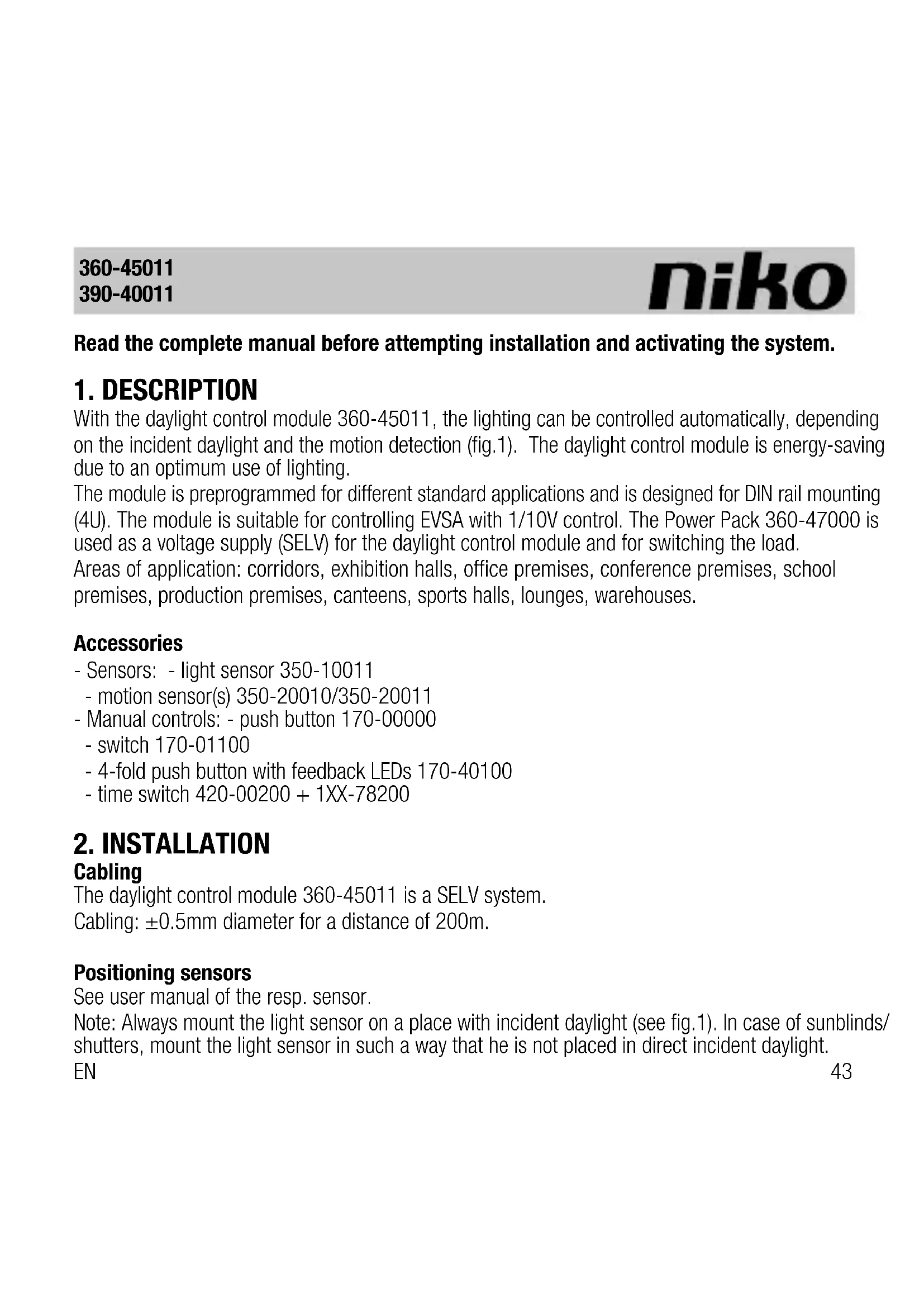
Read the complete manual before attempting installation and activating the system.
1.DESCRIPTION
With the daylight control module 360-45011, the lighting can be controlled automatically, depending on the incident daylight and the motion detection (fig.1). The daylight control module is energy-saving due to an optimum use of lighting.
The module is preprogrammed for different standard applications and is designed for DIN rail mounting (4U). The module is suitable for controlling EVSA with 1/10V control. The Power Pack 360-47000 is used as a voltage supply (SELV) for the daylight control module and for switching the load.
Areas of application: corridors, exhibition halls, office premises, conference premises, school premises, production premises, canteens, sports halls, lounges, warehouses.
Accessories
- Sensors: - light sensor 350-10011
- motion sensor(s) 350-20010/350-20011
- Manual controls: - push button 170-00000
-switch170-01100 - 4-fold push button with feedback LEDs 170-40100
-time switch 420-00200 + 1XX-78200
2. INSTALLATION
Cabling
The daylight control module 360-45011 is a SELV system.
Cabling: ± 0.5mm diameter for a distance of 200m .
Positioning sensors
See user manual of the resp. sensor.
Note: Always mount the light sensor on a place with incident daylight (see fig.1). In case of sunblinds/ shutters, mount the light sensor in such a way that he is not placed in direct incident daylight.
EN
Wiring diagram (fig.2)
-
Connect the light sensor (350-10011) and motion sensor (350-20010/350-20011) to terminal range A. You can connect several motion sensors (max. 8) in parallel. You can only connect one light sensor per system.
-
Connect the manual controls to terminal range B.
- 1-10V outputs (terminal range D)
- Connect the RJ12-inputs of the Power Pack and the daylight control module via 390-40011.
Startup
The light sensor (350-10011) has to be placed and connected correctly before switching on the power supply. Proceed as follows:
- Switch on the power supply.
- Accept the displayed sensor value.
- The module is powering up.
- The module is ready for use.
If the daylight control module has been powered up before the light sensor was connected correctly, you can repeat the initiation (see 4.2. ADJUSTMENT -> Adjust settings).
3. OPERATION AND USE
3.1 Light sensor (350-10011) (fig.2)
The lighting is switched on if the sensor measured insufficient daylight.
3.2 Motion sensor (350-20010/350-20011) (fig.2)
The motion sensor(s), max. 8 in parallel, enable the lighting to be switched on in case motion is detected.
3.3 Manual control (fig.2)
Push button 170-00000
Depending on the application (see 3.4), you can connect a manual push button to switch the lighting on and off.
Time switch 420-00200 + 1XX-78200
Depending on the application (see 3.4), you can connect a time switch in order to switch the lighting on and off.
Single-pole switch 170-01100
You can connect an energy-saving switch (loadshedding --> see '4.2 ADJUSTMENT') to the daylight control module in order to limit the maximum lighting.
4-fold push button with feedback LEDs 170-40100
For every application (see 4.4), you can connect a 4-fold push button with feedback LEDs. Only 2 of the 4 push buttons with feedback are used, because the module can only switch the lighting:
- Auto (with feedback): The system goes to automatic mode, the lighting is daylight controlled according to the settings of the application.
- I/O (with feedback): 'on-off'. The system is set to manual mode. You can switch the lighting on or off by pressing the push button. If the lighting is switched on, it is NOT daylight controlled, but is switched on in all areas (Unless the DIM memory function is activated, see 5.1 'general set').
- The other 2 push buttons are used for simultaneously dimming up and down the lighting in all zones (1-10V control). These two push buttons have no feedback. When dimming, the system is always set to manual mode.
3.4 Applications
The daylight control module is provided with a number of preprogrammed applications you can select as a standard (fig.3). For selecting an application, see 'Quickguide', A.
Application 10.01 (fabric setting):
Automatic DIM via motion sensor (fig.4a)
If the motion sensor detects activity and there is a need for daylight, the 3-channel daylight module is switched on. As long as the motion sensor detects activity, the light is controlled in 3 channels in accordance with the set parameters. As daylight incidence increases/decreases, the light dims down/up in the premises in order to reach the required, min. light level. If the motion sensors do not detect movement, or if a sufficient light level has been reached in the room, the light switches
EN
off automatically after a preset time. Option for manual on/off and dimming via I/O (170-40100). For use in e.g. corridors
Application 11.01:
DIM via time switch 420-00200 + 1XX-78200 (fig.4b)
The 3-channel daylight control module DIM is switched on and off via an external time switch. The light is controlled in 3 channels in accordance with the set parameters. As the daylight incidence increases/decreases, the light dims down/up in the premises in order to reach the required, min. light level. If the level of daylight is sufficient, the light is switched off automatically after the set time. For use in e.g. exhibition premises.
Application 12.01:
Manual on/off, automatic off via motion sensor (fig.4c)
The 3-channel daylight control module is switched on and off via a push button (170-00000). For as long as the motion sensor detects activity, the light is controlled in 3 channels in accordance with the set parameters. As the daylight incidence increases/decreases, the light dims down/ up in the premises in order to reach the required, min. light level. If the motion sensors do not detect activity, or if a sufficient light level has been reached in the room, the light switches off automatically after a preset time.
For use in e.g. office/conference premises.
Application 13.01:
2-channel daylight control module, 1 channel on/off, automatic off via motion sensor (fig.4d)
General lighting:
The 2-channel daylight control module is switched on and off via a push button (170-00000) (door). For as long as the motion sensor detects activity, the light is controlled in 2 channels in accordance with the set parameters. As the daylight incidence increases/decreases, the light dims down/up in the premises in order to reach the required, min. light level. If the motion sensors do
360-45011
390-40011
niko
not detect activity, or if a sufficient light level has been reached in the room, the light switches off automatically after a preset time. Option for manual on/off and dimming via I/O (170-40100). For use e.g. school premises.
Blackboard lighting:
The 1-channel on/off control module is switched on and off via a push button (170-00000) (blackboard). The light is switched on for as long as the motion sensor detects activity. The light switches off automatically after a preset time, if the motion sensors do not detect activity. If the general lighting is switched off via 170-00000 (door), the blackboard light is also switched off.
Application 14.01
Manual on/off via button, automatic off via external time switch 420-00200 + 1XX-78200 (fig.4e)
The 3-channel daylight control module is switched on and off via a button. The light is controlled in 3 channels in accordance with the set parameters. As the daylight incidence increases/decreases, the light dims down/up in the premises in order to reach the required, min. light level. The light is switched off automatically if a sufficient light level has been reached, or via an external time switch. For use in e.g. production premises.
4. SETTINGS
You can easily program and set the different parameters on the daylight control module by means of the 4 control keys (see 'Quickguide').
4.1. General set (see 'Quickguide', A and D)
In this menu, you can:
Select the type of application (10.01, 11.01, 12.01, 13.01, 14.01)
Select the number of active channels (1, 2 of 3 zones/ruimtes)
Select the mode:
- Custom: In this mode, you can modify the settings and parameters of the daylight control module.
- Backup: In this mode, you can view the saved settings and parameters of the daylight control
EN
module.
- Factory: In this mode, the daylight control module operates according to the fabric settings. You can only view these settings, you can not modify them.
Select operating mode with or without DIM memory:
- With DIM memory: If the system switches from automatic to manual mode, the light level in all active channels is identical to the light level at the moment the manual mode has been exited.
- Without DIM memory: If the system switches from automatic to manual mode, the light level is max. in all active channels.
4.2. Adjustment (see 'Quickguide', B, C and D)
In this menu, you can:
Set the daylight factor:
The daylight factor is the relation between the actual daylight level (lx ind) in a zone and the daylight level measured by the light sensor. The parameters for the daylight factor should be measured at a moment of the day when there is sufficient daylight and there is NO influence of artificial light. Parameters:
- Range (bereik): standard 30-30klx
- Lx ind X: Insert the daylight level you measure by a lux meter in the different zones (1, 2, 3). Preferably measure the daylight level at table height.
- Sensor: Insert the daylight level the sensor (placed by the window) measures. The displayed sensor value is a snapshot of the actual sensor value at the moment you opened this sub menu.
Adjust CH X:
In these 3 sub menus, you can set the parameters per channel (CH).
- Setp X: Setpoint. This is the min. light level that is actually required in a zone zone (1, 2, 3). If there is sufficient daylight, the lighting is switched on and is dimmed to the desired light level (setp).
-
Vout min X: adjustable between 0 - 4V; standard 0V
-
Vout max X: adjustable between 6 - 10V; standard 10V
- Fade up X: adjustable between 5 - 60s; standard 10s
- Fade down X: adjustable between 5 - 60s; standard 10s
- Off delay: only adjustable below CH1, but functions identically for all active channels (max. 3 channels).
After the last detected movement, the system counts down the 'off delay'. If the set time elapses before a new movement is detected, the light level is dimmed to Vout in all active channels. In case of motion detection before the 'off delay' has elapsed, the light level is automatically adjusted in all active channels (zones).
Adjustable between 1 - 60min; standard 10min.
- Cut off X: The 'cut off' is typical for channel X.
If the 'off delay' has elapsed and the active channels are dimmed to Vout min., the 'cut off delay' starts counting down. If no movement is detected and the 'cut off delay' elapses, the load (lighting) for this channel is switched off.
Adjustable between: 0min - unlimited. Standard 8min.
- Loadshedding X: If a 'loadshedding' switch is integrated in a system (see fig.), Vout max. X cannot rise above the set value if the switch is switched on.
Adjustable between: 0 - 10V; standard 5V.
Application: close the 'loadshedding' switch in order to save energy at specific moments, so the lighting is only switched on at a lower level of daylight.
Adjust Settings:
- Copy settings:
1) Custom to Backup: the settings in custom mode are copied to backup mode
2) Backup to Custom: the settings in backup mode are copied to custom mode, so making changes is possible.
3) Factory to Custom: the factory settings are loaded in custom mode.
4) Factory to Backup: the factory settings are loaded in backup mode. You are recommended to always make a backup of the settings. After you have done this, preferably EN 49
work in backup mode (see '4.1. GENERAL SET').
- Initiate sensor:
If the system is started without the light sensor is connected or if you have the impression that the light sensor measures wrong values, you can best initiate the sensor once again.
4.3.Status (see 'Quickguide', D)
In this menu, you can view the status of a number of system parameters.
Ch1.........channel 1
Ch2.......channel 2
Ch3.......channel 3
Vout X: current output voltage for channel X (1-10V control)
Df1 .........daylight factor 1; relation between Lx ind1 and sensor
Df2 .........daylight factor 2; relation between Lx ind2 and sensor
Df3 .........daylight factor 3; relation between Lx ind3 and sensor
4.4. Terminal data (see 'Quickguide', D)
In this menu, you can view the status of a number of system components.
5. TECHNICAL DATA
RJ12-1:
Pin1 supply
Pin2 supply
Pin3 I/O . open connection
Pin4 Ch1 .NPN 24V / 25mA; short circuit proof
Pin5 Ch2 NPN 24V / 25mA; short circuit proof
Pin6 Ch3 .NPN 24V / 25mA; short circuit proof
RJ12 -2:
For updating software. Not obligatory.
360-45011
390-40011

Power consumption:
Active 6VA
Standby 2VA
Ambient temperature +5 to +50^
Storage temperature -20 to +60^
Protection rating IP20
Dimensions .70mm(W) x 55mm(H)
CE as per EN60669-2-1
6. CONNECTION OF ACCESSORIES
HF control gear:
CH1-cont.:
D1. 1-10V (Cl. II), I sink max. 50mA
D2... COM1
CH2-cont.:
D3. 1-10V (Cl. II), I sink max. 50mA
D4. COM2
CH3-cont.:
D5. 1-10V (Cl. II), I sink max. 50mA
D6. COM3
- 4-fold push button (170-40100):
B2. earthing
B3 ....auto
B4. I/O
B5. dim up
EN
360-45011
390-40011
niko
B6. dim down
B7 LED auto
B8 LED I/O
-
push button 'door' (170-00000):
B2 .earthing
B9 -
push button 'blackboard' (170-00000):
B2 earthing
B10
Time switch 420-00200 + 1XX-78200:
B2. earthing
B11
-
energy saving switch::
A12 earthing
B12 -
motion sensor, NPN (350-20010/350-20011):
A11 + 24V DC +/- 10%, max 100mA
A12
A9 -
light sensor (350-10011):
A11 +24V DC +/- 10%, max 100mA
A12
A10
52
7. LEGAL WARNINGS
-
The installation has to be carried out by a qualified person and in compliance with the statutory regulations.
-
This user manual has to be handed over to the user. It has to be included in the electrical installation file and has to be passed on to any new owners. Additional copies are available on the Niko website or via the support service.
-
During installation, the following has to be taken into account (not limited to list below):
-
The statutory laws, standards and regulations;
-
The state of the art technique at the moment of installation;
-
This user manual, which must be read within the scope of each specific installation, only states general regulations;
-
The rules of proper workmanship
-
In case of questions, you can consult Niko's support service or contact a registered control organisation.
Support Belgium: Support UK:
+32 3 778 90 80 +44 1525877707
website : http://www.niko.be http://www.nikouk.com
e-mail: support@niko.be sales@nikouk.com
In case of a defect, you can return your product to a registered Niko wholesaler, together with a clear description of your complaint (Conditions of use, stated defect...).
8. GUARANTEE PROVISIONS
- Period of guarantee: 2 years from date of delivery. The delivery date is the invoice date of purchase of the product by the consumer. If there is no invoice, the date of production applies.
- The consumer is obliged to inform Niko in writing about the defect, within two months after stating the defect.
- In case of a failure to conform, the consumer has the right to a repair or replacement (decided by Niko) free of charge.
- Niko cannot be held liable for a defect or damage as a result of an incorrect installation, improper or careless use or wrong usage or transformation of the goods.
- The compulsory regulations of the national legislation concerning the sales of consumer goods and the protection of the consumers in the countries where Niko sells, directly or via sister or daughter companies, chain stores, distributors, agents or permanent sales representatives, take priority over the rules and regulations mentioned above.
Pred instalaciou a aktivovanim systému si prečitajte celý manuál.
1. POPIS
B7 LED auto
B8 LED I/O
- tlačidlo (dverné) (170-00000):
B2 uzemnenie
B9
- tlačidlo na osvetlenie tabule (170-00000):
B2 uzemnenie
B10
casovy spinač 420-00100 + 1XX-78200:
B2. uzemnenie
B11
- energeticky usporny spinač:
A12 uzemnenie
B12
-pohybov'snimač,NPN (350-20010/350-20011):
A11 +24VDC+10% max 100mA
A12
A9
-svetelny snimac (350-10011):
A11 +24VDC+/10% max 100mA
A12
A10
SK