BBK201 - Keyboard BEEWI - Free user manual and instructions
Find the device manual for free BBK201 BEEWI in PDF.
Frequently Asked Questions - BBK201 BEEWI
User questions about BBK201 BEEWI
0 question about this device. Answer the ones you know or ask your own.
Ask a new question about this device
Download the instructions for your Keyboard in PDF format for free! Find your manual BBK201 - BEEWI and take your electronic device back in hand. On this page are published all the documents necessary for the use of your device. BBK201 by BEEWI.
USER MANUAL BBK201 BEEWI
For additional languages, visit our website
www.bee-wi.com
User's guide
ENGLISH 4
FRANCAIS 16
DEUTSCH 28
ITALIANO 40
ESPAñOL 52
PORTUGUES 64
NEDERLANDS 76
Thank you for purchasing the Mini Bluetooth Keyboard from BEEWI. Please read the following instructions to learn how to configure and use more effectively your product
INTRODUCTION
The Mini keyboard BBK200 can be used for emails, chat, internet browsing or to enjoy your favourite games. It is compatible with desktop computers running Windows® or Linux® but also with handhelds running iPhone®, Windows Mobile® or Symbian® S60 Operating systems.
It also supports the Sony® Playstation®3. Use it with your HTPC on your sofa or browse the internet in the most comfortable manner.
1. PRODUCT DESCRIPTION
1.1. Packaging content
- Keyboard
- USB charging cable
- CDROM with UG and drivers
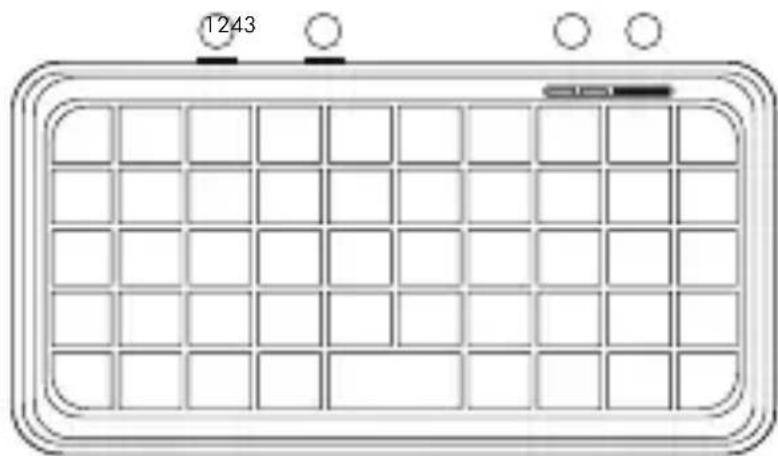
1.2. Product Outlook
- Charging connector
- On/Off switch
- Pairing button
- LED indicators
natural_image
Front view of a rectangular grid device with circular indicators and a small labeled component (no readable text or symbols)Note about AZERTY keyboard:
The position of the keys on french AZERTY keyboard may change according to the operating system you use, some keys habe double marking. As an example: on Mac OS®, iPad® and iPhone® the combination Shift+6 will display § and on Windows ®, Windows Mobile ®, Symbian ® the combination will display -.
1.3. Specifications
| Bluetooth Chip Broadcom 20 | 42 Chipset Bluetooth 2.0 |
| Operation distance 0 - 10 m | |
| Frequency band 2.4 - 2.483 | 5GHz ISM band |
| Bluetooth Profile HID | |
| Size 115 x 60 x 6 mm | |
| Net weight 40g | |
| Battery Li-ion 220 mAh Rechargeable Battery | |
| Typical use time XXX Hours | |
1.4. System Requirements
Apple iPhone® 3Gs with OS4.0 or above
Microsoft Windows Mobile® 5.0 or above
Nokia Symbian® S60 System
Sony Playstation 3®
Bluetooth Enabled PC running under Windows® XP, VISTA or 7 OS
Bluetooth Enabled Mac computers running under Mac OS® 10.2.8 or above
1.5. Charging the keyboard
Connect the mini Bluetooth keyboard to your computer's USB port using the USB cable.
When charging, the red LED will light on. When charging is complete, the red LED will turn off.
When battery is low, the blue LED will blink every second.
1.6. Pairing with a Bluetooth device
Switch the keyboard ON, using the ON/OFF button. The blue LED will light
on for 1 second. Click on the pairing button, on the right side of the blue LED. The blue LED will start blinking roughly every second. Now the Mini Bluetooth keyboard is under pairing state and it's waiting for connecting with your device.
2. DRIVER INSTALLATION & CONNECTION WITH DEVICES
Before using the keyboard, it will be necessary to install a dedicated driver in your Smartphone. The following sections are describing the installation, pairing and connection procedure for each system.
2.1. iPhone (OS 4.0) / iPad
You don't need any driver to connect BBK200 to iPhone. Follow the below instructions on iPhone and keyboard:
- Check that keyboard is in pairing mode.
- On iPhone, open Settings and select Bluetooth. Enable Bluetooth if disabled.
- in the Bluetooth devices list, search for « BeeWi BBK200 » and select to pair.
- Enter the pairing code displayed on screen on the keyboard and confirm with Enter.
- Pairing and connection are confirmed on iPhone. You can now use your BBK200
2.2. Microsoft Windows Mobile OS
2.2.1. Driver installation
Connect your mobile device to your computer via the USB port.
On your desktop:
- Insert Drivers CD and open the CD from "My computer".
- Locate "Mobile" folder and CAB file inside "windowsmobile.cab" (Bluetooth input driver).
- Open ActiveSync on your desktop and Click Explore
- Copy the CAB file to your mobile device. You can do this by dragging
and dropping the file from the desktop folder to My Documents folder on your device.
On your Windows Mobile device:
- Go to Start > Programs > File Explorer > My Documents
- Run the windowsmobile.cab file (tap on it)
The Mini Bluetooth keyboard Driver will now install on your device. At the end of the installation, the setup will require a reset.
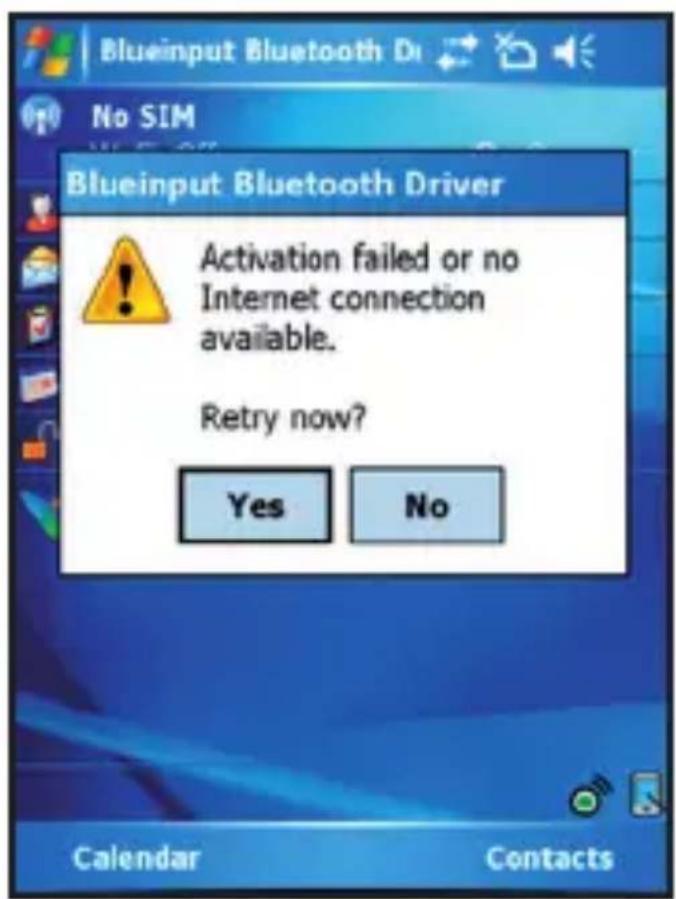
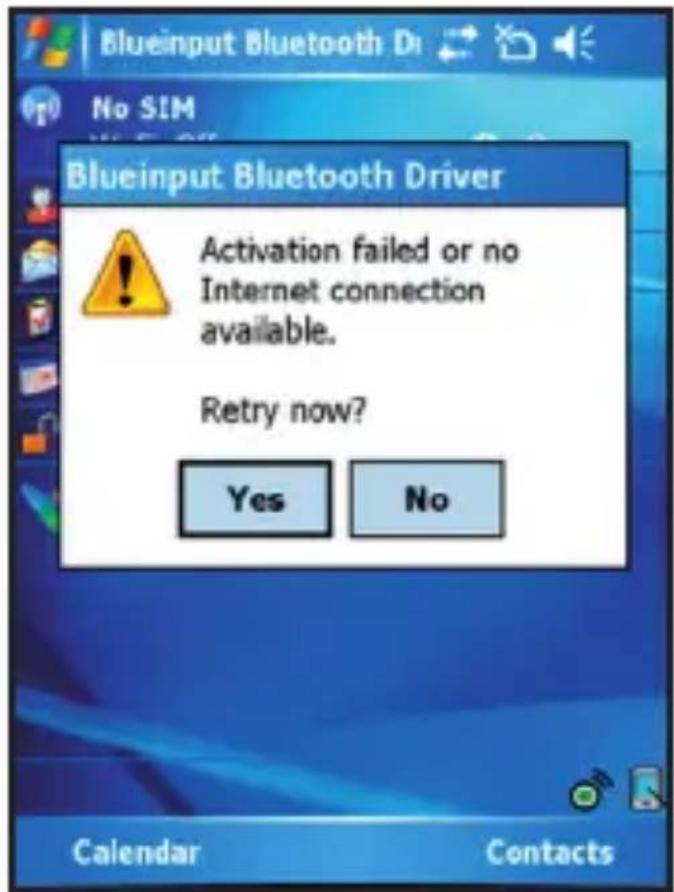
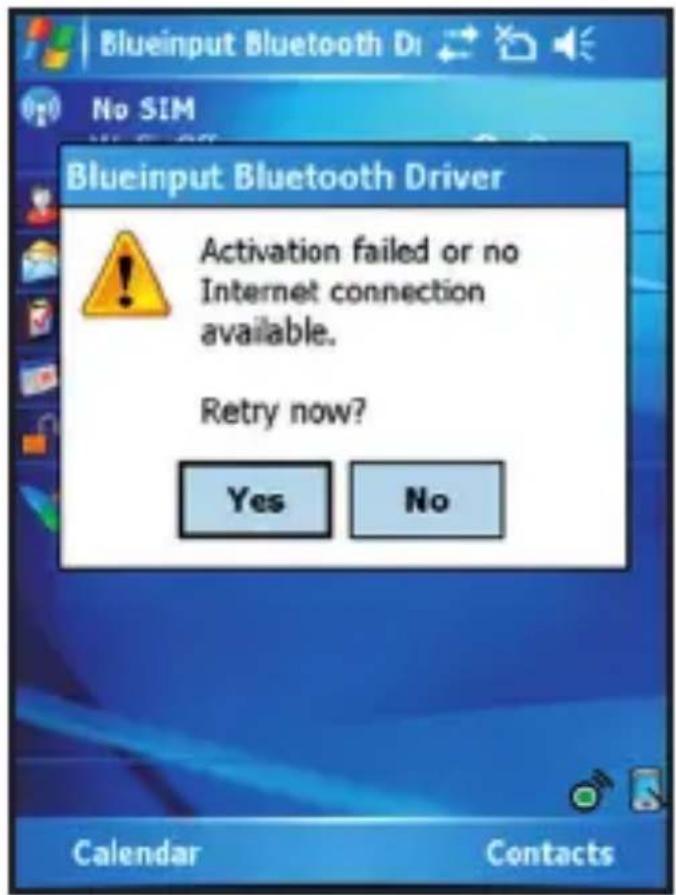
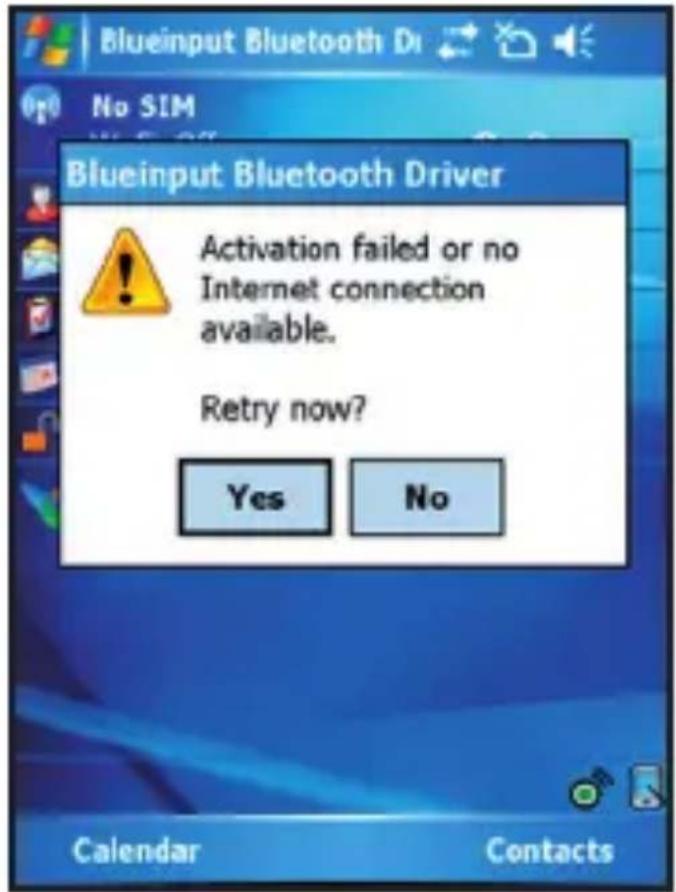
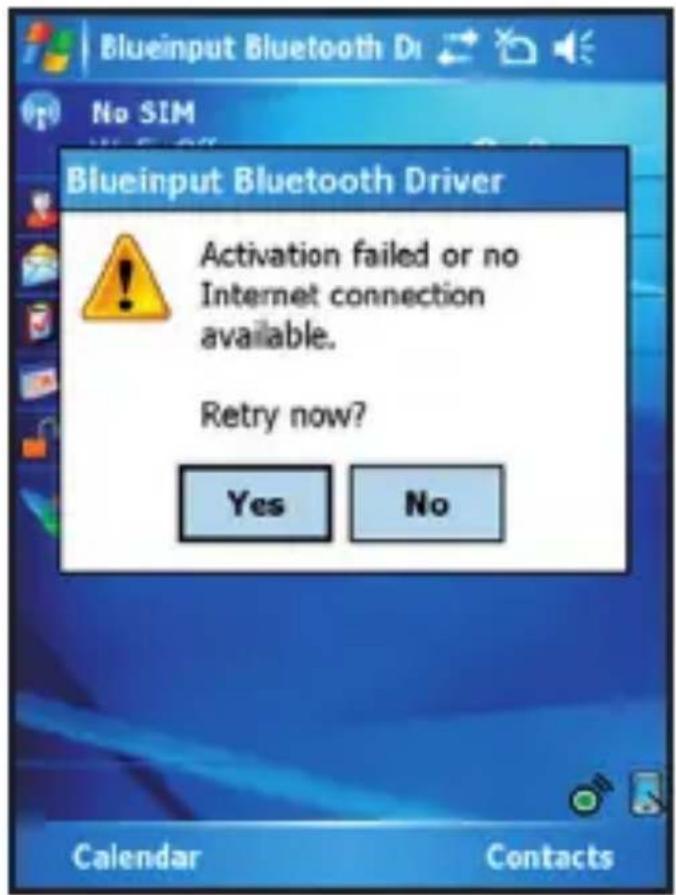
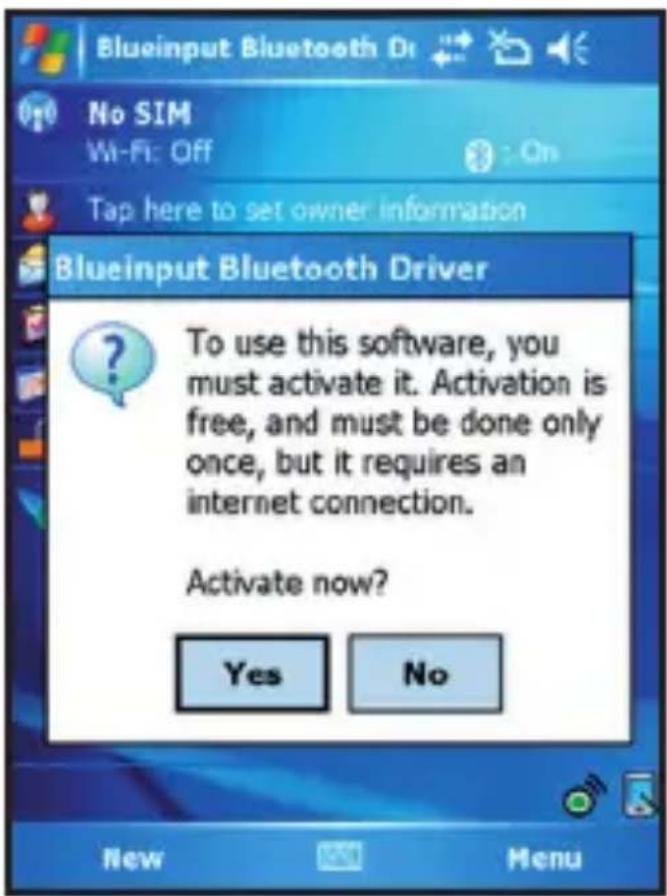
The first time you install the Bluetooth Keyboard Driver on your Windows Mobile device, you'll see a prompt to activate the software:
text_image
Blueinput Bluetooth Dr No SIM Wi-Fi: Off Tap here to set owner information Blueinput Bluetooth Driver To use this software, you must activate it. Activation is free, and must be done only once, but it requires an internet connection. Activate now? Yes No New Menu
text_image
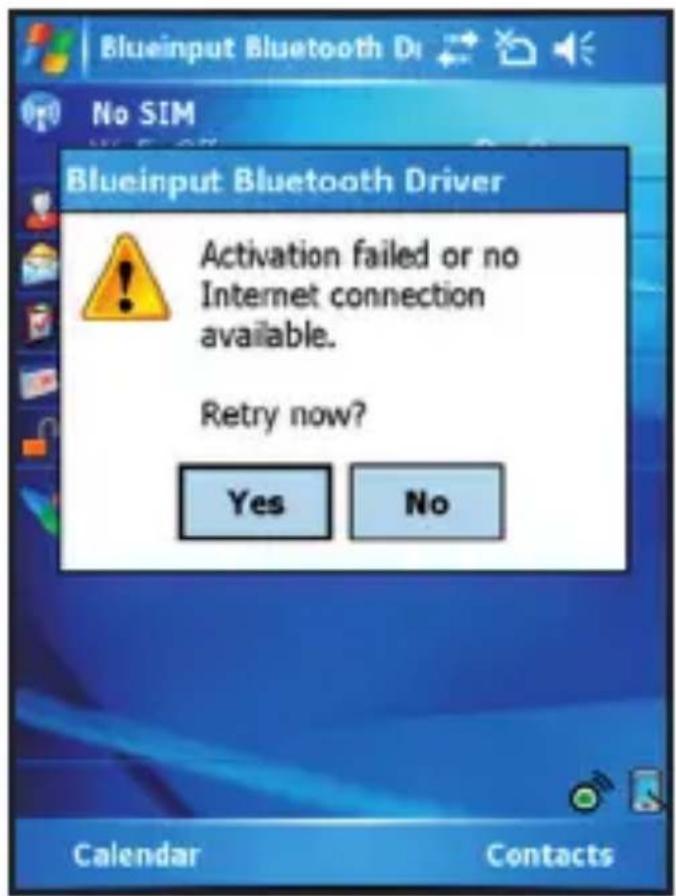
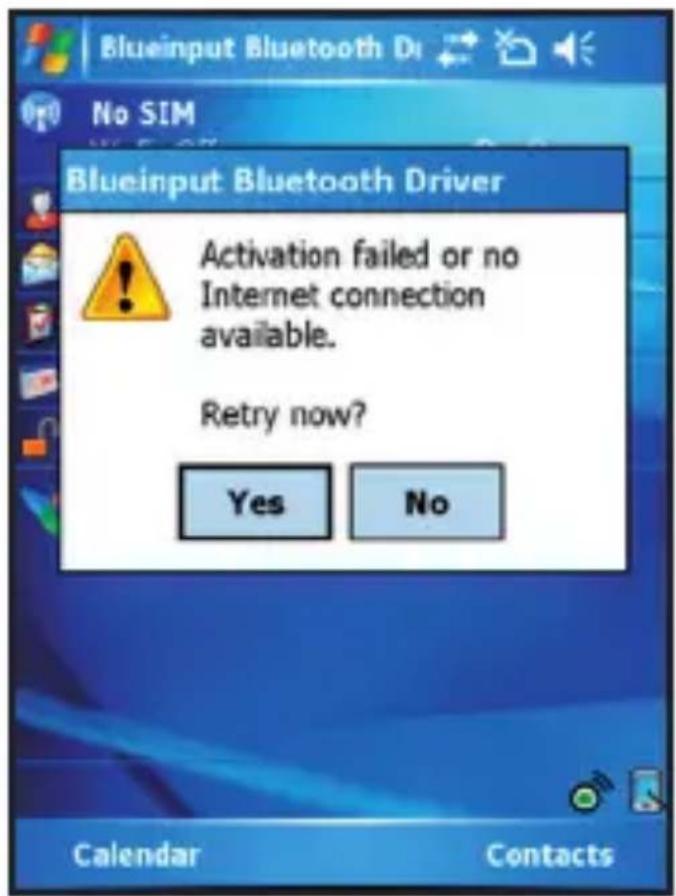
Blueinput Bluetooth Driver No SIM Activation failed or no Internet connection available. Retry now? Yes No Calendar ContactsMake sure your Windows mobile device is connected to the internet and press YES. You only need to do this once, after the installation.
2.2.2. Configuration
After the software is successfully installed on your device, you need to pair the Bluetooth mini Keyboard.
- Make sure your Bluetooth mini keyboard is in the pairing state (see
section 1.6.)
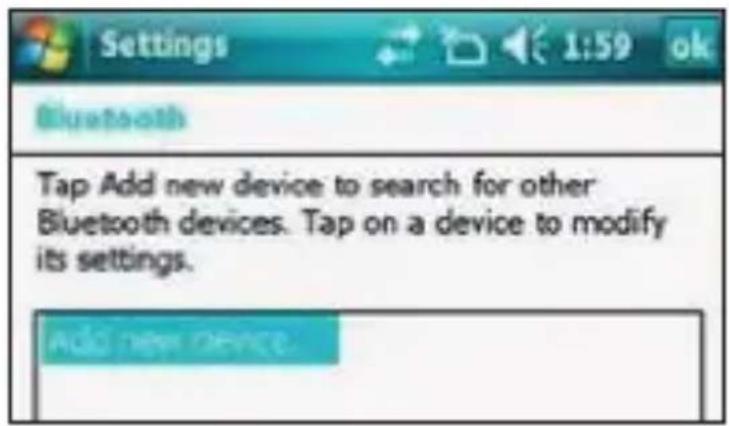
- On your device, open Bluetooth Devices, and click "Add new"
text_image
Settings 1:59 ok Bluetooth Tap Add new device to search for other Bluetooth devices. Tap on a device to modify its settings. Add new device.-
After the keyboard is discovered, select it, and then tap "Next"
-
When a passcode is requested, leave the field blank and tap "Next" (if this fails, enter "0000" as a passcode and press Next)
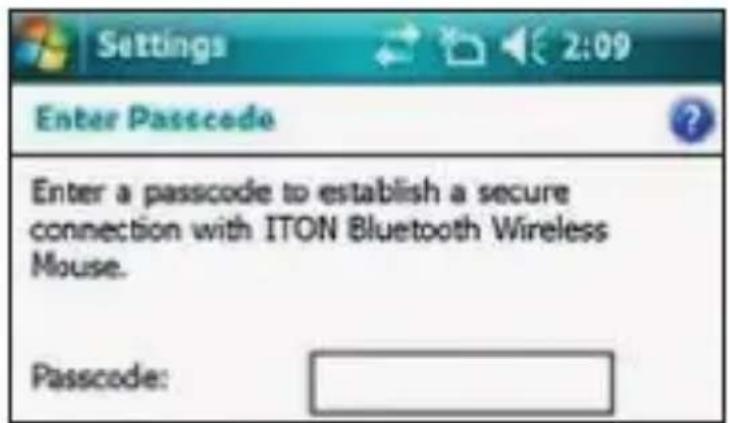
text_image
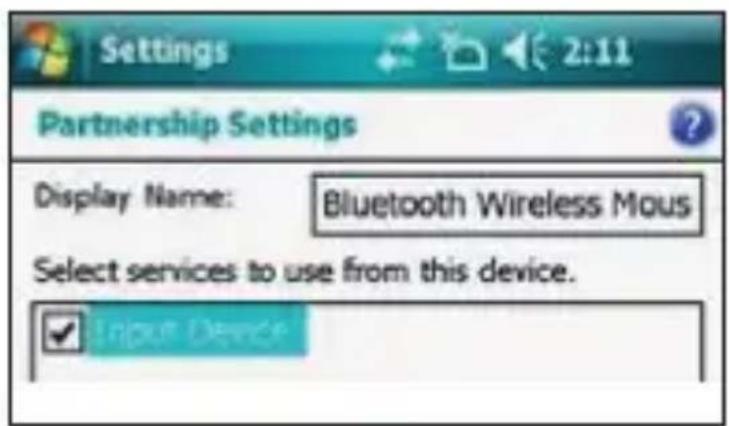
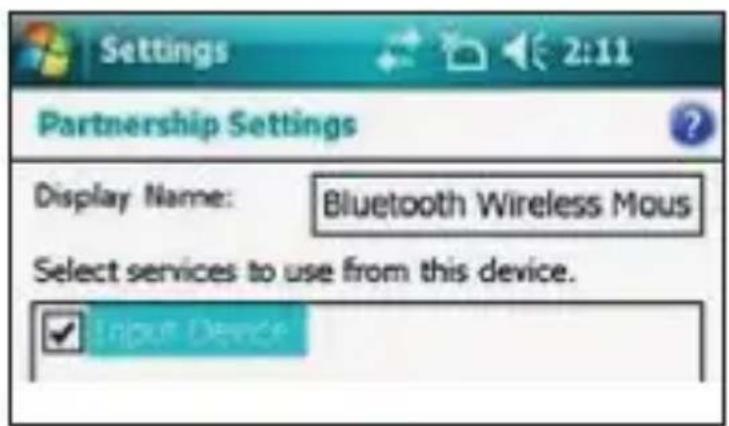
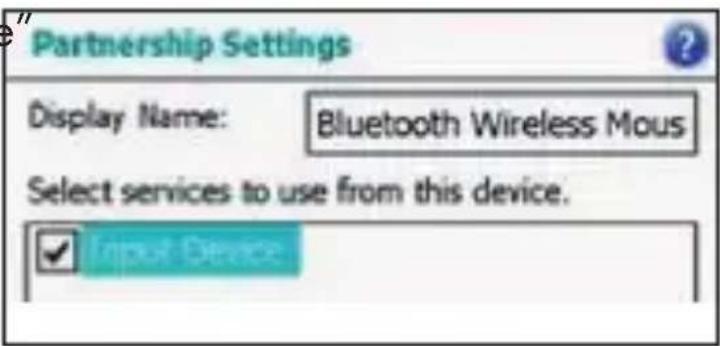
Settings Enter Passcode Enter a passcode to establish a secure connection with ITON Bluetooth Wireless Mouse. Passcode:- At this step select "Input device" service and tap "Finish".
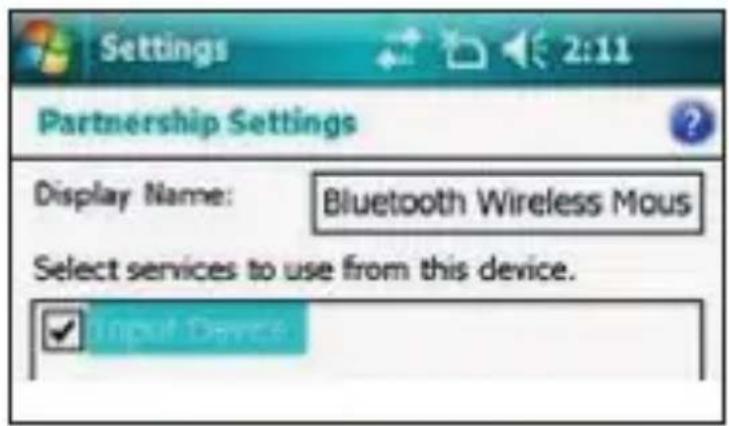
text_image
Settings 2:11 Partnership Settings Display Name: Bluetooth Wireless Mous Select services to use from this device. Input Devices- Go to the Software Settings panel, and tap "Connect" (see 2.1.4.).
2.2.3. Input Driver
To open the input driver, go in "system" in the Settings menu and click on "Bluetooth Input Driver".
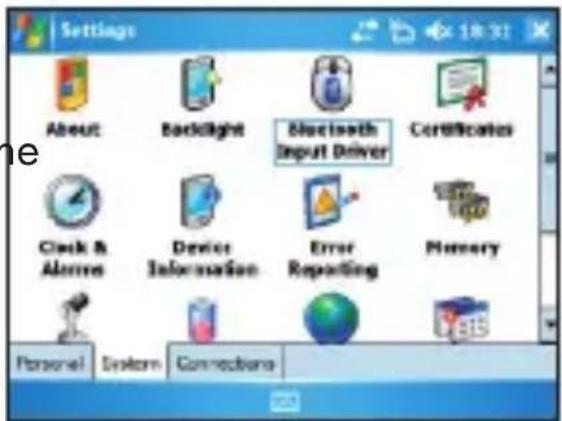
text_image
Settings About Backlight Bluetooth Input Driver Certificates Clock & Alerts Device Information Error Reporting Memory Personal System ConnectionsThe Bluetooth input driver will display several pages to access the configuration:
- Keyboard :
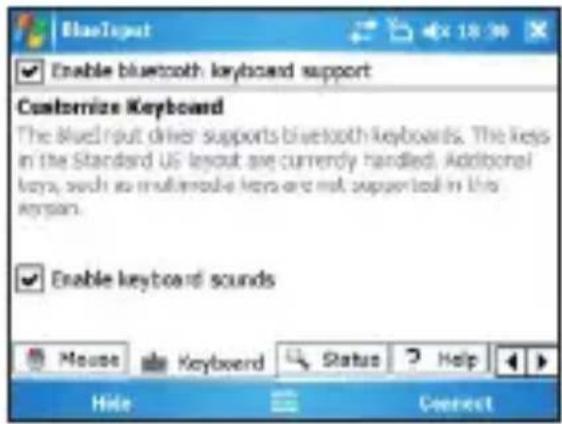
text_image
Enable bluetooth keyboard support Customize Keyboard The blue input other supports bluetooth keyboards. The keys in the Standard US layout are currently handled. Additional keys, such as multivariable keys are not supported in this keyspan. Enable keyboard sounds Mouse Keyboard Status Help Hide ConnectOn this page you can enable and disable the keyboard and its sound functions.
- Status :
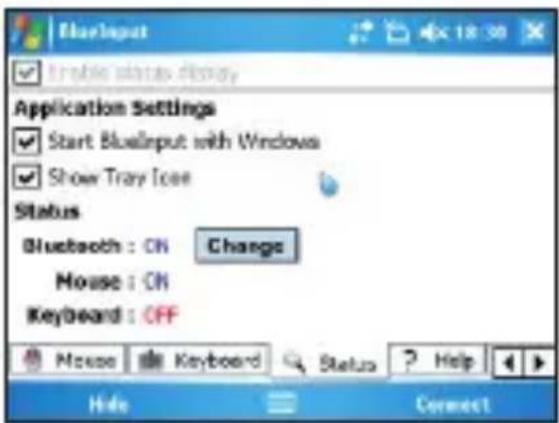
text_image
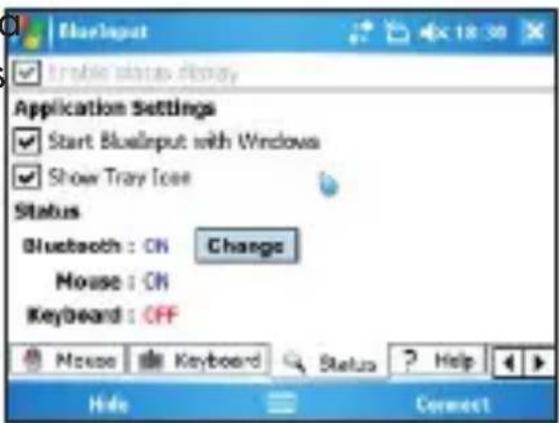
BlueInput Start blue input display Application Settings Start BlueInput with Windows Show Tray Icon Status Bluetooth : ON Change Mouse : ON Keyboard : OFF Mouse Keyboard Status Help Hide ConnectOn this page you can verify the status, set the auto start of the driver on Windows Mobile and show/hide the tray icon.
- About :
This page will display all legal information about the software.
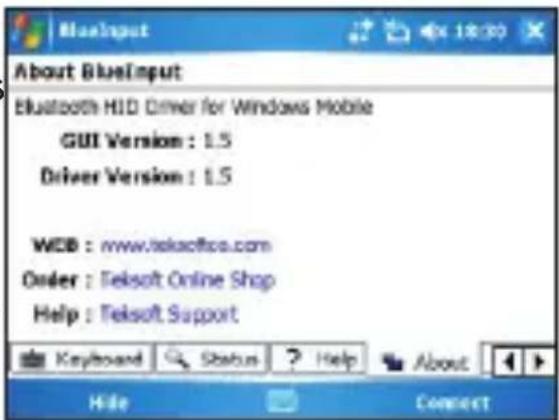
text_image
About BlueInput Bluetooth HID Driver for Windows Mobile GUI Version : 1.5 Driver Version : 1.5 WCB : www.teksoftco.com Order : Teksoft Online Shop Help : Teksoft Support Keyboard Status Help About Hide Connect2.2.4. Troubleshooting
Here are a few solutions for error messages that might appear in the software:
- "The software is not responding. You need to reinstall this software." This error is caused by a problem with the communication between the software components. You need to check if your Windows Mobile Device is compatible with the software, and to try to reinstall the software.
- "Bluetooth is turned off. To use the software, please enable your Bluetooth module!"
Make sure you are using the software on a smart phone with Windows Mobile (5.0 or newer) and the Microsoft Bluetooth Stack. Then enable Bluetooth before using the Software.
- "No active Input Device found. You need to pair a device, using the Bluetooth control panel."
Make sure your Mini Bluetooth keyboard is correctly paired to your smart phone. If this error appears while your keyboard is paired, redo the pairing.
This page displays the software version and other useful information.
2.3. Nokia Symbian OS
On your desktop:
- Insert Drivers CD and open the CD from "My computer"
- Open "Nokia Wireless Keyboard Application" folder and choose your device model or operating system version, then copy the .sis file to the memory card or directly to the device using a USB cable.
On your Symbian device:
-
Find the .sis file (on mobile device or memory card) and press "OK" button, follow the hints to finish the installation
-
Run the installed application and search the nearby Bluetooth Keyboard.
-
After paired and connected, you will have to set the keyboard layout. If layout is not set correctly, the keyboard might not function as expected.
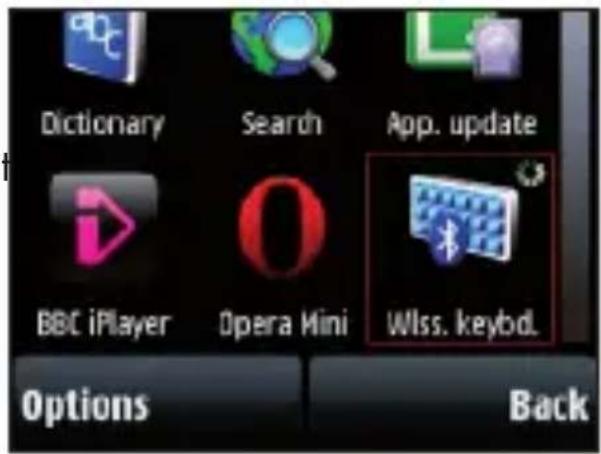
text_image
Dictionary Search App. update BBC iPlayer Opera Mini Wlss. keybd. Options Back2.4. Desktop Windows OS with IVT Bluetooth stack Configuration
-
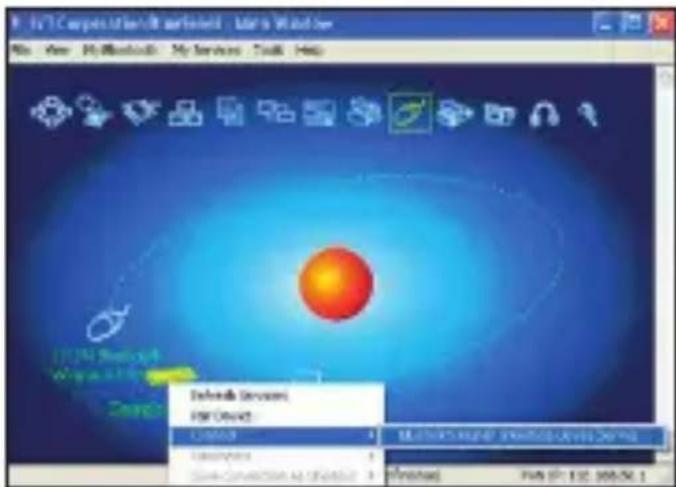
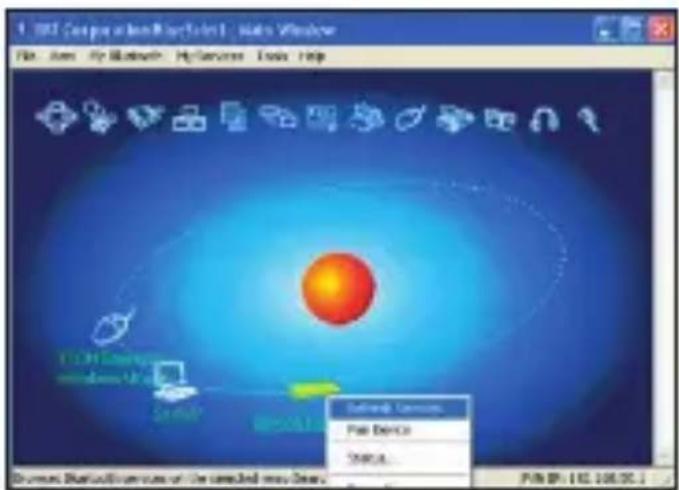
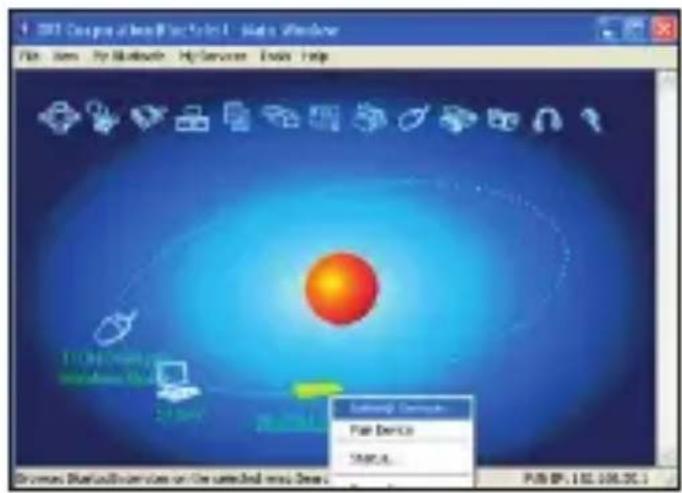
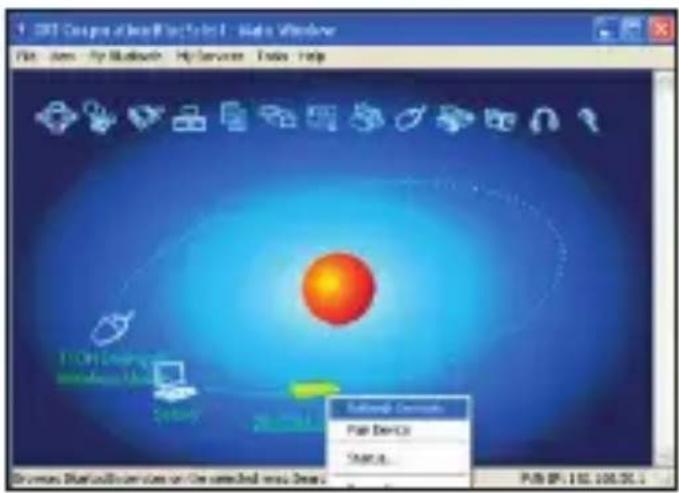
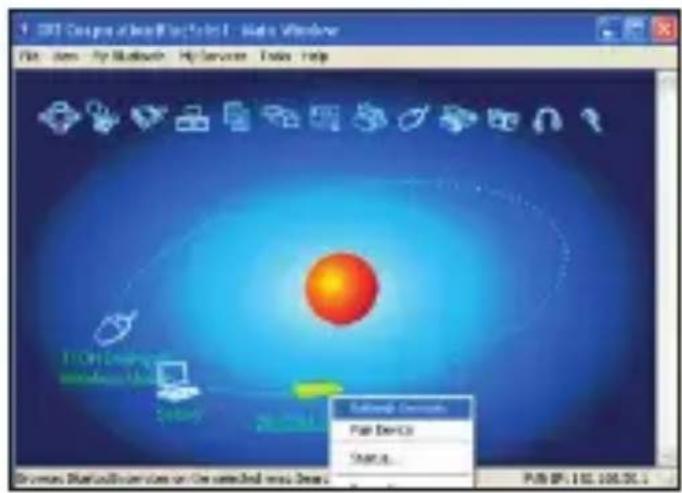
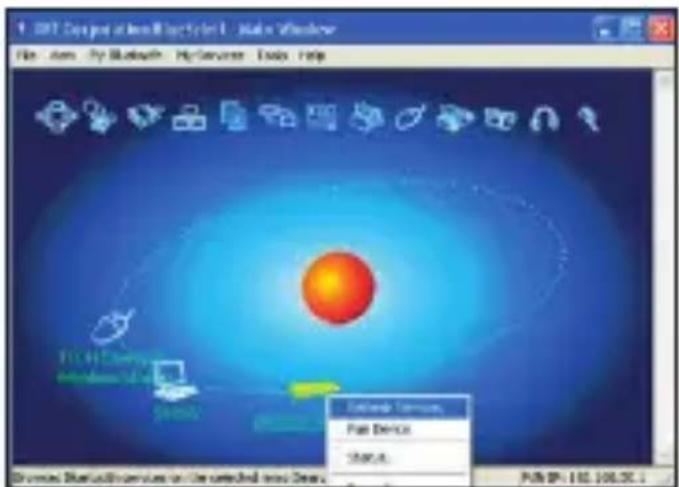
Make sure that the Bluetooth function is active on your PC. Double click the Bluetooth Icon, open the Management window, select "Bluetooth Device discovery" or click the Round Ball in the middle of the window.
-
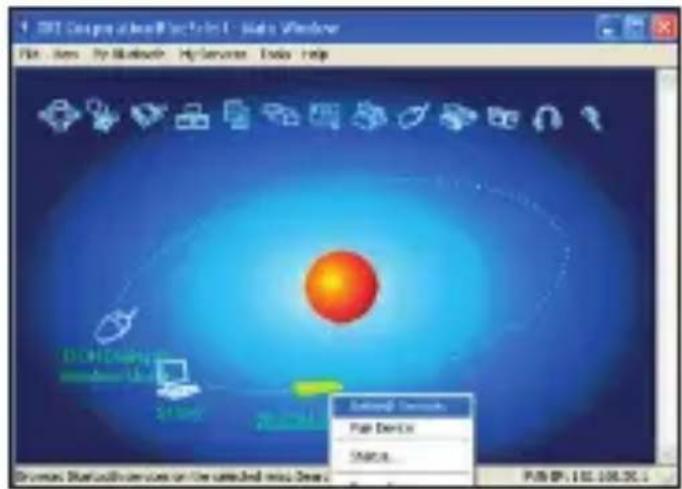
Right click on the Bluetooth Keyboard found and select "Refresh Services".
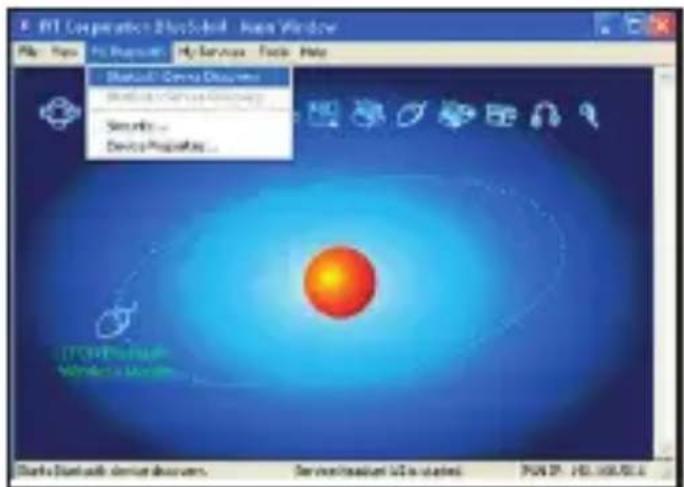
text_image
PRT Corporation PhysSolutions - Java Window File Edit View Help Tools Help Manual Service Documents Software Services (Windows) Scripts... Device Properties... Starts Bluetooth server documents. Service/Internet U2 is installed. PRT 197-198-001.6- Right click on the Bluetooth Keyboard again and select "Connect-Bluetooth Input Service".
text_image
Startbox Fast Device 500.0 PUB IP: 112.108.36
text_image
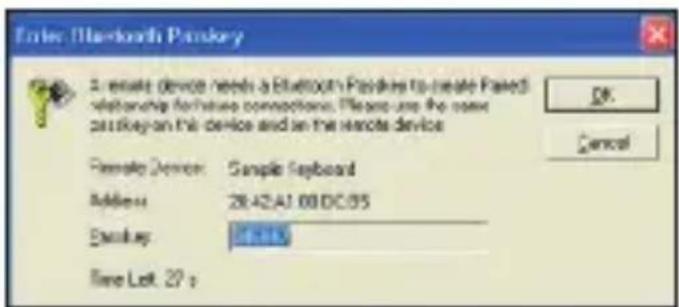
10.1.1 Corporation/Get Us Sold File Edit View My Documents My Services Tools Help Defense Services Use Devices Create Save As Finish FAN 17: 132, 105/54.1- Input the same pass code on both PC and Bluetooth Keyboard and press OK.
The system will auto install the HID drivers for the Bluetooth Keyboard.
text_image
Enter Bluetooth Portkey 2 remote device needs a Bluetooth Portkey to create Paired relationship features connections. Please use the own passkey on this device and on the remote device Female Device: Sample Keyboard Address: 2842A1.00DC/05 Binary: 0-13 Time Left: 27 p OK Cancel2.5. Desktop Windows OS with Broadcom Bluetooth stack Configuration
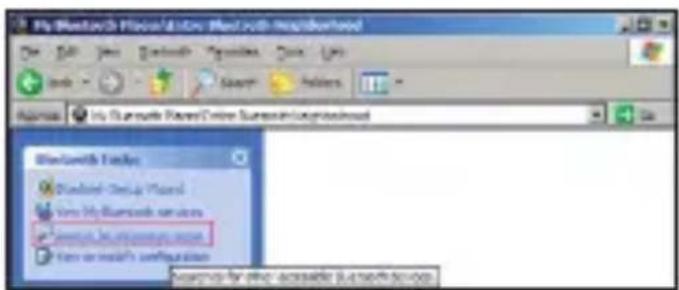
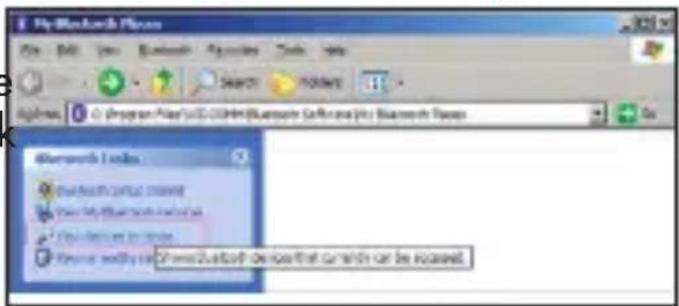
- Make sure that the Bluetooth function is active on your PC. Double click the Bluetooth icon, then click "View devices in range"
text_image
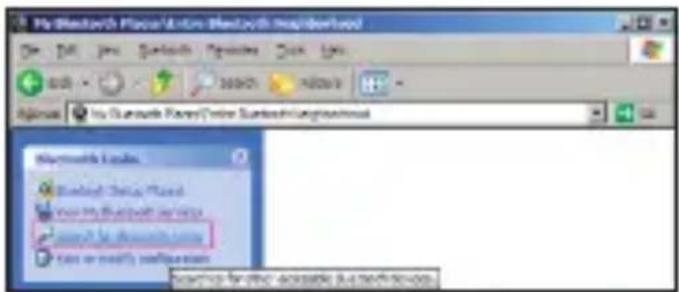
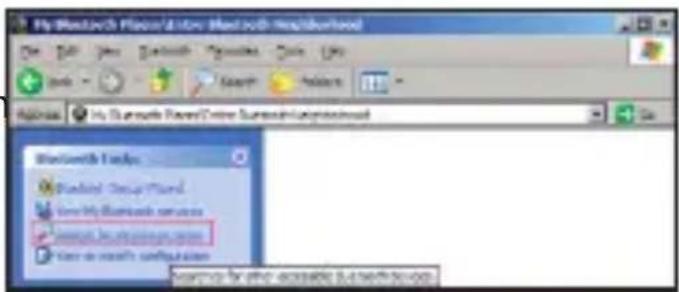
My Bluetooth Player File Edit Tools Bluetooth Updates Tools Help SUPPORT 700MB Address: (Program Files\UCB\CHM\Bluetooth Software\My Bluetooth Player) Bluetooth 1 series Bluetooth format selected New Play Bluetooth series New Play mode set Primary modify new Chronic Bluetooth device that can still be installed.- Click "Search devices in range" and wait until the Mini Bluetooth keyboard is discovered.
text_image
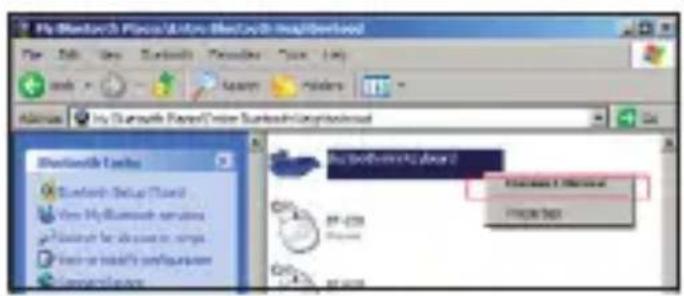
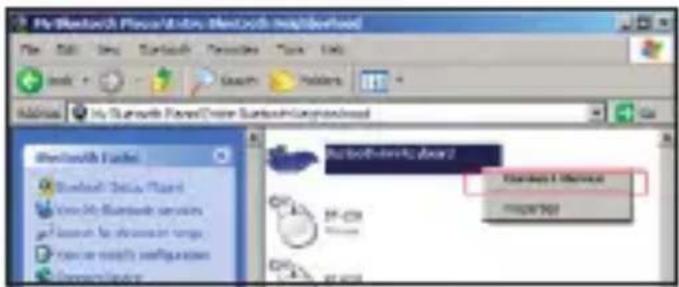
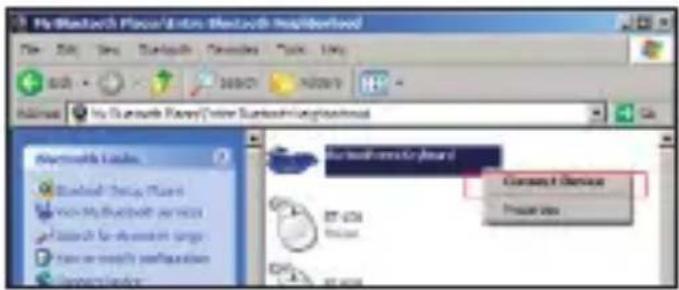
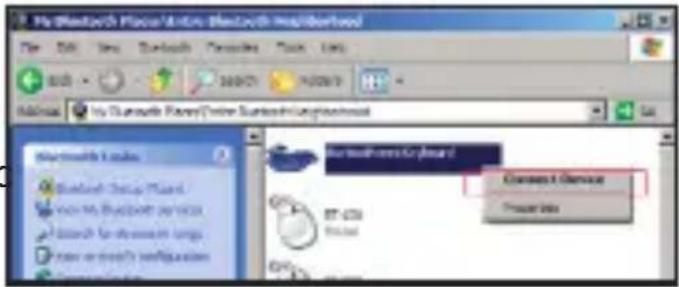
My Bluetooth Player/Author Bluetooth Incorporated File Edit Tools Bluetooth Graphics View Tools <|vision_start|> Zimbabwe 200017 14:28:19 <|vision_start|> Zimbabwe Files Online Bluetooth Configuration Microsoft Linux Bluetooth Display Wizard New My Bluetooth Service Search for Bluetooth Text or mostly configuration REPORTS for PDF ACCESSIBLE DATA/ACCESSIVE SOFTWARE- Right clicking the detected keyboard brings a popup menu. Click "Connect device".
text_image
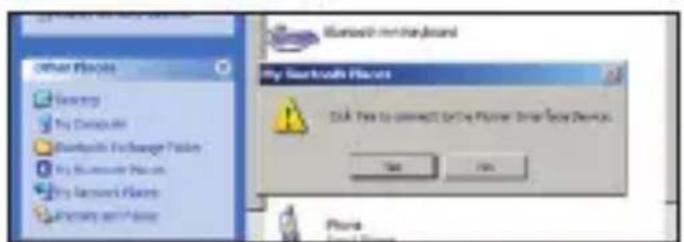
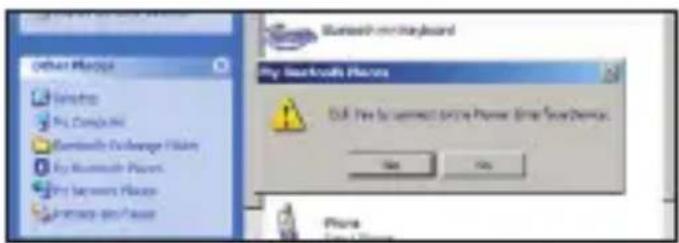
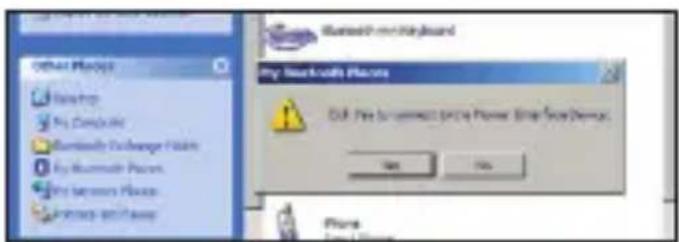
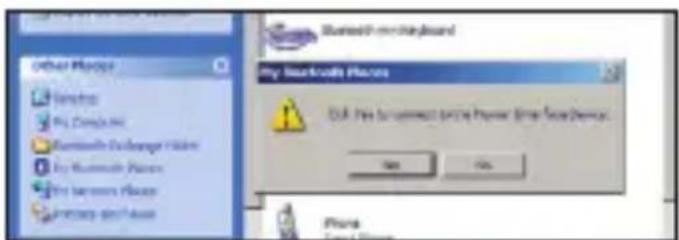
My Bluetooth Finance & Info Bluetooth Information File Edit View Breakthrough Documents Tools Help <|vision_start|> Hindawi My Bluetooth Privacy/Video Bluetooth Information Microsoft Access Microsoft Access Closest Expense Preview free- Press YES to connect to the "Human interface Device"
text_image
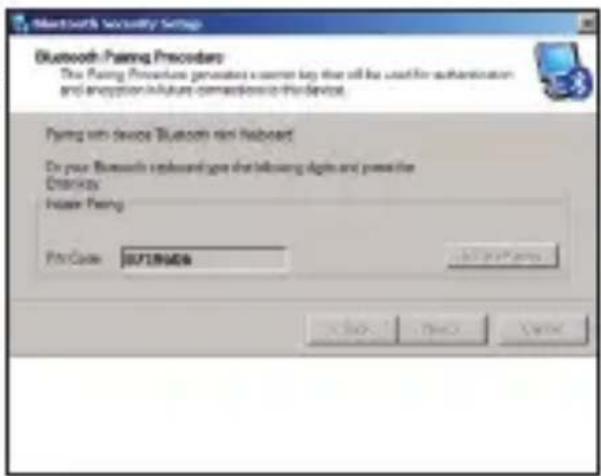
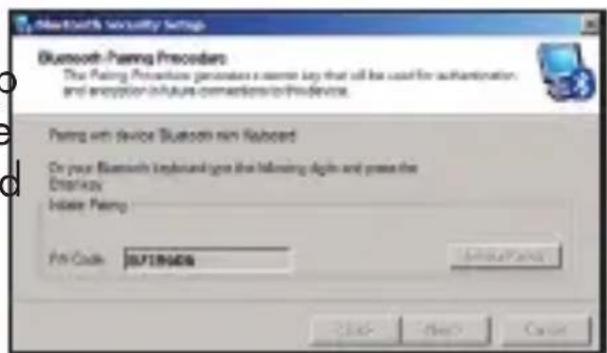
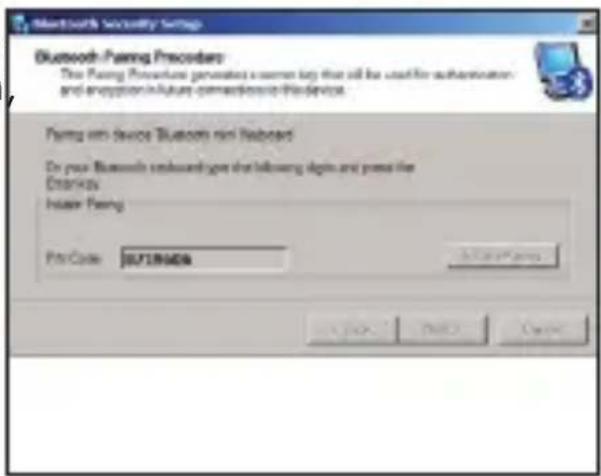
Bluetooth on keyboard My Bluetooth iPhone OK: No to connect any iPhone (Enter Phone/Server) Yes No Phone Cancel- Using the Mini Bluetooth keyboard, type the number displayed on the screen then press enter:
text_image
Bluetooth Paying Procedure The Paying Procedure generates a server key that will be used for authentication and encryption in future connections to this device. Paying on device Bluetooth on Webboard Do your Bluetooth onboard gets that following digits and press the Windows Insier Paying PcsCode: 057186464 OK Cancel ApplyNow the keyboard is connected, you can start using it with your applications.
2.6. Mac OS X Configuration
Open the Bluetooth Manager
Select Configure a Bluetooth Device
Select the type of device (in this case "keyboard")
The Bluetooth manager will find the keyboard. Select it and click on "Next"
Type the pass code provided by the Bluetooth Manager on your mini keyboard
The Bluetooth Manager will confirm a successful pairing.
2.7. Linux OS Configuration
There are several Linux distributions available. This guide was designed for Ubuntu linux, but can be easily adapted for other versions. Your desktop computer must be equipped with a Bluetooth module (built in, or US Dongle).
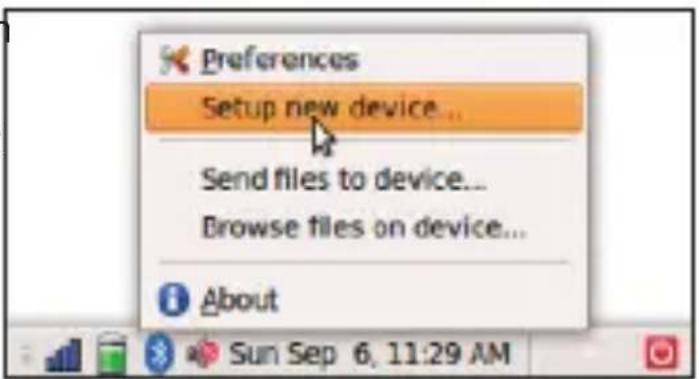
- Make sure that the Bluetooth function is active on your PC. Click the Bluetooth icon and select "Setup new device"
text_image
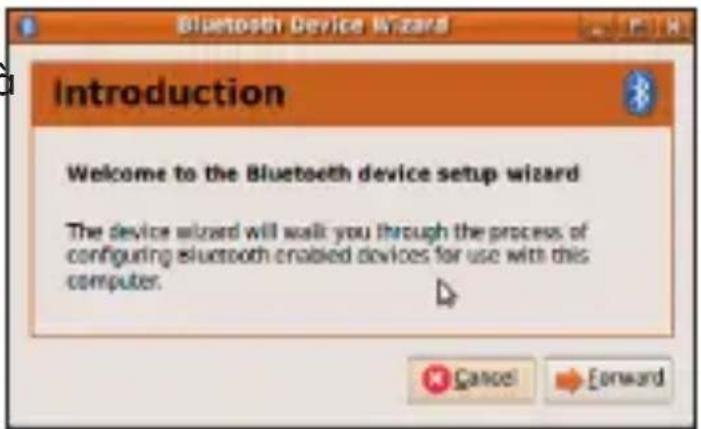
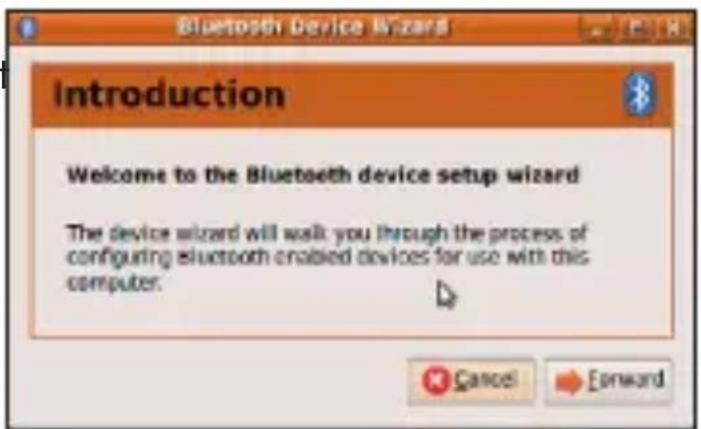
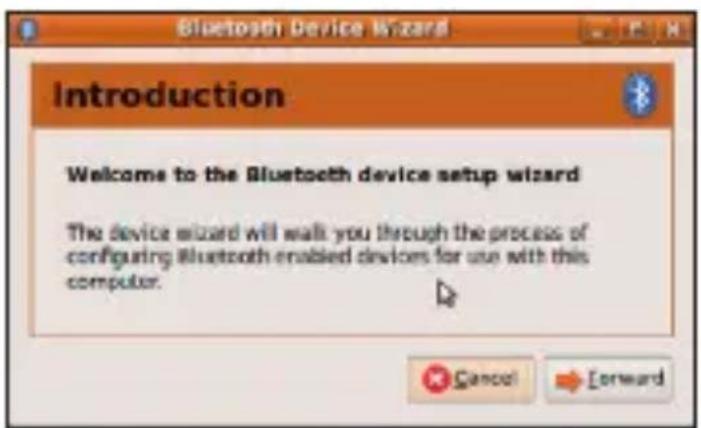
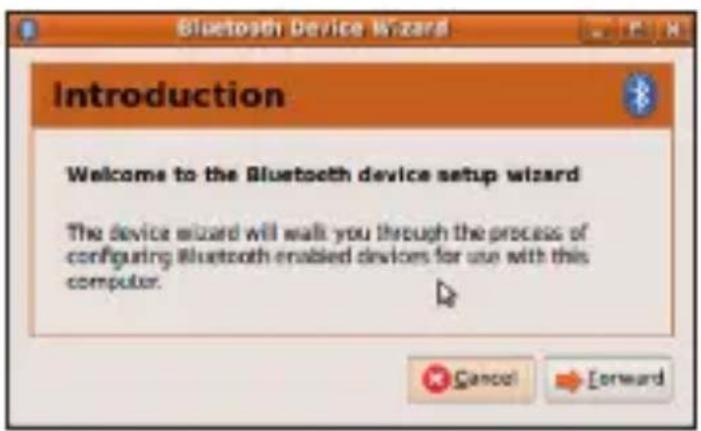
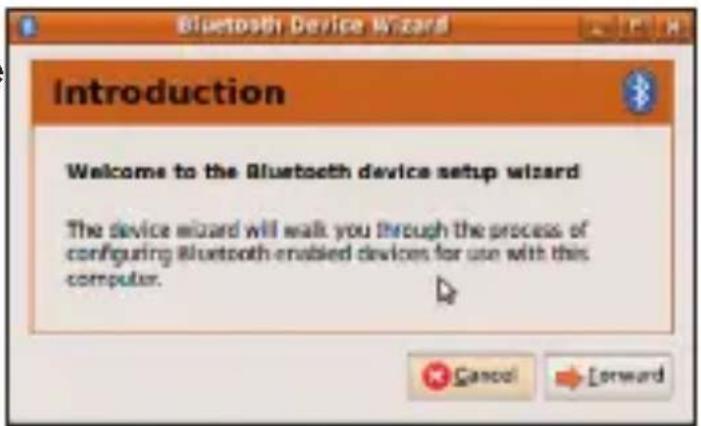
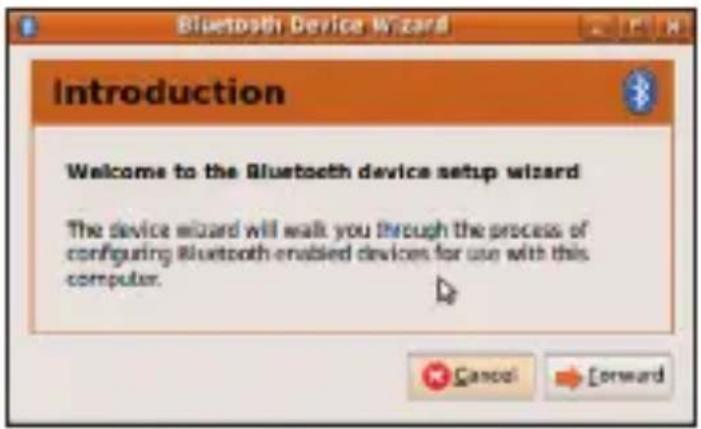
Preferences Setup new device... Send files to device... Browse files on device... About- A wizard window opens, read the text and press "Forward"
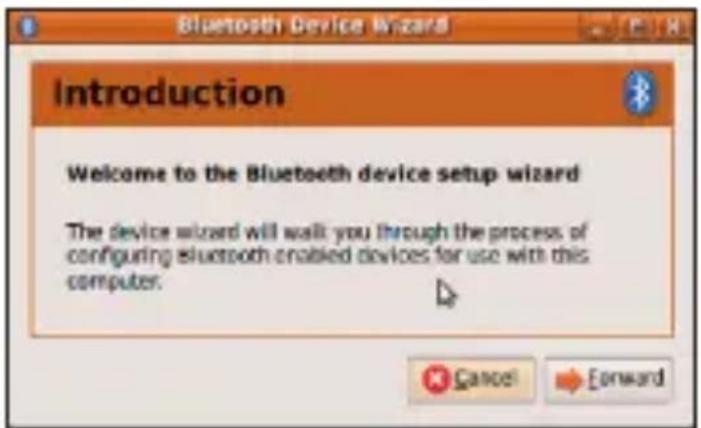
text_image
Introduction Welcome to the Bluetooth device setup wizard The device wizard will walk you through the process of configuring bluetooth enabled devices for use with this computer.- Wait until the keyboard is discovered, then select it and press "Forward"
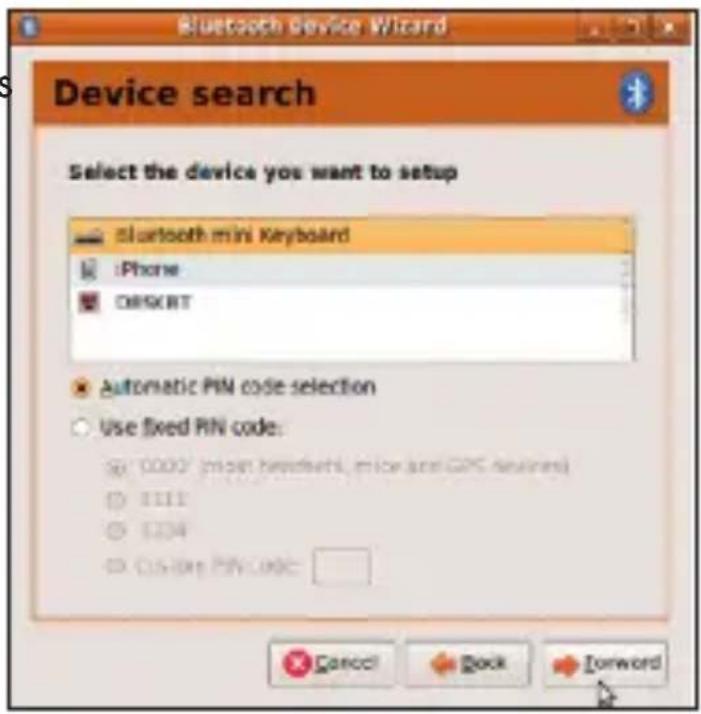
text_image
Bluetooth device Wizard Device search Select the device you want to setup bluetooth mini Keyboard iPhone ORIENT Automatic PIN code selection Use fixed PIN code: 0002 (prior hardware, mice are GPS devices) 1111 1204 C:\Users\PIN\CODE Cancel Back Forward- Type the code display on the Mini Bluetooth keyboard, then press Enter
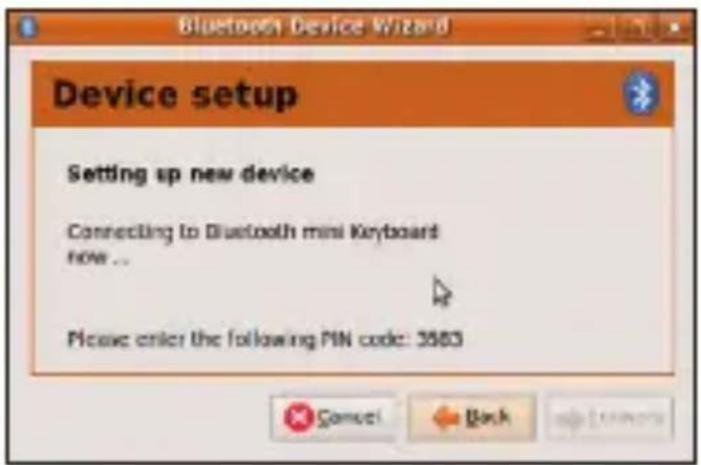
text_image
Bluetooth Device Wizard Device setup Setting up new device Connecting to Bluetooth mini Keyboard now ... Please order the following PIN code: 3583If the code was correctly entered, a confirmation message is displayed. Now you can start using your Bluetooth keyboard.
European Union Directives Conformance Statement

Hereby, VOXLAND declares that this product is in compliance with:
- The essential requirements and other relevant provisions of Directive 1999/5/EC
• All other relevant EU Directives
You can view your product's Declaration of Conformity (DoC) to Directive 1999/5/EC (to R&TTE Directive) at www.bee-wi.com.
Caring for the environment by recycling

Do not dispose of electrical devices or accessories with your household waste.
In some countries or regions, collection systems are set up to handle electrical and electronic waste items. Contact your regional authorities for more details.
Copyright and other legal information
BEEWI is a registered trademark. Other trademarks mentioned herewith are owned by their proprietors. All other product or service names are the property of their respective owners.
The use of wireless devices and their accessories may be prohibited or restricted in certain areas. Always obey the laws and regulations on the use of these products.
This product is covered by a 2-year product warranty which is valid from the date of purchase. Users are not permitted to make changes or modify the device in any way. Changes or modifications not expressly approved by the party responsible for compliance will void the user's warranty.
Please visit our website www.bee-wi.com for more information.
Technical support: support@bee-wi.com.
© VOXLAND, 2010.
natural_image
Pure electrical circuit lines without any symbolstext_image
Blueinput Bluetooth Dr No SIM Wi-Fi: Off Tap here to set owner information Blueinput Bluetooth Driver To use this software, you must activate it. Activation is free, and must be done only once, but it requires an internet connection. Activate now? Yes No New Menu
text_image
Blueinput Bluetooth Driver No SIM Activation failed or no Internet connection available. Retry now? Yes No Calendar Contactstext_image
Settings Bluetooth Tap Add new device to search for other Bluetooth devices. Tap on a device to modify its settings. Add new device...text_image
Settings 2:09 Enter Passcode Enter a passcode to establish a secure connection with ITON Bluetooth Wireless Mouse. Passcode:text_image
Settings 2:11 Partnership Settings Display Name: Bluetooth Wireless Mous Select services to use from this device. Input: 0.0000text_image
Settings About Backlight Bluetooth Input Driver Certificates Clock & Alarms Device Information Error Reporting Memory Personal System Connectionstext_image
Enable bluetooth keyboard support Customize Keyboard The blue input driver supports bluetooth keyboards. The keys in the Standard US layout are currently handled. Additional keys, such as multivariable keys are not supported in this keyspan. Enable keyboard sounds Mouse Keyboard Status Help Hide Correcttext_image
PT Corporation Desktop - System Window File Edit View Help Services Tools Help Manual Devices Options Automatic Security Services Security... Device Properties... STOBI-Depth Windows+ Windows Starts Bluetooth server drivers. Server/localhost: U2 installed P04 SP J42.168.70.1text_image
Enter Bluetooth Portfolio A remote device needs a Bluetooth Portfolio to create Paired relationship hardware connections. Please use the same passkey on this device and on the remote device Female Device: Sample Keyboard Address: 2842A1 00DC05 Binary: 0-15 Time Left: 27 stext_image
My Bluetooth Player File Edit View Bluetooth Packages Tools Help Search Tools Add/Remove Programs Files\UCDCOM\Bluetooth Software\My Bluetooth Process Bluetooth 1.x Bluetooth virtual video View the Bluetooth video View the image video Phone: www.2.4.0.03 devices that currently can be accessed.text_image
My Desktop/3 Procat & Info My Desktop-Healthcare File Edit View Refresh Tools Tools Help Search Favorites Address: In your Substrate Files\Current Substrate\systembook BlankContext Tools Standard Group Platform Use My Desktop Services User for database services User to access configuration Access for other accessible Substructure
text_image
My Bluetooth Plus/Actos Bluetooth Help/Forward File Edit View Bluetooth Preschool Tools Help Add Back 300/21 74/20/19 My Bluetooth Plus/Actos Bluetooth Help/Forward Connect Services Press Info
text_image
Bluetooth on Bluetooth My Bluetooth Phone OK: No or connect to the Phone, Enter Sound Device. Yes No Phonetext_image
Bluetooth Security Setup Bluetooth Pairing Procedure The Pairing Procedure generates a custom key that will be used for authentication and encryption in future connections to this device. Pairing with device Bluetooth mini hardboard Do your Bluetooth hardboard give that following digits and power the Dramkey Inaser Pairing Pin Code: 007189646 OK OK Canceltext_image
Preferences Setup new device... Send files to device... Browse files on device... About
text_image
Introduction Welcome to the Bluetooth device setup wizard The device wizard will walk you through the process of configuring bluetooth enabled devices for use with this computer.text_image
Bluetooth device Wizard Device search Select the device you want to setup bluetooth mini Keyboard iPhone ORIENT Automatic PIN code selection Use fixed PIN code: 0002 (prior hardware, mice are GPS devices) 1111 1204 C:\Users\PIN\CODE Cancel Back Forwardtext_image
Bluetooth Device Wizard Device setup Setting up new device Connecting to Bluetooth mini Keyboard now ... Please order the following PIN code: 3583Support technique: support@bee-wi.com.
© VOXLAND, 2010.
text_image
Blueinput Bluetooth Dr No SIM Wi-Fi: OFF Tap here to set owner information Blueinput Bluetooth Driver To use this software, you must activate it. Activation is free, and must be done only once, but it requires an internet connection. Activate now? Yes No New Menu
text_image
Blueinput Bluetooth Dr No SIM Blueinput Bluetooth Driver Activation failed or no Internet connection available. Retry now? Yes No Calendar Contactstext_image
Settings Bluetooth Tap Add new device to search for other Bluetooth devices. Tap on a device to modify its settings. Add new devices...text_image
Enter Passcode Enter a passcode to establish a secure connection with ITON Bluetooth Wireless Mouse. Passcode:text_image
Settings 2:11 Partnership Settings Display Name: Bluetooth Wireless Mous Select services to use from this device. ✓ Import Devicetext_image
Settings About Backlight Bluetooth Input Driver Certificates Clock & Alarms Device Information Error Reporting Memory Personal System Connectionstext_image
Enable bluetooth keyboard support Customize Keyboard The Bluetooth driver supports bluetooth keyboards. The keys in the Standard US layout are currently handled. Additional keys, such as multimode keys are not supported in this keyplan. Enable keyboard sounds Mouse Keyboard Status Help Hide Correcttext_image
PTE Corporation Desktop - Asia Window File Edit View Tools Help Default - Device Documents Design Service Documents Security... Device Properties... Start a Start with device drivers. Service/Headset U5 is started. PTE: 100.00.01.0
text_image
Startbox 7.0 Open Device Stroke File Edit View Help Window Help Startbox 7.0 Open Device Stroke File EP: 112.106.03text_image
Enter Bluetooth Provider A remote device needs a Bluetooth Provider to enable Provider relationship for future connections. Please use the name security on this device and on the remote device Remote Device: Google Keyboard Address: 26.42.AI 00.DC.95 Scankey: R12.13 Time Left: 27 s OK Canceltext_image
My Bluetooth Files File Edit Tools Bluetooth Apps Tools Help Copyright https://www.com/BluetoothSoftware/My Bluetooth Files Bluetooth Files Bluetooth Server Control My Bluetooth Services My Device to Web Other Bluetooth Devices that can which can be installedtext_image
My Bluetooth Files/Editor: Bluetooth-Requbded File Edit Tools Refresh Preferences Close Help Access 3600% PDFID Agilent My Bluetooth Files/Editor: Bluetooth-Requbded Shawments Loads: Standard-Device Player Security Bluetooth Service Switch for access to users Switch for access to configuration Holding for other accessible Linux/Services
text_image
My Studio's Playbox\Users\My Studio's Installations File Edit View Settings Preferences Tools Help Add to > Save Favorites Properties Add to Add to My Studio's Playbox\Users\My Studio's Installations Project Options My Studio's Playbox Project 2 Properties Properties Help
text_image
My Download Features OK Free to connect by the Player - Driver Store Devices. Yes No Phone Send to: My Download Features My Documents My Documents Exchange Pattern My Documents Please My Password Features Password and Passwordtext_image
Bluetooth Pairing Preorder The Pairing Procedure generates a custom key that will be used for authentication and encryption to include conversions in this device. Pairing on device Bluetooth pair keyboard On your Bluetooth keyboard give the following digit and press the Drawkey Initiate: Pairing File Code: 007199406 Print/Pause OK Cancel Applytext_image
Preferences Setup new device... Send files to device... Browse files on device... About
text_image
Introduction Welcome to the Bluetooth device setup wizard The device wizard will walk you through the process of configuring bluetooth enabled devices for use with this computer.text_image
Bluetooth device Wizard Device search Select the device you want to setup bluetooth mini Keyboard iPhone ORBCRT Automatic PIN code selection Use fixed PIN code: 0002 (prior hardware, mice are GPS devices) 1111 1204 C:\Users\PIN\CODE Cancel Back Forwardtext_image
Bluetooth Device Wizard Device setup Setting up new device Connecting to Bluetooth mini Keyboard now ... Please order the following PIN code: 3583natural_image
Front view of a rectangular grid device with three circular tops and one highlighted (no text or symbols)text_image
Blueinput Bluetooth Dr No SIM Wi-Fi: Off Tap here to set owner information Blueinput Bluetooth Driver To use this software, you must activate it. Activation is free, and must be done only once, but it requires an internet connection. Activate now? Yes No New Ctrl Menu
text_image
Blueinput Bluetooth Driver No SIM Activation failed or no Internet connection available. Retry now? Yes No Calendar Contactstext_image
Settings Bluetooth Tap Add new device to search for other Bluetooth devices. Tap on a device to modify its settings. Add new device.text_image
Settings 2:09 Enter Passcode Enter a passcode to establish a secure connection with ITON Bluetooth Wireless Mouse. Passcode:
text_image
Settings 2:11 Partnership Settings Display Name: Bluetooth Wireless Mous Select services to use from this device. Input Devicetext_image
Settings About Backlight Bluetooth Input Driver Certificates Clock & Alarms Device Information Error Reporting Memory Personal System Connectionstext_image
Enable bluetooth keyboard support Customize Keyboard The blue input driver supports bluetooth keyboards. The keys in the Standard US layout are currently handled. Additional keys, such as multivariable keys are not supported in this keyban. Enable keyboard sounds Mouse Keyboard Status Help Hide Correcttext_image
PT Corporation Flash Studio - New Window File Edit View Tools Help Details Document Description Document Security... Device Properties Starts Bluetooth server drivers. Send continuation US isolated: 108.27.143.0670.1
text_image
Start Menu File Device Start.s Dromos StartButton Services on Our selected menu Desk PUB XP: 132.106.00text_image
TV TC version of the Web Development - Load to Wind Web File Edit View Tools Help Extend Devices For Devices Add Personal Features Add Personal Features Add Personal Features All Us/Outs Imported 20% (12): 98856.1text_image
Enter Bluetooth Portkey A remote device needs a Bluetooth Portkey to create Fased relationship for future connections. Please use the name sensitivity on this device and on the remote device Remote Device: Sample Keyboard Address: 2642/AI 00/DC35 Send-up: N/A Time Left: 27 s OK Canceltext_image
My Bluetooth Files File Edit View Bluetooth Packages Tools Help Search Favorites My Documents Program Files\UC 0019\Bluetooth Software\My Bluetooth Files My Bluetooth Files Bluetooth virtual video New My Bluetooth video New Device to access New Security Web:My Bluetooth Devices that currently can be accessedtext_image
Other Messages Bluetooth or Wireless My Bluetooth Phone OK: File for connect to the Phone, Enter Sound/Berry. No Yes Phonetext_image
Bluetooth Security Setup Bluetooth Pairing Procedure The Pairing Procedure generates a custom key that will be used for authentication and encryption in future connections to this device. Pairing with device Bluetooth mini hardboard Do your Bluetooth hardboard give that following digits and power the Dramkey Inaser Pairing Pin Code: 007189646 OK OK Cancel2.7. Computer Mac OS X
text_image
Preferences Setup new device... Send files to device... Browse files on device... About
text_image
Introduction Welcome to the Bluetooth device setup wizard The device wizard will walk you through the process of configuring Bluetooth enabled devices for use with this computer.text_image
Bluetooth device Wizard Device search Select the device you want to setup bluetooth mini Keyboard iPhone ORBCRT Automatic PIN code selection Use fixed PIN code: 0002 (prior hardware, mice are GPS devices) 1111 1204 C:\Users\PIN\CODE Cancel Back Forwardtext_image
Bluetooth Device Wizard Device setup Setting up new device Connecting to Bluetooth mini Keyboard now ... Please order the following PIN code: 3583text_image
Blueinput Bluetooth Dr No SIM Wi-Fi: Off Tap here to set owner information Blueinput Bluetooth Driver To use this software, you must activate it. Activation is free, and must be done only once, but it requires an internet connection. Activate now? Yes No New Menu
text_image
Blueinput Bluetooth Driver No SIM Activation failed or no Internet connection available. Retry now? Yes No Calendar Contactstext_image
Settings Bluetooth Tap Add new device to search for other Bluetooth devices. Tap on a device to modify its settings. Add new device.text_image
Settings 2:09 Enter Passcode Enter a passcode to establish a secure connection with ITON Bluetooth Wireless Mouse. Passcode:
text_image
Settings 2:11 Partnership Settings Display Name: Bluetooth Wireless Mous Select services to use from this device. Input Devicetext_image
Settings About Backlight Bluetooth Input Driver Certificates Clock & Alarms Device Information Error Reporting Memory Personal System Connectionstext_image
Enable bluetooth keyboard support Customize Keyboard The blue input driver supports bluetooth keyboards. The keys in the Standard US layout are currently handled. Additional keys, such as multivariable keys are not supported in this keyban. Enable keyboard sounds Mouse Keyboard Status Help Hide Correcttext_image
BlueInput blue status library Application Settings Start BlueInput with Windows Show Tray Icon Status Bluetooth : ON Change Mouse : ON Keyboard : OFF Mouse Keyboard Status Help Hide Connecttext_image
PT Corporation Flash Solution - System Window File Pop Print Manuals My Services Tools Help Manual Devices Disasars My Service is not necessary Security ... Device Preprocessing Starts Bluetooth devices Server/Manuel US installed: P08.27. 243.305.76.1
text_image
SPTI Design / Open Web/Start1 - Make Window File Edit View Help Start Menu Start Device Start it... Start Sub-Icon Service on On selected next menu PUB IP: 102.108.05.1text_image
Defense Devices for Users C:\Users\My Services\Workstation\Outs\In-User C:\Users\My Services\Workstation\Outs\In-User C:\Users\My Services\Workstation\Outs\In-Usertext_image
Enter Bluetooth Passkey A remote device needs a Bluetooth Passkey to create Paired relationship features connections. Please use the own passkey on this device and on the remote device Female Device: Sample Keyboard Address: 28.42.A1.00.DC.05 Backpage: 0.15 Time Left: 27 stext_image
My Downloads Planets OK: File for connect to the Planets (Enter Smart Devices) No Yes Phone C:\Users\Planets
text_image
Bluetooth Security Setup Bluetooth Pairing Procedure The Pairing Procedure generates a custom key that will be used for authentication and encryption in future connections to this device. Pairing with device Bluetooth mini hardboard Do your Bluetooth hardboard give that following digits and power the Dramkey Inaser Pairing Pin Code: 007189646 OK/OK/Canceltext_image
Preferences Setup new device... Send files to device... Browse files on device... About
text_image
Introduction Welcome to the Bluetooth device setup wizard The device wizard will walk you through the process of configuring Bluetooth enabled devices for use with this computer.text_image
Bluetooth device Wizard Device search Select the device you want to setup bluetooth mini Keyboard iPhone ORIENT Automatic PIN code selection Use fixed PIN code: 0002 (prior hardware, mice are GPS devices) 1111 1204 C:\Users\PIN\CODE Cancel Back Forwardtext_image
Bluetooth Device Wizard Device setup Setting up new device Connecting to Bluetooth mini Keyboard now ... Please order the following PIN code: 3583text_image
Blueinput Bluetooth Dr No SIM Wi-Fi: Off Tap here to set owner information Blueinput Bluetooth Driver To use this software, you must activate it. Activation is free, and must be done only once, but it requires an internet connection. Activate now? Yes No New Menu
text_image
Blueinput Bluetooth Driver No SIM Blueinput Bluetooth Driver Activation failed or no Internet connection available. Retry now? Yes No Calendar Contactstext_image
Settings Bluetooth Tap Add new device to search for other Bluetooth devices. Tap on a device to modify its settings. Add new devicetext_image
Enter Passcode Enter a passcode to establish a secure connection with ITON Bluetooth Wireless Mouse. Passcode:text_image
Partnership Settings Display Name: Bluetooth Wireless Mous Select services to use from this device. ✓ Input Devicetext_image
Settings About Backlight Bluetooth Input Driver Certificates Clock & Alarms Device Information Error Reporting Memory Personal System Connectionstext_image
Enable bluetooth keyboard support Customize Keyboard The blue input driver supports bluetooth keyboards. The keys in the Standard US layout are currently handled. Additional keys, such as multivariable keys are not supported in this keyban. Enable keyboard sounds Mouse Keyboard Status Help Hide CorrectEsta página permite activar ou desactivar o funcionalidade teclado, bem como os sons do teclado.
- Status (estado):
text_image
BlueInput blue status library Application Settings Start BlueInput with Windows Show Tray Icon Status Bluetooth : ON Change Mouse : ON Keyboard : OFF Mouse Keyboard Status Help Hide ConnectNo aparelho Symbian:
text_image
PT Corporation Flash Solution - System Window File Pop Print Manuals My Services Tools Help Manual Devices Disasars My Service is not necessary Security ... Device Preprocessing Starts Bluetooth devices Server/Manuel US installed: P08.27. 243.305.76.1
text_image
Start Design Start Device Start A: Start B: 102.106.31.1text_image
FC1 Compost/Get Active- Use in Window Help File Edit View Tools Help Extend Devices For Users Help Export Export Export Export Export Export Export Export Export Export Export Export Export Export Export Export Export Export Export Export Export Export Export Export Export Export Export Export Export Export Export Export Export Export Export Export Export Export Export Export Export Export Export Export Export Export Export Export Export Export export 120.0000000000000000000000000000000000000000000000000000000000000000000000000000000000000000000000000000text_image
My Computer Files File Edit View Bluetooth Options Tools Help Search Tools Address C:\Program Files\UC0019\Bluetooth Software\My Computer Files My Computer Files My Computer Files My Computer Files My Computer Files My Computer Files My Computer Files My Computer Files My Computer Files My Computer Files My Computer Files My Computer Files My Computer Files My Computer Files My Computer Files My Computer Files My Computer Files My Computer Files My Computer Files My Computer Files My Computer Files My Computer Files My Computer Files My Computer Files My Computer Files My Computer Files- Procure os periféricos distantes e aguarde até o mini-teclado Bluetooth BeeWi BBK200 ser encontrado.
text_image
My Desktop's Flapier\Users\Microsoft-HeadBookstore File Edit View Refresh Favorites Tools Help Browse My Desktop Files\Current Subscribers\Accession Microsoft Teams Standard Group Platform View My Documents Services Internet User Information View on Email Configuration www.fsc.org/other-accessible-subscriberstext_image
My Bluetooth Phone/Units Bluetooth Interface File Edit View Bluetooth Permissions Tools Help Add: My Bluetooth Phone/Units Bluetooth Interface Connect Services Press Info Start Menu 1.0 miles Bluetooth Group Wizard View My Bluetooth services Search for Bluetooth logs Enter or download configuration Connection- Confirme a ligação.

text_image
My Downloads Planets OK: File for connect to the Planets (Enter Smart Devices) No Yes Phone C:\Users\Planetstext_image
Bluetooth Security Setup Bluetooth Pairing Procedures The Pairing Procedures generates a common key that will be used for authentication and encryption in future connections to this device. Pairing with device Bluetooth mini hardboard Do your Bluetooth hardboard gets the following digits and press the Dramkey Driver Pairing PrintCode: 00718964 Edit your system OK Finish Cancel2.7. Computador com Mac OS X
text_image
Preferences Setup new device ... Send files to device... Browse files on device... About
text_image
Bluetooth Device Wizard Introduction Welcome to the Bluetooth device setup wizard The device wizard will walk you through the process of configuring Bluetooth-enabled devices for use with this computer.text_image
Bluetooth device Wizard Device search Select the device you want to setup bluetooth mini Keyboard iPhone ORBCRT Automatic PIN code selection Use fixed PIN code: 0002 (prior hardware, mice are GPS devices) 1111 1204 C:\Users\PIN\CODE Cancel Back Forwardtext_image
Bluetooth Device Wizard Device setup Setting up new device Connecting to Bluetooth mini Keyboard now ... Please order the following PIN code: 3583text_image
Blueinput Bluetooth Dr No SIM Wi-Fi: Off Tap here to set owner information Blueinput Bluetooth Driver To use this software, you must activate it. Activation is free, and must be done only once, but it requires an internet connection. Activate now? Yes No New Menu
text_image
Blueinput Bluetooth Dr No SIM Blueinput Bluetooth Driver Activation failed or no Internet connection available. Retry now? Yes No Calendar Contactstext_image
Settings Bluetooth Tap Add new device to search for other Bluetooth devices. Tap on a device to modify its settings. Add new device.text_image
Enter Passcode Enter a passcode to establish a secure connection with ITON Bluetooth Wireless Mouse. Passcode:- Selecteer de service "Input device en de procedure beeindigen.
text_image
Partnership Settings Display Name: Bluetooth Wireless Mous Select services to use from this device. ✓ Input Device.text_image
Settings About Backlight Bluetooth Input Driver Certificates Clock & Alarms Device Information Error Reporting Memory Personal System Connectionstext_image
Enable bluetooth keyboard support Customize Keyboard The blue input driver supports bluetooth keyboards. The keys in the Standard US layout are currently handled. Additional keys, such as multivariable keys are not supported in this keyplan. Enable keyboard sounds Mouse Keyboard Status Help Hide Correcttext_image
PPT Corporation Flash Solution - Jason Window File Edit View Tools Help Manual Server Devices Microsoft Server Documentary Security... Device Properties... Starts Bluetooth server drivers Service Headset U2 in studies PPT-PC: PPT.108.52.6
text_image
DNT Computer/Start Menu - Make Window File Edit View Help Start Menu Play Device Status... DNT Desktop Windows U1.0 Start Menu Start Menu Play Device Status...text_image
Enter Bluetooth Passport A remote device needs a Bluetooth Passport to create Paired relationship for/without connections. Please use the same paidkey on the device and on the remote device Female Device: Sample Keyboard Address: 28.42.41.60.00.05 Extray: 34.21.5 Time Left: 20 stext_image
Fly Bootpath Forum File Edit View Tools Help Search Options Add: 0 Program Files\CDG01\Bluecom Software\Protechbase Showout System Showout Software Showout Software Service Showout Software Services Showout Software Devices that currently can be processed
text_image
My Documents Files\Users\Mac OS\Inscribed File Edit View Bluetooth Options Tools Help My Documents Files\Users\Mac OS\Inscribed Microsoft Office Standard Setup Wizard View My Documents Services Access for https://www.xcsc.org/ View installed's configuration Backup for your accessible button/satios
text_image
My Search Engine Access My Search Engine/Chrome Search/Compressor My Search Engine Access My Search Engine/Chrome Search/Compressor My Search Engine Access My Search Engine/Chrome Search/Compressor My Search Engine Access My Search Engine/Chrome Search/Compressor
text_image
My Downloads Plan OK! File to connect (or the Provider) Group Store DevOps Cancel Cancel
text_image
Bluetooth Security Settings Bluetooth-Papping Precoders The Passing Procedure generates a name key that will be used for authentication and encryption intrathode conversions to this device. Passes with device Bluetooth pin hardout On your Bluetooth keyboard gets the following digit and press the Display key Initiate Passp Pin Code: 057199488 Additional Passp Cancel Next Canceltext_image
Preferences Setup new device... Send files to device... Browse files on device... About