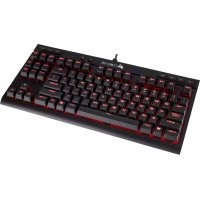
K63 - Keyboard CORSAIR - Free user manual and instructions
Find the device manual for free K63 CORSAIR in PDF.



| Product type | Wireless mechanical keyboard |
| Brand | Corsair |
| Model | K63 |
| Format | Tenkeyless (without numpad), compact |
| Connection technology | Wireless 2.4 GHz, Bluetooth 4.2, USB wired |
| Switch type | CHERRY MX mechanical |
| Backlighting | Blue LED, customizable per key via CUE software |
| Power supply | Rechargeable lithium-ion battery, up to 15 hours battery life |
| Charging port | USB Type-A, charge/data cable provided |
| LED indicators | Power (green, red), wireless connection (white, blue), Caps Lock, Scroll Lock |
| Advanced features | 100% anti-ghosting, full rollover, Windows key lock, AES 128-bit encryption |
| Multimedia controls | Dedicated keys: volume, playback, previous/next |
| Wrist rest | Removable and soft, included |
| Accessories included | Wireless USB receiver, USB charge/data cable, USB cable adapter, wrist rest |
| Compatibility | Windows 7/8/10, Android (Bluetooth) |
| Configuration software | Corsair Utility Engine (CUE) |
| Maintenance | Clean with a soft dry cloth; avoid liquids |
| Security | AES 128-bit encryption enabled by default |
Frequently Asked Questions - K63 CORSAIR
User questions about K63 CORSAIR
0 question about this device. Answer the ones you know or ask your own.
Ask a new question about this device
Download the instructions for your Keyboard in PDF format for free! Find your manual K63 - CORSAIR and take your electronic device back in hand. On this page are published all the documents necessary for the use of your device. K63 by CORSAIR.
USER MANUAL K63 CORSAIR
EMAIL:support@corseir.com
FACEBOOK:faebook.com/cosair
BLOG: blog.corzar.com

corsalt.com
FORUM:TRUCCSAR
TWITTER: TWITTER.COM/COSSR
USA and CANADA: (888) 222-4346 | INTERNATIONAL: (510) 657-6747 | FAX: (510) 657-6748

CORSAIR
47100 Bayside Parkway • Fremont • California • 94538 • USA
© 2017 CORSAIR COMPONENTS, Inc. All rights reserved. CORSAIR and the sails logo are registered trademarks in the United
t states and/or other countries. CHERK? is a tracemark of Cherry GmbH used by permission The Bluetooth word mark and logos are registered商标专用商标由 the Bluetooth SIG Inc and any use of this mark by COBEXI in under license. All other
Trademarks are the property of their respective owners. Product may vary slightly from these pictured. 49-001550 AE

CORSAIR

K63
WIRELESS
MECHANICAL KEYBOARD
CORSAIR
ENGLISH 2
FRANÇAIS 10
DEUTsCH 18
ITALIANO 26
ESPANOL 34
PYCCKM 42
中文 50
日本語 58
66
CONGRATULATIONS!
Experience ultimate gaming freedom with the CORSAIR KE3 Wireless Mechanical Keyboard featuring ultra-fast, 1ms 2.4GHz wireless technology combined with CHERRY MX mechanical keyswitches for maximum performance. Advanced wireless features include Bluetooth 4.2 for flexible connectivity and 128-bit AES wireless encryption to help protect the transmission of your data. The compact, tonkeyless design is space saving and travel friendly with up to 15 hours of battery life. Vibrant, blue LED backlighting is customizable per-key using CUE software to create dynamic lighting effects. Dedicated multimedia controls, 100% anti-ghasting, full-key rollover, and Windows key lock mode delivers complete and responsive control. Detachable, soft-touch wrist rest provides comfort to enhance your gameplay.
IMPORTANT
The K63 wireless keyboard must be fully charged before its first use.
CHARGING THE KEYBOARD
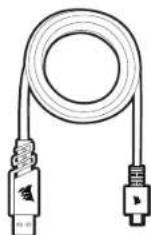
Connect the K63 wireless keyboard to an available USB 3.0 or USB 3.1 (Type-A) port on your PC with the USB charging / data cable. The keyboard's power LED indicator will begin pulsing green to denote battery charging and will turn solid green when charging is complete.
WARNING: Connecting to a USB 2.0 port could result in reduced charging speed or malfunction.
The power LED indicator will briefly blink a color corresponding to the battery charge level when first turned on and will turn red when charging is required. The battery has no "memory effect" and should not be completely discharged before recharging to ensure it will last for hundreds of charge / discharge cycles.
NOTE: Reducing or turning off the LED backlighting via the backlight brightness key will extend battery life.
| POWER LED INDICATOR STATUS | |
| WHITE | NORMAL OPERATION |
| GREEN | BATTERY CHARGED |
| PULSING GREEN | BATTERY CHARGING |
| RED | BATTERY LOW. RECHARGE SOON |
| PULSING RED | BATTERY CRITICAL. RECHARGE REQUIRED |

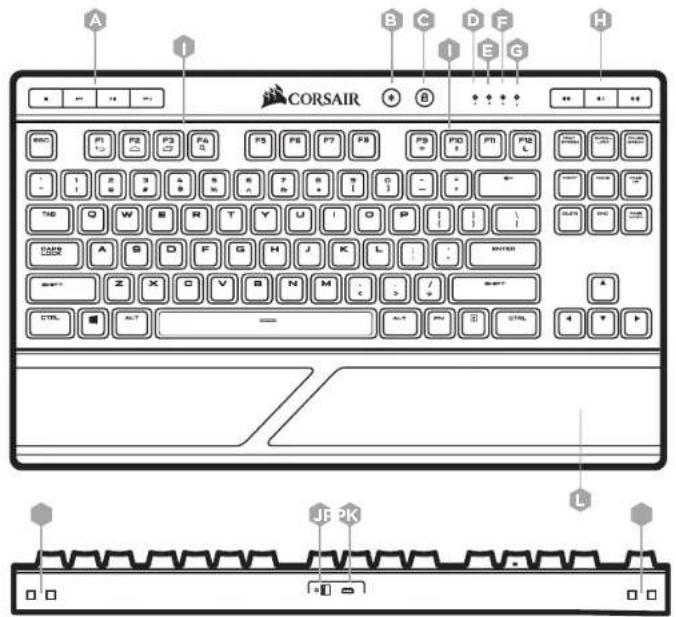
GETTING TO KNOW YOUR KEYBOARD
A - DEDICATED MULTIMEDIA KEYS
B-BACKLIGHT BRIGHTNESS KEY
C-WIN LOCK KEY
D- POWER LED INDICATOR
E - WIRELESS LED INDICATOR
F - CAPS LOCK LED INDICATOR
G-SCROLL LOCK LED INDICATOR
H- DEDICATED VOLUME KEYS
I-FUNCTIONKEYS(F1-4,F9-12)
J - POWER SWITCH
K - USB CHARGING / DATA PORT
L - WRIST REST
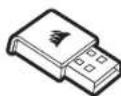
M-USB WIRELESS RECEIVER
N - USB CHARGING / DATA CABLE
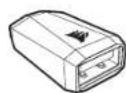
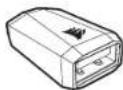
O-USB CABLE ADAPTER
P - RETENTION SLOTS FOR K63 LAPBOARD
(SOLD SEPERATELY)
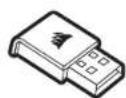
M
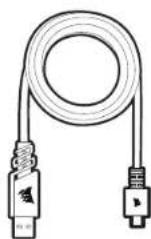
N
SETTING UP YOUR KEYBOARD FOR WINDOWS\* USING 2.4GHZ WIRELESS
Turn on your computer and K63 wireless keyboard
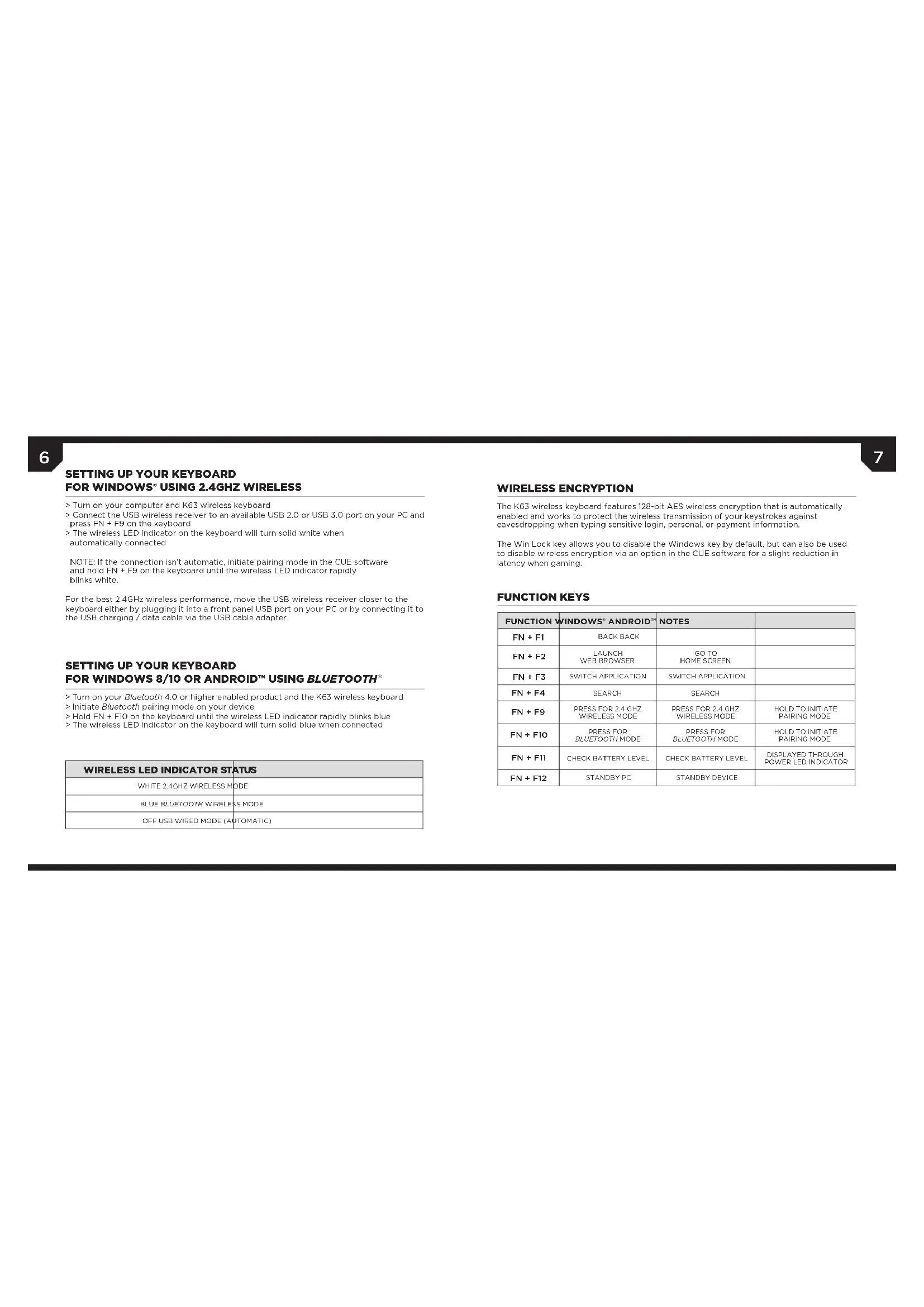
Connect the USB wireless receiver to an available USB 2.0 or USB 3.0 port on your PC and press FN + F9 on the keyboard
The wireless LED indicator on the keyboard will turn solid white when
automatically connected.
NOTE: If the connection isn't automatic, initiate pairing mode in the CUE software and hold FN + F9 on the keyboard until the wireless LED indicator rapidly blinks white.
For the best 2.4GHz wireless performance, move the USB wireless receiver closer to the keyboard either by plugging it into a front panel USB port on your PC or by connecting it to the USB charging / data cable via the USB cable adaptor.
SETTING UP YOUR KEYBOARD FOR WINDOWS 8/10 ORAndroidTMUSINGBLUETOOTH
Turn on your Bluetooth 4.0 or higher enabled product and the K63 wireless keyboard
Initiate Bluetooth pairing mode on your device
Hold FN + F10 on the keyboard until the wireless LED indicator rapidly blinks blue
The wireless LED indicator on the keyboard will turn solid blue when connected
| WIRELESS LED INDICATOR STATUS |
| WHITE 2.4GHz WIRELESS MODE |
| BLUE BLUETOOTH WIRELESS MODE |
| OFF USB WIRED MODE (AUTOMATIC) |
WIRELESS ENCRYPTION
The K63 wireless keyboard features 128-bit AES wireless encryption that is automatically onabled and works to protect the wireless transmission of your keystrokes against eavesdropping when typing sensitive login, personal, or payment information.
The Win Lock key allows you to disable the Windows key by default, but can also be used to disable wireless encryption via an option in the CUE software for a slight reduction in latency when gaming.
FUNCTION KEYS
| FUNCTION | WINDOWS® ANDROID® | NOTES | |
| FN + F1 | BACK BACK | ||
| FN + F2 | LAUNCH WEB BROWSER | GO TO HOME SCREEN | |
| FN + F3 | SWITCH APPLICATION | SWITCH APPLICATION | |
| FN + F4 | SEARCH | SEARCH | |
| FN + F9 | PRESS FOR 2.4 GHZ WIRELESS MODE | PRESS FOR 2.4 GHZ WIRELESS MODE | HOLD TO INITIATE PAIRING MODE |
| FN + F10 | PRESS FOR BLUETOOTH MODE | PRESS FOR BLUETOOTH MODE | HOLD TO INITIATE PAIRING MODE |
| FN + F11 | CHECK BATTERY LEVEL | CHECK BATTERY LEVEL | DISPLAYED THROUGH POWER LED INDICATOR |
| FN + F12 | STANDBY PC | STANDBY DEVICE |

NOTE ON ENVIRONMENTAL PROTECTION After the implementation of the European Directive 2012/9/EU in the national law sy the following applies:
-Electrical and electronic devices may not be disposed of with domestic waste.
Consumers are obligated by law to return electrical and electronic devices at the end of their service lives to the public collecting points set up for this purpose of point of sale. Details to this are defined by the national law of the respective country. This symbol on the product, the instruction manual or the package indicates that a product is subject to these regulations. By recycling, resuing the materials or other forms of utilizing old devices, you are making an important contribution to protecting our environment.
CAUTION!
The manufacturer is not responsible for any radio or TV interference caused by unauthorized modifications to this equipment. Such modifications could void the user authority to operate the equipment.
FCC STATEMENT
This equipment has been tested and found to comply with the limits for a Class B digital device, pursuant to part 15 of the FCC Rules. These limits are designed to provide reasonable protection against harmful interference in a residential installation. This equipment generates, uses and can radiate radio frequency energy and, if not installed and used in accordance with the instructions, may cause harmful interference to radio communications. However, there is no guarantee that interference will not occur in a particular installation if this equipment does cause harmful interference to radio or television reception, which can be determined by turning the equipment off and on, the user is encouraged to try to correct the interference by one or more of the following measures:
Reorient or relocate the receiving antenna.
Increase the separation between the equipment and receiver.Connect the equipment into an outlet on a circuit different from that to which the receiver is connected.
Consult the dealer or an experienced radio/TV technician for help.
This device must not be co-located or operating in conjunction with any other antenna or transmitter. Operation is subject to the following two conditions:
(1) This device may not cause harmful interference; and
(2) This device must accept any interference received, including interference that may cause the device to be unable to operate.
FÉLICITATIONS!
PNDYTPEXDEHIN. PNOKIOUeHKe K NOPTy USB 2.0 MOKET PRIOBcT N CHIKKEHIO KOPOCTN 3APDKH NIN K CBOHM B PAOE
CebtQDnHbN HINKATOP NNTAHK KpAOKSPeMHO MHT. PnT OTe erO set 6ydt COETCBTOBab ypoaHIO zapra kAKymnTnOPO A BPEMA nepAero ANKANK, a KORa nptpeyctz azaPAA, OH aoropntc KpaCHsI LcEoT. AKmynlnp To HIEME TAEkFgTA naMMn, a notomY e He tpeyctr NaHOTbO paapkrkTne peepzapko, IITb6 oBeecnHbI ctaBnblHy poBory h npotxekHm coteuiknoa zapprk / paoqk.
PIMPEAHHIME, MoHOx H3AHTUHbIHO pOIOHTN, cPCK cNOBHy AKBMYMTOPA, OH3AHH bVHCHHOBCT, BEBIOHNHO nOJCBETKN IHI NBOHOBK Ee cMOONHO KNAHSHY pEPYRPOBHK RPKOTN HOJNCSEIK.
| CBETODMOHbIM ИДМКATOP ППАТHAЯ | COCTORHME |
| БЕЛБ HOPMÁlbHbI PRKIM PABOTbI | |
| 3EJIbHbI AKKYMbIITOP 3APJIKHEI | |
| ПИЛБСИРУОПШI 3EJIbHbI AKKYMbIITOP 3APJIKHAETCЯ | |
| KPACHbI | НИЗКИ YPOBEHb 3APJDA AKKYMbIITOPA, CIEJДYET 3APДNTb KAK MOXHO CROPEE |
| ПИЛБСИРУОПШI KРACHbI | КРПИЕСКII ИЗМДI YPOBEHb 3APJDA AKKYMbIITOPA, TPEBДYETc 3APJDKA |
3HAKOMCTBOCKNABNATYPOI
A-CNEUHAHbEMMybTMENHHBIEKANH
B-KJIABMIAPEYIINPOBKNRPKOCTNIOCBETKN
C-KNABMWAWINLOCK
D-CBETOIOHbIMHKATOPNHTAHN
E-CBETODIOHINIHJNKHATOR BECPOBOHOH CBA3
F-CBT0MIDHINHHKATOP KNAIBUNCAPS LOCK
G-CBETOJIOHJHHIHHIKATOPKIAIHNSCROLLLOCK
H—CNELIAOIBHEKIAIIMINDAI PENTYINOBIKI POMKOKTE
I-ΦVHKUHOHANbHbIE KNABUN(F1-4,F9-12)
J-BuKQYATEJIHNTAHN
K-USB DIAI 3APRAN /NOPT DAHHbIX
L-NOCTABKAJ783A18CTb8)
M-6CNPPOBDOHOUUSB-PECNBEP
N-USBK-AKSELB NJI BAPDKHIN NEPIEADAAI DAHHXIN
O-ADAPTETPUSB-KASENA
P- FHKCNPOUYUOUE MNE PA3BJNFOIDCTABMI (PNPOPSEATACOTDJIHbO)
M
N
0
HACTPOIKA KJIABNATyPbI JINWINDOWsC NOMOUBIO BECIPOBODHO MOUJRCYACTOTOn 2,4Tt
BknaHTe KOMnBIOTeR n 6ecnpoBOHyKnabNAtpy K63
PtoKnHHTe CegBpOoBn USP-ceBep K cbo6DhMy npTy USB 2.0 nII USB 3.0 KcmBtBepa HnnHAtte HaKnBbAType KcmbHsinKaNkFN + F9
Noche automataKoKIO KNOKHOHN CEBTOIOHNI INHJIKATOP BcEPOBHOI HOO cEOJIHHNHA H KABAIAYA BY GED HENPEPBBO CEBTBCB 6BmHI
PPIHMEAHIE.EcNnIOJKHOENHE He 6yTeT yCTAOHNBO HOBAMTECKCN, BKAHOHTE PEKUMCOPKHNBnI BnPOPMORMMOECEOHNE CUE. YIeDPKBNIte HAKATBIIN KINNAHN F N IN F9 HNAKNIPTOdoTeXNOPOKS CEBTOADHNHINHINHINKATOPBecPOBDHOHO COEOHNHEH HNAHET BCTPCMOHRTB6JIINH
ДИАнНБОЕЗФСССТВПОВДМУРБОТьB6CSPNPOBODOMHPEKIM24TIPENPEMECTHTE6CNPPOBDOHONUSBPENPMHOB6BKKNEKANATYPA.NIOKINCHIOEREOI KNOPIYUSBNApepeNDHANHEKINIKKANKABeBIUSDNJIDAPADKINNINAIEPDAHNDAHNHHXepe3adTAPETUSB-KaEBNI.
HACTPOIKA KJIABNATYPbI
INRA WINDOWS 8/10 INN ANDROID™ C NOMOUIB BLUETOOTH
BIOVHYCTEYPOCTHO CnoaepKooe Bluteoth 4.0 vna 6oe 10ae HEBEPCN, A TAKK86 6ecpno8noy Knaabatpy K63
BknoHTe peKm conpaKeHH no Bluteoth Ha yctpoictbe
EApKnaBnA HauKTHMM KAnuHsF N + FIO HA KNaHbAType Tox PekN, NOKA CBETNOJADHNNH INHINKATOP BScpOBODOQ COeHNHNEH NHeCHT B6CTPO MIRHT-BCNHH
Pnne 10kNIOHbB CEBTOHOHbH HINKATOP BcnpDIOHO CoeHNHEH H H KAAHNType6yET He nhepehOB CEBTNUCBH
| CBETOДIOДHьИNHДИКATOP BECП罗BOДHOrO COEДИНЕЗ | COCTORHUE |
| БELТВ | БЕСТРОВДHOr PЕKM HАЧТOTе 2,4ПЛ |
| СИнД | БЕСТРОВДHOr PDEKIM SLUETHO |
| БИКП | ПЕROДHOM PΕKIM USВ (AΤΟΜΑΤΗСКМ) |
UHPOBAHHE BECIPOBOHOI IEPDAH DAHHbIX
BecnpobDnA KnaBAtypa K63 OcaHae TExHOHm 128-6HrOo HApBaHnB 6ecnpobHOH nppeDaan DnHHbIO CTAnpdy AES, KOtpor AkinuPcyTA botomATHeckn HnpdpHaHcHpaHn Da 3auHbIb 6bpocpOBOHn PepeDn BnAhhx O hKatnnn BnTOpncyUHMBAHnr TpAdPAK BO BPEM BDOA cekpEhX DnHHbIX BxOgA BCTMY, a IAKOE pCpOHAHN HnIATEkHN KHPoPMADJ.
KnaBnBa 6nKnBPOBKn KaBnBnWi nOBoNt EOTKnBHTbKnBnBHy WiNs no ymoHAnHIO, OdaHko eae TAKKe MOHO IcnoTb8aTbIe ATOKNoHHeHIM BoPBOBnBa 6ecpOBNOH CEBRc NOMOuO CoOTBCTByoero npAametpa BnporpAMHMo oecneenuHH CUE, YTO6bl cnerKa CHNHTb 3aepkNBy BO BVPMA npi.
ФУHKUHOHAJIbHbIeKJIABUWHI
| ФИKHДМА | WINDOWS* ANDROIDTM | ПРIMЕЧАЙ |
| FN + F1 | HAASД, HAASД | |
| FN + F2 | 3ATYCK BEE-BPAY3FRA ПЕХОЛК HANAHINHOMY 3KPAHNY | |
| FN + F3 | ПЕКПLOCHДВЕ PRIMLOKOSTIMРЕКПLOCHENDE PRIMLOKOSTIM | |
| FN + F4 | ПОСКПОСК | |
| FN + F9 | HAKATБДДА ПЕХОДA B BECIPROBOДНОPEKMнHA HACTOTE 2,4TПL | HAKATБДДА ПЕХОДA B BECIPROBOДНОPEKMнHA HACTOTE 2,4TПL |
| FN + F10 | HAKATБДДВ BKПОЗЕМN POKIMM SLUETQOTH | HAKATБДДВ BKПОЗЕМN POKIMM SLUETQOTH |
| FN + F11 | ПОБЕРКУ XPОВИЗ 3APRДA AKKOVMYBTOPA | ПОБЕРКУ XPОВИЗ 3APRДA AKKOVMYBTOPA |
| FN + F12 | ПЕВEOДТК B PЕKMn OKIMDAHIM | ПЕВEOДТК B PЕKMn OKIMDAHIM |

3AARHEHNE O AUAHTE OKPYKAAOJIe CPEBd Pocte HcTtYTHINH BcCay TpOJnAeKoD KpTYPDRN 2012/19/EU JKA EAHCTEIEH NAOHbIaHbIX pApOBaBXX yctANHOBCIOI NOOCCREQOyCE.
- ENTEPPOKCECHNEI HENTONHUEYIOCTOPIA HENHEY
YTHINBIPOROBATE COUBHIMNIE BODOTM NUCOPOX
-3aKoOB6bBtAeNIOBc0BpOaBtAe
BnEePnRnKnIeNIOBc0BpOaBtAe BnEeNIOBc0BpOaBtAe
CPOCpa CNOyBnIeNIOBc0BpOaBtAe NIOYIOBc0BpOaBtAe
NIOYIOBc0BpOaBtAe
OIOYIOBc0BpOaBtAe
OIOYIOBc0BpOaBtAe
OIOYIOBc0BpOaBtAe
OIOYIOBc0BpOaBtAe
OIOYIOBc0BpOaBtAe
OIOYIOBc0BpOaBtAe
OIOYIOBAeNIOBc0BpOaBtAe
OIOYIOBAeNIOBc0BpOaBtAe
OIOYIOBAeNIOBc0BpOaBtAe
OIOYIOBAeNIOBc0BpOaBtAe
OIOYIOBAeNIOBc0BpOaBtAe
OIOYIOBAe NIOBc0BpOaBtAe
OIOYIOBAe NIOBc0BpOaBtAe
OIOYIOBAe NIOBc0BpOaBtAe
OIOYIOBAe NIOBc0BpOaBtAe
OIOYIOBAe NIOBc0BpOaBtAe
OIOYIOBAeNIOBc0BpOaBtAe
OIOYIOBAe NIOBc0BpOaBtAe
OIOYIOBAe NIOBc0BpOaBtAe
OIOYIOBAe NIOBc0BpOaBtAe
OIOYIOBAeNIOBc0BpOaBtAe
OIOYIOBAeNIOBc0BpOaBtAe
OIOYIOBAe NIOBc0BpOaBtAe
OIOYIOBAe NIOBc0BpOaBtAe
OIOYIOBAeNIOBc0BpOaBtAe
OIOYIOBAe NIOBc0BpOaBtAe
OIOYIOBAeNIOBc0BpOaBtAe
OIOYIOBAe NIOBc0BpOaBtAe
OIOYIOBAe NIOBc0BpOaBtAe
OIOYIOBAeNIOBc0BpOaBtAe
OIOYIOBAeNIOBc0BpOaBtAe
OIOYIOBAeNIOBc0BpOaBtAe
OIOYIOBAe NIOBc08D214
BHUMAHNEI
PnnoBdOHTHHeN HHeCER OTHCTBEHHoCTb3TeHep
paDIOHOENB EpeBbTBeHcHAcHNOHNPOBHaHBO
MmMNCHINrETOOOBpyBaAe,2000CIEIITAGX
MeHHHMeMHN MEHNI MNEHn 3cbOaHbNNpOaHnPi
nnaaONnAeRn Aeknnnauanooobpypaa
3AABIEHNEΦEDEPAJIbHOH KOMUCCN CBA3N CWA
310 600b00b00b00b00b00b00b00b00b00b00b00b00b00b00b00b00b00b00b00b00b00b00b00b00b00b00b00b00b00b00b00b00b00b 324 600b258c975 600b258c975 600b258c975 600b258c975 600b258c975 600b258c975 600b258c975 600b258c975 600b258c975 60
NOMINEE INDESTRUCTURE INHIBITANCE OF THE HUMAN HEPES/NEUTER 10
YBCNHTB PACCTOHNMCMAD0000
NPHCMHPKOM
DOSKTHRA, HIXOLOPHIOPOU OYIANTHIN 3019THPCHX LIPHEK
06paTHTBC3aNOMOUsK DnHcpey H
Kanamihipuraohomoy Chiuimnmyo no tepe npaoko o6pocpaohno.
3APCUPACORCNPOB08A 3TOYPCIOCTBO C0MCTHO C
DPTOCHNHNNNNCQATNNKOM, A TAKKO YCTOHANHBTB,
XK POK.
KcIyIaIbIaIyIeYCTOJIeTIOIaIbIaIbIOHJI pRcBIOEHOHJI dyX CnEOyIOIyCIOJIaIy
(1)YcpoHHeDnHO COyBaBbBpeBbIX
(2)Vipocinpoipnpoipnoipnoipipnoipnipnoipnipnoipnpnoipnpnoipnpnoipnpnoipnpnoipnpnoipnpnoipnpnoipnpnoipnpnoipnpnoipnpnoipnpnoipnpnoipnpnoipnpnoipnpnoipnpnoipnpnoipnpnoipnpnoipnpnoipnpnoipnpnoipnpnoipnpnoipnpnoipnpnoipnpnoipnpnoipnpnoipnpnoipnpnoipnp
恭喜!

- CORSAIR
- K63
- WIRELESS
- CONGRATULATIONS!
- IMPORTANT
- CHARGING THE KEYBOARD
- GETTING TO KNOW YOUR KEYBOARD
- SETTING UP YOUR KEYBOARD FOR WINDOWS\* USING 2.4GHZ WIRELESS
- SETTING UP YOUR KEYBOARD FOR WINDOWS 8/10 ORAndroidTMUSINGBLUETOOTH
- WIRELESS ENCRYPTION
- CAUTION!
- FCC STATEMENT
- FÉLICITATIONS!
- 3HAKOMCTBOCKNABNATYPOI
- HACTPOIKA KJIABNATyPbI JINWINDOWsC NOMOUBIO BECIPOBODHO MOUJRCYACTOTOn 2,4Tt
- HACTPOIKA KJIABNATYPbI
- INRA WINDOWS 8/10 INN ANDROID™ C NOMOUIB BLUETOOTH
- UHPOBAHHE BECIPOBOHOI IEPDAH DAHHbIX
- BHUMAHNEI
- 3AABIEHNEΦEDEPAJIbHOH KOMUCCN CBA3N CWA
- 恭喜!
Brand : CORSAIR
Model : K63
Category : Keyboard