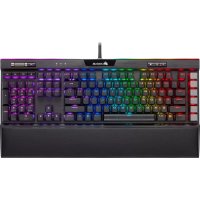
K95 RGB Platinum XT - Keyboard CORSAIR - Free user manual and instructions
Find the device manual for free K95 RGB Platinum XT CORSAIR in PDF.

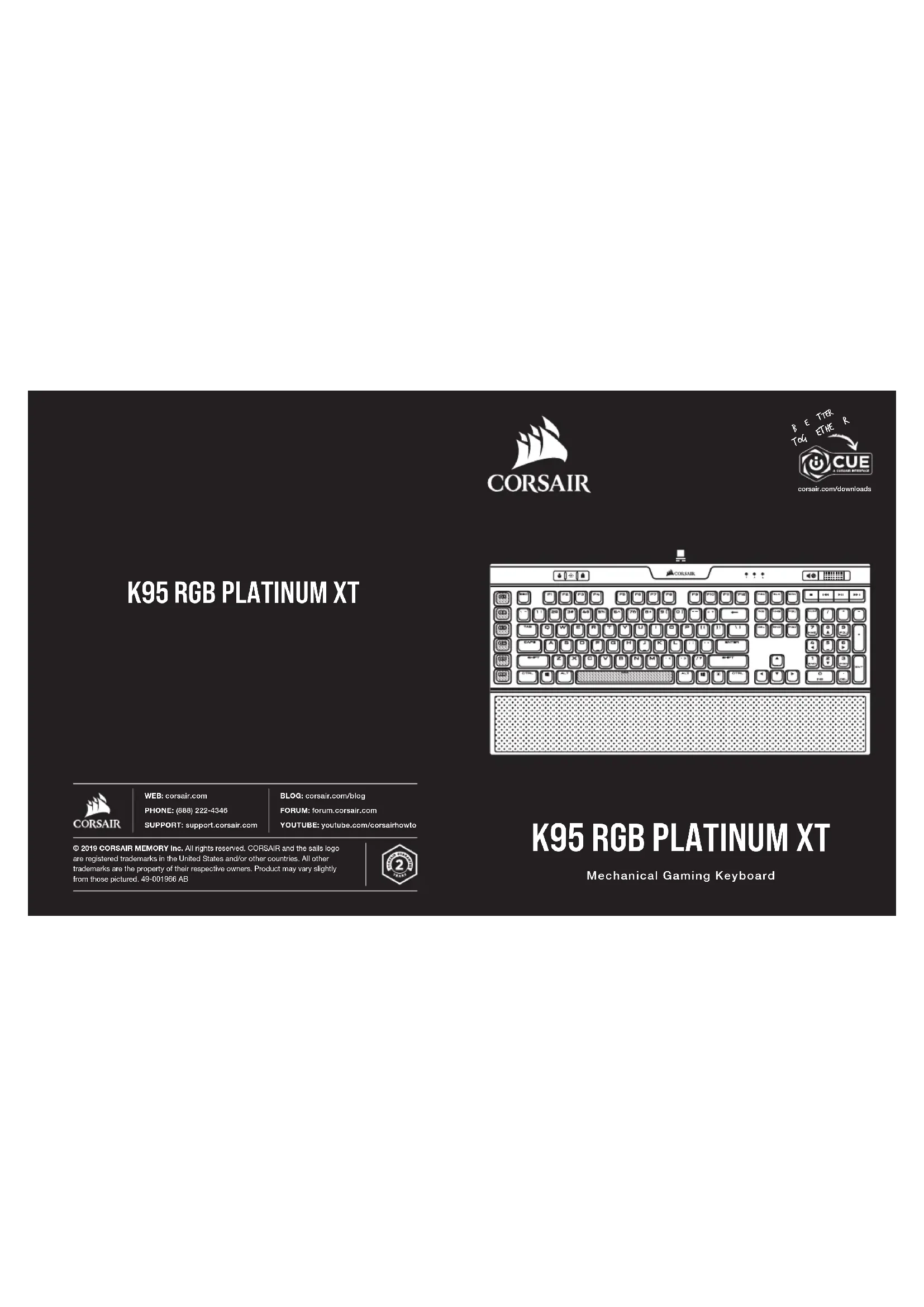

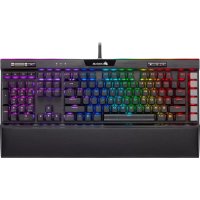
| Product Type | Mechanical Gaming Keyboard |
| Brand | Corsair |
| Model | K95 RGB Platinum XT |
| Dimensions (approx.) | 465 x 170 x 36 mm |
| Weight (approx.) | 1.2 kg |
| Power | 2 USB 3.0/3.1 Type-A connectors, 5 VDC, 900 mA each |
| Configuration Software | Corsair iCUE (compatible with Windows, macOS) |
| Onboard Storage | 8 MB, up to 5 hardware profiles |
| Programmable Keys | 6 dedicated macro keys + 104 standard keys (PBT double-shot) |
| S-Key Keys | 6 interchangeable alternative macro keys |
| Backlighting | Per-key RGB, customizable via iCUE |
| Volume Wheel | Yes, with dedicated multimedia keys |
| Wrist Rest | Padded synthetic leather, removable |
| USB Pass-through Port | USB 2.0 Type-A |
| Operating Temperature | 0°C to 40°C |
| Compatibility | Windows, macOS, Xbox One (via USB port) |
| Care and Cleaning | Unplug the keyboard, clean with a slightly damp soft cloth, avoid abrasive products |
| Box Contents | K95 RGB Platinum XT keyboard, wrist rest, set of S-Key keycaps, quick start guide |
Frequently Asked Questions - K95 RGB Platinum XT CORSAIR
User questions about K95 RGB Platinum XT CORSAIR
0 question about this device. Answer the ones you know or ask your own.
Ask a new question about this device
Download the instructions for your Keyboard in PDF format for free! Find your manual K95 RGB Platinum XT - CORSAIR and take your electronic device back in hand. On this page are published all the documents necessary for the use of your device. K95 RGB Platinum XT by CORSAIR.
USER MANUAL K95 RGB Platinum XT CORSAIR
© 2019 CORSAIR MEMORY Inc. All rights reserved. CORSAIR and the sails logo are registered trademarks in the United States and/or other countries. All other trademarks are the property of their respective owners. Product may vary slightly from those pictured. 49-001866 AB

K95 RGB PLATINUM XT
Mechanical Gaming Keyboard
SETTING UP YOUR KEYBOARD
Connect both keyboard USB Connectors (Q, R) to available USB 3.0 or USB 3.1 Type-A ports on your Windows*PC, Apple Mac* or Microsoft Xbox One *
www.corsair.com/xbox-one-support
NOTE: For use only with Nationally Recognized Testing Laboratory listed end product and USB output rate at 5Vdc = 900mAx2.
SOFTWARE

Install ICUE on a Windows * PC to connect all of your CORSAIR ICUE compatible products together in a single interface, giving you complete control of everything from lighting to powerful macros. Download ICUE from www.corsair.com/downloads.

Additionally, install the Stream Deck software to program the macro keys (A) to take command of your stream through powerful integrations with OBS Studio, Twitch, Twitter, and more, then swap to the included 8-key keyscaps (N) to suit your streaming style. Download Stream Deck from www.algato.com/gaming/downloads.
HARDWARE PLAYBACK
With iCUE you can create custom profiles and then save them to the keyboard with 8MB of onboard storage. Once saved to the keyboard, your macros, settings, and backlighting effects will be available without the software or when connected to other devices. There are five hardware profiles available to customize which can be cycled through with the profile switch key (C) and have pre-programmed lighting effects.
FACTORY RESET
To clear the onboard memory, hold the ESC key while plugging in the USB keyboard connector (Q), then release the ESC key after two seconds. The keyboard will then power on normally and be reset to factory defaults.
ENGLISH ENGLISH
GETTING TO KNOW YOUR KEYBOARD
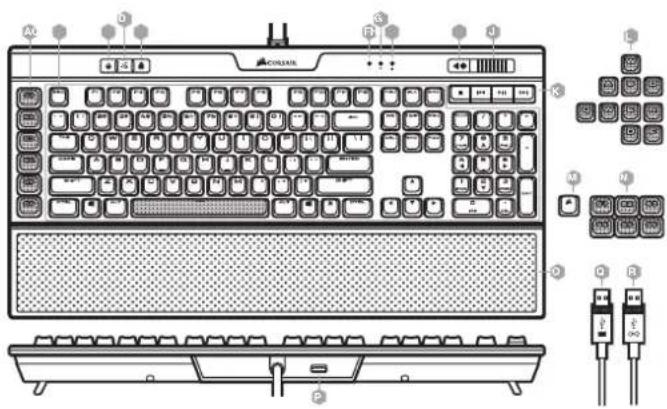
A - SIX PROGRAMMABLE MACRO G-KEYS
B - 104-KEY PBT DOUBLE-SHOT KEYCAP SET
C - PROFILE SWITCH KEY
D-BRIGHTNESS KEY
E-WINDOWS KEY LOCK
F - NUM LOCK LED INDICATOR
CAPS LOCK LED INDICATOR
H- SCROLL LOCK LED INDICATOR
1-MUTEKEY
J - VOLUME ROLLER
K - DEDICATED MULTIMEDIA KEYS
L - FPS AND MOBA KEYCAP SETS
M-CORSAIR LOGO ESC KEYCAP
N-ALTERNATE MACRO S-KEY KEYCAPS
0- DETACHABLE, CUSHIONED
LEATHERETTE PALM REST
P - USB 2.0 PASS-THROUGH PORT
Q-USBKEYBOARDCONNECTION
R-USB PASS-THROUGH CONNECTOR
CONFIGURATION DE VOTRE CLAVIER
USTAWIANIE KLAWIATURY
W ICUE这其中 two types of the same type of operation. The first type is a basic operation, which is used to perform some operations such as writing and editing. It also includes the following functions:
RESETOWANIE DO USTAWIEN FABRYCZYCH
PPOPTPAMMHOE OBCNEHHE

CYTCHOBITE (ICUE HN KIN NpynpabhenEMOC WINDS" 12430000000000000000 CORSAIR NPODXTOK O CHOMY INTEPEFQY,OTB6 MNYOTNIY NPHOTKOHPTPOH NBI CEMEN KOMTOHENTAMCCTEHN,HAHUNH C NOCTREKNI ZAKAHANNAH YHIBEPBCNHMMKMKPOCAK.CKAHTB ICUE: www.corsair.com/downloads.

KOMPOR TDO,MOHKYCTOABHNOI tnprrpmaMBOE OBEOEHNHE Ee Sstream Deck.KOTOPOE NIOBOMNIPrnpaMAPOBAT KANRAHIM MABCOO (A)JyTNPAENAE PTHCNEINAMNNT yETM BBOCKOPOBHEIN HTERPAAK C OBSSTUDIO,Twitch.TaHTTepoN I pRyPTNNI PTAFFOPMAAM A 3aTePE NEXBnHb XBDIOJIeK B KOMNIENTK KOANNAI JPNKANIA S (N),NAHTUYHM O603AM COOTBCTAYQUVE BEEWY CTKN BECBNI TPRCHUN. CaauhT Stm Deck: www.eigato.com/gaming/downloads.
BOCPPOUN3BENHEHNE COBOPYOBAHA
BIOIPOAIC ICUE MOHO COEBABH NAOHOBXO EONPOINHO COXAHPAHN HX HCTBOHNHOM KBAHATYPY
KANHOHOTEN C6EOHBM NAMTH 8 MB. POIEC OXAHPAHN HOPHAI HX NAOHABAY TAE NAMM KAKPOH, HACTPOIK
HOBAHAPAHN 3PFOKTO HOCBETKN OCTAHTRCH DCTNOHMAD AXPEHNOHN HIX KAPRTIM YCTOPOKT BFM
HEHCNBOYUMOH NOXOOHMO NPORPMNHOE OBECEHNEKMO. MOKHO BDOPTB OACN HNO NO POCPOHIX
BOOPOYAHN BAOPOHNAOPOCN CnprrcAOTAHNNHMMHOE FOKTAMN NOCBETKN HMAHNTHER IO NO CBOEMYCMOTPBHQ
a tATEI INPOKHOHOCMOIPOPNHOHN CMOHNO HIOOIOHIOHIOHIOHIO
BO3BPATK 3ABOДСКИМ HACTPOIKA
CORSAIR MEMORY, Inc. declares that this equipment is in compliance with Directive 2014/30/EU and Directive 2011/65/EU. A copy of the original declaration of conformity can be obtained at "corsair.com/documentation".
Operating temperature: 0^ - + 40^
The authorized representative in Europe
The authorized representative in Europe CORSAIR MEMORY, BV, Wormerweg 8, 1311 XB, Almere, Netherlands
After the implementation of the European Directive 2012/19/EU in the national legal system, the following applies:
Electrical and electronic devices may not be disposed of with domestic waste.
Consumers are obliged by law to return electrical and electronic devices at the end of their service lives to the public collecting points set up for this purpose or point of sale. Details to this are defined by the national law of the respective country. This symbol on the product, the instruction manual or the package indicates that a product is subject to these regulations. By recycling, reusing the materials or other forms of utilising old devices, you are making an important contribution to protecting our environment.
FR REMARQUES CONCERNANT LA PROTECTION DE L'ENVIRONNEMENT

- K95 RGB PLATINUM XT
- SETTING UP YOUR KEYBOARD
- SOFTWARE
- HARDWARE PLAYBACK
- FACTORY RESET
- CONFIGURATION DE VOTRE CLAVIER
- USTAWIANIE KLAWIATURY
- RESETOWANIE DO USTAWIEN FABRYCZYCH
- PPOPTPAMMHOE OBCNEHHE
- BOCPPOUN3BENHEHNE COBOPYOBAHA
- BO3BPATK 3ABOДСКИМ HACTPOIKA
- FR REMARQUES CONCERNANT LA PROTECTION DE L'ENVIRONNEMENT
Brand : CORSAIR
Model : K95 RGB Platinum XT
Category : Keyboard