
MM1000 - Keyboard CORSAIR - Free user manual and instructions
Find the device manual for free MM1000 CORSAIR in PDF.


| Product Type | Qi Wireless Charging Mouse Pad |
| Brand | Corsair |
| Model | MM1000 |
| Charging Technology | Qi Wireless Charging |
| Qi Charging Zone | Top section of the pad |
| Included Adapters | Micro-B, Micro-B to Lightning, Micro-B to Type-C |
| Compatibility | Qi devices, CORSAIR DARK CORE SE mouse, devices with adapters |
| Charging LED Indicator | Flashing LED 1 Hz (optimal charge) or 2 Hz (misalignment) |
| USB 3.0 Pass-Through Port | Yes, for wireless adapters or other peripherals |
| Surface | Micro-textured optimized for optical and laser sensors |
| Power Supply | Two USB 3.0 ports (cables included) |
| System Requirements | PC or Mac with two available USB 3.0 ports |
| Recommended Use | Desk, charging mouse and mobile devices |
| Safety Precautions | Do not use in an automobile; risk of interference |
| Warranty | See included warranty leaflet |
| Technical Support | www.corsair.com |
Frequently Asked Questions - MM1000 CORSAIR
User questions about MM1000 CORSAIR
0 question about this device. Answer the ones you know or ask your own.
Ask a new question about this device
Download the instructions for your Keyboard in PDF format for free! Find your manual MM1000 - CORSAIR and take your electronic device back in hand. On this page are published all the documents necessary for the use of your device. MM1000 by CORSAIR.
USER MANUAL MM1000 CORSAIR
QI WIRELESS CHARGING MOUSE PAD
corsair.com
EMAIL: support@corsair.com
FACEBOOK: facebook.com/corsair
BLOG: hkg.corrain.com

FORUM: forum.corsair.com
TWITTER: twitter.com/cpsair
USA and CANADA: (888) 222-4346 | INTERNATIONAL: (510) 657-8747 | FAX: (510) 657-8748

CORSAIR
47100 Bayside Parkway • Fremont • California • 94538 • USA
© 2018 CORSAIR COMPONENTS, Inc. All rights reserved. CORSAIR and the sails logo are registered trademarks. All other trademarks are the property of their respective owners. Product may vary slightly from those pictured. 49-001533 A8
CORSAIR
natural_image
Line drawing of a rectangular device with a circular vent and a side-mounted dial (no text or symbols)MM1000
Qi WIRELESS CHARGING MOUSE PAD

TABLE OF CONTENTS
CORSAIR
ENGLISH 1
FRANÇAIS 9
DEUTSCH 17
PORTUGUÊS 25
ESPAÑOL 33
РУССКИЙ 41
日本語....49
한국어 57
简体中文 65
繁體中文 73

PACKAGE CONTENTS

PRODUCT DETAIL
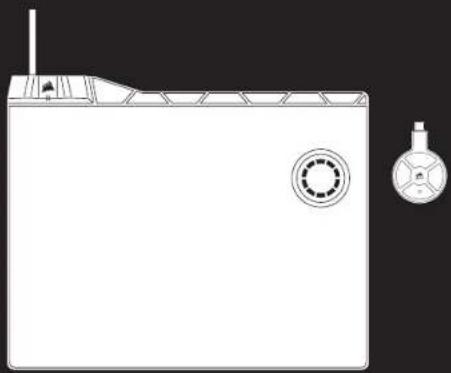
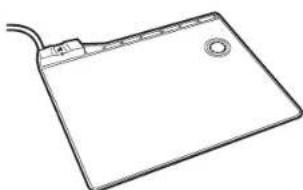
A CORSAIR MM1000 Qi Wireless Charging Mouse Pad
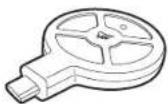
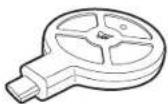
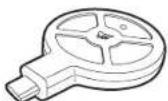
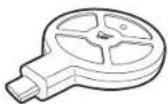
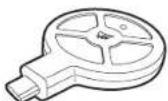
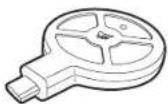
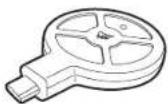
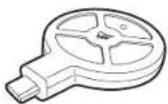
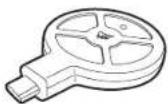
B Micro-B Wireless Charging Qi Adapter
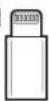
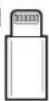
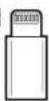
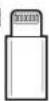
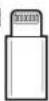
G Micro-B To Lightning Adapter
D Micro-B To Type-C Adapter
E Quick Start Guide
F Warranty Leaflet
A
natural_image
Line drawing of a generic electronic device with a screen and cable (no text or symbols)C
D

B
E
F

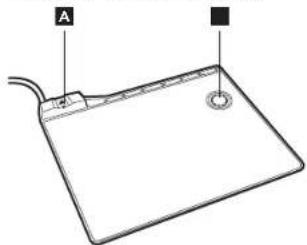
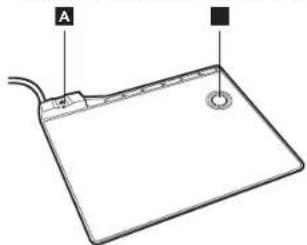
A Hub Charging LED Status Indicator
8 Qi Wireless Charging Zone
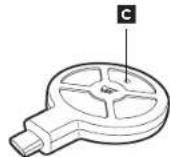
C Adapter Charging LED Status Indicator
D Micro-B To Lightning Adapter
Micro-B To Type-C Adapter
natural_image
Line drawing of a digital tablet with labeled points A and B (no text or symbols on the device itself)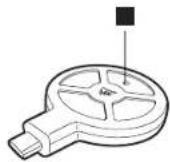


LED Indicator Status
| LED Blinking (1 Hz) 1 per/second | Device is charging at optimal rate. |
| LED Blinking (2 Hz) 2 per/second | Device is misaligned, Please reposition device for optimal charging. |

COMPATIBILITY

SETTING UP MM1000
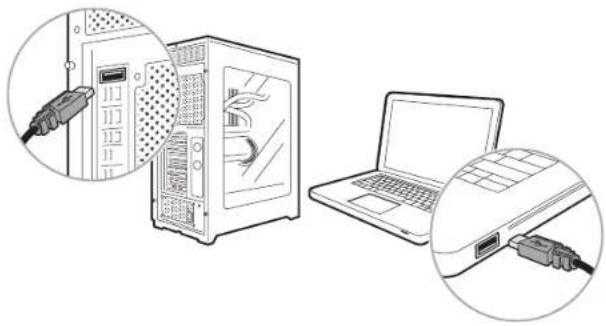
PC or Mac with 2x available USB 3.0 ports.
The CORSAIR MM1000 Qi Wireless Charging Mouse Pad combines the convenience of Qi wireless charging right on your desk with a performance micro-textured mouse pad surface that's optimized for gaming-grade optical and laser sensors. Charge any Qi compatible device. Also charge most other mobile devices with the included USB Micro-B, USB Type-C and lightning connectors and never search for a cable again. The MM1000 includes a built-in charging indicator LED to provide instant information on charging status and a dedicated USB 3.0 pass-through port for wireless signal adaptors or other peripherals. Making it easier than ever to keep your mouse and mobile devices charged, the MM1000 lets you charge more than just your mouse.
Thank you for choosing CORSAIR!
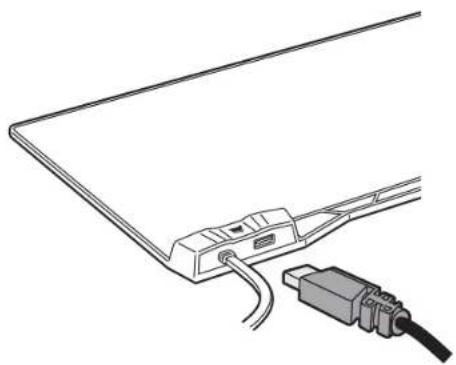
Plug in the 2x USB 3.0 cables to any available USB 3.0 ports on your PC or Mac.
You are all set! MM1000 is now ready to charge any Qi compatible device, and also most other devices with the included adapters.
NOTE: This product is not intended for use in an automobile.
In certain cases it may interfere with automotive electronic systems.
natural_image
Illustration of a server rack connected to a laptop via USB cable (no text or symbols present)
CHARGING QI COMPATIBLE DEVICES
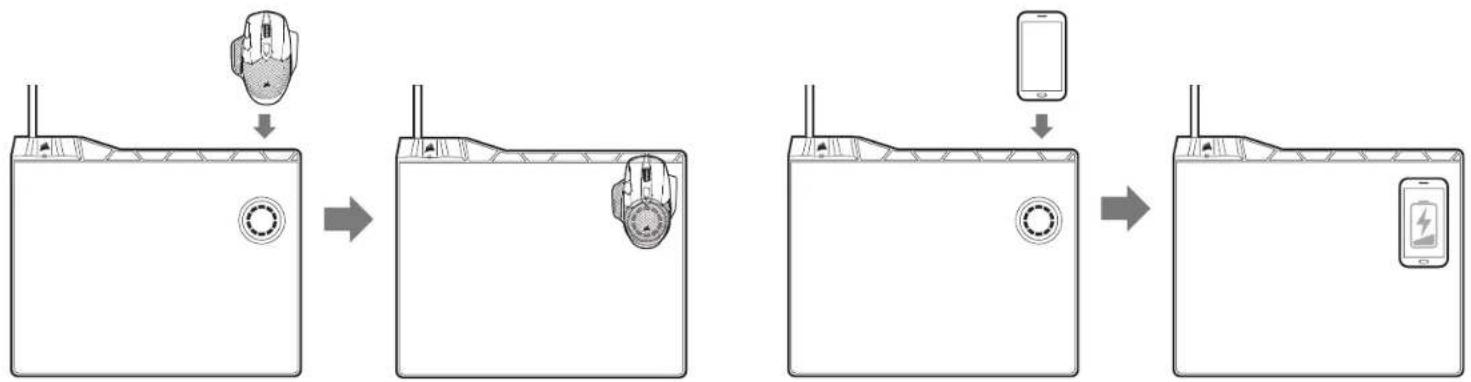
Charge Qi compatible phones or other devices such as the CORSAIR DARK CORE SE mouse by aligning the device on top of the MM1000 Qi charging zone.
The Hub LED indicator light will blink to indicate charging.
NOTE: Due to the placement of Qi charging receiver on 3 ^th party devices some positional adjustment may be needed to find the exact charging spot for your specific device.
flowchart
graph TD
    A["User Interface"] --> B["Scan to Tablet"]
    B --> C["Display with Smartphones"]
    C --> D["Mobile Device"]
    D --> E["Display with Battery"]

CHARGING YOUR PHONE OR DEVICE WITH THE WIRELESS QI CHARGING ADAPTER
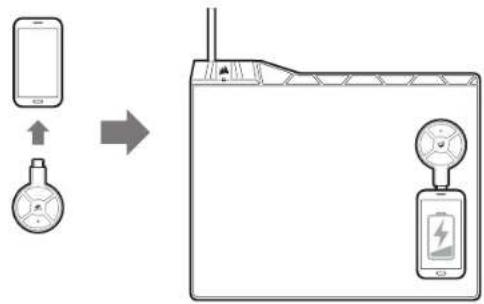
Plug the Qi charging adapter directly into your Micro-B device. Please use the included adapters for devices with either Lightning or Type-C connectors.
Align the Qi charging adapter directly onto MM1000 Qi charging zone.
The Hub LED indicator light will blink to indicate charging.
flowchart
graph LR
    A["Smartphone"] --> B["Megaphone"]
    B --> C["Device with power supply and battery charging"]

PLUGGING A DEVICE INTO THE USB 3.0 PASS-THROUGH
The MM1000 comes with a convenient USB 3.0 pass-through port.
Simply plug your USB device into the USB 3.0 pass-through port.
PRO TIP: Optimize signal strength and reduce interference by plugging your wireless mouse receiver directly into MM1000 USB 3.0 pass-through port.
NOTE: High powered USB devices may not be fully supported. Please contact CORSAIR support at www.corsair.com for more information.
natural_image
Line drawing of a cable connector with a USB cable inserted, no text or symbols present
CONTENU DU PACK

DÉTAILS SUR LE PRODUIT
natural_image
Simple line drawing of a rectangular electronic device with a circular button and cable (no text or symbols)C

D

B
E
F
natural_image
Line drawing of a generic electronic device with labeled points A and B (no text or symbols beyond labels)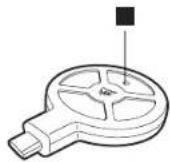


natural_image
Illustration of a desktop computer tower with two views: one showing internal components connected to a cable, the other showing external cables inserted into a laptop (no text or symbols present)
RECHARGE LES APPAREILS COMPATIBLES AVEC QI
flowchart
graph LR
    A["User with mouse"] --> B["Device with battery charging"]
    B --> C["Device with battery charging"]
    C --> D["Device with battery charging"]
    D --> E["Device with battery charging"]

CHARGE DE VOTRE TÉLÉPHONE OU DE VOTRE APPAREIL AVEC LE ADAPTATEUR DE CHARGE QI SANS FIL
flowchart
graph LR
    A["Smartphone"] -->|Signal| B["Device with battery"]
    B --> C["Power Supply"]

BRANCHEZ UN APPAREIL SUR LE PASSE-CÂBLE USB 3.0
natural_image
Line drawing of a cable connector with a USB cable inserted, showing no text or symbols
LIEFERUMFANG

PRODUKTDETAILS
natural_image
Simple line drawing of a rectangular electronic device with a circular button and cable (no text or symbols)C

D

B
E
F
natural_image
Line drawing of a generic electronic device with labeled points A and B (no text or symbols beyond labels)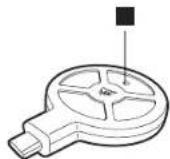


LED-Anzeigestatus
natural_image
Illustration of a desktop computer tower with two views: one showing internal cable connections, the other showing external cables (no text or symbols present)
AUFLADEN VON Qi-KOMPATIBLEN GERÄTEN
natural_image
Line drawing of a cable connector with a USB cable inserted, showing no text or symbols
CONTEÚDO DA EMBALAGEM

DETALHES DO PRODUTO
natural_image
Simple line drawing of a rectangular electronic device with a circular button and cable (no text or symbols)C

D

B
E
F
A Led Indicador Do Status Do Carregamento Do Hub
B Área De Carregamento Sem Fio Qi
C Led Indicador Do Status Do Carregamento Do Adaptador
D Adaptador Micro-B Para Lightning Incluído
E Adaptador Micro-B Para Tipo-C Incluido
natural_image
Line drawing of a generic electronic device with labeled points A and B (no text or symbols beyond labels)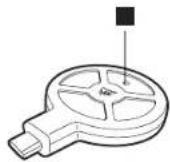


Status do indicador LED
natural_image
Illustration of a desktop computer setup with an open tower and connected cables, alongside a laptop (no text or symbols present)
CARREGAMENTO DE DISPOSITIVOS COMPATÍVEIS COM A TECNOLOGIA Qi
flowchart
graph LR
    A["Mobile Phone"] --> B["Battery"]
    B --> C["Power Supply"]

CONEXÃO DE UM DISPOSITIVO À PORTA PASS-THROUGH USB 3.0
natural_image
Line drawing of a computer monitor with cable and connector (no text or symbols)
natural_image
Simple line drawing of a rectangular electronic device with a circular button and cable (no text or symbols)C

D

B
E
F
natural_image
Line drawing of a generic electronic device with labeled points A and B (no text or symbols beyond labels)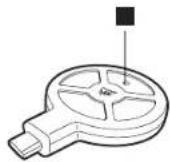


natural_image
Illustration of a desktop computer tower connected to a laptop via USB cable (no text or symbols present)
CARGA DE DISPOSITIVOS COMPATIBLES CON QI
natural_image
Line drawing of a cable connector with a USB cable inserted, showing no text or symbols
КОМПЛЕКТ ПОСТАВКИ

СВЕДЕНИЯ ОБ ИЗДЕЛИИ
natural_image
Simple line drawing of a rectangular electronic device with a circular button and cable (no text or symbols)C

D

B
E
F

natural_image
Line drawing of a generic electronic device with a screen and handle (no text or symbols)B
D


natural_image
Illustration of a desktop computer setup with an open tower and connected cables, alongside a laptop (no text or symbols present)
natural_image
Line drawing of a computer monitor with cable and plug, no text or symbols present
パッケージ内容

製品の詳細
natural_image
Line drawing of a generic electronic device with a screen and cable (no text or symbols)C
D

B
E
F

natural_image
Line drawing of a generic electronic device with labeled points A and B (no text or symbols beyond labels)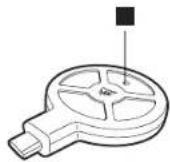


LED インジケータのステータス
natural_image
Illustration of a desktop computer setup with an open tower and connected to a laptop, showing cable connector (no text or symbols present)
Qi 対応デバイスを充電
flowchart
graph LR
    A["Device with mouse"] --> B["Application"]
    B --> C["Device with battery"]
    C --> D["Device with smartphone"]
    D --> E["Device with battery and smartphone"]

natural_image
Line drawing of a cable connector with a USB cable inserted, no text or symbols present
제품 패키지 정보

제품 상세 정보
natural_image
Simple line drawing of a generic electronic device with a screen and cable (no text or symbols)C
D

B
E
F

natural_image
Line drawing of a generic electronic device with labeled points A and B (no text or symbols beyond labels)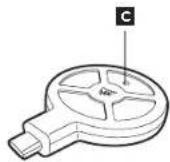


LED 표시기 상태
제품명 (Product Name): MOUSE PAD/QI ADAPTER
모델명 (Model Name): RGP0050/RGP0069
제조자 (Factory Name): CORSAIR Memory, Inc.
제조국(Country):China
A/S연리치 (A/S after-sales service hotline): +82 31 998 6300

MM1000 설정
natural_image
Illustration of a server rack connected to a laptop via USB cable, showing internal components and wiring (no text or symbols)
Qi호환 기기 충전
flowchart
graph LR
    A["Device with mouse"] --> B["Application"]
    B --> C["Device with battery"]
    C --> D["Device with smartphone"]
    D --> E["Device with battery and smartphone"]

flowchart
graph LR
    A["Mobile Phone"] -->|↑| B["Speedometer"]
    B --> C["Device with Battery"]
    C --> D["Signal Transmission"]

natural_image
Line drawing of a cable connector with a plug and cable connector (no text or symbols)
包装内容

产品详细信息
natural_image
Line drawing of a generic electronic device with a screen and cable (no text or symbols)C
D

B
E
F

natural_image
Line drawing of a digital tablet with labeled points A and B (no text or symbols on the device itself)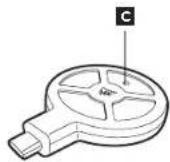


LED 指示灯状态
natural_image
Illustration of a desktop computer tower connected to a laptop via USB cable (no text or symbols present)
为Qi兼容设备充电
flowchart
graph LR
    A["Mobile Phone"] --> B["Device with Sensor"]
    B --> C["Battery Charging Setup"]
natural_image
Line drawing of a cable connector with a USB cable inserted, showing no text or symbols
包装内容

產品詳細資訊
natural_image
Line drawing of a generic electronic device with a screen and cable (no text or symbols)C
D

B
E
F

natural_image
Line drawing of a digital tablet with labeled points A and B (no text or symbols on the device itself)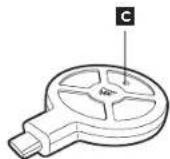


LED 指示燈狀態
natural_image
Illustration of a desktop computer tower connected to a laptop via cable, showing internal components and wiring (no text or symbols present)
為 Qi 相容的裝置充电
flowchart
graph LR
    A["Top Panel with Mouse Icon"] --> B["Device with Sensor"]
    B --> C["Device with Sensor"]
    C --> D["Device with Smartphone"]
    D --> E["Battery Pack"]

natural_image
Line drawing of a cable connector with a USB cable inserted, no text or symbols present
- corsair.com
- CORSAIR
- MM1000
- TABLE OF CONTENTS
- PACKAGE CONTENTS
- PRODUCT DETAIL
- COMPATIBILITY
- SETTING UP MM1000
- CHARGING QI COMPATIBLE DEVICES
- CHARGING YOUR PHONE OR DEVICE WITH THE WIRELESS QI CHARGING ADAPTER
- PLUGGING A DEVICE INTO THE USB 3.0 PASS-THROUGH
- CONTENU DU PACK
- DÉTAILS SUR LE PRODUIT
- RECHARGE LES APPAREILS COMPATIBLES AVEC QI
- CHARGE DE VOTRE TÉLÉPHONE OU DE VOTRE APPAREIL AVEC LE ADAPTATEUR DE CHARGE QI SANS FIL
- BRANCHEZ UN APPAREIL SUR LE PASSE-CÂBLE USB 3.0
- LIEFERUMFANG
- PRODUKTDETAILS
- AUFLADEN VON Qi-KOMPATIBLEN GERÄTEN
- CONTEÚDO DA EMBALAGEM
- DETALHES DO PRODUTO
- CARREGAMENTO DE DISPOSITIVOS COMPATÍVEIS COM A TECNOLOGIA Qi
- CONEXÃO DE UM DISPOSITIVO À PORTA PASS-THROUGH USB 3.0
- CARGA DE DISPOSITIVOS COMPATIBLES CON QI
- КОМПЛЕКТ ПОСТАВКИ
- СВЕДЕНИЯ ОБ ИЗДЕЛИИ
- パッケージ内容
- 製品の詳細
- Qi 対応デバイスを充電
- 제품 패키지 정보
- 제품 상세 정보
- MM1000 설정
- Qi호환 기기 충전
- 包装内容
- 产品详细信息
- 为Qi兼容设备充电
- 產品詳細資訊
- 為 Qi 相容的裝置充电
Brand : CORSAIR
Model : MM1000
Category : Keyboard