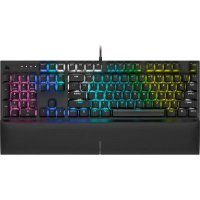
K60 RGB PRO SE - Keyboard CORSAIR - Free user manual and instructions
Find the device manual for free K60 RGB PRO SE CORSAIR in PDF.


| Product Type | Mechanical gaming keyboard with Cherry MX switches |
| Brand | Corsair |
| Model | K60 RGB PRO SE |
| Dimensions (approx.) | 440 x 140 x 35 mm |
| Weight (approx.) | 950 g |
| Power | Via USB port (bus-powered) |
| Backlighting | Per-key RGB, built-in effects without software |
| Control Software | iCUE (Windows) |
| Built-in Memory | Yes, for lighting profiles |
| Multimedia Keys | FN + F5 to F12 shortcuts |
| Windows Lock | Yes (FN + F1) |
| Brightness Adjustment | FN + F3/F4 |
| Factory Reset | Hold Escape when connecting |
| Compatibility | Windows, Mac, Xbox One |
| Connectivity | USB-C (braided cable included) |
| Maintenance | Soft dry cloth, no chemicals |
| Safety | Do not expose to liquids, avoid humidity |
Frequently Asked Questions - K60 RGB PRO SE CORSAIR
User questions about K60 RGB PRO SE CORSAIR
0 question about this device. Answer the ones you know or ask your own.
Ask a new question about this device
Download the instructions for your Keyboard in PDF format for free! Find your manual K60 RGB PRO SE - CORSAIR and take your electronic device back in hand. On this page are published all the documents necessary for the use of your device. K60 RGB PRO SE by CORSAIR.
USER MANUAL K60 RGB PRO SE CORSAIR
BLOG: corsair.com/blog
FORUM: forum.corsair.com
YOUTUBE: youtube.com/corsairhowto
© 2020 CORSAIR MEMORY Inc. All rights reserved. CORSAIR and the sails logo are registered trademarks in the United States and/or other countries. All other trademarks are the property of their respective owners. Product may vary slightly from those pictured. 49-002042 AA


CORSAIR

CUE
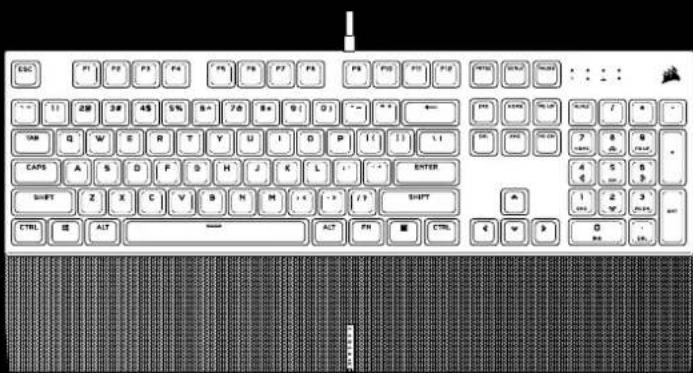
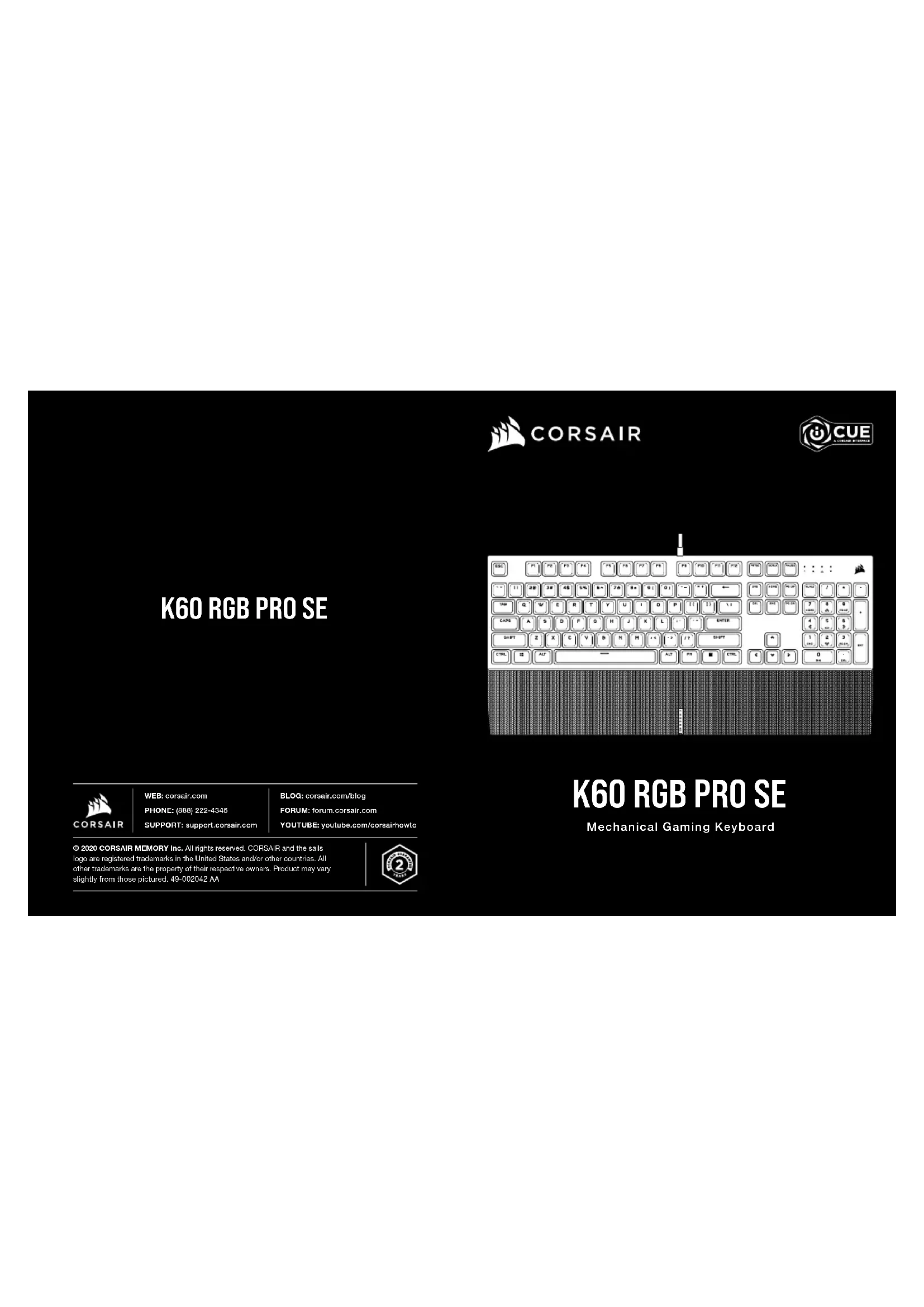
K60 RGB PRO SE
Mechanical Gaming Keyboard
GETTING TO KNOW YOUR KEYBOARD
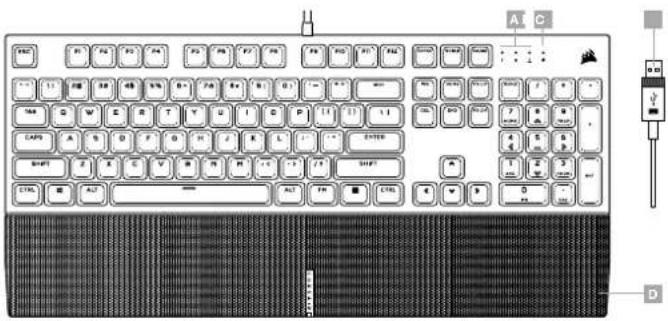
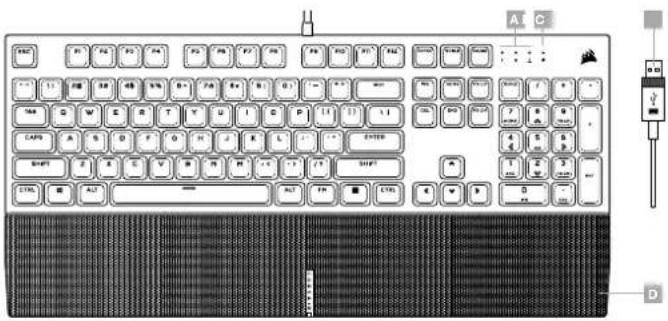
A — NUM, CAPS, AND SCROLL LOCK INDICATORS
B - WIN LOCK INDICATOR
C - USB KEYBOARD CONNECTOR
D - MAGNETIC DETACHABLE CUSHIONED LEATHERETTE PALM REST
SETTING UP YOUR KEYBOARD
Connect keyboard USB connector (C) to an available USB 3.0 or better Type-A port on your Windows *PC, Apple Mac ^® , or Microsoft Xbox One *.*
*www.corsair.com/xbox-one-support
SOFTWARE MODE
When ICUE is running the keyboard operates in software mode and is controlled by ICUE.

Install iCUE on a Windows * PC to connect all of your CORSAIR iCUE compatible products together in a single interface, giving you complete control of everything from lighting to powerful macros. Download iCUE from www.corsair.com/downloads.
When playing iCUE-integrated games your RGB lighting dynamically reacts to in-game actions and events in real-time. Learn more at www.corsair.com/icue.
ENGLISH ENGLISH
ONBOARD LIGHTING / FUNCTION SHORTCUTS
Keyboard lighting effects can be controlled via the onboard shortcuts below when iCUE is not running or the keyboard is connected to a device that does not support iCUE.
| SHORTCUT LIGHTING EFFECT | |
| FN + 1 | Spiral Rainbow |
| FN + 2 | Rain |
| FN + 3 | Rainbow Wave |
| FN + 4 | Visor |
| FN + 5 | Type Lighting (Per-key) |
| FN + 6 | Type Lighting (Ripple) |
| FN + 7 | Color Shift |
| FN + 8 | Color Pulse |
| FN + 9 | Color Wave |
| FN + 0 | Static Color (Press to cycle colors) |
| SHORTCUT FUNCTION | |
| FN + ^ | Reset To Onboard Stored Effect |
| FN + · | Reduce Effect Speed* |
| FN + = | Increase Effect speed* |
| FN + [ | Rotate Effect Left* |
| FN + ] | Rotate Effect Right* |
*Functions supported on select effects.
| SHORTCUT FUNCTION | |
| FN + F1 | Toggle Win Lock |
| FN + F3 | DecreaseBacklightingBrightness |
| FN + F4 | Increase BacklightingBrightness |
| SHORTCUT FUNCTION | |
| FN + F5 | Mute |
| FN + F7 | Decrease Volume |
| FN + F8 | Increase Volume |
| FN + F9 | Stop Playback |
| FN + F 10 | Last Track |
| FN + F 11 | Play / Pause |
| FN + F 12 | Next Track |
FACTORY RESET
To clear the onboard memory, hold the ESC key while plugging in the USB keyboard connector (C), then release the ESC key after two seconds. The keyboard will then power on normally and be reset to factory defaults.
PRÉSENTATION DU CLAVIER
A — VOYANTS DE VERROUILLAGE NUMÉRIQUE,
VERROUILLAGE DES MAJUSCULES ET ARRÊT DU DÉFILEMENT
B - VOYANT DE VERROUILLAGE WINDOWS
C - CONNECTEUR USB DU CLAVIER
D — REPOSE-POIGNET MAGNÉTIQUE COUSSINÉ AMOVIBLE EN SIMILICUIR
CONFIGURATION DE VOTRE CLAVIER
A — INDICADORES DE BLOQUEO NUMÉRICO. DE MAYÚSCULAS Y DE DESPLAZAMIENTO
B — INDICADOR DE BLOQUEO DE WINDOWS
c - CONECTOR DEL TECLADO USB
D — REPOSAMUÑECAS MAGNÉTICO DESMONTABLE CON PIEL SINTÉTICA ACOLCHADA
A — INDICADORES DE NUM. CAPS E SCROLL LOCK
B - INDICADOR DE WIN LOCK
C - CONECTOR USB DO TECLADO
D — DESCANSO PARA PULSO MAGNÉTICO REMOVÍVEL E ACOLCHOADO EM COURO ARTIFICIAL
CONFIGURANDO O SEU TECLADO

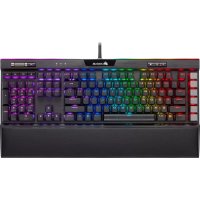
Brand : CORSAIR
Model : K60 RGB PRO SE
Category : Keyboard