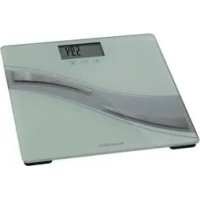
IAN 278152 - Scale SILVERCREST - Free user manual and instructions
Find the device manual for free IAN 278152 SILVERCREST in PDF.



| Product type | Connected impedance scale |
| Brand | SilverCrest |
| Model | IAN 278152 |
| Dimensions (L × W × H) | Approx. 30 × 30 × 2.3 cm |
| Maximum supported weight | 180 kg / 396 lb / 28 st |
| Power supply | 3 AAA 1.5 V batteries (included) |
| Display | LCD screen displaying weight, BMI, body fat, water, muscle, bone mass, BMR, AMR |
| Functions | Measurement of weight, BMI, % body fat, % body water, % muscle mass, bone mass, BMR, AMR; Bluetooth 4.0 connectivity; memory for up to 8 users; auto-off |
| Units of measurement | kg / lb / st (configurable via app) |
| Accuracy | Weight and bone mass: 0.1 kg / 0.2 lb; body fat, water, muscle mass: 0.1%; calories: 1 kcal |
| Materials | Safety glass, plastic, metal |
| Connectivity | Bluetooth 4.0 (BLE) - band 2.402-2.480 GHz, max power 0 dBm |
| Compatible app | HealthForYou (iOS 9.0+ / Android 5.0+) |
| Package contents | Scale, 3 AAA batteries, instruction manual, quick guide |
| Care and cleaning | Clean with a slightly damp cloth; do not immerse in water; avoid chemical products |
| Safety instructions | Do not use by pregnant women, persons with medical implants; do not exceed 180 kg; do not step on with wet feet |
| Warranty | 3 years (material and manufacturing defects) |
| Protection class | CE |
| Country of origin | Not specified (manufactured for SilverCrest) |
Frequently Asked Questions - IAN 278152 SILVERCREST
User questions about IAN 278152 SILVERCREST
0 question about this device. Answer the ones you know or ask your own.
Ask a new question about this device
Download the instructions for your Scale in PDF format for free! Find your manual IAN 278152 - SILVERCREST and take your electronic device back in hand. On this page are published all the documents necessary for the use of your device. IAN 278152 by SILVERCREST.
USER MANUAL IAN 278152 SILVERCREST
DIAGNOSEWAAGE/BODY ANALYSER SCALE/ PÉSE-PERSONNE IMPÉDANCÉMÈTURE SBF 75
DE AT CH
DIAGNOSEWAAGE
Operation and Safety Notes
NL BE
DIAGNOSEWEEGSCHAAL
Before reading, unfold the page containing the illustrations and familiarise yourself with all functions of the device.
FR BE
Maximale Tragkraft: 180kg/396lb/28 st
Messeinteilung
(Gewicht,
| Alter weniger normal viel | ||
| 10-14 <36% | 6-43%>43% | |
| 15-19 <35% | 5-41%>41% | |
| 20-29 <34% | 4-39%>39% | |
| 30-39 <33% | 3-38%>38% | |
| 40-49 <31% | 1-36%>36% | |
| 50-59 <29% | 29-34%>34% | |
| 60-69 <28% | 28-33%>33% | |
| 70-100 <27% | 27-32%>32% |
Knochenasse
List of pictograms used
Introduction
Intended Use Page 20
Parts Description.. Page 21
Scope of Delivery.. Page 21
Technical Data
Safety Notes.. Page 22
Measurement Principle.. Page 24
Initial Use
Inserting/Replacing Batteries
Setting Up the Diagnostic Scales
Installing and Configuring the „HealthForYou“ app
Operation
Measuring. Page 26
Weight Only.
Switching Off the Diagnostic Scales.. Page 26
Configuring Users.. Page 26
Unknown Value.. Page 27
Saving Assigned Values.. Page 27
Deleting Scales Data . Page 27
Evaluating Results.
Body Mass Index (BMI) Page 27
Body Fat Percentage.. Page 27
Water Percentage.. Page 28
Muscle Mass. Page 28
Bone Mass.. Page 28
BMR Page 29
AMR. Page 29
How Time Affects Results.
Troubleshooting
Cleaning and Care
Disposal
Warranty/Service
Declaration of Conformity
SILVERCREST
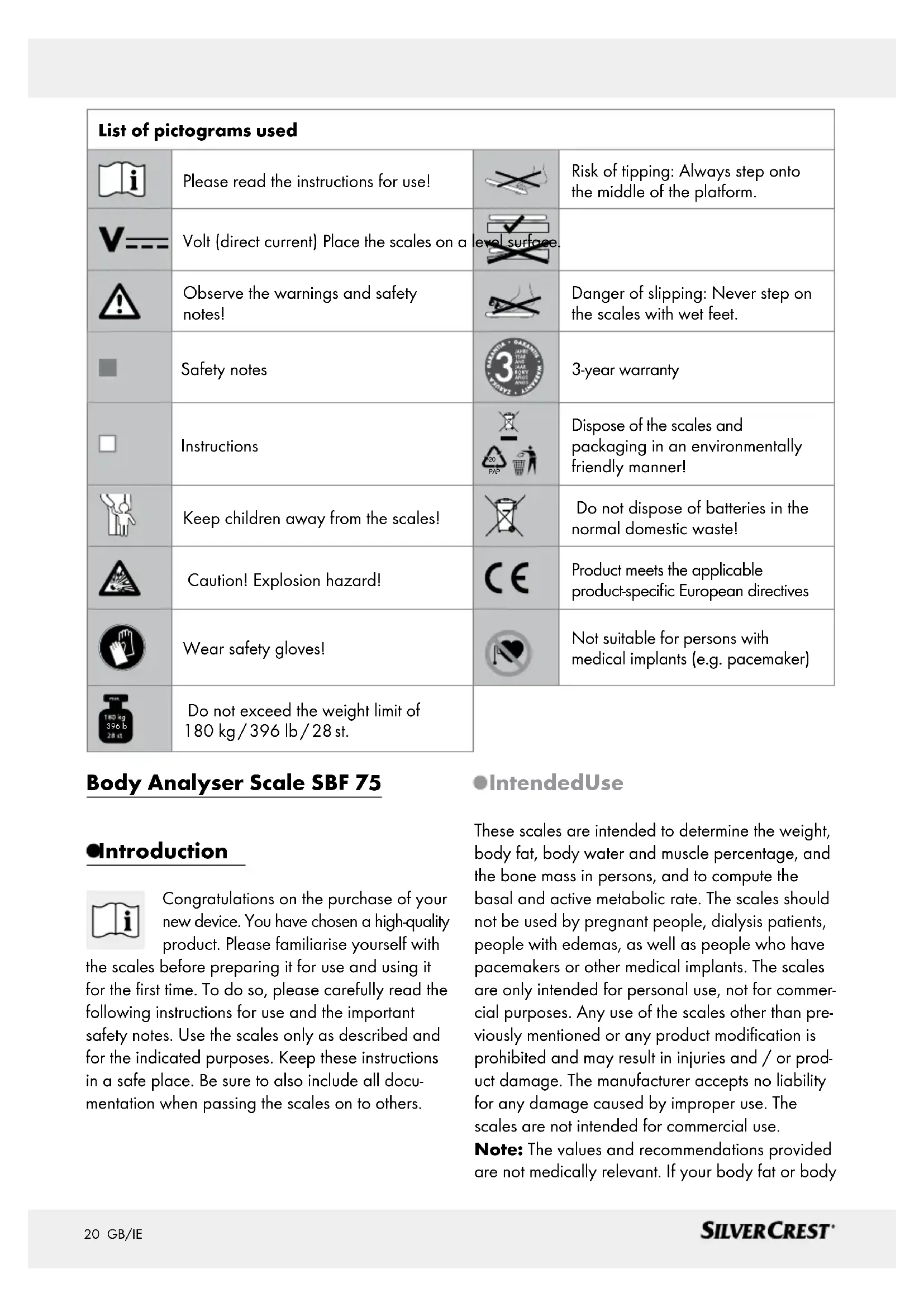
| List of pictograms used | |||
| i | Please read the instructions for use! | × | Risk of tipping: Always step onto the middle of the platform. |
| V--- | Volt (direct current) Place the scales on a level surface. | ||
| ! | Observe the warnings and safety notes! | × | Danger of slipping: Never step on the scales with wet feet. |
| Safety notes | 3-year warranty | ||
| Instructions | 20 PAP | Dispose of the scales and packaging in an environmentally friendly manner! | |
| Keep children away from the scales! | × | Do not dispose of batteries in the normal domestic waste! | |
| Caution! Explosion hazard! | CE | Product meets the applicable product-specific European directives | |
| Wear safety gloves! | Not suitable for persons with medical implants (e.g. pacemaker) | ||
| 180 kg 396 lb 28 st | Do not exceed the weight limit of 180 kg/396 lb/28 st. | ||
Body Analyser Scale SBF 75
Introduction

Congratulations on the purchase of your new device. You have chosen a high-quality product. Please familiarise yourself with
the scales before preparing it for use and using it for the first time. To do so, please carefully read the following instructions for use and the important safety notes. Use the scales only as described and for the indicated purposes. Keep these instructions in a safe place. Be sure to also include all documentation when passing the scales on to others.
IntendedUse
These scales are intended to determine the weight, body fat, body water and muscle percentage, and the bone mass in persons, and to compute the basal and active metabolic rate. The scales should not be used by pregnant people, dialysis patients, people with edemas, as well as people who have pacemakers or other medical implants. The scales are only intended for personal use, not for commercial purposes. Any use of the scales other than previously mentioned or any product modification is prohibited and may result in injuries and / or product damage. The manufacturer accepts no liability for any damage caused by improper use. The scales are not intended for commercial use.
Note: The values and recommendations provided are not medically relevant. If your body fat or body
water percentage is over or under the normal range on a long term basis, please consult a doctor.
-PartsDescription
1 LC-display
2 Battery compartment
3 Reset button
4 Weighing platform
5 Electrode
LC-Display
Weight
Unit of measurement (st, lb or kg)
8 BMR basal metabolic rate
9 AMR active metabolic rate
10 Metabolic rate in kcal
11 Age
12 Values in % or weight in lb or kg
13 Body data values
14Userinitials,unknownvalue
15 Gender
16 Bluetooth symbol for connecting the diagnostic scales with a smartphone
Body data mode BMI (Body Mass Indicator) / BF (body fat) / body water percentage/ (muscle percentage) / bone mass
- Scope of Delivery
Verify all of the items are present and that the product is in perfect condition immediately after unpacking.
1 Body Analyser Scale
3 Batteries 1.5 V Type AAA
1 Instructions for use
1 Quick start guide
-TechnicalData
Platform dimensions: approx. 30 × 30 × 2.3 cm (W × D × H)
Battery: 3 × 1.5 ~V battery
(type AAA)
Maximum capacity: 180kg / 396lb / 28st
Increments (weight,
bone mass):
Increments (body fat,
body water, muscle
percentage):
Increments (calories):
Material:
Data transfer via
Bluetooth® wireless
technology
0.1 kg/0.2 lb/0.2 lb
0.1%
1 kcal
Safety glass, plastic, metal
This product uses Bluetooth® low energy technology, frequency band 2.402 - 2.480 GHz, transmission power max. 0 dBm, compatible with Bluetooth® 4.0 smartphones / tablets
For a list of compatible smartphones, information about the HealthForYou app and software, and further details about the devices please visit: www.healthforyou.lidl
| System requirements of the „HealthForYou“ web version | MS Internet Explorer MS Edge Mozilla Firefox GoogleChrome AppleSafari (respective current versions) |
| System requirements of the „HealthForYou“ app | iOS from Version 9.0, Android™ from Version 5.0, Bluetooth® 4.0. |
Technical specifications subject to change without notice due to updates.
IMPORTANT INSTRUCTIONS - KEEP FOR FUTURE REFERENCE!

SafetyNotes
WARNING! Failure to observe the following instructions may result in personal injury or property damage. The following safety notes and hazard warnings are not only intended to protect your own health and the health of others, but also to prevent damage to the scales. Please observe these safety notes and be sure to include then when passing the scales on to others.

WARNING!
DANGER TO LIFE AND
RISK OF ACCIDENTS FOR INFANTS AND CHILDREN!
Never leave children unsupervised with the packaging materials and the device. Otherwise there is a risk to life from suffocation. Always keep children away from the device. This product is not a toy.
This product may be used by children aged 8 years and up, as well as by persons with physical, sensory or mental impairments or lacking experience and / or
knowledge, so long as they are supervised or instructed in the safe use of the product and understand the associated risks. Do not allow children to play with the device. Cleaning and user maintenance must not be performed by children without supervision.

WARNING!
product is not suitable for persons with medical implants (e.g. pacemaker). The measuring voltage for the bioelectrical impedance analysis of the scales may interfere with the operation of such implants.
Do not use if you are pregnant.
This product is not suitable for the following persons, as the values may be incorrect or implausible when determining the body fat percentage and other values:
- Children under approx. 10 years,
- Competitive athletes and body-builders,
- Persons with a fever, receiving dialysis, oedema symptoms or osteoporosis,
- Persons taking cardiovascular medications (relating to the heart and blood vessels),
- Persons taking vasodilatory or vasoconstrictive medications,
- Persons with significant anatomical variances of the legs related to total body height (considerably shorter or longer leg).
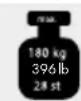
CAUTION! RISK OF INJURY!
Do not load the scales beyond 180kg / 396lb / 28 st. Otherwise the scales might be damaged.
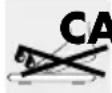
AUTION! RISK OF INJURY!
Do not step on to the scales with wet feet and do not use the scales if the platform is moist. Otherwise you may slip.
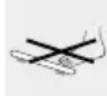
Do not step onto only one outside edge of the
diagnostic scales: Tipping hazard!
- Protect your scales from impact, moisture, dust, chemicals and sudden changes in temperature, and keep them away from sources of heat (ovens, heating radiators).
-
Do not expose the product to - strong mechanical stresses, -directsunlight,
-
strong electromagnetic fields (e.g. mobile).
The product may otherwise be damaged.
Check the product for damage before use. Do not use the product if damaged.
- Remove the batteries if the product malfunctions or is defective. Otherwise there is an increased risk of battery leaks.

WARNING!
Never open the
product housing. Doing so may result in personal injury or product damage. Always have any repairs carried out at the service centre or by an electrical equipment repair specialist.

CAUTION! Do not store the scales in passageways. Otherwise you or others may trip over them.

Dangers associated with handling batteries


CAUTION!EXPLOSION HAZARD!
Never recharge disposable batteries. Do not short-circuit or open them. The battery may overheat, ignite or explode. Never throw batteries into fire or water. The batteries may explode.
Safety Notes / Measurement Principle
- Avoid extreme conditions and temperatures which may affect batteries, e.g. on radiators. Otherwise there is an increased risk of battery leaks.
Leaked or damaged batteries may cause burns on contact with the skin. To avoid this, always wear suitable protective gloves in these circumstances! - Be sure to insert the batteries correctly (polarity)!
Batteries must not be disposed of with regular domestic waste!
Every consumer is legally obliged to dispose of batteries properly! - Keep batteries away from children, do not throw batteries into fire, short-circuit batteries, or take them apart.
Avoid contact with the skin, eyes or mucous membranes if fluid has leaked from the batteries. In the event of contact with battery acid, thoroughly flush the affected area with clean water and seek immediate medical attention.
Remove the batteries from the product if it will not be used for a long period of time.
Remove drained batteries from the product immediately. There is an increased risk of leaks!
Failure to observe the above instructions may result in the batteries discharging beyond their end voltage. This poses a risk of leaks. If the batteries have leaked inside your product, immediately remove the batteries to prevent product damage!
Measurement Principle
These diagnostic scales use the principle of bioelectrical impedance analysis (BIA). This enables body parts to be measured within a few seconds using a non-perceivable, completely harmless and safe current.
By measuring the electrical resistance (impedance) and factoring in constants or individual values (age, height, gender, activity level), the body fat percentage and other values can be determined approximately. Muscle tissue and water have good electrical conductivity, hence little resistance. Bone and fatty tissue on the other hand have a low conductivity, as the fat cells and bones hardly conduct the current due to their high resistance.
Please note, the values determined by the diagnostic scales are only approximate values of the body's medical, actual analytical values. Only a medical specialist can determine the exact body fat or water content percentages, the muscle mass or the bone structure through medical procedures (e.g. computer tomography).
Please note, due to the technology used measuring tolerances may occur, as these are not calibrated diagnostic scales for professional, medical purposes.
.../ Inserting / Replacing .../ Setting Up the .../ Installing and .../ Operation
- Initial Use
Verify the parts listed in the scope of delivery are complete.
Remove all packaging material.
- Inserting/Replacing Batteries
Note: The batteries must be inserted prior to initial use.
Note: If the product does not respond, remove and reinsert the batteries.
Open the battery cover 2 (see Fig. A).
Insert the three included batteries (with the correct polarity) in the battery compartment 2. Please note the marking inside the battery compartment 2.
Close the battery cover until you hear it engage.
Setting Up the Diagnostic Scales
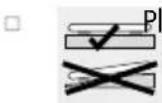
ce the product on a level, solid surface. A solid floor covering is required to ensure accurate values.
- Installing and Configuring the „HealthForYou“ app
Download the free app „HealthForYou“ from the Apple App Store and Google Play.
Activate Bluetooth® the smartphone settings.
To be able to connect to Bluetooth® be sure to keep your smartphone /tablet within the Bluetooth® range of the product.
Install "HealthForYou" from the Apple App Store / Google Play.
Start the app and follow the instructions. Select the scales in the settings menu of the app. A randomly generated six-digit PIN code will be shown on the display on the scales. At the same time an entry field will appear on your
smartphone, where you should enter this six-digit PIN code.
You will need to enter the following information in the "HealthForYou" app:
| User data Configuration Options | |
| Initials up to 3 letters or numbers (for up to 8 users) | |
| Body height 100 to 220 cm (3' 3.5" to 7' 2.5") | |
| Birthday Year, month, day | |
| Gender | Male ( ), female ( ) |
| Activity level | 1 to 5 The medium- and long-term informa- tion is important when determining the activity level. |
| Activity level | Physical activity |
| 1 | None. |
| 2 | Low: Little and light exercise (e.g. walks, light gardening, gymnastic exercises). |
| 3 | Moderate: Exercising at least 2 to 4 times per week for 30 minutes at a time. |
| 4 | High: Exercising at least 4 to 6 times per week for 30 minutes at a time. |
| 5 | Very high: Intensive exercise, training or hard physical labour for at least 1 hour every day. |
Set up the users as prompted.
The first measurement must be matched with your personal user information for automatic user recognition. Follow the instructions in the app. To do so, step onto the diagnostic scales barefoot and be sure to remain still, standing on the electrodes with both legs, weight distributed evenly.
Operation
To ensure comparable results, use the scales at the same time (preferably in the morning) after using the toilet, on an empty stomach and naked.
Operation
- Allow several hours following unusual physical strain.
Wait approx. 15 minutes after getting up to allow water to distribute throughout the body.
Important for measurements: the body fat percentage can only be determined if you are barefoot. If necessary, slightly moisten the soles of your feet.
Note: Completely dry or very calloused feet may provide poor results, as the conductivity will be too low.
Note:Do not allow the feet, legs, calves or thighs to touch. This will interfere with measurement.
Note:Wearing socks will provide false results.
Stand upright and still during measurement, with the weight distributed equally between both legs.
Please note, only the long-term trend is important. Sudden weight changes within a few days are typically caused by loss of fluids; however, hydration is important for your well being.
Note: The units of measure for the scales can be changed in the app, under device settings (kg / lb / st).
Measuring
Step on the diagnostic scales barefoot and be sure to stand still on the electrodes 5 with the weight distributed equally between both legs. The diagnostic scales will start to measure immediately. They will first show the weight 6. Whilst measuring other parameters the display will read "ooo".
The results will appear shortly after. If a user has been assigned (the user initials [14] will appear, e.g. LEE), BMI, BF, water, muscle, bone, BMR and AMR will be displayed.
The following information will be displayed:
-
Weight 6 in kg with BMI (Fig. C)
-
Body fat 13 in % (BF) (Fig. D)
-
Body water 13 in % (Fig. E)
- Muscle mass 13 in % (Fig. F)
-
Bone mass 13 in kg (Fig. G)
-
Basal metabolic rate 8 in kcal (BMR) (Fig. H)
- Active metabolic rate 9 in kcal (AMR) (Fig. I) If a user is not recognised, only the weight will be displayed along with .
Weight Only
Stand on the diagnostic scales wearing shoes. Stand still on the diagnostic scales with the weight distributed evenly between both legs.
The diagnostic scales will start to measure immediately. The weight will be displayed, and the LC-display 1 will cycle through .
If a user has been assigned (the user initials 14 will appear, e.g. LEE), the BMI, BMR and AMR will be displayed.
If a user is not recognised, only the weight will be displayed along with ·s .
- Switching Off the Diagnostic Scales
The diagnostic scales feature an auto shut-off and will automatically switch off after displaying the results.
- Configuring Users
The weighing scales are able to save measurements from up to 8 different users. Upon starting a new measurement, the diagnostic scales will assign the measurement automatically to the created user:
-
in the case of a measurement of weight only (including shoes): to the user whose last saved value lies within the range of + / - 2 kg of the new measurement
-
in the case of measurement of a diagnosis (barefoot): to the user whose last saved value lies within the range of + / - 2 kg or + / - 2% of BF from the new measurement
If more than one user falls into the same range, the measurement will be saved as an unknown user.
Unknown Value
If values cannot be matched with a user, the diagnostic scales will save these values as unknown values. The LC-display 1 will read n - 1 under initials 14. The diagnostic scales will save up to 20 unknown values.
Note: Use the app to delete or assign unknown values to a user.
- Saving Assigned Values
With the "HealthForYou" app open and active Bluetooth® connection to the diagnostic scales (indicated by the Bluetooth® symbol [16] in the LC-display [1]), newly assigned measurements will be immediately transferred to the app. In this case the values will not be saved to the diagnostic scales. If the app is not open, newly assigned values will be saved to the diagnostic scales. The diagnostic scales can save up to 30 values per user. The saved values are automatically transferred to the app after opening the app within Bluetooth® range. Data can automatically be transferred with the diagnostics scales off, provided you are within Bluetooth® range.
- Deleting Scales Data
To delete outdated or incorrect scales users:
To completely delete all values and outdated user data from the diagnostic scales, switch on the diagnostic scales and hold the Reset button 3 for approx. 3 seconds.
TheLC-display 1 will read "del" for a few seconds.
This is necessary to e.g. scales users which were added incorrectly or will no longer be used.
- Evaluating Results
Body Mass Index (BMI)
The body mass index (BMI) is a number frequently used to assess body weight. The number is calculated from the body weight and height: body mass index = body weight ÷ height². The unit of measure for the BMI is therefore [kg / m^2] . For adults (20 years and up), the BMI is then rated as:
| Category BMI | ||
| Underweight Very severely underweight | <16 | |
| 16-16.9 | ||
| Moderately underweight | 17-18.4 | |
| Slightly underweight | ||
| Normal weight 18.5-24.9 | ||
| Overweight Overweight 25-29.9 | ||
| Obese (over-weight) | Obese class I | 30-34.9 |
| Obese class II | 35-39.9 | |
| Obese class III | ≥ 40 | |
Body Fat Percentage
The following body fat values in % are intended as a guide.
For more information, please contact your physician.
Male
| Age | low | normal | high | very high |
| 10-14 | <11% | 11-16% 16.1-21 % | >21.1% | |
| 15-19 | <12% | 12-17 | 17.1-22% | >22.1% |
| 20-29 | <13% | 13-18% 18.1-23 % | >23.1% | |
| 30-39 | <14% | 14-19 | 19.1-24% | >24.1% |
| 40-49 | <15% | 15-20% 20.1-25 % | >25.1% | |
| 50-59 | <16% | 16-21% 21.1-26 % | >26.1% | |
| 60-69 | <17% | 17-22% 22.1-27 % | >27.1% | |
| 70-100 | <18% | 18-23% 23.1-28 % | >28.1% |
Female
| Age low | normal high | very | high | ||
| 10-14 <16 | % 16- | 21 | % 2 | 1.1-26 | % >26.1% |
| 15-19 <17 | % 17- | 22 | % 2 | 2.1-27 | % >27.1% |
| 20-29 <18 | % 18- | 23 | % 2 | 3.1-28 | % >28.1% |
| 30-39 <19 | % 19- | 24 | % 2 | 4.1-29 | % >29.1% |
| 40-49 <20 | % 20- | 25 | % 25.1-30% | >30.1% | |
| 50-59 <21 | % 21- | 26 | % 26.1-31 | >31.1% | |
| 60-69 <22 | % 22- | 27 | % 27.1-32 | >32.1% | |
| 70-100 <23 | % 23- | 28 | % 28.1-33 | >33.1% | |
The values will often be lower in athletes. Depending on the sport, training intensity and the physical condition the values may even be lower than the guidelines specified. Please note, extremely low values may indicate health hazards.
Water Percentage
The amount of water in the body in % is typically inside the following ranges:
Male
| Age poor good excellent | ||
| 10-100 <50 % | 50-65 % | >65 % |
Female
| Age poor good excellent | |||
| 10 - 100 <45 % | 45-60% | >60% | |
Body fat holds relatively little water. The water percentage in persons with a high body fat percentage may therefore be below these guidelines. In endurance athletes, on the other hand, the values may be higher due to the low body fat percentage and the high muscle mass.
The water percentage determined using these diagnostic scales is not suitable for drawing medical conclusions on e.g. age-related water retention. If necessary, consult your physician. The general objective is a high water percentage.
Muscle Mass
The muscle mass in % is normally within the following ranges:
Male
| Age | low | normal | high |
| 10-14 | <44 % | 44-57 % | >57 % |
| 15-19 | <43 % | 43-56 % | >56 % |
| 20-29 | <42 % | 42-54 % | >54 % |
| 30-39 | <41 % | 41-52 % | >52 % |
| 40-49 | <40 % | 40-50 % | >50 % |
| 50-59 | <39 % | 39-48 % | >48 % |
| 60-69 | <38 % | 38-47 % | >47 % |
| 70-100 <37 % | 37-46 % | >46 % |
Female
Like the rest of our body, bone in the body is subject to a natural process of building, loss and ageing. In childhood the bone mass increases rapidly, reaching its maximum at 30 to 40 years of age. With increasing age the bone mass then decreases again. A healthy diet (particularly calcium and vitamin D) and regular exercise can prevent this to some extent. By building muscle you can further improve the health of your skeleton.
Note: These diagnostic scales do not show the calcium content of the bones but determines the
weight of all elements of the bones (organic substances, inorganic substances and water). Although the bone mass can only be influenced minimally, it does fluctuate slightly within factors (weight, height, age, gender). There are no recognised guidelines or recommendations.
Note: Do not confuse bone mass with bone density. The bone density can only be determined with medical tests (e.g. computer tomography, ultrasound). These diagnostic scales therefore cannot be used to draw conclusions on changes in the bones and bone strength (e.g. osteoporosis).
BMR
The basal metabolic rate (BMR) is the amount of energy the body requires at rest to maintain its basic functions (e.g. 24 hours of bed rest). This value is substantially influenced by weight, height and age.
The diagnostic scales show the unit of measure kcal /day calculated based on the scientifically recognised Harris-Benedict equation.
This amount of energy is absolutely required by your body and must be taken in through the diet. Consuming less energy for extended periods may be harmful to your health.
AMR
The active metabolic rate (AMR) is the amount of energy the body burns each day through activity. A person's energy requirement increases with activity and is determined by the diagnostic scales using the activity level specified (1 - 5).
To maintain your current weight you will need to consume the amount of energy burnt through food and beverages.
When consuming less energy than burnt over an extended period the body will essentially take the difference from fat stores, resulting in weight loss. On the other hand, when consuming more energy than the calculated active metabolic rate (AMR) over an extended period the body will not be able
to burn the excess energy and store it as fat, resulting in weight gain.
How Time Affects Results
Please note, only the long-term trend is important. Sudden weight changes within a few days are typically caused by loss of fluid.
The results are interpreted based on changes in the total weight and the body fat and water percentage and the muscle mass along with the amount of time over which these occurred. Sudden changes within days are must be distinguished from medium term changes (within weeks) and long-term changes (months).
As a general rule, sudden weight changes are almost exclusively caused by changes in the water percentage, whilst medium- and long-term changes may also be due to changes in the percentage of fat and muscle.
- If the weight suddenly changes but the body fat percentage increases or remains steady, you have merely lost water - e.g. after exercising, using the sauna or a diet aimed at rapid weight loss.
- If the weight increases in the medium term and the body fat percentage decreases or remains steady, on the other hand, you may have built important muscle mass.
- If the weight and body fat percentage decrease at the same time, your diet is working - you are losing fat.
- Your diet will ideally be accompanied with physical activity, fitness or weight training. You can then increase your muscle mass in the medium term.
- However, do not add body fat and water percentages or muscle mass (muscle tissue also contains water).
- Troubleshooting
= Error/Display
Cause
O = S oution
The LC-display 1 reads
= Unknown value - outside the user assignment limit or unable to clearly identify a user.
O = Assign the unknown value in the app or reassign user.
The LC-display 1 is scrolling
The fat percentage is outside the measurable range (less than 3% or higher than 65% ).
O = Repeat the measurement barefoot, if necessary dampen the bottoms of your feet.
The LC-display 1 reads Err".
The maximum load capacity of 180kg / 396lb / 28 st has been exceeded.
0 = Do not exceed 180kg / 396lb / 28 st.
= Err^ or incorrect weight appears.
= The surface is not level or firm.
O = Place the scales on a level, firm surface.
= You are not standing still.
O = Stand as still as possible.
- The incorrect weight appears.
= The zero point of the scales is incorrect.
0 = Wait for the diagnostic scales to shut off automatically. Activate the diagnostic scales, wait for 0.0kg to appear, then repeat the measurement.
= NoBluetooth connection (16 does not appear).
= Device out of range.
O = The open area minimum range is approx. 10m Walls and ceiling reduce this range. Other radio waves can interfere with transmission. Therefore do not place the diagnostic scales near devices such as WiFi router, microwave, induction hobs.
= No Bluetooth^® connection (no symbol).
= Not connected to the app.
0 = Completely close the app (including in the background).
RestartBluetooth
Restart the smartphone.
Briefly remove and reinsert the batteries in the scales.
The LC-display 1 reads "Full".
= The user memory is full. No additional measurements will be saved.
O = Open the app within Bluetooth range.
The data will automatically be transferred. This may take up to a minute.
The LC-display 1 reads "Lo".
= The batteries in the diagnostic scales are dead.
O = Replace the batteries.
- Cleaning and Care
Do not clean with chemical cleaners or scouring agents.
Clean the product with a damp cloth. For more stubborn dirt you may also apply a weak soap solution to the cloth.
Never immerse the product in water or other liquids. The devices may otherwise be damaged.
Ensure water does not enter the product. If this does occur, wait for the devices to dry completely before using it again.
Disposal
The packaging is made entirely of recyclable materials, which you may dispose of at local recycling facilities.
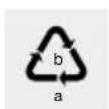
Observe the marking of the packaging materials for waste separation, which are marked with abbreviations (a) and numbers (b) with following meaning: 1-7: plastics / 20-22: paper and fibreboard/80-98: composite materials.

Contact your local refuse disposal authority for more details of how to dispose of your worn-out product.

To help protect the environment, please dispose of the product properly when it has reached the end of its useful life and not in the household waste. Information on collection points and their opening hours can be obtained from your local authority.
Per Directive 2006 / 66 / EC and its amendments, defective or used batteries must be recycled. Return batteries and / or the product to the provided recycling facilities.
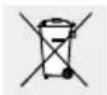
Improper disposal of batteries can harm the environment!
Never dispose of batteries in your household bin. They may contain toxic heavy metals and are subject to hazardous waste regulations. The chemical symbols of the heavy metals are: Cd = cadmium, Hg = mercury, Pb = lead. Therefore dispose of used batteries through your local collection facilities.
Warranty/Service
The scales are covered by a 3 year warranty from the date of purchase for defects in material and manufacture. The warranty does not cover:
- Damage due to improper use.
-Wearparts. - Damage caused by the customer.
If the device has been opened by an unauthorised repair shop.
This warranty does not affect the customer's legal rights. The customer must provide proof of purchase in order for any warranty claims within the warranty period to be honoured. The warranty claim must be filed with Hans Dinslage GmbH, Uttenweiler, Germany, within 3 years from the date of purchase.
For complaints, please contact our Service Department at:
Service Hotline (free of charge):
GB
0 0800 93 10 319 (Mon-Fri: 8 am-6 pm) service-uk@sanitas-online.de
IE
1800 93 92 35 (Mon-Fri: 8 am-5 pm) service-ie@sanitas-online.de
If we ask you to return the defective diagnostic scales, return the product to:
NU Service GmbH
Lessingstraße 10b
DE-89231 Neu-Ulm
GERMANY
IAN 297926
Declaration of Conformity
We hereby affirm that this product complies with the European RED Directive 2014/53/EU.
The CE declaration of conformity for this product is available at:
www.sanitas-online.de/web/de/landingpages/ cdeclarationofconformity.php
www.healthforyou.lidl
.../Principe .../Mise en service/Installation/Remplacement.../Installation...
品 service-f@sanitas-online.de
BE
0800 70 611 (ma. - fr.: 8-18 klok)
品 service-be@sanitas-online.de
via Bluetooth® wireless
technology
Service hotline (gratis)
NL
0800 54 30 543 (ma. - fr.: 8-18 klok)
品 service-nl@sanitas-online.de
BE
0800 70 611 (ma. - fr.: 8-18 klok)
品 service-be@sanitas-online.de
wireless technology:
1 kcal
vidrio de seguidad, plastico, metal
The Bluetooth® word mark and logos are registered trademarks owned by Bluetooth SIG, Inc. and any use of such marks by Hans Dinslage GmbH is under license. Other trademarks and trade names are those of their respective owners.
Apple and the Apple logo are trademarks of Apple Inc., registered in the U.S. and other countries. App Store is a service mark of Apple Inc., registered in the U.S. and other countries.
Google Play and the Google Play logo are trademarks of Google LLC.
Android is a trademark of Google LLC.

Hans Dinslage GmbH
Riedlinger Str. 28
DE-88524 Uttenweiler
GERMANY