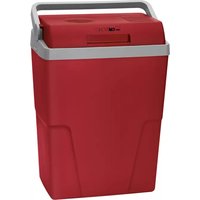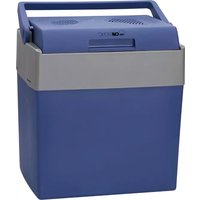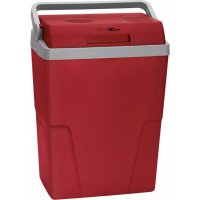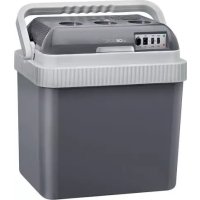
KB 3537 - Refrigerator CLATRONIC - Free user manual and instructions
Find the device manual for free KB 3537 CLATRONIC in PDF.

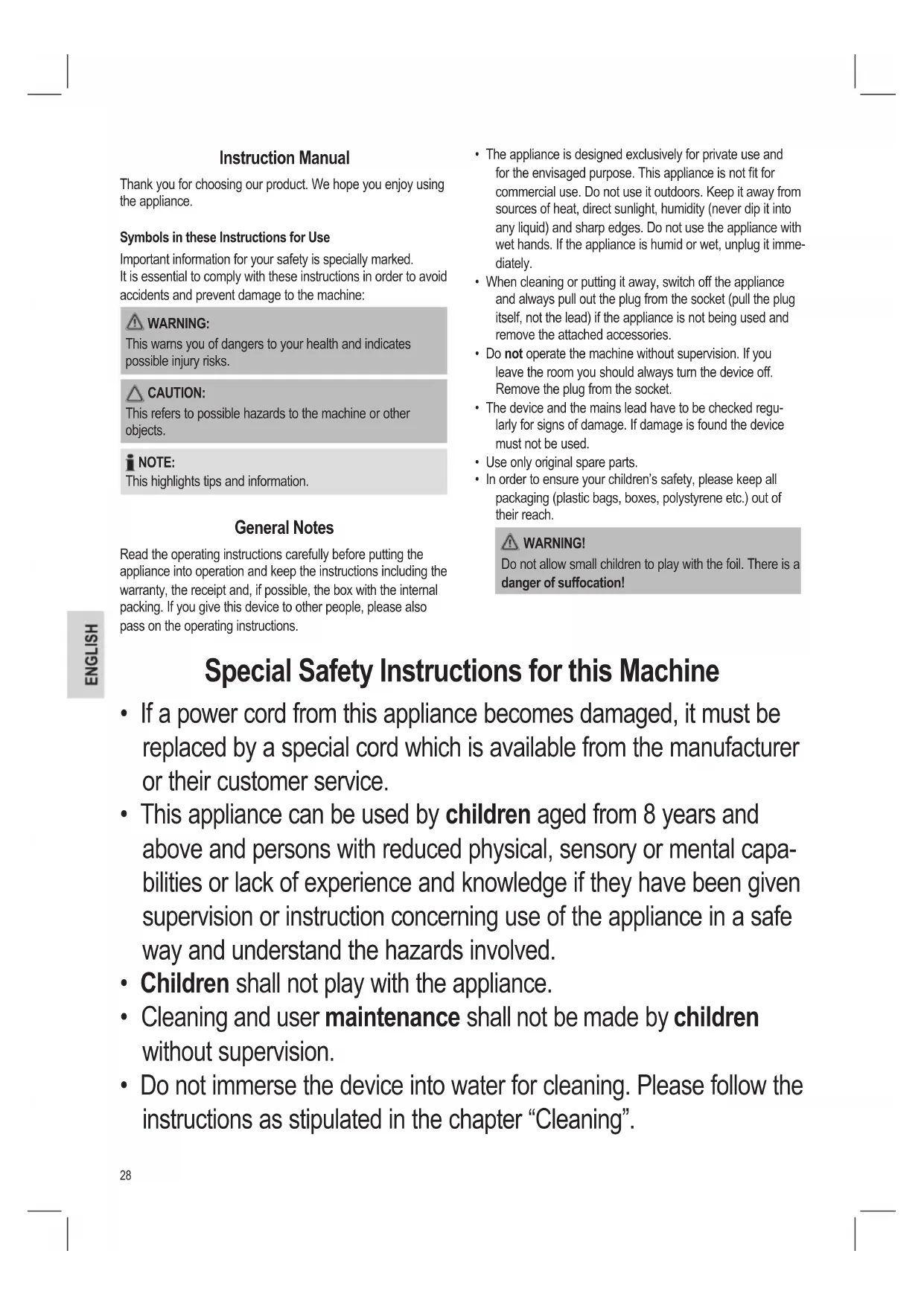


| Product type | Reversible cooler (cold/hot) |
| Brand | Clatronic |
| Model | KB 3537 |
| Capacity | 25 liters |
| Net weight | Approx. 3.95 kg |
| Mains power supply | 220-240 V~, 50/60 Hz |
| Vehicle power supply | 12 V= (cigarette lighter) |
| Cooling consumption (mains) | 58 W |
| Heating consumption (mains) | 50 W |
| ECO consumption (mains) | 9.3 W |
| Cooling consumption (12V) | 48 W |
| Heating consumption (12V) | 40 W |
| Climate class | ST |
| Protection class | II |
| Operating modes | ECO, MAX, COLD, HOT |
| Heating temperature | Up to 50-60 °C |
| Care and cleaning | Clean with a damp cloth and mild detergent, do not immerse |
| Safety | Do not use near flames, unplug before cleaning, ventilation required |
| Spare parts | Specific power cord available from the manufacturer |
| Included accessories | 220-240V cord, 12V cord, connection bar |
Frequently Asked Questions - KB 3537 CLATRONIC
User questions about KB 3537 CLATRONIC
0 question about this device. Answer the ones you know or ask your own.
Ask a new question about this device
Download the instructions for your Refrigerator in PDF format for free! Find your manual KB 3537 - CLATRONIC and take your electronic device back in hand. On this page are published all the documents necessary for the use of your device. KB 3537 by CLATRONIC.
USER MANUAL KB 3537 CLATRONIC
natural_image
Exterior view of a gray industrial water heater with control panel and ventilation slots (no visible text or symbols)Bedienungsanleitung
Thank you for choosing our product. We hope you enjoy using the appliance.
Symbols in these Instructions for Use
Important information for your safety is specially marked. It is essential to comply with these instructions in order to avoid accidents and prevent damage to the machine:

WARNING:
This warns you of dangers to your health and indicates possible injury risks.

CAUTION:
This refers to possible hazards to the machine or other objects.

NOTE:
This highlights tips and information.
General Notes
Read the operating instructions carefully before putting the appliance into operation and keep the instructions including the warranty, the receipt and, if possible, the box with the internal packing. If you give this device to other people, please also pass on the operating instructions.
- The appliance is designed exclusively for private use and for the envisaged purpose. This appliance is not fit for commercial use. Do not use it outdoors. Keep it away from sources of heat, direct sunlight, humidity (never dip it into any liquid) and sharp edges. Do not use the appliance with wet hands. If the appliance is humid or wet, unplug it immediately.
- When cleaning or putting it away, switch off the appliance and always pull out the plug from the socket (pull the plug itself, not the lead) if the appliance is not being used and remove the attached accessories.
- Do not operate the machine without supervision. If you leave the room you should always turn the device off. Remove the plug from the socket.
- The device and the mains lead have to be checked regularly for signs of damage. If damage is found the device must not be used.
- Use only original spare parts.
- In order to ensure your children's safety, please keep all packaging (plastic bags, boxes, polystyrene etc.) out of their reach.

WARNING!
Do not allow small children to play with the foil. There is a danger of suffocation!
Special Safety Instructions for this Machine
- If a power cord from this appliance becomes damaged, it must be replaced by a special cord which is available from the manufacturer or their customer service.
- This appliance can be used by children aged from 8 years and above and persons with reduced physical, sensory or mental capabilities or lack of experience and knowledge if they have been given supervision or instruction concerning use of the appliance in a safe way and understand the hazards involved.
• Children shall not play with the appliance. - Cleaning and user maintenance shall not be made by children without supervision.
- Do not immerse the device into water for cleaning. Please follow the instructions as stipulated in the chapter “Cleaning”.

CAUTION: Risk of overheating!
Keep the ventilation slots free!
If the heat generated by the operation is not properly dissipated, it can result in overheating and fire.
Intended Use
The appliance is designed for the cooling of pre-cooled or for keeping hot dishes and beverages warm.
It is intended for use in the household and in similar applications, such as:
• In personal kitchen areas in shops, offices and other work areas;
- By guests in hotels, motels and other accommodation;
• In bed and breakfast accommodation;
- To use for camping;
- In motor vehicles.
It is not intended for the following use:
• In agriculture;
• In catering and similar wholesale use.
This appliance may not be exposed to the rain.
Supplied parts
1 Cooler box
1 Power cord for AC current 220 - 240 Volt
1 Car power cord for DC 12 Volt
1 Barrier strip
Unpacking the appliance
- Remove the appliance from its packaging.
- Remove all the packaging material such as plastic bags, filler material, cable ties and cardboard packaging.
- Check that all parts are supplied in the package.
i NOTE:
The appliance may still contain dust or production residues. We recommend that you clean the appliance as described under "Cleaning".
Instructions
General information
- Never place the appliance next to naked flames or other heat sources.
- The lid is locked when the handle is pushed back and when carrying.
• To open the cooler box, pull the handle forward. - Do not open the lid more often than required. Do not leave the lid open more often than is necessary. This will influence the duration of the cooling or keeping warm.
- The duration of the cooling or keeping warm is also dependent on the ambient temperature.
- The appliance is not suitable for permanent operation.
- The appliance can be connected to two different energy sources.
- Alternating current 220 – 240 V\~ or
-
Direct current 12 V ===
-
You can switch the appliance on and off using the ECO-OFF-MAX and COLD-OFF-HOT switches. Both switches must be switched on at the required setting to ensure that the appliance functions properly.
- The respective indicator lamp will indicate the mode:
- Green for cooling
- Red for keeping warm
- Do not switch directly from one operating mode into the other. If you would like to change the operating mode, turn the appliance off. Wait about 30 minutes before you switch it to the other operating mode.
Cooling
- You may keep cold foods cold for several hours.
- Turn the switch to the "COLD" position.
- For best results, only store already cooled food / beverages in the cooler. Select a place of use that is protected from direct sunlight.
Keeping warm
- You may keep hot food / beverages warm for several hours, maximum 50 to 60 °C.
- Set the switch to the "HOT" position.
- The Peltier element will switch off and on at intervals to maintain the temperature. The red control light will be lit up when the Peltier element is in operation and when the fan is running.
- The appliance is not designed for reheating. Cold food will only warm up slightly after about 2 hours.
ECO or MAX?
In order to operate the device in energy-efficient mode, use the setting ECO.
i NOTE:
- You may only use the device with the function ECO when connecting it to alternating current 220 - 240 V.
- The output is reduced in the operating mode ECO. Use this operating mode when there are smaller loads in the cooler box, for example.
Using the Appliance
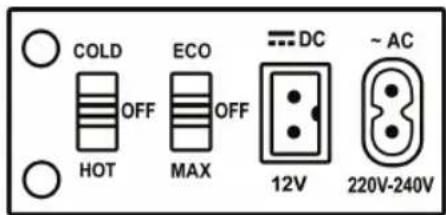
Make sure that both switches are in the "OFF" position.
Connection to the alternating current
- Remove the power cord for the direct current, if necessary.
- Check to make sure that the mains voltage that you want to use is 220 - 240 V\~.
- Plug the power cord for alternating current into the \~AC socket on the appliance (see Fig.)
- Connect the device to a properly installed earthed socket.
- Set the switch to ECO or MAX.
- Set the switch to COLD for cooling and to HOT for keeping warm.
Connection to the direct current
- Remove the power cord for the alternating current, if necessary.
- Turn on the engine of the motor vehicle.
- Plug the power cord for direct current into the == DC socket on the appliance. (See Fig.)
- Connect the appliance to the cigarette lighter in the motor vehicle.
- Set the switch to MAX.
- Set the switch to COLD for cooling or to HOT for keeping warm.
i NOTE:
Save the battery of your motor vehicle. Only run the appliance in the motor vehicle while the engine is running.
Terminating operation
There is no automatic shut-off. The appliance runs permanently while it is connected to a power supply and switched on.
- Set both switches to the "OFF" position.
- Unplug the power cord from the socket or the cigarette lighter.
- Unplug the power cord from the appliance.
Cleaning

WARNING:
• Always unplug the power cord from the appliance and from the socket / the cigarette lighter!

WARNING:
- Never immerse the appliance in water! Otherwise this might result in an electric shock or fire.

CAUTION:
- Do not use a wire brush or any abrasive items.
- Do not use any acidic or abrasive detergents.
- The lid is removable. Pull the lid upwards out of the holder.
- Use a moist towel to clean the inside and the outside. You may add a dishwashing liquid to the towel.
• Dry it with a cloth afterwards. - Fasten the lid back into the holder.
Storage
- Clean the appliance as described and allow it to dry.
- We recommend that you keep the appliance in the original packaging if it will not be used for long periods.
- Always store the appliance out of the reach of children in a dry, well ventilated place.
Troubleshooting
Appliance is not functioning
Possible cause:
The switch setting has not been selected correctly.
Remedy:
Check the switch setting.
Possible cause:
There is no current being supplied to the appliance.
Remedy:
Check the connection to the energy source.
- Check the domestic power socket with a different appliance.
- Check the fusebox.
- Is the connector plugged in correctly into the appliance and into the energy source?
- Does the cigarette lighter of your motor vehicle work without a problem?
Appliance does not function with direct current
Possible cause:
The fuse in the plug of the 12 V power cord is faulty.
Remedy:
Replace the fuse. You can obtain one from a specialized dealer.
Possible cause:
The cigarette lighter of your motor vehicle is faulty.
Remedy:
Contact a specialist for motor vehicles.
The appliance shuts off during operation
Possible cause:
Inadequate ventilation.
Remedy:
- Keep the ventilation slots free
- Position the appliance so that the air may circulate freely.
The appliance is faulty.
Remedy:
Contact our service or a specialist.
Technical Data
Model: KB 3537
Net weight: approx. 3.95 kg
Capacity: max. 25 Litre
Climate class: .... ST
Alternating current
Power supply: 220 - 240 V\~, 50/60 Hz
Power consumption Cooling: 58 W
Keeping warm: 50 W
ECO: 9.3 W
Protection class: ....II
Direct current
Power supply: 12 V=
Power rating Cooling: 48 W
Keeping warm: 40 W
The right to make technical and design modifications in the course of continuous product development remains reserved.
This device has been tested according to all relevant current CE guidelines, such as electromagnetic compatibility and low voltage directives, and has been constructed in accordance with the latest safety regulations.
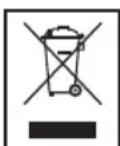
Disposal
Meaning of the "Dustbin" Symbol
Protect our environment: do not dispose of electrical equipment in the domestic waste.
Please return any electrical equipment that you will no longer use to the collection points provided for their disposal.
This helps avoid the potential effects of incorrect disposal on the environment and human health.
This will contribute to the recycling and other forms of reutilisation of electrical and electronic equipment.
Information concerning where the equipment can be disposed of can be obtained from your local authority.
Instrukcja obsługi
CTC Clatronic Sp. z o.o