7321530 - Power bank INTENSO - Free user manual and instructions
Find the device manual for free 7321530 INTENSO in PDF.



User questions about 7321530 INTENSO
0 question about this device. Answer the ones you know or ask your own.
Ask a new question about this device
Download the instructions for your Power bank in PDF format for free! Find your manual 7321530 - INTENSO and take your electronic device back in hand. On this page are published all the documents necessary for the use of your device. 7321530 by INTENSO.
USER MANUAL 7321530 INTENSO
natural_image
Simple black-and-white icon of an umbrella with falling leaves (no text or symbols)| Dimensions: | 70 x 33 x 22 mm |
| Max power consumpon (Input): | 5V 0.5A / 1 A |
| Max charging current output (Output): | 1 A |
| Internal Baery: | 2600 mAh lithium-ion baery |
| Status display: | 4 LED lights |
| Built-in overcharge/discharge protecon | Yes |
| Simultaneous charging of the Powerbank and a connected device: | Yes |
| Standby me: | Up to 3 months |
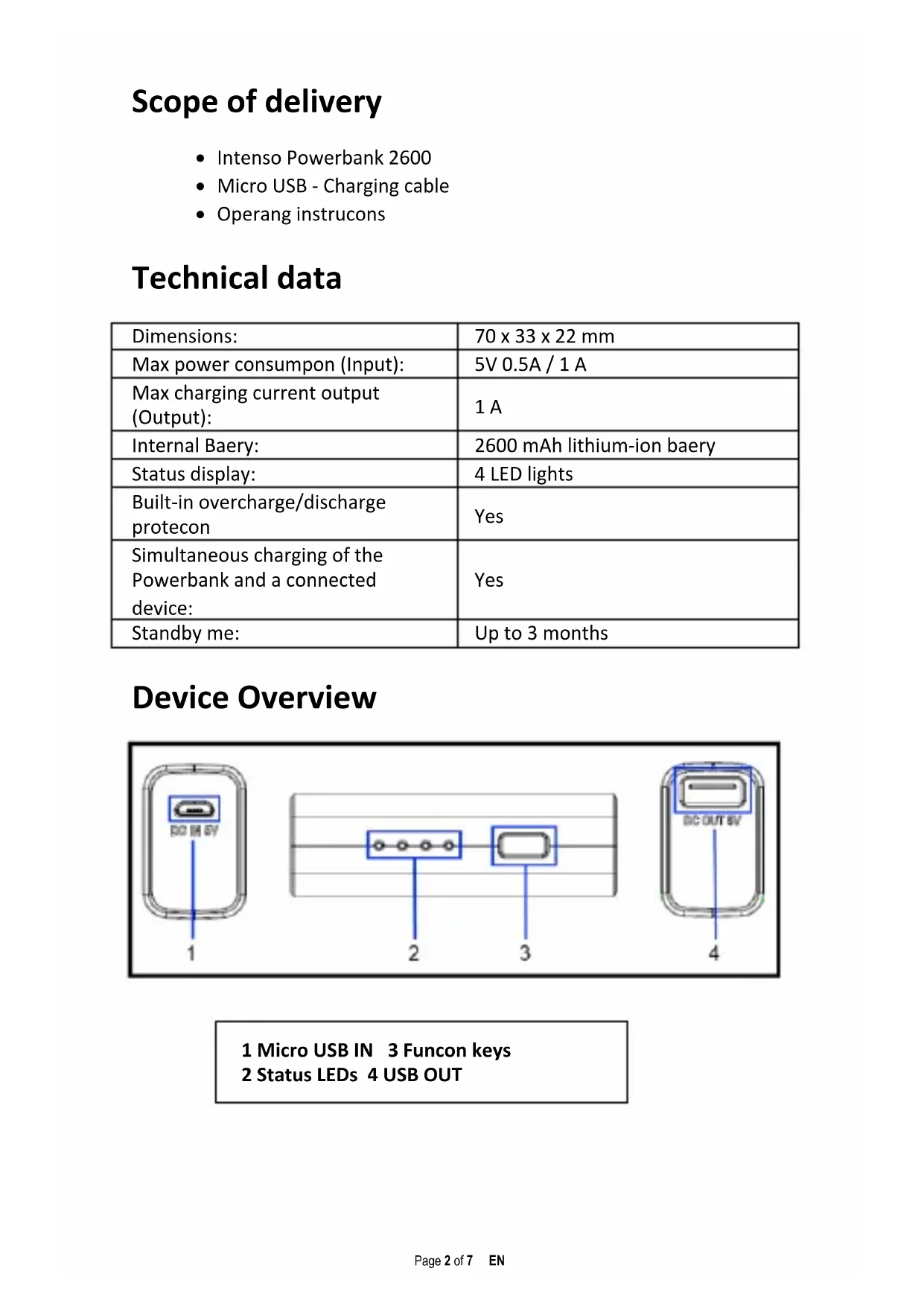
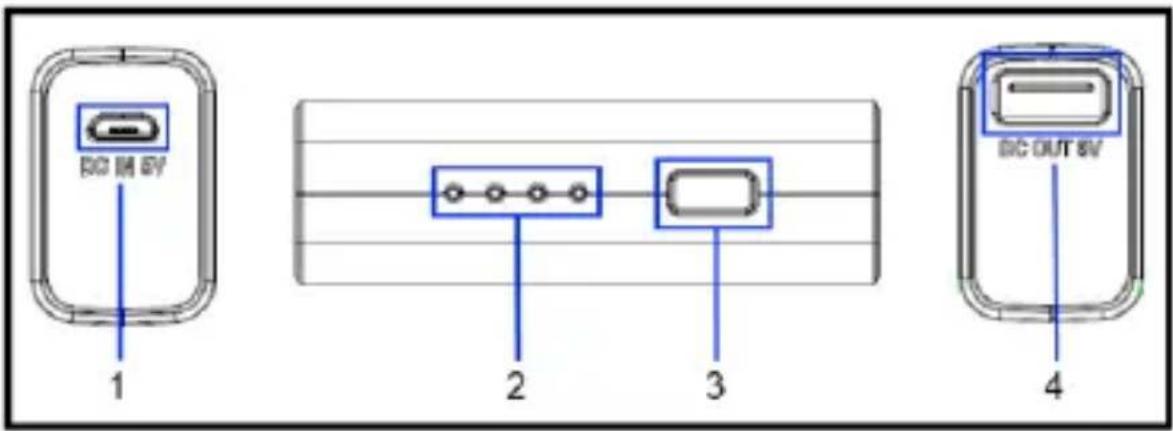
Device Overview
text_image
BCD IN 6V 1 2 3 4 BDC OUT 6V1 Micro USB IN 3 Funcon keys
2 Status LEDs 4 USB OUT
Operaon
1. Funcon keys
- By briefy pressing, the LED lights will indicate the current baery status and the Powerbank is acvated.
- Press this key for about 2 seconds to acvate or deacvate the Powerbank.
- If no device is connected to the Powerbank, or the connected device is fully charged, the Powerbank automacally switches to standby mode aer a me interval of 15 seconds.
2. Status display LED
The individual LEDs indicate the remaining energy of the Powerbank:
| % - Energy\LED light | LED 1 | LED 2 | LED 3 | LED 4 |
| 1 % - 25 % | ● | ○ | ○ | ○ |
| 26 % - 50 % | ● | ● | ○ | ○ |
| 51 % - 75 % | ● | ● | ● | ○ |
| 76 % - 100% | ● | ● | ● | ● |
3. Charging the Powerbank / connected devices
a) Charging the Powerbank
Please connect the included Micro USB cable to the micro USB port of the Powerbank, and connect the other end of the USB cable to a standard USB port of a computer or USB power adapter. The charging process and current charging status is indicated by the LED status lights. If the Powerbank is fully charged, the LED status lights remain illuminated.
b) Charging devices through the Powerbank
- Please connect the included USB cable to the USB A port on the Powerbank and the other end of the USB cable to the micro USB port of the device to be charged. Press the funcon buon to start the charging process.
- Of course, you can also use your own USB charging cable to connect the Powerbank with your device. Please note, however, that devices can be charged only through the USB A port of the Powerbank.
- If a device is charged with the Powerbank and the Powerbank has almost reached its capacity limits, this is signalled by ashing of the last status LED. Please charge the Powerbank again.
- Please note that, when charging a device with a Powerbank nearly 30% of total capacity is consumed by the charging process alone. This is caused for example by the loss of power from circuit heat and voltage conversion.
- For opmal performance, the Powerbank must be used regularly. If this is not the case, fully charge the Powerbank at least every three months.
Intended use
This Powerbank is meant solely for the purpose of power supply to devices with an operang voltage of 5V DC (mobile phones, MP3 player etc.). Any other use is considered as unintended use and may lead to damages and injuries. Claims of any type resulting from unintended use are ruled out.
Operating instructions
natural_image
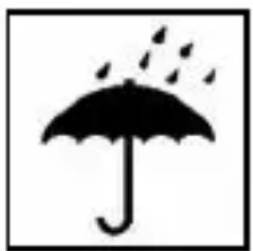
Simple black-and-white icon of an umbrella with raindrops falling (no text or symbols)Operating conditions:
Operate the device at 0 to 40 degree Celsius at max. 90% relative humidity. If you do not use Mobypack for long periods of time, store the device at a temperature range of -10 to 45 degree Celsius at max. 90% relative humidity (for short period) and charge the device every three months to maintain the total performance of the device.
natural_image
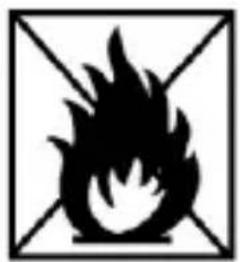
Black and white flame symbol inside a square frame with diagonal lines (no text or numbers)Do not use the device in extremely cold, hot, humid or dusty areas; also do not expose to direct sunlight. Avoid contact with open flame. Risk of Explosion!
natural_image
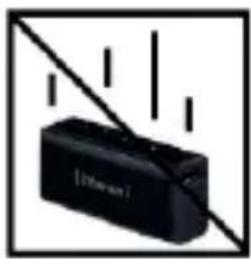
Black rectangular device with vertical lines and a diagonal line, no visible text or symbolsShock, drop:
Please protect the device against shock and drops in all operating modes.

natural_image
Symbolic black-and-white diagram of a mountain with a cross, no text or labels presentElectrostatic discharge:
This device is sensitive to electrostatic discharge. Please protect the device against any possible electrostatic discharge
natural_image
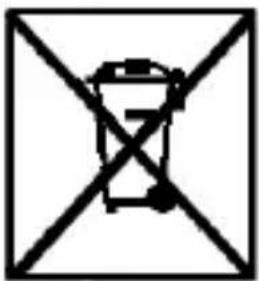
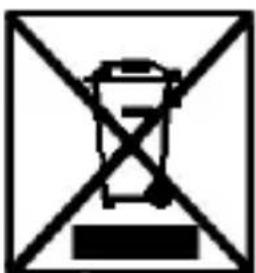
Symbol of a trash bin crossed out by diagonal lines, enclosed in a square frame (no text or numbers present)Disposal of old batteries
The devices marked with this symbol are subject to the European Directive 2006/66/EG. All the old batteries must be disposed separated from household garbage through the government agencies designated for that purpose. By disposing the batteries in this prescribed manner, you can avoid environmental damages.
natural_image
Symbol of a trash bin crossed out by diagonal lines, enclosed in a square frame (no text or numbers present)Disposal of Used Electronic Equipment
Equipment marked with this symbol is subject to the European Directive 2012/19/EG.
All electrical devices and used electrical equipment must be disposed of separately from household waste over the appropriate government agencies.
Proper disposal of old electronic equipment helps avoid environmental damage.
Limited warranty conditions
The warranty only covers the replacement of this Intenso product. The warranty is not applicable for normal wear & tear resulting from erroneous, improper use of the device, negligence, accident or incompatibility.
There are no warranty claims if the Intenso user manual is not followed and if the device is damaged through improper use or defects caused by other devices.
There are no warranty claims if the product is exposed to shocks, electrostatic discharges, heat or humidity effects beyond the product specifications.
Intenso is not liable for any collateral damages or consequential losses, for violation of warranty conditions or any other losses irrespective of the cause.
Important note:
Please note that any warranty claim shall expire if the housing of the Powerbank has been opened.
This product is not meant for a commercial use or for medical and special applications, where the failure of the product may cause injuries, death or significant material damages.
(Intenso)®
49377 Vechta
Germany
www.intenso.de
Intenso Warranty conditions
Dear Intenso customer,
Thank you for opting for a high-quality Intenso product. All Intenso products are subject to constant quality inspections and the legal warranty period applies, of course, from the date of purchase. Please be sure therefore to save the sales receipt as proof of purchase.
Warranty conditions
The warranty only covers material and production defects. Intenso GmbH is not liable for the loss of data in units sent to us. The free of charge warranty service covers the repair or replacement of defective parts. Please understand that we cannot render any warranty services, e.g. in case of:
- Misuse or improper handling, installation or use
■ Damages, scratches or wear
■ Modifications, manipulation or repairs by third parties
■ Damages through force majeure or transport
Your Intenso GmbH
CLAIM PROCEDURE
In case of a claim, please proceed as follows:
- Only returns accompanied with all accessories and sales receipt are accepted.
- In addition, a RMA number is absolutely required for return shipments. You can request this RMA number via e-mail or through the service hotline.
- Please package the product including all accessories and the sales receipt safe for transport. Please stamp the package.
- Please affix the RMA number clearly visible on the outside of the package.
Please send to the following service address:
INTENSO GMBH Service Hotline: +49 (0) 900 - 1 50 40 30
Service Center (your RMA-No.) (0.39 € / min. from the
landline in Germany.
natural_image
Simple black-and-white icon of an umbrella with scattered leaves, enclosed in a square frame (no text or symbols)natural_image
Black and white flame symbol inside a square frame with diagonal lines (no text or numbers)natural_image
Black electronic device with diagonal line and vertical bars, no visible text or symbolsnatural_image
Symbolic black-and-white diagram of a mountain with cross lines, no text or labels presenttext_image
Prohibition sign with crossed-out trash bin and number 7 inside a square frametext_image
Prohibition sign with crossed-out trash bin and a battery symbol, commonly used in waste management or safety rules.| Éclairage LED% - Énergie | LED 1 | LED 2 | LED 3 | LED 4 |
| 1% - 25% | ● | ○ | ○ | ○ |
| 26% - 50% | ● | ● | ○ | ○ |
| 51% - 75% | ● | ● | ● | ○ |
| 76% - 100% | ● | ● | ● | ● |
natural_image
Simple black-and-white icon of an umbrella with scattered dots, enclosed in a square frame (no text or symbols)natural_image
Black and white flame symbol inside a square frame with diagonal lines (no text or numbers)natural_image
Black rectangular device with diagonal lines and vertical bars, no visible text or symbolsChocs et chutes :
natural_image
Symbolic black-and-white diagram of a mountain with a cross and flame, enclosed in a square frame (no text or labels)text_image
Symbol of a trash bin crossed out by diagonal lines, indicating no waste or disposal.text_image
Prohibition sign with crossed-out trash bin and horizontal line, commonly used in waste management or disposal contextsnatural_image
Simple black-and-white icon of an umbrella with scattered dots above it, enclosed in a square frame (no text or symbols)text_image
DC 3M 6V 1 2 3 4 DC OUT 6Vnatural_image
Simple black-and-white icon of an umbrella with falling leaves (no text or symbols)natural_image
Black and white flame symbol inside a square frame with diagonal lines (no text or numbers)natural_image
Black electronic device with diagonal line and vertical bars, no visible text or symbolsBatidas, quedas:
natural_image
Symbolic black-and-white diagram of a person falling into a mountain with an 'X' and diagonal lines (no text or labels)Descarga eletrostática:
natural_image
Simple line drawing of a trash bin crossed out by diagonal lines, enclosed in a square frame (no text or symbols)natural_image
Symbol of a trash bin crossed out by diagonal lines, enclosed in a square frame (no text or numbers present)text_image
DC IN EV 1 2 3 4 DC OUT EVnatural_image
Simple black-and-white icon of an umbrella with falling petals (no text or symbols)Warunki pracy:
natural_image
Black and white flame symbol inside a square frame with diagonal lines (no text or numbers)natural_image
Black electronic device with a diagonal line and vertical bars, no visible text or symbolsUderzenie, upadek:
natural_image
Symbolic black-and-white diagram of a mountain with a cross and lightning bolt, no text or labels present.natural_image
Simple line drawing of a trash bin crossed out by diagonal lines, no text or symbols present.natural_image
Symbol of a trash bin crossed out by diagonal lines, enclosed in a square frame (no text or numbers present)natural_image
Simple black-and-white icon of an umbrella with falling leaves (no text or symbols)natural_image
Black and white flame symbol inside a square frame with diagonal lines (no text or numbers)natural_image
Black electronic device with a diagonal line and vertical bars, no visible text or symbolsУдары, падения:
natural_image
Symbolic black-and-white diagram of a mountain with a cross and lightning bolt, enclosed in a square frame (no text or labels)natural_image
Simple line drawing of a trash bin crossed out by diagonal lines within a square frame (no text or symbols)text_image
Prohibition sign with crossed-out trash bin and black rectangle, likely indicating restriction or exclusionnatural_image
Black electronic device labeled 'Intense' with a small port, no visible text or symbols beyond the brand name.text_image
Technical diagram of a USB flash drive with labeled ports and internal components1 Micro USB IN 3 Funkonstaste 2 Status LED 4 USB OUT
Bedienung
1. Funkonstaste
natural_image
Simple black-and-white icon of an umbrella with scattered dots above it, enclosed in a square frame (no text or symbols)natural_image
Black flame symbol inside a square frame with diagonal lines (no text or numbers)natural_image
Black electronic device with 'Internal' label and diagonal line, no visible text or symbolsStoß, Fall:
natural_image
Abstract black-and-white geometric symbol with intersecting lines and a central figure (no text or symbols)natural_image
Simple line drawing of a trash bin crossed out by diagonal lines, enclosed in a square frame (no text or symbols)text_image
Prohibition sign with crossed-out trash bin and minus symbol, commonly used in waste management or waste reduction contexts| Dimensions: | 93 x 43 x 22 mm |
| Max power consumpon (Input): | 5V 0.5A / 1 A |
| Max charging current output (Output): | 1 A |
| Internal Baery: | 5200 mAh lithium-ion baery |
| Status display: | 4 LED lights |
| Built-in overcharge/discharge protecon | Yes |
| Simultaneous charging of the Powerbank and a connected device: | Yes |
| Standby me: | Up to 3 months |
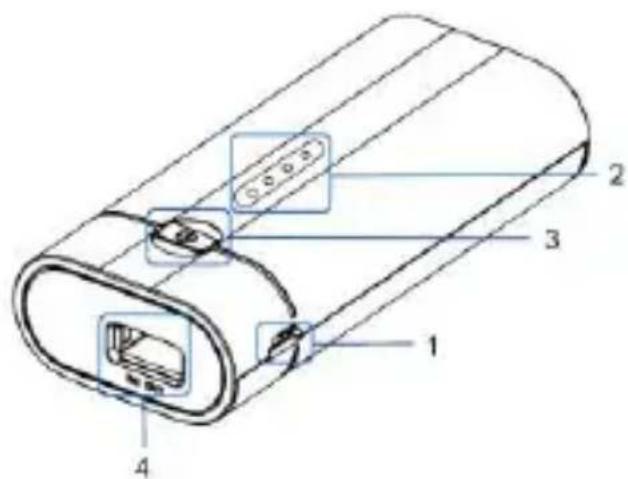
Device Overview
text_image
Technical diagram of a cylindrical device with labeled components and internal connectors1 Micro USB IN 2 Status LEDs 3 Funcon keys 4 USB OUT
Operaon
1. Funcon keys
- By briefy pressing, the LED lights will indicate the current baery status and the Powerbank is acvated.
- Press this key for about 2 seconds to acvate or deacvate the Powerbank.
- If no device is connected to the Powerbank, or the connected device is fully charged, the Powerbank automacally switches to standby mode aer a me interval of 15 seconds.
2. Status display LED
The individual LEDs indicate the remaining energy of the Powerbank:
| % - Energy\LED light | LED 1 | LED 2 | LED 3 | LED 4 |
| 1 % - 25 % | ● | ○ | ○ | ○ |
| 26 % - 50 % | ● | ● | ○ | ○ |
| 51 % - 75 % | ● | ● | ● | ○ |
| 76 % - 100% | ● | ● | ● | ● |
3. Charging the Powerbank / connected devices
a) Charging the Powerbank
Please connect the included Micro USB cable to the micro USB port of the Powerbank, and connect the other end of the USB cable to a standard USB port of a computer or USB power adapter. The charging process and current charging status is indicated by the LED status lights. If the Powerbank is fully charged, the LED status lights remain illuminated.
b) Charging devices through the Powerbank
- Please connect the included USB cable to the USB A port on the Powerbank and the other end of the USB cable to the micro USB port of the device to be charged. Press the funcon buon to start the charging process.
- Of course, you can also use your own USB charging cable to connect the Powerbank with your device. Please note, however, that devices can be charged only through the USB A port of the Powerbank.
- If a device is charged with the Powerbank and the Powerbank has almost reached its capacity limits, this is signalled by ashing of the last status LED. Please charge the Powerbank again.
- Please note that, when charging a device with a Powerbank nearly 30% of total capacity is consumed by the charging process alone. This is caused for example by the loss of power from circuit heat and voltage conversion.
- For opmal performance, the Powerbank must be used regularly. If this is not the case, fully charge the Powerbank at least every three months.
Intended use
This Powerbank is meant solely for the purpose of power supply to devices with an operang voltage of 5V DC (mobile phones, MP3 player etc.). Any other use is considered as unintended use and may lead to damages and injuries. Claims of any type resulting from unintended use are ruled out.
Operating instructions

natural_image
Simple black-and-white icon of an umbrella with raindrops falling (no text or symbols)Operating conditions:
Operate the device at 0 to 40 degree Celsius at max. 90% relative humidity. If you do not use Mobypack for long periods of time, store the device at a temperature range of -10 to 45 degree Celsius at max. 90% relative humidity (for short period) and charge the device every three months to maintain the total performance of the device.
natural_image
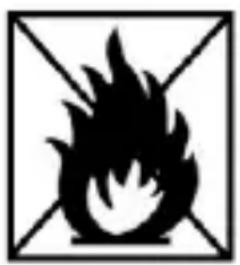
Black flame symbol inside a square frame with diagonal lines (no text or numbers)Do not use the device in extremely cold, hot, humid or dusty areas; also do not expose to direct sunlight. Avoid contact with open flame. Risk of Explosion!
natural_image
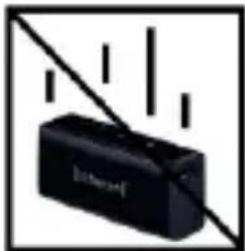
Black rectangular electronic device with diagonal lines and vertical bars, no visible text or symbolsShock, drop:
Please protect the device against shock and drops in all operating modes.

natural_image
Black and white geometric symbol with diagonal lines and a central triangular shape (no text or symbols)Electrostatic discharge:
This device is sensitive to electrostatic discharge. Please protect the device against any possible electrostatic discharge.
text_image
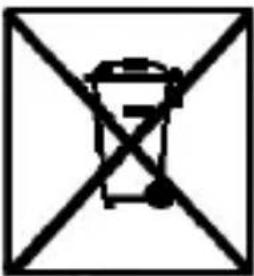
Symbol of a trash bin crossed out by a diagonal line, indicating no waste or disposal.Disposal of old batteries
The devices marked with this symbol are subject to the European Directive 2006/66/EG. All the old batteries must be disposed separated from household garbage through the government agencies designated for that purpose.
By disposing the batteries in this prescribed manner, you can avoid environmental damages.
natural_image
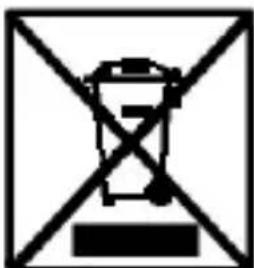
Cross-shaped diagram of a trash bin with no text or symbolsDisposal of Used Electronic Equipment
Equipment marked with this symbol is subject to the European Directive 2012/19/EG.
All electrical devices and used electrical equipment must be disposed of separately from household waste over the appropriate government agencies.
Proper disposal of old electronic equipment helps avoid environmental damage.
Limited warranty conditions
The warranty only covers the replacement of this Intenso product. The warranty is not applicable for normal wear & tear resulting from erroneous, improper use of the device, negligence, accident or incompatibility.
There are no warranty claims if the Intenso user manual is not followed and if the device is damaged through improper use or defects caused by other devices.
There are no warranty claims if the product is exposed to shocks, electrostatic discharges, heat or humidity effects beyond the product specifications.
Intenso is not liable for any collateral damages or consequential losses, for violation of warranty conditions or any other losses irrespective of the cause.
Important note:
Please note that any warranty claim shall expire if the housing of the Powerbank 5200 has been opened.
This product is not meant for a commercial use or for medical and special applications, where the failure of the product may cause injuries, death or significant material damages.
Intenso Warranty conditions
Dear Intenso customer,
Thank you for opting for a high-quality Intenso product. All Intenso products are subject to constant quality inspections and the legal warranty period applies, of course, from the date of purchase. Please be sure therefore to save the sales receipt as proof of purchase.
Warranty conditions
The warranty only covers material and production defects. Intenso GmbH is not liable for the loss of data in units sent to us. The free of charge warranty service covers the repair or replacement of defective parts. Please understand that we cannot render any warranty services, e.g. in case of:
- Misuse or improper handling, installation or use
■ Damages, scratches or wear
■ Modifications, manipulation or repairs by third parties
■ Damages through force majeure or transport
Your Intenso GmbH
CLAIM PROCEDURE
In case of a claim, please proceed as follows:
- Only returns accompanied with all accessories and sales receipt are accepted.
- In addition, a RMA number is absolutely required for return shipments. You can request this RMA number via e-mail or through the service hotline.
- Please package the product including all accessories and the sales receipt safe for transport. Please stamp the package.
- Please affix the RMA number clearly visible on the outside of the package.
Please send to the following service address:
INTENSO GMBH Service Hotline: +49 (0) 900 - 1 50 40 30
Service Center (your RMA-No.) (0.39 € / min. from the
landline in Germany.
text_image
Technical diagram of a device with labeled components and internal connectorsnatural_image
Simple black-and-white icon of an umbrella with scattered dots, enclosed in a square frame (no text or symbols)natural_image
Black and white flame symbol inside a square frame with diagonal lines (no text or numbers)natural_image
Black rectangular device with diagonal line and vertical bars, no visible text or symbolsnatural_image
Abstract black-and-white geometric symbol with intersecting lines and a central figure (no text or symbols)text_image
Symbol of a trash bin crossed out by diagonal lines, indicating no waste or dischargetext_image
Prohibition sign with crossed-out trash bin and a battery symbol, commonly used in waste management or disposal contexts.text_image
Technical diagram of a device with labeled components including ports, cables, and connectors| Éclairage LED% - Énergie | LED 1 | LED 2 | LED 3 | LED 4 |
| 1% - 25% | ● | ○ | ○ | ○ |
| 26% - 50% | ● | ● | ○ | ○ |
| 51% - 75% | ● | ● | ● | ○ |
| 76% - 100% | ● | ● | ● | ● |