Amps air - Earphones Sol Republic - Free user manual and instructions
Find the device manual for free Amps air Sol Republic in PDF.


User questions about Amps air Sol Republic
0 question about this device. Answer the ones you know or ask your own.
Ask a new question about this device
Download the instructions for your Earphones in PDF format for free! Find your manual Amps air - Sol Republic and take your electronic device back in hand. On this page are published all the documents necessary for the use of your device. Amps air by Sol Republic.
USER MANUAL Amps air Sol Republic
To AMPS AIR, your new truly wireless earbuds that give you more freedom in everything you do. They're comfortable, have a secure fit, and deliver incredibly rich sound to your music experience.
Stash them away in their portable case to recharge. When your phone battery gets low, the case doubles as a battery backup.
Love your AMPS AIR? Your voice matters. Write a review so we know what you think, and share a picture with #FinallyFree @SOLREPUBLIC.
Feel the music, not the headphones.
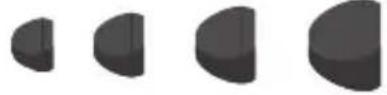
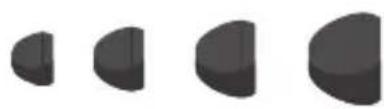
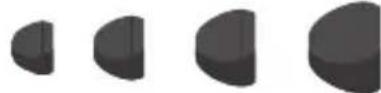
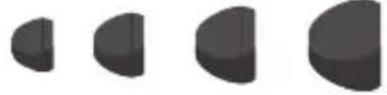
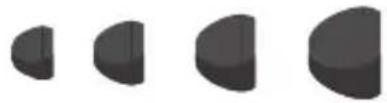
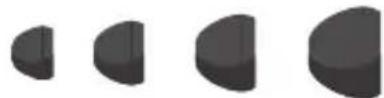
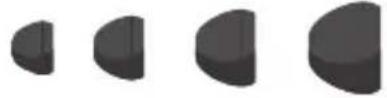
For the best fit and sound, start with the largest size ear tip and then work your way down.

USB Charge Cable
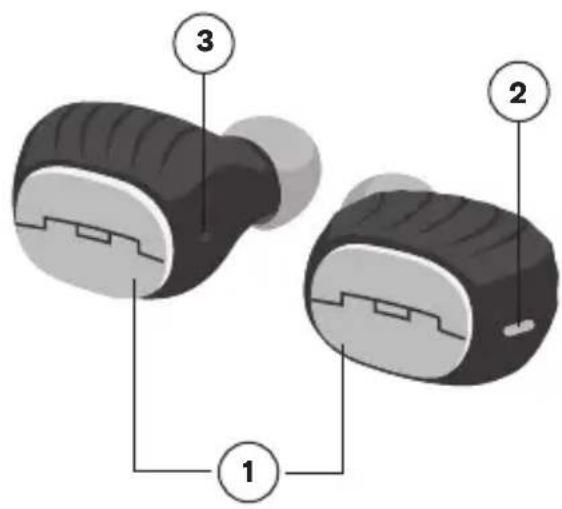
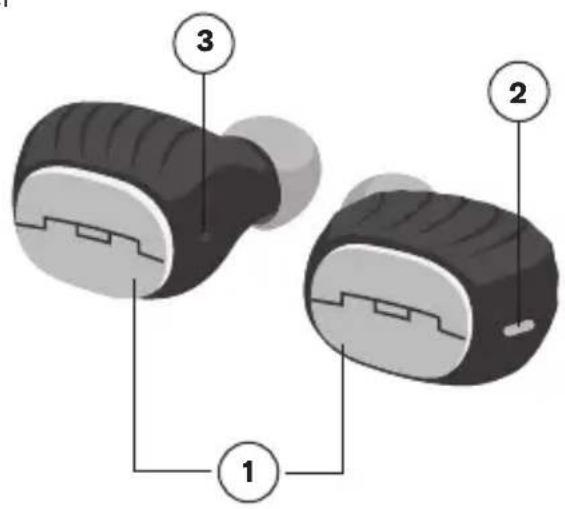
1 Multi-function button
2 Earbud status LED
3 Microphone port
4 Earbud charging contacts
5 Case battery LEDs
6 Micro USB charging port - to charge the portable case
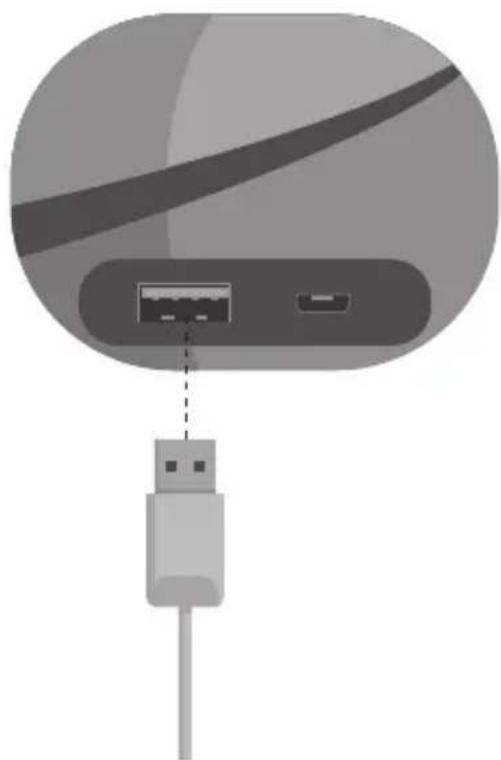
7 USB charging port - to charge your smart device
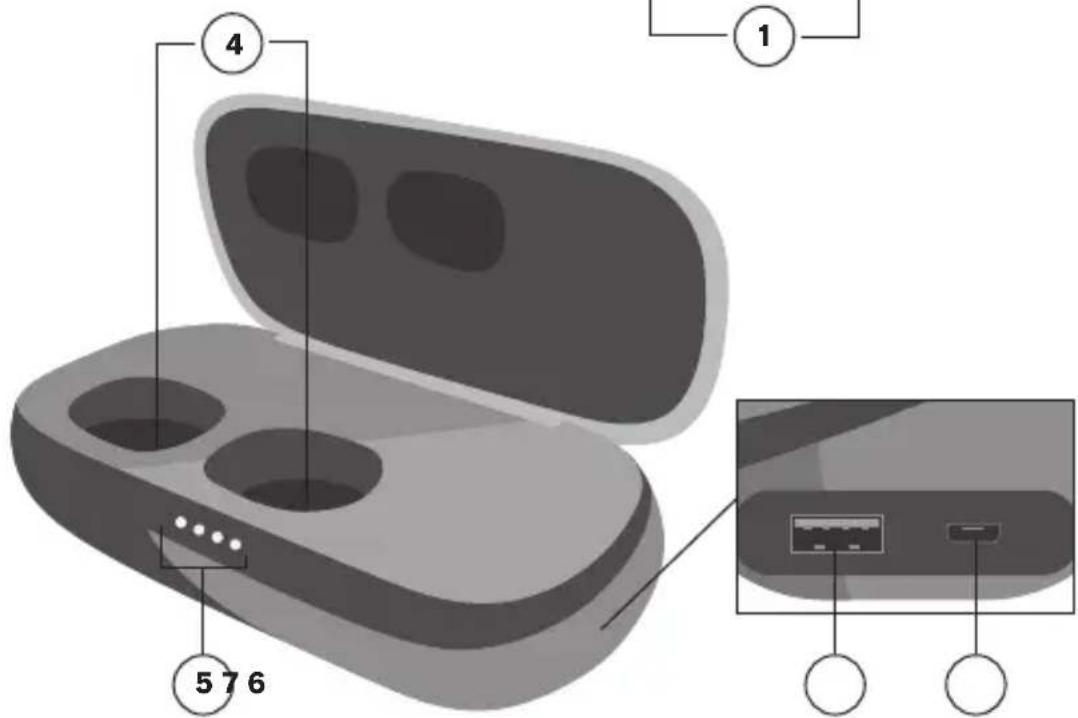
Travel Case with Backup Battery
SETUP
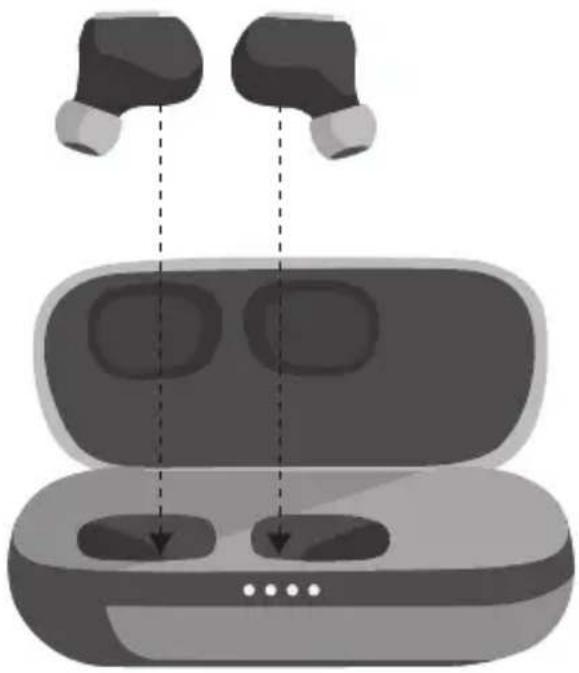
To charge the earbuds, place them into the portable case. The red LEDs show that they are charging. When fully charged, the LEDs turn white, and then turn off.
CHARGING YOUR PORTABLE CASE
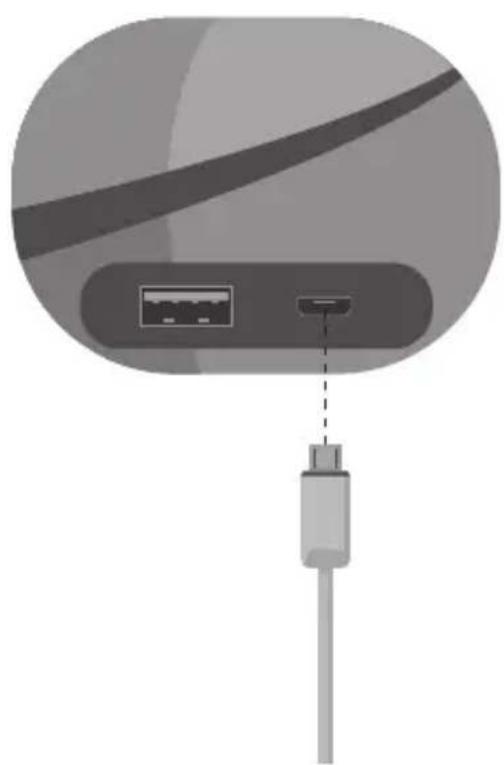
Plug the small end of the USB cable into the micro USB port, located on the right side of the case. When all 4 LEDs are lit, it's fully charged.
CONNECT BOTH EARBUDS
Connect both earbuds for stereo sound. This provides the most immersive music experience.
Bluetooth
Devices
Amps Air

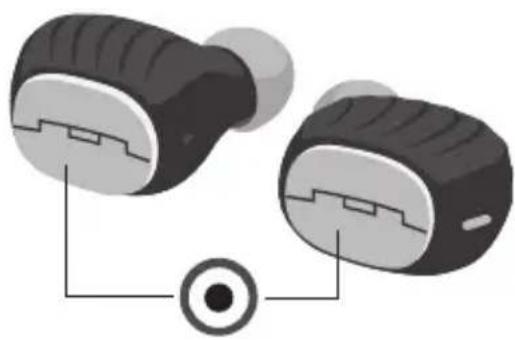
Your earbuds will automatically turn on when taken out of the charging case. If you want to turn them on manually, you can quick press the multi-function button once on both earbuds.
STEP TWO - CONNECTING THE EARBUDS TO EACH OTHER
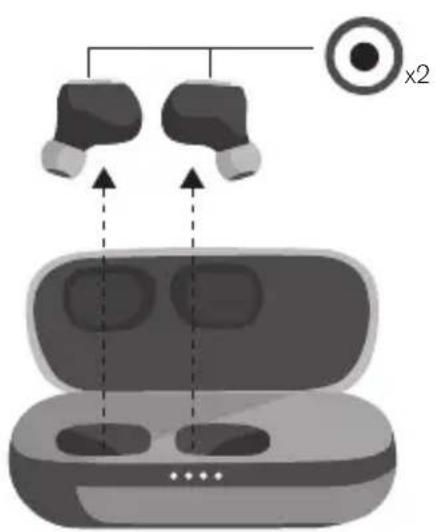
When you take the earbuds out of their case, they will automatically connect to each other, and the LED will be solid white. If they don't connect, quickly double-press the SOL button on both earbuds at the same time. This puts them into sync mode, and the LEDs will pulse white. Once connected, the LEDs will turn solid white.
STEP THREE - CONNECTING TO A DEVICE
Enable Bluetooth on your device. From the Bluetooth menu, select "Amps Air." When the device and Amps Air are connected, you will hear a tone. This means pairing is complete.
CONNECT ONE EARBUD
Connect only one earbud for mono sound. This is a great option if you want to hear your surroundings as well as your music.
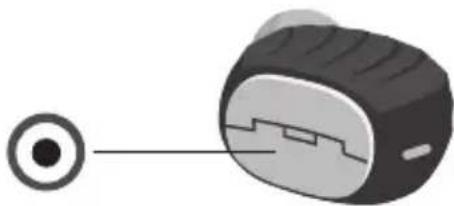
STEP ONE - TURNING ON THE EARBUD
Your earbud will automatically turn on when taken out of the charging case. If you want to turn it on manually, you can quick press the multi-function button once.
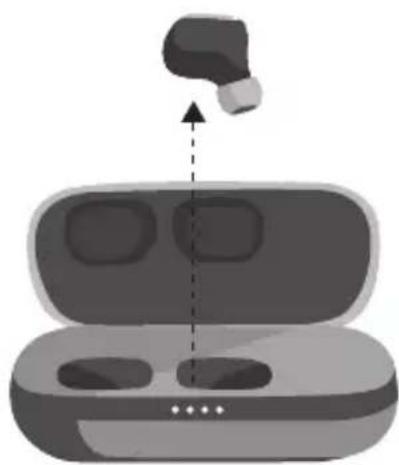
STEP TWO - PAIRING MODE
Take your earbud out of the case, wait until the LED flashes red and white. This will indicate that your earbud is in pairing mode with your device.
STEP THREE - CONNECTING TO A DEVICE
Enable Bluetooth on your device. From the Bluetooth menu, select "Amps Air Mono." When the device and the earbud are connected, you will hear a tone. This means pairing is complete.
Bluetooth
Devices
Amps Air Mono

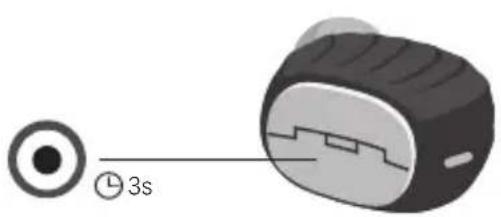
To turn off your earbuds, place the earbuds back in your case, or press and hold the multi-function button on the earbud for 3 seconds.
USING THE BACKUP BATTERY
Plug your device's USB charging cable into the travel case, and then into your smart device. With a full battery, your travel case can recharge your earbuds up to 15 times, or provide one full charge for a typical smartphone.
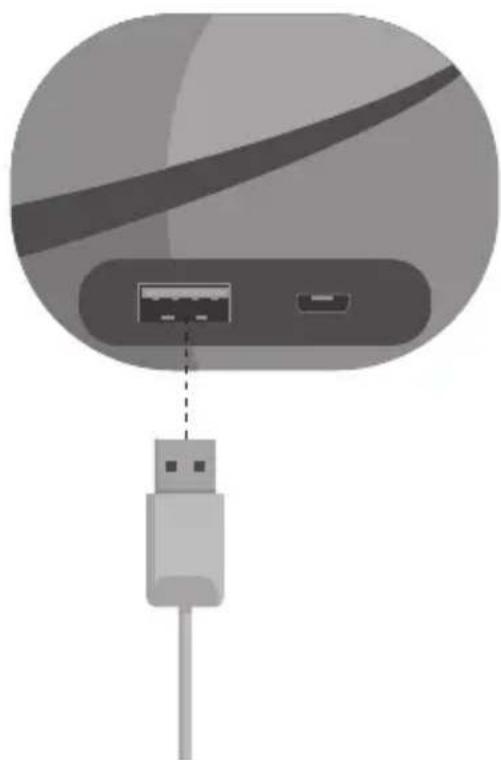
NOTE
The USB charging output rating is 5V, 1.0A. Some devices such as tablets may not appear to charge, or may charge slowly. Consult your device manufacturer for requirements.
BASICS
MUSIC
YOU WANT TO
Play or pause Press either multi-function button once.
CALLS
YOU WANT TO
Pick up a call Press either multi-function button once
Decline a call Press and hold either multi-function button
End a call Press either multi-function button once
Take a second incoming call
Press either multi-function button once
Decline a second incoming call
Use the phone keypad
OTHER
YOU WANT TO
Activate Siri Quickly double-press either multi-function button
Activate Google Quickly double-press either multi-function button
Check battery level of earbuds
Look at smartphone
Check battery level of travel case
Shake the travel case to light the LEDs
Turn off earbud Press and hold multi-function button for 3 seconds
NOTE
Some features may work differently depending on your phone or service carrier.
LED INDICATORS
EARBUDS CHARGING IN CASE
Flashing red Low battery
Solid red Charging
Solid white Fully charged
TRAVEL CASE
1 LED flashing Low battery, 0-25%
2 LEDs, 2nd flashing Battery capacity 25-50%
3 LEDs, 3rd flashing Battery capacity 50-75%
4 LEDs, 4th flashing Battery capacity 75-99%
EARBUDS IN USE
Pulse white Earbuds in sync mode with each other
Flashing white Earbuds in pairing mode with device
TROUBLESHOOTING
Having issues with your earbuds? Try working through the steps below.
- Turn off Bluetooth on your device
- Take earbuds out of your case
- Press and hold Sol Button for 3 seconds on both earbuds to turn them off.
- Quick press multi-function button once on earbuds to turn them on
- Quick press multi-function button twice on both earbuds to put them into pairing mode and reconnect to each other
- Turn on Bluetooth on your device
- Pair to "Amps Air"
CONTACT
Still have questions? We've got answers and we're standing by. Give us a shout, we're here to help.
SUPPORT
The following is a set of resources to ensure you get the most out of your SOL REPUBLIC product.
Web: SOLREPUBLIC.COM/SUPPORT
Twitter: @SOLREPUBLIC
Phone: 877.400.0310
Email: support@SOLREPUBLIC.com
CONTENIDO DEL PRODUCTO
Some features may work differently depending on your phone or service carrier.
PILOTOS LED
AURICULARES RECARGANDO EN EL ESTUCHE
Web: SOLREPUBLIC.COM/SUPPORT
Twitter: @SOLREPUBLIC
Email: support@SOLREPUBLIC.com
Web: SOLREPUBLIC.COM/SUPPORT
Twitter: @SOLREPUBLIC
Phone: 877.400.0310
Email: support@SOLREPUBLIC.com
UND DAS IST DRIN:
Web: SOLREPUBLIC.COM/SUPPORT
Twitter: @SOLREPUBLIC
Phone: 877.400.0310
Email: support@SOLREPUBLIC.com
Web: SOLREPUBLIC.COM/SUPPORT
Twitter: @SOLREPUBLIC
Phone: 877.400.0310
Email: support@SOLREPUBLIC.com
HVAD ER DER INDENI
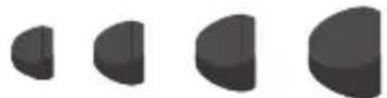
Oretelefoner i 4 storrelser
BEMAERK
OPLADNING AF DIT ETUI
Web: SOLREPUBLIC.COM/SUPPORT
Twitter: @SOLREPUBLIC
Phone: 877.400.0310
Email: support@SOLREPUBLIC.com
A DOBOZ TARTALMA


ELSO LEPES - A FULHALLGATO BEKAPCSOLASA
ELSO LEPES - A FULHALLGATO BEKAPCSOLASA
Web: SOLREPUBLIC.COM/SUPPORT
Twitter: @SOLREPUBLIC
Phone: 877.400.0310
Email: support@SOLREPUBLIC.com
ZAWARTOSC PUDEŁKA
Web: SOLREPUBLIC.COM/SUPPORT
Twitter: @SOLREPUBLIC
Phone: 877.400.0310
Email: support@SOLREPUBLIC.com
BbIKJIIOUcHHe HAYuHnKOB
YTO6bI BbIKIOuHTb HayHnKn, BCTaBbTe Ix O6paTHO B cyTlAp Nn HaKMnTe Ha MHOrofoyHKUHOHaBHyO KhoNky Ha HayshnKe n ydepKnBaIte ee HaxaToB TeueHne 3 ceKyHd.
MCПОЛьЗOBAHNE 3APACHОБATAPEN
IopcoeHnTe 3apnHbIKa6enb USB cboero yctpoiCTBa KdoPoxHomy cyTny, a 3aTeM - KInHTeJIeKTyalbHomy yctpoiCTBy.1oNbI 3apJd 6atapEn cyTnpa0ecneuBaet do 15 3apJdOKHayuHnKOB nIN ONDHy ONHyO3apJky CTAHApTHOrO CMapTfoHa.
ПИМЕЧАНЕ
HomHaBhIe napaMeTpbl BbIXoHoro CnHaIa USB—5B,1,O A.HeKoTOpbIe yCTpoiCTBa, HApimep,IIaHWeTb,MOrTy He npoRbIaTb np3HaKOB 3apAKn IIn 3apXaTbCmPeJeHHo.6paTntecb K n3rOToBnTeIIO yCTpoiCTBa 3a INΦopMaunE O TeXnuecknx Tpe6oBaHnX.
OCHOBHbIE ONEPAUIN
MY3bika
BblXOTUTE
HaatabnnOCTaHOBTb Bocnpo3BedeHne
HaXMMte OINH pa3 Ha IIO6yIO n3 MHOROfoYHKUHOHaJIbHBIX KHOI0K.
TEJIΦOHHbIE Bbl3OBbl
BblXOTNTE
PnHrTb Bbl3OB
HaKmTe OIN HaJIIO6yIO N3 MHOrOfoHKUHOHaJIbHbIX KHOITOK.
OTKIOHHTB BbI3OB
HaKMTe HaIIO6yIO n3 MHOrofoYHKUHOHaJIbHbIX KHOJOK yIepXnBaIte ee HaxaToI.
3aBepwnTb Bbl3OB
HaXmnte OINH pa3 Ha JIO6yIO n3 MHOROfoHKUHOHaJIbHBxKHOIOK.
PnHATb BTOPO BXOJAAU BbIOB
HaXMMte OINH pa3 HaIIO6yIO N3 MHOROfoHKUHOHaJIbHbIX KHOJOK.
OTKIOHHTBTOPOI BXOJAAUIN Bb3OB
IcnoB3yIte KnaBnAtpy TelefoHa
PPOUEE
BblXOTNTE
BkIouHTb Siri
BbICTpo HaxMNTe DBaXbIb Ha IIO6yIO N3 MHOROfoHKUHOHaJIbHbIX KHOONK
BkniouHTb Google
BbICTPO HaXMMTe IBaXMbI HaJIIO6yIO N3 MHOROΦYHKUHOHaJIbHbIX KHOJOK
PpOBepntb ypoBeHb 3apra6aTapeH HayuHnKOB
IocmOTpuTe Ha cMapTfoH
PpOBepuTbypoBeHb 3apra6aTapei Dopoxhoro fytnpa
BctpaxHnTe cyTnAp TaK, yTo6bl 3arOpEnCb CBETOBbIe NHdNKaTOPbl
BbIKIOHTb HauHHK
HaMHMTe Ha MHOrOfoyHKUHOHaJIbHHyKHOKNy UyepeXnBaIte ee HaxaToB TeueHne 3 CeKyHd
ПРИМЕЧАНЕ
HeKOTOpBle yHKunm Moryt pa6oTaTb NO-dpyromy B 3aBcHMOCTn OT nCnoJb3yeMOrTo TenefoHa n npObaJepa TenefoHHo CB3N.
CBETOДNOДHbIE INHДNKATOPbl
ПИЗAPЯДKE HAYUSHNKOВ BФУТЛАРЕ
Muraon KpaCbI CBET H3Ky yOBeH 3apda 6aTape
IocToHHbIKpaChbICBT
Batapera 3apaxaetcra
NoctoHHbI 6eJIbI CBet BaTape IOnHocTbIO 3apJxKeHa
HA DOPOXHOM ΦYTJIPE
1 INHINKATOP Mnraet Hn3kni 3apd 6atapen,0-25%
BkIIOueHb2 HnDnKaTopa, 2-IMuraet BaTape3apJxHa Ha 25-50%
BknioyeHb 3 nHnKaTopa, BaTapezapJKeHa Ha 50-75% 3- muraet
BknioyeHb 4nHnKaTopa, BaTapea3apXeHa Ha75-100% 4-n Muraet
ПИ NGIOЛБ3OBAHIN HAYUSHIKOB
MeHnMoIaOuH N HuyHNKINBpeXmEcHxpoHnaaundpyCdpyrom 6enbCBET
Быстpo Mнагюи Бель CBET Hayшни В ржиме corlaocobahn C yctpoiCTBOM
ДИАГHOCTИКА HЕССРAPBHOCTEД
BblncbItbIbAeTe 3aTpUdHeHnC nCNoIb3OBaHnEm HayuHnKOB?
Nonpo6yIte cdeIaTb cIeDyUoee.
- BbIKHIOHTe FyHKUIO Bluetooth Ha BaWem yCTPOINCTBE
- BbInbTe HayuHnKn n3 yTna
- BbIKIIOUHTe 6a HayuHnka, HaxaB Ha IX KhoNk Sol u yepKIBa Ix HaxKaTbIM N TeueHne 3 ceKyHd.
- BknouHTe HayuHnKn 6bICTpbIM OndHOKpaTHbIM HaxaTneM HaNX MHOROyHKUHOHaJIbHbIe KHONK
- IpeeknIOUHTe HayuHKn B pexm CnHXPOHuau N yCTaHOBneHn coeINHeHn MeKny HmN 6bICTpbIM DByKpaTHbIM HaKaTneM Ha MHOrOoYHKcNoHaJIbHbIe KHONK O60NX HayuHKnOB
- BkHouHTe yHKuNIO Bluetooth Ha BaWeM yCTPOIcTBe
- Побети te corlaocBaHne c «Amps Air»
KOHTAKTHA INHΦOPMAÇNIA
YBaC OctaHcB BonpoCbI?MbIMOxem N BceHa HnX OTBETNb. CBxNTEcb CHaMn, n MbI Bam NOMOXeM.
ПОДДЕРЖKA
Hnke nepeuicneHbI pecypcbl, KOToPbIe NOMOryT Bam Hau6oJee nolnoeHHo nCNoB3OBaTb BaWe n3dEJIne SOL REPUBLIC.
Web: SOLREPUBLIC.COM/SUPPORT
Twitter: @SOLREPUBLIC
Phone: 877.400.0310
Email: support@SOLREPUBLIC.com
WAT ZIT ERIN
Oordopjes in 4 maten
OPMERKING
Web: SOLREPUBLIC.COM/SUPPORT
Twitter: @SOLREPUBLIC
Phone: 877.400.0310
Email: support@SOLREPUBLIC.com
SISÄLTÖ
Web: SOLREPUBLIC.COM/SUPPORT
Twitter: @SOLREPUBLIC
Phone: 877.400.0310
Email: support@SOLREPUBLIC.com
VADINGAR
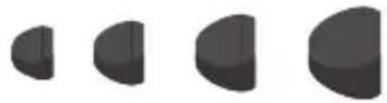
4 storlekar orontippar
OBS!
Web: SOLREPUBLIC.COM/SUPPORT
Twitter: @SOLREPUBLIC
Phone: 877.400.0310
Email: support@SOLREPUBLIC.com
TI INPEPIAAMBANETAI
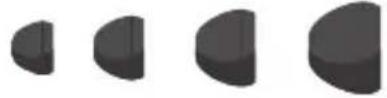
4 eYeOn npoapmuoyewy ia ta autia
ZHMEIΩEH
Tia kaUtepn npooapoyn kai Kautepo nxo, EekivnoTe ano tov npooapoyea yia ta autia e To eyautepo meythetaoc kai dokiiaote Touc unoloinouc diaoxika, eiwovtac to meythetaoc kaoe foopa.
Web: SOLREPUBLIC.COM/SUPPORT
Twitter: @SOLREPUBLIC
Phone: 877.400.0310
Email: support@SOLREPUBLIC.com
Web: SOLREPUBLIC.COM/SUPPORT
Twitter: @SOLREPUBLIC
Phone: 877.400.0310
Email: support@SOLREPUBLIC.com
ICINDEKILER
Web: SOLREPUBLIC.COM/SUPPORT
Twitter: @SOLREPUBLIC
Phone: 877.400.0310
Email: support@SOLREPUBLIC.com
同橱品
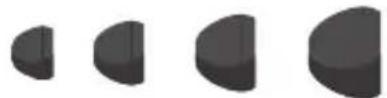
ヤフON (4サイズ)
注
Web: SOLREPUBLIC.COM/SUPPORT
Twitter: @SOLREPUBLIC
Phone: 877.400.0310
Email: support@SOLREPUBLIC.com
CO JE VO VNÉTRI
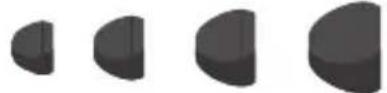
4 velkosti usnych zatok
POZNÁMKA
Najvhodnejsiu velkost a zvuk skusajte od majvacich usnych zatok a postupujte k mensim.

Nabijaci USB kabel
1 Multifunkné tlacidlo
2 LED si stavom stupiovych sluchadiel
3 Zásuvka pre mikrofón
4 Nabijacie kontakty stupfovych sluchadiel
5 LED baterie v puzdre
6 Nabijaci port mikro USB - na nabijanie prenosného puzdra
7 Nabijaci port USB - na nabijanie vasho intelligentnoho zariadenia
Web: SOLREPUBLIC.COM/SUPPORT
Twitter: @SOLREPUBLIC
Phone: 877.400.0310
Email: support@SOLREPUBLIC.com
HVA FØLGER MED
ANDRE TRINN - KOBLE ØREPLUGGENE TIL HVERANDRE
Ä KOBLE TIL EN ØREPLUGG
Web: SOLREPUBLIC.COM/SUPPORT
Twitter: @SOLREPUBLIC
Phone: 877.400.0310
Email: support@SOLREPUBLIC.com
WARRANTY - US & CANADA
SOL REPUBLIC warrants this product free from defect in material and workmanship for a period of 1 year from the date of purchase. This warranty does not cover damage caused by misuse or abuse; accident; the attachment of any unauthorized accessory; alteration to the product; or any other conditions whatsoever that are beyond the control of SOL REPUBLIC.
WARRANTY - UK & EUROPE
SOL REPUBLIC warrants this product free from defect in material and workmanship for a period of 2 years from the date of purchase. This warranty does not cover damage caused by misuse or abuse; accident; the attachment of any unauthorized accessory; alteration to the product; or any other conditions whatsoever that are beyond the control of SOL REPUBLIC. Distributed in the EU by HoMedics Group Ltd, HoMedics House, Tonbridge, TN11 OGP, UK. Tel: 020 7862 6099. Email: support@ SOLREPUBLIC.co.uk
WARRANTY - AUSTRALIA (ONE YEAR LIMITED WARRANTY)
We or us means HoMedics Australia Pty Ltd ACN 31 103 985 717 and our contact details are set out at the end of this warranty; You means the purchaser or the original end-user of the Goods. You may be a domestic user or a professional user; Supplier means the authorised distributor or retailer of the Goods that sold you the Goods in Australia and New Zealand; and Goods means the product or equipment which was accompanied by this warranty and purchased in Australia and New Zealand.
For Australia:
Our Goods come with guarantees that cannot be excluded under the Australian Consumer Law. You are entitled, subject to the provisions of the Australian Consumer Law, to a replacement or refund for a major failure and for compensation for any other reasonably foreseeable loss or damage. You are also entitled, subject to the provisions of the Australian Consumer Law, to have the Goods repaired or replaced if the goods fail to be of acceptable quality and the failure does not amount to a major failure. This is not a complete statement of your legal rights as a consumer.
For New Zealand:
Our Goods come with guarantees that cannot be excluded under the Consumer Guarantees Act 1993. This guarantee applies in addition to the conditions and guarantees implied by that legislation.
The Warranty
HoMedics sells its products with the intent that
they are free of defects in manufacture and workmanship under normal use and service. In the unlikely event that your HoMedics product proves to be faulty within 1 year from the date of purchase due to workmanship or materials only, we will replace it at our own expense, subject to the terms and conditions of this guarantee. The warranty period is limited to 3 months from the date of purchase for products used commercially/professionally.
Terms and Conditions:
In addition to the rights and remedies that you have under the Australian Consumer Law, Consumer Guarantees Act of New Zealand or any other applicable law and without excluding such rights and remedies warranty against defects: The Goods are designed to withstand the rigors of normal household use and are manufactured to the highest standards using the highest quality components. Whilst unlikely, if, during the first 12 months (3 months commercial use) from their date of purchase from the Supplier (Warranty Period), the Goods prove defective by reason of improper workmanship or materials and none of your statutory rights or remedies apply, we will replace the Goods, subject to the terms and conditions of this warranty.
We do not have to replace the Goods under this Additional Warranty if the Goods have been damaged due to misuse or abuse, accident, the attachment of any unauthorised accessory, alteration to the product, improper installation, unauthorised repairs or modifications, improper use of electrical/power supply, loss of power, malfunction or damage of an operating part from failure to provide manufacturer's recommended maintenance, transportation damage, theft, neglect, vandalism, environmental conditions or any other conditions whatsoever that are beyond the control of HoMedics.
This Warranty does not extend to the purchase of used, repaired or second-hand products or to products not imported or supplied by HoMedics Australia Pty Ltd, including but not limited to those sold on offshore internet auction sites.
This Warranty extends only to consumers and does not extend to Suppliers.
Even when we do not have to replace the Goods, we may decide to do so anyway. In some cases, we may decide to substitute the Goods with a similar alternative product of our choosing. All such decisions are at our absolute discretion.
All such replaced or substituted Goods continue to receive the benefit of this Additional Warranty for the time remaining on the original Warranty Period (or three months, whichever is the longest).
This Additional Warranty does not cover items damaged by normal wear and tear including but not limited to chips, scratches, abrasions, discolouration and other minor defects, where the damage has negligible effect on the operation or performance of the Goods.
This Additional Warranty is limited to replacement or substitution only. As far as the law permits, we will not be liable for any loss or damage caused to property or persons arising from any cause whatsoever and shall have no liability for any incidental, consequential or special damages.
This warranty is only valid and enforceable in Australia and New Zealand.
Making a Claim:
In order to claim under this Warranty you must return the Goods to the Supplier (place of purchase) for replacement. If this is not possible, please contact our customer service department by email: cservice@homedics.com.au or at the address below.
All returned Goods must be accompanied by satisfactory proof of purchase which clearly indicates the name and address of the Supplier, the date and place of purchase and identifies product. It is best to provide an original, legible and unmodified receipt or sales invoice.
You must bear any expense for return of the Goods or otherwise associated with making your claim under this Additional Warranty.
Distributed in Australia by HOMEDICS
AUSTRALIA PTY LTD, 14 Kingsley Close,
Rowville, Victoria 3178. Distributed in New
Zealand by Phoenix Distribution NZ Ltd, 7B Orbit
Drive, Albany / North Shore 0757, Auckland,
New Zealand
GARANTÍA
To prevent possible hearing damage, do not listen at high volume levels for long periods.
This marking indicates that this product should not be disposed with other household wastes throughout the EU. To prevent possible harm to the environment or human health from uncontrolled waste disposal, recycle it responsibly to promote the sustainable reuse of material resources. To return your used device, please use the return and collection systems or contact the retailer where the product was purchased. They can take this product for environmental safe recycling.
This symbol indicates that batteries must not be disposed of in the domestic waste as they contain substances which can be damaging to the environment and health. Please dispose of batteries in designated collection points.
DIRECTIVA RELATIVA A LAS PILAS
This device complies with Part 15 of the FCC Rules. This device complies with Industry Canada licence-exempt RSS standard(s). Operation is subject to the following two conditions: (1) this device may not cause harmful interference, and (2) this device must accept any interference received, including interference that may cause undesired operation.
NOTE: HoMedics is not responsible for any radio or TV interference caused by unauthorized modifications to this equipment. Such modifications could void the user authority to operate the equipment.
NOTE: This equipment has been tested and found to comply with the limits for a Class B digital device, pursuant to Part 15 of the FCC Rules. These limits are designed to provide reasonable protection against harmful interference in a residential installation. This equipment generates, uses, and can radiate radio frequency energy and, if not installed and used in accordance with the instructions, may cause harmful interference to radio communications. However, there is no guarantee that interference will not occur in a particular installation. If this equipment does cause harmful interference to radio or television reception, which can be determined by turning the equipment off and on, the user is encouraged to try to correct the interference by one or more of the following measures:
Reorient or relocate the receiving antenna.
- Increase the separation between the equipment and receiver.
- Connect the equipment into an outlet on a circuit different from that to which the receiver is connected.
- Consult the dealer or an experienced radio/TV technician for help.
DECLARATION DE LA FCC/IC
DECLARATION OF CONFORMITY
Hereby, HoMedics Group Ltd, declares that this audio device is in compliance with the essential requirements and other relevant provisions of Directive 1999/5/ EC. A copy of the Declaration of Conformity can be obtained from HoMedics Group Ltd, Somerhill Business Park, Five Oak Green Road, Tonbridge, Kent TN11 0GP, UK. Email: support@homedics.co.uk
HaTOnaUM KomnaHn HoMedics Group Ltd 3aBnEET,TO aynOuyCTpoCTBO COOTBeCTByET BcEM HeoXoDmBIM Tpe6oBaHnM nIpyTm ycIOBnM B COOTBeCTBnC DnpeKTHBoI 1999/5/EC.KoNn DeKnapaun COOTBeCTBnMOxHO NOnyUHTb NO 3NeKtpOHMoY aDpccy:HoMedics Group Ltd.Email: support.row@homedics.com
WARNING: Batteries (battery pack or batteries installed) shall not be exposed to excessive heat such as sunshine, fire or the like.