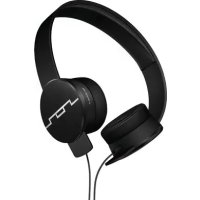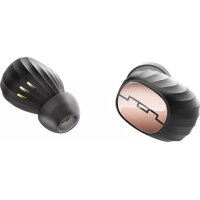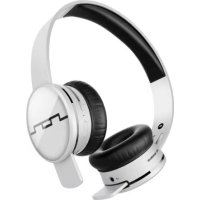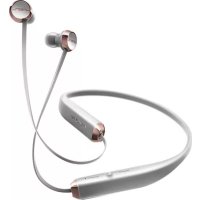
Shadow Wireless - Earplug Sol Republic - Free user manual and instructions
Find the device manual for free Shadow Wireless Sol Republic in PDF.


User questions about Shadow Wireless Sol Republic
0 question about this device. Answer the ones you know or ask your own.
Ask a new question about this device
Download the instructions for your Earplug in PDF format for free! Find your manual Shadow Wireless - Sol Republic and take your electronic device back in hand. On this page are published all the documents necessary for the use of your device. Shadow Wireless by Sol Republic.
USER MANUAL Shadow Wireless Sol Republic
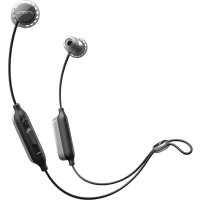
Meet SHADOW, unlike any other wireless headphones: stunning, lightweight and designed to sit naturally around your neck. SHADOW adapts to your body and blends in with your style.
SHADOW is powered by SOL REPUBLIC unique sound, a long-lasting battery that gives you a full day of music playback and easily accessible audio controls + mic to listen to music and take calls seamlessly.
Feel the music, not the headphones.
OVERVIEW
THE GOODS 04
SETUP 05
CONNECTING 06
BASICS 07
ADVANCED STUFF 08
CONTACT 09
CAUTION
Before using Shadow, please read the safety, regulatory and legal information document.
NOTE
The battery is designed to last the life of your device. You don't need to take it out or fiddle with it. If you try to remove or replace your battery it will void your warranty and could cause injury and damage your device.
THE GOODS


4 sizes of Ear-tips

natural_image
Pure diagram of two USB connectors without any text or symbolsUSB Charge Cable
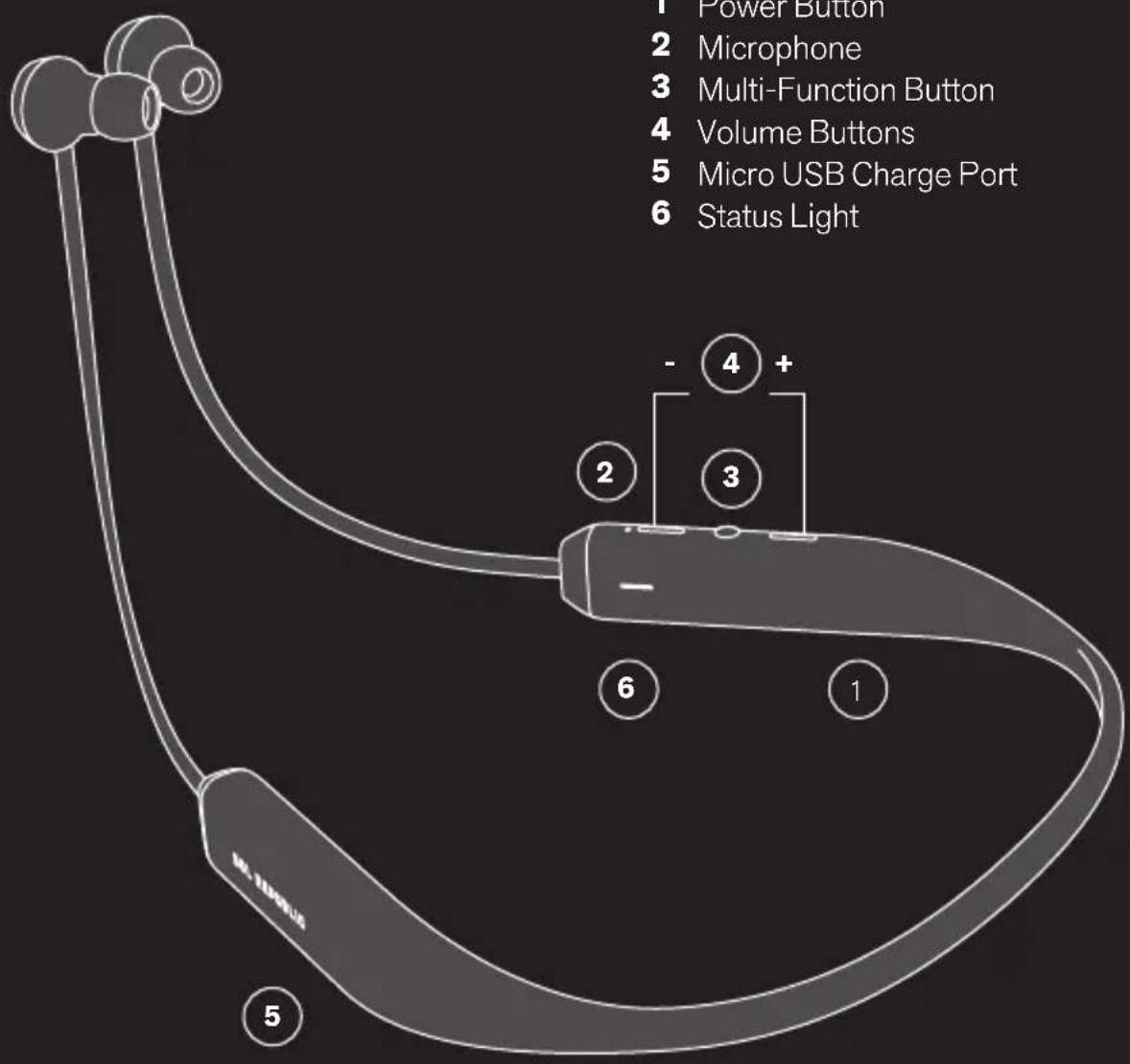
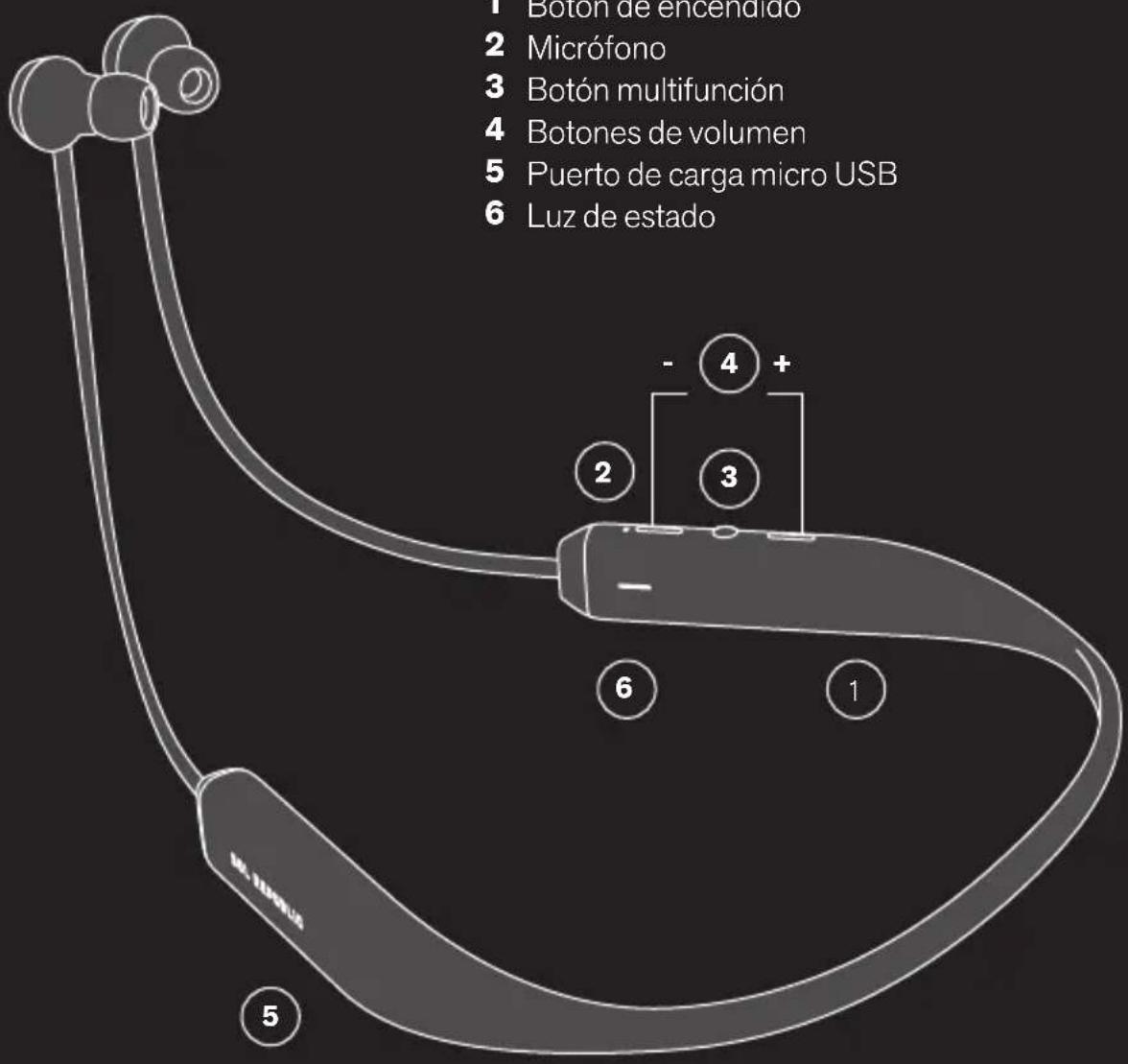
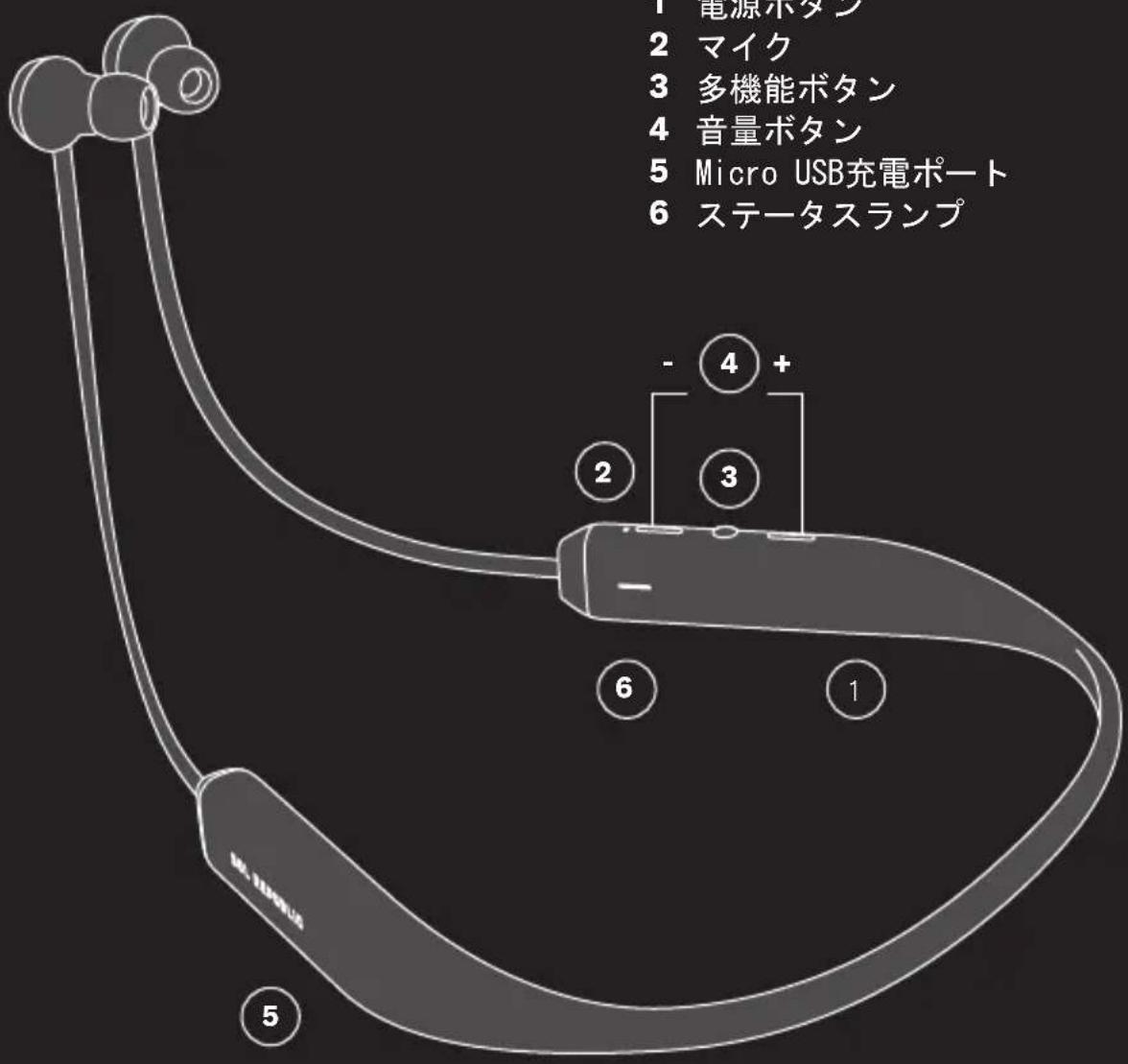
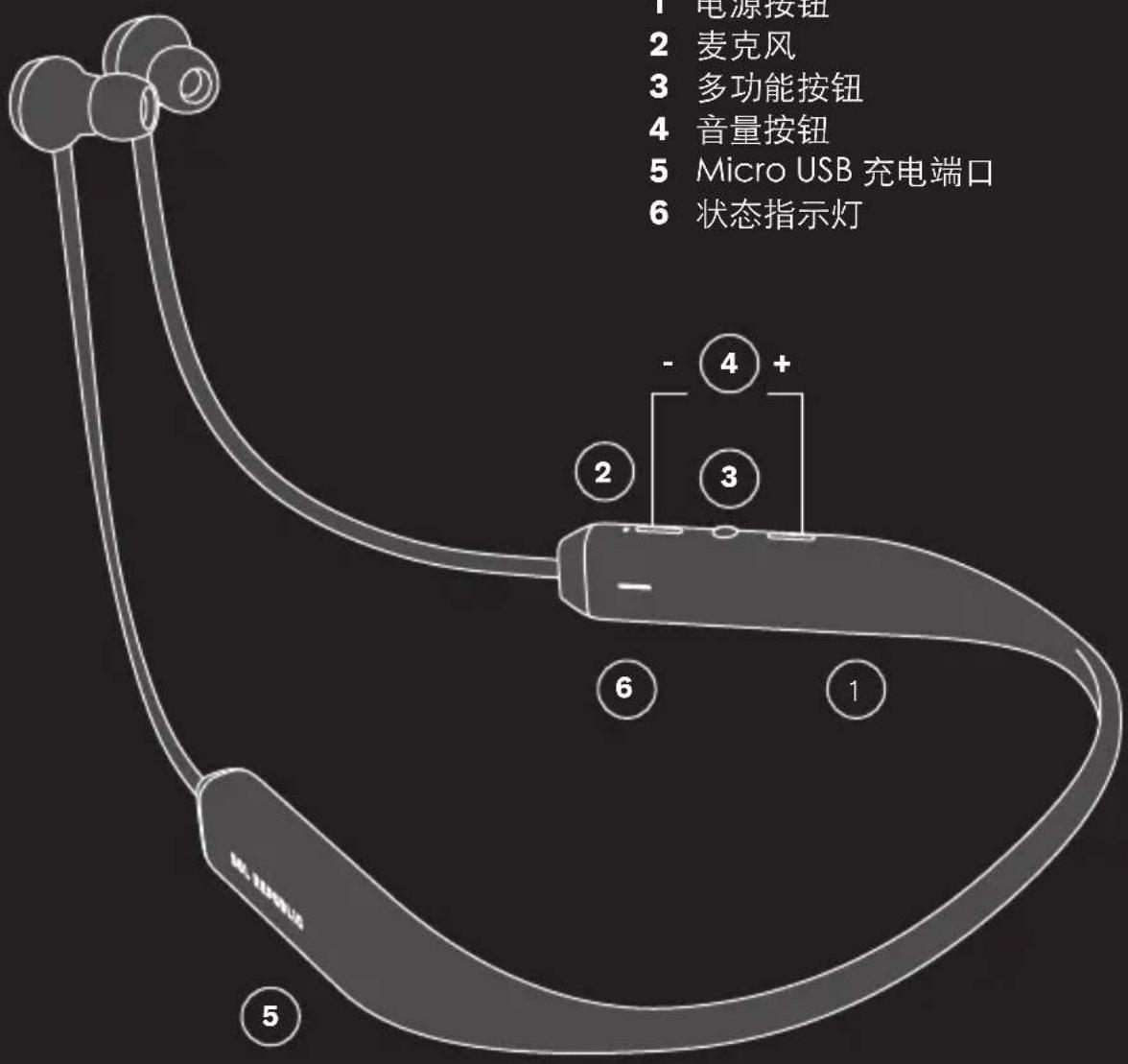
1 Power Button
2 Microphone
3 Multi-Function Button
4 Volume Buttons
5 Micro USB Charge Port
6 Status Light
SETUP
SOL REPUBLIC
POWER
First thing's first: give Shadow a charge. Plug the small end of the USB into the micro USB port located on the Right Sound Engine. It is fully charged when the status light turns solid blue.
natural_image
Line drawing of a human ear with a handheld device attached, no text or symbols present
natural_image
Line drawing of a handheld electronic device with a USB symbol on its body (no text or labels)FIT
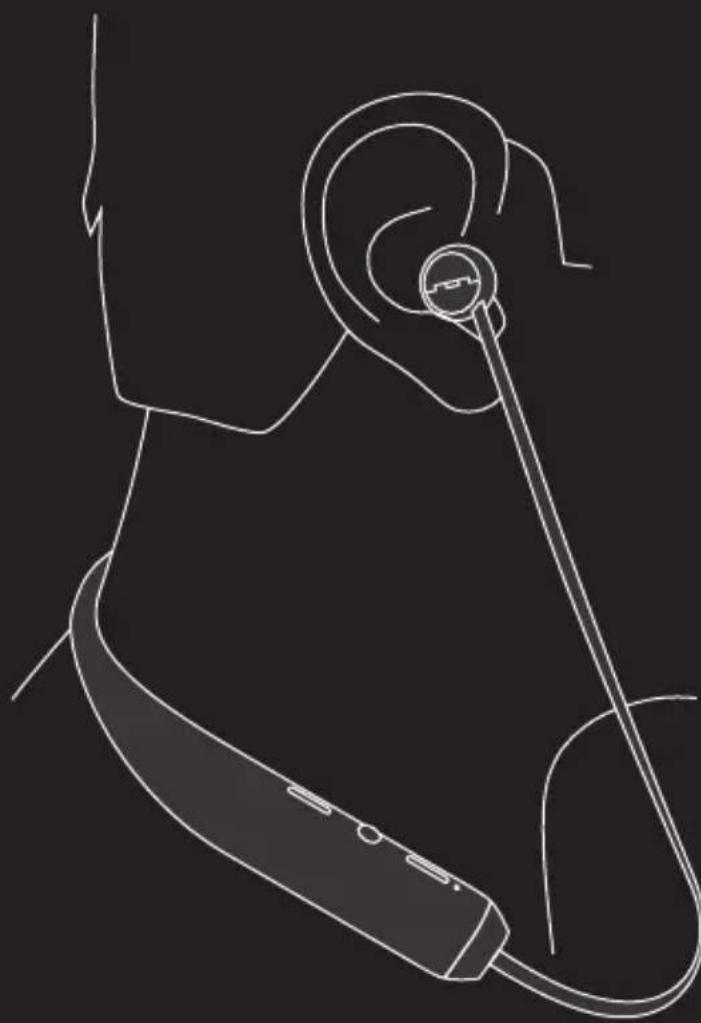
Place the collar around your neck so it is centered and even.
Find the right size ear tip that fits your ear. Insert each ear tip into the proper ear: Not surprisingly, 'R' goes in the right ear. 'L' goes in the left.
Pull the top of ear up and back while you fit the ear tips securely in place.
You want a snug fit for optimum sound and comfort.
CONNECT
Now let's get Shadow and your device talking to each other.


STEP 1
Turn on Bluetooth® on your device.

STEP 2
Turn on Shadow and it will automatically go into pairing mode.
STEP 3
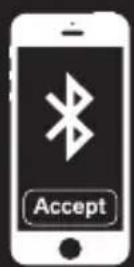
Go to the Bluetooth menu on your device to pair and select "Shadow".
natural_image
White musical note symbol with sound waves on black background (no text or numbers)STEP 4
When the device and Shadow are connected, you'll get a pairing complete tone.
NOTE
The above works for most devices, but not all devices function the same way. See your device's user guide for all the details connecting Bluetooth accessories. Visit solrepublic.com/connect for more detailed instructions on how to connect Shadow to your device.
BASICS
MUSIC
YOU WANT TO PRESS
Play or pause The multi-function button once.
Skip to the next track The multi-function button twice.
CALLS
YOU WANT TO PRESS
Take a call The multi-function button once
Decline a call Hold multi-function button for 2 seconds
End a call The multi-function button once
Take a second incoming call
The multi-function button once
Decline a second incoming call
Use the phone keypad
Hear battery status Press both volume buttons at the same time
NOTE
Some features may work differently depending on your phone/type of service.
NOTE
Using a mobile device or accessory while driving can be distracting and may be illegal. Always follow the laws of your state and drive safely. Both hands on the wheel. Ten and two. Eyes on the road.
ADVANCED STUFF
SECOND DEVICE / Dual Device CONNECTION
Do you use two phones? Do you use a tablet and a phone? Are you double jointed?
You can connect up to two devices to your headset for music and calls. As long as Dual Device is enabled (see SETTINGS on page 9), pair both devices and then you can switch back and forth between devices seamlessly, whether you're playing music or managing calls.
Just follow the instructions under "Connect" on page 6 for each device. To connect both devices, just turn them on.
NOTIFICATION LIGHT
The easy way to check your headset
SWITCHING DEVICES
With Dual Device on and 2 devices connected, simply switch to the device you want to listen to by stopping play on one device on the currently playing device, then pressing play on the desired play device.
NOTE
Your headset will only stream from one music source at a time.
IF THE LIGHT SHOWS IT MEANS
Flashing blue Standby mode
Flashing blue twice In pairing mode
Steady blue Connecting to remembered device
Flashing red Low power battery
Steady red Charging
Steady blue (when plugged in) Battery fully charged
SETTINGS
Factory Reset: hold down MFB and Volume + Button at the same time for five seconds.
(CAUTION "Reset" erases all paired devices stored in your headset.)
Dual Device on:
Press MFB and Volume- at same time.
Dual Device off:
Press MFB and Volume- for 5 seconds.
CONTACT
Confused? Perplexed? Adrift? We've got answers and we're standing by. Give us a shout we're here to help.
SUPPORT
The following are a set of resources to ensure you get the most out of your SOL REPUBLIC product.
If you are experiencing issues at any time, please visit SOLREPUBLIC.COM/SUPPORT, contact us on Twitter (@SOLREPUBLIC), or call us at 877.400.0310
For customer service inquiries, please email support@SOLREPUBLIC.com
BIENVENUE
natural_image
Pure diagram of two USB connectors without any text or symbolsnatural_image
Line drawing of a human ear with a handheld device attached, no text or symbols present
natural_image
Line drawing of a USB connector (no text or symbols)AJUSTEMENT :
natural_image
White musical note symbol on black background, no text or numbers presentÉTAPE 4
natural_image
Pure diagram of two USB connectors without any text or symbolsCable de carga USB
natural_image
Line drawing of a human ear with a handheld device attached, no text or symbols present
natural_image
Line drawing of a USB connector (no text or symbols)AJUSTE:
natural_image
Musical note symbol with eighth notes on black background (no text or numbers)CUARTO PASO
natural_image
Pure diagram of two USB connectors without any text or symbolsnatural_image
Line drawing of a person wearing a ear with a handheld device attached (no text or symbols)
natural_image
Line drawing of a USB connector (no text or symbols)PASSFORM:
natural_image
Musical note symbol with eighth notes on black background (no text or numbers)SCHRITT 4
natural_image
Pure diagram of two USB connectors without any text or symbolsnatural_image
Line drawing of a human ear with a handheld device attached, no text or symbols present
POSIZIONAMENTO:
natural_image
White musical note icon with sound waves on black background (no text or symbols)FASE 4
natural_image
Pure diagram of two USB connectors without any text or symbolsUSB充電ケーブル
natural_image
Line drawing of a person wearing a ear with a handheld device attached (no text or symbols)
natural_image
Line drawing of a USB connector (no text or symbols)フィット:
natural_image
White musical note symbol with sound waves on black background (no text or numbers)手順4
ご使用の端末と
Shadowが接続された
ら、ペアリング完了
の音が鳴ります。
注記
natural_image
Line drawing of a human ear with a handheld device attached, no text or symbols present
natural_image
Line drawing of a USB connector (no text or symbols)꼭 맞게 조정하기:
칼라가 중앙에 놓이고 치우치지
않도록 목 둘레에 놓습니다.
자신의 귀에 꼭 맞는 이어 탑
크기를 선택합니다.각 이어
팀을 각각의 귀에 꽃습니다.즉
natural_image
White musical note symbol with sound waves on black background (no text or numbers)선택합니다.
4단계
장치와 Shadow이
연결되면 페어링
완료음이 들립니다.
참고
상기 단계들이 대부분의 장치들에
natural_image
Pure diagram of two USB connectors without any text or symbolsUSB充电线
natural_image
Line drawing of a human ear with a handheld device attached, no text or symbols present
natural_image
Line drawing of a handheld electronic device with a USB symbol on its body (no text or labels)佩戴:
挂在颈部的衣领上,让耳机处于正中间。
选择贴合自己耳朵的适当耳塞。
将耳塞分别塞进相应侧的耳
natural_image
White musical note symbol with sound waves on black background (no text or numbers)步骤4
设备与 Shadow 建
立连接后,您将听到
配对完成提示音。
注意
上述步骤适用于绝大多数的设
备,但不是所有设备的操作方式
都相同。有关连接蓝牙配件的完
整详情,请参见您设备的用户
指南。有关如何连接 Shadow
至您的设备的更多详细说明,
请访问 Solrepublic.com/
connect。
基本设置
您希望按键操作
播放或暂停 按一下多功能按钮。
跳到下一曲目 按两下多功能按钮。
音乐
您希望按键操作
接听电话 按一下多功能按钮
拒听电话|按住多功能按钮2秒
结束电话 按一下多功能按钮
接听第二通来电 按一下多功能按钮
拒听第二通来电 使用手机键盘
聆听电池状态 同时按住两个音量按钮
电话
注意