Tracks V8 - Earphones Sol Republic - Free user manual and instructions
Find the device manual for free Tracks V8 Sol Republic in PDF.


User questions about Tracks V8 Sol Republic
0 question about this device. Answer the ones you know or ask your own.
Ask a new question about this device
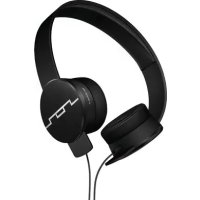
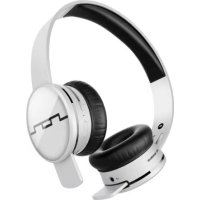
Download the instructions for your Earphones in PDF format for free! Find your manual Tracks V8 - Sol Republic and take your electronic device back in hand. On this page are published all the documents necessary for the use of your device. Tracks V8 by Sol Republic.
USER MANUAL Tracks V8 Sol Republic
natural_image
Pure black geometric line pattern with no text, numbers, or symbolsSOL REPUBLIC
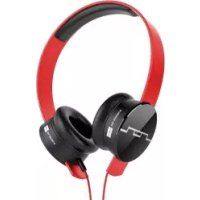
We designed the Tracks series headphones to deliver an incredible on-ear music experience. Crank up your favorite song and enjoy.
Included Accessories
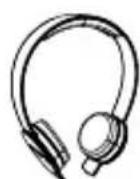
- Headphones with a detachable Sound Track band
natural_image
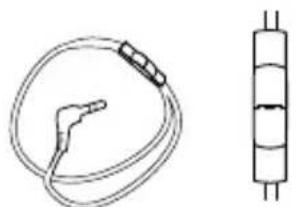
Technical line drawing of a medical or laboratory device with a coiled cable and a vertical cylindrical component (no text or symbols)- Cable with remote control and microphone
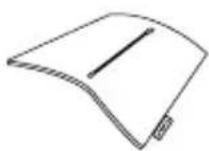
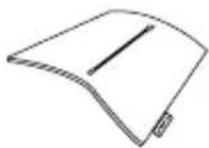
- Carrying case available with Tracks HD & Tracks Ultra
Using Your Headphones
natural_image
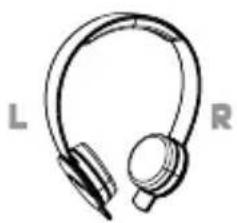
Line drawing of a pair of headphones labeled L and R (no additional text or symbols)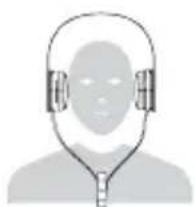
natural_image
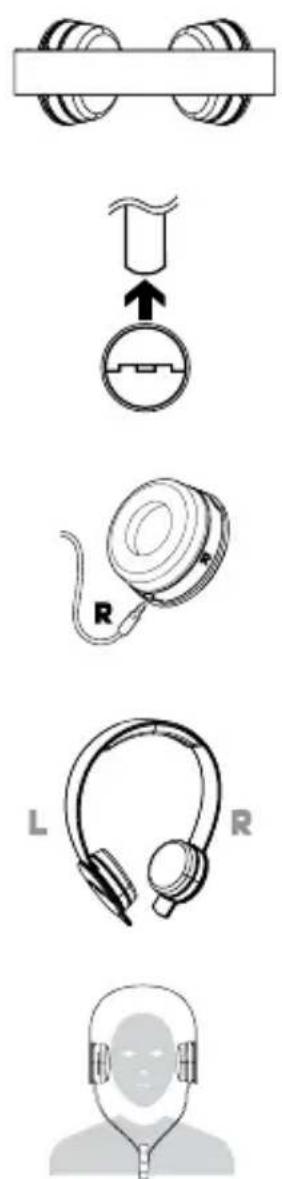
Generic icon of a person wearing headphones (no text or symbols)- Our headphones are designed for comfort and incredible sound. Ensure you get the most from your headphones by creating the perfect fit. Adjust the Sound Engines along the Sound Track band until they fit comfortably on the ears. Check out our how-to video on finding the right fit at SOLREPUBLIC.com/support.
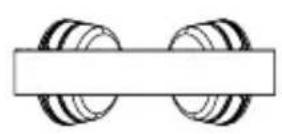
- Slide Sound Engine on corresponding side of Sound Track ("R" over right ear, "L" over left ear).
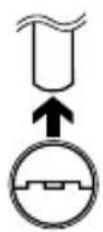
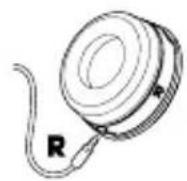
- Insert cable connectors securely into corresponding Sound Engines ("R" for right "L" for left).
- Place Sound Engine on top of corresponding ear ("R" over right ear, "L" over left ear).
- Wearyour headphones with the cord hanging in FRONT of your head to ensure they stay put during strenuous activity.
Tips for using your remote control with compatible products
During music playback
- Click play button once to pause, and click again to resume playback
During phone calls
- Click play button once to answer incoming call, click again to end call
Additional tips for using your remote control with compatible Apple® products (“Made for iPhone” Tracks, Tracks HD and Tracks Ultra only)
During music playback
- Click play button twice quickly to track forward
- Click play button three times quickly to track backward
- Increase volume by pressing "+" button.
- Decrease volume by pressing“-”button.
During phone calls
- Press and hold down play button for about two seconds to decline an incoming call
- Click play button once to switch over to call waiting, click again to switch back to original call
VISIT SOLREPUBLIC.COM/COMPATIBILITY FOR A LIST OF APPLE COMPATIBLE PRODUCTS
Protecting Your Headphones
We worked hard to construct heavy-duty headphones.
Follow the guidelines below to protect them.
- SOL REPUBLIC headphones are not intended for use while swimming, bathing or showering. You should still take a shower though.
- If you purchased the Tracks HD, use the SOL REPUBLIC carrying case
- Keep your headphones clean and free of debris
- Do not tug on cable to disconnect plug from device
- Do not wrap headphones around device while it is still plugged in as it puts unnecessary pressure on plug-cord connection
Troubleshooting
If you are experiencing issues with your headphones, please refer to the troubleshooting guidelines below. If the problem persists, visit SOLREPUBLIC.COM/SUPPORT or contact us on Twitter (@SOLREPUBLIC).
TROUBLE SUGGESTIONS
There's no audio
Make sure your device's headphone jack is free of debris and that the headphone plug is securely connected.
The treble and bass level is too high or too low
Check the EQ settings or audio enhancement features on your device and adjust accordingly.
Sound is coming out of only one Sound Engine
Remove headphone cable from your device and reinsert, making sure the male 3.5mm cable is securely connected to the female 3.5mm jack.
Distorted sound
Play a couple different songs first to make sure the problem is not with your device. Then, check the EQ settings on your device. If that doesn't work, make sure you have a snug fit and that the driver is pointed directly towards the ear canal.
Cleaning Your Headphones
We our love headphones and look at each one as a work of art. Be sure to take care of them.
To keep your headphones clean, periodically wipe with a dry cloth.
Note on Static Electricity
In particularly dry air conditions, mild tingling may be felt on your ears. This is a result of static electricity accumulated in the body, and not a malfunction of the headphones. You can stop dragging your feet across carpets or try wearing clothes made from natural materials to minimize the effect.
Warnings
- Contains small parts which may be a choking hazard. Not suitable for children under age 3
- Use caution when using your headset/headphones while operating a vehicle or engaging in any activity that requires your full attention. Check and follow local laws regarding headset/headphones use. Some jurisdictions impose specific limitations, such as single earpiece configuration, on the use of such products while driving.
- Long-term exposure to loud music may cause hearing damage. It is best to avoid high volume levels when using headphones, especially for extended periods.
Hearing Safety
The Occupational Safety Health Administration has developed the following noise exposure chart to help determine what levels and lengths of listening are safe.
| SOUND LEVELdBA Maximum | LISTENING DURATION | SOUNDEXAMPLE |
| 90 | 8 hrs | Lawnmower |
| 92 | 6 hrs | Tractor |
| 95 | 3 hrs | Electric Drill |
| 100 | 2 hrs | Subway Train |
| 102 | 1 1/2 hrs | Jet Flyover at 100ft |
| 105 | 1 hr | Snowmobile |
| 110 | 1/2 hr | Jackhammer |
| 115 | 1/4 hr | Loud Concert |
At SOL REPUBLIC, we're committed to providing you an incredible music experience for many years to come. According to the American Speech-Language-Hearing Association, "listening to headphones at high volumes for extended periods of time can directly result in lifelong hearing loss." We recommend that you listen to your headphones at comfortable volume levels for reasonable periods of time.
For more information about safe listening practices, visit www.asha.org.
Apple is a trademark of Apple Inc., registered in the U.S. and other countries.
©2012 SOL REPUBLIC, INC. All rights reserved. SOL REPUBLIC, the SOL REPUBLIC logo, are all trademarks of SOL REPUBLIC, INC
BIENVENUE À SOL REPUBLIC
ENREGISTREZ VOS ÉCOUTEURS SOL REPUBLIC DÉS AUJOURD'HUI ET RECEVEZ UN AN D'ASSISTANCE ROCK STAR, ET PERMIER UN ACCÈS PRIORITAIRE À DES ÉCOUTEURS DE SÉRIE LIMITÉE ET MÊME DES DJ REMIX EXCLUSIFS DE NOS SAVIORS OF SOUND À SOL REPUBLIC.COM/REGISTER
SÉRIE TRACKS
natural_image
Pure electrical circuit lines without any symbolsnatural_image
Line drawing of a pair of headphones labeled L and R (no additional text or symbols)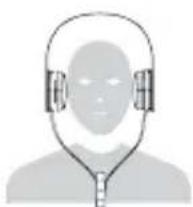
natural_image
Silhouette of a person wearing headphones (no text or symbols)natural_image
Technical line drawing of a medical or laboratory device with a coiled cable and a vertical cylindrical component (no text or symbols)- リモコンおよびマイク付き ケーブル
- Tracks HDはキャリーケース付
ヘッドフォンの使い方
natural_image
Pure black geometric line pattern with no text, numbers, or symbolsSOL REPUBLIC support is available via:
SOLREPUBLIC.com/support

@SOLREPUBLIC

877.400.0310 (US ONLY)
+1.415.578.0765
5260-30_B