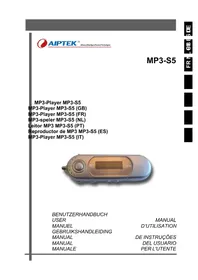
MP3S5 - Mp3 player AIPTEK - Free user manual and instructions
Find the device manual for free MP3S5 AIPTEK in PDF.



| Product Type | MP3 Player with Voice Recorder |
| Brand | Aiptek |
| Model | MP3S5 |
| Memory Capacity | 64 MB, 128 MB, 256 MB or 512 MB depending on version |
| Supported Audio Formats | MP3, WMA, ADPCM |
| Screen | LCD 132 x 32 pixels, 7-color backlight |
| Headphone Output | 5 mW + 5 mW |
| Signal-to-Noise Ratio | ≥ 90 dB |
| Channel Separation | >80 dB |
| Harmonic Distortion | <0.1% |
| Frequency Response | 20 Hz – 20 kHz |
| Power Supply | 1 AAA battery |
| Battery Life | Approximately 6 hours |
| Connectivity | USB 1.1 |
| Dimensions | 95 x 31 x 32 mm |
| Weight | 35 g (without battery) |
| Operating Temperature | -10°C to 50°C |
| Main Functions | MP3/WMA playback, voice recording, A-B repeat, system settings (backlight, contrast, language, auto-off) |
| Maintenance | Clean with a soft, dry cloth. Avoid moisture and shocks. |
| Safety | Do not expose to water. Do not disassemble the device. Use only a recommended AAA battery. |
Frequently Asked Questions - MP3S5 AIPTEK
User questions about MP3S5 AIPTEK
0 question about this device. Answer the ones you know or ask your own.
Ask a new question about this device
Download the instructions for your Mp3 player in PDF format for free! Find your manual MP3S5 - AIPTEK and take your electronic device back in hand. On this page are published all the documents necessary for the use of your device. MP3S5 by AIPTEK.
USER MANUAL MP3S5 AIPTEK
1 Welcome. 16
2 Contents of package. 17
3 Getting started 18
3.1 Controls 18
3.2 LCD and symbols 19
3.3 Switching the MP3 player on and off 20
4 Operation 21
4.1 Music Mode 21
4.2 Record mode (voice recording) 21
4.3Playback mode (voice recording) 22
4.4 System settings 23
5 Specifications 25
1 Welcome
Thank you for choosing our product. Please read this manual carefully before use to make best use of all functions of the product and to guarantee that it has a long service life. Please store the manual in a safe place for later reference.
This product is a portable digital audio player which allows you to play your MP3 and WMA tracks (multi-codec player), make voice recordings or save files of any kind. The backlit LCD displays information on the current digital music file via the ID3 tag.
Support
URL: http://www.ajtek.de
See our website for the latest information on this MP3 player, on other products by our company and on our company itself. Any firmware updates for this MP3 player are also made available on our website. If you have questions or problems, please read the FAQs on our website or contact our customer support service support@aiptek.de.
2 Contents of package
Please ensure that the following items are included in the box. If the package is not complete, please contact your dealer.
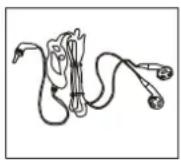
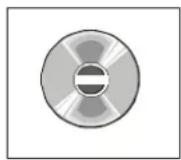
1 x MP3 Player MP3-S5
1xheadphones
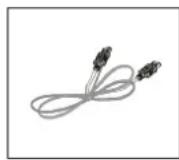
1xUSB cable
1xCD-ROM
1 x user manual
1 x warranty card


3 Getting started
3.1 Controls
Familiarise yourself with the controls of your MP3 player before use.
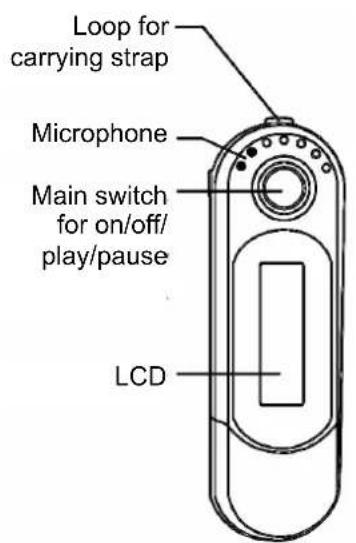
Front view
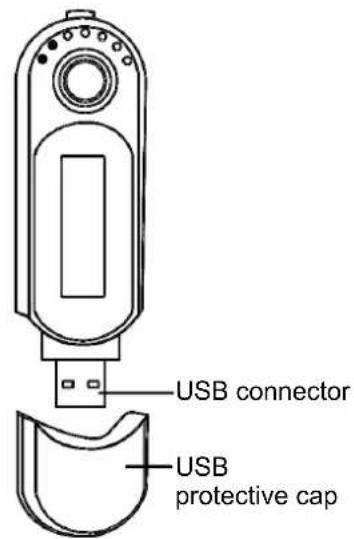
Front view with cap removed
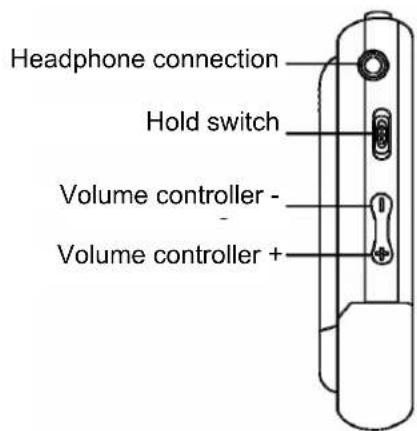
Left side
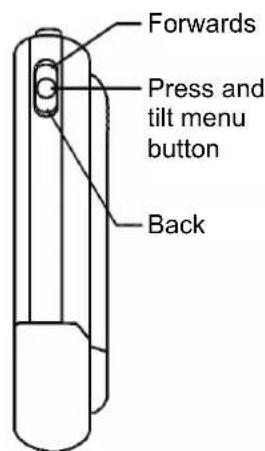
Right side
3.2 LCD and symbols
Overview of the LCD
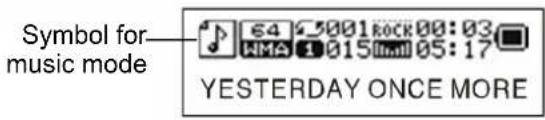
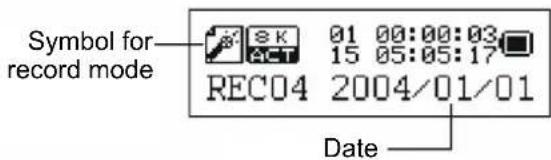
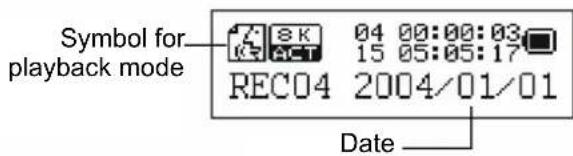
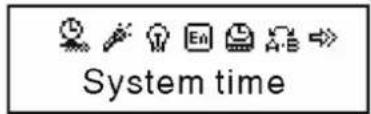
The LCD shows a variety of information on the current track, the running time and the system settings. The symbols are explained below.
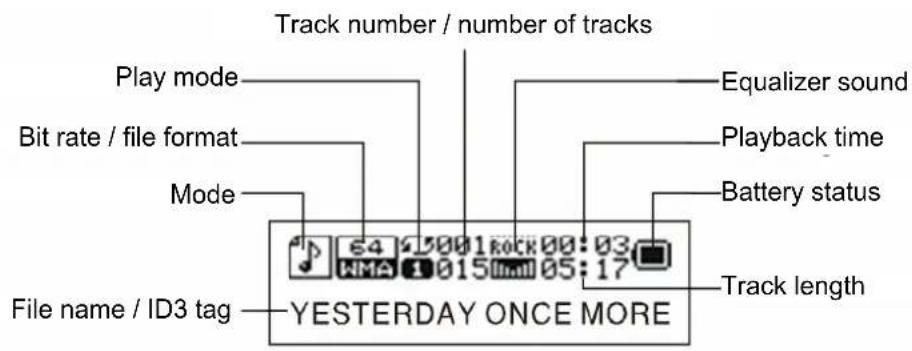
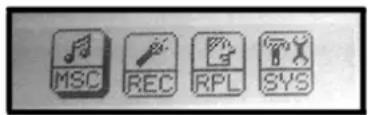
Display menu mode Allows you to select the mode and make a number of system settings. Examples of the LCD displays for these modes and the system settings are provided below.
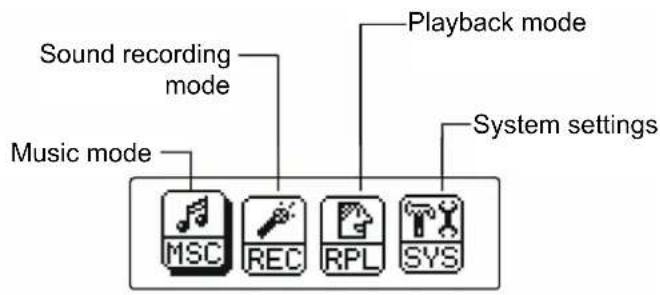
Display in music mode
Display in record mode (voice recording)
Display in playback mode (for voice recordings)
Display of system settings

3.3 Switching the MP3 player on and off
Switching the MP3 player on:
1 Ensure that the hold setting is deactivated. If necessary, push the hold switch to the right into the off position.
2 Hold the main switch (on/off, play/pause) down for approx. one second until the LCD with the preset blue backlighting illuminates and a greeting is displayed. The MP3 player is now in menu mode.
Switching the MP3 player off:
Press and hold the main switch for approximately one second in standby mode until the LCD illumination deactivates. The MP3 player also switches off automatically after the period set in the system settings.
4 Operation
4.1 Music Mode
1 Selecting a track: Tilt the menu button forwards or back to select the required track.
2 Playback: Press the main switch to play the track played. The track information (ID3 tag) is scrolled on the LCD.
3 Setting the volume: Press or hold the respective volume control button (+, -) to raise or lower the volume.
4 Navigating forwards and back: Tilt and hold the menu button forwards or back during playback to skip forwards or back within the track. If you tilt the menu button briefly forwards or back, playback skips to the next or the previous track.
5 Pausing and switching the MP3 player off: Press the main switch briefly to pause playback, or press the main switch for approx. one second to stop playback and switch off the MP3 player. When you switch the MP3 player on again, you can continue exactly from the position the track stopped playing.
Replay (A-B repeat)
This function allows you to repeat a specific section of a music file by setting the starting and finishing point of the section during playback.
To do so, select the "Replay" function in the playback menu. A small "A-B" symbol appears in the LCD. The letter "A" flashes.
2 Tilt the menu button to the right (forwards) once to set the starting point. The letter "B" starts to flash.
3 Tilt the menu button to the right (forwards) again once to set the finishing point. The section set is then repeated the amount of time set in the "Replay Times" function described below. At this point you can stop the "Replay" function by pressing the menu button briefly.
4.2 Record mode (voice recording)
Your MP3 player can also be used as a digital dictaphone. This allows you to record important ideas or thoughts when away from home, so you don't forget them. Proceed as follows to save a voice recording:
1 Activate: Press the main switch to activate the MP3 player, if you have not already done so.
2 Selecting the menu mode: Press the menu button to switch to the menu mode.
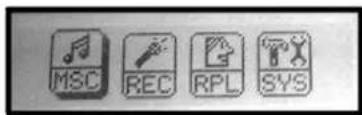
3 Selecting the voice recording mode: Tilt the menu button to the REC symbol to navigate. Press the menu button to confirm the selection.
4 Starting voice recording: Press the main switch to start voice recording.
5 Volume: Set the volume as described in chapter 4.1.
6 Pause: Press the main switch briefly once to pause voice recording.
4.3Playback mode (voice recording)
1 Activate: Press the main switch to activate the MP3 player, if you have not already done so.
2 Select the menu mode: Press the menu button to switch to the menu mode.
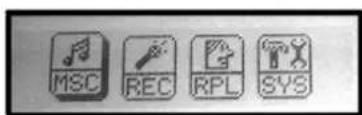
3 Select the playback mode: Tilt the menu button to the RPL symbol to navigate. Press the menu button to confirm the selection.
4 Select the voice recording: Press the menu button (tilt left or right) to select the required voice recording.
5 Starting playback: Press the main switch to start playback.
6 Volume: Set the volume as described in chap. 4.1.
7 Pause, switching menu or switching off the MP3 player: Press the main switch during playback to pause. Press the menu button for at least one second to switch to menu mode, or press the main switch for approx. one second to stop playback and switch off the MP3 player. When you switch the MP3 player on again, you can continue exactly from the position the voice recording stopped playing.
4.4 System settings
The last menu of the menu mode (SYS) allows you to change important system settings for your MP3 player. It contains a total of 10 sub-items and Exit.
1 Switch the MP3 player on: Press the main switch to activate the MP3 player, if you have not already done so.
2 Select the menu mode: Press and hold the menu button for at least one second to switch to the menu mode.
3 Selecting the system settings mode: Go to the SYS symbol. Press the menu button to confirm the selection.
4 Selecting the setting: The system settings are shown in a new sub-menu with symbols. Press the menu button to navigate to the specific system setting you wish to check or change. Press the menu button to confirm.
Press and hold the menu button or the main switch to return to the menu mode. The following menu settings are available and can be changed using the operating procedure described above.
Record Time
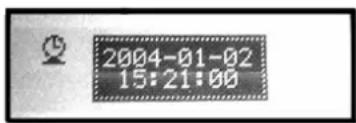
This allows you to set the current data for the date and the time. This data is required to mark voice recordings with the date and time. Use the volume control buttons to select the digits of the date and time and tilt the menu button to change the time setting.
Backlight
This allows you to set whether the backlight is to remain on after a button is pressed and how long it stays on (values between 0 and 30 seconds).
Backlight Mode (colour of the backlighting)
Select one of seven different colours for the backlighting.
Language
This menu item allows you to set the required language.
Power Off (automatic shutdown)
This menu allows you set one of two different shutdown modes. The off time display is activated initially. Tilt the menu button to switch to the sleep time display. Press the menu button and set the respective shutdown time.
Replay Mode (repeat mode)
Allows you to set whether A-B repeat is to occur automatically or manually.
LCD Contrast
Allows you to set the required display contrast.
USB Mode
Allows you to make settings for the (removable media) in USB mode.
Memory Information
Shows the current amount of free memory space on your MP3 player.
Firmware Version
Check the firmware version installed on your MP3 player when firmware updates are made available.
5 Specifications
| Memory capacity | 64MB/128MB/256MB/512MB | Voice sampling | 8kHz |
| Formats | MP3, WMA, ADPCM | Recording time | Up to 34h (512MB) |
| LCD | 132 x 32 (2-line) | Headphone output | 5mw + 5 mw |
| Languages supported | English | S/N ratio | ≥ 90dB |
| Internal memory | Integrated flash memory | USB type | USB 1.1 |
| Operating temperature | -10° to 50° | Power supply | 1 x AAA battery |
| Channel breakup | >80dB | Battery life | approx. 6 hours |
| Output frequency | 20Hz ... 20kHz | Dimensions | 95 x 31 x 32 (mm) |
| Harmonic distortion | <0.1% | Weight | 35g (without batteries) |

Sommaire
Replay (relecture A-B)
Mode Replay (mode Relecture)
Replay (A-B herhaling)

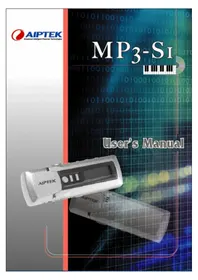
- 1 WELCOME
- SUPPORT
- 2 CONTENTS OF PACKAGE
- 3 GETTING STARTED
- 3.1 CONTROLS
- 3.2 LCD AND SYMBOLS
- OVERVIEW OF THE LCD
- 3.3 SWITCHING THE MP3 PLAYER ON AND OFF
- SWITCHING THE MP3 PLAYER OFF
- 4 OPERATION
- 4.1 MUSIC MODE
- REPLAY (A-B REPEAT)
- 4.2 RECORD MODE (VOICE RECORDING)
- 4.3PLAYBACK MODE (VOICE RECORDING)
- 4.4 SYSTEM SETTINGS
- RECORD TIME
- BACKLIGHT
- BACKLIGHT MODE (COLOUR OF THE BACKLIGHTING)
- LANGUAGE
- POWER OFF (AUTOMATIC SHUTDOWN)
- REPLAY MODE (REPEAT MODE)
- LCD CONTRAST
- USB MODE
- MEMORY INFORMATION
- FIRMWARE VERSION
- 5 SPECIFICATIONS
- SOMMAIRE
- REPLAY (RELECTURE A-B)
- MODE REPLAY (MODE RELECTURE)
- REPLAY (A-B HERHALING)
Brand : AIPTEK
Model : MP3S5
Category : Mp3 player