PE82X - Pedometer OREGON SCIENTIFIC - Free user manual and instructions
Find the device manual for free PE82X OREGON SCIENTIFIC in PDF.



| Product Type | Electronic pedometer with advanced functions (depending on model: 7-day memory, heart rate monitor, alarm siren, FM radio, voice function) |
| Compatible Models | PE823, PE826, PE828, PE829, PE829A |
| Dimensions (W x H x D) | PE823: 52 x 47 x 25 mm; PE826: 60.3 x 54.9 x 24 mm; PE828: 58.7 x 62.4 x 25 mm; PE829/PE829A: 61.4 x 53.5 x 26 mm |
| Weight (without clip) | PE823: 33 g; PE826: 38 g; PE828: 61 g; PE829/PE829A: 60 g |
| Power Supply | PE823 and PE826: 1 CR2032 3V battery; PE828: 1 CR2032 3V battery + 1 23A 12V battery; PE829/PE829A: 2 CR2032 3V batteries |
| Step Counter | 0 to 99,999 steps |
| Distance Traveled | 0 to 999.99 km or miles |
| Calorie Expenditure | 0.1 to 9999.9 kcal |
| Adjustable Stride | 28 to 152 cm (11 to 60 inches) |
| Adjustable User Weight | 29 to 154 kg (64 to 340 lbs) |
| Customizable Goals | Steps, distance, calories with Estimated Finish Time (EFT) |
| Countdown Timer | Up to 99 h 59 min 59 s, with step/distance/calorie measurement |
| 7-Day Memory | Daily storage of steps, distance and calories; weekly or daily viewing |
| Alarm | Alarm function with hour/minute setting and on/off |
| Heart Rate Monitor and Stress Index | Only on PE826: pulse measurement (30-240 bpm) and stress level with calibration |
| Alarm Siren | Only on PE828: sound alarm via safety pin |
| FM Radio | Only on PE829/PE829A: FM band 87.5-108 MHz, memory for 5 stations, volume control |
| Voice Function | Only on PE829/PE829A: automatic or manual announcements, metronome, language selection |
| Backlight | Temporary activation (3 s) by button |
| Keyboard Lock | Prevents accidental presses |
| Operating Temperature | -10 °C to 40 °C (14 °F to 104 °F) |
| Storage Temperature | -20 °C to 60 °C (-4 °F to 104 °F) |
| Care and Cleaning | Clean with a damp cloth and mild detergent; do not immerse in water |
| Safety and Precautions | Do not expose to shocks, extreme temperatures or excessive humidity; remove batteries if not used for a long time; do not use rechargeable batteries |
| Spare Parts / Repairability | No user-serviceable parts; warranty void if opened |
| General Information | Brand: Oregon Scientific; manual available in multiple languages; CE compliance |
Frequently Asked Questions - PE82X OREGON SCIENTIFIC
User questions about PE82X OREGON SCIENTIFIC
0 question about this device. Answer the ones you know or ask your own.
Ask a new question about this device
Download the instructions for your Pedometer in PDF format for free! Find your manual PE82X - OREGON SCIENTIFIC and take your electronic device back in hand. On this page are published all the documents necessary for the use of your device. PE82X by OREGON SCIENTIFIC.
USER MANUAL PE82X OREGON SCIENTIFIC
Pedometer With 7-Day Memory / PE823
Pedometer With Pulse Meter / PE826
Pedometer With Panic Alarm / PE828
Talking Pedometer With FM Radio / PE829 / PE829A
USER MANUAL
Pedometer With 7-Day Memory
(Model:PE823)
Pedometer With Pulse Meter
(Model: PE826)
Pedometer With Panic Alarm
(Model: PE828)
Talking Pedometer With FM Radio
(Model: PE829 / PE829A)
USER MANUAL
CONTENTS
Introduction 2
Key Features 2
PE823-Front and Back View 2
PE826-Front and Back View 2
PE828-Front and Back View 2
PE829 / PE829A - Front and Back View 3
LCD 4
Getting Started 4
Set Up 4
Important for Accuracy 4
Useful Tips 5
Switching Between Operation Modes 5
Daily 5
Target 6
Timer 6
Memory 7
View Total Weekly Records 7
View Daily Records 7
Clear All Records 8
Clock /User Profile 8
To Set the User Profile for 1^st Time Use or After a Battery Change 8
Change Individual Clock or User Profile Settings .... 9
Alarm 9
Pulse Meter / Stress Index (Available in PE826 Only). 9
How to Use Panic Alarm (Available in PE828 Only) ... 11
FM Radio (Available in PE829 / PE829A Only) .... 11
Scanning and Storing Radio Channels 11
Talk Function (Available in PE829 / PE829A Only) .... 12
Backlight / LED Light / Keypad Lock / Reset .... 12
Batteries 12
PE823/PE826 13
PE828 13
PE829/PE829A 13
Warnings 13
Specifications 14
About Oregon Scientific 15
EU-Declaration of Conformity 15
INTRODUCTION
Thank you for selecting an Oregon Scientific™ pedometer (PE823 / PE826 / PE828 / PE829 / PE829A).
These unique products are ideal for monitoring your exercise routine. The pedometer counts the number of steps taken from one location to another, calculating the total distance covered and calories expended.
Other key functions include target step / distance / calories, 7-day memory function, estimated target finish time and keypad lock function.
Keep this manual handy as you use your new product. It contains practical step-by-step instructions as well as technical specifications and warnings you should know.
KEY FEATURES
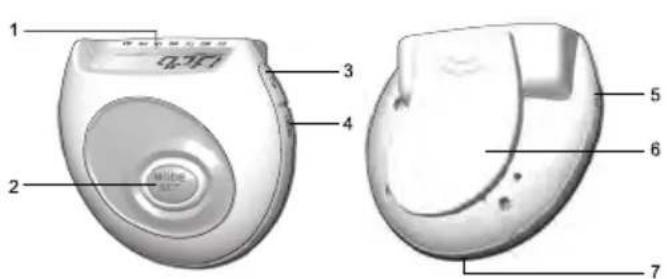
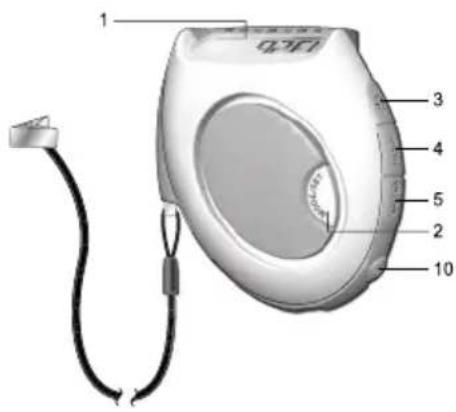
PE823-FRONT AND BACK VIEW
PE826-FRONT AND BACK VIEW
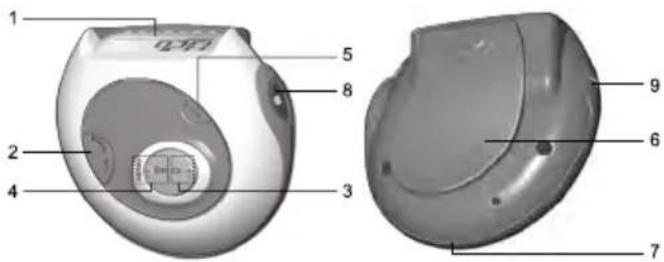
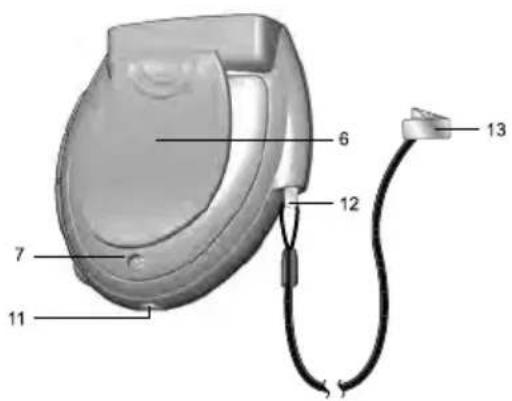
PE828-FRONT AND BACK VIEW
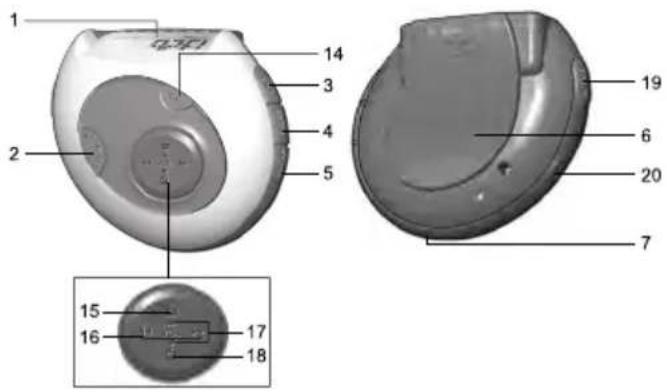
PE829 / PE829A - FRONT AND BACK VIEW
- LCD screen
- MODE / SET button
- /+button
- RESET / -/ x/ button
- / button
- Belt clip
- Battery door
- Pulse meter
- Pulse rate button
- LED light button
- LED light
- Panic alarm pin
- Fastening clip and chord
- Selects radio channel
- Radio ON
- Scan up and down FM frequency
- Increase and decrease volume
- Radio OFF
- Talk button
- Earphone jack
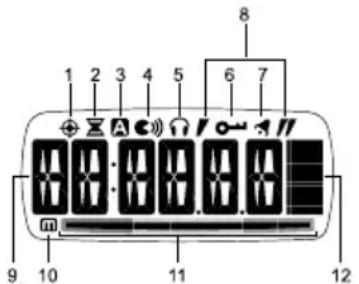
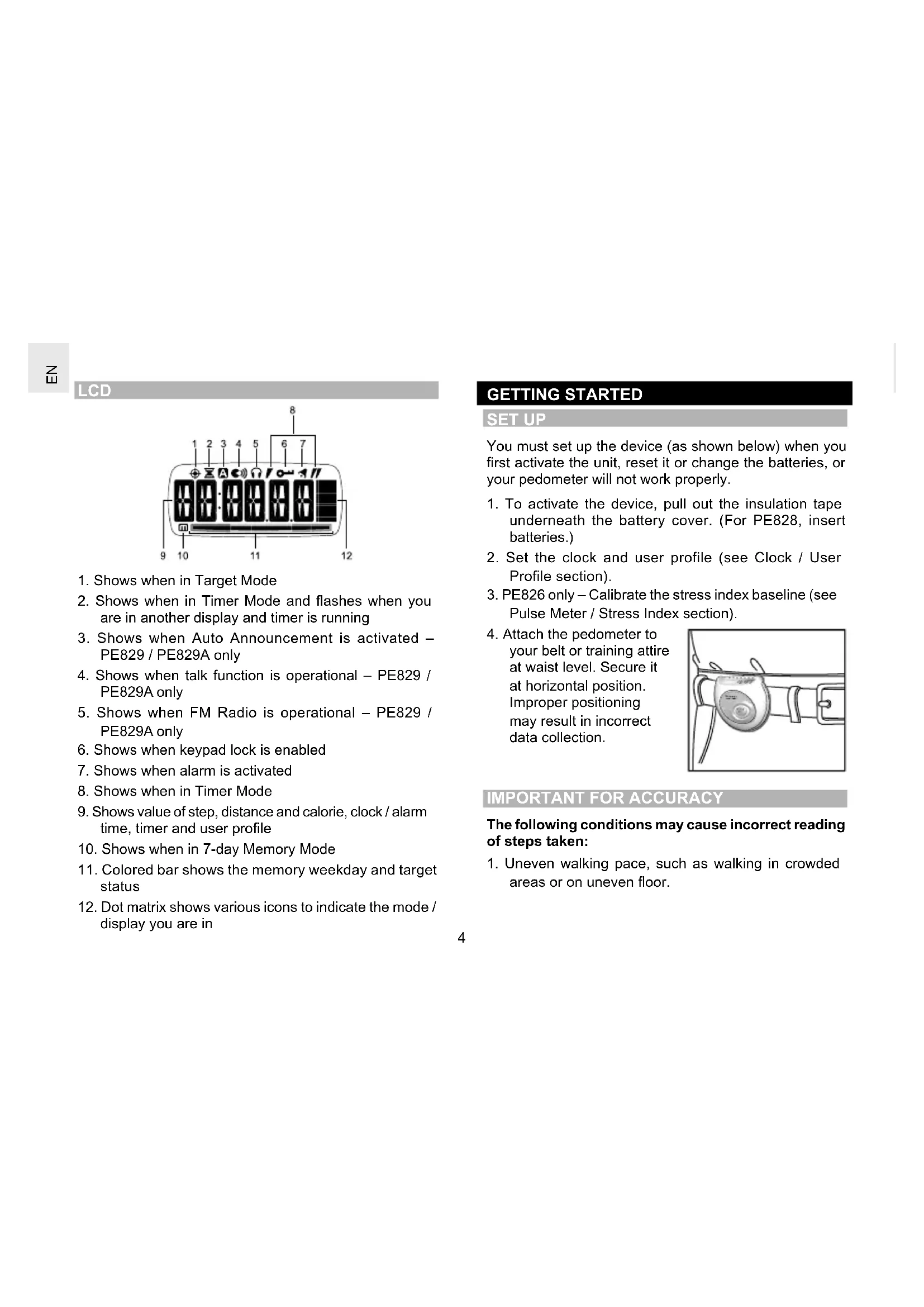
- Shows when in Target Mode
- Shows when in Timer Mode and flashes when you are in another display and timer is running
- Shows when Auto Announcement is activated - PE829 / PE829A only
- Shows when talk function is operational - PE829 / PE829A only
- Shows when FM Radio is operational - PE829 / PE829A only
- Shows when keypad lock is enabled
- Shows when alarm is activated
- Shows when in Timer Mode
- Shows value of step, distance and calorie, clock / alarm time, timer and user profile
- Shows when in 7-day Memory Mode
- Colored bar shows the memory weekday and target status
- Dot matrix shows various icons to indicate the mode / display you are in
GETTING STARTED
SETUP
You must set up the device (as shown below) when you first activate the unit, reset it or change the batteries, or your pedometer will not work properly.
- To activate the device, pull out the insulation tape underneath the battery cover. (For PE828, insert batteries.)
- Set the clock and user profile (see Clock / User Profile section).
- PE826 only - Calibrate the stress index baseline (see Pulse Meter / Stress Index section).
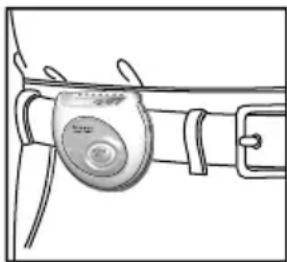
- Attach the pedometer to your belt or training attire at waist level. Secure it at horizontal position. Improper positioning may result in incorrect data collection.
IMPORTANT FOR ACCURACY
The following conditions may cause incorrect reading of steps taken:
-
Uneven walking pace, such as walking in crowded areas or on uneven floor.
-
Frequent up and down movements, such as standing up and/or sitting down; running, jumping, or ascending/ descending stairs or steep slopes.
USEFUL TIPS
When changing settings you can:
- Press and hold +/to speed through the setting options.
- Press SET to bypass or confirm a setting and move on to the next one.
NOTE During setting mode, if a key is not pressed within 30 seconds, there will be a beep sound and the screen will return back to the previous mode.
Press MODE to switch between the 6 operation modes:
Daily
- Target
- Timer
7-day Memory
-User Profile
Clock
The modes are described in the sections that follow.
DAILY
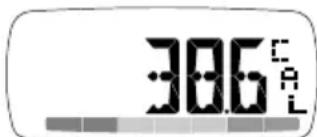
To view the step, distance and calorie display:
- Press MODE to navigate to Daily Mode.
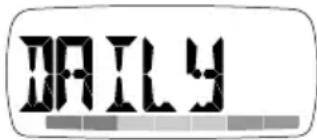
- Press switch between the 3 displays;
STEP
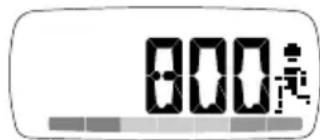
DISTANCE
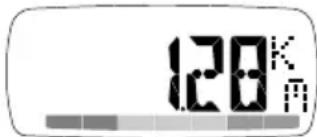
CALORIE
TARGET
To set step, distance or calorie target:
- Press MODE to navigate to Target Mode.
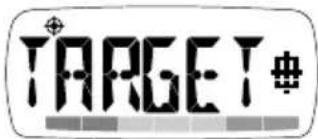
- Press and hold SET for 2 seconds to enter setting mode.

- Press +/ to select STEP, DISTANCE or CALORIES.
- Press SET to confirm.
- Press + / - to change the value of each digit, and SET to confirm and move on to the next setting.
To use target:
- Once the target has been set, start walking to activate the pedometer. The GO! screen will appear to confirm that the unit is starting to monitor your progress.
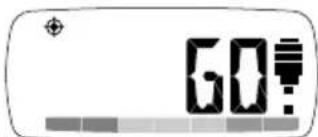
- While you are walking, the ESTIMATED FINISH TIME (EFT) will periodically appear to advise you how long it will take to complete your target, based on your current pace. The target bar at the bottom of the display will move from left to right (start to finish) to show your progress.
- Press to toggle between the EFT and remaining steps, distance or calories left until target is reached.
- When target walk is complete, FINISH will appear and a beep will sound.
- To reset the target for the next user session, press and hold RESET.
TIMER
When the timer is running, it will measure steps, distance and calories. These measurements are not linked to the daily measurements and are only related to the time spent walking while the timer is on.
To set timer:
- Press MODE to navigate to Timer Mode.
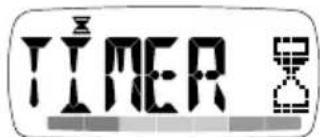
- Press and hold SET for 2 seconds to enter setting mode.
- Press + / - to select countdown or count-up timer and press SET. If the countdown timer is selected you will need to set the hr:min:sec by pressing + / - to change a value and SET to confirm.
To use timer:
- Press x to start / stop the timer.
- Press and hold to reset the timer.
- Press repeatedly to view timer step, distance and calories values.
NOTE When you are in the timer display will show. If you are in another mode, will flash to indicate the timer is running.
MEMORY
The pedometer has a 7-day memory function. You can view total weekly or daily step, distance and calorie records.
- Press MODE to navigate to Memory Mode.
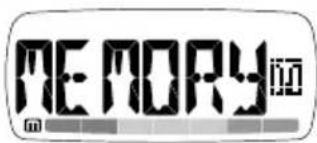
- Press to toggle between the total weekly step, distance and calorie display.
VIEW DAILY RECORDS
- Press MODE to navigate to Memory Mode.
- Press m to enter the daily record display.
- Press m repeatedly until you reach the day you wish to view. When you have selected the day you wish to view a 1-second display will show to advise you if you reached that days target or not:
Target achieved = smiley face and high beep sound. - Target not achieved = sad face and low beep sound.
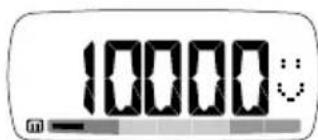
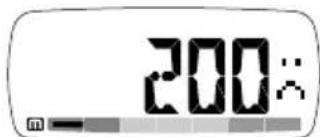
- Press to toggle between your chosen days step, distance and calorie display.
IMPORTANT At midnight all accumulated daily data will be stored for a period of 7 days. Therefore, once a memory has been stored for 7 days it is replaced with new data from the 1^st day of the new week.
NOTE The bar at the bottom of the display will indicate which day's memory record you are looking at.
CLEAR ALL RECORDS
Press and hold RESET.
CLOCK / USER PROFILE
TO SET THE USER PROFILE FOR 1^ST TIME USE OR AFTER A BATTERY CHANGE
When the installation tape is removed to activate the pedometer and whenever the batteries are changed, the pedometer will ask you to set the clock and user profile. Please complete the settings as shown below or your pedometer will not work properly.
- The first setting will flash.
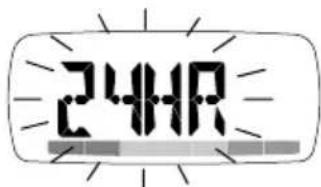
- Press + / - to change a value and SET to confirm and move on to the next setting.
- The setting sequence is:
CLOCK
12/24hr format
·Hour
- Minute
Day of the week
USER PROFILE
- Upper pulse limit (PE826 only)
- Lower pulse limit (PE826 only)
Weight unit
Weight - Stride unit
- Stride
Age
Gender
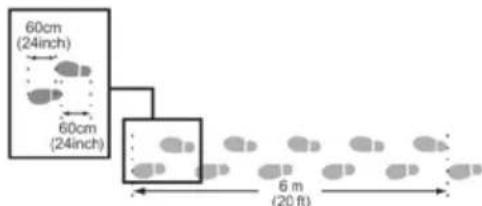
To calculate stride length:
Individual stride length varies. Input an appropriate length for an average stride. To determine the average stride length, walk 10 paces and divide the distance traveled by 10.
CHANGE INDIVIDUAL CLOCK OR USER PROFILE SETTINGS
If after the initial setting of the clock / user profile (as detailed in previous section), you wish to change the clock time or edit one of the user profile settings, simply:
- Press MODE to navigate to Clock or User Profile Mode.
- Profile Mode only; use + to scroll to the setting you wish to change.
- Press and hold SET to enter setting mode.
- Press + / - to change a value and SET to confirm.
ALARM
When in the Clock Mode, press to toggle between the Clock and Alarm Mode.
To set the alarm:
- Press MODE to navigate to Clock Mode.
- Press to switch to Alarm Mode.
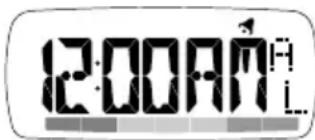
- Press and hold SET to enter the setting mode.
-
Press + / - to change a value and SET to confirm and move on to the next setting.
-
The setting sequence is:
-
Hour - Minute - On / Off
To stop the alarm sound, press any key
PULSE METER / STRESS INDEX (AVAILABLE IN PE826 ONLY)
NOTE For first-time use, or after replacing a battery or resetting the unit, user must calibrate stress index baseline, otherwise no valid reading can be obtained.
To calibrate your stress index baseline:
The index is highly individual, so you need to calibrate your personal baseline before you use this function to monitor your stress status.
Make sure you relax for 2 to 3 minutes before you start the calibration:
- Press to enter Pulse Mode.
- Press to enter calibration setting.
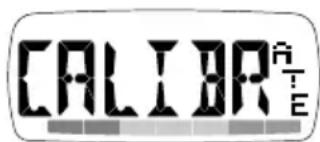
- Press and hold SET to start calibration.
Z
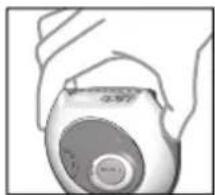
- Relax and put the tip of your thumb or index finger on the pulse sensor.
-
Wait for about 10 seconds until the word FINISH appears on the LCD panel.
-
Repeat 3-5 if the calibration fails.
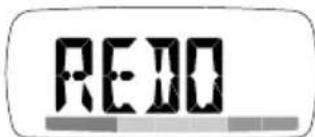
NOTE It's highly recommended to calibrate your individual stress index baseline once a month or whenever you want to refer to your parameter in different situations.
To measure pulse and stress level:
-
Keep calm before and during measuring.
-
Press
-
Put the tip of your thumb or index finger on the IR sensor.
-
Wait for about 10 seconds until pulse rate is shown (e.g. 100).
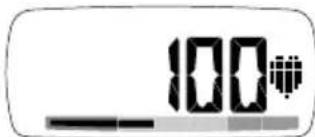
- The LCD will display your stress level as follows:
| ICON BAR COLOR MEANING | ||
| :: | Green Relaxed | |
| :: | Yellow Normal | |
| :: | Red Not relaxed | |
NOTE Retry if failed (if no reading is showing within 1 minute the pedometer will escape from pulse mode). You then press pulse rate button 心 again.
TIPS
- Cold fingertips and cold air can affect the measurement. You may need to warm your hands before you start.
- The sensor is sensitive to light sources. Cover the entire sensor area with your fingertip to block all light.
- Gently touch the pulse sensor; do not press hard.
- Keep still and calm during measurement. Moving about can affect the reading.
- Wait the proper amount of time: Measurements can take 6-12 seconds depending on the stability of the signals received.
What is your stress index?
The stress index measurement is based on heart rate variability, which indicates your involuntary nervous system's status.
A large heart rate variation is an indication that the parasympathetic nervous system has a predominance, which generally corresponds to someone in a relaxed state.
As for a smaller value, it indicates that the sympathetic nervous system is active, which is related to physical or mental stress.
HOW TO USE PANIC ALARM (AVAILABLE IN PE828 ONLY)
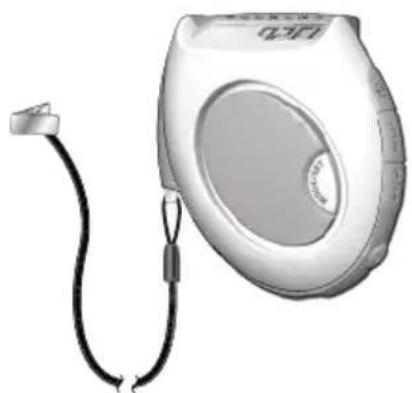
The alarm will be activated when the panic alarm pin is detached from its socket.
- Pull the chord and detach the pin to activate the alarm.
- To stop the alarm, simply reconnect the pin to its socket.
NOTE If the panic alarm is activated, 1 new 23A 12V battery used continuously, lasts approx. 15 mins. It is recommended that you quickly test the alarm function every time you use the pedometer.
FM RADIO (AVAILABLE IN PE829 / PE829A ONLY)
To turn the radio ON, press and hold
To turn the radio OFF, press and hold
NOTE When using the radio, make sure the earphones are plugged in (will appear on the screen).
SCANNING AND STORING RADIO CHANNELS
The radio receives FM frequency between 87.5 to 108 MHz. You can store up to 5 channels.
To scan and store a radio channel:
- Press and hold /to activate auto-scan. When a channel has been found, press fine-tune the channel.
-
Press and hold CH to enter channel-storing mode.
3.Use /to select a channel number (1-5).If you press when channel 1 is displayed or press when channel 5 is displayed, the unit will leave the setting mode and go back to the main FM radio display. -
Press CH to store. Repeat the whole process to store another channel.
To change the volume level, press
To listen to a stored channel, press CH.
NOTE Prolonged use of the FM Radio will significantly reduce battery life.
TALK FUNCTION (AVAILABLE IN PE829 / PE829A ONLY)
The talk function is available for DAILY/TARGET/TIMER / MEMORY and CLOCK modes. It will broadcast information related to the current LCD screen, for example on Daily Mode you will hear: "Today, you have walked XXXXX steps, XX.XX kilometers/miles and burned XXX.X calories.
Broadcasts can be announced automatically at predefined intervals (as detailed in the setting sequence below), or manually by pressing TALK.

appears when the talk function is broadcasting.
To set up the talk function:
- Press and hold TALK to enter setting mode.
- Press + / - to change a setting and press TALK to confirm and move on to the next one.
-
The setting sequence is:
-
Auto-talk ON / OFF. If ON is selected you will need to set the broadcast interval time to 5, 10 or 15 mins. A appears on the screen when this function is activated.
- Pacer ON / OFF. If ON is selected you will need to set the pacer frequency which ranges from 45 to 180 beeps per minute. This function helps you maintain the pace of your walk / run, as each beep represents one step.
- Languages available - English, French and Spanish OR English, Italian and German.
The radio function will be paused when the auto-talk broadcast is happening or when you press TALK.
To turn the backlight ON for 3 seconds, press
To turn the LED light ON, press. When you release the button the light will turn OFF (PE828 only).
To turn the keypad lock ON / OFF, press and hold
To reset the unit, remove and then re-insert the batteries.
BATTERIES
appears when the battery is low and needs replacing.
NOTE Protect the environment by taking exhausted batteries to authorized disposal stations.
PE823 / PE826
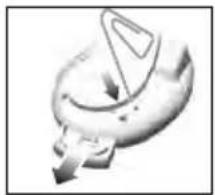
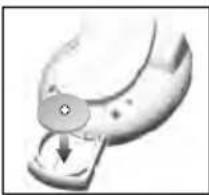
To change the battery:
- Gently press down on button with a blunt stylus to release battery compartment.
- Insert 1 x CR2032 battery.
- Gently push back the battery compartment.
PE828
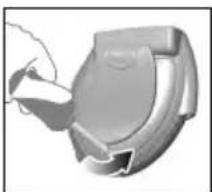
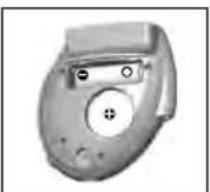
To change the battery:
- Unscrew to open the back cover.
- Insert 1 x CR2032 and 1 x 23A 12V battery.
- Place the cover back and tighten the screw.
PE829/PE829A
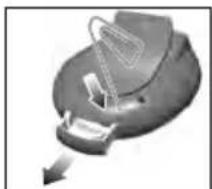
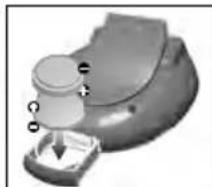
To change the battery:
- Gently press down on button with a blunt stylus to release battery compartment.
- Insert 2 x CR2032 batteries.
- Gently push back the battery compartment.
WARNING
This product is designed to give you years of service if handled properly. Observe the following guidelines:
- Never immerse the unit in water. This can cause electrical shock and damage the unit. Clean the unit with a slightly damp cloth and mild detergent.
- Do not subject the unit to extreme force, shock, or fluctuations in temperature or humidity.
- Do not tamper with the internal components. Doing so will terminate the unit's warranty and may cause damage. The unit contains no user-serviceable parts.
-
Do not mix new and old batteries or batteries of different types.
-
Do not use rechargeable batteries with this product.
- Remove the batteries if storing this product for a long period of time.
- Do not scratch the LCD display.
The contents of this user manual and technical specifications are subject to change without further notice. Images not drawn to scale.
SPECIFICATIONS
| TYPE DESCRIPTION | |
| Step counter 0 to 99,999 steps | |
| Target step range | 100 to 99,900 steps |
| Timer range 0 to 99hrs:59mins:59secs | |
| Distance traveled 0 | to 999.99miles (0 to 999.99km) |
| Stride distance 11 | to 60 inches (28 to 152 cm) |
| Calorie display 0.1 | to 9999.9 kcal |
| Body weight range | 64lbs to 340lbs (29 to 154kg) |
| Pulse range 30 – 240 bpm | |
| Operating temp. | 14 to 104.0°F (-10 to 40°C) |
| Storage temp. | -4 to 140°F (-20 to 60°C) |
Dimensions - without clip (W x H x D) and weight
| PE823 2.1 x 1.9 x 1 | .0 inches (52 x 47 x 25 mm) 33 g (1.16 ounces) | |
| PE826 2.4 x 2.2 x 1 | .0 inches (60.3 x 54.9 x 24 mm) 38 g (1.34 ounces) | |
| PE828 2.3 x 2.5 x 1 | .0 inches (58.7 x 62.4 x 25 mm) 61 g (2.15 ounces) | |
| PE829 / PE829A 2 | 4 x 2.1 x 1.0 inches (61.4 x 53.5 x 26 mm) 60 g (2.12 ounces) | |
| Batteries | PE823 1 x | CR2032 3V |
| PE826 1 x | CR2032 3V | |
| PE828 1 x | CR2032 3V 1 x 23A 12V | |
| PE829 2 x / PE829A | CR2032 3V | |
ABOUT OREGON SCIENTIFIC
Visit our website (www.oregonscientific.com) to learn more about Oregon Scientific products. If you're in the US and would like to contact our Customer Care department directly, please visit:
www2.oregonscientific.com/service/support
OR
Call 1-800-853-8883.
For international inquiries, please visit:
www2.oregonscientific.com/about/international
EU-DECLARATION OF CONFORMITY
Hereby, Oregon Scientific, declares that this pedometer model PE823 / PE826 / PE828 / PE829 / PE829A is in compliance with EMC directive 89/336/CE. A copy of the signed and dated Declaration of Conformity is available on request via our Oregon Scientific Customer Service.
IMPORTANT POUR LA PRECISION
www2.oregon scientific.com/about/international.asp.
Déclaration de CONFORMITE EUROPEENNE
Uber Oregon Scientific 16
www2.oregonscientific.com/about/international.asp.
www2.oregonscientific.com/about/international.asp.
EU-DECLARACION DE CONFORMIDAD
Att kalkylera stegliangden:
i Daily Modekommen du att hora: "Today, you have walked XXXXX steps, XX.XX kilometers/miles and burned XXX.X calories.
© 2008 Oregon Scientific. All rights reserved.
P/N.:086L003991-079