Fit Watch - Sports Watch SIGMA - Free user manual and instructions
Find the device manual for free Fit Watch SIGMA in PDF.



| Product type | Sports watch with heart rate monitor |
| Brand | Sigma |
| Model | Fit Watch |
| Watch power | CR2032 battery |
| Transmitter power | CR2032 battery (ref. 00342) |
| Main functions | Heart rate measurement, calorie counter, training zones (Health, Fitness, Performance), Training Manager, fitness test, memory of 7 sessions, stopwatch, clock, alarm |
| Training zones | Health Zone (55-70% max HR), Fitness Zone (70-80% max HR), Performance Zone (80-100% max HR) |
| Memory | Last 7 workouts with date, time, duration, average/max HR, calories, time per zone and recovery |
| Fitness test | 1.6 km walk after 5 min warm-up, physical condition evaluation |
| Water resistance | Up to 3 meters (do not use buttons under water, avoid sea water) |
| Operating temperature | 1°C to 55°C (display may darken outside this range) |
| Maintenance and cleaning | Clean the transmitter's conductive strips with a damp cloth; keep them moist for good contact |
| Safety | Consult a doctor before any training program, especially if you have a defibrillator or pacemaker |
| Spare parts and repairability | CR2032 battery replaceable by a specialized retailer; chest strap available as accessory |
| Warranty | 24 months from date of purchase (excluding batteries) |
| General information | For more information, visit www.sigmasport.com; battery replacement must be done by a professional to preserve water resistance |
Frequently Asked Questions - Fit Watch SIGMA
User questions about Fit Watch SIGMA
0 question about this device. Answer the ones you know or ask your own.
Ask a new question about this device
Download the instructions for your Sports Watch in PDF format for free! Find your manual Fit Watch - SIGMA and take your electronic device back in hand. On this page are published all the documents necessary for the use of your device. Fit Watch by SIGMA.
USER MANUAL Fit Watch SIGMA
Inhalt
Deutsch
Tragen des Pulscomputers/Montage 2
Funktionsschema 4
Training Manager (MANAGER)
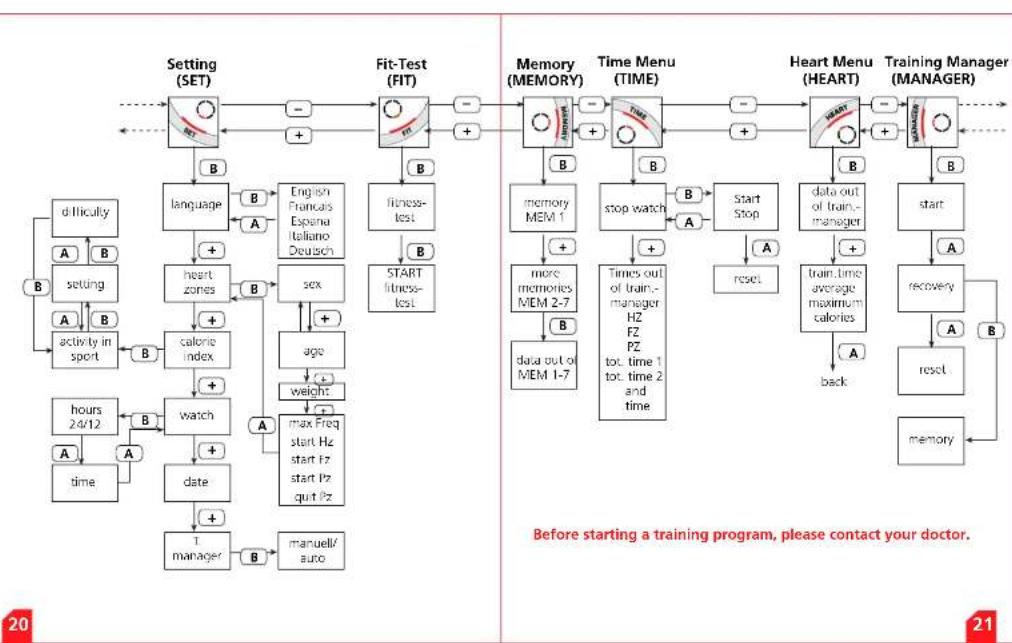
The 6 menus of your FIT WATCH 22
Basic setting (SET) 24
Language 24
Fundamentals for handling 25
Heart Zones (HR Zones) 25
Alarm 25
Understanding Heart Rate 26
Maximum heart rate 26
The right heart rate for training 26
Calorie accumulation 27
The Training Manager 28
Start the Training Manager 29
The Heart Rate Menu 30
The Time Menu 31
The Memory Menu 32
The Fitness-Test (FIT-TEST) 32
Troubleshooting and Information 33
Use and operating informations 34
flowchart
graph TD
    A["Setting (SET)"] --> B["B"]
    B --> C["language"]
    C --> D["A"]
    D --> E["b"]
    E --> F["setting"]
    F --> G["A"]
    G --> H["b"]
    H --> I["activity in sport"]
    I --> J["B"]
    J --> K["+"]
    K --> L["heart zones"]
    L --> M["A"]
    M --> N["b"]
    N --> O["+"]
    O --> P["calorie index"]
    P --> Q["A"]
    Q --> R["+"]
    R --> S["watch"]
    S --> T["hours 24/12"]
    T --> U["A"]
    U --> V["A"]
    V --> W["time"]
    W --> X["A"]
    X --> Y["+"]
    Y --> Z["date"]
    Z --> AA["+"]
    AA --> AB["T manager"]
    AB --> AC["B"]
    AC --> AD["manuell/auto"]

    subgraph FIT
        AE["English Francis Espana Italiano Deutsch"] --> AF["B"]
        AF --> AG["+"]
        AG --> AH["A"]
        AH --> AI["+"]
        AI --> AJ["sex"]
        AJ --> AK["+"]
        AK --> AL["age"]
        AL --> AM["weight"]
        AM --> AN["max Freq start Hz start Fz start Fz quit Fz"]
        AN --> AO["A"]
    end

    subgraph MEMORY
        AP["memory MEM 1"] --> AQ["+"]
        AQ --> AR["more memories MEM 2-7"]
        AR --> AS["b"]
        AS --> AT["data out of MEM 1-7"]
        AT --> AU["stop watch"]
        AU --> AV["+"]
        AV --> AW["times out of train.-manager HZ FZ PZ tot. time 1 tor. time 2 and time"]
        AW --> AX["A"]
        AX --> AY["start Stop"]
        AY --> AZ["A"]
        AZ --> BA["reset"]
        BA --> BB["data out of train.-manager"]
        BB --> BC["+"]
        BC --> BD["train. time average maximum calories"]
        BD --> BE["back"]
        BE --> BF["A"]
        BF --> BG["start"]
        BG --> BH["recovery"]
        BH --> BI["reset"]
        BI --> BJ["memory"]
    end

    subgraph TIME
        BK["Heart Menu (HEART)"] --> BL["+"]
        BL --> BM["+"]
        BM --> BN["stop watch"]
        BN --> BO["A"]
        BO --> BP["start Stop"]
        BP --> BQ["A"]
        BQ --> BR["data out of train.-manager"]
        BR --> BS["+"]
        BS --> BT["train. time average maximum calories"]
        BT --> BU["A"]
        BU --> BV["back"]
        BV --> BW["A"]
        BW --> BX["'before starting a training program, please contact your doctor'"]
    end

    %% Note: The diagram depicts a multi-step medical training process with feedback loops and a note at the bottom.
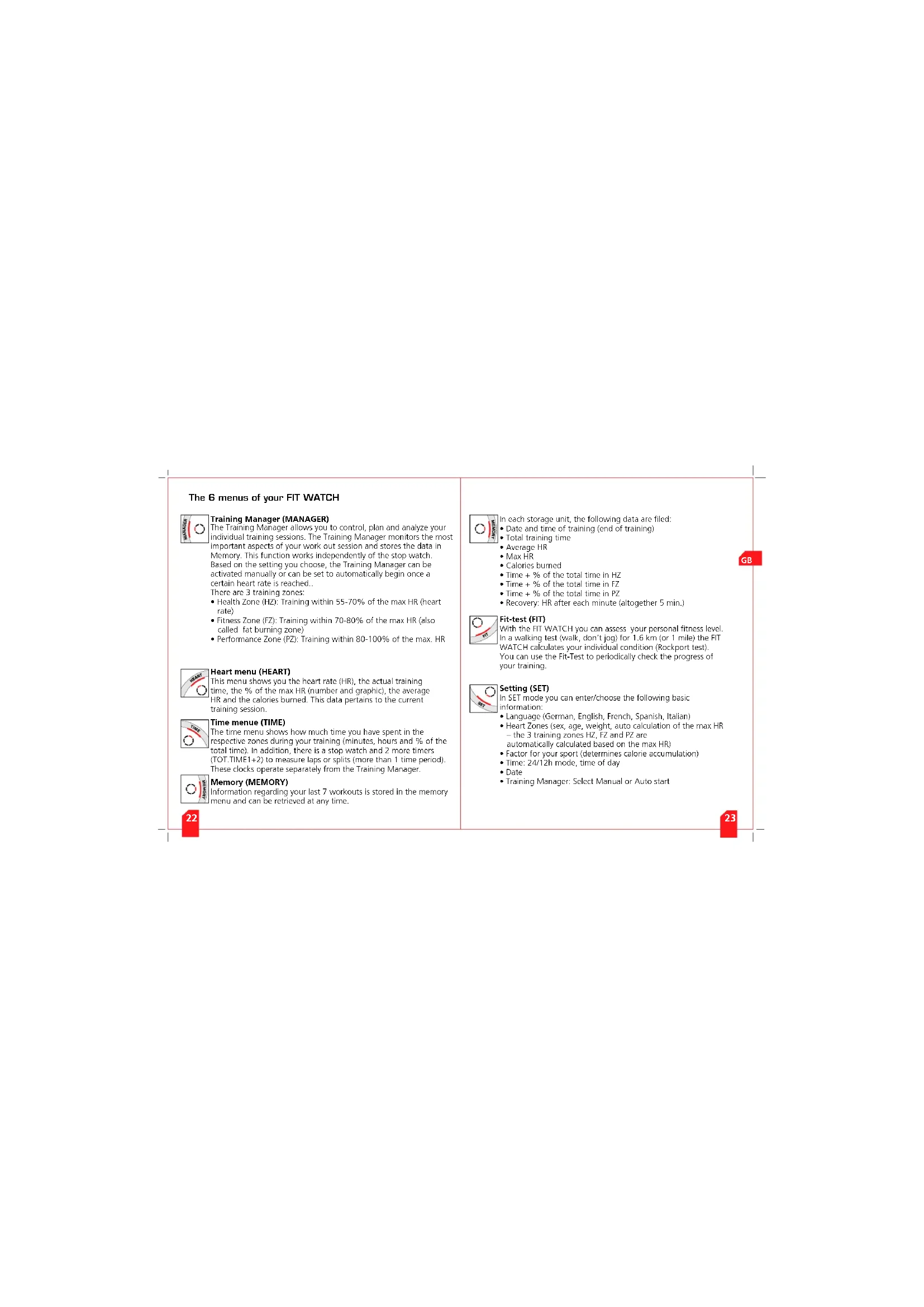
The 6 menus of your FIT WATCH

Training Manager (MANAGER)
The Training Manager allows you to control, plan and analyze your individual training sessions. The Training Manager monitors the most important aspects of your work out session and stores the data in Memory. This function works independently of the stop watch. Based on the setting you choose, the Training Manager can be activated manually or can be set to automatically begin once a certain heart rate is reached..
There are 3 training zones.
• Health Zone (HZ): Training within 55-70% of the max HR (heart rate)
- Fitness Zone (FZ): Training within 70-80% of the max HR (also called fat burning zone)
• Performance Zone (PZ): Training within 80-100% of the max. HR

Heart menu (HEART)
This menu shows you the heart rate (HR), the actual training time, the % of the max HR (number and graphic), the average HR and the calories burned. This data pertains to the current training session.

Time menue (TIME)
The time menu shows how much time you have spent in the respective zones during your training (minutes, hours and % of the total time). In addition, there is a stop watch and 2 more timers (TOT.TIME1+2) to measure laps or splits (more than 1 time period). These clocks operate separately from the Training Manager.

Memory (MEMORY)
Information regarding your last 7 workouts is stored in the memory menu and can be retrieved at any time.

In each storage unit, the following data are filed:
- Date and time of training (end of training)
• Total training time
• Average HR
• Max HR - Calories burned
• Time + % of the total time in HZ
• Time + % of the total time in FZ
• Time + % of the total time in PZ
• Recovery: HR after each minute (altogether 5 min.)

Fit-test (FIT)
With the FIT WATCH you can assess your personal fitness level. In a walking test (walk, don't jog) for 1.6 km (or 1 mile) the FIT WATCH calculates your individual condition (Rockport test). You can use the Fit-Test to periodically check the progress of your training.

Setting (SET)
In SET mode you can enter/choose the following basic information:
• Language (German, English, French, Spanish, Italian)
- Heart Zones (sex, age, weight, auto calculation of the max HR – the 3 training zones HZ, FZ and PZ are
automatically calculated based on the max HR)
• Factor for your sport (determines calorie accumulation)
• Time: 24/12h mode, time of day
- Date
- Training Manager: Select Manual or Auto start
Basic setting (SET)

Button A: quit or Exit Menu
Button B: confirm Selection/Change Settings
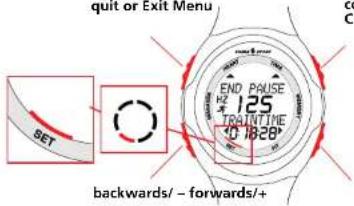
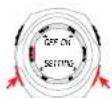
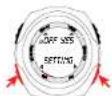
- Press button + or – until the scroll bar is at SET and SETTING is shown in the display. At the very first setting you read SETTING in the display and LANGUAGE to choose the language.
Language
- Press YES (button B) and the display changes to LANGUAGE (first setting is LANGUAGE), confirm with YES.
- Choose ENGLISH with + or - and confirm with OK. - Press EXIT (button A) to quit the language setting.
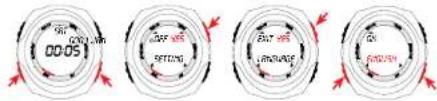
Basic setting (SET)

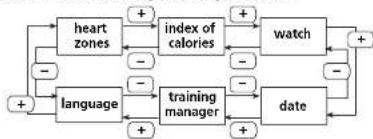
- In the SET menu you can change the following settings: Language, Heart Zones, Calorie index, Time, Date, Training Manager (manual start or auto start).
Use the +/- buttons to navigate through submenus
flowchart
graph TD
    A["heart zones"] -->|+| B["index of calories"]
    B -->|+| C["watch"]
    C -->|+| D["date"]
    D -->|-| E["training manager"]
    E -->|+| F["language"]
    F -->|-| A
    G["+"] --> A
    H["-"] --> A
    I["+"] --> A
    J["-"] --> F
    K["+"] --> A
    L["-"] --> E
    M["+"] --> A
Fundamentals for handling
• To confirm or change the chosen positions, press button B, to quit the setting button A.
- Numbers can be adjusted one digit at a time. You can increase or decrease with + and - (e.g. settings of weight in the submenu (heart zones).
- With button B (NEXT) you confirm one digit and go to the next digit. Press button A (EXIT) to quit the settings.
Heart Zones (HR Zones)
• Here you can set your sex, age and weight. With these details your max heart rate and your training zones will be calculated.
Alarm
- Press button A to activate/deactivate - An alarm will sound if the watch does not detect a signal from the chest-belt, or if you exceed/fall below your training zone limits.

Understanding Heart Rate
The heart rate (HR) is displayed in beats per minute.
Maximum Heart Rate
The maximum heart rate (HR max) is your highest heart rate achieved by going to the limits of your capability. The personal max HR depends on your age, your sex and your fitness level. The best way to determine the individual HR max is a stress test.
We recommend that you see a doctor to do this test and that you repeat it regularly.
The IIR max may also be estimated by using the following mathematical equation:
Men: 210 - "half age" - (0.11 x personal weight in kg) + 4
Women: 210 - "half age" - (0.11 x personal weight in kg).
The FIT WATCH calculates automatically your HR max with this equation.
The right heart rate for training
The training zone is the range of heart rate that you want to be in while training. In the field of sport's medicine, there are 3 training zones: Please be aware that common training schedules never match the individual needs of a person. A perfect training schedule can only be set up by a well-educated trainer, who knows you personally.
HZ (Health-Zone) General health 55-70 % der HR max
Alignment: Fitness for beginners
FZ (Fitness-Zone) Fitness 70-80 % der HR max
Alignment: Fitness for advanced users
PZ (Performance-Zone) Competitive performance
80-100 % der HR
Alignment: Competition training for performance athletes
Understanding Heart Rate
Calorie accumulation
This heart rate monitor can analyze your calorie consumption during a physical effort. Based on your sex, weight and specific sport factor (see list) it can calculate the present calorie consumption rate during particular activity, and the total calories burned during that workout. Some of the most common sport specific factors are pre-programme into your FIT WATCH. If you do not find your sport, you can set your factor manually. The following sport specific factors are not programmed in the FIT WATCH:
Gymnastics average 00030
Badminton average 00044
Soccer average 00060
Climbing average 00055
Cross-country skiing average 00074
Downhill-skiing average 00064
Swimming
- backstroke 00077
- breaststroke 00074
Golf 00039
Tennis 00050
Volleyball 00023
Attention
In case of non-endurance activities, deviations in calculation of the burned calories are possible.
Visit our website for more informations and factors
www.sigmasport.com
The Training Manager (MANAGER)

The Training Manager allows you to control, plan and above all to analyze your individual training. This function works independently of the stop watch.
When a signal from the transmitter is present, you have two options to start the Training Manager: Manually or Automatically (when a preset HR is reached).
To choose between manual or automatic, return to the SET menu and select the Training Manager option. Data recorded by the Training Manager during each workout is stored in "MEMORY". Your FIT WATCH stores your last 7 workouts "first in, first out" (the oldest data is replaced with the most recent). While training, the following data is analyzed and stored:
• Date and time of the training
• Total training time
• Average heart rate
- Max heart rate
• Calorie consumption
• Proportion of the training time in the Health-Zone (in % of the total
training time and in minutes)
• Proportion of the training time in the Fitness-Zone (in % of the total
training time and in minutes
• Proportion of the training time in the Performance-Zone (in % of the
total training time and in min
- Development of the Heart Rate during the recovery period (5 minutes after training) 5 HRs will be recorded (HR after 1, 2, 3, 4, 5 minutes). If the FIT WATCH does not receive a signal from the chest belt for an SHR period, all measured data are automatically stored. You have the option to PAUSE the Training Manager, by pressing button A during a workout within the Training Manager Menu. When a signal is not detected, the FIT WATCH display will read NO SIGNAL.
The Training Manager (MANAGER)

After reactivation, the FIT WATCH continues to record data
and can be completely stored afterwards. When the Training
Manager is activated, you can see this symbol
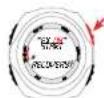
Start the Training Managers (at existing signal)
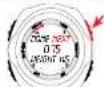
- Select the MANAGER menu by using the +/- buttons.
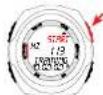
- Press START and start the manager (in manual mode). Your current
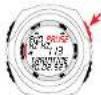
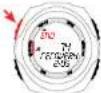
heart rate and the training time are shown. - Press PAUSE (B) to temporarily stop recording data. Press START (B)
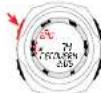
to continue recording. - Press END to go to the recovery menu

- Press OK (B), a 5 minute recovery is activated (watch will count
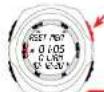
down from 5 min to 0). - Press END to stop recovery mode
- Immediately following the recovery mode, you have the option to
reset the Training Manager (RSET) or to save your training data in
memory (MEM)
• After saving in MEM a new training session can be started.
The Heart Rate Menu (HEART)
- Select the heart rate menu (HEART) with +/-
- Press YES to start the function. (When the Training Manager is activated, the actual HR and the training time are shown).
- By pressing +/-, you can retrieve the following information:
- Training time (TRAINTIME)
• Average Heart Rate (AVERAGE) - Max Heart Rate (MAXIMUM)
• Calorie Consumption (KCAL) - You can also see your current % of your max HR in a percentage and a graphic display
- Press button A to go back to the starting menu.
- All data displayed in this menu are calculated based on the Training Manager
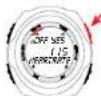
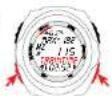

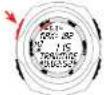
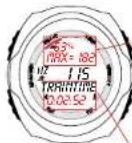
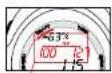
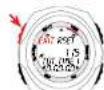
Shows the actual training in % (e.g.: 63) of max HR (e.g.: 182) and within the actual (graphic)
Display of the total training time
The Time Menu (TIME)
- Enter time menue (TIME) with +/-
- Press YES to enter the menu.
- Press START to activate a separate Stopwatch (this is separate from
the training manager) - With +/- scroll through the following categories:
• Time and % of the total time in health-zone (HEALTH-Z.)
• Time and % of the total time in fitness-zone (FITNESS-Z.)
- Time and % of the total time in performance zone (PERFORM-Z.)
• Total time 1 (TOT.TIME1) and total time 2 (TOT.TIME2)
- Time (CLOCK)
- Stopwatch (STOPWATCH)
These data are retrieved from the time manager
- Press RESET to reset the total time1 and 2
- Press EXIT to quit.
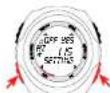
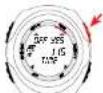
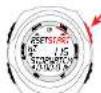
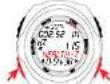
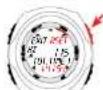
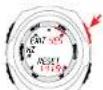

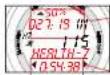
Display of the training time in % (e.g.: 50) and in units of time (e.g.: 27:19) within the displayed training zones (e.g.: Health-Z)
Display of the current total training time
The Memory Menu [MEMORY]
![SIGMA Fit Watch - The Memory Menu [MEMORY] - 1](/content/2026/02/384489/images/ac2f57b412aead1da3d8cfbab6f9bc82404835a8cfca45f8dff349e5b5c6dee2.jpg)
- Select MEMORY by using +/-
- Press YES to enter the MEMORY menu
- Press +/- to scroll through your 7 available storage MEMORY 1 -
MEMORY7. MEMORY1 the most recently stored training session. - Press OK to select the correct workout
- With +/- you can retrieve the following dates:
Training Time (TRAINTIME), Date, Time of the training, Average heart rate (AVERAGE), max reached HR (MAXIMUM), Calories burned (KCAL), time in Health-Zone (HEALTH-Z), Fitness-Zone (FITNESS-Z), Performance-Zone (PERFORM-Z) and the percent of total time in each zone, recovery including the 5 heart rates during
each of the 5 minutes following the activity.
Press EXIT to go back to the starting menu.
![SIGMA Fit Watch - The Memory Menu [MEMORY] - 2](/content/2026/02/384489/images/9ec74e6ee4f21de0f0c2d561af467c594c1a435aef1246c4a603996ba3c3e619.jpg)
Display of the total training time, date and start of training
The Fitness-Test (FIT-TEST)

- Select FIT-TEST menu (FIT) with +/-
- Press YES to enter the menu
- Press START to start the test. It begins with a 5 minute warm-up.
- At the end of the warm up walk (don't jog!) as fast as you can for about 1.6 km (or 1 mile) (4 laps around a track).
- When you finish, press EXIT. Your results will appear as: Very Good to Bad. The results will be shown as an index: 0 - 47^+ (women),
0-57+ (men).
Press EXIT to end the FIT-TEST menu.
Troubleshooting and information
- Before starting a training program, please contact your doctor.
- Persons with arrhythmias or pace makers should also contact the doctor.
- Before you start training, please enter your personal data in the FIT WATCH (SETTING-Menu).
No heart rate display
• Transmitter belt is put on incorrectly
- The inside surface of the conductive ribbed rubber pads are not clean or not moist on transmitter chest-belt
- Sources of interference e.g. power lines
- Check battery of the transmitter (CR 2032, Art. Nr. 00342)
LCD display is sluggish or black
• Possible at temperatures under 34°F or above 131°F
Display fades
- Battery weak, change as soon as possible
Water tightness
The SIGMA SPORT heart rate monitor and transmitter unit are water resistant to a 3m depth. You are not allowed to press buttons under water. The use in sea (salt water) should be avoided and can cause malfunctions.
Use and Operating informations
What happens, if I remove the chest belt while training?
The FIT WATCH will no longer receive a signal. An alarm will sound, the screen will flash the words NO SIGNAL to draw your attention to it. Put the chest belt back on and the FIT WATCH will continue to record data.
What happens, if the FIT WATCH does not get any signal for more than 5 minutes?
The watch draws your attention to the missing signal. After 5 minutes the time and date appears on the display. If the watch gets a signal again, the training session continues. If there isn't any signal for more than 30 min, you will have to wake the computer by pressing a button to continue the training session.
? What happens, if I forget to start the Training Manager?
An alarm will sound and the display will flash to remind you to activate the TRAINING MANAGER.
2 What is the consequence if I change from 24h- to 12h-display?
In the SET menu, change the clock from 24h to 12h mode. The weight will automatically change to Io
Battery change
Battery in heart rate monitor and chest belt CR 2032. The SIGMA SPORT heart rate monitor is a very sensitive and technical measuring instrument. To guarantee the function and the water resistance, the battery change has to be performed by an authorized dealer. The warranty is void if the watch has been tampered with, taken apart or ill treated. You will have to re-enter your personal data in the SET menu after installing a new battery.
Warranty
24 months from date of purchase. Batteries are not part of warranty. In case of 24 months from date of purchase. Batteries are not part of warranty. If a warranty situation poses, please contact the dealer from which you purchased the heart rate monitor or please send it together with the receipt and all of its accessories to: SIGMA SPORT USA, 1926 Miller Dr. Olney, IL 62450, 888-744-6277 When a warranty claim is covered by our guarantee, replacement equipment, will be returned to you free of charge. Only current models are used for replacement. Specifications are subject to change without notice.
For more information and training tips, visit
www.sigmasport.com
Contenu
FRANCAIS
Le Training Manager 44
Démarrer le Training Manager 45
Training Manager (MANAGER)
Le Training Manager (MANAGER)

Le Training Manager (MANAGER)

II training manager 60
Avvio del training manager 61
Il menu cardio 62
II menu tempo 63
Training Manager (MANAGER)
FZ (Fitness-Zone) Fitness 70-80 % della FC max
II training manager (MANAGER)

II training manager (MANAGER)

El Training Manager 76
Activar el Training Manager 77
Training Manager (MANAGER)
El Training Manager (MANAGER)

El Training Manager (MANAGER)

De Training Manager 92 Start de Training Manager 93
Training Manager (MANAGER)
De Training Manager (MANAGER)

De Training Manager (MANAGER)
