PC 3FT - Sports Watch SIGMA - Free user manual and instructions
Find the device manual for free PC 3FT SIGMA in PDF.



| Product type | Sports watch with heart rate monitor (finger touch) |
| Brand | Sigma |
| Model | PC 3FT |
| Power supply | CR2032 battery (ref. 00342) |
| Estimated battery life | Several months with normal use |
| Water resistance | Up to 3 meters (do not press buttons underwater) |
| Operating temperature | 1°C to 55°C |
| Display | Digital display with time, heart rate, stopwatch |
| Heart rate measurement | By digital contact (Finger Touch) without chest strap |
| Functions | Time (12/24h), stopwatch, heart rate measurement, last exercise duration recall |
| Time setting | Via function button (format, hours, minutes) |
| Starting the stopwatch | Brief press on the function button |
| Resetting the stopwatch | Long press until "RESET" appears |
| Standby mode | Displays only the time to save energy |
| Warranty | Legal warranty, batteries excluded (contact seller for implementation) |
| Maintenance and cleaning | Avoid seawater, have battery replaced by a specialist |
| Spare parts and repairability | Replacement battery available, repair by authorized dealer |
| Safety | Consult a doctor before any training, do not use in case of heart problems without medical advice |
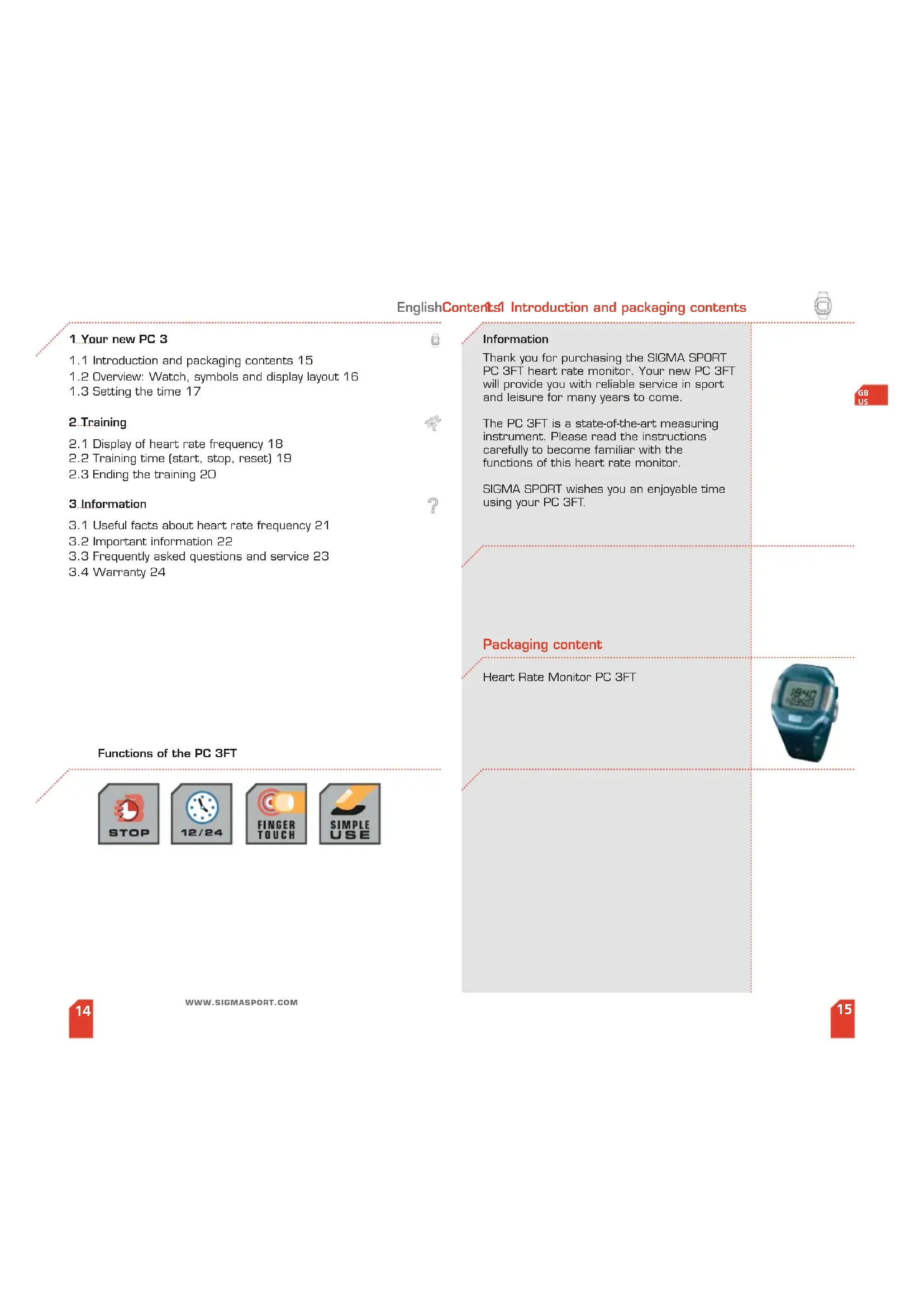
| Package contents | Heart rate monitor PC 3FT |
Frequently Asked Questions - PC 3FT SIGMA
User questions about PC 3FT SIGMA
0 question about this device. Answer the ones you know or ask your own.
Ask a new question about this device
Download the instructions for your Sports Watch in PDF format for free! Find your manual PC 3FT - SIGMA and take your electronic device back in hand. On this page are published all the documents necessary for the use of your device. PC 3FT by SIGMA.
USER MANUAL PC 3FT SIGMA
Oney,IL62450,USA Tel:+1-6183937407
Fax+1-618-899-6718
SIGMA SPORT ASIA
Asia, Australia, South America
7F-1, No. 193, Ta-1th 6th Street, Taikunu City, Takunu
Tianchong City Taiwan Tel: +86 4-34175 39
Fax:+886-424753569
WWW.SIGMASPORT.COM
Puls Computer PC 3FT
EnglishContents1 Introduction and packaging contents

1. Your new PC 3
1.1 Introduction and packaging contents 15
1.2 Overview: Watch, symbols and display layout 16
1.3 Setting the time 17
2. Training
2.1 Display of heart rate frequency 18
2.2 Training time (start, stop, reset) 19
2.3 Ending the training 20
3 Information
3.1 Useful facts about heart rate frequency 21
3.2 Important information 22
3.3 Frequently asked questions and service 23
3.4 Warranty 24
Functions of the PC 3FT

Information
Thank you for purchasing the SIGMA SPORT PC 3FT heart rate monitor. Your new PC 3FT will provide you with reliable service in sport and leisure for many years to come.
The PC 3FT is a state-of-the-art measuring instrument. Please read the instructions carefully to become familiar with the functions of this heart rate monitor.
SIGMA SPORT wishes you an enjoyable time using your PC 3FT.
Packaging content
Heart Rate Monitor PC 3FT
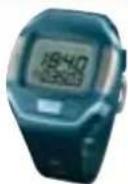
1.2 Overview: Watch, symbols and display layout 1 Setting the time
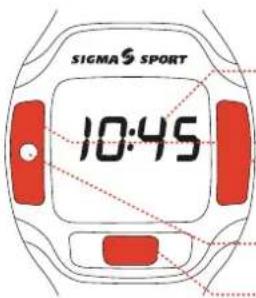
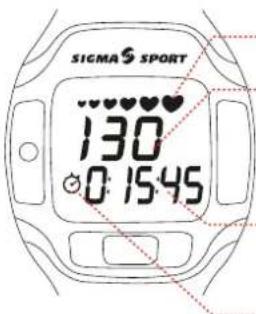
Time
Contacts for measuring heart rate frequency
Button to activate measuring
Function key
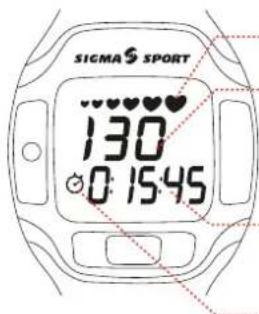
Symbol for heart rate frequency received
Current heart rate
Stopwatch [training time]
Symbol for running stop watch
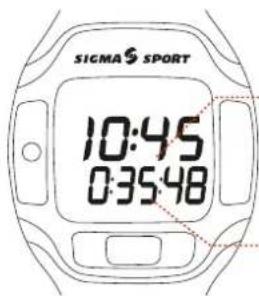
Time
Stopwatch: Previous training time
The clock can only be set when the PC 3FT is in sleep mode. [only time is displayed]
Note: Do not pause too long when changing the settings. The PC 3FT automatically changes to the next item to be set after 3-4 seconds.
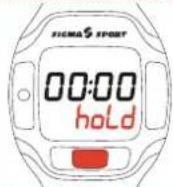
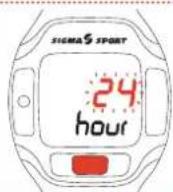
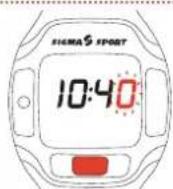
Press the function button down for 4 seconds, [You will first see the word "hold", followed by the flashing time format - 24 hour or 12 hour display], then release.
Choose between 24 and 12 hour format using the function button,
Please wait - Display will automatically change to the next setting.
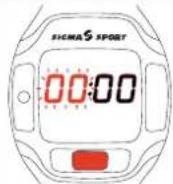
Set the current time in hours by repeatedly pressing the function button.
Please wait - Display will change to the next setting.
Set the first digit of the minute setting by repeatedly pressing the function button.
Please wait - Display will change to the next setting.
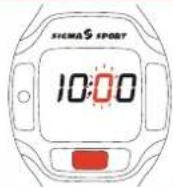
Set the second digit of the minute setting by repeatedly pressing the function button.
Please wait - The time is now set.
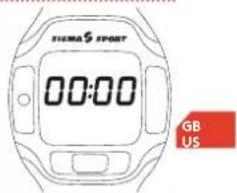
2.1 Display of heart rate frequency 2.2 Training time [start, stop, reset]
The abbreviation .FT' on your new heart rate monitor stands for finger touch' - measurement of heart rate frequency using the fingers, without use of a chest belt. Your heart rate at the time of measurement is displayed. The base plate and the metal surfaces to the right and left of the display are the contacts for measurement. Ensure that the watch is placed directly on the skin and do not wear gloves during measuring.
![SIGMA PC 3FT - Display of heart rate frequency 2.2 Training time [start, stop, reset] - 1](/content/2026/02/384483/images/aa958b90fc6e497e263151230a207e480a526c963d8fa7604920a62b3add5d3d.jpg)
The PC 3FT is in sleep mode.
![SIGMA PC 3FT - Display of heart rate frequency 2.2 Training time [start, stop, reset] - 2](/content/2026/02/384483/images/d56287c9ac5c2db64f15d196039c275f51696cf4c1fbe5ae895b687467cd0f7e.jpg)
Press function button to activate heart rate measurement.
![SIGMA PC 3FT - Display of heart rate frequency 2.2 Training time [start, stop, reset] - 3](/content/2026/02/384483/images/c5b5fe643188c7689a35906c56e49ccc2956eec4200c2ea26fb663e85d4b7c3e.jpg)
To measure your heart rate frequency press two fingers on the contacts to the right and left of the display.
A row of heart symbols indicates that measurement is in progress.
![SIGMA PC 3FT - Display of heart rate frequency 2.2 Training time [start, stop, reset] - 4](/content/2026/02/384483/images/28079c0195f7eb30ae06124271d972799433a7aaa979a362e67130d6559616e7.jpg)
Hold both fingers on the contacts until only the largest heart symbol is visible.
Your current heart rate frequency appears in the display.
![SIGMA PC 3FT - Display of heart rate frequency 2.2 Training time [start, stop, reset] - 5](/content/2026/02/384483/images/c882495261c4b67e22b0f91e9445f35f2ca532459597012d864c1fbb8fa796e7.jpg)
Release both fingers from the contacts.
The display shows both time and stopwatch.
WWW.SIGMASPORT.COM
The PC 3FT is in sleep mode.
Press the function button to activate the PC 3FT.
Start the stopwatch by pressing the function button.
Stopwatch begins to run.
Stop the stopwatch by pressing the function button.
Stopwatch stops running.
The stopwatch can be restarted by pressing the function button again.
Reset the stopwatch to zero by keeping the function button pressed down until "hold", "RESET" and then 0:00:00 appears in the display.
The stopwatch is reset to zero.
![SIGMA PC 3FT - Display of heart rate frequency 2.2 Training time [start, stop, reset] - 6](/content/2026/02/384483/images/8c7356696f504e78765b711c78a8155c97041a26accda7a4a72b7272d1ed3244.jpg)
![SIGMA PC 3FT - Display of heart rate frequency 2.2 Training time [start, stop, reset] - 7](/content/2026/02/384483/images/25257452b51d42c7ab20066ee9e36b9d367903c6bd1bfb74e2c4242b264f2655.jpg)
![SIGMA PC 3FT - Display of heart rate frequency 2.2 Training time [start, stop, reset] - 8](/content/2026/02/384483/images/e45952470b0f98255a2c818f0638c2a714230a1d615702bc3d4694f7a4c42266.jpg)
![SIGMA PC 3FT - Display of heart rate frequency 2.2 Training time [start, stop, reset] - 9](/content/2026/02/384483/images/2f5c28dedfe4889d4a0a44933aba654ca493de245bc70fea0a03fbc226ae115b.jpg)
![SIGMA PC 3FT - Display of heart rate frequency 2.2 Training time [start, stop, reset] - 10](/content/2026/02/384483/images/7eea9f15012a7ad6966564becd557229507da04f355f142305d10417346a266e.jpg)
![SIGMA PC 3FT - Display of heart rate frequency 2.2 Training time [start, stop, reset] - 11](/content/2026/02/384483/images/4b470c70ef2d9984b4b42a62340b729630c241fb7961af039afc542f7e5df603.jpg)
2.3 Ending the training 3.1 Useful facts about heart frequency
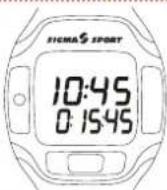
Stop the stopwatch bx pressing the function button.
After a short time, the PC 3FT will automatically return to the sleep mode.
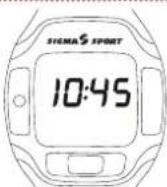
The PC 3FT is in sleep mode.
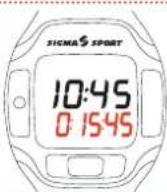
The previous training time can be recalled by pressing the function button.
To delete the previous training time, see section 2.2.
The heart rate frequency (HR) or pulse is recorded in beats per minute.
Maximum Heart Rate Frequency
The maximum heart rate (max HR) is the highest frequency possible, achieved at total exhaustion during physical performance. Some factors that can influence max HR are age, weight, sex, and fitness level. The best way to determine your max HR is a stress test.
We recommend that you have your doctor carry out this test for you at regular intervals.
The max. HR can also be estimated with the aid of a mathematical formula:
Men:
210-"half age"-{0.11 x personal weight in kg] + 4
Women:
210 - "half age" - (0.11 x personal weight in kg)
(Note: To convert weight from lb. to kg, multiply by 2.2]
The correct training pulse
The training zone is the range in which the heart rate frequency should fluctuate during effective and targeted training. Three training zones can be classified from a sports medicine perspective:
Please be aware that these are general guidelines. Target zones will vary from person to person. Individualized training/personal goal setting is only possible through a well qualified trainer who knows the individual.
3.1 Useful facts about heart frequency 3.3 Frequently asked questions and service
HZ (Health-Zone)
Health 55 - 70% of the HR max.
Orientation: General wellness and weight reduction.
This zone is commonly referred to the "fat burning" zone.
At this intensity, the body readily burns fat and carbohydrates for energy.
FZ (Fitness-Zone)
Fitness 70 - 80% of the HR max.
Orientation: Advanced fitness, aerobic conditioning.
Your training is considerably more intensive in the Fitness-Zone.
Energy is primarily generated from the combustion of carbohydrates.
PZ (Power-Zone)
Performance 80 - 100% of HR max.
Orientation: Competitive training
The training in the Power-Zone is very intensive and should only be performed by trained individuals.
3.2 Important information
Measurement of heart rate frequency using finger touch is a precise measurement method. The display shows your heart rate frequency at the time of measurement. This rate can quickly change according to the body's activity.
Therefore, you should repeat the measurement at regular intervals during training.
Please consult a doctor before you begin training - especially if you already have a cardio-vascular complaint.
Does the SIGMA SPORT heart rate monitor completely switch off?
No. Only the time is displayed in sleep mode, so that you can also use the heart rate monitor as a normal wristwatch. The PC 3FT uses very little power in this state.
Why can't I see a reading after measuring heart rate frequency?
- You have removed your fingers from the contacts too soon. Measurement takes a few seconds and is complete only when the largest heart symbol is visible on the display.
- You have worn the PC 3FT on your sleeve and/or worn gloves during measurement. The watch must be placed directly on the skin for measurement and the contacts must be pressed without gloves on the hands.
Are SIGMA SPORT heart rate monitors waterproof and can they be used for swimming?
Yes - up to a water depth of 3 meters.
Please note: Do not press the buttons underwater, as otherwise water can enter the housing.
Avoid using in sea water, as malfunctions can occur.
The display responds sluggishly or shows a black coloration, what is the reason for this?
The operating temperature may have been exceeded or fallen below. Your heart rate monitor is designed for a temperature of 1^ to 55^ .
What should I do if the display is faint?
A faint display may be the result of a weak battery.
The latter should be replaced as soon as possible - Battery type CR 2032 (ref. no. 00342)
3.3 Frequently asked questions and service Notes

Battery change.
A CR 2032 battery [ref. no. 00342] is used in the heart rate monitor und chest belt. The SIGMA SPORT heart rate monitor is a state-of-the-art measuring instrument. To ensure proper functioning and water tightness, the batteries should only be changed by an authorised dealer. Incorrect battery changes can damage the heart rate monitor leading to expiry of the claim to warranty.
After a battery change, the time has to be set again.
3.4 Warranty
We are liable for damages in accordance with the statutory regulations in respect to our contractual partners. Batteries are excluded from the warranty. In the event of a warranty claim, please contact the dealer from whom you purchased your heart rate monitor, or send the heart rate monitor together with receipt of purchase and all accessory parts, having paid sufficient postage, to:
SIGMA Elektro GmbH
For warranty in the US, Canada and Mexico: SIGMA SPORT USA
1926 Miller Drive, Olney, IL 62450
Service#:888-744-6277
Email: sales@sigmasport.us
In the event that you are entitled to a warranty claim you will receive a replacement unit. A claim only exists for the model current at this time. The manufacturer reserves the right to make technical changes.
Touchepouractiverlaprise depulsation
Touché de fonction
Puls Computer PC 3FT
Puls Computer PC 3FT
Cycle Computer Heart Rate Monitors