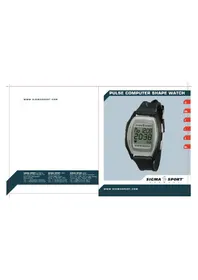
Shape Watch - Sports Watch SIGMA - Free user manual and instructions
Find the device manual for free Shape Watch SIGMA in PDF.


| Product type | Sports watch with heart rate monitor |
| Brand | Sigma |
| Model | Shape Watch |
| Display | Digital |
| Watch power supply | CR2032 battery |
| Transmitter power supply | CR2032 battery |
| Main functions | Time, date, stopwatch, alarm, heart rate measurement, calorie counter, training zones |
| Heart rate range | 30 to 240 beats/min |
| Heart rate limit programming | Low and high adjustable |
| Calorie counter | Calculation according to sex, weight and activity factor |
| Activity factors | Nordic Walking, walking, jogging, cycling, rollerblading, aerobics, gymnastics |
| Training zones | Health (55-70% HRmax), Fitness (70-80%), Performance (80-100%) |
| 12h/24h mode | Selectable |
| Audible alarm | Yes (limit exceeded) |
| Water resistance | Yes (battery change by professional) |
| Weight (estimated) | 50 g |
| Dimensions (estimated) | 45 x 45 x 15 mm |
| Warranty | 24 months (excluding batteries) |
| Box contents | Watch, transmitter, user manual |
Frequently Asked Questions - Shape Watch SIGMA
User questions about Shape Watch SIGMA
0 question about this device. Answer the ones you know or ask your own.
Ask a new question about this device
Download the instructions for your Sports Watch in PDF format for free! Find your manual Shape Watch - SIGMA and take your electronic device back in hand. On this page are published all the documents necessary for the use of your device. Shape Watch by SIGMA.
USER MANUAL Shape Watch SIGMA
7F-1, No. 193, Ta-Tun 6th Street.
Taichung City, Taiwan, ROC
Tel. ++886-4-2475 3577
Fax +886-42475 3563
PULSE COMPUTER SHAPE WATCH
SIGMA

SPORT®
G E R M A N Y
WWW.SIGMASPORT.COM
D
GB
F
1
E
NL
natural_image
Black curved object with white markings, resembling a stylized garment or banner (no readable text or symbols)
natural_image
Black curved object with two small protrusions, resembling a handle or bracket (no text or symbols visible)
natural_image
Black plastic mechanical component with a circular hole (no text or symbols visible)
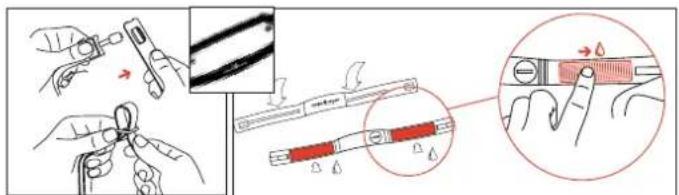
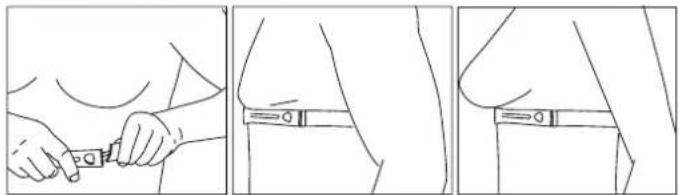
D Tragen des Brustgurtes/Montage der Fahrradhalterung
USA Wearing the transmitter belt/mounting the bycicle bar bracket
Positionnement du émetteur thoracique/Montage sur le cintre
Come portare un rilevatore e polso con trasmettitore/montaggio sul supporto bici
E Posicionamiento del emisor torácico/Montaje en el manillar
NL Dragen van de signaal zender/montage van de stuurhouder
natural_image
Three-panel line drawing showing a person's torso and arm, with no text or symbols present.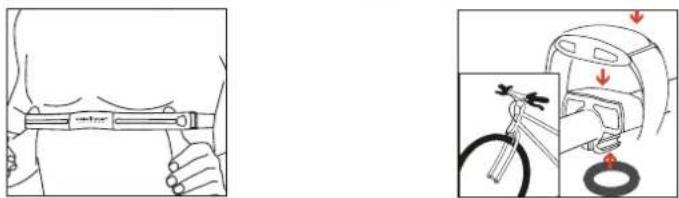
natural_image
Illustration showing a hand holding a tool and a close-up of a car's seatbelt with a wrench and tire, no text or symbols present.Inhalt
Deutsch
Tragen des Pulscomputers/Montage 2
Funktionsschema 4
Tastenbelegung 5
Covering the keys 17
Basic settings 18
Time 18
Date 18
Stopwatch 19
Alarm 19
Setting of heart rate limits 20
Calorie function 21
Calorie accumulation 22
Training with SHAPE WATCH 23
Understanding Heart Rate 24
Maximum Heart Rate 24
Right Heart Rate for training 24
Troubleshooting and Information 26
flowchart
graph TD
    A["Watch"] -->|A (2 sec)| B["24/12h"]
    B -->|B| C["Time"]
    A -->|B| D["Date"]
    D -->|A (2 sec)| E["Year"]
    E -->|B (2 sec)| F["Date"]
    D -->|B| G["Stopwatch"]
    G -->|C| H["Start/Stop"]
    G -->|B| I["max. HR"]
    I -->|A (2 sec)| J["Upper HR-limit"]
    J -->|B| K["Lower HR-limit"]
    I -->|B| L["Calorie counter"]
    L -->|A (2 sec)| M["Kcal"]
    M -->|B| N["M/F"]
    N -->|B| O["Weight"]
HR=Heartrate
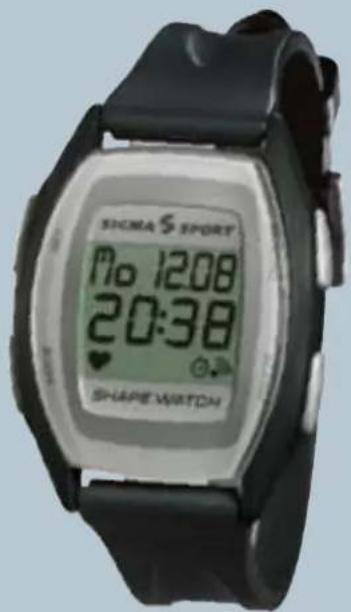
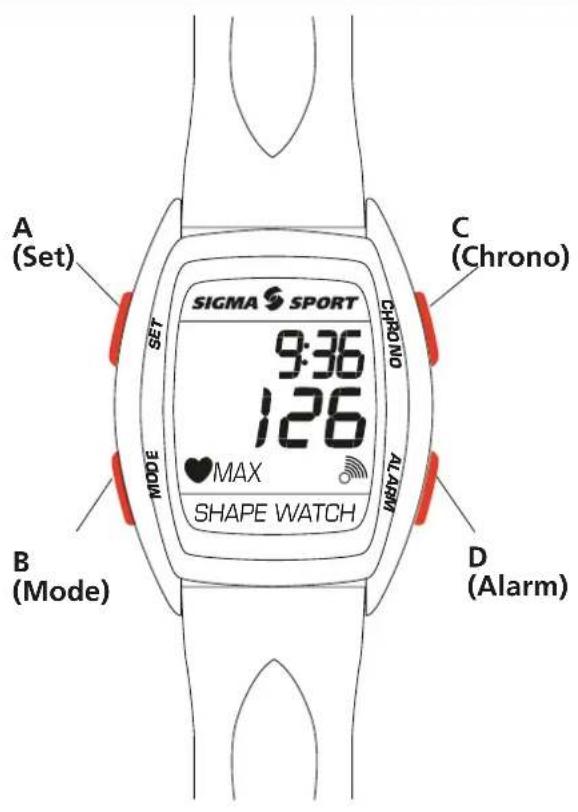
Covering the keys and display-symbols

SET
Setting the time, date, the upper and lower heart rates as well as the parameter for calorie accumulation

MODE
Changing the display in between time, date, Stopp-watch, max. heart rate (HF) and calorie accumulation. In setting mode to change the figures

CHRONO
Setting Start-/Stop and the stop-watch on zero

Alarm
Setting the alarm on and out

Symbole
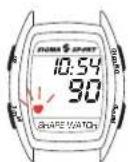
Blinking heart shows the receipt of heart rate signals

Alarm

Stop-watch
KCAL KCAL sum of the burned calories (at running stop-watch)
MAX MAX maximally reached heart rate in the actual training (at running stop-watch)

Actual heart rate is lower than setted lower heart rate zone

Actual heart rate is higher than the setted upper heart rate zone
Before starting a training program, please contact your doctor.
Basic settings of the watch
Time
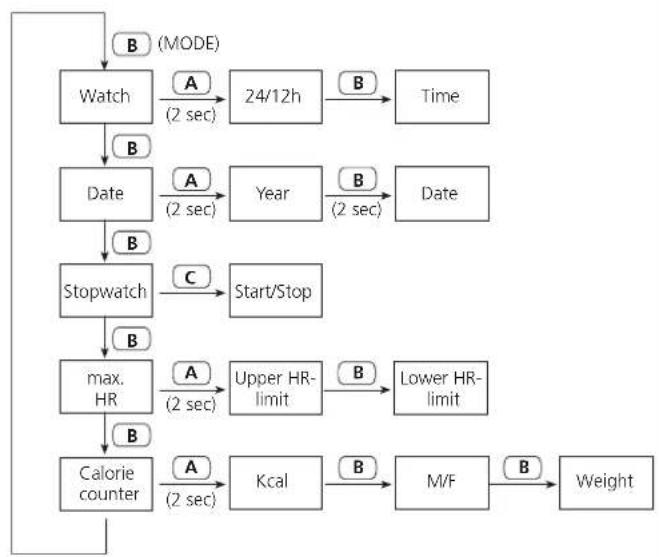
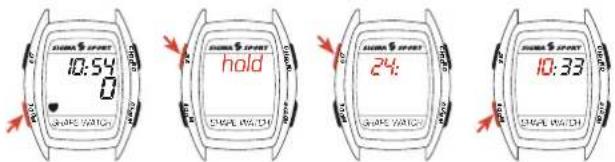
- Press MODE until the time appears
- Keep pressing SET until "hold" appears and than the blinking time.
- Choose 12 or 24 h with SET, confirm with MODE and go to time input.
- Set the hours with SET, press MODE to go to the minutes, choose with SET.
- Confirm with MODE and quit.
- In case the SHAPE WATCH won't get any heart rate signal for minimum 15 min., the time appears in the middle of the display.
Date
- Press MODE until the date appears in the display.
- Keep pressing SET, until "hold" appears and than the blinking year (2004 is already set)
- Choose the actual year, confirm with MODE and go to set the month.
- 24h-mode: set the day with SET, confirm with MODE and go to month. Choose with SET and confirm with MODE 12h-mode: In the 12h-mode you first set the month and than the day.
Basic settings of the watch
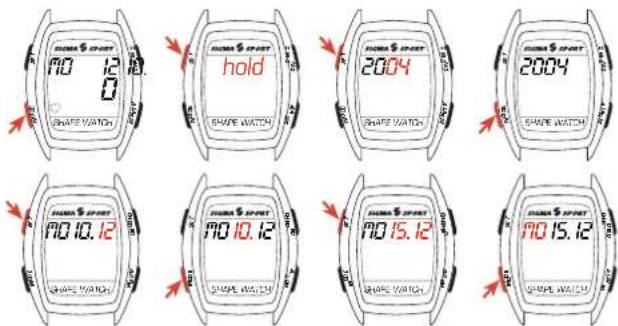
Stopwatch
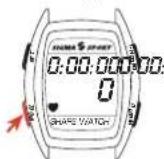
- Press MODE until the stop-watch appears in the display.
- Start or Stopp with CHRONO.
• To go to zero: Keep pressing CHRONO for 2 sec - Appears in the display as long as the Stop-watch is running.
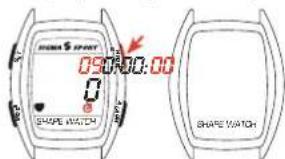
2 sec
Alarm
• To activate/deactivate press ALARM
- It sounds, in case you don't wear the belt (no signal)
- And in case you exceed or fall below of the limits of the training zones
Basic settings of the watch
Setting the heart rate limits
- Press MODE until MAX (exceeding or falling below of the limit) appears.
- Keep pressing SET until first "hold" appears and than the blinking upper heart rate (240). (Symbol: ▲)
- Choose the upper limit with SET. It goes backwards (i.e. 240→160..).
- Confirm with MODE and go the setting the lower limit (basic setting is 30, symbol is ▼).
- Choose with SET (it goes forward (i.e. 30 →140)
- Confirm with MODE und quit.
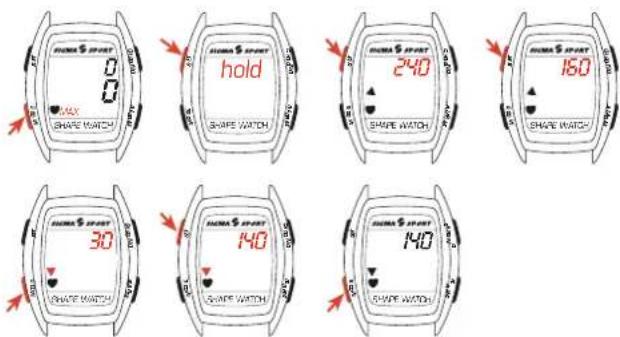
The right limits for your training you can find an pages 24 and 25.
Basic settings of the watch
Input for calorie accumulation
- Press MODE until KCAL appears.
- Keep pressing SET until first „hold“ appears and than the blinking number for the sport's specific factor.
- Choose the number.
- Go to the next figure and press SET again for the wanted number.
• The factors are listet on the following pages. - Confirm with MODE and go to input for sex.
- Choose M(man) or F (woman) with SET and confirm with MODE.
- Press SET to set your weight.
- Confirm with MODE and quit.
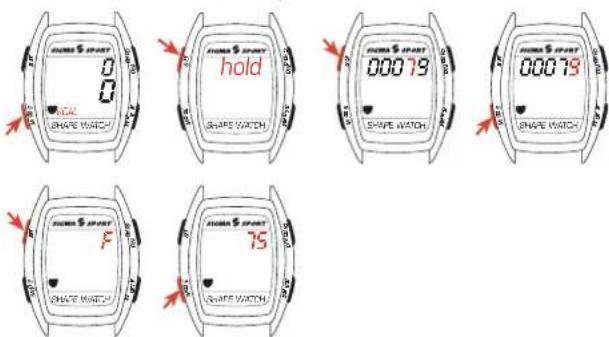
The input of weight in „kg“ is done in the 24h-mode, in „lb“ in the 12h-mode.
The accumulation for burned calories depends on the training time, measured with the stop-watch
Basic settings of the watch
Calorie accumulation
Burned calories can be determined in the calorie accumulation function during the physical activity. With informations about sex, weight and a sport's specific factor, the actual burned energie of a person can be determined during the training unit and the total burned energie at the end of the training unit.
Table to determine the sport's specific factor:
| 00065 | Nordic Walking | |
| 00036 | Walking slowly | |
| 00045 | Walking medium 3 km in 30 min. | |
| 00055 | Walking intensively | |
| 00074 | Nordic Scating | |
| 00061 | Jogging slowly: 4 km in 30 min. | |
| 00079 | Jogging medium: 5 km in 30 min. | |
| 00099 | Jogging intensively: 7 km in 30 min. | |
| 00031 | Ride a bike slowly: 12 km in 1 h. | |
| 00055 | Ride a bike medium: 18 km in 1 h. | |
| 00080 | Ride a bike intensively: 28 km in 1 h. | |
| 00068 | Inline Skating slowly: 10 km in 1 h. | |
| 00078 | Inline Skating medium: 15 km in 1 h. | |
| 00089 | Inline Skating intensively: 22 km in 1 h. | |
| 00048 | Aerobic slowly: 30 min. | |
| 00061 | Aerobic medium: | 30 min. |
| 00072 | Aerobic intensively: | 30 min. |
| 00030 | Gymnastics: | 30 min. |
Attention
In case of non-endurance activities, deviations in calculation of the burned calories are possible.
Basic settings of the watch
Training with the SHAPE Watch
- You have now set the limits for your training. The right factor for the kind of sport you chose, - f.e. 00065 for Nordic Walking – is set. Now you can start.
- Start the Stop-watch when you start the training (watch page 19)
- Your training time and your actual heart rate are shown in the display.
- After pressing B (MODE), the display shows your max heart rate and your actual number. In case of exceeding, the number blinks and ▼ will be shown. In case of falling below, the number blinks and ▲ will be shown. When the alarm is set, there will be a peep-sound.
- Press MODE again and the burned calories will be shown.
- Reset: Pressing CHRONO 2 sec resets all (Stop-watch, max HR and Calories)
Understanding Heart Rate
The heart rate (HR) is displayed in beats per minute.
Maximum Heart Rate
The maximum heart rate (HR max) is your highest heart rate achieved by going to the limits of your capability. The personal max HR depends on your age, your sex and your fitness level. The best way to determine the individual HR max is a stress test.
We recommend that you see a doctor to do this test and that you repeat it regularly.
The HR max may also be estimated by using the following mathematical equitation:
Men: 210 - „half age“ - (0.11 x personal weight in kg) + 4
Women: 210 - "half age" - (0.11 x personal weight in kg).
The SHAPE WATCH automatically calculates your HR max using this equation.
The right heart rate for training
The training zone is the range of heart rate that you want to be in while training. In the field of sport's medicine, there are 3 training zones: Please be aware that common training schedules never match the individual needs of a person. A perfect training schedule can only be set up by a well-educated trainer, who knows you personally.
Understanding Heart Rate
General health 55-70 % of HR max
Alignment: Fitness for beginners
HR max 150 160 170 180 190 200 210
Upper limit 70 % 105 112 119 126 133 140 147
Lower limit 55 % 83 88 94 99 95 105 116
Fitness 70-80 % of HR max
Alignment: Fitness for advanced users
HR max 150 160 170 180 190 200 210
Upper limit 80 % 120 128 136 144 152 160 168
Lower limit 70 % 105 112 119 126 133 140 147
Competitive performance 80-100 % of HR max
Alignment: Competition training for performance athletes
Hf max 150 160 170 180 190 200 210
Upper limit 100 % 150 160 170 180 190 200 210
Lower limit 80 % 120 128 136 144 152 160 168
Troubleshooting and information
Battery Change
Battery in heart rate monitor and -chest belt: CR 2032. The SIGMA SPORT heart rate monitor is a very sensitive and technical measuring instrument. To guarantee the function and the water resistance, the battery change has to be performed by an authorized dealer. The warranty is void if the watch has been tampered with, taken apart or ill treated.
You will have to re-enter your personal data in the SET menu after installing a new battery.
Warranty
24 months from date of purchase. Batteries are not part of warranty. If a warranty situation arises, please contact the dealer from which you purchased the heart rate monitor or please send it together with the receipt and all of its accessories to: SIGMA SPORT USA, 1926 Miller Dr, Olney, IL 62450 888-744-6277
When a warranty claim is covered by our guarantee, replacement equipment will be returned to you free of charge. Only current models are used for replacement. Specifications are subject to change without notice.
Hinweise
Blinking heart shows the receipt of heart rate signals
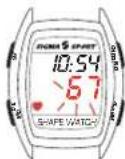
Blinking heart rate is lower/higher than setted lower/upper heart rate zone
For more information and training tips, visit:
www.sigmasport.com
Contenu
Francais
2 sec
Allarme
FZ (Fitness-Zone) Fitness 70-80 % della FC max