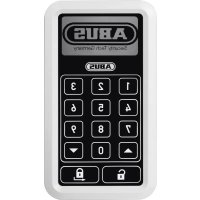
CFT3000W - Intercom ABUS - Free user manual and instructions
Find the device manual for free CFT3000W ABUS in PDF.

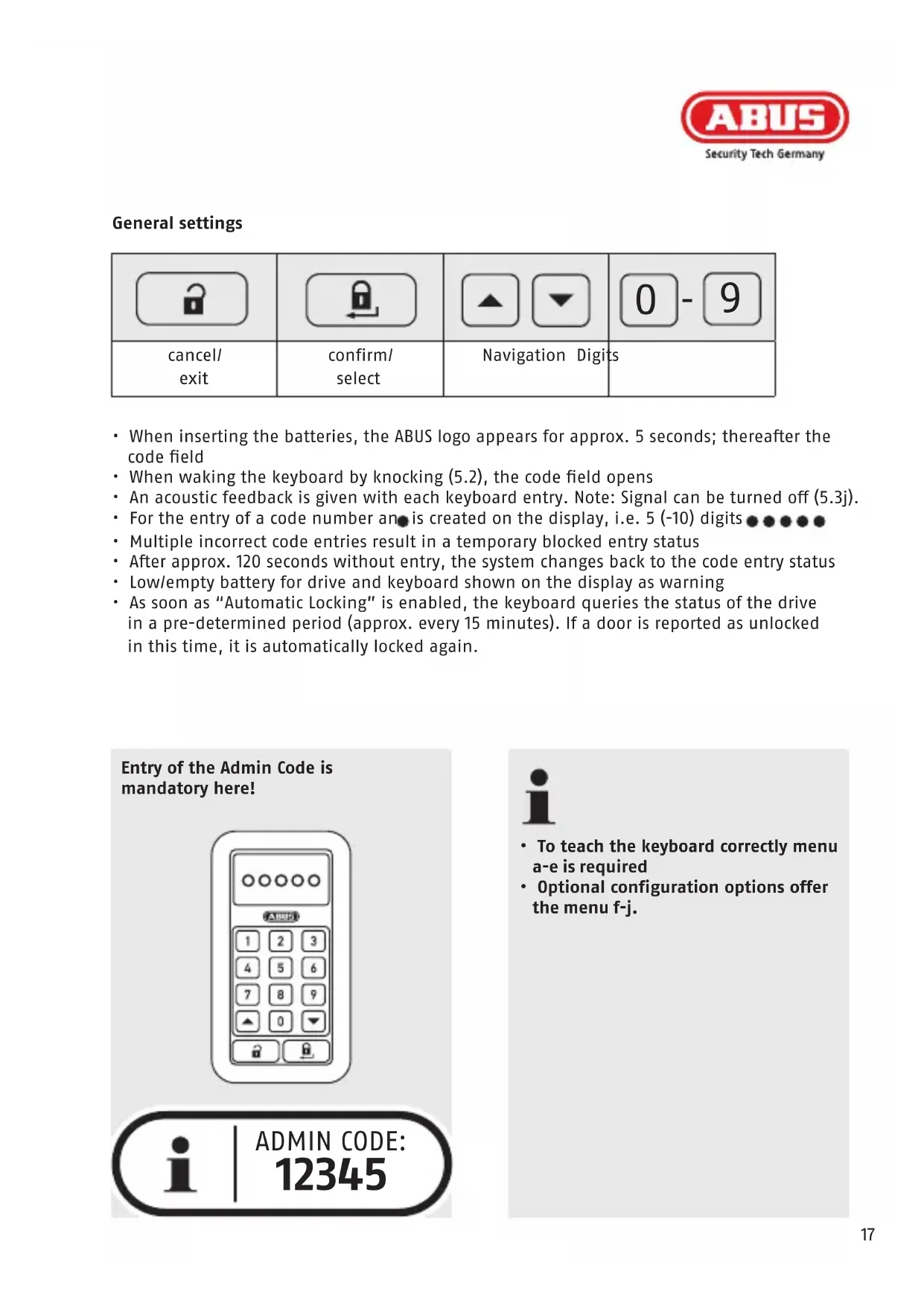


| Product type | Wireless keypad for HomeTec Pro locking system |
| Brand | ABUS |
| Model | CFT3000W |
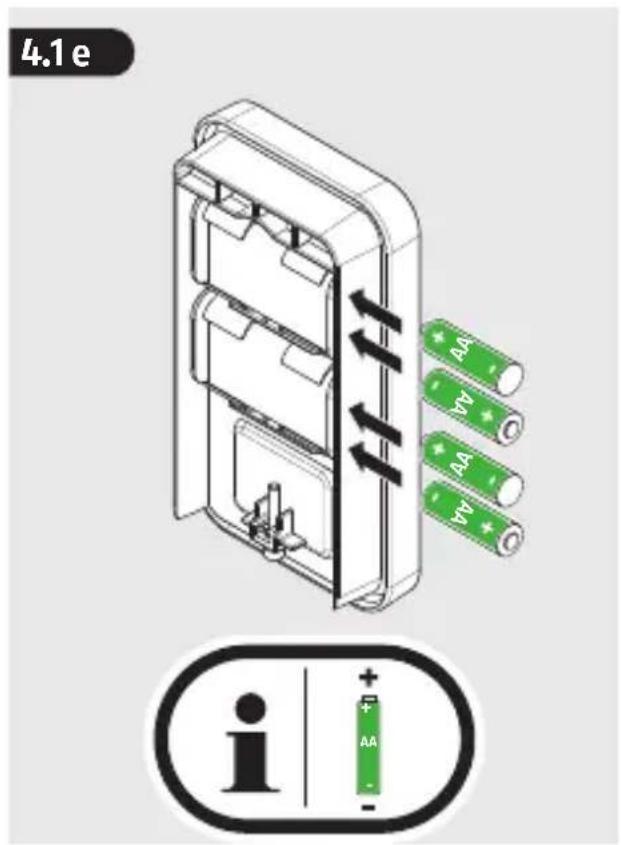
| Power supply | 4 AA batteries (not included) |
| Battery life | Varies based on usage (low battery indicator built-in) |
| Protection rating | IP54 (protected against dust and water splashes) |
| UV resistance | Yes |
| Operating temperature | Not specified, but suitable for outdoor use |
| Approximate dimensions | 120 x 80 x 30 mm |
| Approximate weight | 200 g (without batteries) |
| Number of users | Up to 32 users with individual codes |
| Code length | 5 to 10 digits |
| Main functions | Lock/unlock by code, automatic locking, lock without code, time zone management, event history, learning mode for pairing with CFA3000 controller |
| Display | Backlit display with key navigation |
| Available languages | French, German, English, Italian, Spanish, Dutch |
| Mounting | Screwed or glued with silicone, installation recommended by a professional |
| Maintenance and cleaning | Clean with a dry cloth; wear gloves in case of battery leakage |
| Security | Temporary lockout after repeated wrong code entry, protected admin code, wireless encryption |
| Spare parts and repairability | Batteries replaceable by user; repair or replacement under warranty by manufacturer |
| Warranty | Legal warranty against material and manufacturing defects |
| General information | Compliant with Directive 2014/53/EU; disposal according to WEEE |
Frequently Asked Questions - CFT3000W ABUS
User questions about CFT3000W ABUS
0 question about this device. Answer the ones you know or ask your own.
Ask a new question about this device
Download the instructions for your Intercom in PDF format for free! Find your manual CFT3000W - ABUS and take your electronic device back in hand. On this page are published all the documents necessary for the use of your device. CFT3000W by ABUS.
USER MANUAL CFT3000W ABUS
Zum Montagevideo: To the mounting video Vers la vidéo montage Naar de montage video Al video di montaggio Al vídeo de montaje
- DE Einsatzbereich | Possible uses | Application NL Toepassing | Possibilità d'impiego | Aplieciones
- DE Lieferumfang | Scope of delivery | Étendue de la livraison NL Leveringsomvang | Dotazione | Contenido
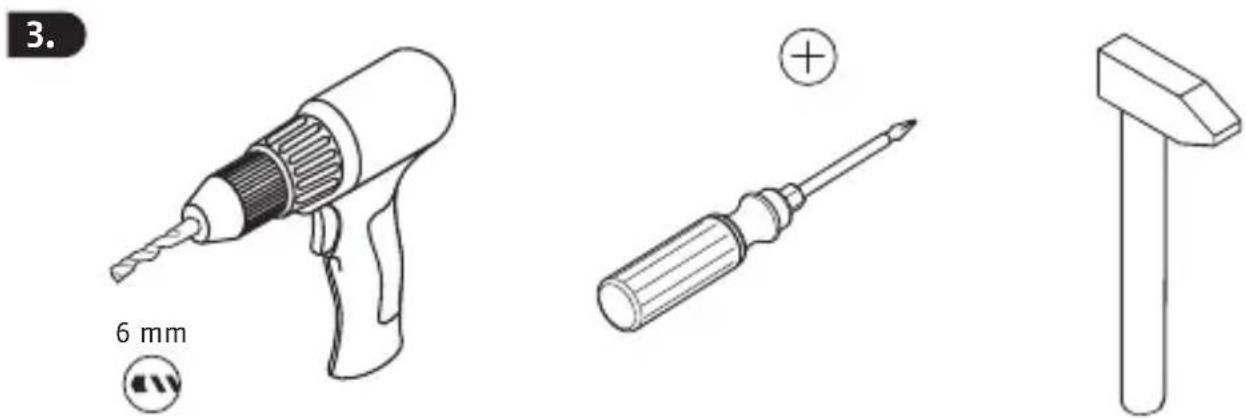
- DE Montagewerkzeug | Tools required | Outillage NL Gereedschap | IT Utensili di montaggio | ES Herramientas necesarias
- DE Montage | GB Installation instructions | FR Instructions de montage NL Montageaanwijzing | Istruzioni di montaggio | Instrucciones de montaje
- DE Bedienung | Operation | Utilisation NL Bediening | Uso | Fundonamiento
- DE Rechtliche Hinweise | GB Legal information | FR Mentions légales NL Wettelijke aanwijzingen | IT Note legali | ES Advertencias legales
DE
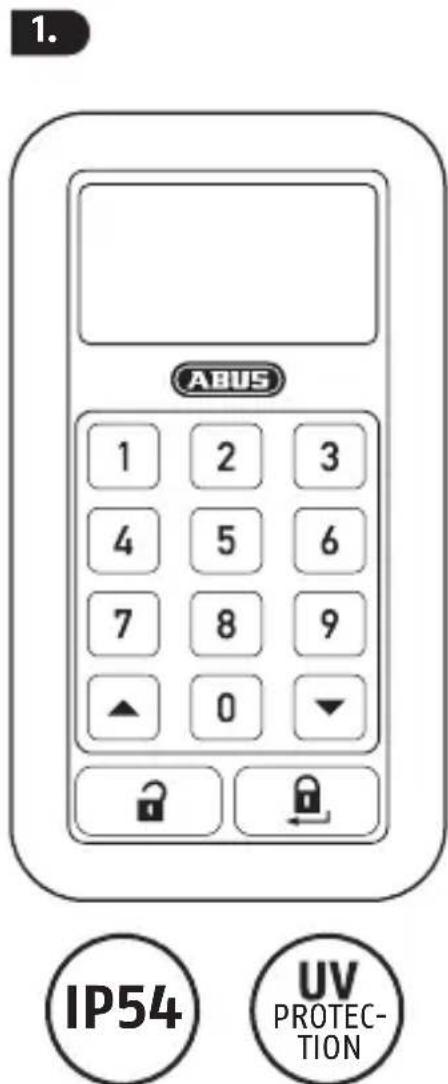
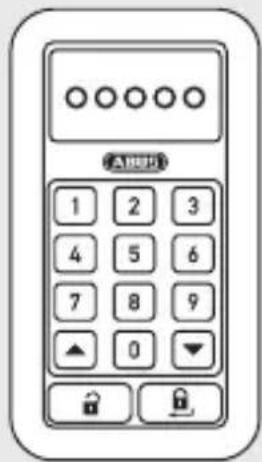
The keypad has been specially developed for the HomeTec Pro wireless door lock actuator. A code is entered to lock and unlock the door. Once unlocked, the door will open automatically. The keypad is dust-proof and splash-proof (IP54 rating) with extremely high UV resistance.
FR
SW 2,5
E 1x
A DE Funk-Tastatur | GB Wireless keypad | FR Clavier sans fil | NL Draadloos toetsenbord | IT Tastiera ad onde radio | TEclado por radio
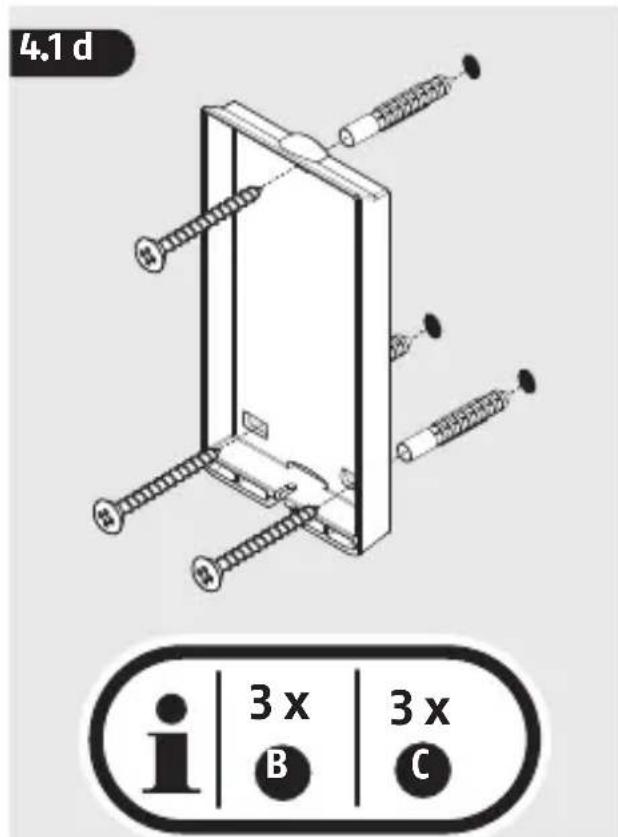
B DE Schraube | GB Screw | FR Vis | NL Schroef | IT Vite | ES Tornillo
C DE Dübel S6 | GB Dowel S6 | FR Dübel S6 | NL Treknagel S6 | IT Tassello S6 ES Pasador S6
D Batterie | GB Battery | FR Batterie | NL Batterij | IT Batterie | ES Batería
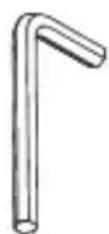
E Innensechskantschlüssel | GB Hexagon socket wrench | FR Clé à douille hexagonale | NL Inbussleutel | IT Chiave a brugola | ES Ilave macho de hexágono interior
- INFO 1
 |  |  | |
| DE | Vorsicht! Hinweise Achtung! Kleinteile können von Kindern verschluckt werden! | ||
| GB | Caution!Further fitting details Attention! Children can swallow small parts! | ||
| FR | Attention! Instructions de montage | Attention! Les petites pièces peuvent être avalées par les enfants! | |
| NL | Voorzichtig!Instructiesvoorde montage | Let op! Kleine onderdelen kunnen door kinderen worden ingeslikt | |
| Attenzione! Note per l'installazione | Attenzione! Piccole parti possono essere ingerite dai bambini! | ||
| ES | Posibles daños materiales. | Instrucciones de montaje | ¡Atención! ¡Las piezas pequeñas podrían ser ingeridas por los niños! |

Select a suitable place to install the keypad. This should be outside your home close to the door it controls and be easily accessible to all users regardless of their height. Test the radio connection to your drive before installation.
5.3 d
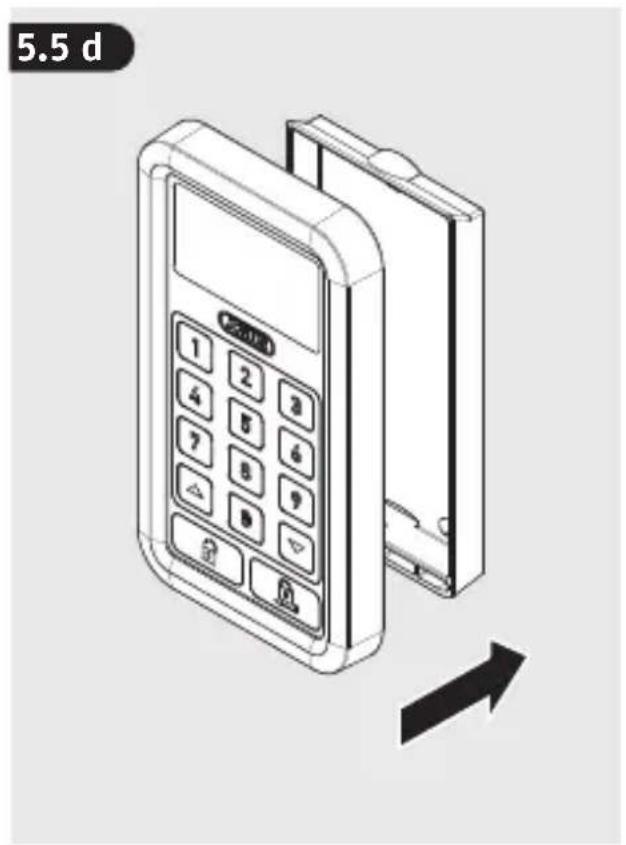
Installation should be carried out professionally and adapted to suit the widely differing characteristics of external walls. Depending on the surface in question, the keypad may also be affixed with an adhesive such as silicone in addition to screws.
FR
natural_image
Illustration of a mobile payment terminal with keypad and control buttons, showing a black arrow indicating leftward movement (no text or symbols on device)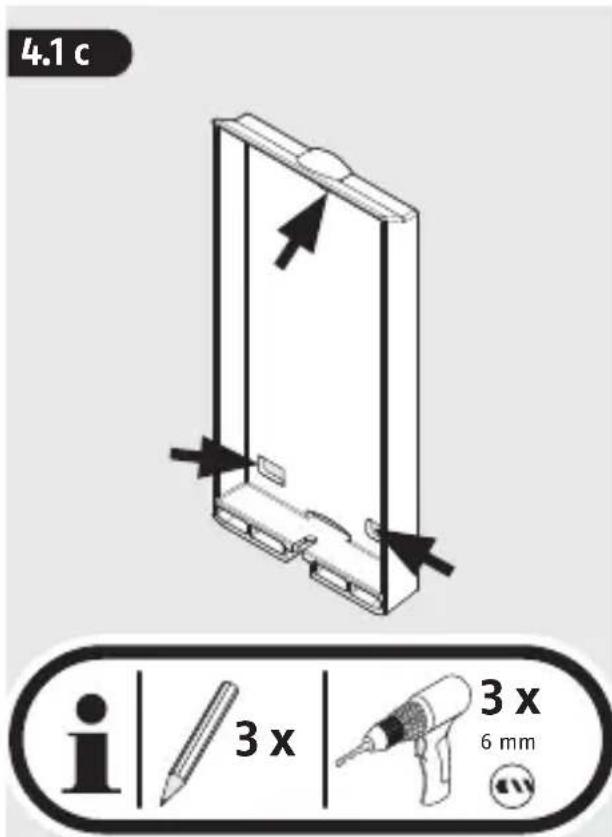
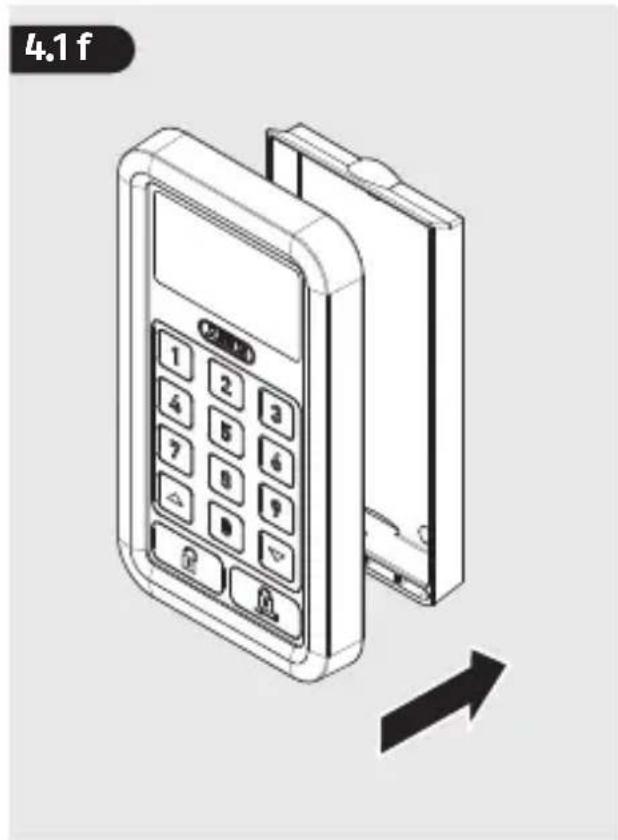
natural_image
Illustration of a digital payment terminal with keypad and control buttons, shown with an arrow indicating direction (no text or symbols on the device itself)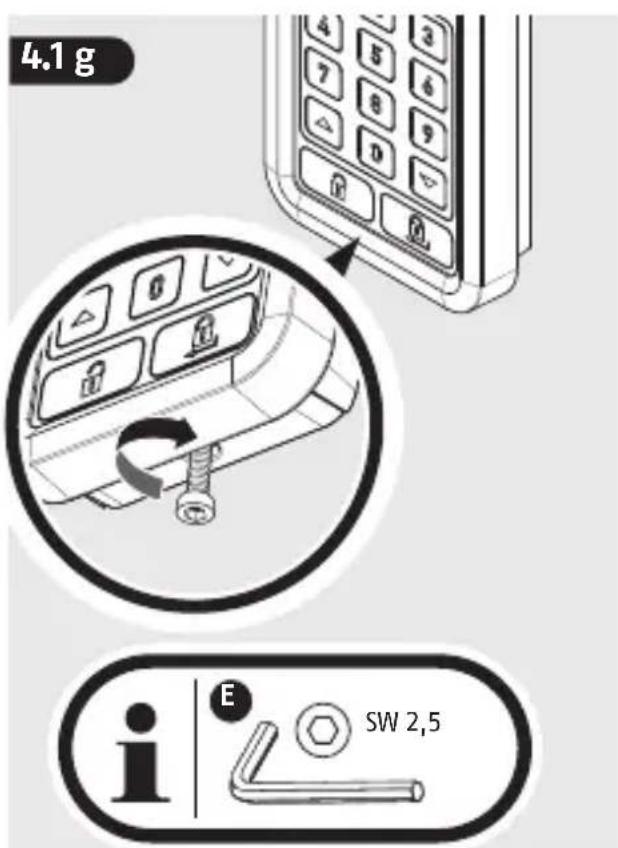
4. INFO 3
1.
2.
flowchart
graph TD
    A["User"] --> B["Processing Step"]
    B --> C["Output"]
De Beachten Sie zum Einlernen der Tastatur die Anleitung Ihres HomeTec Pro Funk-Türschlossantriebs
GB Follow the instructions for your HomeTec Pro wireless actuator
FR Respectez les instructions de votre mécanisme radiocommandé HomeTec Pro,
NL Neem de handleiding van uw HomeTec Pro afstandsaandrijving in acht,
⑪ Osservare le istruzioni del HomeTec Pro con attuatore telecomandato,
ES Tenga en cuenta las instrucciones de su accionamiento por radio HomeTec Pro
5.

DE LCD Anzeigefeld
GB LCD Display
FR Voyants LCD
NL LCD-weergaveveld,
IT Campo di visualizzazione a LCD
ES Panel LCD

DE Navigation „hoch“
"up" navigation
FR flèche «haut»
NL navigatie "omhoog"
IT navigazione "su"
ES navegación «arriba»

DE Entriegeln/Verlassen
GB unlock/exit
déverrouiller/quitter
NL ontgrendelen/verlaten
⑪ sblocco/uscita
es desbloquear/abandonar
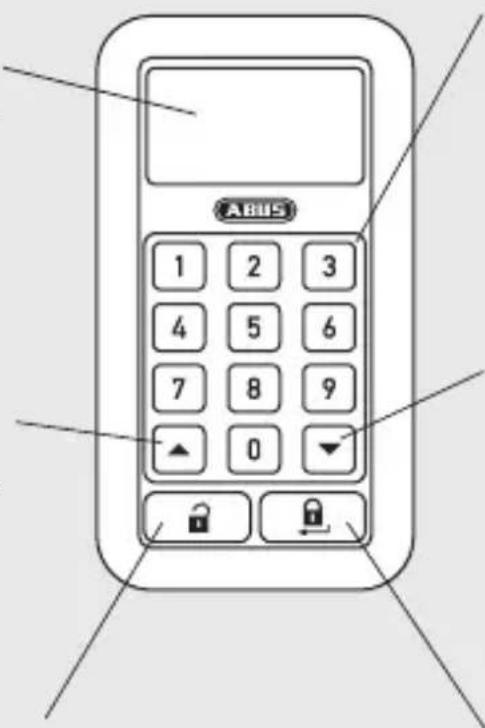

DE Ziffern 0-9
GB digits 0-9
FR chiffre 0-9
NL cijfers 0-9
cifre 0-9
es cifras 0-9

DE Navigation „runter“
GB "down" navigation
FR flèche «bas»
NL navigatie "omlaag"
⑪ navigazione "giù"
ES navegación «abajo»

DE Verriegeln/Bestätigen
GB lock/confirm
FR verrouiller/confirmer
NL vergrendelen/bevestigen
⑪ blocco/conferma
ES cerrar/confirmar
5.3
DE Menü und Programmierung: Seite 9 - 16
Menu and programming: Page 16 - 21
FR Menu et programmation: Page 22 - 27
NL Menu en programmeren: Pagina 28 - 33
IT Menu e programmazione: Pagina 34 - 39
ES Menú y programación: Página 40 - 45
Inhaltsverzeichnis:

2.
3.
4.
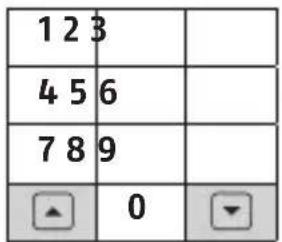
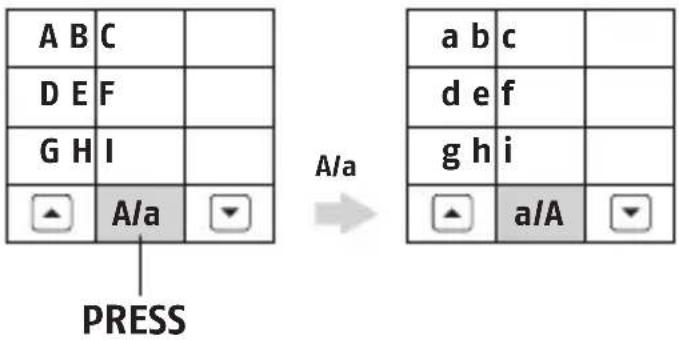
Groß/Klein
Mehrfachbelegung
| 1 x Press! 2 | x Press! 3 x Press! 4 x Press! | 5 x Press! | 6 x Press! | ||
| A/a | Á/á | À/à | Â/â | Ä/ä | Æ/æ |
| C/c | Ç/ç | ||||
| E/e | É/é | È/è | Ê/ê | Ë/ë | |
| I/i | Í/í | Ì/ì | Î/î | Ï/ï | |
| N/n | Ñ/ñ | ||||
| O/o | Ó/ó | Ò/ò | Ô/ô | Ö/ö | Œ/œ |
| s | ß | ||||
| U/u | Ú/ú | Ù/ù | Û/û | Ü/ü | |
| Y/y | Ÿ/ÿ | ||||
| [leer] | - | . | : | / | \ |
5.3 Menu and programming
Contents:
-
General settings
-
Administrator programming
a. MENU LANGUAGE - set language
b. MENU CALENDAR - set time and date
c. MENU ADMIN CODE - change administration code
d. MENU TEACH IN - send login code to drive
e. MENU USER - manage users
f. MENU DRIVE - change drive settings
g. MENU FACTORY RESET - reset to state at delivery
h. MENU TIME ZONE - set access times
i. MENU HISTORY - read event log
j. MENU SETUP - change keyboard settings
General settings
 |  |  |  |
| cancel/exit | confirm/select | Navigation Digits |
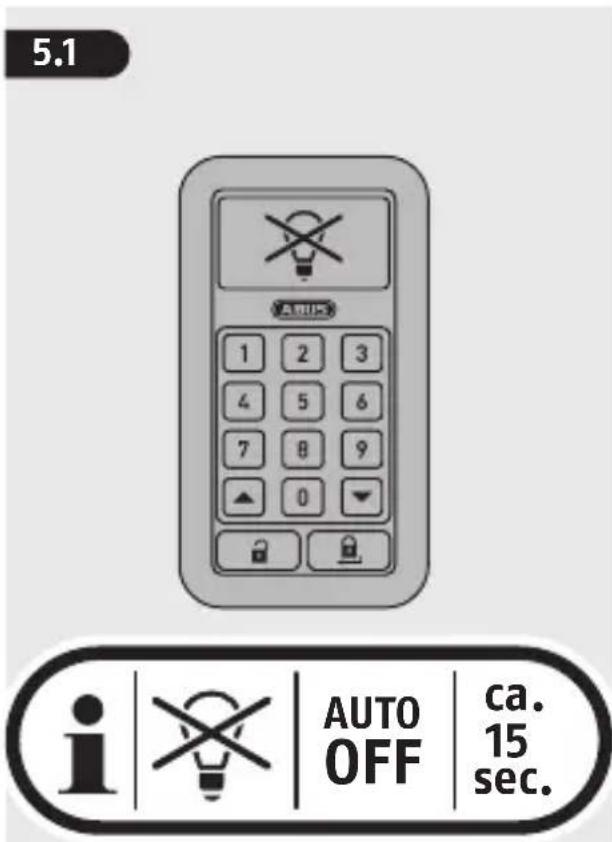
- When inserting the batteries, the ABUS logo appears for approx. 5 seconds; thereafter the code field
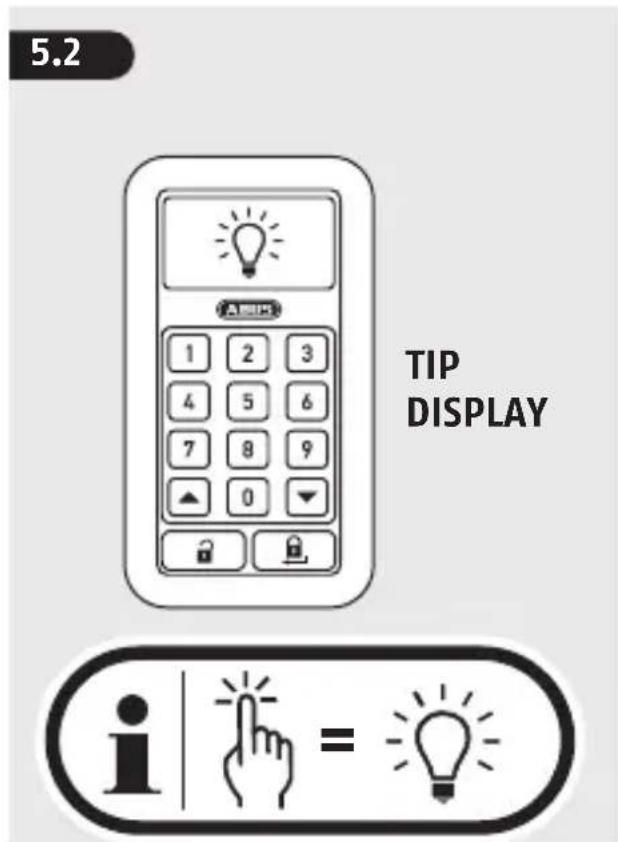
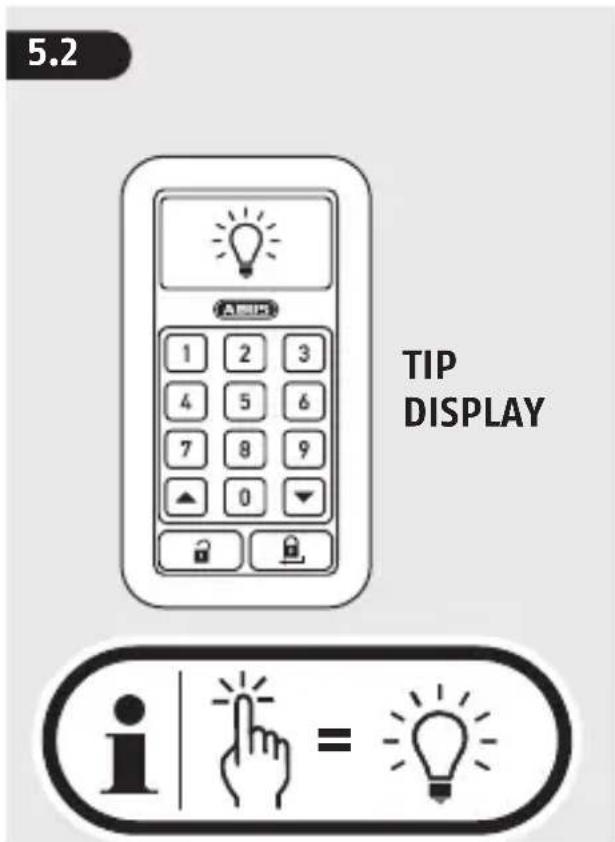
- When waking the keyboard by knocking (5.2), the code field opens
- An acoustic feedback is given with each keyboard entry. Note: Signal can be turned off (5.3j).
- For the entry of a code number an is created on the display, i.e. 5 (-10) digits
- Multiple incorrect code entries result in a temporary blocked entry status
• After approx. 120 seconds without entry, the system changes back to the code entry status - Low/empty battery for drive and keyboard shown on the display as warning
- As soon as "Automatic Locking" is enabled, the keyboard queries the status of the drive in a pre-determined period (approx. every 15 minutes). If a door is reported as unlocked in this time, it is automatically locked again.
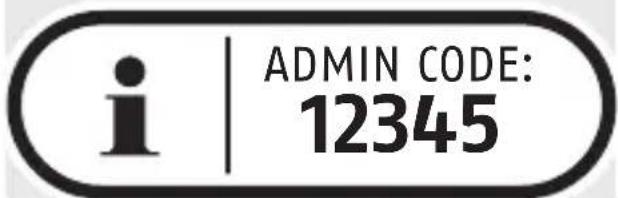
Entry of the Admin Code is mandatory here!

• To teach the keyboard correctly menu a-e is required
- Optional configuration options offer the menu f-j.
a. MENU LANGUAGE
Deutsch, English, Italiano, Espanol, Français, Nederlands cancel confirm
b. MENU CALENDAR
Time Format [hh:mm], 0-9.

Date Format [dd:mm:yyyy], 0 - 9.

Day
Monday, Tuesday, ..., Sunday confirm cancel confirm
c. MENU ADMIN CODE
Changing the admin code is required! The admin code is used only to configure the keyboard. To operate it is necessary to create a user (MENU e).
Enter previous code: 0 - 9
Enter new code: 0 - 9 (Note: 5-10 digits.)
Re-enter code: 0 - 9
Successful change is displayed. In case of an error message, rectify the relevant error. confirm, to return to the main menu.
d. MENU TEACH IN
Note: The drive must be in teach-in mode. See CFA3000 instructions. Door 1, Door 2, Door 3. Note: if you are using multiple drives on different doors, select the required drive and send the login code from the keyboard to the drive. Sending login code. Door drive confirmation OK? Again cancel confirm
e. MENU USER
User 1, User 2, ... User 32.
User active, User not active, User not applied
Note: to create a new user, select the user marked with and confirm with
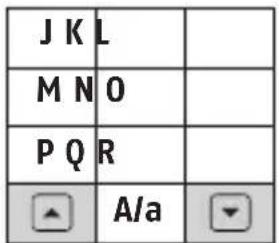
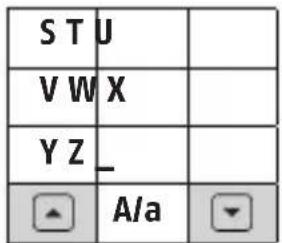
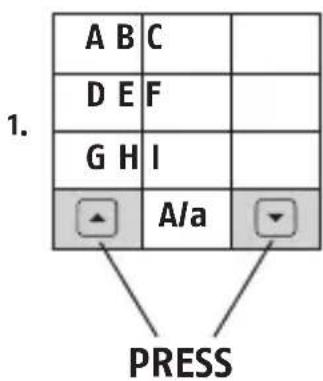
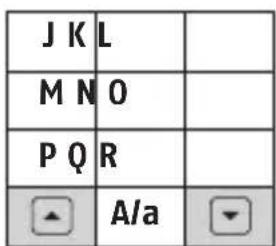
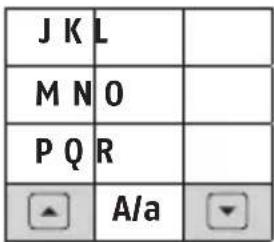
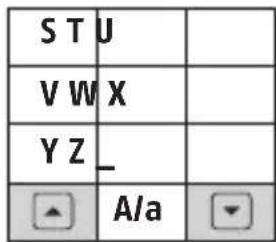
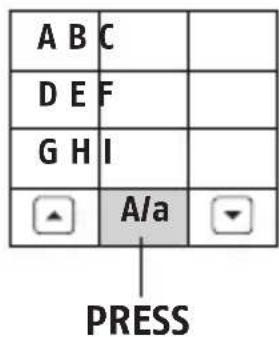
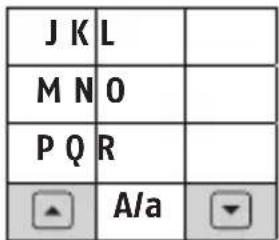
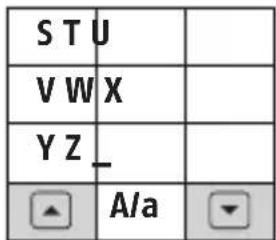
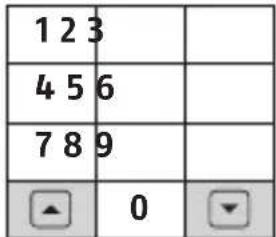
Name: User The assignment of the characters to the numeric fields on the keypad will appear.
Alphabet/Numbers
2.
3.
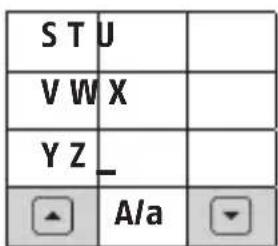
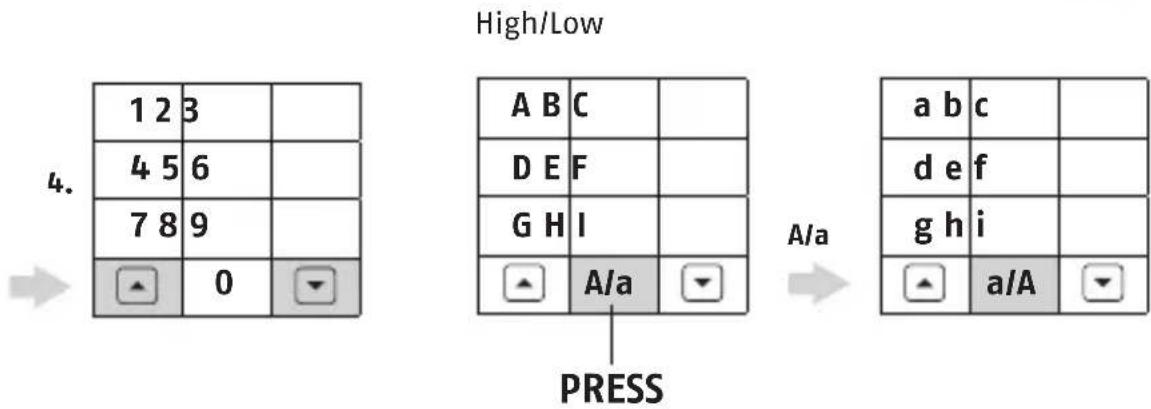
Multiple occupancy
| 1 x Press! 2 | x Press! 3 x Press! | 4 x Press! | 5 x Press! | 6 x Press! | |
| A/a | Á/á | À/à | Â/â | Ä/ä | Æ/æ |
| C/c | Ç/ç | ||||
| E/e | É/é | È/è | Ê/ê | Ë/ë | |
| I/i | Í/í | Ì/ì | Î/î | Ï/ï | |
| N/n | Ñ/ñ | ||||
| O/o | Ó/ó | Ò/ò | Ô/ô | Ö/ö | Œ/œ |
| s | ß | ||||
| U/u | Ú/ú | Ù/ù | Û/û | Ü/ü | |
| Y/y | Ÿ/ÿ | ||||
| [space] | - | . | : | / | \ |
Continue to the next character with 🔒. Save the name with 3 seconds 🔒. Cancel with 🔒
CODE: ○○○○○ Note: 5-10-digits,
0 - 9, re-enter code!
[NO TEXT]
DOOR: 1
Note: if you are using multiple drives, select door here.
1
assignment of first time zone.
2
assignment of second time zone
Note: you can restrict the user's access time, otherwise the user has unrestricted access. To set up the time zone see MENU h. Press ACTIVE to activate the user. Only active users can use the keyboard! You can also set an active user to inactive (settings remain, operation is not possible) or delete the user (user is deleted entirely).
cancel confirm
f. MENU DRIVE
Door 1, Door 2, Door 3. Note: if you are using multiple drives on different doors, select the required drive.
Overview Driving cycles: shows how many times the latch was pulled, unlocked or locked. Lock: shows the lock position (locked or unlocked). The number in the brackets shows the installed software version number.
Rename You can assign names when using multiple drives (e.g. front door, garage etc.). Assignment of the characters see >>5.3 e. Continue to next character with . Save the name with 3 seconds . Cancel with .
Without code ☐ Lock without code. Note: If the menu option "lock without code" is selected, you can lock the door simply by pressing ☐. Inactive, active. ☐ cancel confirm
Automatic ☐ Automatic locking Inactive, active. If this function is enabled, you can set a time from - to, in which the drive locks automatically. [hh:mm] 0 - 9 Note: In the set time it is regularly (approx. every 15 min.) queried whether the drive is locked. This feature leads to higher energy consumption.
cancel confirm
Touch control ☐ Operating the drive keys Active: all drive keys can be operated. Operating keys: both arrow keys are deactivated on the drive Inactive: all arrow keys are deactivated on the drive. cancel @confirm
Latch time time for which the latch is stopped when opening the door. Can be selected with from 1 to 20 seconds. cancel confirm
Latch power Medium, Low, High. (Recommendation: for optimal service life of the drive and key, select the "Medium"/"Low" setting.) cancel confirm
Signal Setting the acoustic in the drive Latch: signal only sounds when pulling back the latch Locked: signal only sounds when locked Each end position: signal sounds when opened or locked Inactive: no signal sounds for any position Start of drive: signal sounds at the start of the opening or locking drive cancel confirm
Reduced

Locking is reduced to one-speed (e.g. one-speed even for two-speed locking and opening of the door). We recommend permanent two-speed locking.

Automatic, 1x closing.

cancel confirm
Drive power

etting the drive speed. (The "Automatic" setting should be set permanently.)

Automatic, Maximum.

cancel confirm
g. MENU FACTORY RESET
Change with ▲▼ from NO to YES. 3 seconds 📄 confirms. Factory reset is performed. All settings are deleted. cancel
h.MENU TIME ZONE
Time zone A, time zone B, ... time zone 0 (total of 15 time zones).
Open the programming of the 1st time zone with .Set the different access times.
You can assign these to different users under MENU e.
Scroll through the days with ⚠️ sets the day as active (X) or inactive ().
Time from format [hh:mm], 0 - 9, to format [hh:mm], 0 - 9.
cancel confirm
i.MENU HISTORY
Shows the events of the drive, e.g. user 1 unlocked.
Note: the last event is shown, with one can switch to the event before the last event.
Maximum of 32 events are shown, whereby the latest overwrites the oldest. The entry „admin“ is logged in the event log for unlocking without a code or automatically locking.
cancel confirm
j. MENU SETUP
Greeting
Assignment of the characters see >>5.3 e. Continue to next character with 🔒. Save the name with 3 seconds 🔒. Cancel with 🔒.
Signal
Configuring the acoustic feedback on off, low.
Display light time The display light time can be selected with from 2-10 seconds + afterglow time.
cancel confirm

Signal configurer le signal on, off, faible.
Durée
2.
3.
4.
| 123 | |
| 456 | |
| 789 | |
| 0 |
Hoog/Laag
A/a
| a b c | |
| d e f | |
| g h i | |
| a/A |
Meervoudig bewoning
| 1 x Press! | 2 x Press! | 3 x Press! | 4 x Press! | 5 x Press! | 6 x Press! |
| A/a | Á/á | À/à | Â/â | Ä/ä | Æ/æ |
| C/c | Ç/ç | ||||
| E/e | É/é | È/è | Ê/ê | Ë/ë | |
| I/i | Í/í | Ì/ì | Î/î | Ï/ï | |
| N/n | Ñ/ñ | ||||
| O/o | Ó/ó | Ò/ò | Ô/ô | Ö/ö | Œ/œ |
| s | ß | ||||
| U/u | Ú/ú | Ù/ù | Û/û | Ü/ü | |
| Y/y | Ÿ/ÿ | ||||
| [spatie] | - | . | : | / | \ |


c. MENÚ CÓDIGO ADMIN
2.
3.
4.
Alta/Baja
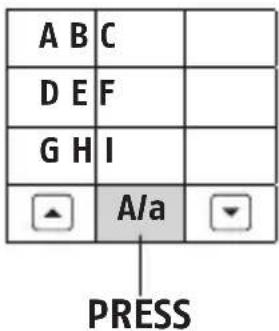
A/a
| a b c | |
| d e f | |
| g h i | |
| a/A |
Ocupación múltiple
| 1 x Press! 2 | x Press! 3 x Press! 4 x Press! 5 x Press! 6 x Press! | ||||
| A/a | Á/á | À/à | Â/â | Ä/ä | Æ/æ |
| C/c | Ç/ç | ||||
| E/e | É/é | È/è | Ê/ê | Ë/ë | |
| I/i | Í/í | Ì/ì | Î/î | Ï/ï | |
| N/n | Ñ/ñ | ||||
| O/o | Ó/ó | Ò/ò | Ô/ô | Ö/ö | Œ/œ |
| s | ß | ||||
| U/u | Ú/ú | Ù/ù | Û/û | Ü/ü | |
| Y/y | Ÿ/ÿ | ||||
| [espacio] | - | . | : | / | \ |
GB User Operation >> 5.2
- Wake keyboard by knocking
- Enter user code 1, 2, ..., 32
- open close
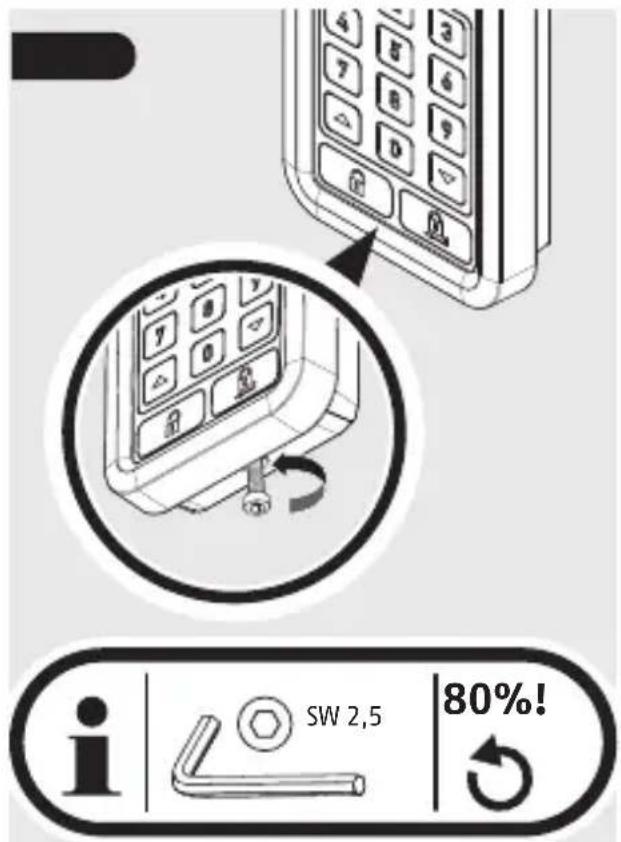
5.5 b
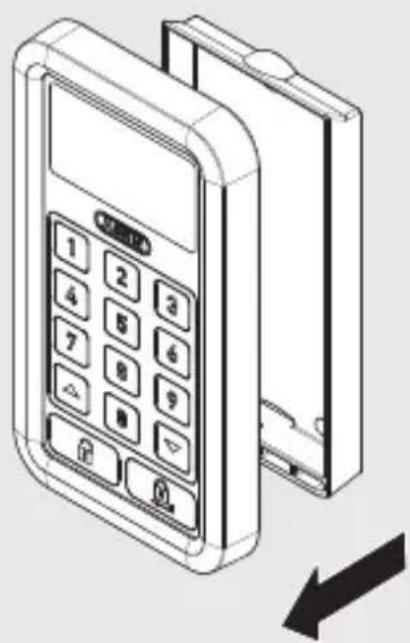
natural_image
Line drawing of a mobile payment terminal with keypad and door (no text or symbols)5.5 c
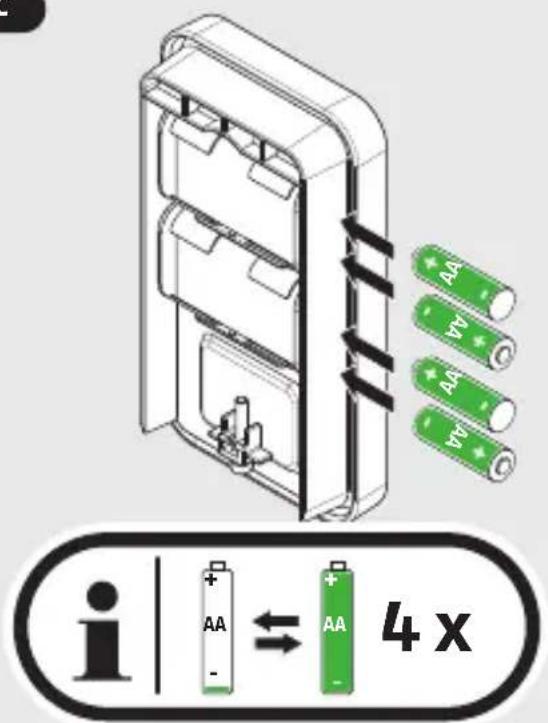
DE Ersetzen Sie stets alle Batterien!
⊕ Replace all the batteries!
Remplacez toutes les piles!
NL Alle batterijen vervangen!
IT Sostituiere tutte le batterie!
Es Cambie todas las pilas!
natural_image
Illustration of a digital payment terminal with keypad and control buttons, showing an arrow indicating direction (no text or symbols on device)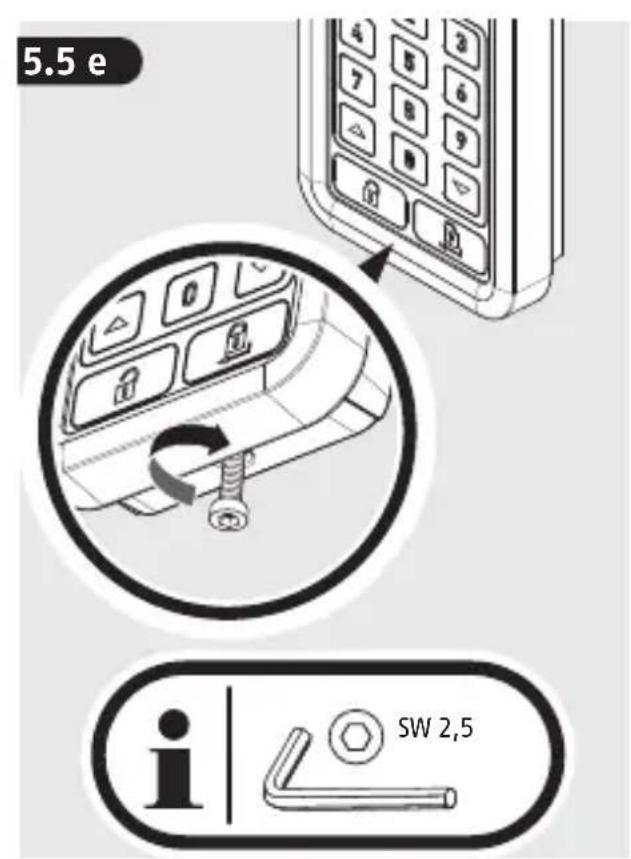
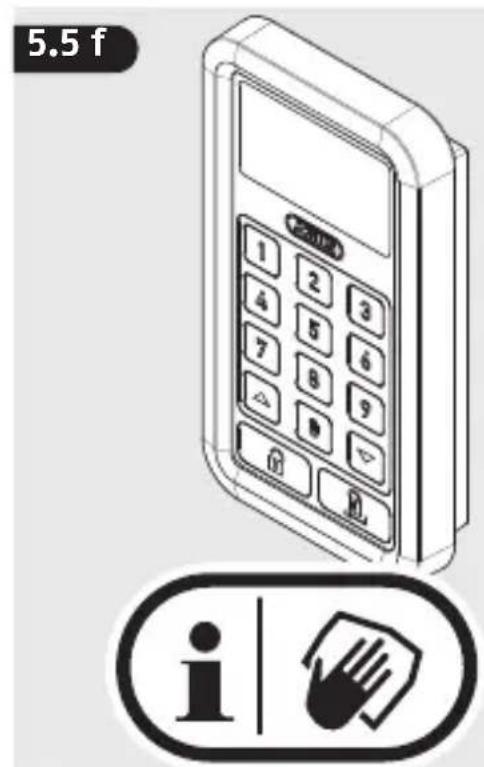

© Kein Reinigungsmittel und kein Microfasertuch verwenden!
GB Do not use cleaning agents and microfibre cloths!
FR Ne pas utiliser des produits détergents et de chiffon microfibre!
NL Gebruik geen reinigingsmiddel en microvezeldoeken!
IT Non utilizzare di prodotti per la pulitura e panni in microfibra!
¡No utilizar productos de limpieza y paños de microfibra!
DE
Batteriehinweise
Battery instructions
Batteries must be kept out of reach of children. Children can put batteries in their mouths and choke. This can cause serious injury. Seek immediate medical attention in this event!
Contact with expired or damaged batteries may cause chemical burns! In these cases, use suitable protective gloves and clean the battery compartment with a dry cloth.
Batteries must not be heated or thrown into an open fire (risk of explosion!).
Warranty
ABUS products are designed, manufactured and tested in accordance with applicable regulations with great care. The warranty
exclusively covers faults that are caused by material or manufacturing defects. If a material or manufacturing defect can be proven, the HomeTec Pro Wireless keypad will be repaired or replaced at the discretion of the warrantor. In such cases, the warranty ends with the termination of the original warranty period. Any further claims are expressly excluded.
ABUS assumes no liability for defects or damage that has been caused by external influences (e.g. transport, external forces), improper use, normal wear and tear or non-compliance with this operating and installation instructions document. If a warranty claim is asserted, the product must be returned with the original receipt with date of purchase and a brief written description of the fault.
Declaration of Conformity
ABUS August Bremicker Söhne KG, Altenhofer Weg 25, 58300 Wetter hereby declares that the HomeTec Pro is in compliance with the essential requirements and other relevant provisions of Directive 2014/53/EU. The declaration of conformity can be obtained from the following address: ABUS August Bremicker Söhne KG, Altenhofer Weg 25, 58300 Wetter, GERMANY.
Disposal
Dispose of the device in accordance with EU Directive 2002/96/EC – WEEE (Waste Electrical and Electronic
Equipment). If you have any questions, please contact the municipal authority responsible for disposal. You can get information on collection points for waste equipment from your local authority, from local waste disposal companies or your dealer.
Subject to technical alterations. No liability for mistakes and printing errors.
© ABUS 2016. ABUS August Bremicker
Söhne KG, DE-58292 Wetter
Tel.: +49 (0) 23 35 63 40
www.abus.com|info@abus.de

- DE
- FR
- d
- INFO 3
- 1.
- 2.
- 5.
- 5.3
- Inhaltsverzeichnis:
- Menu and programming
- Contents:
- General settings
- f. MENU DRIVE
- Reduced
- Drive power
- g. MENU FACTORY RESET
- h.MENU TIME ZONE
- i.MENU HISTORY
- j. MENU SETUP
- Greeting
- Signal
- Hoog/Laag
- GB User Operation >> 5.2
- b
- c
- Batteriehinweise
- Battery instructions
- Warranty
- Declaration of Conformity
- Disposal
Brand : ABUS
Model : CFT3000W
Category : Intercom