RTRF - Thermostat DANFOSS - Free user manual and instructions
Find the device manual for free RTRF DANFOSS in PDF.



| Product type | Room thermostat |
| Brand | Danfoss |
| Model | RTRF (RT51/52, RT51-RF/RT52-RF) |
| Use | Temperature control for heating |
| Dimensions (W x H x D) | 110 x 88 x 28 mm |
| Power supply | 2 alkaline AA batteries (LR6) |
| Battery life | Approximately 1 year (depending on use) |
| Temperature range | 5 to 30 °C |
| Temperature accuracy | ±1 °C |
| Operating mode | On/Off or Chrono-proportional |
| Programming | Day and Night temperature, timer (RT52) |
| Display | LCD with battery icon |
| Contact type (wired version) | SPDT, 3(1)A, 10-230 V~ |
| Radio frequency (RF models) | 433.92 MHz |
| Radio range (RF models) | 30 m maximum (without metal obstruction) |
| Clock (RT52) | Accuracy ±1 minute per month |
| Protection rating | IP20 |
| Standards | EN 60730-2-9, EN 300220 (RF) |
| Installation | By a qualified electrician, respecting IEEE standards |
| Maintenance | Clean with a soft, dry cloth; replace alkaline batteries |
| Reset | Remove batteries for 2 minutes, then reinsert |
| Recycling | Recycling level degree 2 |
| Ball pressure test temperature | 75 °C |
| Rated impulse voltage | 2.5 kV |
Frequently Asked Questions - RTRF DANFOSS
User questions about RTRF DANFOSS
0 question about this device. Answer the ones you know or ask your own.
Ask a new question about this device
Download the instructions for your Thermostat in PDF format for free! Find your manual RTRF - DANFOSS and take your electronic device back in hand. On this page are published all the documents necessary for the use of your device. RTRF by DANFOSS.
USER MANUAL RTRF DANFOSS
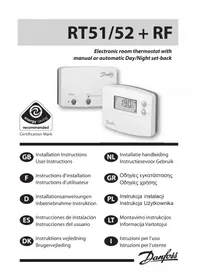
Electronic room thermostat with manual or automatic Day/Night set-back

Certification Mark

Installation Instructions User Instructions

Installation Instructions
Please Note:
This product should only be installed by a qualified electrician or competent heating installer and should be in accordance with the current edition of the IEEE wiring regulations.
Product Specification
| Thermostat features RT51/52 RT51/52-RF | ||
| Power supply 2 x AA/MN1500/LR alkaline cells | ||
| Memory back-up 1 min. for battery change | ||
| Switching action of output relay 1 x SPDT, Type 1B N/A | ||
| Switch rating of relay contact 3(1)A, 10-230Vac N/A | ||
| Transmission frequency (RF model) N/A | 433.92MHz | |
| Transmitter range (RF model) | N/A | 30m max |
| Temperature range | 5-30°C | |
| Dimensions, mm | 110 wide, 88 high, 28 deep | |
| Design standard | EN60730-2-9 (EN300220 for RF) | |
| Rated impulse voltage | 2.5Kv | |
| Ball hardness test | 75°C | |
| Control pollution situation | Degree 2 | |
| Temperature accuracy | ±1°C | |
Important note RF products: Ensure that there are no large metal objects, such as boiler cases or other large appliances, in line of sight between the transmitter and receiver as these will prevent communication between thermostat and receiver.
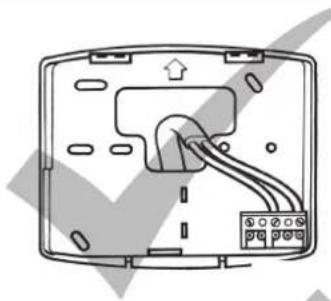
☐ First, remove the wallplate from the back of the unit.
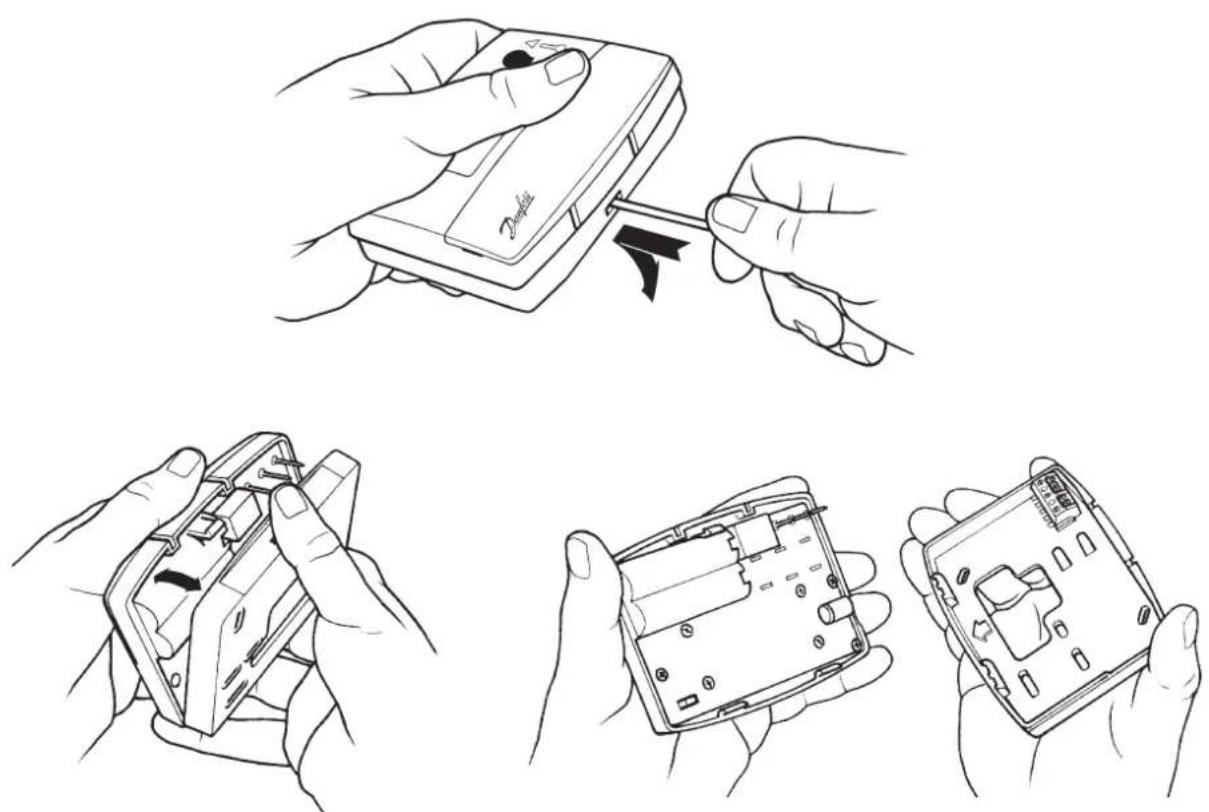
From the top left hand corner of the wallplate, there must be clearances of at least 140mm to the right, 15mm to the left, 30mm above and 100mm below in order to mount the plug-in module.
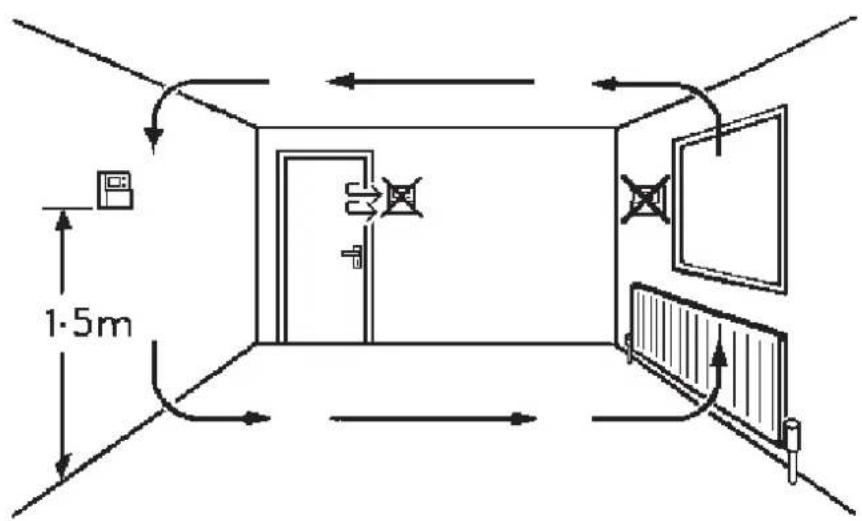
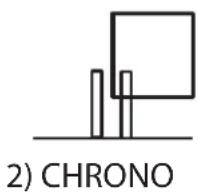
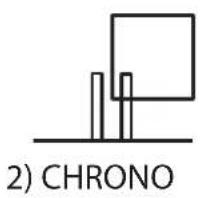
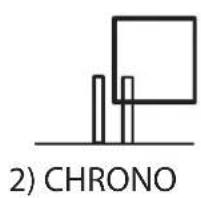
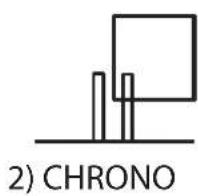
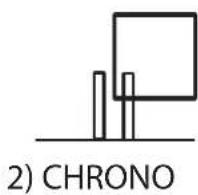
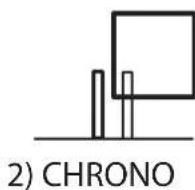
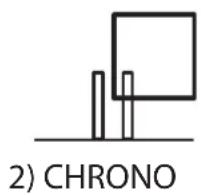
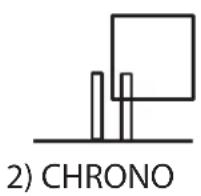
☐ Prior to mounting the unit should be set in either ON/OFF or chrono-proportional control mode (see below).

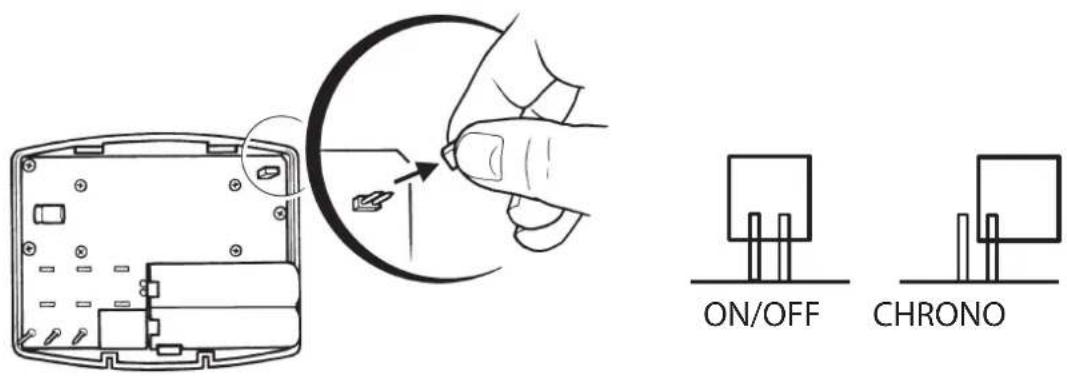
ON/OFF - boilers switches ON when below set temperature and OFF when above.
Chrono-Proportional - energy saving feature which fi res the boiler at regular intervals to maintain a set temperature, achieving a constant ambient environment for the user.
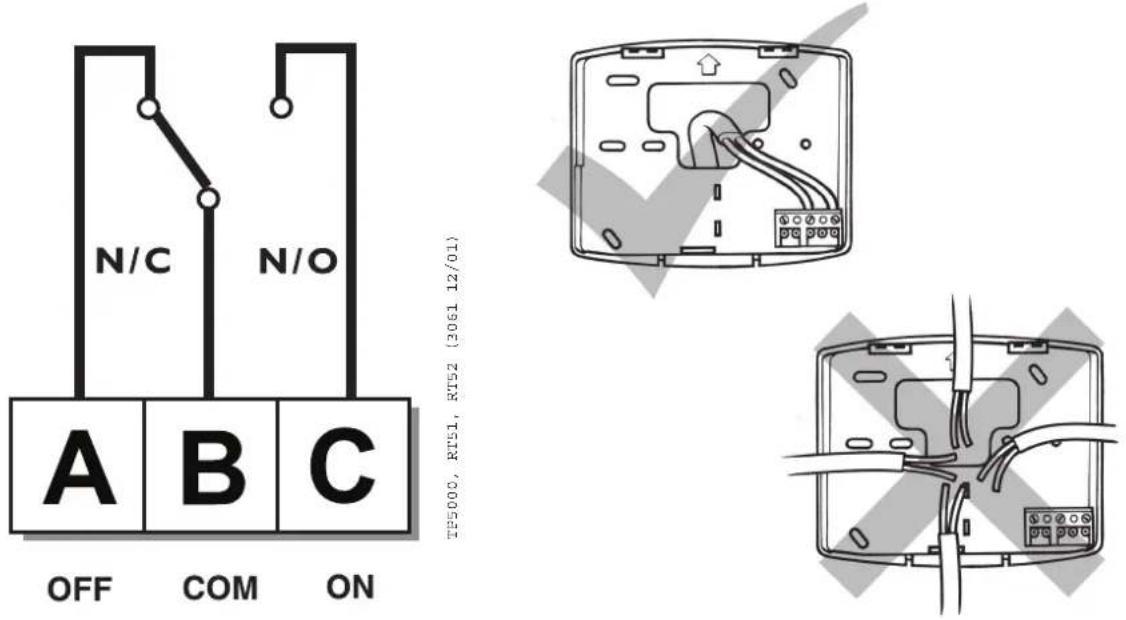
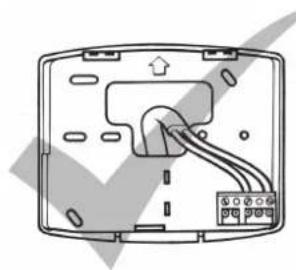
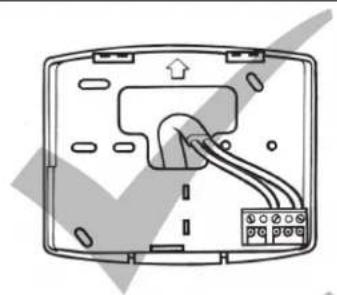
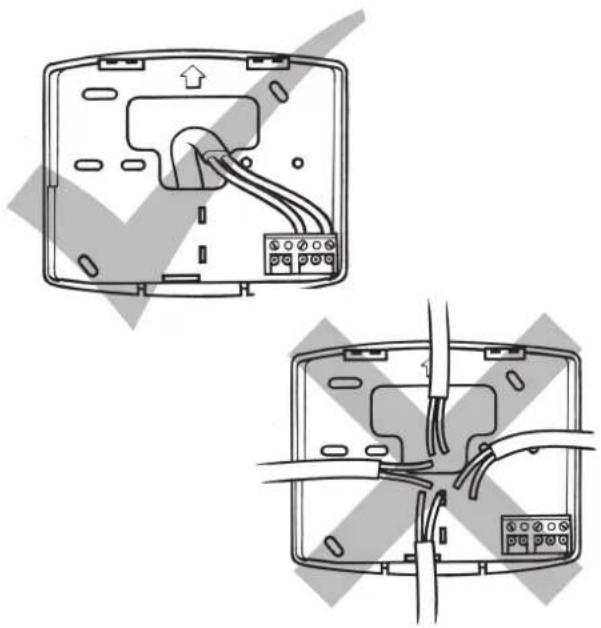
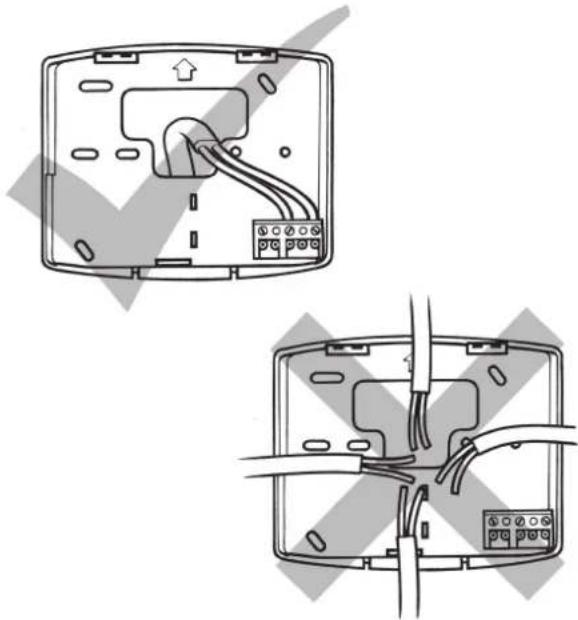
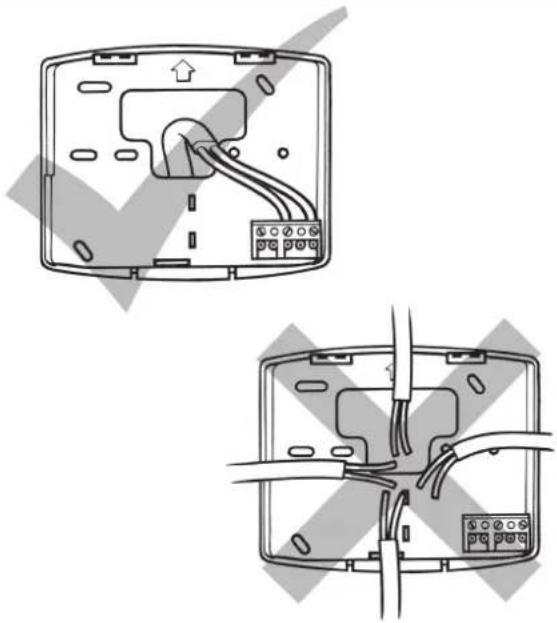
Some existing thermostats will have a Neutral wire and/or Earth wire connected. These are not required by the RT51/52 and must NOT be connected to any RT51/52 terminals. Instead they should be made electrically safe and coiled in the recess at the back of the RT51/52.
Installation Instructions
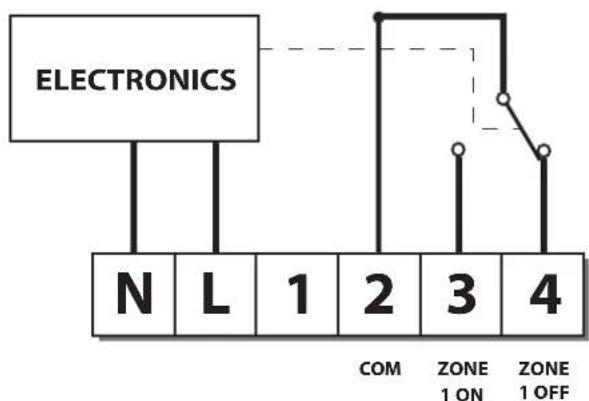
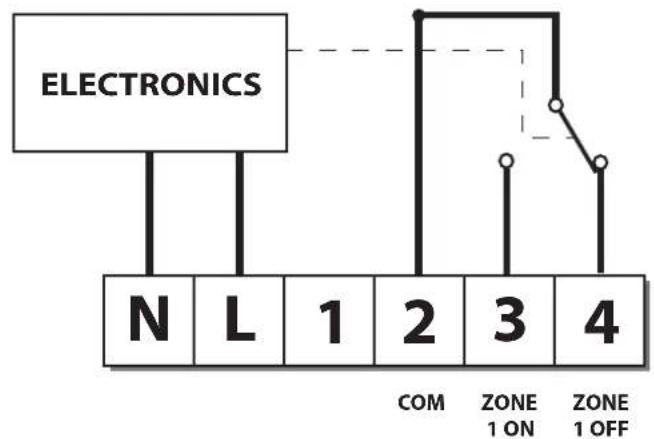
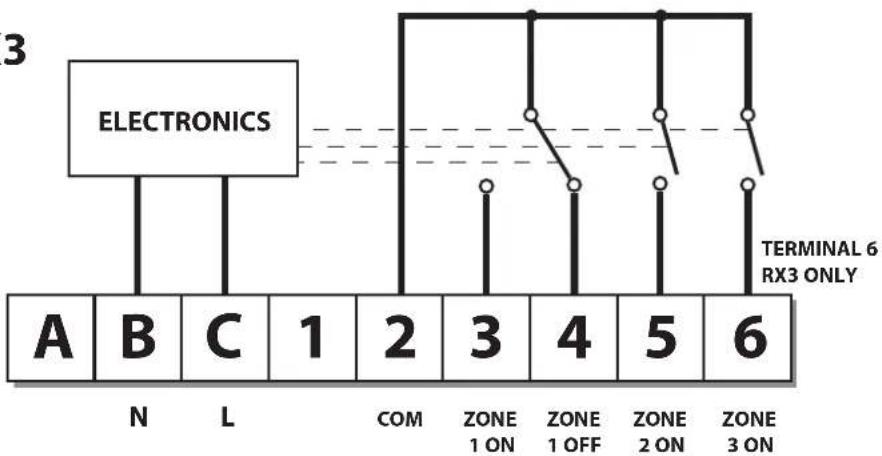
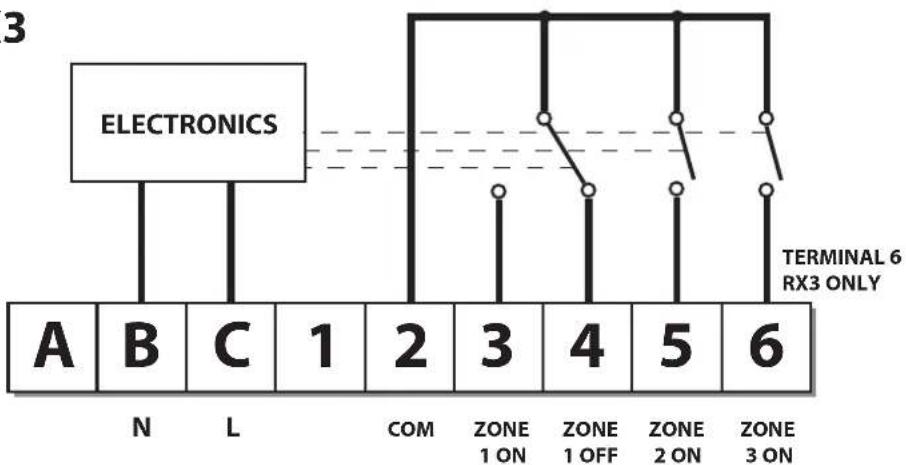
RX Receiver Wiring (RF models only)
RX1
flowchart
graph TD
    A["ELECTRONICS"] --> B["N"]
    A --> C["L"]
    A --> D["1"]
    A --> E["2"]
    A --> F["3"]
    A --> G["4"]
    H["COM"] --> I["ZONE 1 ON"]
    J["ZONE 1 OFF"] --> K["Line with open switch"]
RX2 & RX3
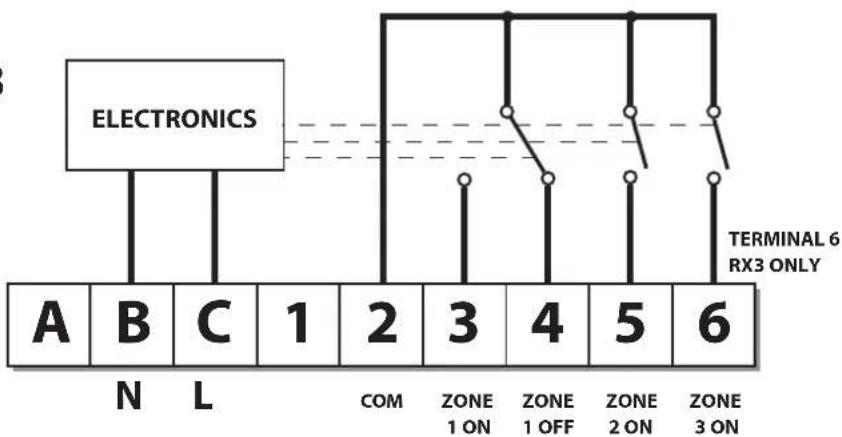
flowchart
graph TD
    A["Electronics"] --> B["A"]
    A --> C["B"]
    A --> D["C"]
    A --> E["1"]
    A --> F["2"]
    A --> G["3"]
    A --> H["4"]
    A --> I["5"]
    A --> J["6"]
    K["N"] --> L["L"]
    M["COM"] --> N["ZONE 1 ON"]
    O["ZONE 1 OFF"] --> P["ZONE 2 ON"]
    Q["ZONE 3 ON"] --> R["ZONE 6 RX3 ONLY"]
NB. For mains voltage operated systems link terminal 2 to mains live supply.
If the thermostat and the receiver have been supplied together in a combined pack, the units have been paired in the factory and no commissioning is required (RX1 only).
To tune the RX receiver to the frequency of the thermostat signal, follow steps 1-5 below.
Step 1 RT51/52-RF
Reset the unit by removing the batteries for 2 minutes, then replace.
Step 2 Press and hold V and + buttons for 3 seconds (Thermostat now transmits unique signal continuously for 5 minutes).
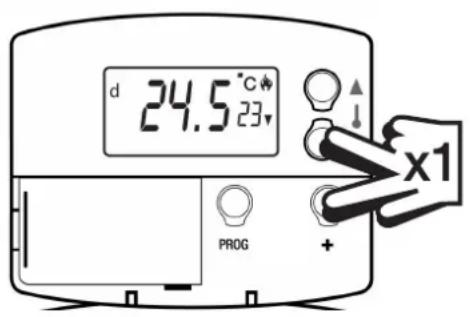
Step 3 RX1
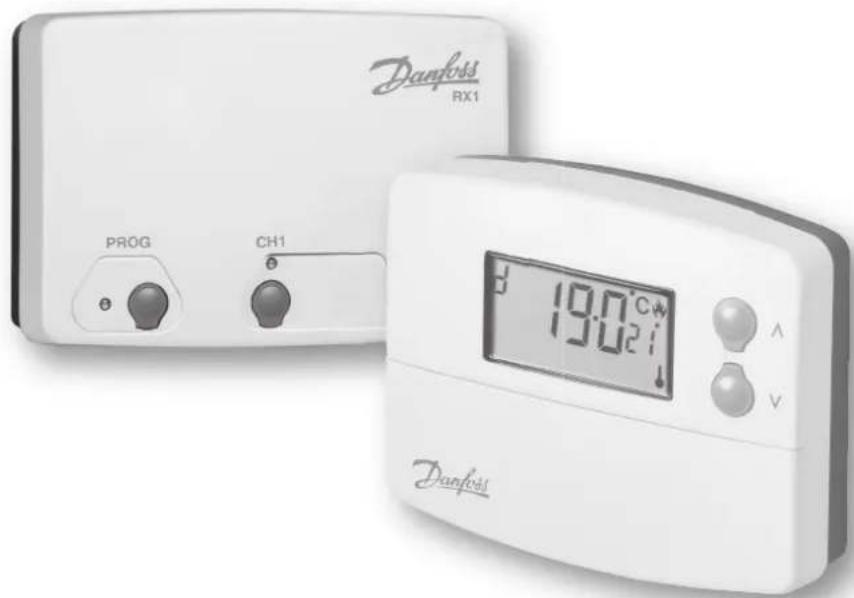
Press and hold buttons PROG and CH1 for 3 seconds until green light fl ashes once.
Step 4 RX2 (if applicable)
Stat 1 - perform steps 1-3.
Stat2-wait 5 mins, perform steps 1-2 and then press PROG and CH2 on RX2.
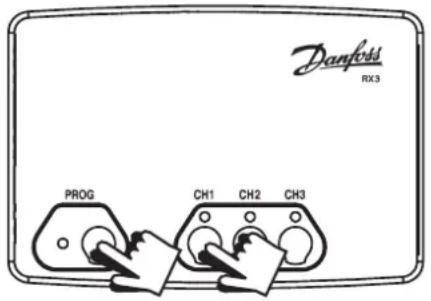
RX3 (if applicable)
Stat 1 - perform steps 1-3.
Stat 2 - wait 5 mins, perform steps 1-2 and then press PROG and CH2 on RX3.
Stat 3 - wait 5 mins, perform steps 1-2 and then press PROG and CH3 on RX3.
Step 5 RT51/52-RF
Press or V to select temperature - unit will revert back to operating mode.


What is a programmable room thermostat?
... an explanation for householders
A room thermostat simply switches the heating system on and off as necessary. It works by sensing the air temperature, switching on the heating when the air temperature falls below the thermostat setting, and switching it off once this set temperature has been reached.
Turning a room thermostat to a higher setting will not make the room heat up any faster. How quickly the room heats up depends on the design of the heating system, for example, the size of boiler and radiators.
Neither does the setting affect how quickly the room cools down. Turning a room thermostat to a lower setting will result in the room being controlled at a lower temperature, and saves energy.
The heating system will not work if a time switch or programmer has switched it off.
The way to set and use your room thermostat is to find the lowest temperature setting that you are comfortable with, and then leave it alone to do its job. The best way to do this is to set the room thermostat to a low temperature – say 18°C – and then turn it up by one degree each day until you are comfortable with the temperature. You won't have to adjust the thermostat further. Any adjustment above this setting will waste energy and cost you more money.
If your heating system is a boiler with radiators, there will usually be only one room thermostat to control the whole house. But you can have different temperatures in individual rooms by installing thermostatic radiator valves (TRVs) on individual radiators. If you don't have TRVs, you should choose a temperature that is reasonable for the whole house. If you do have TRVs, you can choose a slightly higher setting to make sure that even the coldest room is comfortable, then prevent any overheating in other rooms by adjusting the TRVs.
Room thermostats need a free flow of air to sense the temperature, so they must not be covered by curtains or blocked by furniture. Nearby electric fires, televisions, wall or table lamps may prevent the thermostat from working properly.
Your room thermostat
RT51
The RT51 is a simple to use room thermostat which allows you to programme a Day and a Night temperature, and to switch between the two settings simply by pressing 2 buttons.
RT52
The RT52 has the same functionality as the RT51 with the added benefit of a built-in timer, which will return the thermostat to Day temperature at a time chosen by you.
Wireless RF versions
Both models are available in wireless versions - RT51-RF and RT52-RF - which offer exactly the same functions as the hard-wired models.
Each thermostat communicates with an RX receiver, which can be located up to 30m away.
Reading your display
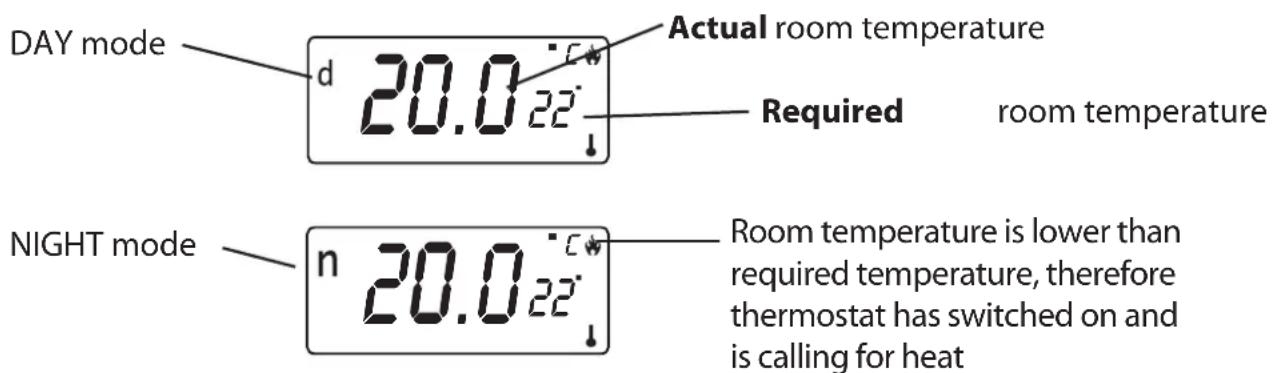
Before you start
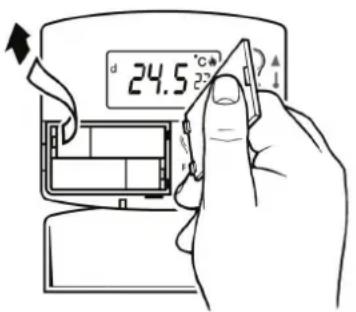
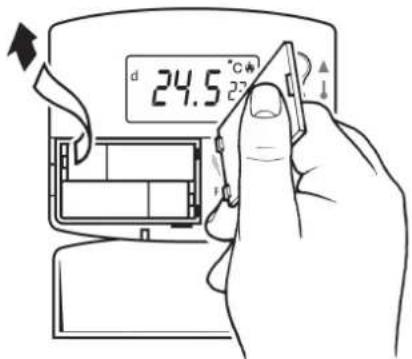
To reset the unit, open the fl ap on the front of the programmer. Remove the batteries for 2 minutes, then replace.
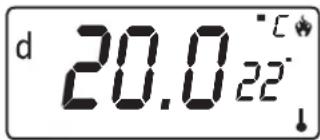
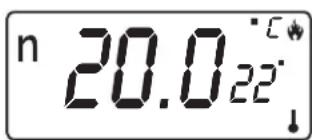
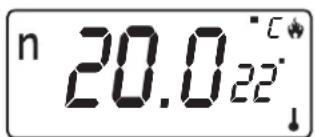
The display will automatically default to DAY mode (d shown top left of display) and show actual temperature in the large characters and required temperature in the smaller characters.
Setting the DAY & NIGHT temperatures
DAY temperature
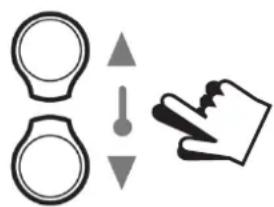
Use the ▲ and ▼ buttons until the required DAY temperature is shown.
natural_image
Simple line drawing of a hand pointing at a circular object with an arrow indicating direction (no text or symbols)NIGHT (set-back) temperature
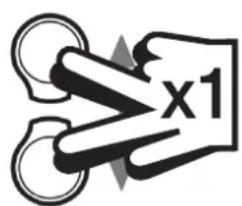
Press ▲ and ▼ buttons together once to select NIGHT mode (n shown top left of display).
Use the ▲ and ▼ buttons until the required NIGHT(set-back)temperature is shown (between 5-30°C or Off).
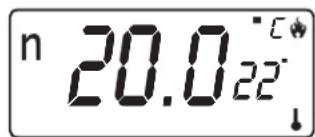
Pressing the ▲ and ▼ buttons together once allows you to toggle between DAY and NIGHT mode as required.

RT52 / RT52-RF only
Setting the clock
Press PROG button once.
Use ▲ and ▼ buttons until the correct TIME is shown.
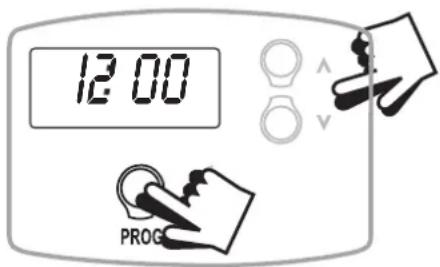
Setting the Return to Day Time
Press PROG button again.
Use ▲ and ▼ buttons to select the time you wish the unit to return to DAY mode.
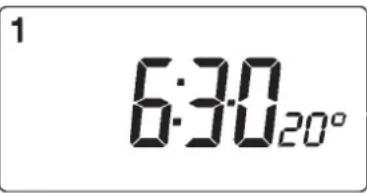
RUN Mode
Press PROG again to return to RUN mode.
The unit will now control your heating at the temperatures you have set.
Battery Replacement
☐ When batteries are low a battery symbol will flash in the LCD display.
☐ You have 15 days to replace the battery before the unit will switch off.
☐ When changing batteries, remove old batteries and insert new ones within ONE MINUTE and programming will not be lost.
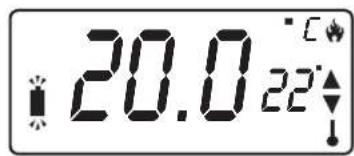
IMPORTANT: always use high quality alkaline batteries.
NB. If the display ever goes blank during normal operation, the batteries will need to be renewed, the unit reset and the time and programmes reset.

natural_image
Diagram showing a hand inserting a cable into a device casing, with no visible text or symbols.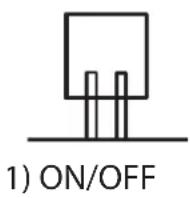
natural_image
Diagram of a device rear panel showing internal wiring and ports (no text or labels)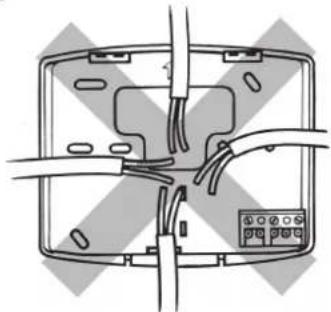
natural_image
Pure electrical circuit lines without any symbolsEtape 3 RX1
natural_image
Simple line drawing of a hand holding a pointing hand with an arrow indicating direction (no text or symbols)natural_image
Diagram showing a hand inserting a cable into a device casing, with no visible text or symbols.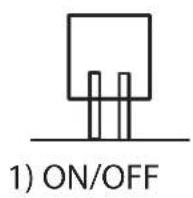
AUS COM EIN
natural_image
Diagram of a device rear panel with cable and connector (no text or symbols)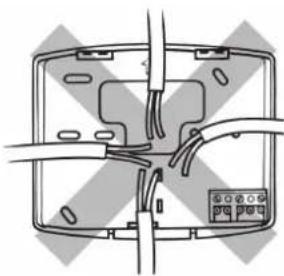
natural_image
Diagram of a device with wires and connectors, no text or symbols presentnatural_image
Simple line drawing of a hand pointing at a circular object with an exclamation mark (no text or symbols)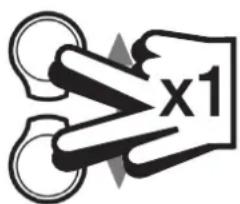
RUN-Modus
natural_image
Line drawings showing hand holding a device with a cable being inserted, and three views of the device (no text or symbols present)natural_image
Diagram showing a hand inserting a small electronic component into a device casing (no text or symbols present)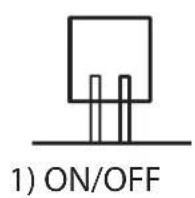
natural_image
Simple line drawing of a hand pointing at a circular object with an arrow indicating direction (no text or symbols)La Temperatura nocturna
Fijar Volver a la Temperatura diurna
Modo en FUNCIONAMIENTO ("RUN")
natural_image
Diagram showing a hand inserting a cable into a device casing, with no visible text or symbols.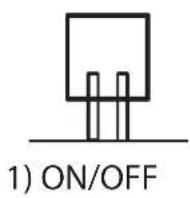
natural_image
Simple line drawing of a hand holding a magnifying glass, with no text or symbols present.NATTE (tilbagestilling)-temperatur
DRIFTS-tilstand
natural_image
Line drawings showing a hand inserting a device into a smartphone case, with no text or symbols present.natural_image
Diagram showing a hand inserting a cable into a device casing, with no visible text or symbols.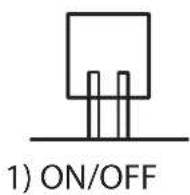

natural_image
Two technical diagrams showing internal wiring connections on a device casing, with no visible text or symbols.natural_image
Simple line drawing of a hand pointing at a circular object with an arrow indicating direction (no text or symbols)NACHTTEMPERATUUR
Normaal bedrijf
natural_image
Line drawing of hands inserting a device into a device (no text or symbols)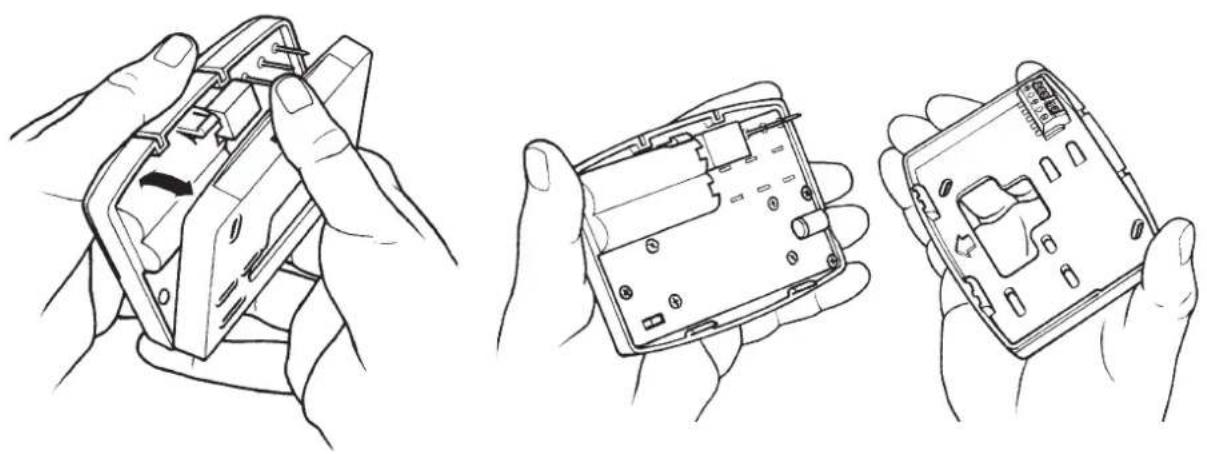
natural_image
Three hand-drawn diagrams showing hands holding a smartphone case with internal components (no text or symbols)natural_image
Diagram showing a hand inserting a small electronic component into a device casing (no text or symbols present)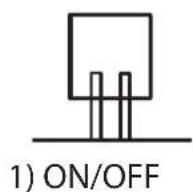
natural_image
Diagram of a device rear panel with cable and indicator lights (no text or symbols)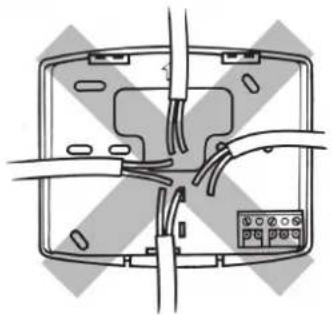
natural_image
Diagram of a device with wires and connectors, no text or symbols presentnatural_image
Simple line drawing of a hand pointing at a circular object with an arrow indicating direction (no text or symbols)natural_image
Line drawing of hands inserting a card into a device (no text or symbols)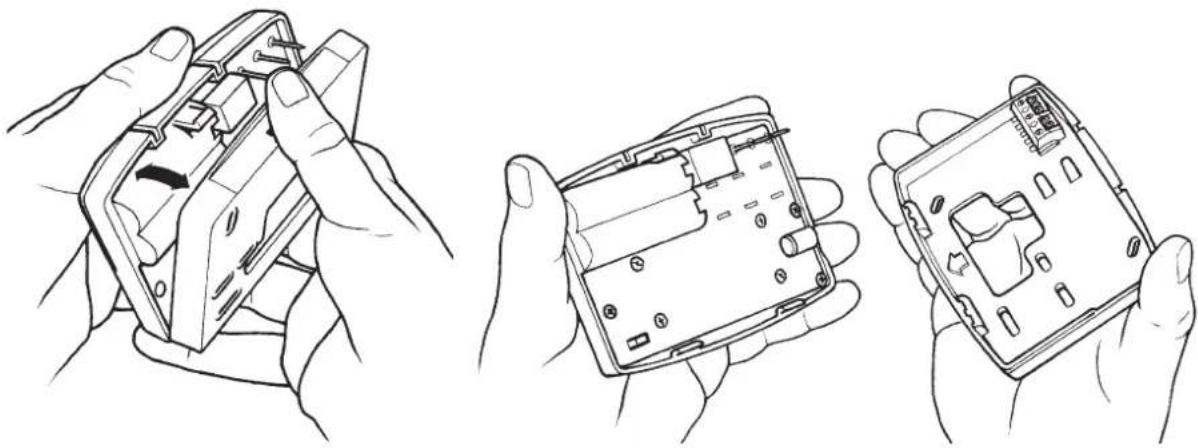
natural_image
Three-step line drawings of hands holding a device, showing internal components and assembly (no text or symbols)natural_image
Diagram showing a hand inserting a cable into a device casing, with no visible text or symbols.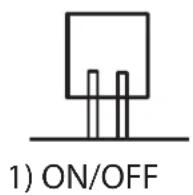
natural_image
Two technical line drawings of a device rear panel with cable and terminal blocks, no text or symbols present.natural_image
Simple line drawing of a hand pointing at a finger with an arrow indicating direction (no text or symbols)Temperatura nocna
Tryb RUN (praca)
natural_image
Diagram showing a hand inserting a cable into a device casing, with no visible text or symbols.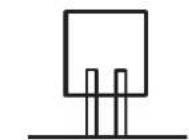
1) ON/OFF
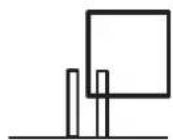
2) CHRONO
natural_image
Two technical diagrams showing internal wiring connections in a device casing, with no visible text or symbols.RX imtuvo laidai (tik RF modeliams)
RX1
flowchart
graph TD
    A["ELECTRONICS"] --> B["N"]
    A --> C["L"]
    A --> D["1"]
    A --> E["2"]
    A --> F["3"]
    A --> G["4"]
    H["COM"] --> I["ZONE 1 ON"]
    H --> J["ZONE 1 OFF"]
RX2 & RX3
flowchart
graph TD
    A["Electronic"] --> B["A"]
    A --> C["B"]
    A --> D["C"]
    A --> E["1"]
    A --> F["2"]
    A --> G["3"]
    A --> H["4"]
    A --> I["5"]
    A --> J["6"]
    K["N"] --> L["L"]
    M["COM"] --> N["ZONE 1 ON"]
    O["ZONE 1 OFF"] --> P["ZONE 2 ON"]
    Q["ZONE 3 ON"] --> R["ZONE 6 RX3 ONLY"]
natural_image
Simple line drawing of a hand pointing at a warning symbol with an exclamation mark (no text or labels)RUN režimas
natural_image
Diagram showing a hand inserting a cable into a device casing, with no visible text or symbols.
natural_image
Two technical line drawings of a device rear panel with cable and terminal connections (no text or symbols)flowchart
graph TD
    A["ELECTRONICS"] --> B["N"]
    A --> C["L"]
    A --> D["1"]
    A --> E["2"]
    A --> F["3"]
    A --> G["4"]
    B --> H["COM"]
    C --> I["ZONE 1 ON"]
    D --> J["ZONE 1 OFF"]
    E --> K["Line with open circle"]
    F --> L["Line with open circle"]
    G --> M["Line with open circle"]
RX2 & RX3
natural_image
Simple line drawing of a hand pointing at a circular object with an arrow indicating direction (no text or symbols)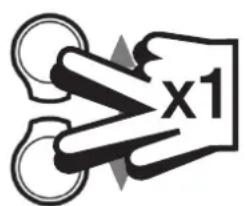

Modalità RUN
www.danfoss.com/BusinessAreas/Heating
This product complies with the following EC Directives:
Electro-Magnetic Compatibility Directive.
(EMC) (89\336\EEC), (92\31\EEC)
Low Voltage Directive.
(LVD) (73\23\EEC), (93\68\EEC)
CE

- Installation Instructions
- Please Note:
- RX Receiver Wiring (RF models only)
- Step 1 RT51/52-RF
- Step 3 RX1
- Step 4 RX2 (if applicable)
- RX3 (if applicable)
- Step 5 RT51/52-RF
- What is a programmable room thermostat?
- Your room thermostat
- RT51
- RT52
- Wireless RF versions
- Reading your display
- Before you start
- Setting the DAY & NIGHT temperatures
- DAY temperature
- NIGHT (set-back) temperature
- RT52 / RT52-RF only
- Setting the clock
- Setting the Return to Day Time
- RUN Mode
- Battery Replacement
- IMPORTANT: always use high quality alkaline batteries.
- Etape 3 RX1
- RUN-Modus
- La Temperatura nocturna
- Fijar Volver a la Temperatura diurna
- Modo en FUNCIONAMIENTO ("RUN")
- NATTE (tilbagestilling)-temperatur
- DRIFTS-tilstand
- NACHTTEMPERATUUR
- Normaal bedrijf
- Temperatura nocna
- Tryb RUN (praca)
- RX imtuvo laidai (tik RF modeliams)
- RUN režimas
- Modalità RUN
Brand : DANFOSS
Model : RTRF
Category : Thermostat