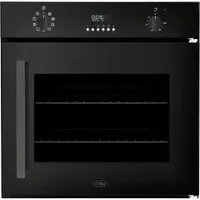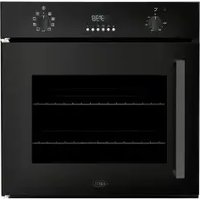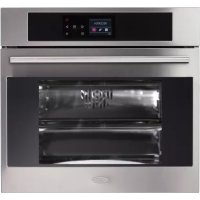
BPO45 - Oven BORETTI - Free user manual and instructions
Find the device manual for free BPO45 BORETTI in PDF.



| Product type | Built-in electric oven |
| Brand | Boretti |
| Model | BPO45 |
| Built-in dimensions (W x H x D) | 45 x 45 x 55 cm (estimate) |
| Electrical power supply | 230 V ~ 50 Hz |
| Maximum power | Not specified (estimate 2.5 - 3 kW) |
| Number of cooking functions | 11 |
| Cooking types | Conventional, fan-assisted, grill (small and large area), fan grill, rotisserie, defrost, rapid preheat (Boost), catalytic cleaning (Clean), pre-programmed recipes, temperature probe |
| Display | Digital touch (Touch Control) |
| Timer | Yes, with cooking duration, end of cooking, delayed cooking, and independent timer |
| Temperature probe | Yes, range +30°C to +99°C, for core temperature control |
| Child safety | Key lock function (controls lock) |
| Automatic switch-off | Yes, after programming or in case of inactivity |
| Interior lighting | Yes, independent control, automatic shut-off for energy saving |
| Cavity material | Microporous catalytic enamel (self-cleaning panels on some walls) |
| Cleaning | Clean cycle at 250°C for catalytic panels; manual cleaning with water and soap; do not use steam cleaner or abrasive products |
| Cooling fan | Yes, activates automatically at ~80°C, turns off at ~60°C |
| Removable door | Yes, for easy cleaning |
| Replacement bulb | 25W, G9 base, resistant to 300°C |
| Spare parts available | Catalytic panels, temperature probe, bulb, heating elements (on request) |
| Installation | Recessed installation in heat-resistant cabinet; electrical connection by qualified personnel |
Frequently Asked Questions - BPO45 BORETTI
User questions about BPO45 BORETTI
0 question about this device. Answer the ones you know or ask your own.
Ask a new question about this device
Download the instructions for your Oven in PDF format for free! Find your manual BPO45 - BORETTI and take your electronic device back in hand. On this page are published all the documents necessary for the use of your device. BPO45 by BORETTI.
USER MANUAL BPO45 BORETTI
we would like to thank you and congratulate you on your choice.
This new product has been carefully designed and built using top quality materials, and meticulously tested to ensure that it meets all your culinary requirements. Please read and observe these simple instructions, which will enable you to achieve excellent results from the very first time you use it. This state-of-the-art appliance comes to you with our very best wishes.
THE MANUFACTURER

Nederlandsl

English

Italiano

Français

Deutsch
THIS PRODUCT IS DESIGNED FOR DOMESTIC USE. THE MANUFACTURER DECLINES ALL RESPONSIBILITY FOR DAMAGES TO THINGS OR PEOPLE DERIVING FROM INCORRECT INSTALLATION OR IMPROPER, ERRONEOUS OR UNSUITABLE USE.
THE APPLIANCE MUST NOT BE USED BY PEOPLE (INCLUDING CHILDREN) WITH PHYSICAL, SENSORIAL OR MENTAL IMPAIRMENTS, OR BY PEOPLE WITHOUT THE NECESSARY EXPERIENCE OR KNOWLEDGE, UNLESS THEY ARE SUPERVISED OR INSTRUCTED IN THE USE OF THE APPLIANCE BY A PERSON RESPONSIBLE FOR THEIR SAFETY.
THE APPLIANCE AND ITS ACCESSIBLE PARTS BECOME VERY HOT DURING USE. BE CAREFUL NOT TO TOUCH THE HEATING ELEMENTS INSIDE THE OVEN. CHILDREN UNDER 8 YEARS OF AGE MUST BE KEPT AWAY IF NOT CONTINUALLY MONITORED.
DO NOT PLACE POTS OR PANS OR ALUMINIUM OR SIMILAR METAL FOILS IN CONTACT WITH THE BASE OF THE OVEN FOR COOKING.
THE HEATING ACTION OF THE LOWER HEATING ELEMENT CAUSES OVERHEATING OF THE LOWER PART OF THE OVEN CAUSING DAMAGE AND SERIOUS CONSEQUENCES (RISK OF FIRE) EVEN TO THE COUNTER UNDER THE OVEN. DO NOT USE ROUGH ABRASIVES OR SHARP METAL SCRAPERS TO CLEAN THE GLASS DOOR OF THE OVEN BECAUSE THEY COULD SCRATCH THE SURFACE AND CAUSE THE GLASS TO SHATTER.
USE ONLY THE THERMAL PROBE RECOMMENDED FOR THIS OVEN. DO NOT USE STEAM CLEANERS TO CLEAN THE OVEN.

Contents

User instructions, 37
The first time you use the oven, 37
Self-cleaning catalytic panels (Where present), 38
Respect for the environment, 38
Introduction to the oven, 39
Installation and hook-up, 39
Before hook-up, 39
Demonstration mode, 39
Setting the clock, 40
Actions that are possible with the oven off, 41
Turning on the oven, 41
Key (or child safety) function, 42
Main functions, 43
Overview of the command panel, 43
The cooking functions, 43
Control panel functions, 44
Instructions for use, 45
Food probe, 47
Special functions:Boost,Clean,52
Oven light control, 53
Simple cooking commands, 53
Setting the temperature, 54
Residual heat, 54
Programming the oven, 54
Timer programming: cooking time, 56
Automatic function: recipes, 59
Personalising recipes, 60
Removing the oven door, 62
Installation instructions,
Install the oven in the counter 45, 64
Flush fitting 60, 65
Electrical connections, 66
IMPORTANT
The oven's data plate is accessible even with the oven fully installed. The plate is visible simply by opening the door. Always quote the details from it to identify the appliance when ordering spare parts.
User instructions
The first time you use the oven
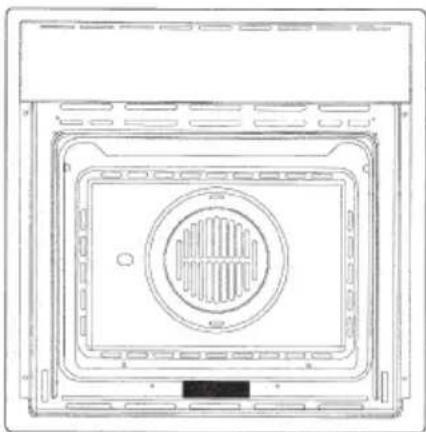
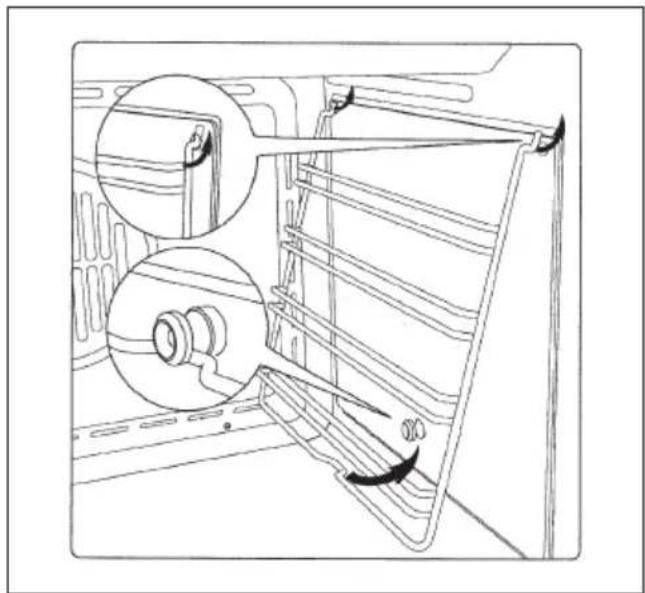
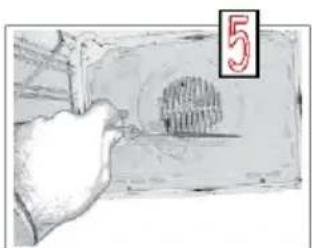
Clean the oven thoroughly with soapy water and rinse well. To remove the lateral frames from smooth-walled ovens, proceed as shown in the figure.
Operate the oven for about 30 minutes at maximum temperature to burn off all traces of grease which might otherwise create unpleasant smells when cooking.
Do not use rough abrasives or sharp metal scrapers to clean the glass door of the oven because they could scratch the surface and cause the glass to shatter.
Important:
As a safety precaution, before cleaning the oven, always disconnect the plug from the power socket or the power cable from the oven. Do not use acid or alkaline substances to clean the oven (lemon juice, vinegar, salt, tomatoes etc.). Do not use chlorine based products, acids or abrasive products to clean the painted surfaces of the oven.
Do not use steam cleaners to clean the appliance.
Self-cleaning catalytic panels (Where present)

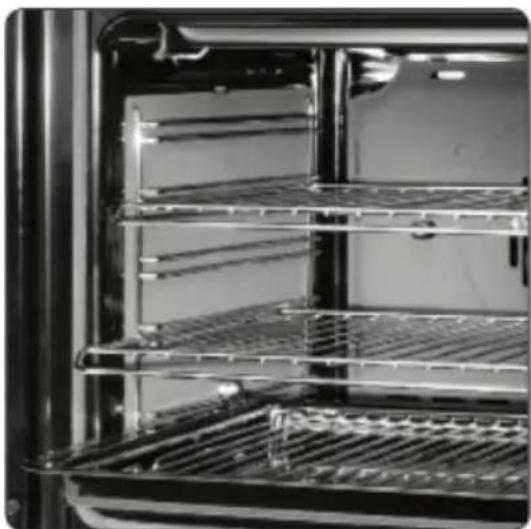
SELF-CLEANING PANELS
The CLEAN (where present) function activates the reaction that causes cleaning.
Our smooth walled ovens can be fitted with selfcleaning panels to cover the inside walls.
These special panels are simply hooked on to the walls before the side frames are fitted. They are coated in a special, micro-porous catalytic enamel which oxidises and gradually vaporises splashes of grease and oil at cooking temperatures above 200^ C.
If the oven is not clean after cooking fatty foods, operate the empty oven for 60 minutes (max.) at maximum temperature.
Never wash or clean selfcleaning panels with abrasive, acid, or alkaline products.
Respect for the environment
The documentation for this appliance is printed on paper bleached without chlorine or recycled paper to contribute to protecting the environment. The packaging was designed to prevent damage to the environment; they are ecological products that can be recovered or recycled. Recycling the packing saves raw materials and reduces the volume of industrial and domestic waste.

THE PACKING MATERIAL is 100% recyclable and marked with the recycling symbol. Dispos of in conformity with local law. The packing material (plastic bags, polystyrene parts, etc.) must be kept out of the reach of children because it is potentially dangerous. THIS APPLIANCE is marked in conformity with European Directive 2002/96/EC, Waste Electrical and Electronic Equipment (WEEE). By making sure that this product is disposed of correctly, the user contributes to preventing potential negative consequences for the environment and health.
THE SYMBOL on the product or accompanying documentation indicates that this product must not be treated as domestic waste but must be delivered to a suitable collection point for the recycling of electrical and electronic equipment.

DISPOSAL MUST BE MADE in conformity with local laws on waste disposal.
FOR ADDITIONAL INFORMATION about the treatment, recovery and recycling of this product, contact the local office of competence, the domestic waste collection service or the store where the product was purchased.
BEFORE SCRAPPING, make it unusable by cutting the electrical cord.
EN
Introduction to the oven
Dear Customer, your new oven is controlled by an electronic board that constantly monitors its operation to improve its performance.
The touch controls are state-of-the-art, precise and reliable.
The interface is elegant, orderly and discrete, more intuitive than ever!
A few buttons, many functions and no combination or sequence is difficult to enter, so you can concentrate on following the recipe and the oven is ready in two clicks!
Installation and hook-up
Dear Customer, this oven is a sophisticated electronic appliance, classified as a durable good. Its installation requires qualified professionals for both the hook-up of the power line and itsplacement in the kitchen counter.
(SEE ASSEMBLY INSTRUCTIONS ON PAGE 62)
Before hook-up
When the oven is connected to the electric mains for the first time, the display will ask you to select your language; use the buttons to select the language you want;
use the button to confirm the choice;

(from now on, the language choice will remain fixed even when their are power outages).
Now, it goes into demonstration mode.
Demonstration mode
This is the mode that the oven is normally in every time that there is a power failure and, consequently, when it is first hooked-up:
the purpose is to show how you can control it with a recorded sequence of commands.


In this mode, the oven is never REALLY turned on, i.e., the heating elements are never powered! The control panel is INACTIVE and, so, the oven will not respond to commands!
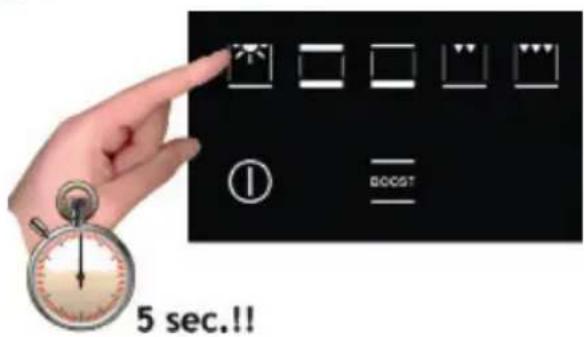
To disable the demonstration mode, touch the light symbol for five seconds: the control will go to normal operation and ready for turning on. Now you can set the time but it is not necessary for turning on the oven.
Setting the clock

The oven will signal that it is connected to the power mains with a double beep. To set the system time, press the "TIMER FUNCTIONS" button for at least 3 seconds

Each command activated is confirmed by a beep.

Set the clock with the + and - buttons: during setting the separator dots flash, the time has been set when the dots remain steady on.
ACTIONS THAT ARE POSSIBLE WITH THE OVEN OFF
- Turn on oven light

The oven light is turned on/off by touching the symbol as shown in the figure.

- Change the Language
When the oven is off, you can change the language of the display by simultaneously selecting and the + in the lower right for at least 3 seconds.
Then use to select the language and confirm the choice with .
- Setting the "minute-counter" timer function
See the appropriate section on page 58.
Turning on the oven
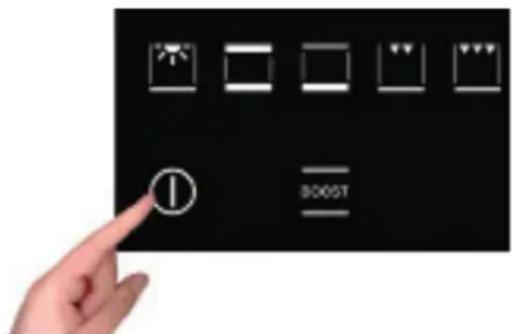
Turn the oven on by pressing the symbol shown in figure.
to activate the oven functions, always press ① except for the light and timer functions, which are independent
The command activates all the icons by lighting up their backgrounds.
NOTE: Remember that the oven only turns on if the key function is deactivated

The word ON appears on the display for a minute. The control is waiting for you to select a cooking function. Otherwise, the oven assumes that it was turned on by accident and, for safety reasons, it automatically turns off displaying the word OFF for several seconds.
Key (or child safety) function


The key function is activated/deactivated by pressing the button for at least 3 seconds.
You can activate and deactivate the operating mode of the oven at any time.
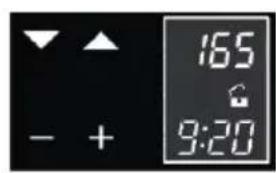
The padlock OPEN symbol means that the key function is not active.

The padlock CLOSED symbol means that the key function is active.
MAIN FUNCTIONS
Overview of the command panel

EN
The cooking functions
The provides eleven specific cooking functions!
To activate a function, just touch the corresponding symbol.
Each function has a temperature setting selected on the basis of cooking tests of the recipes that are typically used, which can be easily changed based on your own experience.
Attention:
"During use, the accessible parts of the oven can become very hot. Children should be kept at a distance; you should also be careful not to touch the heating elements inside the oven."
Control panel functions


The oven lamp always turns on when the door is opened and, to save energy, it is managed by the system in the other modes.

Upper and lower heating elements. Preset to 190^ . Regulation of the thermostat from 50^ to MAX

Lower heating element. Pre-set to 50^ . Regulation of the thermostat from 50^ to MAX

Upper heating element (grill surface and reduced power). Preset to MAX. Regulation of the thermostat from 50^ to MAX.

Double heating element (large grill surface area). Preset to MAX. Regulation of the thermostat from 50^ to MAX.

Double upper heating element with fan (large grill surface area). Pre-set to 165^ . Regulation of the thermostat from 50^ to MAX.

Upper heating element, lower with fan. Pre-set to 165^ . Regulation of the thermostat from 50^ to MAX.

Circular heating element with fan. Pre-set to 165^ . Regulation of the thermostat from 50^ to MAX.

Lower heating element + Circular heating element with fan. Pre-set to 230^ . Regulation of the thermostat from 50^ to MAX.

Fan for defrosting. Regulation of the Thermostat from 0 to 60^ C.

Access to preset recipes

Rapid preheating

Rapid cleaning (for ovens with self-cleaning catalytic panels)
The table below shows the results of the cooking tests conducted in our laboratories by a professional cook. In any case, these are only indicative and the values that we have selected are only a starting point for your to experiment with your own recipes to obtain better results!


EN
Instructions for use
Conventional cooking


A classic system that uses upper and lower heat suitable for cooking a single dish.
It is a good idea to insert the food when the oven has reached its preset temperature, i.e., when the ^ C is locked and you have heard the beep.
If you need to lower or raise the temperature towards the end of cooking, press the most suitable cooking symbol and adjust the temperature as you see fit.
We recommend opening the door as little as possible during cooking.
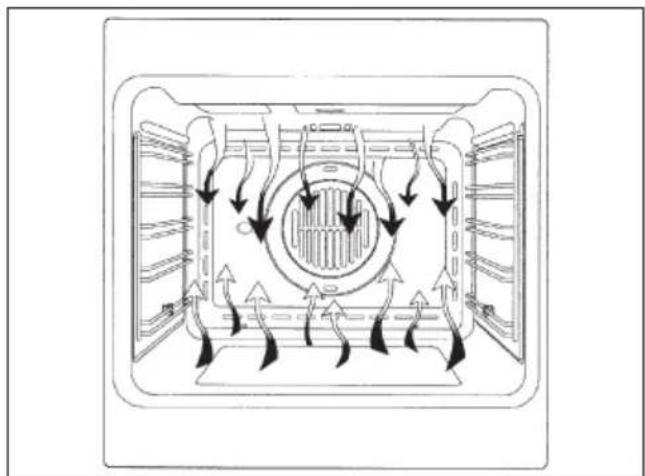
Fan cooking


In this type of cooking, a fan located in the rear part circulates warm air inside the oven, distributing it uniformly. This cooks food faster than conventional cooking.
This system is good for cooking on several shelves and even for different types of foods (fish, meat, etc.).
Defrosting

When you select ventilated cooking and set the temperature to 0^ , the fan will circulate cold air inside the oven, favouring the rapid defrosting of frozen foods.
Pre-heating is not necessary but it is better to do it for pastries (you can increase the temperature up to 60^ ).

Grill cooking

Type of cooking for grilling or browning foods.
Some ovens can even have a motorised rod for cooking on a spit.
The grill with the food to be cooked is placed in the 1st or 2nd position from the bottom.
Pre-heat for 5 minutes. Regulate the temperature from 50^ to MAX.
Cooling fan
The fan is located on the upper part of the oven and creates a flow of cooling air inside the cabinet and across the front of the oven.
It starts when the oven chamber reaches about 80^ .
The fan turns off when the temperature of the oven chamber falls below about 60^ .
Food probe (or probe thermometer)
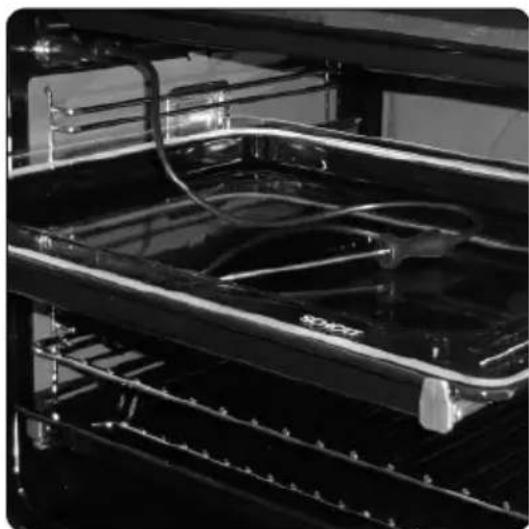
TEMPERATURE PROBE
Tenderness, taste and flavour are the result of precise ad functional control.
The food probe is a thermometer which, when inserted into the food, makes it possible to check the internal temperature and use it to establish the end of cooking.
For example, meat may look like it is cooked on the outside, but still be pink on the inside!
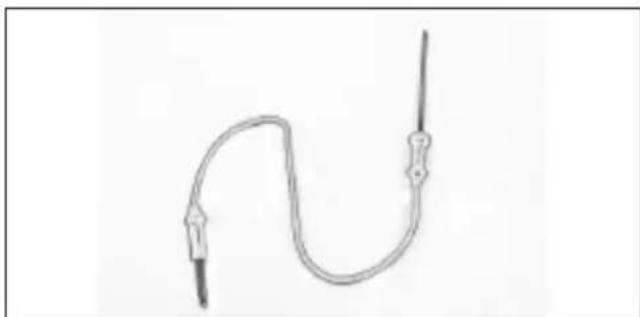
The temperature reached by food during cooking is closely linked to problems relating to health and hygiene. Bacteria can be contained in every kind of meat, poultry and fish, as well as raw eggs.
Certain types of bacteria make food go off, while others, such as Salmonella, Campylobacter jejuni, Listeria monocytogenes, Escherichia coli and Staphylococcus aureus can be seriously harmful to human health.
Bacteria multiply very quickly above a temperature of 4.4^ up to 60^ . Vince is particularly at risk from this point of view.
To prevent bacteria from multiplying, it is necessary to take the following measures:
- Do not defrost food at room temperature, always in the fridge or in the oven using function. In the latter case, cook the food immediately afterwards.
- Stuff chicken just before eating it. Never buy pre-packed ready-stuffed chicken and only buy ready-cooked stuffed chicken when you intend to eat it within 2 hours.
- Marinate food in the fridge, not at room temperature.
- Use a food probe to check the temperature of meat, fish and poultry if they are more than 5cm thick,


to ensure that the minimum cooking temperatures are reached.
The greatest hazards are posed by poorly cooked chicken, particularly at risk from Salmonella.
- Avoid interrupting the cooking process, i.e., partially cooking food, storing it and complete the cooking process later. This sequence encourages the growth of bacteria due to the "warm" temperatures reached inside the food.
- Roast meat and poultry in the oven at temperatures of at least 165^ .
Using the food probe
The food probe socket is situated in the top front corner of the oven cavity, protected by a metal cover (1).

Lift the metal cover (2)

Push the plug in as far as it will go. If it is correctly inserted, the control will give off a double beep.(3)

Push the probe into the centre of the food, avoiding touching bones or fatty areas.

Remember that the probe will not work if it is connected when the oven is already switched on!


With you can change the minimum required internal temperature in a range of +30^ to +99^ but we recommend consulting the table below, which is taken from the "National Food Safety Database (USA)"
Remember that, if you want to change the temperature parameters of the food probe or the internal temperature of the oven, you must proceed as follows:
- Select (white for the probe and red for the oven chamber)
- with you can increase or decrease the temperatures at will

| FOOD MINIMUM INTERNAL TEMPERATURE | |
| Mince | |
| Hamburger 71°C | |
| Beef, veal, lamb, pork 74°C | |
| Chicken, turkey 74°C | |
| Beef, veal, lamb | |
| Roasts and steaks: | |
| Rare | The cooking temperature for rare meat is not indicated by the NFSD as it is unsafe for health reasons |
| Medium-rare 63°C | |
| Medium 71°C | |
| Well done 77°C | |
| Pork | |
| Chops, roasts, ribs: | |
| Medium 71°C | |
| Well done 77°C | |
| Fresh ham 71°C | |
| Fresh sausages 71°C | |
| Poultry | |
| Whole chicken or chicken pieces 82°C | |
| Duck 82°C | |
| Whole turkey (not stuffed) 82°C | |
| Turkey breast 77°C | |
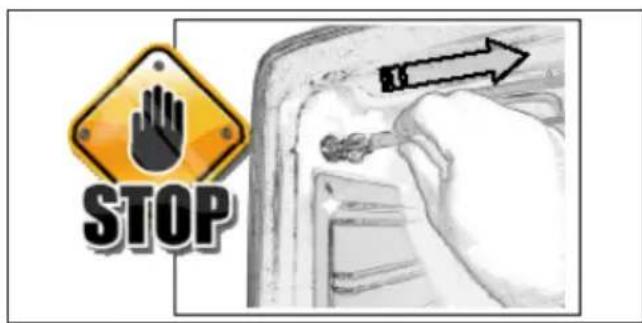
If the plug is removed after cooking begins, the control blocks the oven and signals the error by beeping: plug the probe in again to resume cooking!

When cooking with the aid of the food probe, all the pre-set temperatures are changed, to maintain consistency with the philosophy of use, to 165^ : they can be varied from a minimum of 120^ to a maximum of 250^ . For the same reason, the defrosting function is deactivated.


The end of cooking, established by reaching the internal temperature set for the food probe. All the oven programming functions (timer functions) are stopped, apart from the beeper (minute counter). When the food probe detects the temperature for which it was set, the oven is automatically turned off and you are notified by a beep and "Program finished remove the dish" on the display. When the cooking time is up, remember to disconnect the food probe and remove it from the oven. CAUTION: the probe is very hot after cooking.

Special functions Boost (quick preheat)


BOOST-FAST TIMES To shorten cooking times with fast pre-heating
This special function can be activated after selecting a cooking function and is used to reduce the time required to reach the set cooking temperature.


It is possible to disconnect the turbo heat function "BOOST" or change cooking function at any time.
Clean (quick cleaning)

ASSISTED CLEANING
High temperature cycle (250^) , combined with self-cleaning panels for gentle, non-invasive cleaning of the cooking chamber.
Correct operation is combined with the use of the lateral panels and catalytic fan cover: the oven is treated with special enamel with a micro-porous structure, which breaks down the fat projected thanks to a catalytic oxidisation process which transforms residues into gaseous products.
The turbo clean function is only activated when no cooking function has been selected, so: switch on the oven and touch the symbol as shown in the figure for five seconds.
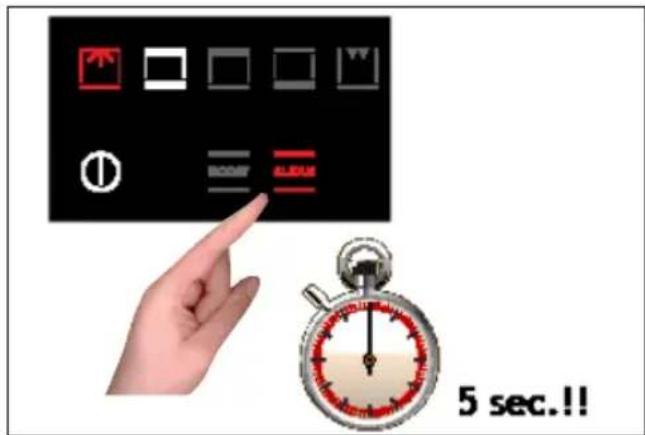


The cleaning process takes place at a temperature of 250^ and lasts one hour. Do not use it for cooking food!!
The oven light is activated and can be switched off and on again at any time.
All the self-cleaning panels will perform effectively for thirty cleaning processes, after this limit the panels must be replaced.
The panels should be cleaned exclusively with tap water and replacements can be ordered from your specialised dealer.
Oven light control
The light control is active on all the cooking functions and is independent, meaning that it can be switched on or off to suit your requirements, when you want!
The oven light is usually kept on throughout the heating time and then for three minutes after reaching the temperature set. From then on, the oven light switches off to save power.
To check the cooking, it may be necessary to switch on the internal light. All you have to do is touch the light symbol: the light will stay on for three minutes and then switch off automatically. Naturally you can switch it off immediately by touching the light symbol again.
Some models are equipped with a door control. This feature uses sensor technology to detect the position of the door to control the oven light: the opening of the door is indicated by a beep and the light comes on. It switches off when the door is closed again.
Simple cooking commands
Thanks to state-of-the-art controls, only two touches are required to set a cooking mode: turn on the oven and select the most suitable function for the dish you are about to cook... you choose it and you touch it!

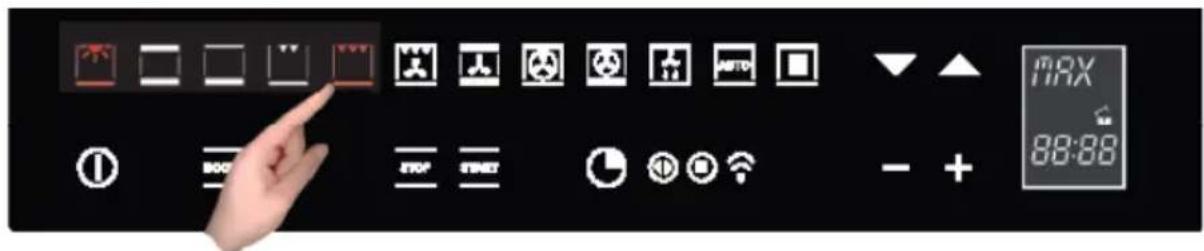

The control suggests a temperature for each function, which you can change at any time, but if you consider it suitable, you don't need to do anything else, the oven will start by itself in just a few seconds!
Setting the temperature
The uses a temperature probe that is accurate to ± 5^ for the maximum reliability of the cooking temperatures requested.
You can change the temperature at any time. After selecting the cooking function, just touch the symbols and the setting range varies from +50^ to MAX.
You don't need to confirm the change, the control turns on by itself after a few seconds.
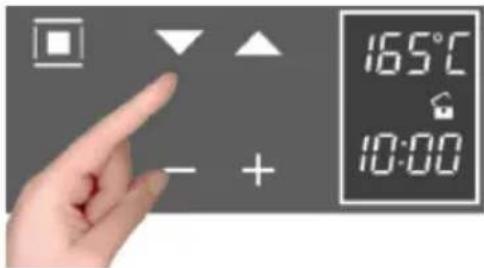
During heating, the centigrade symbol (^) flashes to indicate that it is heating up to reach the selected temperature. When the temperature is reached, it beeps.
NOTE: some models may display the current temperature in the oven until the temperature set is reached. If you want to check the temperature set, press any one of the buttons and, if you wish, you can use them to change the temperature set.
Residual heat
While cooking food, the structure of the oven stores heat. This heat is kept isolated from the rest of the kitchen thanks to generous heat insulation and certain construction techniques.
This heat is gradually dissipated over time and can still be a resource in the kitchen, if it is managed: the control shows the internal temperature after the oven is turned off until it falls to 50^ .
EN

Use this characteristic to keep foods warm or to complete their cooking gently!
PROGRAMMING THE OVEN
The programming of the oven provides three modes for controlling the cooking time. They can be used in combination with normal cooking functions.
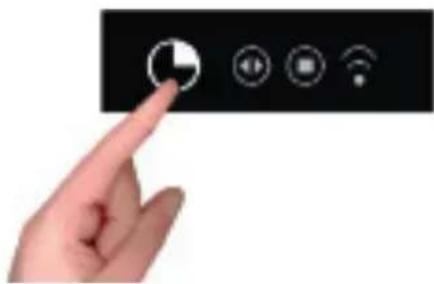
The functions can be selected in sequence, from left to right, by touching the clock symbol.
At each touch, a symbol lights up in sequence.
Timer programming: cooking time

Touch the timer symbol once and the relative symbol will light up. Plus, the clock display will replace the current time:
The separator dots flash to indicate that you can program the cooking time.

Once the cooking time is entered, the display will flash the current time again and the "cooking time" symbol will be lit.
The countdown begins now. After the indicated time has elapsed, the oven will beep and the heating elements, and cooking, will be turned off. The following words will appear on the display: "Program finished remove the dish": press any button to stop the beeping or open the door. After one minute, the oven will automatically turn off, if other cooking functions have not been set.
Timer programming: end-of-cooking time

Touch the timer symbol two times and the relative symbol will light up.
The separator does will flash to indicate that you can set the end-of-cooking time.
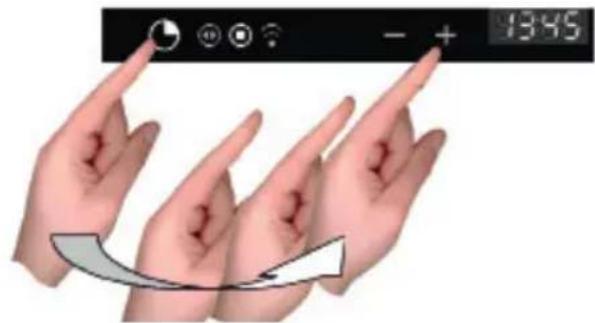
Set the end-of-cooking time by touching the "+" and "-" symbols.


Once the end-of-cooking time is entered, the display will flash the current time again and the "end-of-cooking time" symbol will be lit.
The countdown starts now. When the set time has been reached, the oven will beep and the heating elements will turn off, ending cooking. The following words will appear on the display: "Program finished remove the dish": press any button to stop the beeping or open the door. After eight seconds, the oven will automatically turn off, if other cooking functions have not been set.
Timer programming: delayed cooking
By combining the two modes, "cooking time" and "end-of-cooking time", you can program the oven so that cooking starts later than the current time.
For example, if you want to go out at 8:30 and you want a roast to be ready when you return at 13:00, do this:

Prepare the roast for cooking and put it in the oven
Turn on the oven, select the cooking function and set the temperature.

Then set the cooking time, which we assume to be two hours.

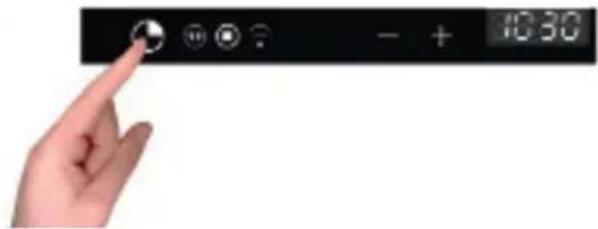


Now, set the end-of-cooking time: the control normally adds the cooking time to the current time, so it proposes an end-of-cooking time, which in our case would be 10:30 (8:30+2:00).
Change the end-of-cooking time to what you want, in our example 13:00
The oven goes to standby mode, turning off the oven light.

The control automatically turns the oven on at 11:00 (13:00-2:00) and turns it off at 13:00. The roast will be ready when you return!
Programming the timer: minute-counter
The minute-counter is a function of the timer that is independent from the operation of the oven, i.e., it does not stop cooking or turn off the oven but functions as an alarm. You can set it at any time, such as to remind you when to check cooking on the burners, in addition to the oven, or for other kitchen tasks. It is even available when the oven is off and, in this case, just touch the timer function symbol one time. But, if you are using it with the oven on, you must touch the time function symbol three times:

The separator dots flash to indicate you can set the time.
Touch the "+" and - symbols to set the minutes.
The countdown starts now. After the indicated time passes, the over will and the dedicated symbol will flash: press any button to stop the beep.
Programming the timer: cancelling the program
To cancel a program, you must set the previously assigned value to zero or turn on the oven.
Automatic functions: recipes
To access the recipe function, proceed as follows:
Turn on the oven with ①
Select the AUTOMATIC function


The display shows the 2 options:
personal recipes;
- preset recipes
Choose the desired setting with the buttons;

using the button, confirm the choice;
the following menu appears;
press the buttons to select the type of dish and the button to confirm the choice.

Press the buttons to select the type and the to confirm the choice.

Press the buttons to select the type and the to confirm the choice.
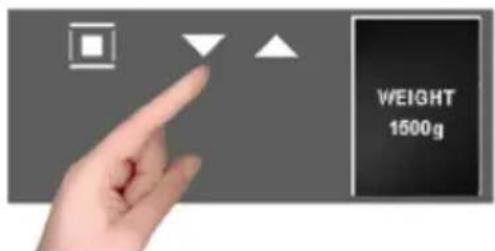
The weight screen appears. Use the buttons to select the preset values and confirm the choice with the button.


When finished with the settings, the display summarizes the recipe set. The colon in the cooking time (00:30) will be flashing to indicate that it can be changed.
To change it, use the - + buttons.
Or select the function directly and, in this way, the cooking program starts with a countdown of the preset time on the display.

ATTENTION: certain recipes use pre-heating, so put the dish in when the oven has reached the set temperature and the display shows "PRE-HEATING FINISHED PUT IN THE DISH"
When cooking is finished the display will flash "PROGRAM FINISHED REMOVE THE DISH" and, at the same time, the oven will beep until you press a key or open the door.
Note: at any moment, if you make a mistake choosing the values and/or you want to change the settings of your recipe, you can select which cancels it and allows you start over from the beginning of the procedure.
NOTE: If you are cooking with the modified parameters of a pre-set recipe, while the oven beeps at the end of cooking, you will see:

see how to save recipes in the next paragraph.
Personalising recipes
Once you have changed the cooking time of a preset recipe and executed it, you can save it for the next by storing the new parameters you used (weight and cooking time).
At the end of the cooking cycle of the modified recipe, the icon below will appear and, to save it, proceed as follows:

- with the + key_select "YES"
- confirm with the time used is displayed,
- change it with + and - and confirm with the weight used appears,
- change it with + and - and confirm with you will see the message
"Recipe saved POS. 001", and so on, in ascending order
Each time you access the "PERSONAL RECIPES" menu, you will find it saved in your recipes.

If there is insufficient memory for saving your personal recipes, you will see this message displayed: "MEMORY FULL UNABLE TO SAVE".

Before saving your recipe, you must delete others from the menu in this way:

- select the function
- select the "PERSONAL RECIPES" section where you will find all the saved recipes;
- with scroll the menu and select the recipe that you want to delete.
Note: the menu provides the names by default;
When the recipe to be deleted is displayed, select holding it down until the next screen appears:

By default, the selection will be set to NO, but, by pressing the + and - scroll keys, select YES and confirm with

- The display tells you that the recipe has been deleted;
Removing the oven door
The oven door can be removed quickly and easily. To do so, proceed as follows:
- Open the door fully.
- Lift the two levers shown in Fig. below;
- Close the door as far as the first stop (caused by the raised levers).
- Lift the door upwards and outwards to remove it from its mountings.
To replace fit the door, fit the hinges in their mountings and lower the two levers.

Replacing the oven lamp

IMPORTANT: disconnect the appliance from the power supply line to avoid electrical shocks!
The oven lamp must have precise characteristics:
a) Structure suitable for high temperatures (up to 300^ );
b) Power supply: see the V/Hz value on the serial number plate;
c) Power 25W;
d) Type G9 connector.
- To avoid damage, spread a tea towel for pots and pans inside the oven;


- Use a screwdriver to detach the glass pressure fitted on the lamp holder;
- Remove the old lamp by sliding it out of its seat and taking care not to break it;
- Insert the new bulb taking care not to touch it with your hands (we recommend using a disposable latex glove);
- Reattach the glass cover, pressing it firmly into the lamp holder until it is totally inserted in the joint;
- Connect the power line to the appliance.
EN
Installation instructions
Installing the oven in a cabinet 45


The oven can be installed under a cook top, in a column, or combined with the relative food-warmer drawer. The dimensions of the cabinet must be as shown in the figures below. The cabinet material must be able to withstand the heat.
The oven must be centred with respect to the walls of the cabinet and fastened with the screws and bushings provided as shown in the figure to the side, taking care not to force the screws too much, breaking the bushings.


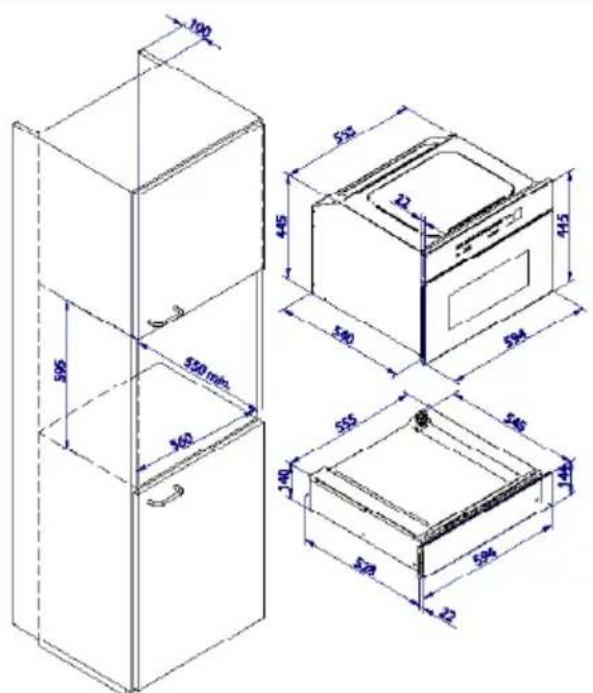
Flush fitting 60
The oven can be installed under a work top or in a cooking column. Figure shows the installation dimensions.
Make sure that surrounding materials are heat resistant. Align the oven centrally with respect to the side walls of the units surrounding it and fix it in place with the screws and Allen screws provided.
See the accompanying instructions for combining the oven with multi-functional gas or gas-electric cookers.


EN
Electrical connections
Before connecting the oven to the mains power supply, make sure that:
- The supply voltage corresponds to the specifications on the data plate on the front of the oven.
- The mains supply has an efficient earth (ground) connection complying with all applicable laws and regulations. Correct earthing (grounding) is a legal requirement.
The power cable should never reach a temperature 50^ above ambient temperature at any point along its length.
If a fixed appliance is not provided with a power cable and plug, or some other device permitting it to be disconnected from the mains electricity supply, with a gap between the contacts big enough to guarantee class III overvoltage protection, then such a device must be fitted to the power supply in compliance with the regulations governing electrical installations.
The socket or switch must be easily reachable with the oven fully installed.
N.B. The manufacturer declines all responsibility for damage or injury if the above instructionsninfortunistiche non vengano rispettate.
| CABLE TYPES AND MINIMAL DIAMETERS | |
| SASO | |
| H05RR-F 3x1,5 mm² H05RR-F 3x2,5 | mm² |
| H05VV-F 3x1,5 mm² H05VV-F 3x2,5 | mm² |
| H05RN-F 3x1,5 mm² H05RN-F 3x2,5 | mm² |
| H05V2V2-F 3x1,5 mm² H05V2V2-F 3x2,5 mm² | |

Caro CLIENTE,
Installation et raccordement, 103
Premier branchement, 103
Installation et raccordement
PROGRAMMATION DU FOUR
ENCASTREMENT FOUR 45


E info.be@boretti.com
Belgium