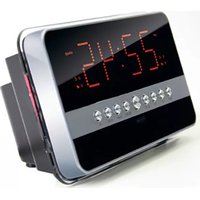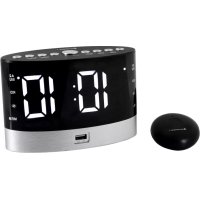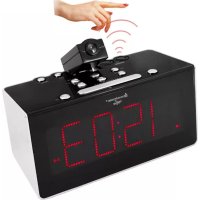
Soundmaster FUR6005 - Alarm clock radio

FUR6005 - Alarm clock radio Soundmaster - Free user manual and instructions

Find the device manual for free FUR6005 Soundmaster in PDF.

English EN Download 💬 AI Question 10 questions ⚙️ Specs
📄

Document temporarily unavailable

The manual is currently being transferred to our new server. It will be accessible again in a few hours. Thank you for your patience.

Pick your language and provide your email: we'll send you a specifically translated version.
Product type Radio alarm clock with projection and infrared sensor
Brand Soundmaster
Model FUR6005
Main power supply 230 V AC, 50 Hz
Backup battery 1 CR2032 lithium coin battery (3 V, not included)
Radio frequency range 87.5 to 108 MHz (FM)
Number of presettable stations 10
Number of alarms 2 (with choice of buzzer or radio)
Time projection Yes, on ceiling or wall, distance 1 to 3 meters
Infrared sensor Yes, to control certain functions by gesture
Time synchronization Radio-controlled DCF77 (Germany) or manual setting
Sleep function Yes, adjustable from 15 to 90 minutes
Nap timer Yes, adjustable from 10 to 90 minutes
Brightness dimmer 3 levels (high, medium, low)
Automatic display off Yes, after 15 seconds (activated by long press)
Alarm snooze 9 minutes
Cleaning With a dry cloth only, no detergents
Safety Do not open the device, risk of electric shock. Keep batteries out of reach of children.
Repairability Repair only by an authorized center
Operating conditions Indoor, dry location, moderate temperature, not in tropical climates

Frequently Asked Questions - FUR6005 Soundmaster

How to set the time manually if the radio-controlled signal is not received?
Press the ALARM SNOOZE button (13) for 3 seconds to stop the automatic search. Then press the CLOCK SET button (6) for 3 seconds to enter setting mode, then use the << / - (10) and >> / + (11) buttons to adjust the values. Press CLOCK SET several times to switch between parameters (year, month, day, 12/24h format, hours, minutes).
How to set alarms AL1 and AL2?
In normal mode, press the ALARM 1 (8) or ALARM 2 (9) button to display the alarm time, then hold it for more than 2 seconds to enter setting mode. Then press the same button several times to cycle through hours, minutes, alarm days (e.g., 1-5 for Monday-Friday), wake-up type (buzzer or radio), and radio volume if selected. Use the << / - and >> / + buttons to change values.
How to activate or deactivate an alarm?
Press and hold the ALARM 1 (8) or ALARM 2 (9) button to activate or deactivate the alarm. When the alarm is active, the corresponding bell symbol appears on the display.
How to use the time projection function?
Turn the focus adjustment knob (22) to adjust the sharpness of the projection on the ceiling or wall. Use the 180° PROJECTED TIME button (4) to rotate the image. Projection is optimal in a dark room at a distance of 1 to 3 meters.
How does the infrared sensor work?
The sensor on top of the device detects hand movements. For example, with the radio off, pass your hand over to display alarm 1 time then alarm 2. With the radio on, hold your hand for 2 seconds to activate sleep mode. When the alarm sounds, a pass activates the 9-minute snooze. Ensure there is free space of 23-30 cm above and 8-15 cm behind the device.
How to set the sleep timer?
While listening to the radio, press the SLEEP button (13) several times to choose a duration from 15 to 90 minutes. The device will turn off automatically at the end of the timer.
How to change the display brightness?
In standby mode, press the DIMMER button (13) to cycle through the 3 brightness levels: high, medium, and low.
How to memorize an FM radio station?
Turn on the radio with the ON/OFF button (14), tune to a station with the << / - or >> / + buttons. Press and hold the MEMORY button (6) until 'P01' flashes, use the << / - or >> / + buttons to select a preset number (P01 to P10), then press MEMORY again to confirm. You can memorize up to 10 stations.
What to do if the device is unresponsive or malfunctions?
Unplug the power cord and remove the backup battery. Wait at least 3 minutes, then plug back in and reinstall the battery. The device will restart and you will need to configure it again as new.
How to clean the device?
Use only a soft, dry cloth. Never use detergents, solvents, or abrasive cloths, as they may damage the surface.

User questions about FUR6005 Soundmaster

0 question about this device. Answer the ones you know or ask your own.

Ask a new question about this device

The email remains private: it is only used to notify you if someone responds to your question.

No questions yet. Be the first to ask one.

Download the instructions for your Alarm clock radio in PDF format for free! Find your manual FUR6005 - Soundmaster and take your electronic device back in hand. On this page are published all the documents necessary for the use of your device. FUR6005 by Soundmaster.

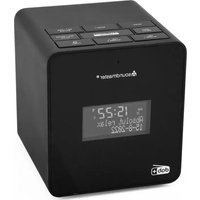
USER MANUAL FUR6005 Soundmaster

Manual assistant
Powered by Anthropic
Waiting for your message
Product information

Brand : Soundmaster

Model : FUR6005

Category : Alarm clock radio