
HR4347 - Air purifier PHILIPS - Free user manual and instructions
Find the device manual for free HR4347 PHILIPS in PDF.
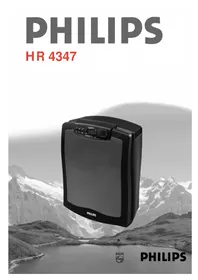



| Product type | Air purifier |
| Brand | Philips |
| Model | HR4347 |
| Maximum power | 60 W |
| CADR (tobacco smoke) | 89 m³/h |
| CADR (dust) | 91 m³/h |
| CADR (pollen) | 93 m³/h |
| Maximum recommended area | 40 m² (100 m³) |
| Filtration system | Pre-filter, HEPA filter, activated carbon filter |
| Fan speeds | 3 speeds: 1, 2, Turbo |
| Automatic function | Yes, with built-in pollution sensor |
| Programmable timer | Yes, up to 12 hours (adjustable by minute) |
| Built-in clock | Yes, adjustable |
| Smoke sensor | Yes, with sensitivity adjustment (small/large room) |
| Safety | Automatic shutdown in case of overheating; front panel safety (prevents operation if incorrectly positioned) |
| Pre-filter maintenance | Clean every 2 months (washable with water or vacuum) |
| HEPA filter replacement | When the color becomes dark (ref. HR4940) |
| Charcoal pellets replacement | When the indicator blinks (ref. HR4941) |
| Replacement indicators | For HEPA filter (visual) and carbon filter (indicator light) |
| Power supply | Mains, cord with integrated storage |
| Installation | On floor against a wall or wall mounting possible |
Frequently Asked Questions - HR4347 PHILIPS
User questions about HR4347 PHILIPS
0 question about this device. Answer the ones you know or ask your own.
Ask a new question about this device
Download the instructions for your Air purifier in PDF format for free! Find your manual HR4347 - PHILIPS and take your electronic device back in hand. On this page are published all the documents necessary for the use of your device. HR4347 by PHILIPS.
USER MANUAL HR4347 PHILIPS
- Keep page 3 open when reading these operating instructions.
- Read the instructions carefully before you start using the appliance.
- Never immerse the appliance in water or any other liquid.
- Do not use the appliance outside or in a humid environment.
- You can clean the appliance with a moist cloth. Unplug the appliance before you do so.
- Do not touch any moving parts when you open the appliance. Let the fan come to a halt by itself.
- Keep the cord away from hot objects.
- If the cord of this appliance is damaged, it may only be replaced by an authorised Philips service centre, since repair requires special tools and/or parts.
- Do not expose the smoke sensor to a direct source of heat or very strong smells. For instance, do not use the air cleaner as a cooking hood over your cooker.
- Do not spray in the direction of the smoke sensor with a spray can.
- When you leave the room for quite some time, switch the 'Auto' setting off.
- The appliance influences the air circulation in the room in which it is used. It is recommended not to use the appliance next to an open fire.
Your Philips air cleaner is a very effective appliance which improves the quality of the air you breathe in your house or office. The appliance significantly reduces indoor air pollution caused by pollen, dust, bacteria, viruses, moulds, smoke and all kinds of other smells, such as cooking odours and traffic or industry smells from outside.
When comparing air cleaners you will notice that suppliers use a number of criteria to indicate the effectiveness of their appliances. The standard that best reflects the effectiveness of an air cleaner is CADR (Clean Air Delivery Rate). In general, an air cleaner with a high CADR will remove particles from the air more quickly than an air cleaner with a low CADR.
How does the Philips air cleaner work?
The air cleaner sucks in air through its front and both sides. The sucked-in air is filtered by the air cleaner. After filtering, clean air is blown out from the top of the appliance. To be able to remove even the smallest particles from the air, the air cleaner has been equipped with a unique three-stage filter system.
1 Prefilter
The washable prefilter catches the larger airborne particles, such as fluff, hairs, etc.
HEPA filter
The HEPA filter removes the smaller particles from the air. The filter is made of glass fibres which are packed so closely together that they prevent even very small particles from passing through the filter. The same type of filter is also used in most operating rooms in hospitals.
Active carbon filters
The final stage consists of two active carbon filters. Active carbon is the only filter material that effectively absorbs most gases that cause, among other things, odour nuisance.
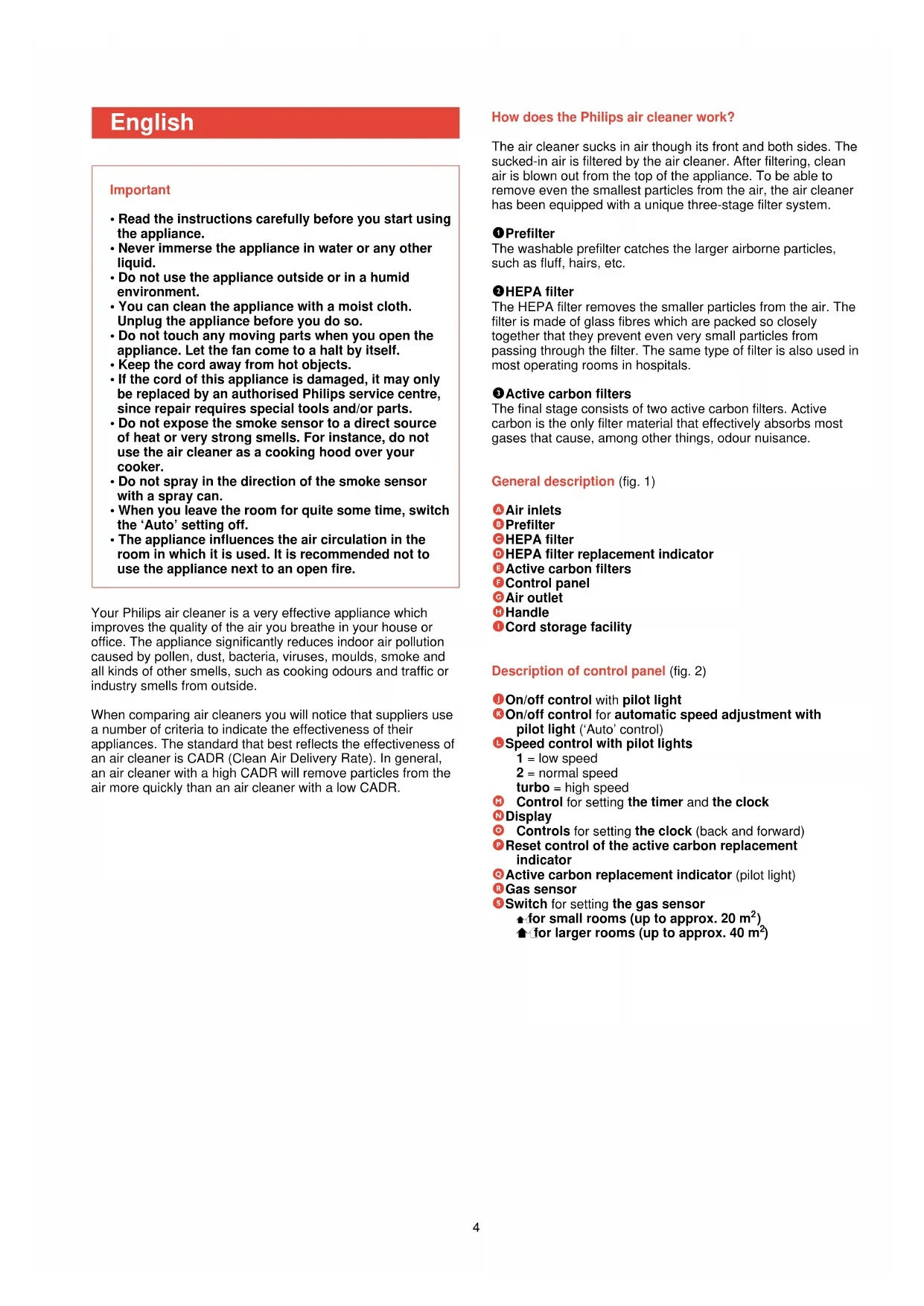
General description (fig. 1)
Air inlets 8 Prefilter HEPA filter HEPA filter replacement indicator Active carbon filters Control panel Air outlet Handle Cord storage facility
Description of control panel (fig. 2)
On/off control with pilot light On/off control for automatic speed adjustment with pilot light ('Auto' control) Speed control with pilot lights 1 = low speed
2 = normal speed
turbo = high speed
Control for setting the timer and the clock Display Controls for setting the clock (back and forward) Reset control of the active carbon replacement indicator Active carbon replacement indicator (pilot light) Gas sensor Switch for setting the gas sensor
for small rooms (up to approx. 20 m²)
for larger rooms (up to approx. 40 m²)
Placing the air cleaner
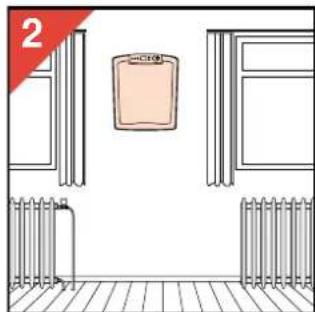
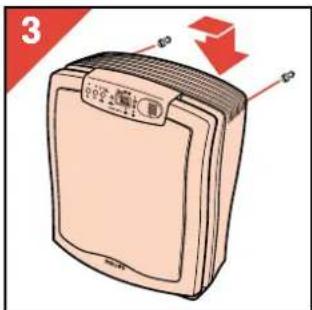
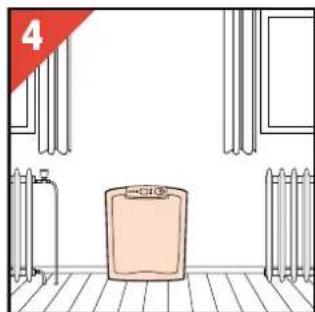
- As a rule, the air cleaner should be given a central position and should either be placed on the floor with its back against the wall or hung on the wall (fig. 2-4).
- Excess cord can be stored at the back (I) of the appliance (fig. 1).
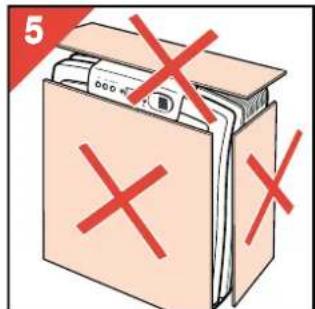
- Never cover the air inlets or outlet (fig. 5).
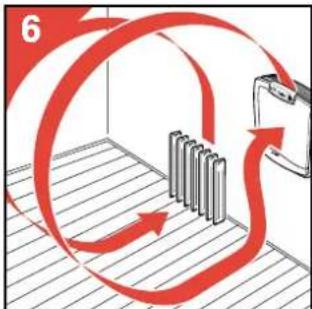
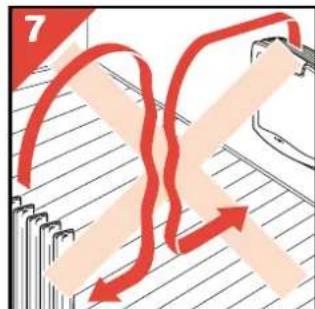
- When you are using a heating device: position the air cleaner in such a way that the airflow caused by the appliance coincides with the convective airflow of the heating device. You should therefore place the air cleaner next to the radiator or other heating appliance (fig. 6-7).
- It is possible to use more than one air cleaner in a room. This is advisable if the room is very big and/or has an irregular shape. In this case it is best to put both appliances against the same wall, yet as far removed from each other as possible.
- For proper cleaning of the air in a room, we advise you to use one HR 4347 air cleaner in rooms with a surface area of up to approx. 40 m² (100 m³).
- Particularly people who suffer from a respiratory allergy are advised to put an air cleaner in the living room as well as in the bedroom and to let both air cleaners run continuously.
Preparing the air cleaner for use
- Before you use the appliance for the first time: fill the active carbon filters with the supplied carbon granules (see 'Replacing the active carbon'). The white sticker that comes with the granules is not used in combination with this type of air cleaner; you can throw it away. The replacement indicator does not yet have to be reset.
- Put the plug in the wall socket. The pilot light above the on/off control (J), the digits on the display (00:00) and the clock symbol ⊙ start blinking (this will also happen after a power cut). The display is unlit.
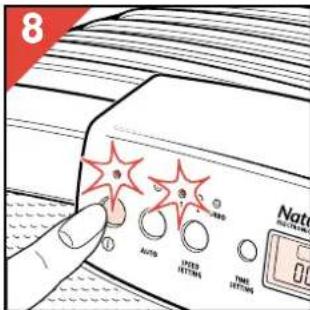
- Press the on/off control (fig. 8). The display lights up and the appliance starts running at speed 1. The pilot light above the on/off control burns continuously to indicate that the appliance is switched on.
Setting the air cleaner manually
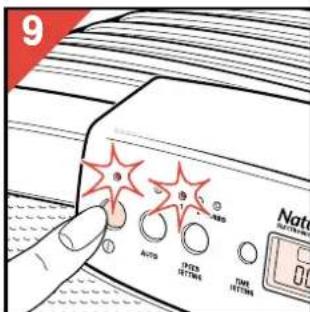
- Switch the air cleaner on (fig. 9). The pilot light above the on/off control comes on and the display lights up. The appliance starts running at speed 1.
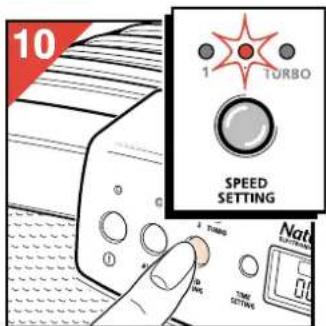
- Select speed 1, 2 or turbo by pressing the speed control (L) (fig. 10). The pilot lights indicate the speed selected.
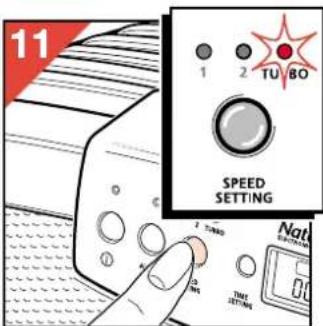
- For quick air cleaning, select the turbo setting (fig. 11) and switch to speed 2 after approximately 30 minutes.
- For a continuous supply of fresh, clean air in your room, run the appliance continuously at speed 1 or 2.
'Auto' position
When set to the 'Auto' position, the air cleaner automatically selects the speed which effectively removes most gases from the air. It is best to set the air cleaner to the 'Auto' setting before air pollution occurs. The gas sensor (R) in the appliance registers the gas concentration in the room in which the appliance is running.
To ensure proper functioning of the sensor, set the switch (S) to the right position: for a small room or for a larger room (fig. 12). Depending on the changes in the smoke or gas concentration in the room, the air cleaner automatically switches to a higher or lower speed.
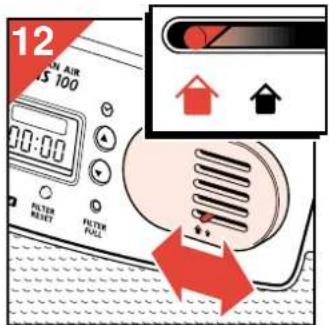
Setting the 'Auto' position
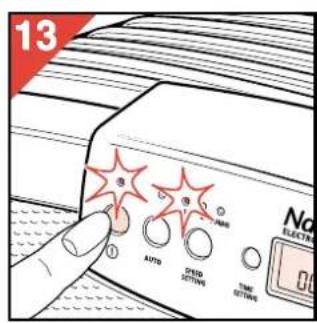
- Switch the air cleaner on (fig. 13). The pilot light above the on/off control comes on and the display lights up. The appliance starts running at speed 1.
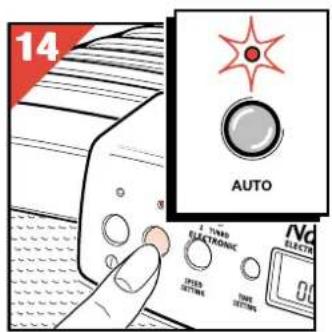
- Press the 'Auto' control (K) (fig. 14). If you select the 'Auto' position within three minutes after switching the appliance on, the pilot light will turn orange and blink for max. three minutes. During this time, the air cleaner is measuring the air quality in the room.
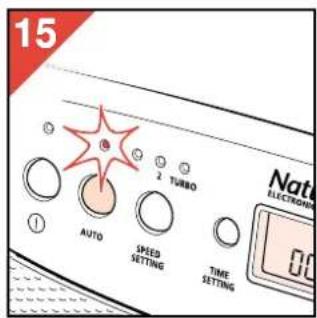
- When the air is clean, the air cleaner switches to stand-by position and the pilot light above the 'Auto' control turns green (fig. 15). The pilot light of the on/off control continues to burn.
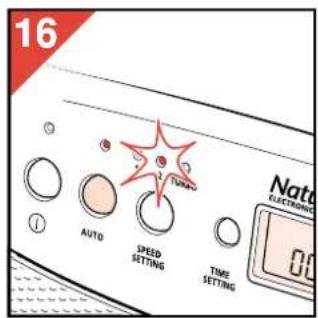
- If the smoke sensor registers an increase in the smoke concentration, the pilot light above the 'Auto' control turns orange and the appliance automatically switches to speed 1, 2 or turbo (fig. 16).
- If you do not want the appliance to run in the 'Auto' position, press the 'Auto' control once more. The pilot light above the control will go out.
Setting the clock
- The clock must be (re)set when the air cleaner is connected to the mains and each time the power supply to the appliance has been cut off. In this case, the pilot light above the on/off control, the clock symbol ⊙ and the digits on the display (00:00) start blinking.
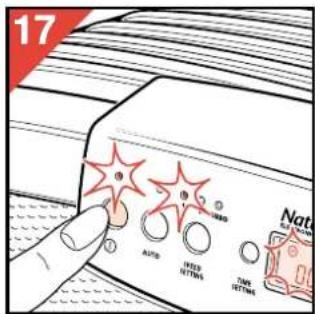
- Switch the air cleaner on (fig. 17).
The clock symbol and the digits on the display keep blinking. The display lights up.
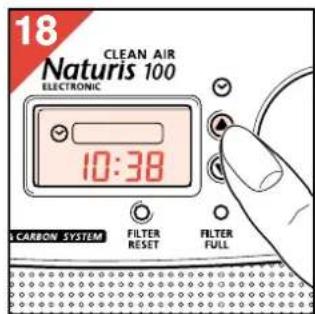
- Press the △ or ∇ control to set the clock (fig. 18). If you press the controls a little longer, the clock will move back or forward more quickly.
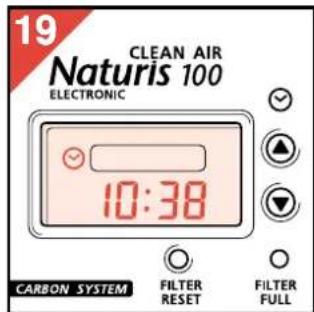
- The time and the clock symbol ⊙ on the display stop blinking (fig. 19).
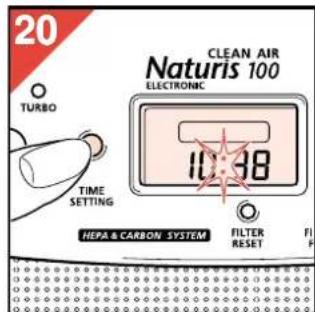
- Press the 'time setting' control (M) to make the clock start running (fig. 20).
The clock symbol ⊙ goes out. The colon starts blinking to indicate that the clock is running.
Changing the set time
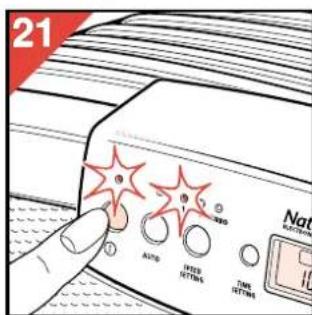
- Switch the air cleaner on (fig. 21).
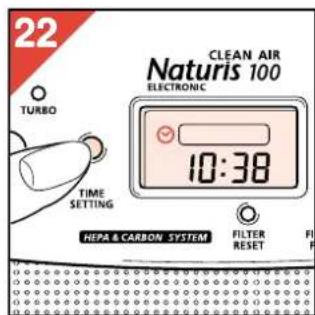
- Press the 'time setting' control (M) (fig. 22). The clock symbol ⊙ appears on the display.
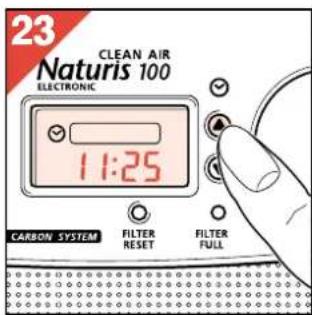
- Reset the time by means of the △ or ∇ control (fig. 23) (see 'Setting the clock').
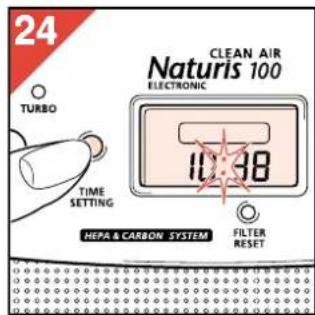
- Finally press the 'time setting' control (M) again (fig. 24).
Timer
- With the timer you can program how long and at what speed you want the air cleaner to run. You can, for instance, use the timer if you want the air cleaner to run when someone is smoking and/or a few hours after someone has been smoking. The timer may also come in handy if you use the air cleaner every day for the same period of time. After you have activated the timer, it will count down the set time and finally switch the air cleaner off.
- You can program either the 'Auto' position or a particular speed.
Setting/changing the timer
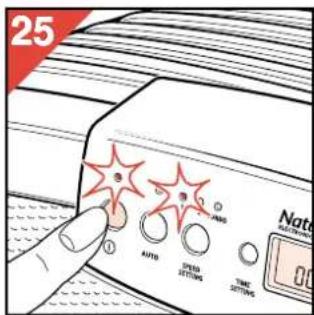
- Switch the air cleaner on (fig. 25).
- Select the desired speed by pressing the 'Auto' setting control or setting the speed control to the desired position.
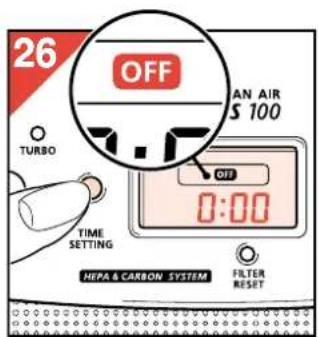
- Press the 'time setting' control (M) twice (fig. 26). On the display, the 'OFF' symbol appears as well as the already programmed operating time.
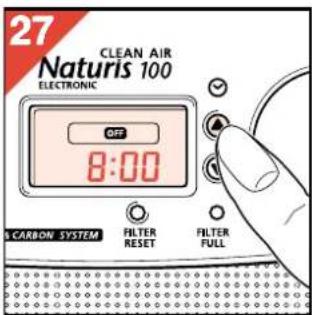
- Press the triangle or inverted triangle control to set the operating time (accurate to a minute) (fig. 27).
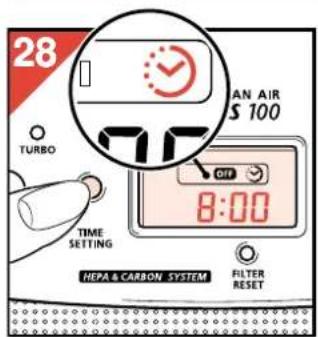
- Press the 'time setting' control (M) (fig. 28). The 'OFF' symbol remains visible and the timer symbol appears on the display.
After three seconds the colon starts blinking to indicate that the set operating time is being counted down.
Note that if the timer symbol starts blinking and/or goes out while you are setting the timer, the timer has not been set properly. In this case, set the timer again. - When the set period has elapsed, the air cleaner switches off. The light in the display and the pilot light above the on/off control go out and the 'OFF' and timer symbol disappear. The program is stored in the memory and can be recalled by means of the 'time setting' control when the appliance is used again (see 'Recalling the timer setting').
Switching the timer off
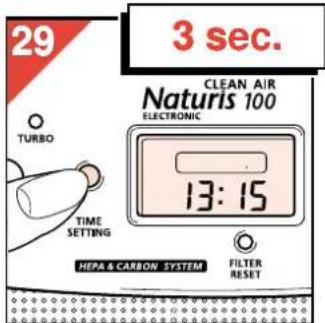
- To switch the timer off or to interrupt the timer program, press the 'time setting' control for at least 3 seconds (fig. 29). The clock appears on the display.
Recalling the timer setting
If you have previously programmed an operating time, you can quickly and easily recall this program and use it again:
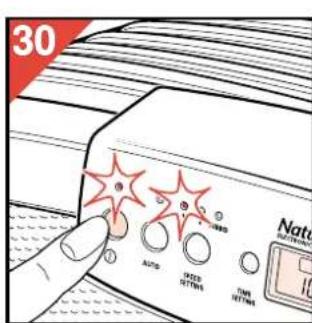
- Switch the air cleaner on (fig. 30).
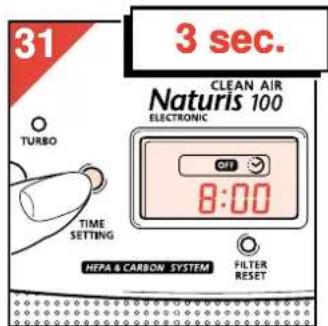
- Press the 'time setting' control (M) for at least 3 seconds until the 'OFF' symbol and the timer symbol appear on the display (fig. 31).
The previously programmed operating time appears and the timer starts running.
Viewing the clock while the timer is running
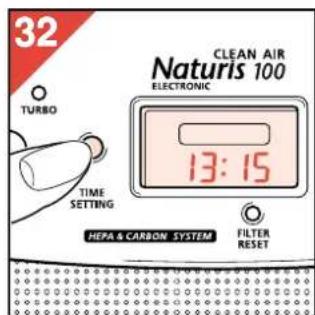
You can view the clock while the timer is counting down by pressing the 'time setting' control (M) once (fig. 32). The clock then appears on the display for a few seconds. After that, the timer reappears.
Opening the air cleaner
Note that the front of the air cleaner has been provided with an automatic safety lock which makes it impossible for you to open the appliance while it is running. The automatic safety lock also ensures that you cannot switch the appliance on when the front has been removed.
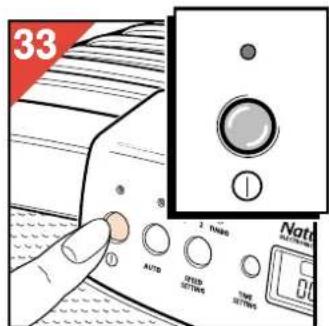
- Switch the air cleaner off (fig. 33).
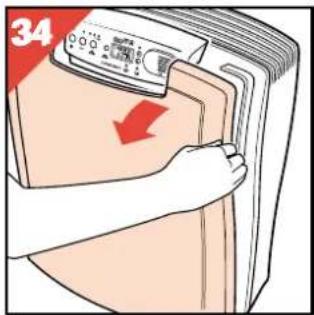
- Remove the front of the appliance by pulling it towards you on one side (fig. 34).
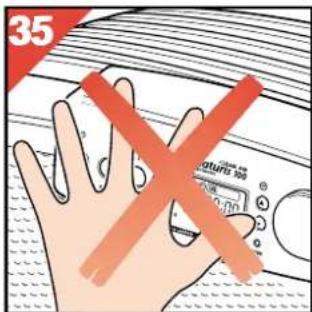
NB: Never press against the control panel when you are opening the air cleaner (fig. 35).
Cleaning the prefilter
Clean the prefilter at least once every two months and more often if the appliance becomes noisier or if it is used in a room in which people smoke.
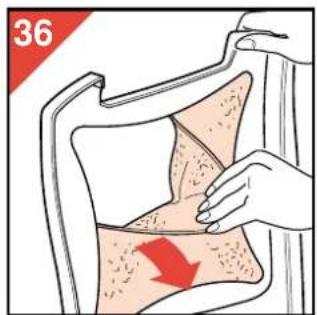
- Remove the prefilter (fig. 36).
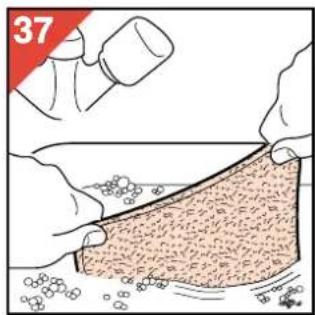
- Clean the prefilter by washing it (fig. 37) or vacuum cleaning it.
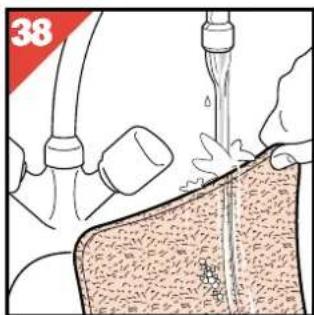
- If you have used washing-up liquid, rinse the filter with clean water (fig. 38).
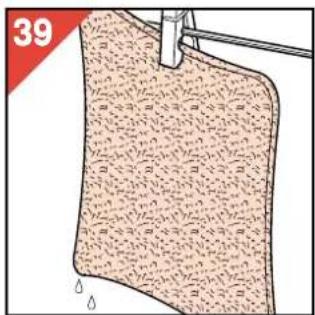
- Let the filter dry naturally (fig. 39) before you put it back into the appliance.
Checking/replacing the HEPA filter
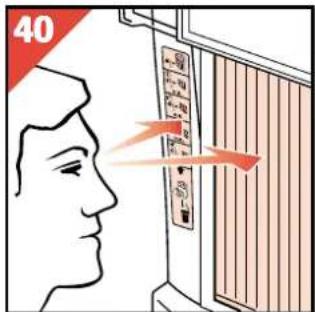
- To check if the HEPA filter needs to be replaced, compare the colour of the HEPA filter with the shades on the HEPA filter replacement indicator (fig. 40).
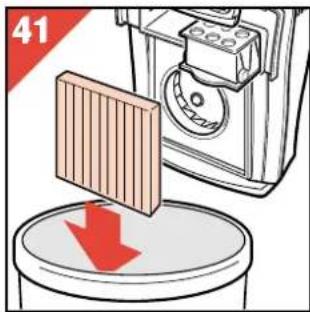
- If the colour of the filter corresponds to the darkest shade on the HEPA filter replacement indicator, replace the HEPA filter (fig. 41).
- New HEPA filters are available from your retailer under number HR 4940.
Replacing the active carbon granules
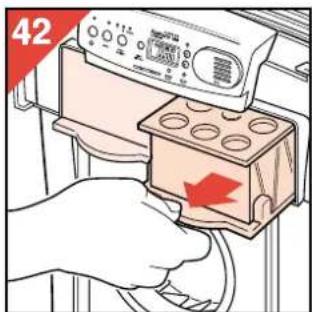
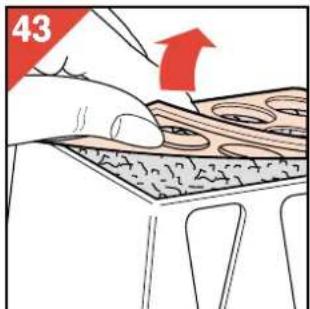
- Remove and replace the active carbon when the pilot light of the replacement indicator (Q) starts to blink (at first) or burns continuously (later). Do not forget to reset the filter replacement indicator (see 'Reset active carbon replacement indicator'):
- Remove the active carbon filters (fig. 42).
- Carefully open the top of the active carbon filter (fig. 43).
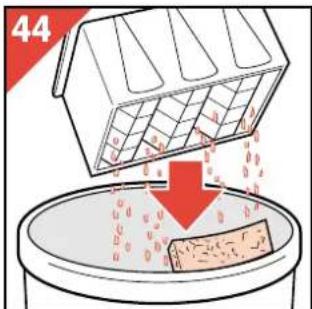
- Throw the foam pad and the used carbon in the dustbin (fig. 44).
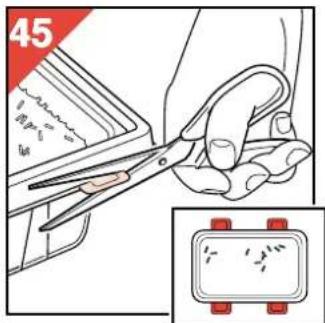
- Take a new container of carbon granules, cut off the plastic projections (fig. 45) and remove the lid (fig. 46).
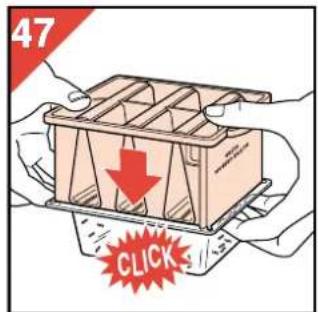
- Place the filter upside down onto the new container of carbon granules and snap the corners onto each other (fig. 47).
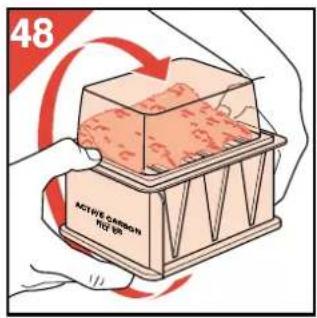
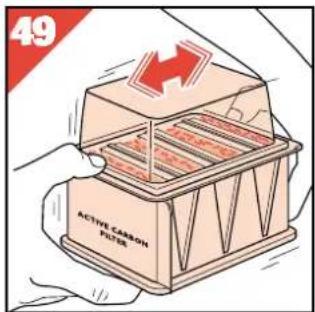
- Turn the container with the filter on top of it around with both hands (fig. 48). Shake the granules into the filter and make sure they are distributed evenly (fig. 49).
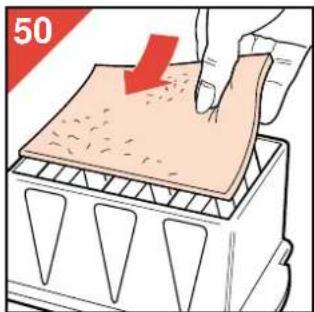
- Remove the plastic container and put a new foam pad onto the active carbon (fig. 50).
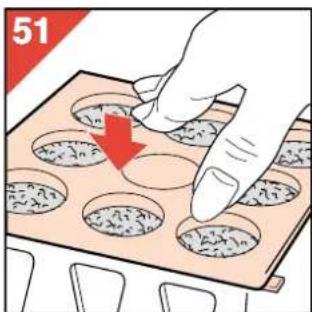
- Close the top of the filter again (fig. 51).
- Repeat this procedure for the second carbon filter.
- New carbon granules are available from your retailer under number HR 4941.
Resetting the active carbon replacement indicator
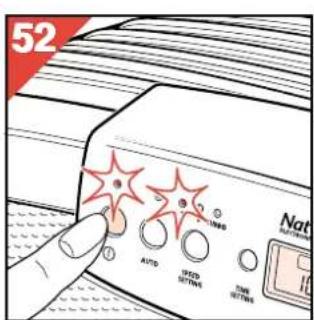
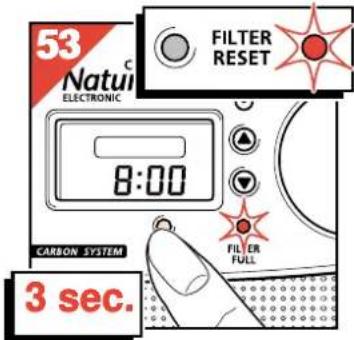
After you have replaced the active carbon, the replacement indicator must be reset:
- Switch the air cleaner on (fig. 52).
- Press the reset control (P) for at least 3 seconds (fig. 53).
The pilot light comes on or keeps burning for 3 seconds and then goes out to show that the indicator has been reset.
Automatic cut-out to prevent overheating
To prevent damage to the appliance due to overheating and to limit the risks, the automatic cut-out ensures that the motor is switched off when it becomes too hot.
To indicate that the appliance is still switched on and connected to the mains, the pilot light of the on/off control will continue to burn.
If this happens:
- Switch the air cleaner off.
- Unplug the air cleaner.
- Allow the appliance to cool down (approx. 15 minutes).
- Remove the front of the appliance. Make sure that the filters are not covered or blocked and that the airflow is not obstructed.
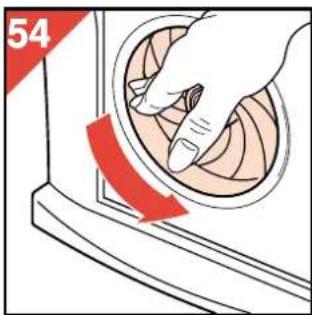
- Check if the fan is able to rotate freely by turning it with your hand (fig. 54).
- Close the appliance. Put the plug in the wall socket and switch the appliance back on.
If the automatic cut-out is activated repeatedly, we advise you to take your appliance to your dealer for a technical inspection.
Specifications/technical data
Power consumption
(highest setting) 60 Watt
CADR (highest setting) - tobacco smoke 89 m³/h, dust 91 m³/h, pollen 93 m³/h
3/hour 3/hour 3/hour
Filter system:
- Pfeiffer 1 - HEPA filter 1
- Active carbon filters 2
HEPA replacement filters HR 4940
Active carbon
replacement set
HR 4941
Maximum size of room
40m2 /100m3
Important
3/hora 3/hora 3/hora
Filter system:
2/100 μ³

- HOW DOES THE PHILIPS AIR CLEANER WORK
- PREFILTER
- HEPA FILTER
- ACTIVE CARBON FILTERS
- GENERAL DESCRIPTION (FIG. 1)
- DESCRIPTION OF CONTROL PANEL (FIG. 2)
- PLACING THE AIR CLEANER
- PREPARING THE AIR CLEANER FOR USE
- SETTING THE AIR CLEANER MANUALLY
- AUTO' POSITION
- SETTING THE 'AUTO' POSITION
- SETTING THE CLOCK
- CHANGING THE SET TIME
- TIMER
- SETTING/CHANGING THE TIMER
- SWITCHING THE TIMER OFF
- RECALLING THE TIMER SETTING
- VIEWING THE CLOCK WHILE THE TIMER IS RUNNING
- OPENING THE AIR CLEANER
- CLEANING THE PREFILTER
- CHECKING/REPLACING THE HEPA FILTER
- REPLACING THE ACTIVE CARBON GRANULES
- RESETTING THE ACTIVE CARBON REPLACEMENT INDICATOR
- AUTOMATIC CUT-OUT TO PREVENT OVERHEATING
- SPECIFICATIONS/TECHNICAL DATA
- POWER CONSUMPTION
- IMPORTANT
- FILTER SYSTEM
Brand : PHILIPS
Model : HR4347
Category : Air purifier