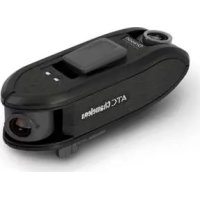
ATC Chameleon - Camcorder OREGON SCIENTIFIC - Free user manual and instructions
Find the device manual for free ATC Chameleon OREGON SCIENTIFIC in PDF.



| Product Type | Camcorder |
| Brand | Oregon Scientific |
| Model | ATC Chameleon |
| Sensor Resolution | 2M pixels CMOS (dual front and rear lens) |
| Video Storage | Horizontal split mode: 960x720P per view, 30fps (combined 1920x720P); Vertical split mode: 1280x720P per view, 30fps (combined 1280x1440P) |
| Memory Card | Micro SD / SDHC Class 4 or higher, up to 32 GB (not included) |
| Battery | Rechargeable lithium-polymer built-in, 1050 mAh |
| Interface | USB 2.0 |
| Dimensions | 114.5 mm (L) x 40 mm (W) x 48 mm (H) |
| Waterproof Rating | IPX4 |
| Main Features | Dual-lens video recording, screen format selection (horizontal/vertical), tripod or helmet mount, PC software for viewing and configuration |
| Package Contents | Main unit, mounting base, ventilated mount, tripod mount, USB cable, quick start guide |
| System Requirements | Windows: Intel Pentium D 3.0 GHz, 2 GB RAM, 1 GB video card; Mac: Intel processor, OS X 10.7 or later |
| Cleaning | Use a soft cloth to clean the lenses and body |
| Safety | Do not expose to excessive heat, do not disassemble, turn off before inserting/removing the MicroSD card |
| Maintenance | Remove the MicroSD card and store in a ventilated place if not used for a long time |
Frequently Asked Questions - ATC Chameleon OREGON SCIENTIFIC
User questions about ATC Chameleon OREGON SCIENTIFIC
0 question about this device. Answer the ones you know or ask your own.
Ask a new question about this device
Download the instructions for your Camcorder in PDF format for free! Find your manual ATC Chameleon - OREGON SCIENTIFIC and take your electronic device back in hand. On this page are published all the documents necessary for the use of your device. ATC Chameleon by OREGON SCIENTIFIC.
USER MANUAL ATC Chameleon OREGON SCIENTIFIC
ATC Chameleon DUAL LENS
ACTION VIDEO CAMERA
User Manual
Smart Living
Contents
Package Contents 4
Technical Specifications 5
Computer System Requirements 6
Operating Elements
Main Unit 7
Battery Charging 8
MicroSD Card Insertion 9
Date and Time Setting 10
Camera Operation
Video recording 11
Battery and MicroSD card memory capacity status checking 12
Video screen selection....13
Import video
Connecting to a computer with Windows operation system....14
Connecting to a Mac 14
Computer Software 15
Mounting
Tripod mount 16
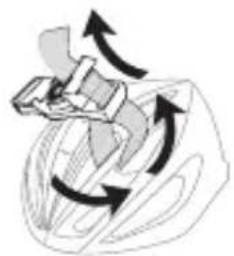
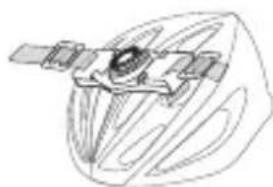
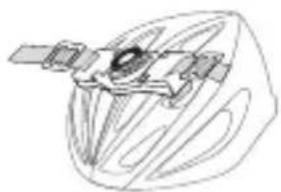
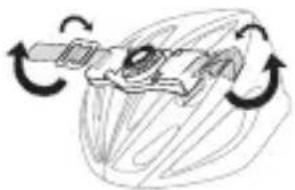
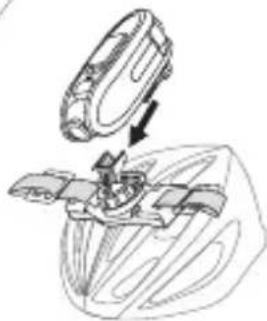
Vented helmet mount....17
Precautions
Camera 18
Waterproof 19
FCC Compliance Statement 20
Information for Users....21
Disclaimer 22-23
Package Contents
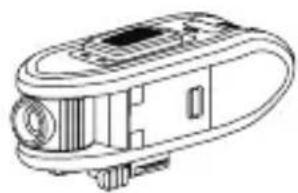
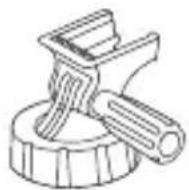
Thank you for purchasing the ATCChameleon Dual lens Action Camera, this package should contain the:
- Main Camera Unit
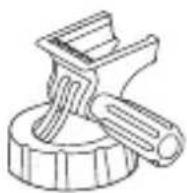
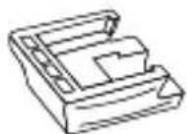
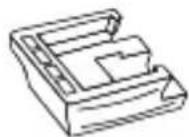
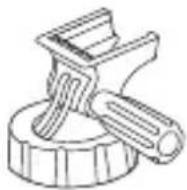
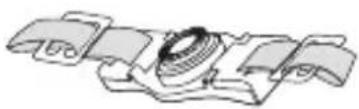
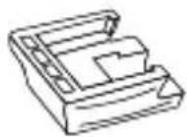
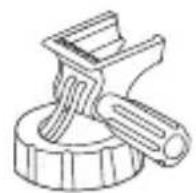
- Base mount
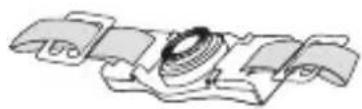
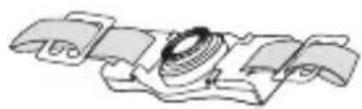
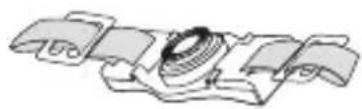
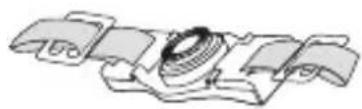
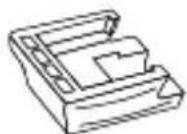
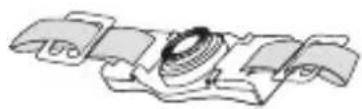
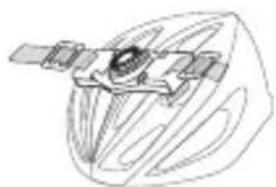
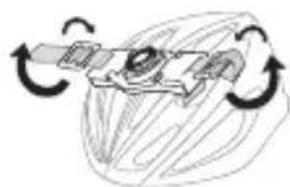
- Vented mount
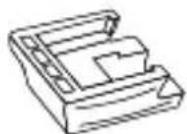
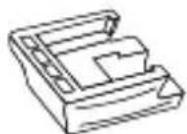
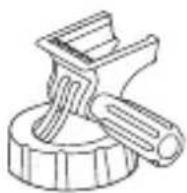
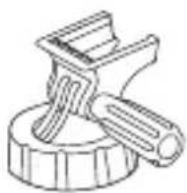
- Tripod mount
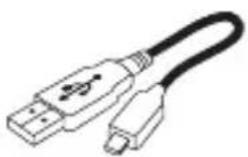
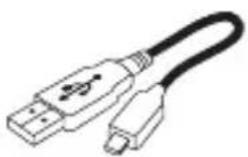
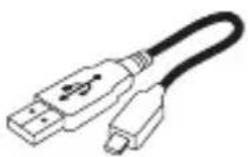
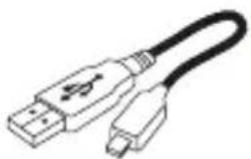
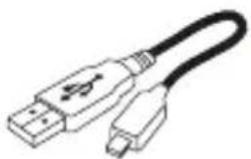
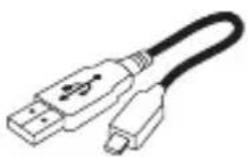
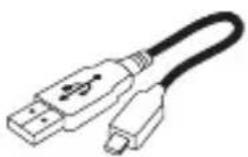
- USB cable
- Quick Start Guide
natural_image
Line drawing of a mechanical device with no visible text or symbols1.
2.
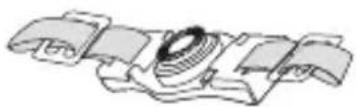
3.
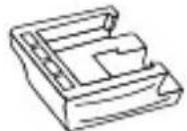
4.
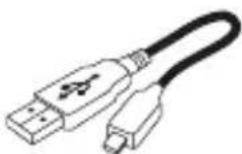
5.
6.
Technical Specifications
| Sensor resolution 2M pixels C | MOS (both front and rear lens) |
| Memory card Supports Micro S | D/SDHC Class 4 card or above and compatible up to 32GB (not included) |
| Movie storage Horizontal split | mode -- 960x720P pixels each view, 30fps (combined video = 1920x720P)Vertical split mode - 1280x720P pixels each view, 30fps (combined video = 1280x1440P) |
| Focusing range 2m~infinity | |
| Movie images MP4 | |
| USB Interface USB 2.0 | |
| Rechargeable battery (built-in) capacity | 1050mAh |
| Dimensions 114.5mm(L) x 40mm(W) x 48mm(H) | |
| Waterproof standard IPX4 | |
| Operating systems for PC software | WinXP / Vista / 7 or Apple Mac OS X 10.7 or above |
Computer System Requirements
Minimum System Requirements
- Window Environment: 3.0 Ghz Intel Pentium D (dual-core) or faster running Window XP (Service Pack 2 or later), Windows Vista, Windows7
• Mac Environment: Intel-based Mac running Mac OS X 10.7 Lion or later - 2GB RAM
• 1GB or greater video card
• 1280x960 resolution video support (32bit)
Operating Elements - Main Unit
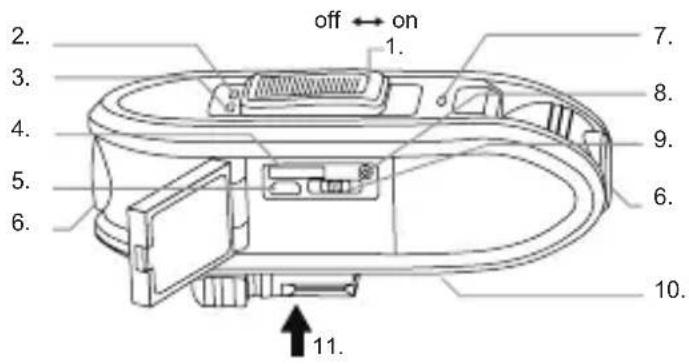
- Slide Switch (off -- on)
- MEMORY indicator
- BATTERYindicator
- MicroSD card slot
- Micro USB socket
- 180° adjustable lens
- ON / OFF indicator
- STATUSbutton
- Video Screen switch
- Microphone and speaker
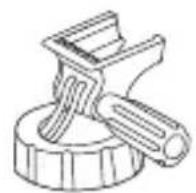
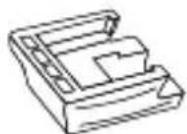
- Quick Release bracket
Operating Elements - Battery Charging
ATCChameleon has a built-in lithium polymer rechargeable battery, you can recharge the battery via USB.
- Switch off the Slide switch.
- When charging is finished, the BATTERY indicator turns off.
-
Remove the camera from the USB port.
-
Connect the camera to a USB port with the supplied USB cable. When charging starts, the BATTERY indicator will turn red.

Note
- Please fully charge the battery before first use.
- Battery shall not be exposed to excessive heat such as sunshine, fire or the like.
- CAUTION: Danger of explosion if battery is incorrectly replaced.
Replace only with the same or equivalent type.
Operating Elements - MicroSD card Insertion
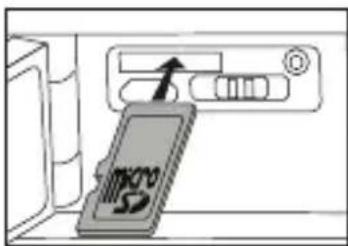
- Open the side hatch.
- Insert the MicroSD card until it clicks in place. Ensure the MicroSD card terminals are facing down.
- To remove the MicroSD card, push the card until it clicks then pull the card out.

Note
• Always insert or remove the MicroSD card when the the camera is off.
- MicroSD cards with Class 6 or above are recommended to use for the best performance during recording.
• Supports up to 32GB MicroSD cards.
Operating Elements - Date & Time Setting

- Download and install the ATCChameleon PC software from http://atc.oregonscientific.com
- Run the PC software on the PC.
- Connect the camera to the USB port of the PC with the supplied USB cable. Then switch on the Slide switch.
- Click the 📋 button on the PC software. Press SET button to send the PC local time and local main frequency setting to the camera.
- Unplug the camera from the USB port to complete the synchronization.

Note on mains frequency
- Input the correct local mains frequency. The shutter frequency will match the local mains frequency to reduce banding and flicker effect while recording under certain types of lighting, such as fluorescent or mercury vapour lamp.
- If you are uncertain about the local mains frequency, test both 50Hz and 60Hz and choose the one that produces the best results.
Operation - Video recording
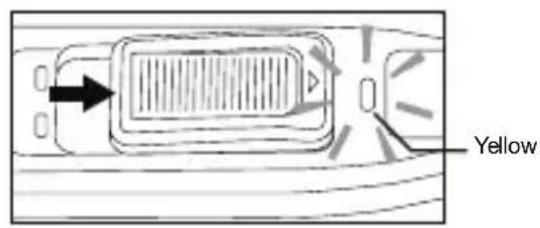
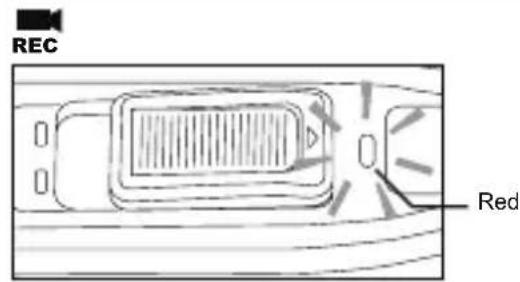
- Switch on the Slide switch.
- The camera is under the stand by mode while ON / OFF indicator turns yellow.
- Recording starts in a moment when the ON / OFF indicator turns red.
- To stop recording, switch off the Slide switch.
- Shut down the camera.
Operation - Battery and MicroSD card memory capacity status checking
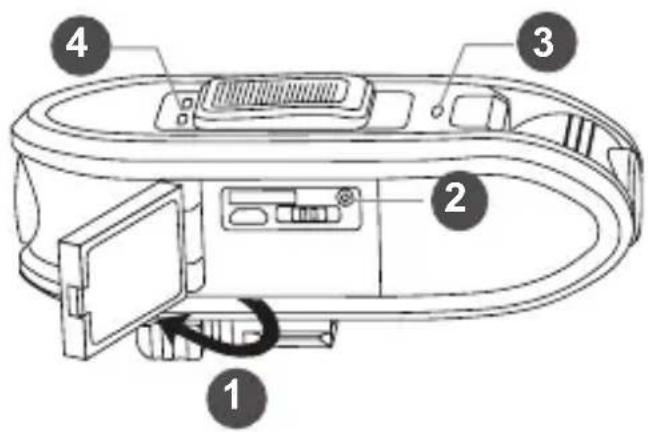
- Open the side door.
- Press the STATUS button to check the current battery and MicroSD card memory status.
- The ON / OFF indicator turns yellow.
- The battery and memory indicator turn on for indicating the status.
- The camera will be turned off automatically.
Operation - Video screen selection
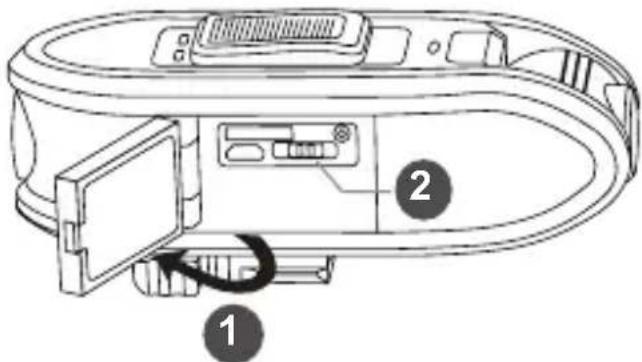
- Open the side door
- Select the vertical or horizontal format of video screen by sliding the video slide switch

Note
- The video will be stored in the selected video format.
- The video screen format can not be changed in PC software after recording.
Operation - Import video
Connecting to a computer with Windows operation system
Connect the camera to a computer with the provided USB cable.
Switch on the Slide switch. The computer will recognize the camera as a "removable disk".
Open the "DCIM" folder of the removable disk.
Double click on a file to open it.
Connecting to a Mac
Connect the camera to a Macintosh with the provided USB cable and then turn on the camera.
The Macintosh will recognize the camera automatically as an external hard drive
Please note that in order to remove completely the deleted files from the MicroSD card, empty the trash before ejecting the camera.
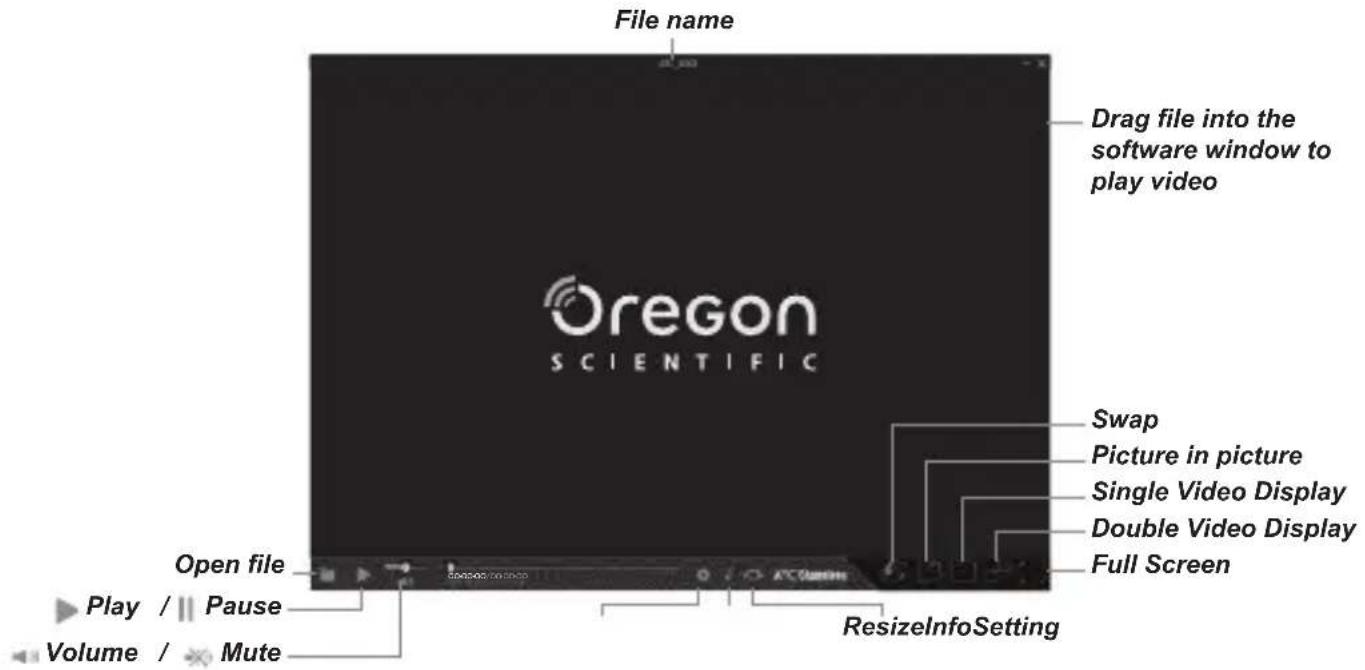
Computer software
Click the button to select the video file or drag the file into the software window.
Mounting - Tripod Mount
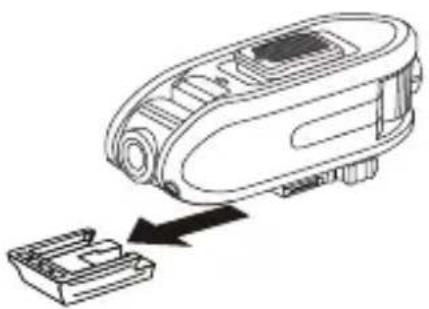
Tripod Mounting
Slide the quick release bracket to the tripod mount.
natural_image
Line drawing of a robotic device with a black arrow pointing to a small component (no text or symbols present)
ATC Chameleon DUAL LENS
ACTION VIDEO CAMERA
Bedienungsanleitung
Smart Living
Inhaltsverzeichnis
Lieferumfang 4
natural_image
Line drawing of a mechanical device with no visible text or symbols1.
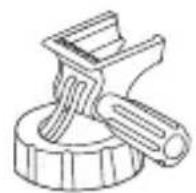
2.
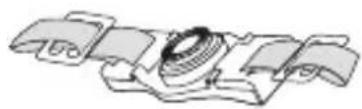
3.
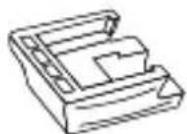
4.
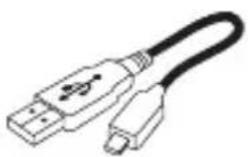
5.

6.
Technische Details
natural_image
Diagram of a device inside a refrigerator with an arrow pointing to the front panel (no text or symbols present)natural_image
Line drawing of a robotic device with an arrow indicating process or insertion (no text or symbols present)
ATC Chameleon DUAL LENS
ACTION VIDEO CAMERA
natural_image
Line drawing of a handheld electronic device with ports and buttons (no text or symbols)1.
2.
3.
4.
5.

6.
natural_image
Line drawing of a robotic device with an arrow indicating process or insertion (no text or symbols present)natural_image
Diagram of a mechanical or electrical component with curved arrows indicating motion (no text or symbols)4
2
natural_image
Simple line drawing of a satellite with solar panels and antenna (no text or symbols)5
3
natural_image
Diagram of a mechanical or electrical component with rotational arrows indicating motion (no text or symbols)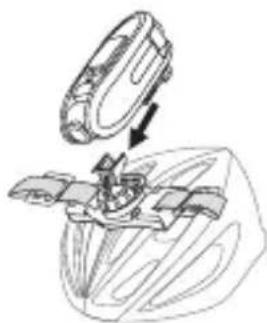
natural_image
Technical line drawing of a mechanical assembly with a circular component and internal components (no text or symbols)
Remarques
natural_image
Line drawing of a handheld electronic device with ports and buttons (no text or symbols)1.
2.
3.
4.

5.

6.
natural_image
Diagram of a device with an arrow pointing to a panel, showing no text or symbols on the device itself.natural_image
Line drawing of a robotic device with an arrow indicating process or insertion (no text or symbols present)natural_image
Diagram of a mechanical or electrical component with curved arrows indicating motion (no text or symbols)4
2
natural_image
Simple line drawing of a satellite with solar panels and antenna (no text or symbols)5
3
natural_image
Diagram of a mechanical or electrical component with rotational arrows indicating motion (no text or symbols)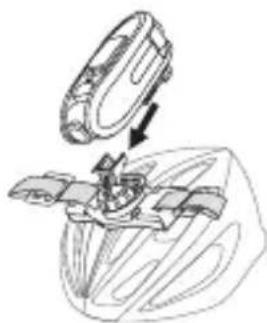
natural_image
Technical line drawing of a mechanical assembly with a circular component and internal components (no text or symbols)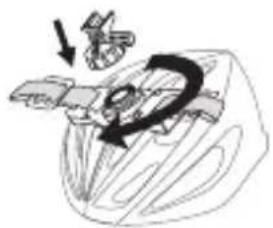
natural_image
Diagram of a car interior with hand gestures and a curved arrow indicating motion (no text or symbols)
Nota
natural_image
Diagram of a mechanical or electrical component with curved arrows indicating motion (no text or symbols)4
2
natural_image
Line drawing of a satellite with solar panels and antenna (no text or symbols)5
3
natural_image
Diagram of a mechanical or electrical component with rotational arrows indicating motion (no text or symbols)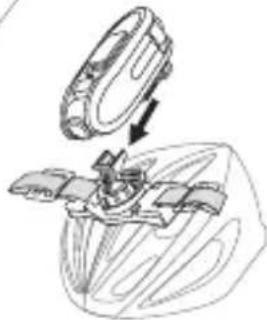
natural_image
Diagram of a mechanical assembly with a component being inserted (no text or symbols visible)
Anmerkung
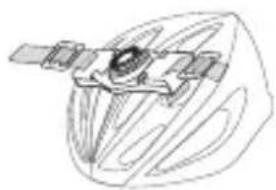
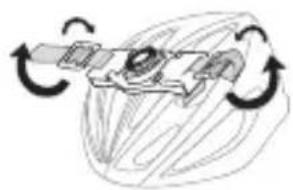
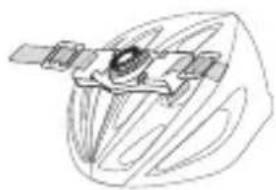
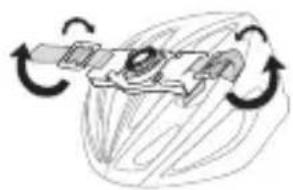
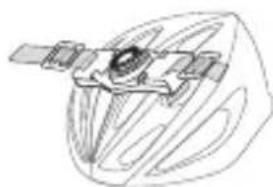
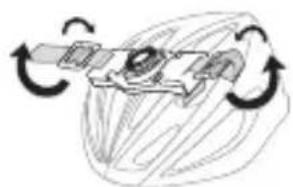
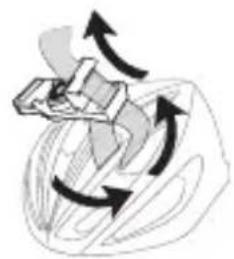
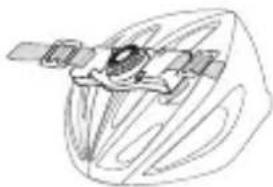
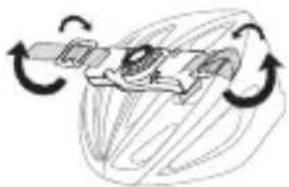
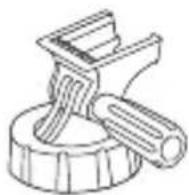
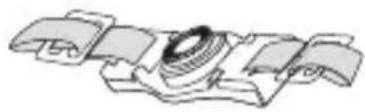
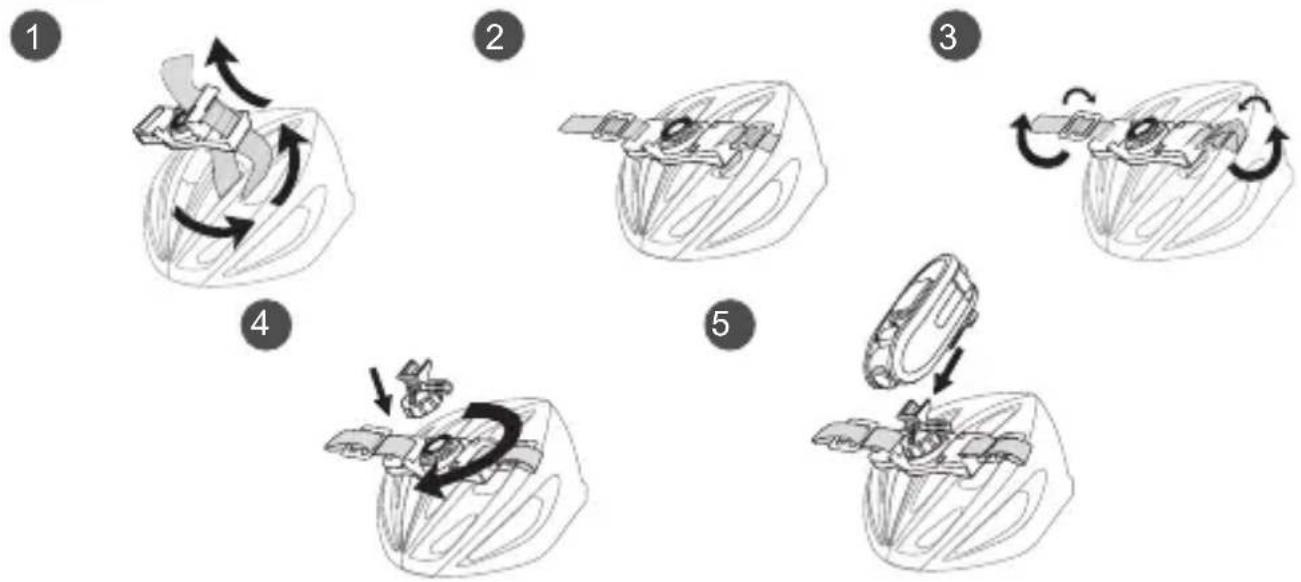
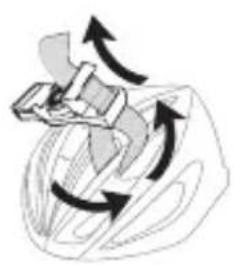
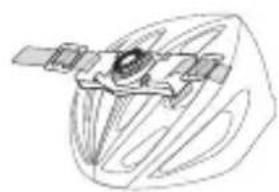
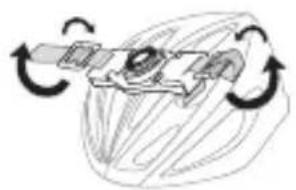
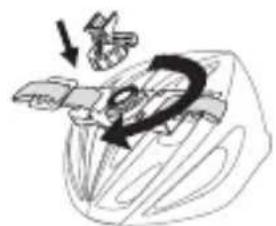
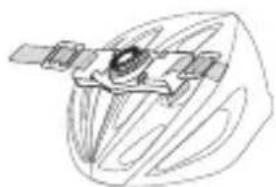
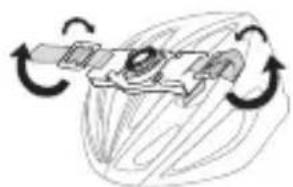
Mounting - Vented Helmet Mount
1
natural_image
Diagram of a mechanical or electrical component with directional arrows indicating motion (no text or symbols)4
2
natural_image
Line drawing of a satellite in orbit within a spacecraft (no text or symbols)5
3
natural_image
Diagram of a mechanical or electrical component with rotational arrows indicating motion (no text or symbols)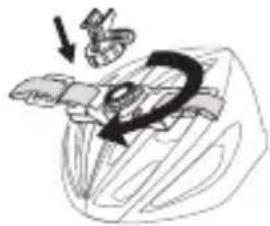
natural_image
Illustration of a mechanical component with an arrow indicating motion (no text or symbols)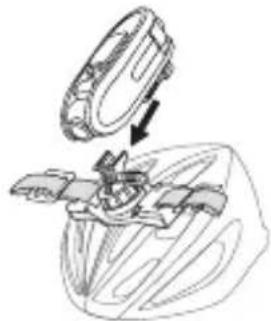
natural_image
Diagram of a mechanical assembly with an arrow indicating direction (no text or symbols present)
Note
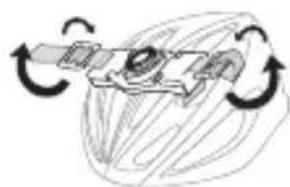
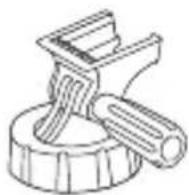
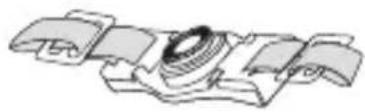
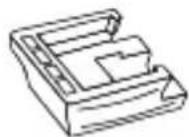
The ATCChameleon can be mounted on our range of mountings which are sold separately.

Mountings warnings
• Make sure the mounting is secure before embark.
- Do not modify the mounting object structurally to mount the camera.
Precautions - Camera
Notice the following guidelines when using your camera
- The camera is shock resistant, not shock proof.
- Do not let operating the camera distract you from your immediate surrounding.
- Do not place the camera in areas prone to dust or damp for long periods of time. This may cause a fire or an electric shock.
- Do not leave the camera in places exposed to extremely high temperatures, such as under direct sunlight, for long periods of time. This may affect the camera housing and internal components.
- Clean the lens with a soft cloth to remove fingerprints or dust.
- Do not disassemble the camera.
- Turn the camera off before the MicroSD card. The card and the data may be damaged if the MicroSD card is inserted or removed while the camera is still on.
- Remove the MicroSD card before storing the camera for long periods of time. Keep it in a well-ventilated place to prevent mould.
Precautions - Waterproof
- The camera is waterproof up to IPX4 standard. Oregon Scientific will not assume any responsibility
• for camera malfunction caused by liquid entering the camera as a result of misuse by the user. - Liquid may get inside the camera if the battery cover is not firmly closed.
- If the camera gets wet, wipe the liquid off as soon as possible with a dry cloth.
- Other camera accessories may not be waterproof.
- Don't use the camera in extreme temperatures as this may cause the camera to malfunction.
Waste electrical and electronic equipment
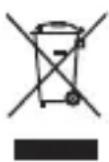
The crossed-out wheeled bin indicates the product needs to be disposed of separately and not as domestic waste.
Battery disposal
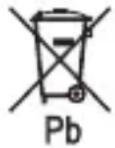
Do not dispose of used batteries with domestic waste.

Notes on copyright
Users are asked to note that the transfer of memory containing photos or data protected under copyright laws is only permissible within the restrictions imposed.
Users assume all responsibility in the event that copyrights are violated by the use of this camera.
FCC Compliance Statement
This device complies with part 15 of the FCC Rules. Operation is subject to the following two conditions: (1) This device may not cause harmful interference, and (2) this device must accept any interference received, including interference that may cause undesired operation.
Changes or modifications not expressly approved by the party responsible for compliance could void the user's authority to operate the equipment.
FCC WARNING
This equipment has been tested and found to comply with the limits for a Class B digital device, pursuant to Part 15 of the FCC Rules. These limits are designed to provide reasonable protection against harmful interference in a residential installation.
This equipment generates, uses and can radiate radio frequency energy and, if not installed and used in accordance with the instructions, may cause harmful interference to radio communications.
However, there is no guarantee that interference will not occur in a particular installation. If this equipment does cause harmful interference to radio or television reception, which can be determined by turning the equipment off and on, the user is encouraged to try to correct the interference by one or more of the following measures:
- Reorient or relocate the receiving antenna.
- Increase the separation between the equipment and the receiver.
- Connect the equipment into an outlet different from that to which the receiver is connected.
- Consult the dealer or an experienced radio / TV technician for help.
* Shielded USB cable and RCA cable with ferrite must be used with this unit to ensure compliance with the class B FCC limits.
Information for Users
In accordance with European Directives 2002 / 95 / CE, 2002 / 96 / CE and 2003 / 108 / CE on the restriction of the use of dangerous substances in electric and electronic equipment as well as their waste disposal.
The barred symbol of the rubbish bin shown on the equipment indicates that, at the end of its useful life, the product must be collected separately from other waste.
Therefore, any products that have reached the end of their useful life must be given to waste disposal centres specialising in separate collection of waste electrical and electronic equipment, or given back to the retailer at the time of purchasing new similar equipment, on a one for one basis.
The adequate separate collection for the subsequent start-up of the equipment sent to be recycled, treated and disposal of in an environmentally compatible way contributes to preventing possible negative effects on the environment and health and optimises the recycling and reuse of components making up the apparatus.
Abusive disposal of the product by the user involves application of the administrative sanctions according to the laws in force.
Disclaimer
DEFINITION:
“Oregon Scientific” shall mean Oregon Scientific Global Distribution Limited, its subsidiaries, parent companies, affiliated companies, directors, officers, employees, agents, representatives and distributors.
DISCLAIMER:
Oregon Scientific do not warrant against loss of any data (including data stored on Product), and assume no liability for such loss. Purchaser assumes all liability, and as such releases us from any liability, for any accident, injury, damage, death, loss, illegal activity or any other claim that may occur resulting from or during use of the Product, whether or not such use is foreseeable by Oregon Scientific.
ALL IMPLIED WARRANTIES OF MERCHANTABILITY OR FITNESS FOR A PARTICULAR PURPOSE ARE LIMITED TO THE DURATION OF THE APPLICABLE EXPRESS WARRANTY. ALL OTHER EXPRESS OR IMPLIED CONDITIONS, REPRESENTATIONS AND WARRANTIES, INCLUDING ANY IMPLIED WARRANTY OF NON-INFRINGEMENT, ARE DISCLAIMED TO THE MAXIMUM EXTENT ALLOWED BY THE APPLICABLE JURISDICTION.
All third party software provided with the Product is provided “AS IS”. Purchaser assumes the entire risk as to the quality, performance, accuracy and effect of such software, and should it prove defective, Purchaser, and not Oregon Scientific, assumes the entire cost of all necessary servicing or repair.
TO THE EXTENT NOT PROHIBITED BY LAW, IN NO EVENT WILL OREGON SCIENTIFIC BE LIABLE FOR ANY LOST DATA, REVENUE OR PROFIT, OR FOR SPECIAL, INDIRECT, CONSEQUENTIAL, INCIDENTAL OR PUNITIVE DAMAGES, HOWEVER CAUSED REGARDLESS OF THE THEORY OF LIABILITY, ARISING OUT OF OR RELATED TO THE USE OF OR INABILITY TO USE THE PRODUCT, EVEN IF WE HAVE BEEN ADVISED OF THE POSSIBILITY OF SUCH DAMAGES. IN NO EVENT WILL OREGON SCIENTIFIC LIABILITY EXCEED THE AMOUNT PAID BY PURCHASER FOR THE PRODUCT.
The foregoing limitations will apply even if any warranty or remedy provided herein fails of its essential purpose. Some jurisdictions do not allow the exclusion or limitation of incidental or consequential damages, so the above limitation or exclusion may not apply to Purchaser.
All purchasers, users, and any or all parties involved or engaging in the use the Product understand and agree that:
Oregon Scientific do not promote or endorse use of the Product in high risk, careless and / or dangerous actions.
Oregon Scientific are not responsible for personal injuries or property damage incurred during such use.
Oregon Scientific are not liable for any use or misuse of the Product or any video captured that may be considered illegal.
Oregon Scientific are not responsible for any illegal actions taken while recording, attempting to record, or editing video that was captured with the Product.
The Product's primary purpose is for recording legal sports activities as seen by all applicable laws and regulations.
Oregon Scientific encourages you to recycle this package.
Further information can be found on: http://www.oregonscientific.com
www.oregonscientific.com

ATC Chameleon DUAL LENS
ACTION VIDEO CAMERA
natural_image
Line drawing of a handheld electronic device with ports and modules (no text or symbols)1.
2.
3.
4.
5.

6.
natural_image
Line drawing of a mechanical device with no visible text or symbols1.
2.
3.
4.
5.

6.
技術規格
natural_image
Line drawing of a robotic device with a component inserted, showing no text or symbols安裝 - 通風頭盔安裝
1
natural_image
Diagram of a mechanical or electrical component with curved arrows indicating motion (no text or symbols)4
2
natural_image
Line drawing of a satellite with solar panels and antenna, enclosed in a circular frame (no text or symbols)5
3
natural_image
Diagram of a mechanical or electrical component with rotational arrows indicating motion (no text or symbols)
natural_image
Mechanical assembly diagram showing a rotating component with a magnified view (no text or symbols)
注意
natural_image
Line drawing of a mechanical device with no visible text or symbols1.
2.
natural_image
Technical line drawing of a mechanical component with no visible text or symbols3.
4.
natural_image
Line drawing of a USB cable with two connectors (no text or symbols)5.
6.
Tekniska specifikationer
natural_image
Line drawing of a robotic device with a black arrow indicating the process (no text or symbols present)natural_image
Diagram of a mechanical or electrical component with bidirectional arrows indicating rotation (no text or symbols)4
2
natural_image
Diagram of a satellite or spacecraft with solar panels and a central body, enclosed in a circular frame (no text or labels)5
3
natural_image
Diagram of a mechanical device with rotational arrows indicating motion (no text or symbols)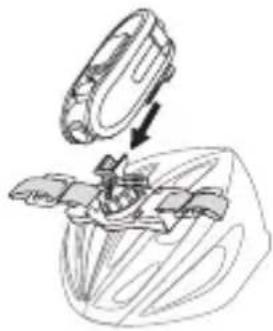
natural_image
Technical line drawing of a mechanical assembly with an open lid and internal components (no text or symbols)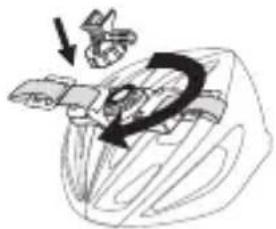
natural_image
Illustration of a hand holding a small object with a black arrow indicating motion (no text or symbols)
Observera
natural_image
Line drawing of a mechanical device with no visible text or symbols1.
2.
natural_image
Technical line drawing of a mechanical component with no visible text or symbols3.
4.
natural_image
Line drawing of a USB cable with two connectors (no text or symbols)5.
6.
技术规格
natural_image
Line drawing of a robotic device with a highlighted component and arrow indicating motion (no text or symbols)安装 - 通风头盔安装

注意
natural_image
Line drawing of a handheld electronic device with ports and buttons (no text or symbols)1.
2.
3.
4.
5.

6.
Technische specificaties
natural_image
Diagram of a device with an arrow pointing to a panel, showing no text or symbols on the device itself.natural_image
Line drawing of a robotic device with a component inserted, showing no text or symbolsBevestigen - Helmbevestiging
1
natural_image
Diagram of a mechanical device with rotating arrows indicating motion (no text or symbols)2
natural_image
Simple line drawing of a satellite with solar panels and antenna (no text or symbols)3
natural_image
Diagram of a mechanical device with rotating arrows indicating motion (no text or symbols)4
natural_image
Diagram showing a mechanical or electrical component with arrows indicating motion (no text or symbols)5
natural_image
Technical line drawing of a mechanical assembly with a component being inserted (no text or symbols)
Opmerking
natural_image
Line drawing of a handheld electronic device with ports and buttons (no text or symbols)1.
2.
3.
4.
5.

6.
Scheda Tecnica
natural_image
Diagram of a device with an arrow pointing to a panel, showing no text or symbols on the device itself.natural_image
Line drawing of a robotic device with an arrow indicating process or insertion (no text or symbols present)natural_image
Diagram of a mechanical or electrical component with rotational arrows indicating motion (no text or symbols)4
2
natural_image
Line drawing of a satellite with solar panels and antenna (no text or symbols)5
3
natural_image
Diagram of a mechanical or electrical component with rotational arrows indicating motion (no text or symbols)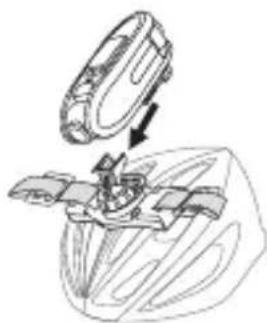
natural_image
Technical line drawing of a mechanical assembly with a circular component and internal components (no text or symbols)
Nota
natural_image
Line drawing of a robotic device with a component inserted, showing no text or symbolsnatural_image
Diagram of a mechanical device with curved arrows indicating motion or rotation (no text or symbols)4
2
natural_image
Line drawing of a satellite with solar panels and antenna (no text or symbols)5
3
natural_image
Diagram of a mechanical or electrical component with rotational arrows indicating motion (no text or symbols)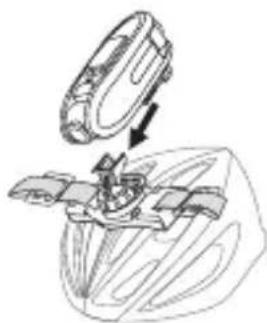
natural_image
Technical line drawing of a mechanical assembly with a circular component and internal components (no text or symbols)
Remarques

- ATC Chameleon DUAL LENS
- ACTION VIDEO CAMERA
- User Manual
- Contents
- Package Contents
- Technical Specifications
- Computer System Requirements
- Minimum System Requirements
- Operating Elements - Main Unit
- Operating Elements - Battery Charging
- Note
- Operating Elements - MicroSD card Insertion
- Operating Elements - Date & Time Setting
- Note on mains frequency
- Operation - Video recording
- Operation - Battery and MicroSD card memory capacity status checking
- Operation - Video screen selection
- Operation - Import video
- Connecting to a computer with Windows operation system
- Connecting to a Mac
- Computer software
- Mounting - Tripod Mount
- Tripod Mounting
- Inhaltsverzeichnis
- Technische Details
- Remarques
- Nota
- Anmerkung
- Mounting - Vented Helmet Mount
- Mountings warnings
- Precautions - Camera
- Precautions - Waterproof
- Waste electrical and electronic equipment
- Battery disposal
- Notes on copyright
- FCC Compliance Statement
- FCC WARNING
- Information for Users
- Disclaimer
- DEFINITION:
- DISCLAIMER:
- 技術規格
- 安裝 - 通風頭盔安裝
- 注意
- Tekniska specifikationer
- Observera
- 技术规格
- 安装 - 通风头盔安装
- Technische specificaties
- Bevestigen - Helmbevestiging
- Opmerking
- Scheda Tecnica
Brand : OREGON SCIENTIFIC
Model : ATC Chameleon
Category : Camcorder