 ManualGo.com
 AX397 - Recepteur YAMAHA - Free user manual and instructions
Find the device manual for free AX397 YAMAHA in PDF.


Download the instructions for your Recepteur in PDF format for free! Find your manual AX397 - YAMAHA and take your electronic device back in hand. On this page are published all the documents necessary for the use of your device. AX397 by YAMAHA.
USER MANUAL AX397 YAMAHA
17-33 MARKET ST., SOUTH MELBOURNE, 3205 VIC., AUSTRALIA
2005 All rights reserved.
Printed in Malaysia WG02770
GB AX-497_397_GB-cv.fm Page 1 Tuesday, August 30, 2005 5:05 PMCAUTION: READ THIS BEFORE OPERATING YOUR UNIT.
1 To assure the finest performance, please read this manual
carefully. Keep it in a safe place for future reference.
2 Install this sound system in a well ventilated, cool, dry, clean
place – away from direct sunlight, heat sources, vibration,
dust, moisture, and/or cold. Allow ventilation space of at least
30 cm on the top, 20 cm on the left and right, and 20 cm on
the back of this unit.
3 Locate this unit away from other electrical appliances, motors,
or transformers to avoid humming sounds.
4 Do not expose this unit to sudden temperature changes from
cold to hot, and do not locate this unit in an environment with
high humidity (i.e. a room with a humidifier) to prevent
condensation inside this unit, which may cause an electrical
shock, fire, damage to this unit, and/or personal injury.
5 Avoid installing this unit where foreign objects may fall onto
this unit and/or this unit may be exposed to liquid dripping or
splashing. On the top of this unit, do not place:
– Other components, as they may cause damage and/or
discoloration on the surface of this unit.
– Burning objects (i.e. candles), as they may cause fire,
damage to this unit, and/or personal injury.
– Containers with liquid in them, as they may fall and liquid
may cause electrical shock to the user and/or damage to
6 Do not cover this unit with a newspaper, tablecloth, curtain,
etc. in order not to obstruct heat radiation. If the temperature
inside this unit rises, it may cause fire, damage to this unit,
and/or personal injury.
7 Do not plug in this unit to a wall outlet until all connections
8 Do not operate this unit upside-down. It may overheat,
possibly causing damage.
9 Do not use force on switches, knobs and/or cords.
10 When disconnecting the power cable from the wall outlet,
grasp the plug; do not pull the cable.
11 Do not clean this unit with chemical solvents; this might
damage the finish. Use a clean, dry cloth.
12 Only voltage specified on this unit must be used. Using this
unit with a higher voltage than specified is dangerous and may
cause fire, damage to this unit, and/or personal injury.
YAMAHA will not be held responsible for any damage
resulting from use of this unit with a voltage other than
13 Do not attempt to modify or fix this unit. Contact qualified
YAMAHA service personnel when any service is needed. The
cabinet should never be opened for any reasons.
14 When not planning to use this unit for long periods of time
(i.e. vacation), disconnect the AC power plug from the wall
15 Install this unit near the AC outlet and where the AC power
plug can be reached easily.
16 Be sure to read the “TROUBLESHOOTING” section on
common operating errors before concluding that this unit is
17 Before moving this unit, press STANDBY/ON to set this unit
in the standby mode, and disconnect the AC power plug from
18 VOLTAGE SELECTOR (Asia and General models only)
The VOLTAGE SELECTOR on the rear panel of this unit
must be set for your local main voltage BEFORE plugging
into the AC main supply. Voltages are:
General modelAC 110/120/220/230–240 V, 50/60 Hz
Asia model AC 220/230–240 V, 50/60 Hz
■ For U.K. customers
If the socket outlets in the home are not suitable for the
plug supplied with this appliance, it should be cut off and
an appropriate 3 pin plug fitted. For details, refer to the
instructions described below.
The plug severed from the mains lead must be destroyed, as a
plug with bared flexible cord is hazardous if engaged in a live
WARNING TO REDUCE THE RISK OF FIRE OR ELECTRIC SHOCK, DO NOT EXPOSE THIS UNIT TO RAIN OR MOISTURE.
As long as this unit is connected to the AC wall outlet,
it is not disconnected from the AC power source even
if you turn off this unit by POWER or set it to the
standby mode by STANDBY/ON.
This unit enters the standby mode when you press
POWER inward to the ON position and then press
STANDBY/ON. In this state, this unit is designed to
consume a very small quantity of power.
IMPORTANT THE WIRES IN MAINS LEAD ARE COLOURED IN ACCORDANCE WITH THE FOLLOWING CODE:
Blue: NEUTRAL Brown: LIVE As the colours of the wires in the mains lead of this
apparatus may not correspond with the coloured
markings identifying the terminals in your plug,
The wire which is coloured BLUE must be connected
to the terminal which is marked with the letter N or
coloured BLACK. The wire which is coloured
BROWN must be connected to the terminal which is
marked with the letter L or coloured RED.
Making sure that neither core is connected to the earth
terminal of the three pin plug.1
PREPARATIONINTRODUCTION OPERATION ADDITIONAL INFORMATION English
SUPPLIED ACCESSORIES 2
Installing batteries in the remote control 6
Using the remote control 6
Connecting speakers and other components 8
Connecting the power supply cord 10
PLAYING AND RECORDING 11
Adjusting the tonal quality 13
Recording a source to a tape or an MD 14
◆ Highly dynamic power, low impedance drive
◆ Continuously variable loudness control
◆ CD/DVD DIRECT AMP switch used to reproduce the
purest CD and DVD sound
◆ Remote control capability
◆ Minimum RMS output power
85 W + 85 W (8 Ω), 0.019% THD, 20 Hz to 20 kHz
◆ REC OUT selector independent of input source
60 W + 60 W (8 Ω), 0.019% THD, 20 Hz to 20 kHz
◆ TAPE MONITOR switch used to monitor the sound
• This document is the owner’s manual for both AX-497 and AX-397. Model names are given where the details of functions are unique
to each model. Illustrations for AX-497 are mainly used for explanations.
• y indicates a tip for your operation.
• Some operations can be performed by using either the buttons on the main unit or on the remote control. In cases when the button
names differ between the main unit and the remote control, the names of the buttons on the remote control are given in parentheses.
• This manual is printed prior to production. Design and specifications are subject to change in part as a result of improvements, etc. In
case of differences between the manual and the product, the product has priority.
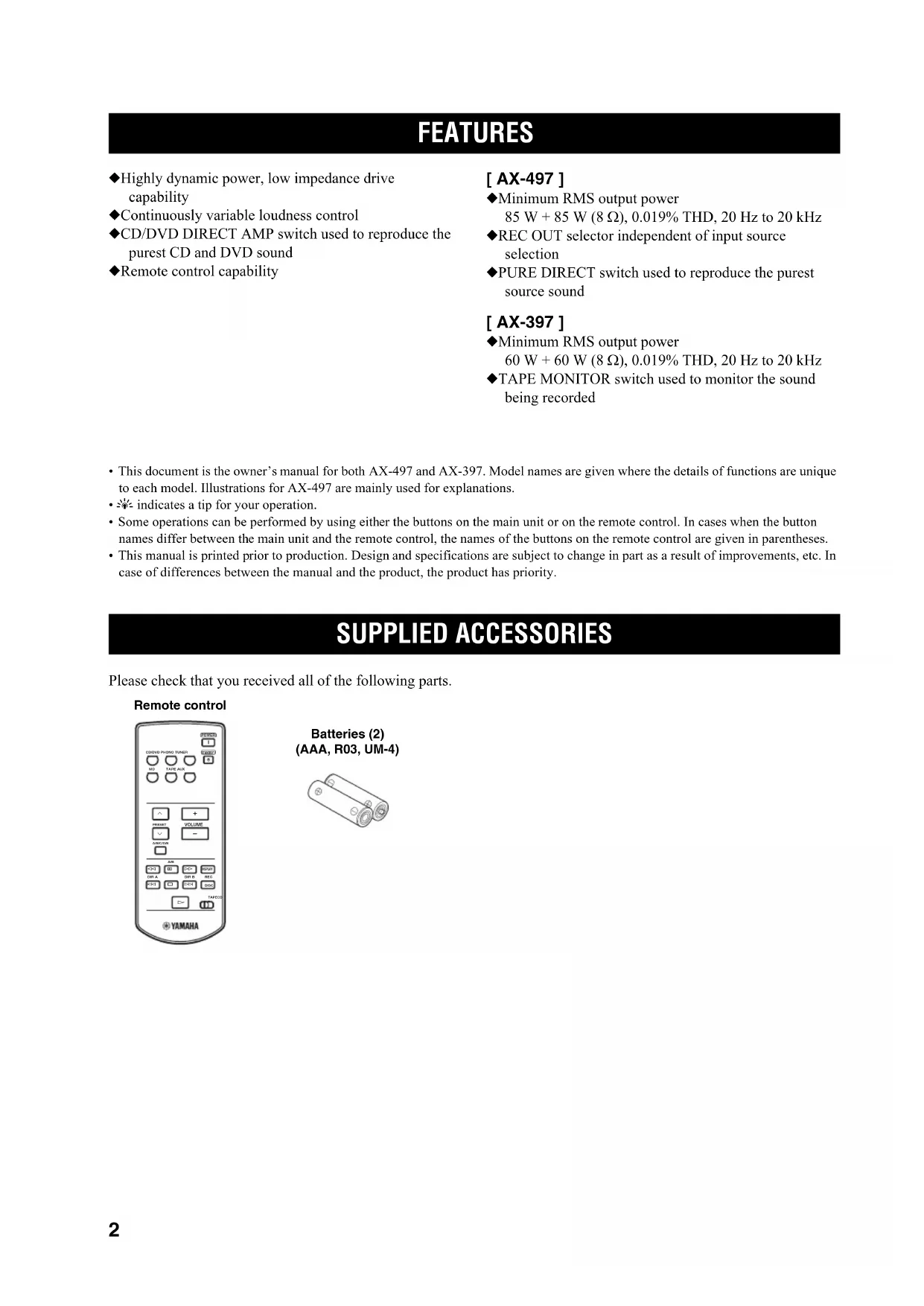
Please check that you received all of the following parts.
FEATURES SUPPLIED ACCESSORIES CD/DVD PHONO TUNERPOWERSTANDBY MD TAPE AUX +
a DISPLAY Remote control
(AAA, R03, UM-4)CONTROLS AND FUNCTIONS 3
INTRODUCTION English
1 POWER Press inward to the ON position to provide this unit with
power supply from the AC wall outlet. In this state, you
can turn on this unit or set it to the standby mode by
pressing STANDBY/ON.
When you turn on this unit, there will be a few second
delay before this unit can reproduce sound.
Press again to release it outward to the
completely cut off power supply from the AC wall outlet.
Lights up when this unit is in the standby mode.
3 STANDBY/ON Turns on this unit or sets it to the standby mode. • This switch is operational only when POWER is pressed inward to the ON position.• In the standby mode, this unit consumes a small amount of power to receive infrared-signals from the remote control.
CONTROLS AND FUNCTIONS Front panel STANDBY
/ON STANDBYINPUTPHONES SPEAKERS BASS A POWER ON OFF ON OFF AUX MD TAP E CD/DVD TUNER PHONO PURE DIRECT CD/DVD DIRECT AMP B
4 Remote control sensor
Receives signals from the remote control.
5 INPUT selector and indicators
Selects the input source you want to listen to.
The input source indicators light up when the
corresponding input sources are selected.
6 PURE DIRECT and indicator
Allows you to listen to a source in the purest possible
The indicator above it lights up when this function is
See page 13 for details.
7 TAPE MONITOR and indicator
Allows you to listen to the sound played back on the tape
deck connected to the TAPE terminals on the rear panel of
When the tape deck is used for recording, you can also
monitor the sound being recorded.
The indicator above it lights up when this function is
• When this function is on (the indicator lights up), TAPE (tape
deck) cannot be selected with the INPUT selector.
• To listen to the source selected with the INPUT selector, press
again to turn off the function (the indicator turns off as a result).
• When TAPE (tape deck) is selected with the INPUT selector,
this function will not turn on even if TAPE MONITOR is
8 CD/DVD DIRECT AMP and indicator
Allows you to listen to a CD or a DVD source in the
The indicator above it lights up when this function is
See page 13 for details.
Outputs audio for private listening with headphones.
Press both SPEAKERS A and B switches on the front
panel to release them outward to the OFF position.
0 SPEAKERS A/B Turns on or off the speaker set connected to the
SPEAKERS A and/or B terminals on the rear panel each
time the corresponding button is pressed.
A BASS Increases or decreases the low frequency response. The 0
position produces a flat response.
See page 13 for details.
B TREBLE Increases or decreases the high frequency response. The 0
position produces a flat response.
See page 13 for details.
C BALANCE Adjusts the sound output balance of the left and right
speakers to compensate for sound imbalances caused by
speaker locations or listening room conditions.
See page 13 for details.
D LOUDNESS Retains a full tonal range at any volume level to
compensates for the human ears’ loss of sensitivity to high
and low-frequency ranges at low volume.
See page 13 for details.
Selects a source for recording to the MD recorder or the
tape deck independently of the INPUT selector setting,
allowing you to record the selected source while listening
See page 14 for details.
F VOLUME Controls the sound output level.
This does not affect the OUT (REC) level.
■ Opening and closing the front panel
When you want to use the controls behind the front panel
door, open the door by gently pressing on the lower part of
the panel. Keep the door closed when not using these
controls to protect the controls from dust, etc.
NotesCONTROLS AND FUNCTIONS 5
INTRODUCTION English
This section describes the function of each control on the
remote control used to control this unit or a YAMAHA CD player, tuner, tape deck, etc. with the remote control
capability. Some components may not be controlled by this remote control. ■ Controlling this unit
1 Infrared signal transmitter
Sends signals to this unit.
2 POWER Turns on this unit. This button is operational only when POWER on the front panel is pressed inward to the ON position.
3 STANDBY Sets this unit to the standby mode. • This button is operational only when POWER on the front panel is pressed inward to the ON position.• In the standby mode, this unit consumes a small amount of power in order to receive infrared-signals from the remote control. 4 Input selector buttons
Select the input source you want to listen to.
Controls the sound output level.
This does not affect the OUT (REC) level.
■ Controlling other components
The functions of the buttons to control other YAMAHA
components are the same as those of the corresponding
buttons on those components. Refer to those components’
instruction manuals for details.
Control various functions of the tuner.
Selects a preset station number (1 to 8).
A/B/C/D/E Selects a preset station group (A to E).
7 CD player / tape deck buttons
Control various functions of the CD player or the tape
deck. • DIR B and A/B apply only to the double cassette tape deck.• Pressing DIR A will reverse the tape direction on the single cassette tape deck with the automatic reverse function. 8 CD/TAPE selector switch
Switches to control either CD player functions or tape
NotesCONTROLS AND FUNCTIONS 6
1 Open the battery compartment cover.
2 Insert two supplied batteries
(AAA, R03, UM-4) according to the polarity
markings (+ and –) on the inside of the
battery compartment.
3 Close the cover back.
■ Notes on batteries • Change all of the batteries if you notice the following conditions; the operation range of the remote control decreases, the indicator does not flash or its light becomes dim.• Use AAA, R03, UM-4 batteries.• Make sure that the polarities are correct. See the illustration inside the battery compartment.• Remove the batteries if the remote control is not used for an extended period of time.• Do not use old batteries together with new ones.• Do not use different types of batteries (such as alkaline and manganese batteries) together. Read the packaging carefully as these different types of batteries may have the same shape and color.• We strongly recommend using alkaline batteries.• If the batteries have leaked, dispose of them immediately. Avoid touching the leaked material or letting it come into contact with clothing, etc. Clean the battery compartment thoroughly before installing new batteries.• Do not throw away batteries with general house waste; dispose of them correctly in accordance with your local regulations. The remote control transmits a directional infrared beam.
Be sure to aim the remote control directly at the remote
control sensor on the front panel of this unit during
■ Handling the remote control
• The area between the remote control and this unit must
be clear of large obstacles.
• Do not spill water or other liquids on the remote
• Do not drop the remote control.
• Do not leave or store the remote control in the
following types of conditions:
– places of high humidity, such as near a bath
– places of high temperature, such as near a heater or
– places of extremely low temperatures
• Do not expose the remote control sensor to strong
lighting, in particular, an inverter type fluorescent
lamp; otherwise, the remote control may not work
properly. If necessary, position this unit away from
Installing batteries in the remote
DISPLAY Approximately 6 mCONTROLS AND FUNCTIONS 7
INTRODUCTION English
1 PHONO jacks and GND terminal
See page 8 for connection information.
2 Audio input/output jacks
See page 8 for connection information.
Use to supply power to your other audio/video
See page 10 for details.
4 AC power supply cord
See page 10 for connection information.
5 SPEAKERS terminals
Connect one or two speaker sets.
See page 8 for connection information.
6 IMPEDANCE SELECTOR See “IMPEDANCE SELECTOR switch” on this page.
■ Asia and General models only
VOLTAGE SELECTOR is only applicable to the Asia and
while the power of this unit is turned on, as doing so may
If this unit fails to turn on, the IMPEDANCE SELECTOR
switch may not be fully slid to either position. If this is the
case, slide the switch all the way to either position when
this unit’s power supply is completely cut off.
Select the switch position (left or right) according to the
impedance of the speakers in your system.
each speaker must be 8
• If you use two sets (A and B), the impedance
of each speaker must be 16
• You can use one set (A or B), and the
impedance of each speaker must be 6
each speaker must be 6
• If you use two sets (A and B), the impedance
of each speaker must be 12
each speaker must be 4
• If you use two sets (A and B), the impedance
of each speaker must be 8
CAUTIONCONNECTIONS 8
• Do not connect this unit or other components to the main power until all connections between components are
• Do not let the bare speaker wires touch each other or do not let them touch any metal part of this unit. This could
damage this unit and/or the speakers.
• All connections must be correct: L (left) to L, R (right) to R, “+” to “+” and “–” to “–”. If the connections are faulty,
no sound will be heard from the speakers, and if the polarity of the speaker connections is incorrect, the sound will be
unnatural and lack bass. Also, refer to the owner’s manual for each of your components.
• Use RCA type pin plug cables for audio/video units except speakers.
• Connect your turntable to the GND terminal to reduce noise in the signal. However, you may hear less noise without
the connection to the GND terminal for some record players.
CONNECTIONS Connecting speakers and other components
LR R L R L L R LR L R
VCR, etc. MD recorder,
CONNECTIONS PREPARATION English
1 Remove approximately 10 mm (3/8 in) of
insulation from the end of each speaker
cable and twist the exposed wires of the
cable together to prevent short circuits.
3 Insert one bare wire into the hole in the side
4 Tighten the knob to secure the wire.
■ Connecting the banana plug
(With the exception of Asia, Korea, U.K. and
First, tighten the knob and then insert the banana plug into
the end of the corresponding terminal.
• One or two speaker sets can be connected to this unit. If you use
only one speaker set, connect it to either the SPEAKERS A or B
Banana plug10 CONNECTIONS ■ Connecting the AC power supply cord
Plug the power supply cord into the AC wall outlet after
all other connections are complete.
■ AC OUTLET(S) (SWITCHED)
U.K. and Australia models 1 outlet
Other models 3 outlets
Use these outlets to connect the power cords from your
other components to this unit. The power to the AC OUTLET(S) is controlled by POWER or STANDBY/ON
on the front panel of this unit (or on the remote control).
The outlet(s) supply power to any connected component
whenever the power of this unit is turned on. For
information on the maximum power (total power
consumption of components), see “SPECIFICATIONS”
(Asia and General models only)
The VOLTAGE SELECTOR on the rear panel of this unit
must be set for your local main voltage BEFORE plugging
the power supply cord into the AC wall outlet.
Voltages are as follows:
Asia model AC 220/230–240 V, 50/60 Hz
General model AC 110/120/220/230–240 V, 50/60 Hz
OPERATION As for AX-397 only, if the TAPE MONITOR indicator on the
front panel lights up when you listen to a source, press TAPE MONITOR on the front panel to turn off the TAPE MONITOR
function (the TAPE MONITOR indicator turns off as a result).
1 Set VOLUME on the front panel
counterclockwise to the extreme end.
2 Press POWER on the front panel inward to
3 Rotate the INPUT selector on the front panel
(or press one of the input selector buttons on
the remote control) to select the input source
you want to listen to.
The indicator of the selected input source lights up.
4 Press SPEAKERS A and/or B on the front
panel to select speakers A and/or B.
• Both SPEAKERS A and B can be selected.
• If you listen with headphones, press both switches to release
them outward to the OFF position.
6 Rotate VOLUME on the front panel (or press
VOLUME +/– on the remote control) to adjust
the sound output level.
VOLUME Remote control
7 Adjust the tonal quality by using the BASS,
or the CD/DVD DIRECT AMP switch on the
As for AX-497 only, you can also adjust the tonal quality by
using PURE DIRECT on the front panel.
8 Press STANDBY/ON on the front panel again
(or STANDBY on the remote control) to finish
using this unit and set it to the standby
The STANDBY indicator lights up.
To completely cut off power supply from the AC wall outlet,
press POWER on the front panel to release it outward to the OFF
■ Adjusting the BALANCE control
Adjusts the sound output balance of the left and right
speakers to compensate for sound imbalance caused by
speaker locations or listening room conditions.
■ Using the CD/DVD DIRECT AMP switch
Routes input signals from your CD or DVD player
directly to the specially built-in amplifier for the CD or
DVD player. As a result, the input signals bypass the
INPUT selector and the BASS, TREBLE, BALANCE and
LOUDNESS controls (and the TAPE MONITOR switch
for AX-397 only) and then sent to the power amplifier,
thus eliminating any alterations to the CD or DVD signals
and creating the purest possible sound.
■ Using the PURE DIRECT switch
Routes input signals from your audio sources. As a result,
the input signals bypass the BASS, TREBLE, BALANCE
and LOUDNESS controls, thus eliminating any alterations
to the audio signals and creating the purest possible sound.
As for AX-497 only, if both the CD/DVD DIRECT AMP and the
PURE DIRECT switches are turned on, only the CD/DVD DIRECT AMP switch will function.
■ Adjusting the BASS and TREBLE
Adjusts the high and low frequency response.
BASS Increases or decreases the low frequency response.
TREBLE Increases or decreases the high frequency response.
■ Adjusting the LOUDNESS control
Retains a full tonal range at any volume level, thus
compensating for the human ears’ loss of sensitivity to
high and low-frequency ranges at low volume.
If the CD/DVD DIRECT AMP switch (or the PURE DIRECT switch for AX-497 only) is turned on with the
LOUDNESS control set at a certain level, the input signals
bypass the LOUDNESS control, resulting in a sudden
increase in the sound output level. To prevent your ears or
the speakers from being undesirably damaged, be sure to
press the CD/DVD DIRECT AMP switch (or the PURE DIRECT switch for AX-497 only) AFTER lowering the
sound output level or AFTER checking that the
LOUDNESS control is properly set.
1 Set the LOUDNESS control to the FLAT
2 Rotate VOLUME on the front panel (or press
VOLUME +/– on the remote control) to set the
sound output level to the loudest listening
level that you would listen to.
3 Rotate the LOUDNESS control until the
desired volume is obtained.
Adjusting the tonal quality
814 PLAYING AND RECORDING• The VOLUME, BASS, TREBLE, BALANCE and LOUDNESS controls and the CD/DVD DIRECT AMP switch (and the PURE DIRECT switch for AX-497 only) have no effect on the source being recorded.• Check the copyright laws in your country to record from records, CDs, radio, etc. Recording copyright-protected material may infringe on copyright laws. ■ AX-497
1 Rotate the REC OUT selector on the front
panel to select the source you want to
3 Rotate the INPUT selector on the front panel
(or press one of the input selector buttons on
the remote control) to select the input source
you want to listen to.
4 Rotate VOLUME on the front panel (or press
VOLUME +/– on the remote control) to adjust
the sound output level.
5 Begin recording on the tape deck or the MD
6 Rotate the INPUT selector on the front panel
(or press TAPE or MD on the remote control)
to select TAPE or MD and then monitor the
sound being recorded on the tape deck or
the MD recorder. Selecting another source with the INPUT selector on the front panel (or the corresponding input selector button on the remote control) while recording is in progress will not affect the recording. Recording a source to a tape
or an MD Notes 012 12 284∞20 20 60 60 26 26 40 40 16 16 -dB -dB STANDBY /ON STANDBYINPUTPHONES SPEAKERS BASS 5
2 Rotate the INPUT selector on the front panel
(or press one of the input selector buttons on
the remote control) to select the input source
you want to listen to.
You cannot select any input source while the TAPE MONITOR
indicator on the front panel lights up.
3 Rotate VOLUME on the front panel (or press
VOLUME +/– on the remote control) to adjust
the sound output level.
4 Begin recording on the tape deck or the MD
If the 3-head tape deck is used for recording, you can monitor the
sound of recording by pressing TAPE MONITOR.
Note 012 12 284∞20 20 60 60 26 26 40 40 16 16 -dB -dB STANDBY /ON STANDBYINPUTPHONES SPEAKERS BASS 5
– VOLUME Remote control
orTROUBLESHOOTING 16
Refer to the chart below if this unit does not function properly. If the problem you are experiencing is not listed below or
if the instructions below do not help, set this unit to the standby mode, disconnect the power cord, and contact the nearest
authorized YAMAHA dealer or service center.
page This unit fails to turn on. The power supply cord is not connected or the plug is not completely inserted.Connect the power supply cord firmly. — The impedance setting is incorrect. Set the impedance to match your speakers. 7 The protection circuitry has been activated because of a short circuit, etc.Check that the speaker wires are not touching each other and then turn the power of this unit back on. 8 The IMPEDANCE SELECTOR switch on the rear panel is not set to either end.Set the IMPEDANCE SELECTOR switch to either end when the power of this unit is turned off. 7 This unit has been exposed to a strong external electric shock (such as lightning or strong static electricity).Set this unit to the standby mode, disconnect the power supply cord, plug it back in after 30 seconds, then use it normally. — No sound Incorrect input or output cable connections.Connect the cables properly. If the problem persists, the cables may be defective. 8 No appropriate input source has been selected.Select an appropriate input source with the INPUT selector on the front panel (or one of the input selector buttons on the remote control). 11 The TAPE MONITOR function is turned on. Turn off the TAPE MONITOR function. 4 The SPEAKERS A/B switches are not set properly.Set the corresponding SPEAKERS A or B switch to the ON position. 11 Speaker connections are not secure. Secure the connections. 8 The sound suddenly goes off.The protection circuitry has been activated because of a short circuit, etc.Check that the IMPEDANCE SELECTOR setting is correct. 7 Check that the speaker wires are not touching each other and then turn the power of this unit back on. 8 Only the speaker on one side can be heard.Incorrect cable connections. Connect the cables properly. If the problem persists, the cables may be defective. 8 Incorrect setting for the BALANCE control.Set the BALANCE control to the appropriate position. 13 There is a lack of bass and no ambience.The + and – wires are connected in reverse at the amplifier or the speakers.Connect the speaker wires to the correct + and – phase. 8 A “humming” sound can be heard.Incorrect cable connections. Connect the audio plugs firmly. If the problem persists, the cables may be defective. 8 No connection from the turntable to the GND terminal.Make the GND connection between the turntable and this unit. 8 The volume level is low while playing a record.The record is being played on a turntable with an MC cartridge.The turntable should be connected to this unit through the MC head amplifier. — The volume level cannot be increased, or the sound is distorted.The component connected to the TAPE OUT or the MD OUT terminals of this unit is turned off.Turn on the power of the component. —17
TROUBLESHOOTING ADDITIONAL INFORMATION English
The power of this unit is turned off, or this
unit is set to the standby mode.
Turn on the power of this unit.
The LOUDNESS control is functioning. Set the LOUDNESS control to the FLAT position.
selector is rotated.
The CD/DVD DIRECT AMP switch is
Turn off the CD/DVD DIRECT AMP switch.
The TAPE MONITOR function is turned
The CD/DVD DIRECT AMP switch (or
the PURE DIRECT switch for AX-497
The CD/DVD DIRECT AMP switch (or the PURE DIRECT switch for AX-497 only) must be turned off
to use those controls.
Wrong distance or angle. The remote control will function within a maximum
range of 6 m and no more than 30 degrees off-axis
from the front panel.
Direct sunlight or lighting (from an
inverter type of fluorescent lamp, etc.) is
striking the remote control sensor of this
Reposition this unit.
The batteries are weak. Replace all batteries.
(8 Ω , 20 Hz to 20 kHz, 0.019% THD)
[AX-497] 85 W + 85 W
[AX-397] 60 W + 60 W
(6 Ω , 20 Hz to 20 kHz, 0.038% THD)
[AX-497] 100 W + 100 W
[AX-397] 70 W + 70 W
• Dynamic Power (IHF) (8/6/4/2 Ω)
[AX-497] 130/150/185/220 W
[AX-397] 100/120/140/150 W
• Maximum Output Power
(1 kHz, 0.7% THD, 4 Ω) [U.K. and Europe models only]
(1 kHz, 10% THD, 8/6 Ω)
[Asia, General, China and Korea models only] .... 130/150 W
[Asia, General and China models only] 100/110 W
• IEC Output Power [U.K. and Europe models only]
(1 kHz, 0.019% THD, 8 Ω)
[AX-497] (0.04% THD, 42.5 W, 8 Ω) 10 Hz to 50 kHz
[AX-397] (0.04% THD, 30 W, 8 Ω) 10 Hz to 50 kHz
20 Hz to 20 kHz, 8 Ω 240 or more
• Maximum Input Signal
PHONO (1 kHz, 0.003% THD) 115 mV or more
CD, etc. (1 kHz, 0.5% THD) 2.2 V or more
• Frequency Response
CD, etc. (20 Hz to 20 kHz) 0 ± 0.5 dB CD/DVD DIRECT AMP ON (10 Hz to 100 kHz) 0 ± 1.0 dB
• RIAA Equalization Deviation
• Total Harmonic Distortion
(20 Hz to 20 kHz, 3 V) 0.003% or less
(20 Hz to 20 kHz, 42.5 W, 8 Ω) 0.009% or less
• Signal to Noise Ratio (IHF-A Network)
PHONO (input shorted) 88 dB or more
• Headphone Output/Impedance
CD, etc. (Input 1 kHz, 150 mV, 8 Ω , 0.019% THD)
[AX-497] 0.3 V/680 Ω
[AX-397] 0.25 V/680 Ω
• Channel Separation
TREBLE Boost/Cut (20 kHz) ±10 dB Turnover Frequency 3.5 kHz
• Continuous Loudness Control
Attenuation (1 kHz) –30 dB GENERAL
[Other models] 1.1 W
(The power consumption is 0 W when the POWER switch is
released outward to the OFF position.)
• Maximum Power Consumption [General models only]
(1 kHz, 6 Ω , 10% THD)
[U.K. and Australia models] 1 (Total 100 W maximum)
* Specifications are subject to change without notice.
(AAA, R03, UM-4)COMMANDES ET FONCTIONS 3
LR R L R L L R LR L R
Anomalies Causes possibles Actions correctives
[AX-397] 100/120/140/150 W
(1 kHz, DHT 10%, 8/6 Ω)
LR R L R L L R LR L R
[AX-397] 100/120/140/150 W
(1 kHz, 10% Klirr, 8/6 Ω)
LR R L R L L R LR L R
[AX-397] 100/120/140/150 W
WEERGAVE EN OPNAME 11
LR R L R L L R LR L R
[AX-397] 100/120/140/150 W
(1 kHz, 10% THV, 8/6 Ω)
LR R L R L L R LR L R
2005 All rights reserved.