 ManualGo.com
 RTTS 17251 U - Scie EINHELL - Free user manual and instructions
Find the device manual for free RTTS 17251 U EINHELL in PDF.


Download the instructions for your Scie in PDF format for free! Find your manual RTTS 17251 U - EINHELL and take your electronic device back in hand. On this page are published all the documents necessary for the use of your device. RTTS 17251 U by EINHELL.
USER MANUAL RTTS 17251 U EINHELL
Original operating instructions
6. Before starting the equipment
10. Replacing the power cable
11. Cleaning, maintenance, storage, transport and ordering spare parts
12. Disposal and recycling
GB Anleitung_RT_TS_1725_1_U_SPK1:_ 28.10.2011 8:45 Uhr Seite 2324
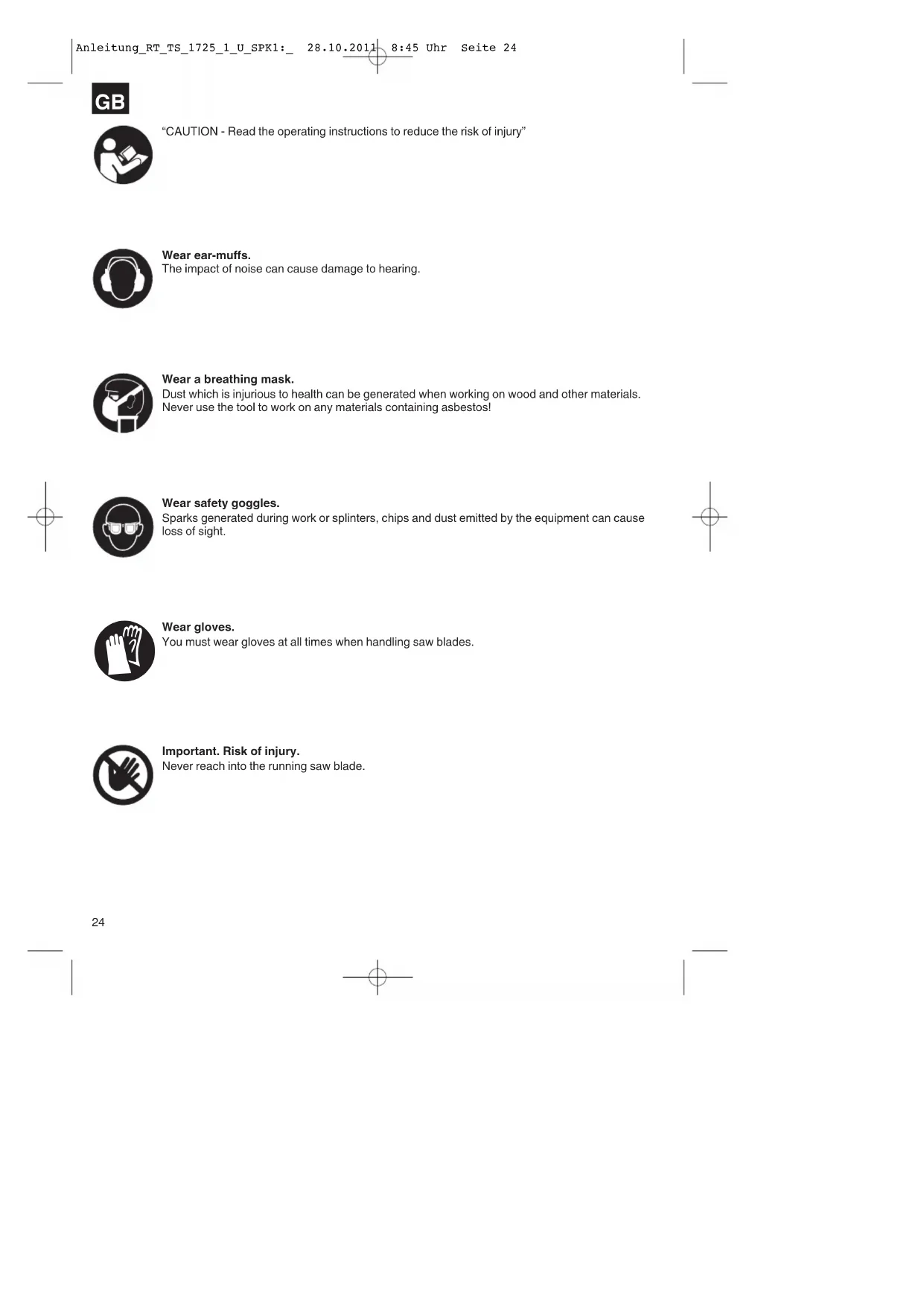
“CAUTION - Read the operating instructions to reduce the risk of injury”
The impact of noise can cause damage to hearing.
Wear a breathing mask.
Dust which is injurious to health can be generated when working on wood and other materials.
Never use the tool to work on any materials containing asbestos!
Wear safety goggles.
Sparks generated during work or splinters, chips and dust emitted by the equipment can cause
You must wear gloves at all times when handling saw blades.
Important. Risk of injury.
Never reach into the running saw blade.
Anleitung_RT_TS_1725_1_U_SPK1:_ 28.10.2011 8:45 Uhr Seite 24 Important.
When using the equipment, a few safety precautions
must be observed to avoid injuries and damage.
Please read the complete operating instructions and
safety information with due care. Keep these
operating instructions in a safe place so that the
information is available at all times. If you give the
equipment to any other person, hand over these
operating instructions and the safety information as
well. We cannot accept any liability for damage or
accidents which arise due to a failure to follow these
instructions and the safety information.
1. Safety information
CAUTION Read all the safety information and instructions.
Any errors made in following the safety information
and instructions may result in an electric shock, fire
and/or serious injury.
Keep all safety information and instructions in a
safe place for future use.
Safety information on the laser
Do not look into the beam
Protect yourself and your environment from accidents
by taking the appropriate precautionary measures.
Do not look directly into the laser beam with the
Never look directly into the laser path.
Never direct the laser beam at reflecting surfaces
or persons or animals. Even a low output laser
beam can inflict injury on the eye.
Caution: It is vital to follow the work procedures
described in these instructions. Using the
equipment in any other way may result in
hazardous exposure to laser radiation or
radioactive contamination.
Never open the laser module.
Safety information on the batteries
Use of the batteries
Ensure that the ON/OFF switch for the laser (35)
is set to its “0” position before you fit the batteries.
Inserting the batteries when the laser is switched
on can cause accidents.
If the equipment is not used correctly the
batteries may leak. Avoid contact with the battery
fluid. If you come into contact with battery fluid,
clean the affected body part with running water. If
you get battery fluid in your eyes, seek immediate
Leaked battery fluid can cause skin irritation and
Never expose the batteries to excess heat such
as sunshine, fire or similar.
Never recharge batteries that are not suitable for
recharging. There is a risk of explosion!
Keep batteries away from children, do not short
circuit batteries or disassemble.
Seek a doctor’s advice immediately if a battery is
If necessary, clean the contacts on the battery
and equipment before inserting the batteries.
Ensure that you insert the batteries the right way
Remove flat batteries immediately from the
equipment. There is an increased risk of leakage.
Always change all batteries in one go.
Insert only batteries of the same type, do not use
different types of batteries or used and new
Make sure that the equipment is switched off after
Remove the batteries if the equipment is not used
over a longer period.
9. Adjusting and locking grip
25. Table support, short
26. Table support, long
27. Screw with wing nut
28. Oval hole in splitter
29. Countersunk head screws
36. Screws for battery compartment
38. /39. Fixing points
Open the packaging and take out the equipment
Remove the packaging material and any
packaging and/or transportation braces (if
Check to see if all items are supplied.
Inspect the equipment and accessories for
If possible, please keep the packaging until the
end of the guarantee period.
IMPORTANT The equipment and packaging material are not
toys. Do not let children play with plastic bags,
foils or small parts. There is a danger of
swallowing or suffocating!
Original operating instructions
Saw table to preassembled, carbide-tipped saw
Splitter with laser
Table support, short (4x)
r) Open-ended wrench, size 10/13
t) Allen key, size 4mm
The bench-type circular saw is designed for the
slitting and cross-cutting (only with the cross stop) of
all types of timber commensurate with the machine’s
size. The equipment is not to be used for cutting any
The equipment may only be used for the tasks it is
designed to handle. Any other use is deemed to be a
case of misuse. The user/operator and not the
manufacturer will be liable for any damage or injuries
of any kind caused as a result of this.
Please note that our equipment has not been
designed for use in commercial, trade or industrial
applications. Our warranty will be voided if the
equipment is used in commercial, trade or industrial
businesses or for equivalent purposes.
The equipment is to be operated only with suitable
saw blades (saw blades made of HM or CV) It is
prohibited to use any type of HSS saw blade and
cutting-off wheel. To use the equipment properly you
must also observe the safety information, the
assembly instructions and the operating instructions
to be found in these operating instructions.
All persons who use and service the equipment have
to be acquainted with these operating instructions
and must be informed about the equipment’s
GB Anleitung_RT_TS_1725_1_U_SPK1:_ 28.10.2011 8:45 Uhr Seite 26potential hazards. It is also imperative to observe the
accident prevention regulations in force in your area.
The same applies for the general rules of health and
safety at work. The manufacturer will not be liable for
any changes made to the equipment nor for any
damage resulting from such changes. Even when the
equipment is used as prescribed it is still impossible
to eliminate certain residual risk factors. The following
hazards may arise in connection with the equipment’s
construction and design:
Contact with the saw blade in the uncovered saw
Reaching into the running saw blade (cut
Kick-back of workpieces and parts of workpieces.
Saw blade fracturing.
Catapulting of faulty carbide tips from the saw
Damage to hearing if ear-muffs are not used as
Harmful emissions of wood dust when used in
Infinite height adjustment 0 - 73 mm
Infinitely adjustable saw blade angle 0° - 45°
Dust extraction connector approx. diameter
Weight approx. 27 kg
Rated operating period/rated idle period (4 min. on/6
To prevent the motor from overheating, only use the
bench-type circular saw as follows:
After an operating period of 4 minutes (S 6 = 40%)
under the permitted load, you must interrupt your
work for a period of 6 minutes in which the machine
Noise emission values
The noise emission values were measured in
accordance with EN 61029.
uncertainty 3 dB L WA
uncertainty 3 dB Wear ear-muffs.
The impact of noise can cause damage to hearing.
The quoted values are emission values and not
necessarily reliable workplace values. Although there
is a correlation between emission and immission
levels it is impossible to draw any certain conclusions
as to the need for additional precautions. Factors with
a potential influence on the actual immission level at
the workplace include the duration of impact, the type
of room, and other sources of noise etc., e.g. the
number of machines and other neighboring
operations. Reliable workplace values may also vary
from country to country. With this information the user
should at least be able to make a better assessment
of the dangers and risks involved.
Reduce noise generation and vibration to a
Use only equipment that is in perfect condition.
Maintain and clean the equipment regularly.
Adopt your way of working to the equipment.
Do not overload the equipment.
Have the equipment checked if necessary.
Switch off the equipment when not in use.
6. Before starting the equipment
Before you connect the equipment to the power
supply make sure that the data on the rating plate
are identical to the supply voltage.
Only ever connect the equipment to a properly
installed shock-proof socket which is protected
by a 10A fuse as a minimum.
Always pull out the power plug before making
adjustments to the equipment.
Unpack the bench-type circular saw and check it
for damage which may have occurred in transit.
Make sure the machine stands securely, i.e. bolt
it to a workbench or solid base.
GB Anleitung_RT_TS_1725_1_U_SPK1:_ 28.10.2011 8:45 Uhr Seite 27 All covers and safety devices have to be properly
fitted before the equipment is switched on.
It must be possible for the blade to run freely.
When working with wood that has been
processed before, watch out for foreign bodies
such as nails or screws, etc.
Before you actuate the On/Off switch, make sure
that the saw blade is correctly fitted and that the
equipment’s moving parts run smoothly.
Important. Pull out the power plug before
carrying out any maintenance, resetting or
assembly work on the circular saw!
7.1 Assembling the base frame (Fig. 4-9)
Turn the saw upside down and place it on the
Use hex screws (c) and washers (a) to fasten the
four legs (18) loosely to the saw (Figure 5).
Now loosely screw the longitudinal struts (20), the
cross struts (19) as well as the four center struts
(21, 22) to the legs using the hex screws (c),
washers (a) and nuts (b) (Fig. 6-7)
Be sure to secure the hex screws (c) and nuts (b)
Important: The longer struts have to be used on
Now mount the four rubber feet (23) on the legs
Screw the stability bars (24) to the bore holes on
the rear legs using 2 hex screws (c), washers (a)
and nuts (b) on each side. (Figure 9)
Both stability bars must be fastened at the
mounting points 38 and 39 at the rear of the
Finally, tighten all screws and nuts on the base
7.2 Fitting the table width extension and length
extension (Fig. 10-14)
Loosely fasten the table width extension (14) and
length extension (15) to the saw table (1) using
the Allen screws (d) and the washers (u) (Fig. 10-
12). Use the rear holes (facing the table length
extension) to mount the table width extension.
Loosely screw the table supports (25, 26) to the
housing of the bench-type circular saw with the
hex screws (c) and washers (u). In addition the
table supports (25, 26) must be loosely screwed
to the width or length extension table with hex
screws (c), washers (a) and nuts (b). (Use the
short supports (25) for the width extension and
the long supports (26) for the length extension)
Turn the saw together with the base frame and
Align the table width extension and length
extension level with the saw table (1).
Finally, tighten all screws.
7.3 Fitting / removing the saw blade guard (Fig.
The batteries for the laser must be inserted prior
to initial assembly (see 9.9).
When assembling the equipment for the first time,
you must first fit and adjust the splitter (4). To do
so, proceed as described in Section 8.5.
Place the saw blade guard (2) together with the
screw (27) on top of the splitter (4) so that the
screw is snug in the oval hole (28).
Do not tighten the screw (27) too far – the blade
guard must be able to move freely.
Fit the extractor hose (3) to the extractor adapter
(16) and the extractor socket on the saw blade
guard (2) and secure it to the extractor adapter
(16) with the retaining clip (v). Connect a suitable
chip extraction system to the extractor adapter
To dismantle, proceed in reverse order.
The saw blade guard (2) must always be
lowered over the workpiece before you begin
7.4 Changing the table insert (Fig. 17-18)
To prevent increased likelihood of injury, the table
insert (6) should be changed whenever it is worn
Take off the saw blade guard (2) (see 8.3).
Remove the 2 countersunk head screws (29).
Take out the worn table insert (6).
Fit the replacement table insert by following the
7.5 Adjusting the splitter (Fig. 19-20)
Important. Pull out the power plug.
The setting of the saw blade (5) has to be
checked each time after changing the saw blade.
Set the blade (5) to max. cutting depth, move to
0° position and lock in place (see 9.2).
Dismantle the saw blade guard (2) (see 8.3).
Take out the table insert (6) (see 8.4).
Slacken the fixing screw (30).
Push up the splitter (4) until the gap between the
saw table (1) and the upper edge of the splitter
(4) equals approx. 10 cm.
The distance between the blade (5) and the
splitter (4) should be max. 5 mm. (Fig. 20).
Important. Pull out the power plug and wear
Dismantle the saw blade guard (2) (see 8.3).
Remove the table insert (6) by undoing the two
countersunk head screws (see 8.4).
Undo the nut with a wrench (size 24) on the nut
itself and a second fork wrench (size 10) on the
motor shaft to apply counter-pressure.
Important. Turn the nut in the direction of
rotation of the saw blade.
Take off the outer flange and pull the old saw
blade off the inner flange by dropping the blade at
Clean the saw blade flange thoroughly with a wire
brush before fitting the new saw blade.
Mount and fasten the new saw blade in reverse
Important. Note the running direction. The
cutting angle of the teeth must point in
running direction, i.e. forwards (see the
arrow on the blade guard).
Refit and set the table insert (6) and the saw
blade guard (2) (see 8.3, 8.4)
Check to make sure that all safety devices are
properly mounted and in good working condition
before you begin working with the saw again.
8.1. ON/OFF switch (Fig. 22/Item 11)
To turn the saw on, press the green button “I” .
Wait for the blade to reach its maximum speed of
rotation before commencing with the cut.
To turn the equipment off again, press the red
8.2. Cutting depth (Fig. 22).
Turn the hand wheel (8) to set the blade (5) to the
required cutting depth.
Turn anti-clockwise:
larger cutting depth
smaller cutting depth
8.3. Setting the angle (Fig. 22)
Undo the fixing handle (9).
Turn the handle to set the desired angle on the
Lock the fixing handle again in the required angle
8.4.1. Stop height (Fig. 23-26)
The stop rail (e) for the parallel stop (7) has two
different guide faces (high and low).
For thick material you must use the stop rail (e) as
shown in Fig. 25, for thin material (with a
workpiece thickness of less than 25 mm) you
must use the stop rail as shown in Fig. 26.
8.4.2 Turning the stop rail (Fig. 23-26)
First undo the wing nuts (f) to turn the stop rail (e).
The stop rail (e) can now by pulled off the guide
rail (h) and can be pushed back over it with the
Retighten the wing nuts (f).
8.4.3 Cutting width (Fig. 26-28)
The parallel stop (7) has to be used when making
longitudinal cuts in wooden workpieces.
The parallel stop should be mounted on the right-
hand side of the saw blade (5).
Place the parallel stop on the guide rail for the
parallel stop (12) from above (Fig. 26).
There are 2 scales (j/k) on the guide rail for the
parallel stop (12) which show the distance
between the stop rail (e) and the saw blade (5)
Depending on this, choose the appropriate scale
to suit whether the stop rail (e) is turned for thick
High stop rail (thick material):
Low stop rail (thin material):
Set the parallel stop (7) for the required
dimension using the inspection window (I) and
secure it using the eccentric lever for the parallel
8.4.4 Adjusting the stop length (Fig. 29)
The stop rail (e) can be moved in longitudinal
direction in order to prevent the workpiece from
Rule of thumb: The rear end of the stop comes up
against an imaginary line that begins roughly at
GB Anleitung_RT_TS_1725_1_U_SPK1:_ 28.10.2011 8:45 Uhr Seite 29the center of the blade and runs at an angle of
Set the required cutting width.
Slacken the wing nuts (f) and push the stop rail
(e) forward until it touches the imaginary 45° line.
Tighten the wing nuts (f) again.
8.5 Adjusting the parallel stop (Fig. 30)
Set the saw blade (5) to maximum cutting depth
(also see Point 9.2).
Set the parallel stop (7) so that the stop rail (e)
touches the saw blade (setting for thick material,
also see Point 9.4).
If the parallel stop (7) is not in line with the saw
blade (5), undo the screws (m) on the parallel
stop until the parallel stop (7) can be adjusted in
line with the saw blade (5) (Figure 30).
Re-tighten the screws (m).
8.6 Cross stop (Figure 31-32)
Slide the cross stop (13) into the groove (32) of
Slacken the knurled screw (33).
Turn the cross stop (13) until the required angle is
set. The notch (w) indicates the set angle.
Retighten the knurled screw (33).
When cutting large parts of workpieces you can
use the stop rail (e) from the parallel stop (7) to
extend the length of the cross stop (13) (Fig. 32)
To extend the cross stop (13) with the stop rail
(e), the stop rail (e), the chain bar (h) and the
wing nuts (f) must be removed together with the
washers of the parallel stop (7). Now mount the
stop rail as shown in Figure 32, using the lock
Do not push the stop rail (e) too far toward the
The distance between the stop rail (e) and the
blade (5) should be approx. 2 cm.
8.7 Adjusting the scale on the cross stop (Figure
Place a 90° stop angle against the saw blade (5).
Connect the cross stop (13) to the stop rail (e) of
the parallel stop (7) (also see Point 9.4).
Undo the knurled screw (33) of the cross top (13).
Position the cross stop (13) so that the stop rail is
in a 90° angle to the saw blade (5). Now precisely
align the cross stop to the saw blade using the
90° stop angle and retighten the knurled screw
Check if the cross stop is aligned at exactly 90°. If
this is not the case, continue as follows:
- Undo the two screws (o) holding the scale (p) to
the cross stop (13) until the scale can be set to
the correct position.
- Retighten the screws (o).
8.8 Adjusting the scale on the saw table (Fig. 28;
Ensure that the parallel stop (7) is in line with the
saw blade (5) (also see Point 9.5).
Set the parallel stop so that it touches the saw
blade (5) (setting for thick material, also see Point
Undo the screw (q) holding the scale (j; k) to the
chain bar (12) by approximately 2 turns.
Set the scale (j/k) so that the line in the inspection
window (I) of the parallel stop (7) aligns with the
zero line of the scale (j).
Retighten the screw (q).
8.9 Using the laser (Fig. 35-38)
The laser (34) enables you to make precision
cuts with your circular saw.
The laser light is generated by a laser diode
powered by two batteries. The laser light is
enlarged to form a line and is emitted through the
laser emission aperture. You can then use the
line as an optical marker for the sawing line for
precision cuts. Follow the laser safety
Inserting the batteries:
- Remove the saw blade guard (2) (see 8.3). The
laser is mounted on the splitter (4) and now easily
- Set the Laser ON/OFF switch (35) to position 0
- Remove the battery compartment cover (37) by
undoing the screws (36) and turning the mounting
plates attached to the screw so that they no
longer block the battery compartment cover (37).
Now flip up the battery compartment cover (37).
- Insert the batteries, ensuring that you fit them
the right way round (see Figure 37).
- Replace the battery compartment cover (37)
and secure it with the screws (36).
Mount the safety hood (2) for the blade again.
Switching the laser on: Set the Laser ON/OFF
switch (35) to I. When the saw blade guard (2) is
mounted you can easily access the Laser ON/Off
switch (35) through an opening provided in the
saw blade guard. A red laser beam will now be
projected from the laser emission aperture. If you
guide the laser beam along the sawing line mark
as you saw, you will produce clean, precise cuts.
Switching the laser off: Set the Laser ON/OFF
switch (35) to 0. The laser beam will go out.
Always switch off the laser when not in use in
order to save the batteries.
GB Anleitung_RT_TS_1725_1_U_SPK1:_ 28.10.2011 8:45 Uhr Seite 30 The laser beam can be blocked by deposits of
dust and chips. You should therefore remove
these particles from the laser emission aperture
each time after you use the laser (equipment off).
Notes on batteries: If you do not intend to use the
laser for a lengthy period of time, remove the
batteries from the battery compartment. Any
leakage of battery fluid might damage the tool.
Do not place the batteries on heaters or expose
them to direct sunshine for long periods;
temperatures in excess of 50°C may damage the
8.10 Adjusting the laser (Fig. 35)
If the laser (34) ceases to indicate the correct cutting
line, you can readjust the laser. To do so, open the
screws (z) and set the laser by moving sideways to
that the laser beam strikes the teeth of the saw blade
After every new adjustment we recommend you
to make a trial cut in order to check the new
After switching on the saw, wait for the blade to
reach its maximum speed of rotation before
commencing with the cut.
Take extra care when starting the cut!
Never use the equipment without the suction
Regularly check and clean the suction channels.
9.1 Making longitudinal cuts (Figure 39)
Longitudinal cutting (also known as slitting) is when
you use the saw to cut along the grain of the wood.
Press one edge of the workpiece against the parallel
stop (7) while the flat side lies on the saw table (1).
The blade guard (2) must always be lowered over the
When you make a longitudinal cut, never adopt a
working position that is in line with the cutting
Set the parallel stop (7) in accordance with the
workpiece height and the desired width. (See
Switch on the saw.
Place your hands (with fingers closed) flat on the
workpiece and push the workpiece along the
parallel stop (7) and into the blade (5).
Guide at the side with your left or right hand
(depending on the position of the parallel stop)
only as far as the front edge of the saw blade
Always push the workpiece through to the end of
The offcut piece remains on the saw table (1) until
the blade (5) is back in its position of rest.
Secure long workpieces against falling off at the
end of the cut (e.g. with a roller stand etc.) (e.g.
9.1.1 Cutting narrow workpieces (Fig. 40)
to use a push stick (17) when making
longitudinal cuts in workpieces smaller than 120 mm
in width. A push block is supplied with the saw!
Replace a worn or damaged push stick
9.1.2 Cutting very narrow workpieces
Be sure to use a push block when making
longitudinal cuts in very narrow workpieces with a
width of 30 mm and less.
The low guide face of the parallel stop is best
There is no push block supplied with the
saw! (Available from your specialist dealer)
Replace the push block without delay when it
9.1.3 Making angular cuts (Fig. 42)
Angular cuts must always be made using the parallel
Set the blade (5) to the desired angle. (See 9.3.)
Set the parallel stop (7) in accordance with the
workpiece width and height (see 9.3)
Carry out the cut in accordance with the
workpiece width (see 10.1.1 and 10.1.2).
9.2 Making cross cuts (Fig. 31,43)
Slide the cross stop (13) into one of the grooves
(32) in the table and adjust to the required angle.
(see 9.6). If you also want to tilt the blade (5), use
the groove (32) which prevents your hand and the
cross stop from making contact with the blade
If necessary, use the stop rail (e).
Press the workpiece firmly against the cross stop
Switch on the saw.
Push the cross stop (13) and the workpiece
toward the blade in order to make the cut.
Always hold the guided part of the
workpiece. Never hold the part which is to be
Push the cross stop (13) forward until the
workpiece is cut all the way through.
Switch off the saw again. Do not remove the
GB Anleitung_RT_TS_1725_1_U_SPK1:_ 28.10.2011 8:45 Uhr Seite 31offcut until the blade has stopped rotating.
9.3 Cutting particle boards
To prevent the cutting edges from cracking when
working with particle boards, you should not set the
saw blade (5) more than 5mm greater than the
thickness of the workpiece (also see Point 9.2).
10. Replacing the power cable
If the power cable for this equipment is damaged, it
must be replaced by the manufacturer or its after-
sales service or similarly trained personnel to avoid
11. Cleaning, maintenance, storage,
transport and ordering of spare
Always pull out the power plug before starting any
Keep all safety devices, air vents and the motor
housing free of dirt and dust as far as possible.
Wipe the equipment with a clean cloth or blow it
down with compressed air at low pressure.
We recommend that you clean the equipment
immediately after you use it.
Clean the equipment regularly with a damp cloth
and some soft soap. Do not use cleaning agents
or solvents; these may be aggressive to the
plastic parts in the equipment. Ensure that no
water can get into the interior of the equipment.
In case of excessive sparking, have the carbon
brushes checked only by a qualified electrician.
Important. The carbon brushes should not be
replaced by anyone but a qualified electrician.
There are no parts inside the equipment which
require additional maintenance.
Store the equipment and accessories out of children’s
reach in a dark and dry place at above freezing
temperature. The ideal storage temperature is
between 5 and 30 °C. Store the electric tool in its
Use only the transport handles (Figure 44)
punched into both sides of the housing for
transporting the equipment.
Secure the equipment against slipping; tie it down
Never use the safety devices for handling or
transporting purposes.
11.6 Ordering replacement parts
Please provide the following information on all orders
Model/type of the equipment
Article number of the equipment
ID number of the equipment
For our latest prices and information please go to
13. Disposal and recycling
The equipment is supplied in packaging to prevent it
from being damaged in transit. The raw materials in
this packaging can be reused or recycled. The
equipment and its accessories are made of various
types of material, such as metal and plastic. Defective
components must be disposed of as special waste.
Ask your dealer or your local council.
Batteries contain materials that are potentially harmful
to the environment. Never place batteries in your
household refuse, in fire or in water. Batteries should
be collected, recycled or disposed of by environment-
friendly means. Send your old batteries to iSC GmbH,
Eschenstrasse 6 in D-94405 Landau. You can then
be sure that the equipment will be correctly disposed
of by the manufacturer.
(c), rosette (a) e dadi (b). (Fig. 9)
Pritegnite krilate matice (f).
krilate navrtke (f).
2004/26/EC Emission No.:
2000/14/EC_2005/88/EC Annex IV Notified Body: TÜV Rheinland LGA Products GmbHNotified Body No.: 0197Reg. No.: BM 50214191 0001
Annex V Annex VI Noise: measured L WA = dB (A); guaranteed L WA = dB (A)P = KW; L/Ø = cmNotified Body: x
t For EU countries only
Never place any electric tools in your household refuse.
To comply with European Directive 2002/96/EC concerning old electric and electronic equipment and its
implementation in national laws, old electric tools have to be separated from other waste and disposed of
in an environment-friendly fashion, e.g. by taking to a recycling depot.
Recycling alternative to the demand to return electrical devices:
As an alternative to returning the electrical device, the owner is obliged to cooperate in ensuring that the
device is properly recycled if ownership is relinquished. This can also be done by handing over the used
device to a returns center, which will dispose of it in accordance with national commercial and industrial
waste management legislation. This does not apply to the accessories and auxiliary equipment without
any electrical components which are included with the used device.
p Uniquement pour les pays de l'Union Européenne
The reprinting or reproduction by any other means, in whole or in part,
of documentation and papers accompanying products is permitted only
with the express consent of ISC GmbH.
Technical changes subject to change
GUARANTEE CERTIFICATE Dear Customer,
All of our products undergo strict quality checks to ensure that they reach you in perfect condition. In the unlikely
event that your device develops a fault, please contact our service department at the address shown on this
guarantee card. Of course, if you would prefer to call us then we are also happy to offer our assistance under
the service number printed below. Please note the following terms under which guarantee claims can be made:
1. These guarantee terms cover additional guarantee rights and do not affect your statutory warranty rights.
We do not charge you for this guarantee.
2. Our guarantee only covers problems caused by material or manufacturing defects, and it is restricted to the
rectification of these defects or replacement of the device. Please note that our devices have not been
designed for use in commercial, trade or industrial applications. Consequently, the guarantee is invalidated
if the equipment is used in commercial, trade or industrial applications or for other equivalent activities. The
following are also excluded from our guarantee: compensation for transport damage, damage caused by
failure to comply with the installation/assembly instructions or damage caused by unprofessional
installation, failure to comply with the operating instructions (e.g. connection to the wrong mains voltage or
current type), misuse or inappropriate use (such as overloading of the device or use of non-approved tools
or accessories), failure to comply with the maintenance and safety regulations, ingress of foreign bodies
into the device (e.g. sand, stones or dust), effects of force or external influences (e.g. damage caused by
the device being dropped) and normal wear resulting from proper operation of the device.
particular to rechargeable batteries for which we nevertheless issue a guarantee period of 12 months.
The guarantee is rendered null and void if any attempt is made to tamper with the device.
3. The guarantee is valid for a period of 2 years starting from the purchase date of the device. Guarantee
claims should be submitted before the end of the guarantee period within two weeks of the defect being
noticed. No guarantee claims will be accepted after the end of the guarantee period. The original guarantee
period remains applicable to the device even if repairs are carried out or parts are replaced. In such cases,
the work performed or parts fitted will not result in an extension of the guarantee period, and no new
guarantee will become active for the work performed or parts fitted. This also applies when an on-site
4. In order to assert your guarantee claim, please send your defective device postage-free to the address
shown below. Please enclose either the original or a copy of your sales receipt or another dated proof of
purchase. Please keep your sales receipt in a safe place, as it is your proof of purchase. It would help us if
you could describe the nature of the problem in as much detail as possible. If the defect is covered by our
guarantee then your device will either be repaired immediately and returned to you, or we will send you a
Of course, we are also happy offer a chargeable repair service for any defects which are not covered by the
scope of this guarantee or for units which are no longer covered. To take advantage of this service, please send
the device to our service address.
Anleitung_RT_TS_1725_1_U_SPK1:_ 28.10.2011 8:46 Uhr Seite 122123