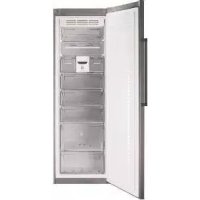
USER MANUAL ZFK1747X FAGOR
Very important: Please read this manual fully before using your freezer.
This manual has been designed so that the text is linked to the relevant drawings.
Identification

Identify the model of your freezer ("a", "b", "c", "d", "e") by comparing the control panel with the illustrations.
Your freezer is a NO FROST model if NO FROST appears on the control panel.
1
Installation
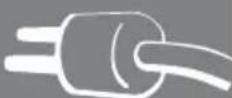
1.1 Unpacking. Remove all the protection.
1.2 Location. Position the freezer away from heat sources and protected from direct sunlight to reduce consumption.
Do not install the freezer outside or anywhere it is exposed to rain.
Air must be able to circulate around the back of the freezer. Leave 25 mm between the back of the freezer and the wall behind it. Do not block the space between your freezer and the floor or ceiling with any object.
Level the freezer to prevent any vibrations or noise. Remember that if the freezer is located next to a wall or cabinet, it might make a small noise.
Also check that the shelves have been fitted correctly, and place containers apart to prevent any vibrations.
1.3 Electrical connection. Stand the freezer upright for at least 2 hours before plugging it in. Check the information on the specifications plate (220-240V earthed) (1.3.1, 1.3.2).
Do not use any adapters or extension leads.
Make sure that the lead is not touching the motor or trapped underneath it.
1.4 Changing the direction the door opens.
Unplug the freezer from the mains supply and empty it completely.
Gently lay the appliance on its back (1.4.1).
Undo the screws (1.4.2) and remove the top hinge and the rotating bushing with the aid of a screwdriver (1.4.3).
Unplug by pressing on the connector tab (1.4.4). Remove the freezer door (1.4.5). Remove the control panel, levering it up by inserting a screwdriver in the notches provided for that purpose (1.4.6).
Make a notch for the lead on the other side, in the area indicated on the casing (1.4.7). Replace the control panel passing the lead through the notch made (1.4.8).
Undo the screws from the bottom hinge and remove it. Change the position of the pin in the hinge and position it on the other side (1.4.9).
Remove the vertical handle and fit it on the other side of the door turning it 180° (1.4.10).
Fit the closing capsule in the top hinge space on the other side (1.14.12). Press the connector to plug it into the door (1.4.13).
Fit the top hinge and the rotating bushing, inserting any spare lead in the control panel (1.4.14) and replace the screws (1.4.15).
Lift the freezer up carefully (1.4.16).
1.5 Levelling the appliance. Adjust the feet so that it is tilting backwards slightly, to help the door close correctly (1.5.1). 1.6 Climate class. This freezer is designed for optimum functioning at a room temperature of between +10°C and +43°, climate class SN-T (1.3.2). Higher or lower temperatures may affect its performance.
Use
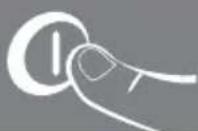
2.1 Switching on the freezer. Press the button (2.1.1). Press +, — until a digit appears on the display (2.1.2) or turn the control (2.1.3, 2.1.4). The display (b c models) or the On light (k e s) will light up to indicate the appliance is switched on.
The child lock is automatically activated in model a, to release it press the button for 3 seconds (2.3.7).
2.2 Setting the temperature. Press the + button (2.2.1). Press +, — (2.2.2), or turn the control (2.2.3, 2.2.4). When you have selected the temperature you want, the indicator lights (2.2.7) will show you the real temperature or you can press the keys for 5 seconds to see this +, (2:2.5), or +, — (2.2.6). buttons for five seconds. The temperature will flash. Model does not have this function.
Recommendation: The recommended temperature for your freezer is -19. If you want to freeze, the recommended temperature is -24.
Remember that the temperature inside the freezer depends on the ambient temperature, the location and how often the freezer door is opened.
2.3 Freezer functions.
Fast cooling function: This function makes the freezer work at the minimum temperature for a maximum of 52 hours. We recommend you use this function whenever you put large quantities of food in the freezer. You should activate the function 24 hours in advance. To activate and deactivate it: Press ✕ (2.3.1) or SUPER b c (2.3.2, 2.3.3, 2.3.4). In the models the screen shows SF while the function is active.
ECO setting: The ECO setting gives substantial energy savings and keeps the freezer at a stable temperature. This function stays active even after a power cut. When using this mode, we recommend you store all the food on the shelves in the centre. To activate or switch off press ECO (2.3.5, 2.3.6). In the models bc the screen shows Ec while the function stays activated. Models de do not have this option.
Quick cooling function: Put the bottle or bottles into the freezer and press ✝ for a few seconds until the 📁 icon appears (2.3.7). The freezer will supply cold for 15 minutes, after which time the function finishes, 📁 will flash and an alarm will sound for 20 minutes, telling you it is time to remove the bottle to prevent it from bursting. Stop the alarm by pressing any key. If the function is interrupted by a power cut, when the power comes on again, it will finish and the alarm will sound.
Lock: The lock is used to prevent the appliance settings from being changed by
accident or due to interference by children. The display shows the 🔒 icon when the appliance is locked. Press ⬆ (2.3.8) or ⏻ (2.3.9). The screen will show ⏻ alternating with the normal display while the function is activated. Models 📁 do not have this option.
2.4 Arranging food in your freezer. The temperature is not uniform inside your freezer. Some areas are colder than others. Food must be stored in the right area to make sure that it is kept correctly (2.4.1):
- Medium-sized containers
- Ice cream
- Twist Ice (optional feature)
- Medium-sized containers
- Medium-sized containers
- Large-sized containers
- Medium-sized containers
2.5 TWIST ICE. This is an accessory in your freezer that makes up to 24 ice cubes. If your freezer has Twist Ice, take out the ice drawer (2.5.1). Fill the ice tray without going over the level (2.5.2). Replace the ice drawer being careful not to spill the water (2.5.3).
After two hours the ice cubes will be ready to use. Turn both knobs several times until the ice cubes fall out (2.5.4, 2.5.5). Open the lower drawer to take them out (2.5.6).
2.6 Switching the freezer off. Press ① for 3 seconds or press — until no temperature appears on the display (2.6.1, 2.6.2), or turn the control to the off setting (2.6.3, 2.6.4). The display (b c models) or the On light (d e models) will switch off.
2.7 Recommendations for use.
- Do not open the doors for longer than necessary or put hot food into the freezer. This will ensure your freezer works more efficiently and will avoid increased energy consumption.
- If you have a NO FROST freezer, do not block the ventilation grills and leave some space between the food so the air can move flow freely.
- Do not put bottles containing fizzy drinks or glass bottles containing liquid in the freezer, because they may burst.
- Store food in sealed containers to prevent it from drying out.
- Do not eat excessively cold ice creams or food because they may burn your mouth.
- To make the most of the freezer's capacity (2.4.1) you can remove the baskets (5), the small drawers (4) or the Twist Ice (3). Do not remove the lower baskets (6 and 7) or the upper lids (1 and 2) as this will affect the appliance's consumption performance.
3
Maintenance and cleaning

3.1 Cleaning the inside. Use a sponge or cloth soaked in water with bicarbonate of soda to clean the inside of the freezer to prevent any smells from forming.
Never use a steam cleaner, solvents, or scouring powders.
3.2 Cleaning the outside. Never use a steam cleaner to clean the displays.
It is a good idea to clean the grille at the back once a year with a vacuum cleaner.
3.3 Cleaning the accessories. Do not put them in the dishwasher. Clean them by hand with the help of a sponge or cloth.
⚠️ Keep used and new filters out of the reach of children; digesting large quantities can be dangerous.
4
Troubleshooting

4.1 Door open. On all models except if you leave the door open for longer than 1 minute the ⚠ signal will light up and an alarm beep will sound (4.1.1, 4.1.2, 4.1.3). The alarm will switch off when you close the door.
4.2 Electricity cuts.
Open the freezer doors as infrequently as possible. If the temperature inside the freezer drops below -11° C the following will happen:
- On a b and models, the Cold Chain Failure alarm beep will sound for
30 minutes. You can disable the alarm by pressing any button.
- The SUPER function is also enabled automatically. To disable it, press the SUPER button or wait for it to be disabled automatically. • The red pilot light will come on (4.1.1, 4.1.2, 4.1.3).
Checking the food preservation status.
On abc models, the following indications may appear on the display:
SF The food has not thawed and it is safe to keep it frozen.
A: The food has thawed partially. It will not be safe unless you cook it.
A2 The food has thawed and is not safe to eat. You must throw it away.
For d e models, check the state of preservation yourself and do whatever is best.
4.3 Some other alarms that may appear are:
RR This is a safeguard mode for guaranteeing food preservation. It starts up automatically, but you must call the technical assistance service.
dr One of the freezer components is not working correctly. There is no danger for food preservation, but you must call the technical assistance service.
4.4 Normal noises in the freezer.
Your freezer may make a number of quite normal operating noises which should not concern you.
- The refrigerant may make a gargling noise as it passes through the circuits.
- The compressor may make a buzzing and/or a slight knocking noise, above all when it switches on.
- The dilation or contraction of the materials used can make clicking or creaking noises.
- The air moved by the freezer fan can make a small background noise.
Do not tamper with your freezer in an attempt to repair it. Call for service.
5
Safety

- Keep the ventilation grills clear.
- Be careful not to damage the refrigeration circuit.
- Do not use any electrical appliances inside your freezer unless they are of the type recommended by the manufacturer.
- Do not use any mechanical devices or any other means to speed up defrosting other than those recommended by the manufacturer.
- This appliance is not intended for use by people (including children) with reduced physical, sensory or mental capabilities, or lack of experience or knowledge, unless they have been given supervision or instruction concerning use of the appliance by a person responsible for their safety. Children should be supervised to ensure that they do not play with the appliance.
- If the power lead is damaged, it must be replaced by the manufacturer, or by their after sales service or a similar qualified person to prevent any risk.

Even if the display is switched off, there is still voltage to the freezer.

The environment

This freezer was designed with environmental conservation in mind.
The appliance operates with coolant R600A, which does not damage the environment.
Respect the environment. Protect the environment by using the temperatures recommended for each function you require, to ensure efficient use of your freezer. They will depend on the mode you need for efficient use of your freezer.
Unplug the freezer from the mains if you will not be using the appliance for a long period of time. You will reduce power consumption and save energy.
Avoid leaving the doors open more time than necessary. It causes an increase in power use.
Waste management of electrical and electronic appliances.

The symbol 📁 indicates that the appliance must not be disposed of in traditional bins for domestic waste.
Deliver your freezer to a special collection centre.
Recycling domestic appliances prevents negative impacts on health and the environment and helps save energy and resources.
For more information, contact your local authorities or the establishment where you purchased your freezer.