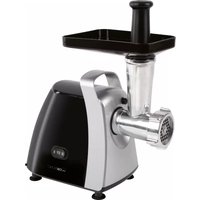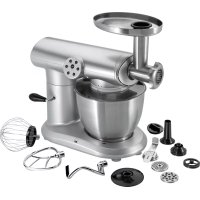
KM 1000 - Food Processor CLATRONIC - Free user manual and instructions
Find the device manual for free KM 1000 CLATRONIC in PDF.



User questions about KM 1000 CLATRONIC
0 question about this device. Answer the ones you know or ask your own.
Ask a new question about this device
Download the instructions for your Food Processor in PDF format for free! Find your manual KM 1000 - CLATRONIC and take your electronic device back in hand. On this page are published all the documents necessary for the use of your device. KM 1000 by CLATRONIC.
USER MANUAL KM 1000 CLATRONIC
natural_image
Modern stainless steel kitchen stand mixer with a meshing tool, no visible text or symbolsCE
natural_image
Close-up of a mechanical component with metallic shaft and mounting base (no visible text or symbols)natural_image
Diagram showing a curved arrow and directional arrows with triangular symbols, no text or labels present△ ACHTUNG:
De kneedmachine ....12
natural_image
Close-up of a mechanical component with metallic parts and mounting holes (no visible text or symbols)OPMERKING:
⚠ WAARSCHUWING: GEVAAR VOOR LETSEL!
natural_image
Diagram showing curved lines and directional arrows, no text or symbols presentLET OP:
natural_image
Close-up of a mechanical component with a cylindrical shaft and flange (no visible text or symbols)natural_image
Diagram showing curved lines and directional arrows, no text or symbols presentATTENTION :
natural_image
Close-up of a mechanical component with a cylindrical shaft and flange (no visible text or symbols)natural_image
Diagram showing curved surfaces with arrow indicating rotation, no text or symbols present
ATENCIÓN:
natural_image
Close-up of a mechanical component with metallic parts and mounting holes (no visible text or symbols)natural_image
Diagram showing a curved arrow and a segmented arc with black dots, no text or symbols present
ATTENZIONE:
Thank you for choosing our product. We hope you will enjoy using the appliance.
Contents
Safety Instructions ....35
General Safety Instructions 35
Special Safety Precautions for this Device 36
Intended Use....36
Location of Controls 36
Turn on/off 36
Before initial use....36
Electrical Connection 36
The kneading machine ....36
Assembly and operation....36
Table Dough Types and Tools ....37
Interrupt operation 37
End Operation and Remove Bowl 37
The mincer ....37
Preparation 37
Assembling the mincer 37
Assembling the sausage attachment ....37
Assembling the attachment for oriental dough
pouches....38
Assembling the cookie maker....38
Attach preassembled worm housing 38
Operation and Instructions for Use....38
End operation....38
Cleaning 39
Motor Housing 39
Mixing bowl with splash guard, kneading/mixing attachments, and mincer parts ....39
Recommended Recipes ....39
Noise Emission....39
Technical Specifications 4
Disposal - Meaning of the "Wheelie Bin" Symbol......40
Figures 74
Safety Instructions
General Safety Instructions
Read the operating instructions carefully before putting the appliance into operation and keep the instructions including the warranty, the receipt and, if possible, the box with the internal packing. If you give this device to other people, please also pass on the operating instructions.
- The appliance is designed exclusively for private use and for the envisaged purpose. This appliance is not fit for commercial use.
Do not use it outdoors. Keep it away from sources of heat, direct sunlight, humidity (never dip it into any liquid) and sharp edges. Do not use the appliance with wet hands. If the appliance is humid or wet, unplug it immediately.
- When cleaning or putting it away, switch off the appliance and always pull out the plug from the socket (pull the plug itself, not the lead) if the appliance is not being used and remove the attached accessories.
- Do not operate the machine without supervision. If you leave the room you should always turn the device off. Remove the plug from the socket.
- The device and the mains lead have to be checked regularly for signs of damage. If damage is found the device must not be used.
- Do not try to repair the appliance on your own. Always contact an authorized technician. To avoid the exposure to danger, always have faulty cable be replaced only by the manufacturer, by our customer service or by qualified person and with a cable of the same type.
- Use only original spare parts.
- Pay careful attention to the following "Special Safety Instructions".
Symbols in these Instructions for Use
Important information for your safety is specially marked. It is
essential to comply with these instructions in order to avoid
accidents and prevent damage to the machine:
WARNING:
This warns you of dangers to your health and indicates possible injury risks.
CAUTION:
This refers to possible hazards to the machine or other objects.
NOTE: This highlights tips and information.
Children and Frail Individuals
In order to ensure your children's safety, please keep all packaging (plastic bags, boxes, polystyrene etc.) out of their reach.
WARNING!
Don't let small children play with foils for danger of suffocation!
- This device is not intended to be used by individuals (including children) who have restricted physical, sensory or mental abilities and/or insufficient knowledge and/or experience, unless they are supervised by an individual who is responsible for their safety or have received instructions on how to use the device.
- Children should be supervised at all times in order to ensure that they do not play with the device.
Special Safety Precautions for this Device

WARNING: Risk of injury!
- Do not connect the device to mains power supply before attaching all necessary accessories.
- Do not touch moving parts and wait until the appliances come to a standstill.
- Whilst in use, there must be no objects, e.g. spoons or dough scrapers, in the bowl.
- Do not tamper with the safety switches.
- When cleaning and assembling the mincer, handle the knife (16) with the necessary care!
- Use only the pusher to fill the mincer (11).

CAUTION: Risk of overload!
Use the appliance either as a mixer or as a mincer, but never both functions at the same time.
- Place the device on a flat, level and sturdy surface.
- Only process foodstuffs with this device.
- Do not operate the appliance for more than 10 minutes. Let it cool down for approx. 10 minutes before using it again.
- Do not move the appliance during operation; always turn it off first and disconnect from mains power supply. Always carry the appliance with both hands!
Intended Use
This appliance is designed for
- The preparation of dough, cream, whipped cream, egg whites;
- Grinding (mincing) food.
- Shaping dough using the various attachments.
It is designed exclusively for this purpose and may only be used therefor.
It may only be used in the manner described in this instruction manual.
The appliance may not be used for commercial purposes.
Any other use is considered not as intended and may lead to damage to property or even personal injury.
The manufacturer assumes no liability for damage resulting from use other than the intended purpose.
Location of Controls
1 Worm drive cover
2 Swivel arm
3 Control panel
4 Lever for raising the arm
5 Motor housing
6 Mixing bowl
7a Kneading hook
7b Mixing hook
7c Egg beater
8 Protective disc
9 Drive shaft
10 Splash guard on mixing bowl
Figures on last page:
11 Pusher
12 Filler tray
13 Worm housing filler neck
14 Worm
15 Silicone coupling
16 Knife
17 Plate (3 different hole sizes)
18 Ring nut
19 Dough divider
20 Sausage attachment
21 Attachment for oriental dough pouches (2 parts)
22 Cookie maker
23 Cookie cutter
Turn on/off
- Turn on: Select a speed setting between 1 and 6 on the control panel.
- Turn off: Press the OFF button.
i NOTE:
The motor has a safety switch. It switches the motor off as soon as the arm (2) swivels up.
Before initial use
- Remove the appliance and all included accessories from the box.
- In order to remove any production residue, clean all accessories before initial use as described under "Cleaning".
Electrical Connection
Ensure that your mains power corresponds with the specifications on the type label.
The kneading machine
Assembly and operation
- Push the lever (4) down. The arm (2) swivels up.
- To use the whisk (7c), first attach the splash guard (10): Hold the splash guard with the collar facing up.
On the bottom end of the arm you will see two recesses on the right and left (▼ ●).
Push the splash guard into these recesses using the guide grooves and lock into place by turning clockwise.

NOTE:

NOTE:
When preparing dough with the kneading or mixing hook, you do not need the splash guard. This gives you the option of adding ingredients whilst preparing the dough.
-
If you want to use the kneading hook (7a), first attach the protective disc (8). This prevents the rising dough from coming into contact with the drive shaft. Hold the disc like a bowl. Attach the kneading hook from below through the disc recess and secure it with a quarter turn.
-
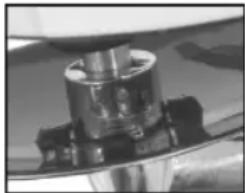
On the top end of the attachment, you will see a recess for the drive shaft and the cotter. Fit the required attachment by inserting the top end into the drive shaft (9). Push and turn
natural_image
Close-up of a mechanical component with cylindrical and flanged parts (no visible text or symbols)the attachment at the same time anti-clockwise, so that the cotter locks into place in the drive shaft.
-
Place the mixing bowl into its holder and turn the bowl in the LOCK direction as far as it will go.
-
Now add your ingredients.
CAUTION:
Do not overfill the appliance, the max. quantity of ingredients is 2 kg or 1 litre for fluids.
- Push the arm down until it clicks into place.
- Plug the mains plug into a properly installed 230 V \~ 50 Hz Schuko socket. The operating status is indicated by the blue LED indicator lamp below the OFF button.
- Press a speed setting (button 1-6) on the control panel (3) to turn the appliance on. The selected setting is indicated by a blue LED.
Table Dough Types and Tools
| Dough Type Tool Setting Amount | |||
| Heavy dough (e.g. bread or shortcrust) | Kneading hook | 1-2 max. 2 kg | |
| Medium dough (e.g. crepes or cake batter) | Mixing hook | 3-4 max. 2 kg | |
| Light dough (e.g. cream, egg whites, pudding) | Egg beater | 5-6 | min. 200 ml max. 1 l |
i NOTE:
- When selecting the speed setting, also refer to the instructions in the recipe.
- Short time operation: With heavy dough do not operate the appliance longer than 10 minutes and leave for 10 minutes to cool down.
Interrupt operation
WARNING: Risk of injury!
- Always press the OFF button, even if you only want to interrupt the kneading/mixing process briefly.
- Wait for the attachment to come to a complete stop!
- If you activate the lever (4) during operation to raise the arm, a safety switch deactivates the motor. The attachment will continue to rotate for a short period.
After lowering the arm, the operation can only continue if you press a speed setting again.
End Operation and Remove Bowl
- Press the OFF button if the dough is kneaded. Disconnect from the mains.
- Push the arm (4) down. The arm rises.
- Turn the mixing bowl one short turn anticlockwise to remove it.
- Take the finished dough out of the mixing bowl.
- To release the attachment from the drive shaft, push it up and turn it a short distance clockwise. Then pull it out.
- Clean the used parts as described under "Cleaning".
The mincer
Preparation
Please also refer to our overviews on page 3 and 74.
- The access to the worm housing is protected by a cover (1) on the appliance. Turn the cover clockwise to remove it.
- Push the silicone coupling (15) onto the worm shaft (14).
- Set the worm, sprocket first, into the horizontal section of the worm housing.
Assembly of the accessories is described the following sections. Prepare the mincer according to your requirements.
Assembling the mincer (see Fig. A)
i NOTE:
- Depending on how fine you want to mince, select a finer or a courser mincing plate.
- Lightly coat the mincing plate beforehand with sunflower oil.
Proceed as described under "Preparation".
- Set the knife (16) onto the shaft of the worm with the sharp side facing outwards.
- Select a mincing plate (17). Use the recesses on the plate to insert it into the worm housing.
More details can be found under "Attach preassembled worm housing".
Assembling the sausage attachment (see Fig. B)
Proceed as described under "Preparation".
- Use prepared sausage meat, proceed as below:
- First, set the dough divider (19) onto the shaft of the worm. To do so, use the recesses on the dough divider.
- Set the sausage attachment (20) onto the dough divider. To do so, use the recesses on the sausage attachment.
- If you want to mince pieces of meat and make sausages in one action, first set the knife and a mincing plate as described under "Assembling the mincer" points 4 and 5. Then push the sausage attachment into the ring nut.
For more details, see "Attach preassembled worm housing".
Assembling the attachment for oriental dough pouches (see Fig. C)

NOTE:
Use the attachment for oriental dough pouches to form pouches from meat or dough paste.
Proceed as described under "Preparation".
- Place the 2 part attachment for oriental dough pouches (21) onto the shaft of the worm. Use the recesses to do so.
- For more details, see "Attach preassembled worm housing".
Assembling the cookie maker (see Fig. D)
Proceed as described under "Preparation".
- First place the dough divider (19) onto the shaft of the worm. Use the recesses on the dough divider.
- Place the cookie maker (22) onto the dough divider. Use the recesses on the cookie maker.
For more details, see "Attach preassembled worm housing".
Attach preassembled worm housing
- Screw the ring nut (18) clockwise onto the worm housing.
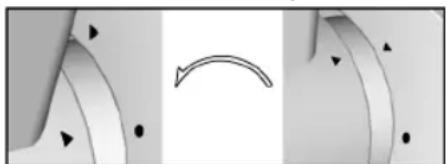
- Attach the pre-assembled worm housing to the appliance. Position the worm housing with the arrow ( ) aligned with (●) on the appliance. Turn to the upright position. The arrow on the worm housing must be opposite the arrow on the appliance. (Refer to the figure.)
natural_image
Diagram showing a curved arrow and a segmented arc with black dots, no text or symbols present
CAUTION:
If you open and close the ring nut again after attaching it, hold the worm housing securely with one hand on the filler neck (13), otherwise the worm housing may accidentally come loose.
- Position the filler tray (12) so that the bed of the tray lies above the arm (2).
Operation and Instructions for Use

WARNING: Risk of injury!
As soon as you turn the appliance on, the drive shaft (9) turns. Do not touch the rotating drive shaft during operation!

IOTE:
- Cut the meat into pieces of around 2.5 cm. Make sure that there are no bones or sinews in the meat.
-
Short term operation: Do not operate the appliance for longer than 10 minutes and then allow the appliance to cool for 10 minutes.
-
Feed the pieces of meat (meat paste/ sausage meat or dough) onto the filler tray and into the filler neck. If you are mincing meat, place a container under the outlet.
- Plug the mains plug into a properly installed 230 V \~ 50 Hz Schuko socket. The operating status is indicated by the blue LED indicator lamp below the OFF button.
- Press a speed setting (button 1/2/3/4) on the control panel (3) to turn on the appliance. The selected setting is indicated by a blue LED.
- If necessary, feed the meat or dough in with the pusher (11).

WARNING: Risk of injury!
Do not use your fingers to feed in the meat or dough!
Making sausages
- You can use natural as well as artificial sausage skins.
- If you decide to use natural sausage skins, first soften them in water for a while.
- Knot one end of the sausage skin.
- Push the sausage skin over the sausage attachment.
- The sausage meat is pushed through the sausage attachment and the sausage skin is filled.
- Make sure that the sausage skin is filled with slack, since the sausage expands during boiling or frying and the skin may rupture.
- If the first sausage reaches the required length, press the sausage together at the end of the sausage attachment with your fingers.
- Rotate the sausage once or twice.
- Until you have developed a routine, you can turn the appliance off after each sausage length.
Shaping cookies

NOTE:
If you have made a cookie dough, you can form the dough into different shapes using the cutter (23).
• After you have attached the preassembled worm housing to the appliance, push the cutter into the cookie maker.
- Set the desired cookie shape.
- Hold the lengths of dough at the outlet with your hand and cut at the desired length
End operation
- Press the OFF button to turn the appliance off.
- Disconnect the mains plug.
- Disassemble all mincer parts.
-
Clean the used parts as described under "Cleaning".
-
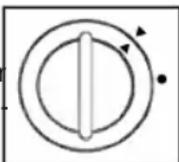
Close the worm housing access with the cover (1). Turn the cover anticlockwise. The arrow on the cover must be opposite the arrow on the appliance. (See the figure on the right.)
Cleaning

WARNING:
- Disconnect from mains power supply before cleaning.
- Do not submerge the appliance into water. This may lead to electric shock or fire.

CAUTION:
- Do not use a wire brush or other abrasive utensils for cleaning.
- Do not use aggressive or abrasive cleaning agents.
Motor Housing
- Clean the housing only with a damp cloth and a squirt of washing-up liquid.
Mixing bowl with splash guard, kneading/mixing attachments, and mincer parts

WARNING: Risk of injury!
The mincing knife is very sharp.

CAUTION:
The attachments are not suitable for dishwasher. Heat and aggressive cleaning agents may warp or discolour the attachments.
- Parts which have come into contact with food can be rinsed out with water.
- Leave the parts to dry properly before re-assembling the appliance.
Recommended Recipes
Sponge Mixture (Basic Recipe) Speed setting 3 - 4 Ingredients:
250 g soft butter or margarine, 250 g sugar, 1 sachet vanilla sugar or 1 sachet Citro-Back, 1 pinch of salt, 4 eggs, 500 g wheat flour, 1 sachet baking powder, approx. 1/8-litre milk.
Preparation:
Place wheat flour with the other ingredients in mixing bowl, mix with mixing hook for 30 seconds at speed 1, then approx. 3 minutes at speed 3. Grease baking tin or lay out with baking paper, fill in dough and bake. Before the cake is removed from the oven, test to see if it is done. With a sharp wooden stick pierce the centre of the cake. If no mixture sticks to it, the cake is cooked. Turn the cake on to a cake grid and allow to cool.
Conventional Oven:
Slide: 2
Heat: Electric oven: top and bottom heat 175-200°, gas oven: setting 2-3
Baking time: 50-60 minutes
You can modify this recipe according to your taste, e.g. with 100 g raisins or 100 g nuts or 100 g grated chocolate. Nothing limits your imagination.
Linseed Rolls Speed setting 1 - 2
Ingredients:
500-550 g wheat flour, 50 g linseed, 3/8-litre water, 1 cube yeast (40 g), 100 g low-fat curd, well drained, 1 teaspoon salt. For brushing: 2 tablespoons water
Preparation:
Soak linseed in 1/8-litre lukewarm water. Place the remaining lukewarm water (1/4-litre) in mixing bowl, crumble the yeast into it, add curd and mix well with kneading hook on speed setting 2. The yeast must be completely dissolved. Place flour with the soaked linseed and salt in mixing bowl. Knead on speed 1, then change to speed 2 and knead another 3-5 minutes. Cover dough and prove in a warm place for 45-60 minutes. Knead again, take out of mixing bowl and shape 16 bread rolls from it. Cover baking tray with wet baking paper. Place rolls on it, prove for 15 minutes, brush with lukewarm water and bake.
Conventional Oven:
Slide: 2
Heat: Electric oven: top and bottom heat 200-220° (preheat for 5 minutes), Gas oven: setting 2-3
Baking time 30-40 minutes
Chocolate Crème Speed Setting 5 - 6
Ingredients:
200 ml cream, 150 g semi-sweet chocolate coating, 3 eggs, 50-60 g sugar, 1 pinch of salt, 1 sachet vanilla sugar, 1 tbs brandy or rum, chocolate chips.
Preparation:
In the mixing bowl whisk the cream stiff with the eggbeater, remove from the bowl and place in a cold place. Melt the chocolate coating according to the instructions on the packet or 3 minute in the microwave at 600 W. In the meantime, in the mixing bowl with the eggbeater, whisk eggs, sugar, vanilla sugar, brandy or rum and salt to a foam. Add the molten chocolate coating and evenly fold in at speed setting 5-6. Keep some of the whipped cream for garnishing. Add the rest of the whipped cream to the creamy mixture and stir in on setting 1. Garnish chocolate crème and serve well chilled.
Noise Emission
The sound pressure level was measured at the ear of a user (LpA) in compliance with DIN EN ISO 3744.
Determined sound pressure level: 63 - 80 dB(A) (no limit)
Technical Specifications
Model: KM 1000
Power supply: 220-240 V\~50 Hz
Power consumption: 1000 W
Protection class: ....II
Short time operation: 10 minutes
Net weight 5.25 kg
Subject to change without prior notice!
This device complies with all current CE directives, such as electromagnetic compatibility and low voltage directive and is manufactured according to the latest safety regulations.
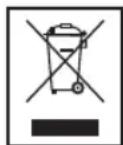
Disposal - Meaning of the "Wheelie Bin" Symbol
Take care of our environment, do not dispose of electrical appliances via the household waste.
Dispose of obsolete or defective electrical appliances via municipal collection points.
Please help to avoid potential environmental and health impacts through improper waste disposal.
You contribute to recycling and other forms of utilization of old electric and electronic appliances.
Your municipality provides you with information about collecting points.
Instrukcja obsługi
natural_image
Close-up of a mechanical component with metallic parts and mounting brackets (no visible text or symbols)natural_image
Diagram showing curved surfaces with directional arrows and black dots, no text or symbols present
UWAGA:
natural_image
Close-up of a mechanical component with metallic and reflective surfaces (no visible text or symbols)natural_image
Diagram showing a curved arrow and a segmented arc with directional arrows, no text or symbols presentVIGYÁZAT:
natural_image
Close-up of a mechanical component with a cylindrical shaft and mounting base (no visible text or symbols)natural_image
Diagram showing curved lines with directional arrows and black dots, no text or symbols presentУВАГА.
natural_image
Close-up of a mechanical component with a cylindrical housing and mounting base (no visible text or symbols)natural_image
Diagram showing curved lines and directional arrows, no text or symbols present
ВНИМАНИЕ:
natural_image
Close-up of a mechanical component with metallic parts and mounting holes (no visible text or symbols)natural_image
Diagram showing a curved arrow and a segmented arc with arrows indicating direction (no text or symbols): تنيه △