
Mini Cooper S - Toys BEEWI - Free user manual and instructions
Find the device manual for free Mini Cooper S BEEWI in PDF.



User questions about Mini Cooper S BEEWI
0 question about this device. Answer the ones you know or ask your own.
Ask a new question about this device
Download the instructions for your Toys in PDF format for free! Find your manual Mini Cooper S - BEEWI and take your electronic device back in hand. On this page are published all the documents necessary for the use of your device. Mini Cooper S by BEEWI.
USER MANUAL Mini Cooper S BEEWI
For additional languages, visit our website
www.bee-wi.com
User's guide
ENGLISH 4
FRANCAIS 12
DEUTSCH 20
ITALIANO 28
ESPAñOL 36
PORTUGUES 44
NEDERLANDS 52
Thank you for purchasing the BBZ251 Bluetooth RC Car from BEEWI. Please read the following instructions to learn how to configure and use more effectively your product.
INTRODUCTION
The BBZ251 Bluetooth RC Car can be controlled directly from your iPhone® or iPad® using the specific BeeWi Control Pad application available on iTunes. The Bluetooth RC car works as a regular RC Car with forward/backward direction and left/right steering. The application provided allows for both touch screen and motion control, offering a richer and more user friendly experience.
The BBZ251 RC Car is Bluetooth 2.1 compliant and it is compatible with all Bluetooth compliant iOS devices using Wireless iAp protocol such as iPod® Touch (G3 and above), iPhone® and iPad®.
1.PRODUCT DESCRIPTION
1.1. Package Content
- Bluetooth RC Car
- CDROM including User Manual & Catalogue
- Quick Start Guide
Note: this device requires 3 × AA Alkaline batteries not supplied in this package
1.2. Main Features
- Use your iPhone® to control and drive this car
- Fast motor and fully directional steering
- Intuitive motion control using mobile's orientation sensor or touch-screen button interface
- BeeWi Control Pad application compatible with iOS devices, iPod® Touch, iPhone® and iPad®
- Requires 3 AA type cells not included
1.3. Product Outlook
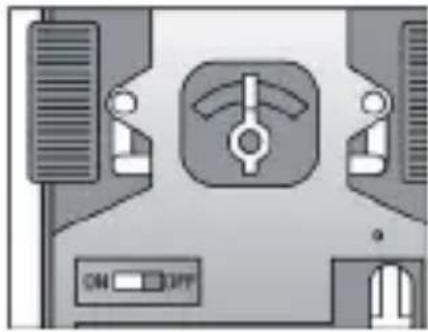
Power on/off: to turn on and off the car.
Trim switch: to align the wheels for straight line direction - located on the underside of the vehicle, between the two front wheels.
1.4. Product Specifications
| BLUETOOTH CHIP Bluetooth | 2.1, CSR BC4 |
| BLUETOOTH RANGE Class 2, 10 m minimum, 15 m Max | |
| PROTOCOL Wireless iAp | |
| BATTERY 3 X AA Cells (not included) | |
| TYPICAL USE TIME Up to 3 Hours (Alkaline batteries) | |
| SERVO CONTROLS 2 forward/backward, direction steering | |
| DIMENSIONS L 179 mm x W98 mm x H74 mm | |
| WEIGHT 205 g | |
| SCALE 1:20 |
2. INITIAL SETTINGS
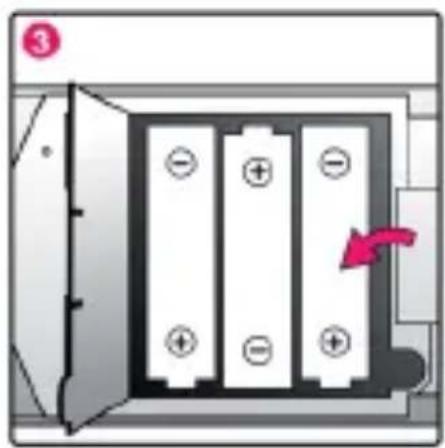
2.1. Battery installation
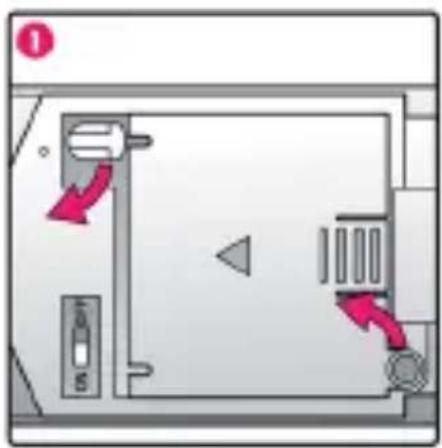
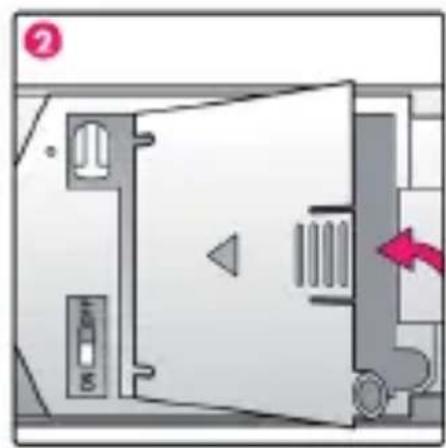
- Turn the toggle to release the battery door.
- Insert 3 X AA batteries into the battery compartment following the + / - marking.
- Lock up to secure battery cartridge in position.
Note: use Alkaline non rechargeable batteries for best performance.
2.2. BeeWi Control Pad Installation
Go to iTunes and look for BeeWi Control Pad app. Follow the on-screen indications to download and install the app.
Once the application has been successfully installed, you can launch it directly. Insure the car has been paired and connected prior to start the application.
2.3.Pairing
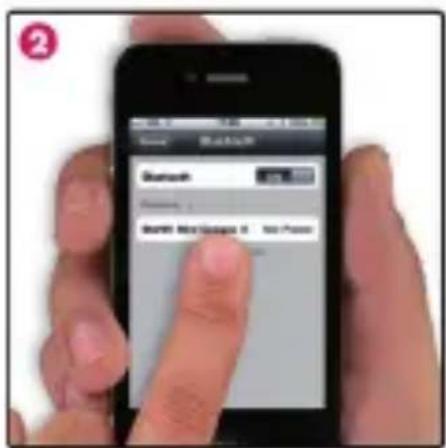
To pair the Bluetooth RC Car with your device, refer to the pairing procedures in your mobile phone user manual and follow the instructions below:
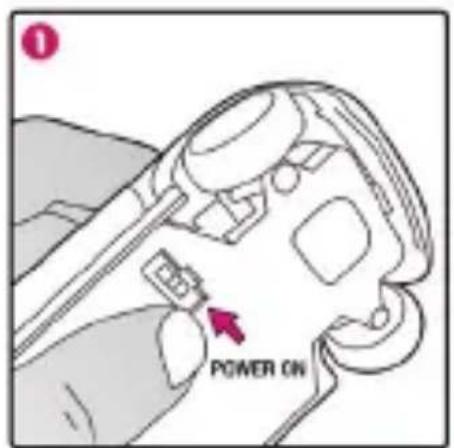
- Power on the RC Car to turn the unit in pairing mode
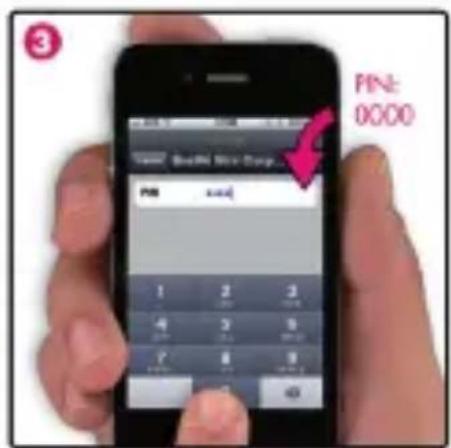
- In the iPhone® Bluetooth menu, search for devices, select the device name "BeeWi Red Mini Cooper S" on the screen and enter the pass key "0000" to add this device into your phone device list.
3. USING THE CAR
3.1. Connection
If it has been previously paired, the car will automatically connect to the iPhone® when it is powered on.
If this is not the case, you can also go to the iPhone® Bluetooth menu and select the "BeeWi Red Mini Cooper S" device in your device list. Once the status is "Connected", close the Bluetooth menu and get back to the main screen.
3.2. Operation
Open the BeeWi Control Pad application
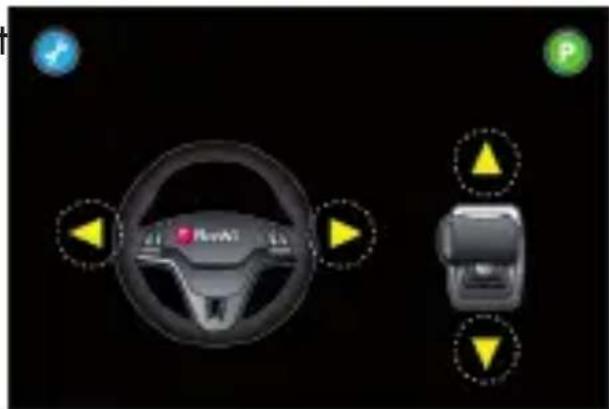
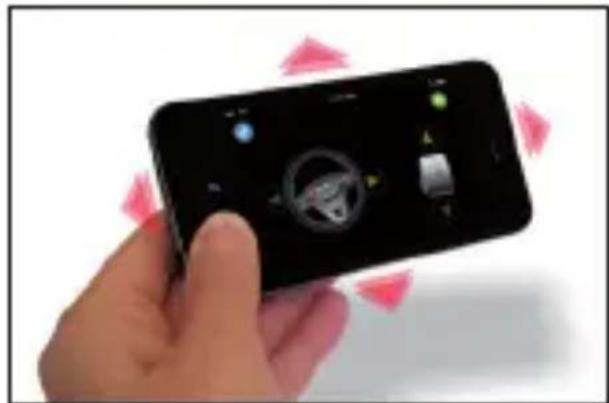
The car will be connected automatically and the control screen below displayed. By default the control is done with the orientation sensor and the car is parked (P sign in red on the top right of the screen). Press P to exit the park mode and start using the car.
-
To move forward, move the iPhone® downwards
-
To move backward, move the iPhone® upwards
-
To turn left, turn the iPhone® leftwards
-
To turn right, turn the iPhone® rightwards
You can also simply use the buttons on the screen to control the car. To do so, you need to select a different controller as described below.

3.3. Configuration
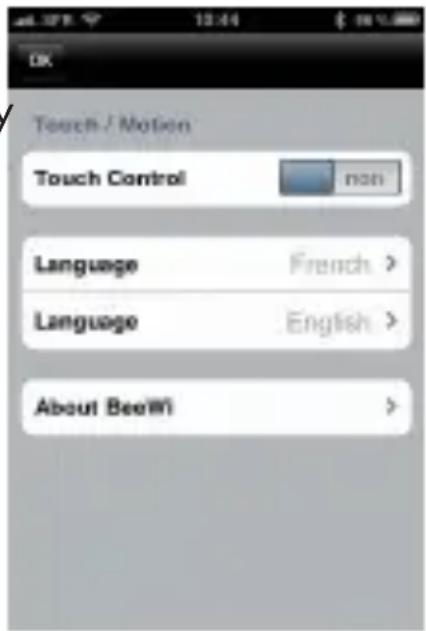
The configuration menu can be accessed by pressing the Tools key on the top left. There are 3 different options listed in the Settings:
- Touch Control: to enable the touch key mode (Motion Control disabled)
- Language: to select your language
- About BeeWi
4. MAINTENANCE & CAUTIONS
4.1. Maintenance & other hints
- If vehicle does not respond, move closer to the vehicle and try again.
- If the vehicle loses power and moves slower, it may be necessary to replace the batteries and to check the wheel mechanism for lint, thread, hair or dust.
- To avoid damages, never drive the vehicle on a wet floor, on sand, or in mud, rain or snow.
- Do not expose the vehicle to extreme temperatures.
- Remove the batteries from the vehicle when storing the product away.
- To protect the vehicle's wheel mechanism from lint, thread, hair, and dust particles, you can use a small brush, tweezers or tie a small bit of cloth to the tip of a toothpick, etc., and wipe off.
- Always keep vehicle clean, use a dampened cloth to wipe off, and then wipe all the water off with a dry cloth. Never use chemicals to clean the product.
-
Avoid holding the wheels when rotating, this will cause the electronic components to short circuit, overheat and cause malfunction.
-
Long period of play time can generate high heat level which causes wear and tear. To extend product life, it is suggested to allow 10 minutes of cool down period after long period of operation.
4.2. Cautions
- Do not shock to vehicle.
- Do not play in thunderstorms.
- Do not touch the wheels when the switch is turned ON.
- Do not leave the vehicle near sources of heat or under direct sunlight for long periods of time.
- Do not operate the vehicle near small children.
- Do not mix old and new batteries together. Do not mix battery type or brands.
- Always select a safe place to play. Never drive your vehicle in the street.
- Batteries are to be inserted with the correct polarity.
- Exhausted batteries are to be removed from the toy.
- Do not touch the motor after play, as it may become hot during long period of playtime.
European Union Directives Conformance Statement

Hereby, VOXLAND declares that this product is in compliance with:
- The essential requirements and other relevant provisions of Directive 1999/5/EC
- All other relevant EU Directives
You can view your product's Declaration of Conformity (DoC) to Directive 1999/5/EC (to R&TTE Directive) at www.bee-wi.com.
Federal Communications Commission

This device complies with Part 15 of the FCC rules and with RSS-210 of Industry Canada.
Operation is subjected to the following two conditions:
1) This device may not cause harmful interference, and
2) This device must accept any interference received, including interference that may cause undesired operation.
Caring for the environment by recycling

Do not dispose of electrical devices or accessories with your household waste.
In some countries or regions, collection systems are set up to handle electrical and electronic waste items. Contact your regional authorities for more details.
Copyright and other legal information
iPad®, iPhone®, and iPod touch® are trademarks of Apple Inc. registered in the U.S. and other countries.
BEEWI is a registered trademark. Other trademarks mentioned herewith are owned by their proprietors. All other product or service names are the property of their respective owners.
The use of wireless devices and their accessories may be prohibited or restricted in certain areas. Always obey the laws and regulations on the use of these products.
This product is covered by a 2-year product warranty which is valid from the date of purchase. Users are not permitted to make changes or modify the device in any way. Changes or modifications not expressly approved by the party responsible for compliance will void the user's warranty.
Please visit our website www.bee-wi.com for more information.
Technical support: support@bee-wi.com.
© VOXLAND, 2011.
Support technique: support@bee-wi.com.
© VOXLAND, 2011.