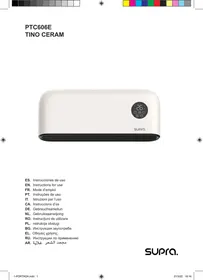
USER MANUAL TINO COMBO SUPRA
(Original instructions)
Wall and mobile heater TINO CERAM
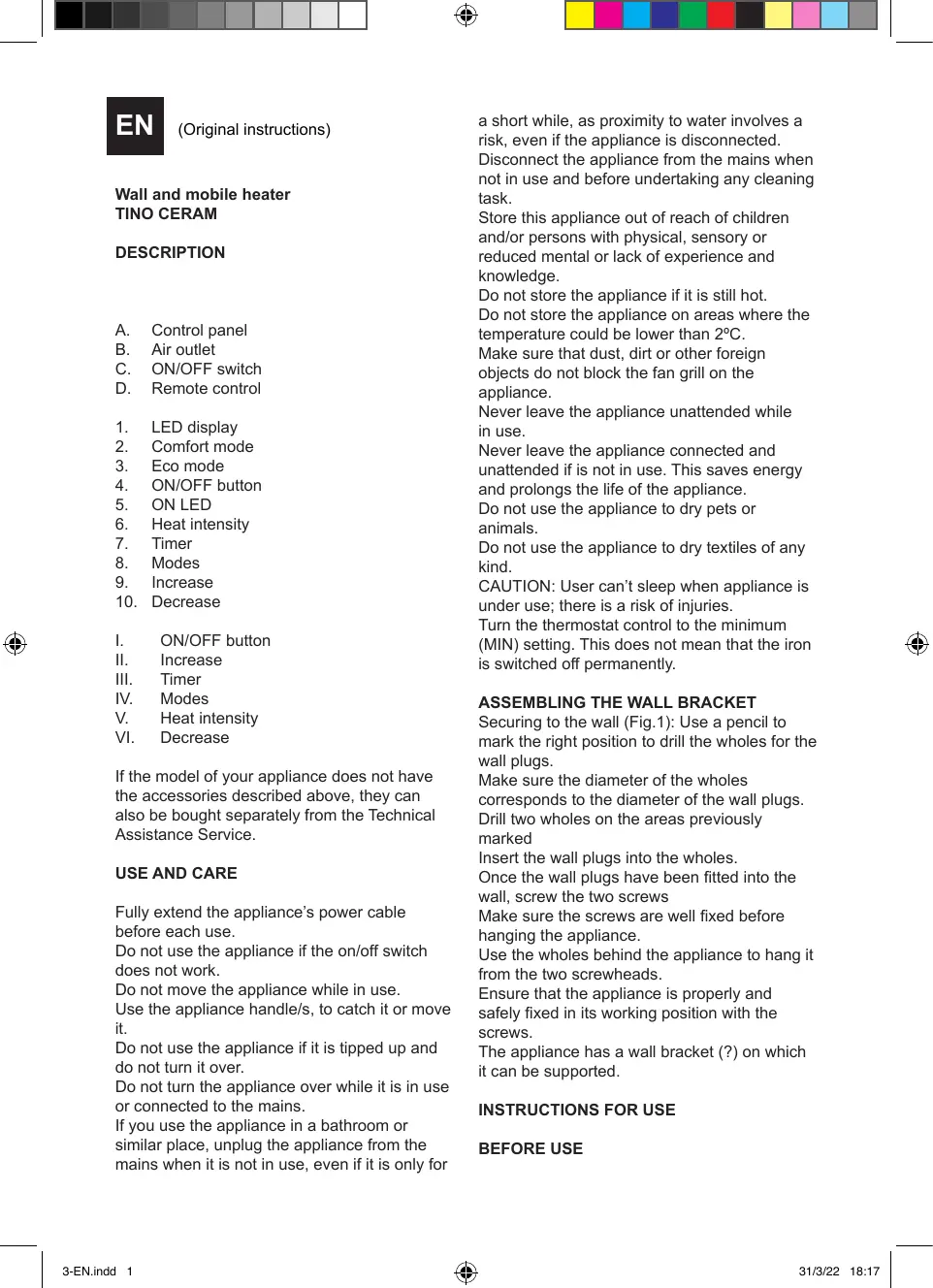
DESCRIPTION
A. Control panel
B. Air outlet
C. ON/OFF switch
D. Remote control
- LED display
- Comfort mode
- Eco mode
- ON/OFF button
- ONLED
- Heat intensity
- Timer
- Modes
- Increase
- Decrease
I. ON/OFF button
II. Increase
III. Timer
IV. Modes
V. Heat intensity
VI. Decrease
If the model of your appliance does not have the accessories described above, they can also be bought separately from the Technical Assistance Service.
USE AND CARE
Fully extend the appliance's power cable before each use.
Do not use the appliance if the on/off switch does not work.
Do not move the appliance while in use.
Use the appliance handle/s, to catch it or move it.
Do not use the appliance if it is tipped up and do not turn it over.
Do not turn the appliance over while it is in use or connected to the mains.
If you use the appliance in a bathroom or similar place, unplug the appliance from the mains when it is not in use, even if it is only for
a short while, as proximity to water involves a risk, even if the appliance is disconnected.
Disconnect the appliance from the mains when not in use and before undertaking any cleaning task.
Store this appliance out of reach of children and/or persons with physical, sensory or reduced mental or lack of experience and knowledge.
Do not store the appliance if it is still hot.
Do not store the appliance on areas where the temperature could be lower than 2^ .
Make sure that dust, dirt or other foreign objects do not block the fan grill on the appliance.
Never leave the appliance unattended while in use.
Never leave the appliance connected and unattended if it is not in use. This saves energy and prolongs the life of the appliance.
Do not use the appliance to dry pets or animals.
Do not use the appliance to dry textiles of any kind.
CAUTION: User can't sleep when appliance is under use; there is a risk of injuries.
Turn the thermostat control to the minimum (MIN) setting. This does not mean that the iron is switched off permanently.
ASSEMBLING THE WALL BRACKET
Securing to the wall (Fig.1): Use a pencil to mark the right position to drill the wholes for the wall plugs.
Make sure the diameter of the wholes corresponds to the diameter of the wall plugs.
Drill two wholes on the areas previously marked
Insert the wall plugs into the wholes.
Once the wall plugs have been fitted into the wall, screw the two screws
Make sure the screws are well fixed before hanging the appliance.
Use the wholes behind the appliance to hang it from the two screwheads.
Ensure that the appliance is properly and safely fixed in its working position with the screws.
The appliance has a wall bracket (?) on which it can be supported.
INSTRUCTIONS FOR USE
BEFORE USE
Make sure that all products' packaging has been removed.
Some parts of the appliance have been lightly greased. Consequently, the first time the appliance is used a light smoke may be detected. After a short time, this smoke will disappear.
To eliminate the smell given off by the appliance when used for the first time, it is recommended to have it on at full power for 2 hours in a well-ventilated room.
Prepare the appliance according to the function you wish to use:
USE
Extend the cable completely before plugging it in.
Take the length of cable required out of the housing.
Connect the appliance to the mains.
Guide the appliance to direct the flow of air in the desired direction.
Turn the appliance on, by using the on/off switch (C).
The pilot light (5) comes on.
Turn the appliance on, by using the on/off button (4).
CLOCK AND DAY OF WEEK SETTING
Press the button (7) or (III) to adjust the days. Press buttons (II) or (VI) / (9) or (10) to select the current day from 1-7.
| 1 | Monday |
| 2 | Tuesday |
| 3 | Wednesday |
| 4 | Thursday |
| 5 | Friday |
| 6 | Saturday |
| 7 | Sunday |
Press (7) or (III) to confirm the day Press the button (7) or (III) to adjust the time. Press (II) or (VI) / (9) or (10) to select the current time.
Press the button (7) or (III) to adjust the minutes. Press (II) or (VI) / (9) or (10) to select the minutes.
Press the button (7) or (III) to confirm and end the date and time set up.
TEMPERATURE SETTING
When the screen display the target set temperature, press (9) and (10) to set directly: Comfort mode (2) or Comfort mode in P1/P2/ P3: Press (9) and (10) to set the temperature from 10 - 35^
ECO mode (3) or ECO mode in P1/P2/P3: Press (9) and (10) to set the temperature from 6 - 31^
Note: ECO mode=Comfort mode - 4 °C
Anti-frost mode: the screen display F_r . The target temperature is 7^ . The temperature can't be adjusted.
PRE-SET HEATING PROGRAM
P1: (Monday-Sunday)

P2:(Monday-Friday)

P2:(Saturday-Sunday)

P3:(Monday-Friday) :adjustable

P3:(Saturday-Sunday) : adjustable

P3 adjustable program setting
- When under P3 mode, press (8) over 3 seconds to enter day setting.
- The screen displays, press (9) and (10) to set from (Monday-Sunday). Press (8) to confirm and enter hour setting
- The screen displays 00, press (9) and (10) to set from 00-23. Press (8) to choose heating mode for every hour (Comfort mode, ECO mode, anti-frost mode).
- Repeat the operation until you have completed the schedule of every hour and every day.
Note: After setting heating mode for hour 23, press (9) to come back to day setting.
Note: when screen displays d^7 , press (9)

finish all setting with display of P3
HEATER FUNCTION
Select the desired heating power (V)
H0 = fan mode
H1 = 1000W
H2 = 2000W
TIMER FUNCTION
The appliance's operating time can be controlled.
To program the operating time simply select it using the (7) or (III) buttons.
Press (II) or (VI) / (9) or (10) to set the timer from 0-9 hours.
OPEN WINDOW FUNCTION
Press the button (8)+(9) to activate the window sensor function.
The screen will display FO, after 3 seconds, the screen will display the set temperature. To turn off open window function, press together (8) + (10) , the screen will display
FF, after 3 seconds, the screen will display the set temperature.
ONCE YOU HAVE FINISHED USING THE APPLIANCE
Turn the appliance off, using the on/off switch.
Turn the appliance off using the on/off button.
Unplug the appliance from the mains.
Clean the appliance.
CARRY HANDLE/S
This appliance has a handle on the back to make it easy and convenient to transport.
ANTI-TIPPING SAFETY DEVICE
The appliance has an anti-tipping safety device that turns it off if the working position is not the correct one.
SAFETY THERMAL PROTECTOR
The appliance has a safety device, which protects the appliance from overheating. When the appliance switches itself on and off repeatedly, for reasons other than the thermostat control, check to ensure that there are no obstacles that impede correct air entry or expulsion.
If the appliance turns itself off and does not switch itself on again, disconnect it from the
mains supply, and wait for approximately 15 minutes before reconnecting. If the machine does not start again seek authorised technical assistance.
CLEANING
Disconnect the appliance from the mains and allow it to cool before undertaking any cleaning task.
Clean the equipment with a damp cloth with a few drops of washing-up liquid and then dry. Do not use solvents, or products with an acid or base pH such as bleach, or abrasive products, for cleaning the appliance.
Do not let water or any other liquid get into the air vents to avoid damage to the inner parts of the appliance.
Never submerge the appliance in water or any other liquid or place it under running water. If the appliance is not in good condition of cleanliness, its surface may degrade and inexorably affect the duration of the appliance's useful life and could become unsafe to use.
Remark: When the appliance is used as a heater after long periods in storage or after having been used solely as a fan a small amount of smoke may be produced. This is not important and is due to the heater burning dust deposits which have accumulated on the heating element. This phenomenon may be avoided by cleaning the inside of the appliance beforehand through the grill with a vacuum cleaner or pressurised air.

FR
TRANSPORTHANDVAT(EN)
BESCHERMING TEGEN OMVALLYN
H0 = tryb wentylatora
H1 = 1000W
H2=2000W
FUNKCJA CZASOMIERZA:
UCHWY/T TRANSPORTOWE
He cbxpanhaBai Te ypeHa Ha MeCTa C OKOIHa TEMnepaTpa No-HNcKa oT 2^
IpoBepTe, daHn BeHTnlaZuHOHHte peUeTKn He ca 3anyeHN OT npax, HneHCTOTn INI dpyrnpedmetn.
Moln He octabre Te ypea 6e3 n6nOeHne, DOKATO pa60tN.
B HnkaKbB CnyaH He octaBnTe BkIoueHnna ypei 63 habloHne. Po To3n Haunn Iue cncTnte eheprn, a cbso n Ie ydbJnKeITe Kmbota Ha en.ypeda.
He n3noi3BaIte ypea 3a noIcCyuIaBaHe HaDOMaUHIN IIObIMUN INJIKIIBOTHN.
He n3no3BaIte ypea 3a cyuhe Ha dpexn.
BHIMAHHE: He octabraye ypeda da pa6oTn, DOKaTO cInTe, nopadni pNCK OT TeJeCNI 1eTn.
3aBbptete 7aH6aTa Ha TepMocTata B nOIOXeHne MIN'.ToBa He O3HaUba,Ye ypeDbTe H3KnUoyen HnBnHO.
MOHTIPAHE HA CTEHHATA IOCTABKA
3aKpeBbAHe Na cTeHata (Fig.1): C nOmoUta Ha MoJINB 03HaYeMe MeCTaTa, KbJeTO Ue 6bDat NoCTaBeHn DIO6eNITE.
YBepTe Ce, Ye DnAmEtBpT Ha OTBOpITE CbOTBeTCTBa Ha DnAmEtBpa Ha IIO6eJIte.
YKA3AHNIA 3A PABOTAC YPEDA
PPEDNYIOTPEBA
YbepeTe ce, ye cTe OTCpaHnIu cJaNaTa onaKOBka OT ypeDa.
HЯко ча tin ot ypeda ca leko cma3aHn cbc cma3ka. BcneIcTBne ha TOBa, inn BKJIIOvBaHe ha ypeDa 3a nbpBn nT MoKe da ce OTdelen Jek dIM. Ckopo cIeD toBa, dIMbT ue n3ye3He.
3a da npemaxheTe Mnpn3MaTa,OTdenna ce npi nbpBata ynoTpe6a Ha ypeHa, npenopbVba ce Da ro NODIbpxKeTe BkHoueH Ha MaKcIMaHa MoUHOCT B pOdbJxKeHne 2 Yaca,B do6pe npoBeTpenoNOMeueHne.
IoirotBeTe ypeBa B 3aBnCmOcT OT JeNaHaTaФyHKcIy:
ПРИJOXЕНЕ
Ipeiny ynoptpe6a pa3BmTe haHbIHO 3axpaHbAaunKa6eHa ypeda.
OT MRCTO 3a CbXpaHeHne Ha Ka6eHa n3BaDeTe Ka6eN c Heo6xOdmata Bn DblxHa.
BkIIOUeTe ypeDa KbM eIeKTPo3axpaHbaHeTo. HacOeTe ypeDa, 3a Da hAcOnTe Bb3dUshnnoTOK BxenaHaTa OT Bac nocoka.
BkIkyte ypea,3aJeCTbaKn IpeKbCBAa 3a BkIIOVAHe/IMKIIIOVAHe.
CBeTInHHNt INdNkATOp (5) 1e CBeThe.
3aDéučTbaɪte ypeə dupez 6ytoh on/off (4).
HARJIACRHE HA YACOBHNIKA IN HA DEHRAOT CEIMLATA
HaTnchete 6byToHa(7) nnn (III), 3a da Harnacnte dHnte OT ceDMnuaTa.
HaTnchTe 6byToHn (II) nIi (VI) / (9), nIi (10), 3a da n3bepeTe TeKyuun DaH, MeKdy 1 n7.
P1: (OT noheJeHHNK Do neTbK)

P2: (OT NOHeIeHnK Do nTeBk)

P2:(cb60Ta n HeDeJe)

P3:(OT noHeJeIHHK Do neTbK).Доусka NaCTpOIBaHc.

P3:(cboTa n HeJeJ. DOnycka HacTpoiBaHe.

P3 Hacrpoika Ha nporpaMITE, donyckaun taKaba.

- B pexm P3 haTnCHete (8) B npOdbJIxKeHne Ha 3 cekyHni, 3a da bJe3eTe B hAcToPoiKaTa Ha DeHry.
- Ha ekpaHa ce n3nncBa dI, .HaTnchete (9) n (10), 3a da hactponTe OT noHeJeHnIK do HeJen. HATnCHete, 3a da NotBbPdnte n IOnyUHTe DoCTbI n Do hAcTPOJKeHa Yaaca.
- KoraTo Ha ekpaHa ce n3nIe HaTncHete (9) n (10), 3a da HarglaCInTe yaca ot 00 do 23. HaTncHete (8), 3a da n3bepeTe pekIma Ha oToJIeHne 3a BCEkUac (peKIM ,KomΦopT", pekIM ,EKO", peKIM ,npOTuBO3aJIeJRAHe").
4.Повторе Te3и DeiCTBnA,ДOKATO 3aBpWITE HAcTPOiKaTa Ha BCEKuacI DeH.
UuUuUuuUUuuuuuuuuuuuuuuuuuuuuuuuuuuuuuuuuuuuuuuuuuuuuuuuuuuuuuuuuuuuuuuuuuuuuuuuuuuuuuuuuuuuuuuuuuuuuuuuuuuuuuuuuuuuuuuuuuuuuuuuuuuuuuuuuuuuuuuuuuuuuuuuuuuuuuuuuuuuuuuuuuuuuuuuuuuuuUU
JU UU JUUUUUUUUUUUUUUUUUUUUUUUUUUUUUUUUUUUUUUUUUUUUUUUUUUUUUUUUUUUUUUUUUUUUUUUUUUUUUUUUUUUUUUUUUUUUUUUUUUUUUUUUUUUUUUUUUUUUUUUUUUUUUUUUUUUUUUUUUUUUUUUUUUUUUUUUUUUUUUUUUUUUUUUUUUUUUUUUUUUUuuuuuuuuuuuuuuuuuuuuuuuuuuuuuuuuuuuuuuuuuuuuuuuuuuuuuuuuuuuuuuuuuuuuuuuuuuuuuuuuuuuuuuuuuuuuuuuuuuuuuuuuuuuuuuuuuuuuuuuuuuuuuuuuuuuuuuuuuuuuuuuuuuuuuuuuuuuuuuuuuuuuuuuuuuuuuuuuuuuuuuuuuuuuuuuuuuuuuuuu uu
Ea
JU 100000000000000000000000000000000000000000
C:
zby
12.13.14.15.16.17.18.19.20.21.22.23.24.25.26.27.28.29.30.31.32.33.34.35.36.37.38.39.(MIN).
11 11 11 11 11 11 11 11 11 11 11 1
C
JU
1
U
J 1
i 1
p 20 pJU
1 1
w
12
1J
1 1
JU
1
UJcJUeJUsO uJy
JU
- S S S .
S_ CDF = 12 · AC · PD = 12 × CD × DE = 12 × 2t × 2t = 42
_d,sol
1
()
AR
1uaoia 1uaiy
TINO CERAM
U
A. yC = yC
B. = | 0 / |
U 1 U J L J J J J J J J J J J J J
Jllo
心山Uusu
1111111111
JUUL
- 1,2,3 , 1,2,3 , 1,2,3 , 1,2,3 , 1,2,3
JU UU JU UUUUUUUUUUUUUUUUUUUUUUUUUUUUUUUUUUUUUUUUUUUUUUUUUUUUUUUUUUUUUUUUUUUUUUUUUUUUUUUUUUUUUUUUUUUUUUUUUUUUUUUUUUUUUUUUUUUUUUUUUUUUUUUUUUUUUUUUUUUUUUUUUUUUUUUUUUUUUUUUUUUUUUUUUUUUUUUUUUUUUUUUUuuuuuuuuuuuuuuuuuuuuuuuuuuuuuuuuuuuuuuuuuuuuuuuuuuuuuuuuuuuuuuuuuuuuuuuuuuuuuuuuuuuuuuuuuuuuuuuuuuuuuuuuuuuuuuuuuuuuuuuuuuuuuuuuuuuuuuuuuuuuuuuuuuuuuuuuuuuuuuuuuuuuuuuuuuuuuuuuuuuuuuuuuuuuuuuuuuuuuuuu uu
U
JU 1JU JU JU JU UUU
- | x - 2| = | x - 4|
JU 100000000000000000000000000000
U 1 Ucoj Uol Ogol
y
111 111 111 111 111 111 111 1
JU 10000000000000000000000000000000
JUUX
UaJgU JbUcUs UuU uU
Laiu Jilu Liolui Liuliu Luliu Luliu

2012 2012 P1/P2/P3:
(9)(10) 26 45 1035
25 或 35
UECO(3)UUCO ECO P1/P2/P3:
1s26 9) (10) LjLjLjLjLjS 6
31.2x²+4x+5
10.2.3.2.4.5.6.7
U
7
2x1 x5 2x1
Wuue Wueeisso Uepw

P2:(UuUsuUuUc)

P2:UJU

P3: (1) ( x,y) = ( y - 1) ( z - 2)
JU

P3:UJUJUJU

P3 12
- UJUeP3UeEUs(8)Ue3Uu
U
- 2
(9) (10)
1U2. 1Jz0 JUsidg, gUsZgUsIe
- 00.1000
U.S. U.S. U.S. U.S. 17.
Luluululululululululululululululululul
S OBC = S COD + S_ BOC
()
sccccc 1uolj eus jua uucu
S
julipuji jiu
1 10000000000000000000000000000
uua uucuucuucuucuucuucuucuucuucuucuucuucuucuucuucuucuucuucuucuucuucuucuucuucuucuucuucuucuucuucuucuucuucuucuucuucuucuucuucuucuucuucuucuucuucuucuucuuc
13.2.2.2.2
Cocj Uc0j C0j cyx uww

Espanol
GARANTÍA Y ASISTENCIA TÉCNICA
This product enjoys the recognition and protection of the legal guarantee in accordance with current legislation. To enforce your rights or interests you must go to any of our official technical assistance services.
You can find the closest one by accessing the following web link: http://taurus-home.com/
You can also request related information by contacting us.
You can download this instruction manual and its updates at http://taurus-home.com/
François
GARANTIE ET ASSISTANCE TECHNIQUE
TAPAHUNI N TEXHNUCKA NOMOUI
HaTcToaHnT pOdyKT mMa 3aKoHnHa rapaHcNIA, B CbOTBETCTBNE C DeIeCTBaIoTO 3aKoHOdaTeJICTBO.
3a da ynpaxkHnTe npabata cn Ha notpe6nte1 CneDbda ce hacoHTe KbM HAKO OT HaUNTe OTOPI3npaHn CepBn3n.
Hai-6IIM3KJIOBaccepBImMOXeTe da oTKePeTeHa cIeHNJIINK:http://taurus-home. com/
Cbto taka, moKeTe da noTbpcnte nHΦopMaunia, CBp3Baikn Ce c Hac (BnKTe Ha nocJeHaTa CTpaHnca Ha hapyHnka).
Hapbuchka c yka3aHnHa n HcRbOInTe OcbBpeMeHHaBnHa MoKeTe Da CbaJIte Ha cnEHNHa http://taurus-home.com/
a
a aal 1eLg jol
giall jolal no aiaaog g yjy b1 i 2
gl
a. a. a. a. a. a. a. a. a. a. a. a. a. a. a. a. a. a. a. a. a. a. a. a. a. a. a. a. a. a. a. a. a. a. a. a. a. a. a. a. a. a. a. a. a. a. a. a. a. a. a.
yduu dduo uddrbdde
:JUJ
http://taurus-home.com (a)
Jauy juyjus aall lts logb1 ub
.
g61 d 4i00g iiaiaill Jdo aooa o
http://taurus-home.com
COUNTRY
ADDRESS
PHONE
| Algeria | Zone d'Activite, N° 62, Constantine | 213770777756 |
| Argentina | Av. del Libertador 1298,(B1638BEY), Vicente López (Pcia. Buenos Aires) | 541153685223 |
| Belgium | Mariëndonkstraat 5, 5154 EG, Elshout | 31620401500 |
| Bulgaria | 265,Okolovrasten Pat, Mladost 4, 1766, Sofia | 35929211120 / 35929211193 |
| Congo (Republic of) | 98 Blvd General Charles de Gaulle, Pointe Noire | 242066776656 |
| Cyprus | 20, Bethlehem Str. / P.O.Box 20430, 2033, Strovolos | 35722711300 |
| Czech Republic | Milady Horakove 357/4, 568 02, Svitavy | 420 461 540 130 |
| Equatorial Guinea | SN Av Patricio Lumumba y C/ Jesus B, Bata | 00240 333 082958 / 00240 333 082453 |
| Equatorial Guinea | Calle de las Naciones Unidas, PO box 762, Malabo | 240333082958 / 240333082453 |
| Espana | Avda Barcelona, S/N, 25790 Oliana (Lleida) atencioncliente@taurus.es | 902 118 050 |
| France | Za les bas musats 18, 89100, Malay-le-Grand | 03 86 83 90 90 |
| Ghana | Ederick Place, Accra-Ghana | 302682448 / 302682404 |
| Gibraltar | 11 Horse Barrack Lane, 54000, Gibraltar | 00350 200 75397 / 00350 200 41023 |
| Greece | Sapfous 7-9, 10553, Athens | +30 21 0373 7000 |
| Hong Kong | Unit H,13/F., World Tech Centre, Hong kong | (852) 2448 0116 / 9197 3519 |
| Hungary | Késmárk utca 11-13, 1158, Budapest | +36 1 370 4519 |
| India | C-175, Sector-63, Noida, Gautam Budh Nagar - 201301, Delhi | (+91) 120 4016200 |

| Ivory Coast | 01 Rue Des Carrossiers-Zone 3, B.P 3747, Abidjan 01 (RCI) | 22521251820 / 225 21 353494 |
| Luxembourg | Mariëndonkstraat 5, 5154 EG, Elshout | 31620401500 |
| Marruecos | Big distribution society 4 Rue 13 Lot. Smara Oulfa, Casablanca | (+212) 522 89 40 21 |
| Mauritania | 134 Avenue Gamal Abdener Ilot D, Nouakchott | 2225254469 / 2225251258 |
| Mexico | Rosas Moreno N°4-203 Colonia de San Rafael C.P. 06470 – Delegación Cuauhtémoc, Ciudad de México | (+52) 55 55468162 |
| Montenegro | Rastovac bb, 81400, Niksic | +382 40 217 055 |
| Netherlands | Mariëndonkstraat 5, 5154 EG, Elshout | 31620401500 |
| Nigeria | 8, Isaac; John Str,G.R.A Ikeja Lagos | 23408023360099 |
| Paraguay | Denis Roa 155 c/ Guido Spano, Asunción | 21665100 |
| Peru | Calle los Negocios 428, Surquillo, Lima | (511) 421 6047 |
| Portugal | Avenida Rainha D. Amélia, n°12-B, 1600-677, Lisboa | +351 210966324 |
| Romania | Dudesti Pantelimon 23, 410554, Bucharest | 031.805.49.58 |
| Serbia | Rastovac bb, 81400, Niksic | +382 40 217 055 |
| Slovakia | Milady Horakove 357/4, 568 02, Svitavy | 420 461 540 130 |
| Southafrica | Unit 25 & 26, San Croy Office Park, Die Agora Road, Croydon, Kempton Park, 1619, Johannesburg | (+27) 011 392 5652 |
| Tunisia | 2, Rue de Turquie, Tunis | 21671333066 |
| Ukraine | Block 6, Ap Housing Estate Topol-2, B, 49000, Dnepropetrovsk | 380563704161 / 380563704161 |
| Uruguay | Luis Alberto de Herrera 3468, 11600, Montevideo | 598 2209 28 00 |
| Vietnam | Lot 7 Ind. Zone for, Ha Noi | 84437658111 / 84437658110 |
supra.
www.supra.fr
30/03/2022