Racer XPR - Spinning Bike CARE FITNESS - Free user manual and instructions
Find the device manual for free Racer XPR CARE FITNESS in PDF.



User questions about Racer XPR CARE FITNESS
0 question about this device. Answer the ones you know or ask your own.
Ask a new question about this device
Download the instructions for your Spinning Bike in PDF format for free! Find your manual Racer XPR - CARE FITNESS and take your electronic device back in hand. On this page are published all the documents necessary for the use of your device. Racer XPR by CARE FITNESS.
USER MANUAL Racer XPR CARE FITNESS
E mail: sav@carefitness.com
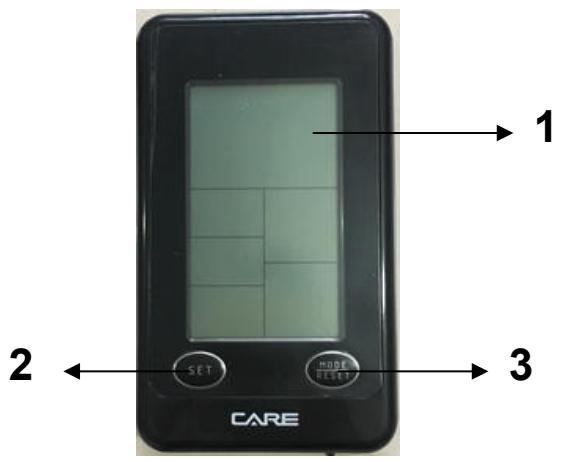
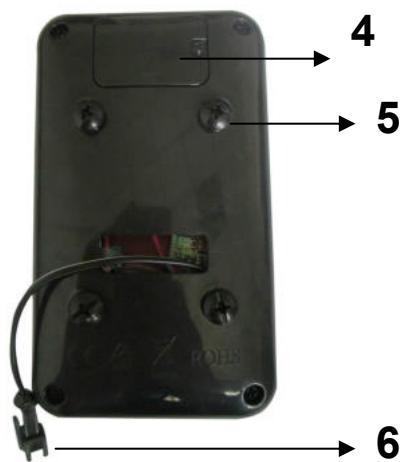
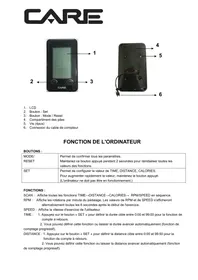
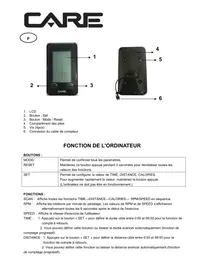
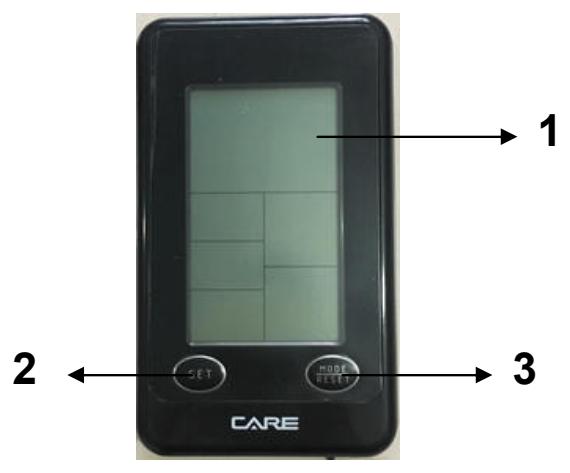
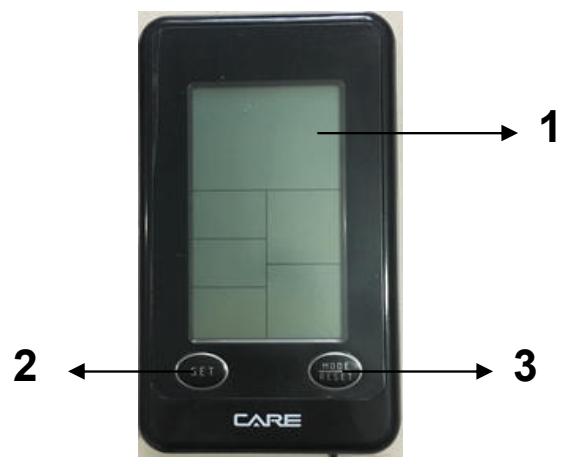
- LCD
- Button : Set
- Button : Mode / Reset
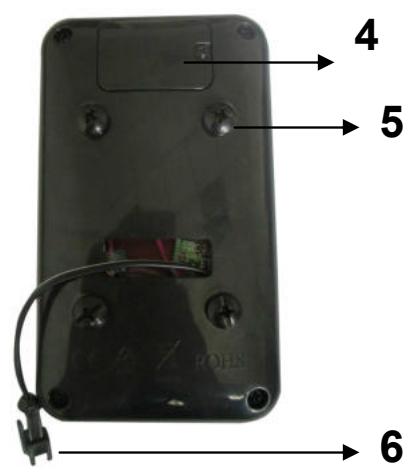
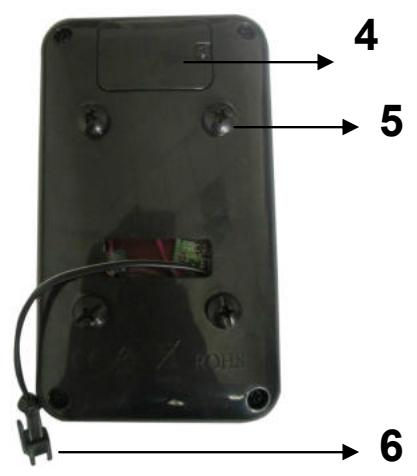
- Battery compartment
- Screws (4pcs)
- Meter cable connection
COMPUTER INSTURATION
BUTTONS:
| MODE/ RESET | To confirm all settings. Press this button and hold for 2 seconds to reset all function figures. |
| SET | To set up the value of TIME, DISTANCE, CALORIES. You can hold the button to increase the value fast. (The computer has to be in stop condition.) |
FUNCTIONS :
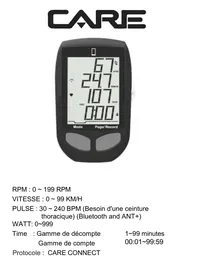
SCAN: Displays all function TIME DISTANCE CALORIES RPM/SPEED in sequence.
RPM: Displays the pedaling Rotation Per Minute. The RPM and SPEED will switch to another display in every 6 seconds after exercise starts.
SPEED: Displays the user's exercise speed.
TIME: 1.You can press "SET" button to set target time between 0:00 to 99:00 for count down function.
- It can be set up by the user or accumulated automatically for count up function.
DISTANCE: 1. Your can press "SET" button to set target distance between 0:00 to 99:50 for count down function.
- It can be set up by the user or accumulated automatically for count up function.
CALORIES: 1.You can press "SET" button to set target calories between 0 to 9990 for count down function.
2. It can be set up by the user or accumulated automatically for count up function.
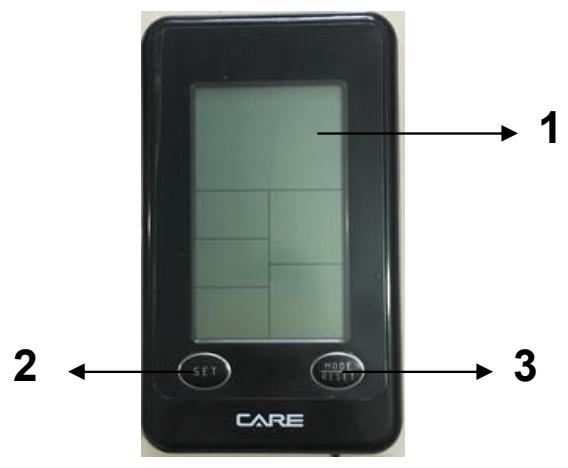
- Installs 1 piece of CR2032 3V battery, then the screen will display as following "Drawing A" and have "Bi" sound at the same time,
After that, it goes to the next step to the main menu as "Drawing B".
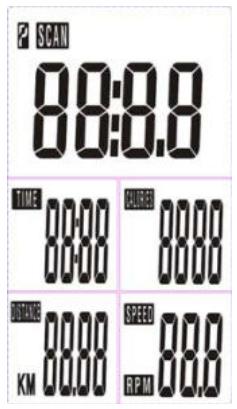
Drawing A
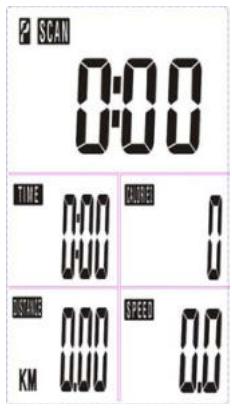
Drawing B
- Get access to the set-up mode of TIME/DISTANCE/CALORIES. When you are in each set- up mode, for example in the time set-up mode, time value is blinking, you can press "SET" button to adjust the value and press "MODE" for confirmation. The set-up of DISTANCE, CALORIES is the same as TIME.
- With any signal been transmitted into the monitor, the value of TIME, DISTANCE, CALORIES start to count up as Drawing C. When there is any function has been preset the target (TIME or DISTANCE or CALORIES), the function will be counting down from the preset to zero while the training starts. Once the target is achieved to zero, the monitor starts to beep for 8 seconds, and the function will be counting up from zero directly if the training is going. Press "MODE" button for confirmation and skip to next set-up.
- In SCAN mode shown as "Drawing C". TIME/DISTANCE/CALORIES/(RPM/SPEED) will skip to display in every 6 seconds. The order is as follows.
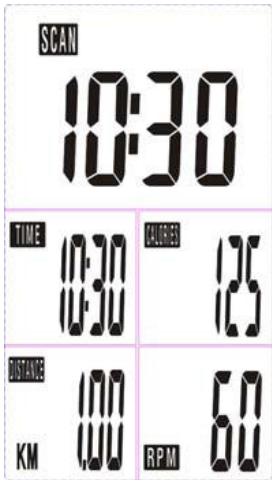
Drawing C
- You can also press "MODE" button to select single function display except RPM & SPEED function. The RPM & SPEED function will switch display.
Note:
- Stop training for 4 minutes, the main screen will be off and display the room temperature and the calendar automatically as the following.
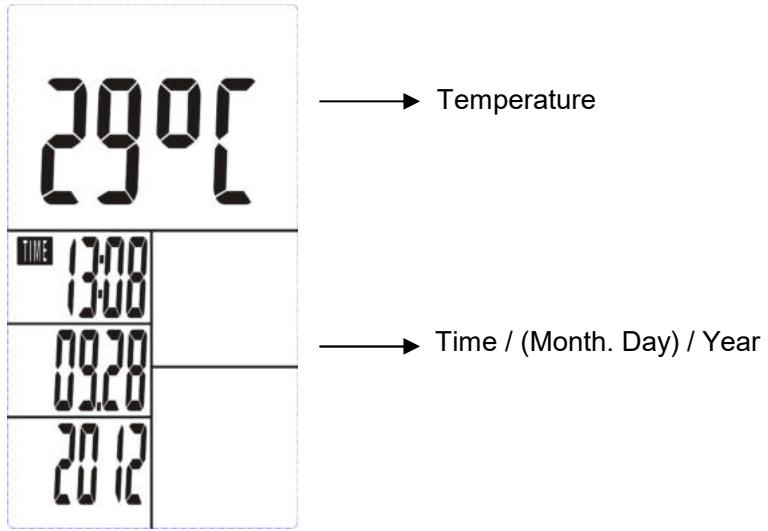
You may press any button to have the computer restart working, the original value will retain. (If re-install batteries, the original value will remove.)
- If the computer displays abnormally, please re-install battery and try again.
- Battery Spec: 3V CR2032 (1PC). Battery replacement instruction:
Battery installation instruction:
1- Remove screws from the battery cover
2- And remove the cover
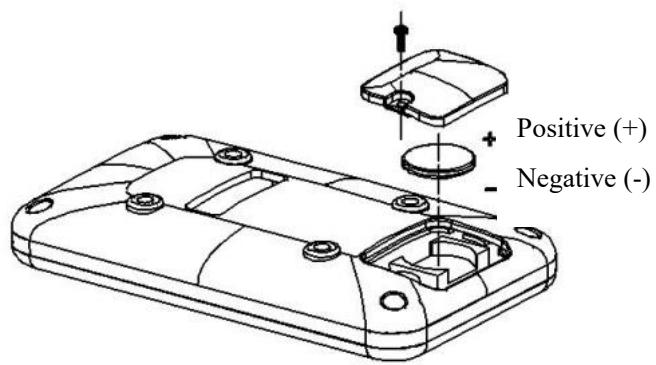
3- Install a new CR2032 battery by tilting the battery slightly to its side and slide it in.
(positive (+) at upper side and negative (-) at down side)
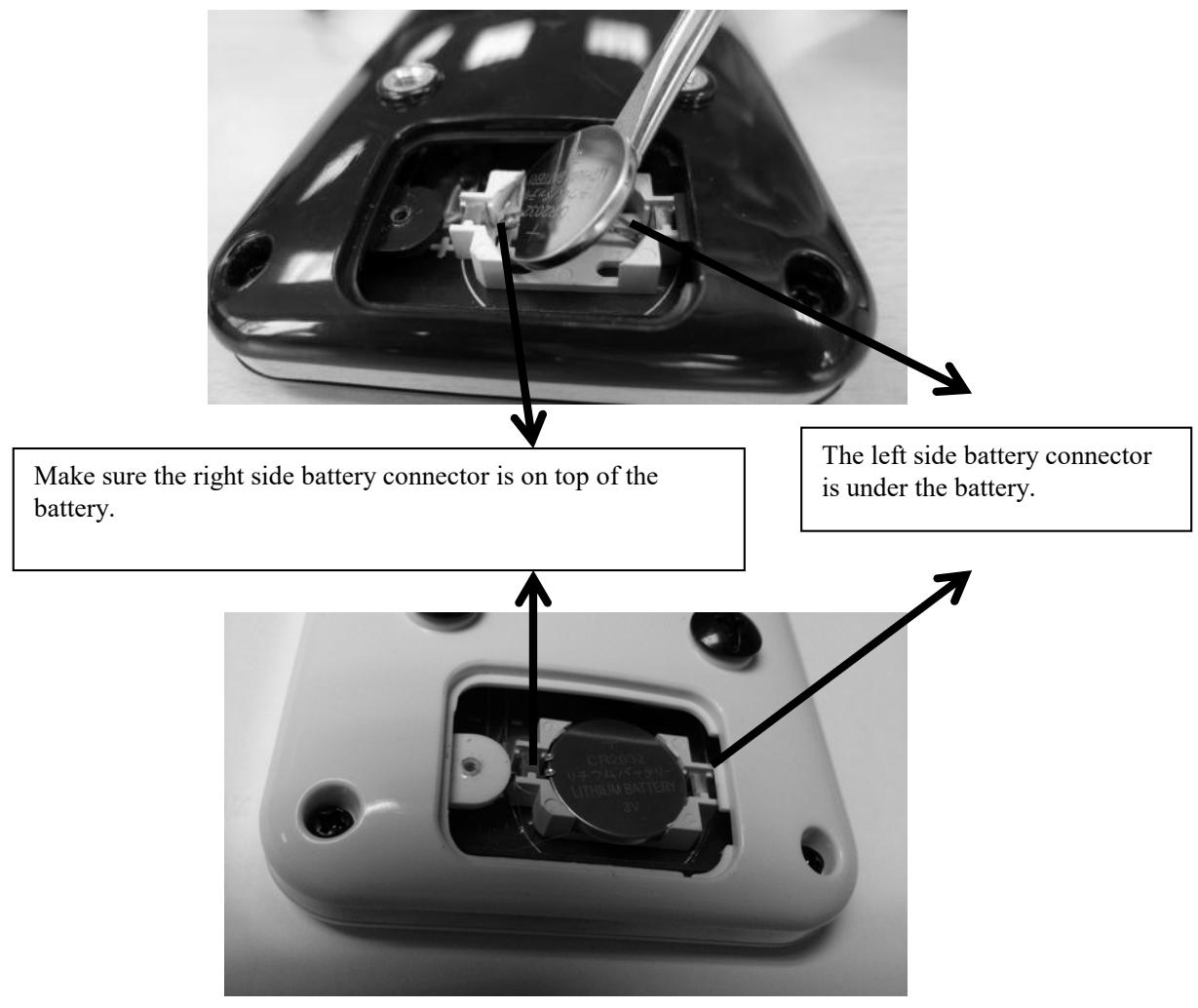
4- For the battery change, please gently pry out the battery with a thin blade.
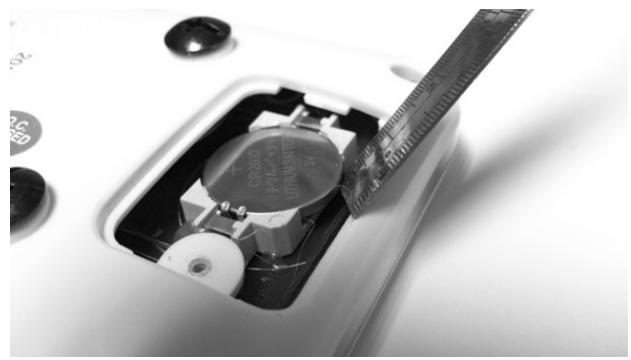
5- Put the battery cover back
Cardio - Training:
Before programming your training, it is essential to take account of your age, particularly for people of more than 35 years of age, as well as your physical condition. If you have a sedentary lifestyle without regular physical activity, it is vital that you consult your doctor to determine the level of intensity of your training. Once determined, do not attempt to achieve your maximum during the first training sessions. Be patient; your performance will quickly improve.
This enables you to develop your cardiovascular system (fitness of the heart / blood vessels). During Cardio-Training, the muscles need a supply of oxygen and nutritive substances. They also need to
liminate waste. Our heart increases its rhythm and sends a larger amount of oxygen to the body by means of the cardiovascular system. The more often you exercise regularly and repetitively, the more your heart will develop, just like any other muscle. In daily life, this translates into the ability to bear greater physical effort and improve your intellectual faculties.
Definition of your work Zone:
The Maximum Heart Rate (MHR) = 220 - age (180 - age for sedentary people).
The Warming Up Zone and Cooling Down Zone are equal to 55% of your MHR.
The Fat Loss Zone is between 55 / 65% of your MHR.
The Aerobic Zone is between 65 / 85% of your MHR.
The Anaerobic Zone is between 85% of your MHR and your MHR.
Make a diagram of the target zones
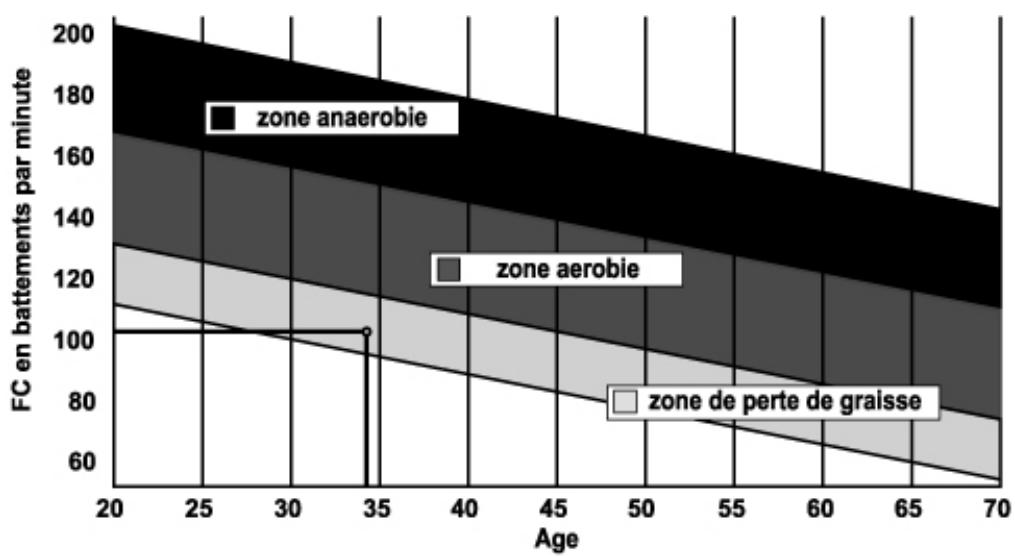
The progressive training stages:
1) A warming up phase:
Start each training session by warming up progressively (10-20 min, more if you are over 50) which will put your muscles on standby and gently increase your heart rate. Gently increase your pulse to 55% of your MHR (Maximum Heart Rate).
Keep your Heart Rate at this level for the duration of the warming up time. If you begin your training too quickly, you are in danger of increasing the risk of tendon or muscle injury.
2) A work phase:
This is the main part of the training session. Depending on your specific goals and your initial physical condition, weight loss, improvement of cardiovascular resistance (aerobic work), development of stamina (anaerobic work), it is possible to choose the appropriate target zone.
The Fat Loss Zone, 55 - 65%
The heart rate must be low and the duration of the exercise quite long. This zone is advised for people resuming physical activity after a long period of idleness, who
are trying to eliminate excess weight or are susceptible to cardiac problems. Do not forget that for this type of training the duration of the exercise must be at least 30 minutes and the Heart Rate (HR) between 55 and 65% of the MHR. - Gradually increase from 30 to 60 minutes per session.
Exercise 3 or 4 times a week.
The Aerobic Zone, 65 - 85%
This zone is recommended for those who are in good physical condition who train
regularly. By training in this zone, you will improve your physical condition but avoid overworking.
Duration: 20 to 30 minutes per session.
- Frequency: At least 3 or 4 times a week.
The Anaerobic Zone, 85% - MHR
This zone is exclusively for experienced athletes and is never recommended without medical approval and supervision. This zone is designed only for very fit people. It is used for interval training (or for short sprints) to help you to improve or measure your level of stamina. The time spent in this zone must be brief to avoid the risk of accident.
3) A cooling down phase:
This entails a reduction of exertion (10 to 20 min). It enables you to return your cardiovascular system to normal (55% of your MHR) and prevent or reduce muscular pain such as cramp and stiffness. You must follow the training with a session of stretching exercises while your joints are still warm. This relaxes the muscles and helps to prevent stiffness. Stretch slowly and gently. You must never stretch until you reach the pain threshold. Hold each stretch for 30 to 60 seconds while breathing out
Check your progress
As it improves, your cardiovascular system will have an HR which will be lower when at rest. You will take longer to reach your target zone and it will be easier for you to maintain it. Sessions will seem easier and easier and you will have more stamina in your daily life.
If, on the other hand, your HR is higher than usual when at rest, you will have to rest or reduce the intensity of your training.
Do not be discouraged by the initial sessions. Motivate yourself by scheduling specific training times. Work hard!
All defective materials or parts can only be exchanged once we have received them. Shipping is at the sender's expense. No returns of goods will be accepted without our prior approval.
To order spare parts
To guarantee an efficient service, make sure you have the following items before you contact our After Sales Service:
The name or reference of the product.
After Sales Service
Email: service-uk@carefitness.com
E mail : service-de@carefitness.com
E-mail: service-it@carefitness.com
NL
De harttraining (cardiotraining):
2 tot 3 trainingen per week = circa 30 minutes per keer.
1 tot 2 trainingen per week = circa 50 minutes per keer.
E-mail: service-nl@carefitness.com