SMART MAP PRO - GPS Navigation System ALPINE - Free user manual and instructions
Find the device manual for free SMART MAP PRO ALPINE in PDF.



| Product Type | GPS navigation system for automobiles |
| Brand | ALPINE |
| Model | SMART MAP PRO |
| Category | GPS navigation system |
| Main functions | GPS navigation, address search, address number search, points of interest |
| Software update | Automatic rewriting of the operating system program when inserting a map disc |
| Map support | Optical disc (current and previous version) |
| User interface | Joystick and ENTER key |
| Address search | By city/street and by address number |
| Points of interest search | By address or by category |
| Languages of the manual | French, German, English, Italian, Dutch |
| Number of pages of the manual | 23 pages (supplement) |
| User rating | 7.5/10 |
| Version compatibility | Possible to go back to a previous disc version via confirmation |
| Note | Some address numbers may not be available in the search range |
Frequently Asked Questions - SMART MAP PRO ALPINE
User questions about SMART MAP PRO ALPINE
0 question about this device. Answer the ones you know or ask your own.
Ask a new question about this device
Download the instructions for your GPS Navigation System in PDF format for free! Find your manual SMART MAP PRO - ALPINE and take your electronic device back in hand. On this page are published all the documents necessary for the use of your device. SMART MAP PRO by ALPINE.
USER MANUAL SMART MAP PRO ALPINE
Suite 203, 7300 Warden Ave. Markham,
Ontario L3R 9Z6, Canada
Tel.: 1-800-ALPINE-1 (1-800-257-4631)
1-888-NAV-HELP (1-888-628-4357)
ALPINE ELECTRONICS OF AUSTRALIA PTY. LTD.
6-8 Fiveways Boulevard Keysborough,
Victoria 3173, Australia
Tel.: (03) 9769-0000
ALPINE ELECTRONICS GmbH
Kreuzerkamp 7-11
40878 Ratingen, Germany
Tel.: 02102-45 50
13 Tanners Drive, Blakelands,
Milton Keynes MK14 5BU, U.K.
Tel.: 01908-61 15 56
ALPINE ELECTRONICS DE ESPAÑA, S.A.
Portal De Gamarra 36, Pabelón 32
01013 Vitoria (Alava)-Apdo. 133, Spain
Tel.: 34-45-283588
Designed by ALPINE Japan
Printed in Japan (Y)
68P21523Y01-O
Yamagata Printing
Co., Ltd.
2-6-34, Takashima,
Nishi-ku, Yokohama
Kanagawa, Japan
DIGITAL INFORMATION MAP/CARTE ROUTIERE SUR CD ROM/
DIGITALE STRASSENKARTE/MAPPA AD INFORMAZIONI/DIGITALE WEGENKAART
SMART MAP PRO
Prog. Ver. 2.10
NVE-N055PS
SUPPLEMENTARY OWNER'S MANUAL
Please read before using this disc.
SUPPLEMENT AU MODE D'EMPLOI
Just insert the new-version of the map disc into your navigation system. The system will automatically rewrite its operating-system programme and read the new-version of the map disc.
b) To use the earlier version of the map disc after using the new-version of the map disc:
1 Insert the earlier version of the map disc into the system.
Confirmation message appears on the display. Select "YES" by tilting the joystick and press the ENTER button.
3 The system will automatically rewrite the operating-system programme and read the earlier version of the map disc.
- New Functions Are Added To New-Version Of Map Disc
The address number inputting menu is added to the searching procedure from address.
Your desired location can be searched for more precisely by inputting the address number after selecting the city/street names.
Using New Functions
A) How to input the address number in the searching for destination from address (name of city/street) procedure (Easy mode)

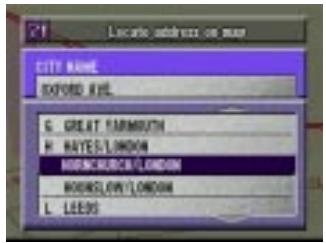
Select the desired street name by following steps 1 to 8 shown on pages 18 to 20 of the Owner's Manual.
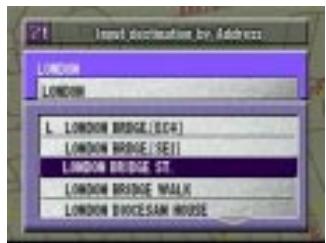

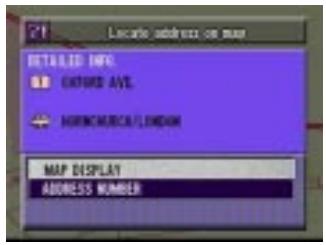
The Detailed Information screen appears. Select "address number" from the menu and press ENTER.
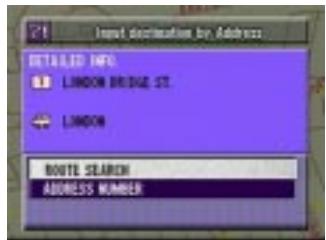

The address number inputting pallet is displayed. Select the numerals for the address number and press ENTER.
Range of Searchable Address Numbers
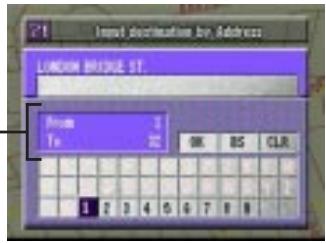
Note: In the searchable range, there may be some address numbers that are not searchable.

When the desired address number has been input, select "OK" and press ENTER.
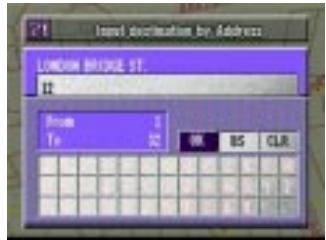

The system starts to calculate the route. When the calculation has been completed, the system automatically displays the present vehicle position screen.
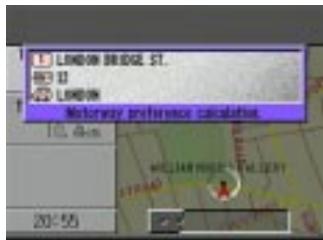
B) How to input the address number in the searching for point of interest from address procedure (Expert mode)
1 Select the desired street name by following steps 1 to 3 shown on page 23 of the Owner's Manual.
The Detailed Information screen appears. Select "address number" from the menu and press ENTER.
3 The address number inputting pallet is displayed. Select the numerals for the address number and press ENTER. Range of Searchable Address Numbers
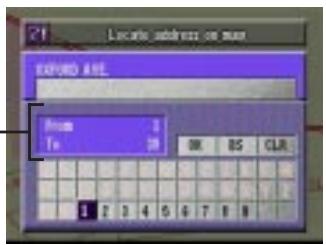
Note: In the searchable range, there may be some address numbers that are not searchable.
4 When the desired address number has been input, select "OK" and press ENTER.
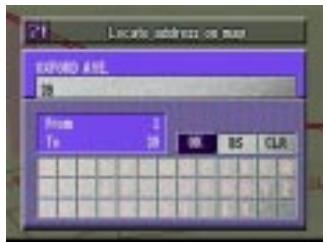
5 The "Point may be set on map" menu with the map showing the area of the point of interest appears. Select the desired menu item and press ENTER to set the point as a destination, waypoint, etc.