USER MANUAL G435 LOGITECH
SETUP GUIDE GUIDE D'INSTALLATION

ENGLISH 3 CESKÁ VERZE 138 DEUTSCH 12 SLOVENČINA 147 FRANÇAIS 21 УКРАЇНСЬКА 156 ITALIANO 30 EESTI 165 ESPAÑOL 39 LATVISKI 174 PORTUGUÊS 48 LIETUVIŲ 183 NEDERLANDS 57 192 SVENSKA 66 HRVATSKI 201 DANSK 75 SRPSKI 210 NORSK 84 SLOVENŠČINA 219 SUOMI 93 ROMÂNĂ 228 ΕΛΛΗΝΙΚΑ 102 TÜRKÇE 237 ПО-РУССКИ 111 246 PO POLSKU 120 255 MAGYAR 129
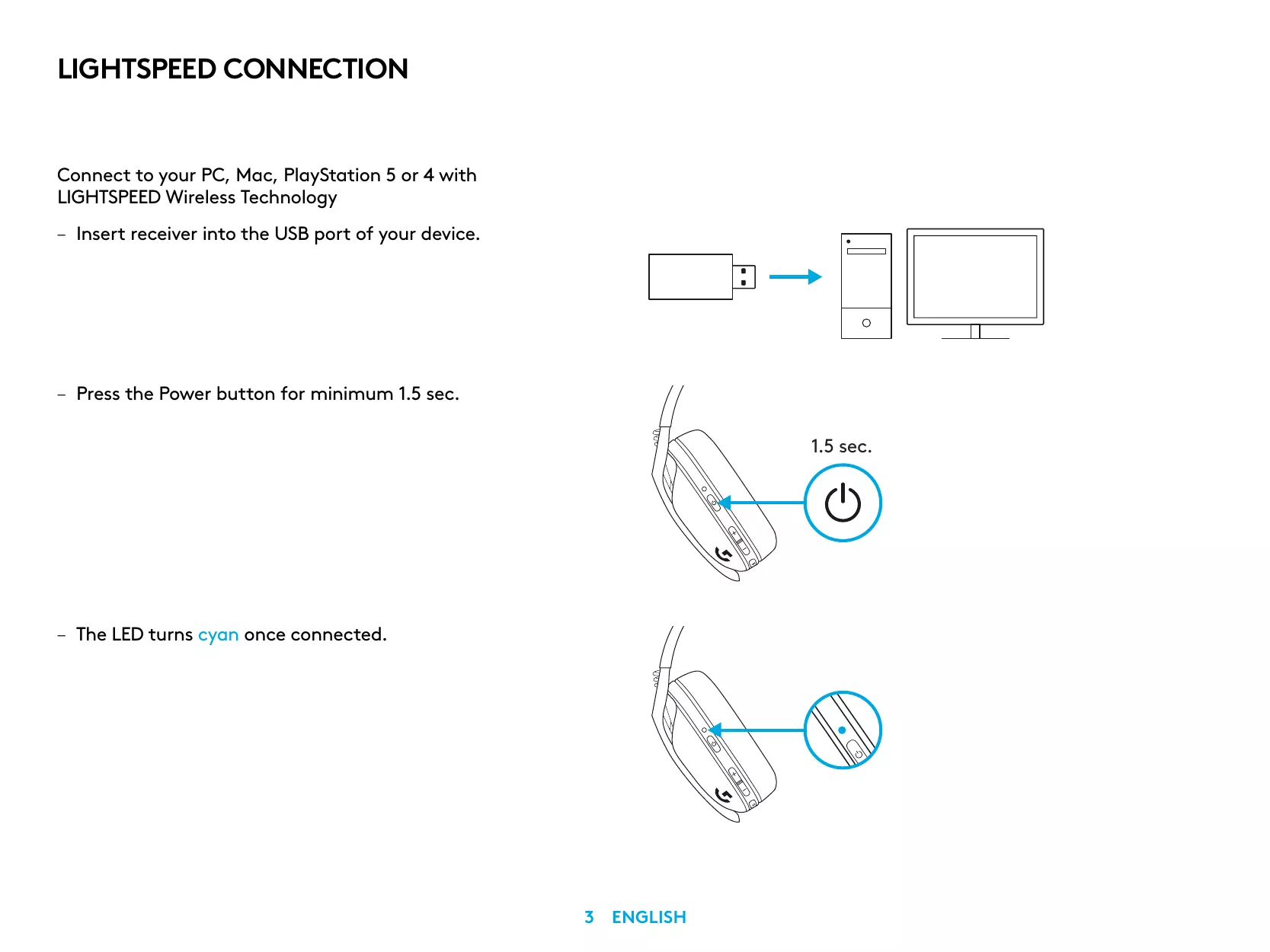
LIGHTSPEED CONNECTION
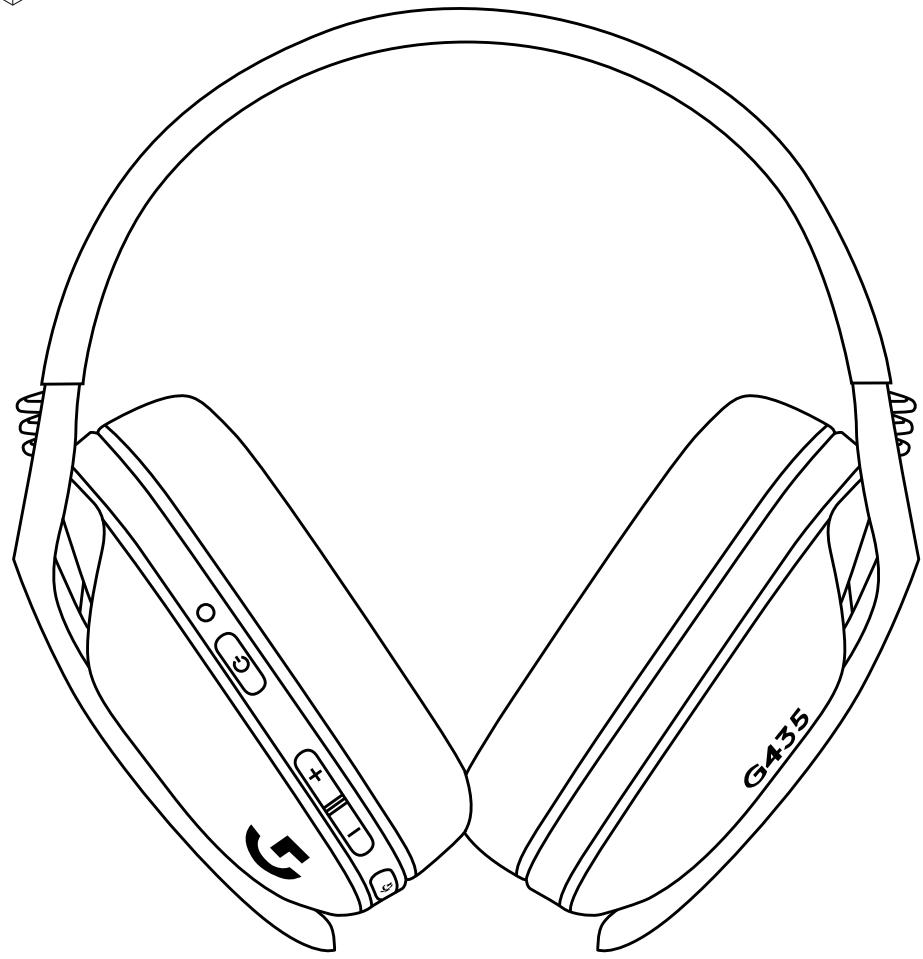
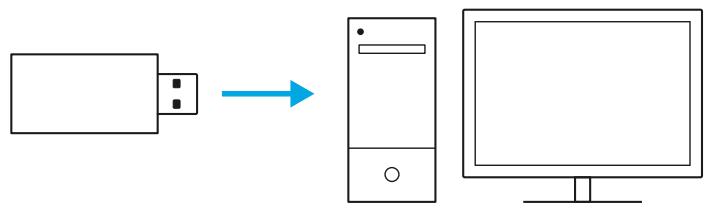
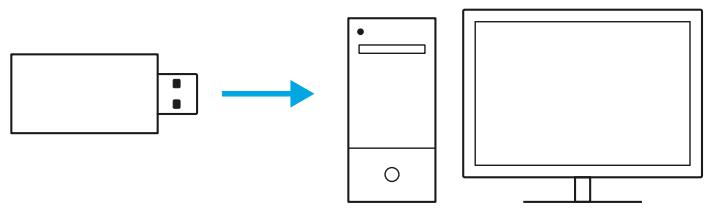
Connect to your PC, Mac, PlayStation 5 or 4 with LIGHTSPEED Wireless Technology
- Insert receiver into the USB port of your device.
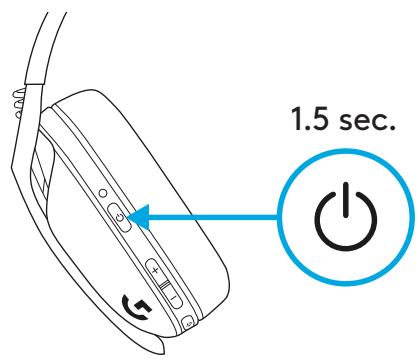
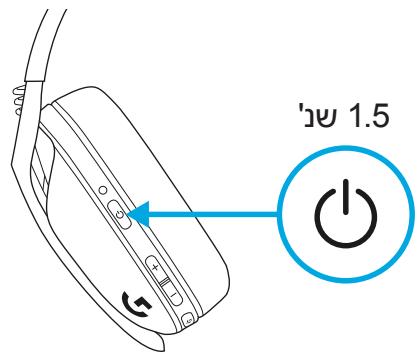
- Press the Power button for minimum 1.5 sec.
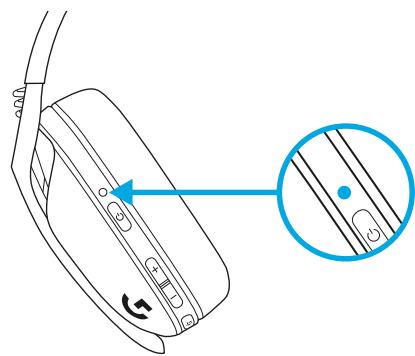
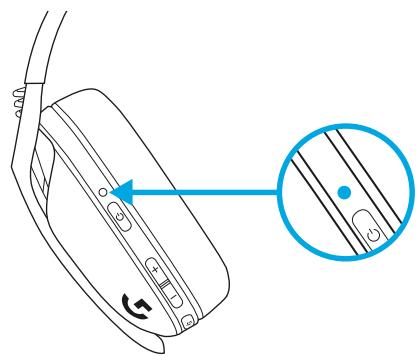
- The LED turns cyan once connected.
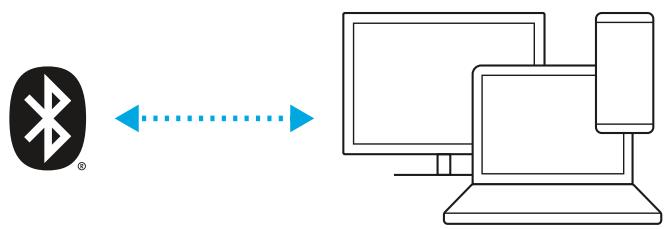
BLUETOOTH CONNECTION
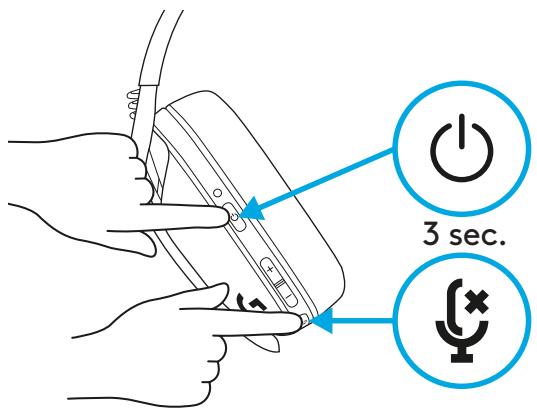
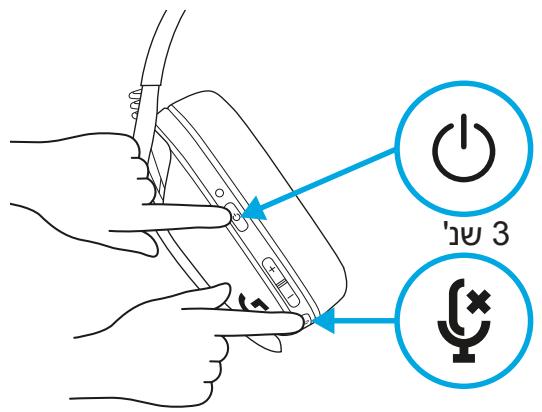
- Press 3 seconds or longer of the Power and Mute button.
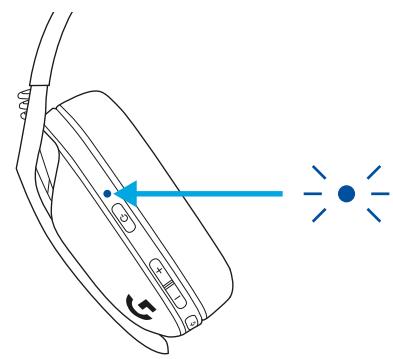
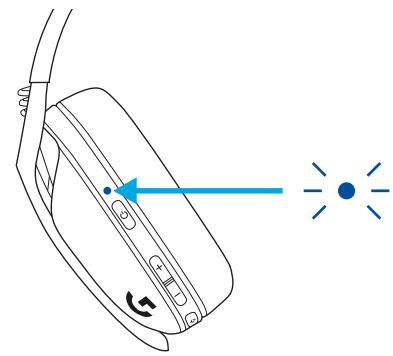
- LED will flash blue as it enters pairing mode.
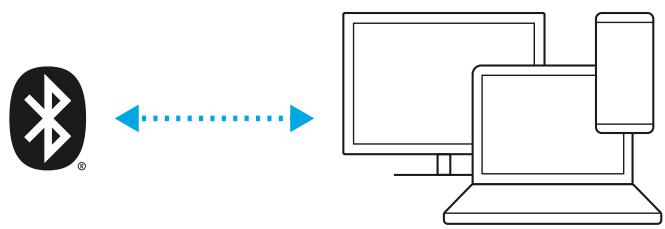
- Connect to your preferred device.
- G435 can connect to a single bluetooth device at a time.
SWITCH BETWEEN LIGHTSPEED AND BLUETOOTH
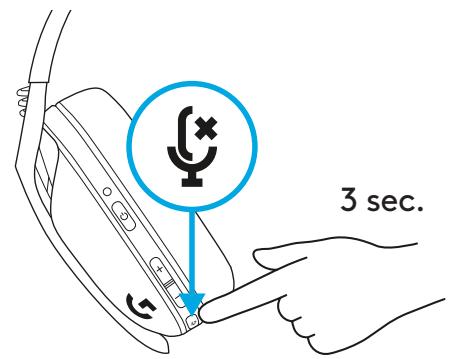
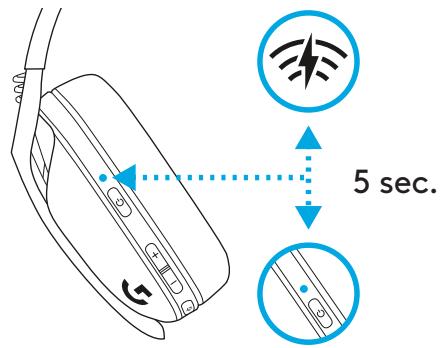
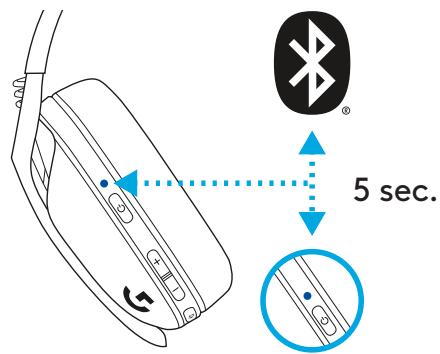
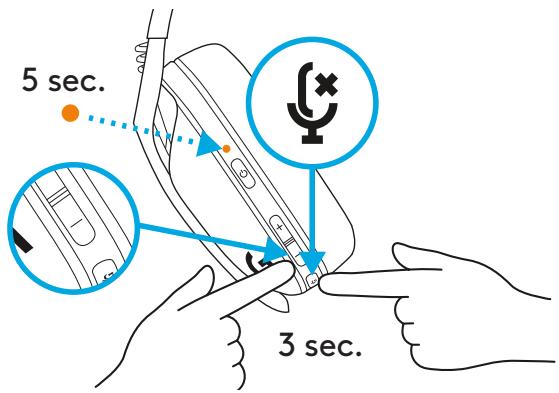
- Press and hold the Mute button for 3 seconds or longer.
- Switch to LIGHTSPEED: the LED will light up cyan for 5 seconds.
- Switch to Bluetooth: the LED will light up blue for 5 seconds.
POWER ON AND OFF
Power ON
- Press the Power button for 1.5 seconds when the headset is off.
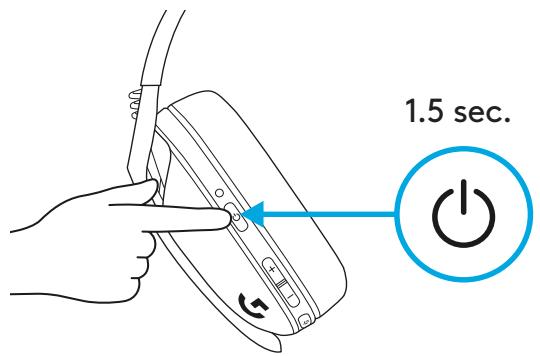
Power OFF
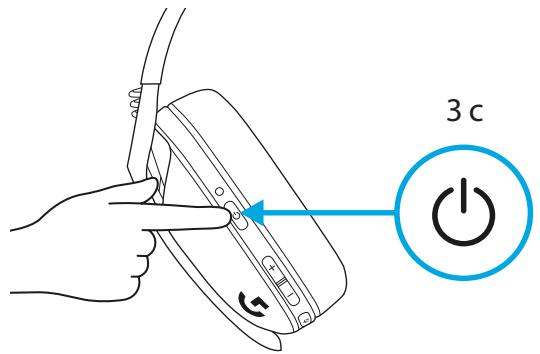
- Press the Power button for 3 seconds when the headset is on.
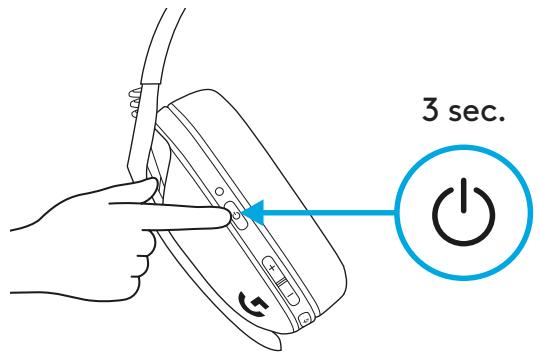
Auto Shutoff
- After 30 minutes of inactivity.
MUTE / UNMUTE AND MAX VOLUME
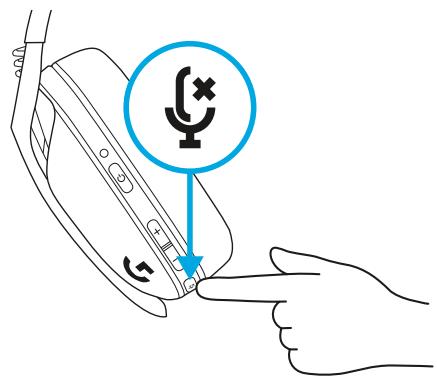
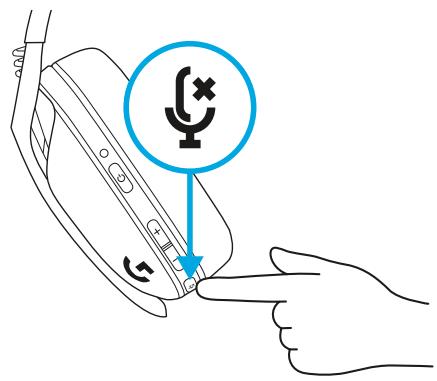
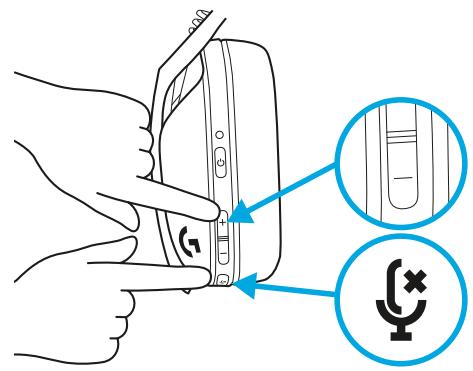
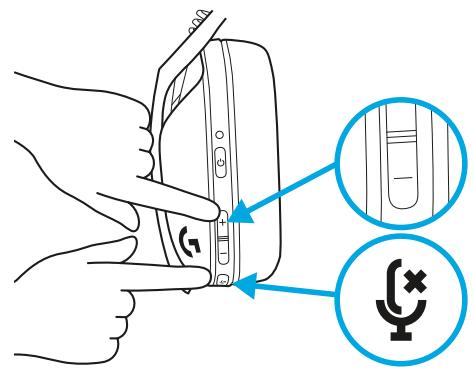
Mute/unmute the microphone
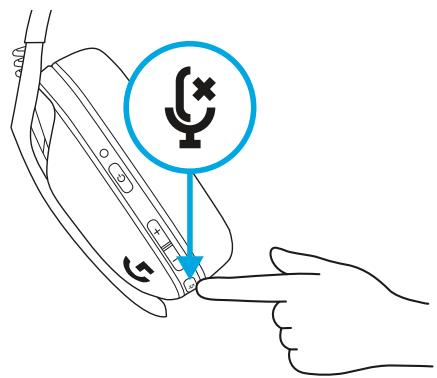
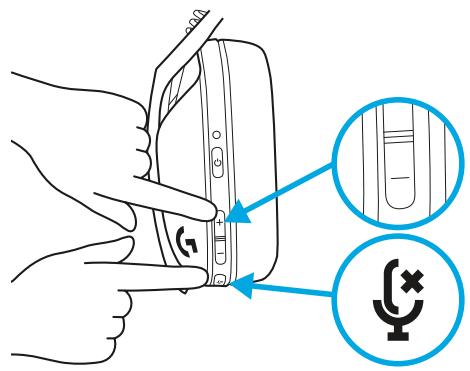
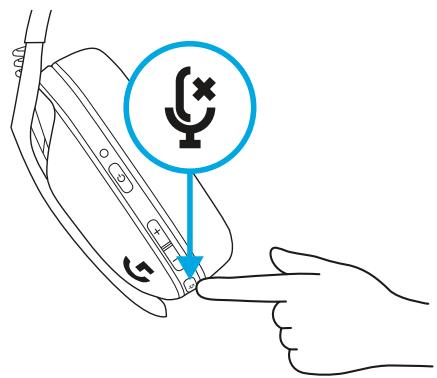
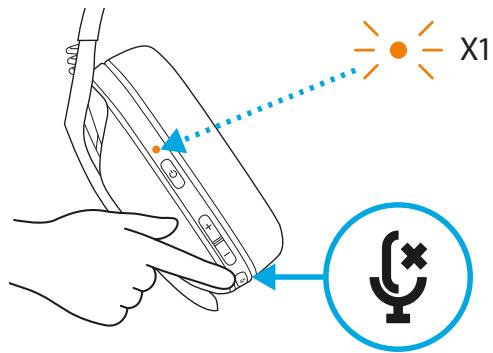
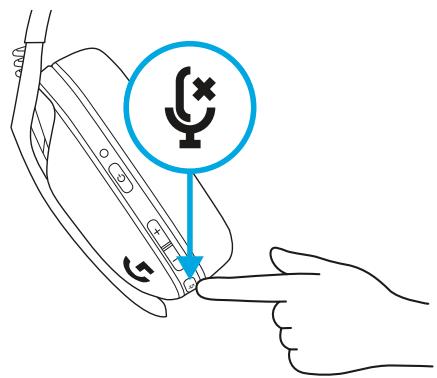
- Short press the Mute button.
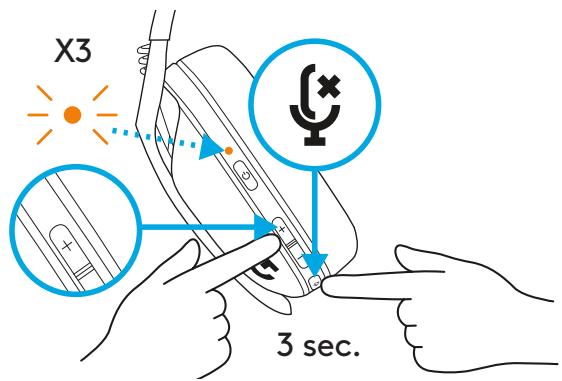
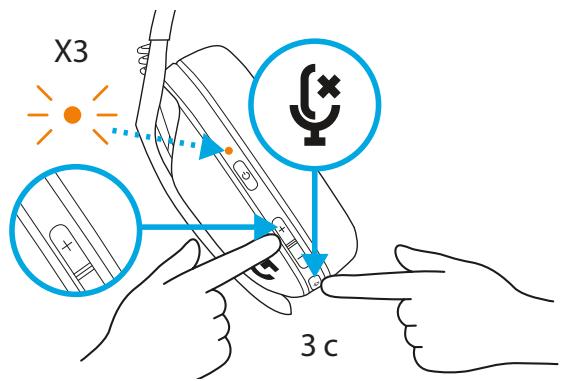
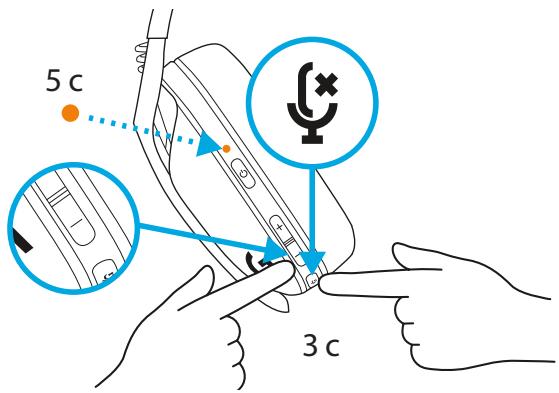
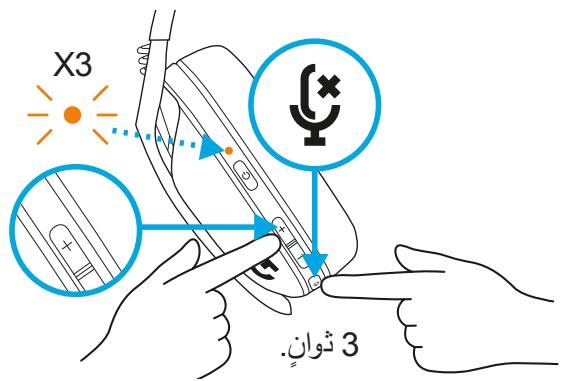
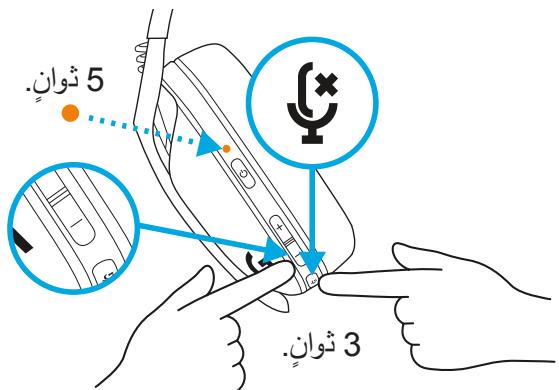
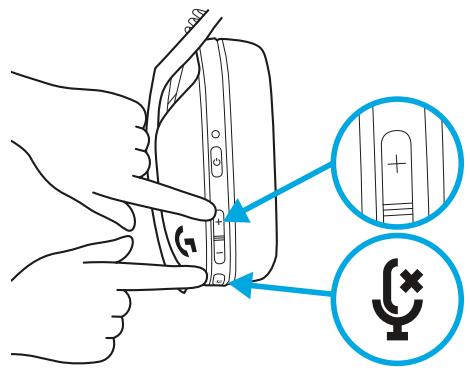
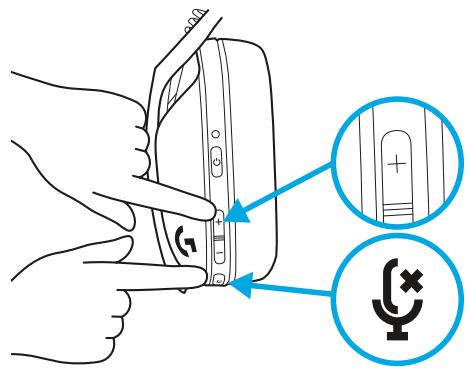
Set the maximum volume.
- Set to 100 dB
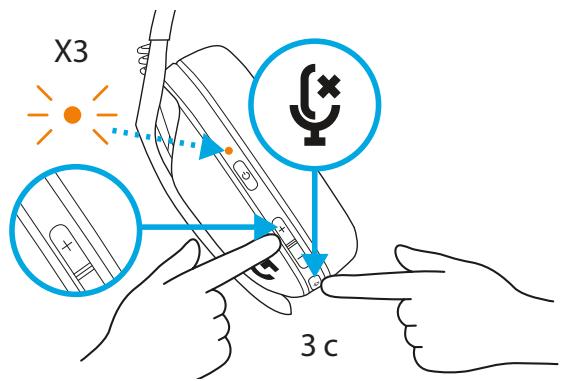
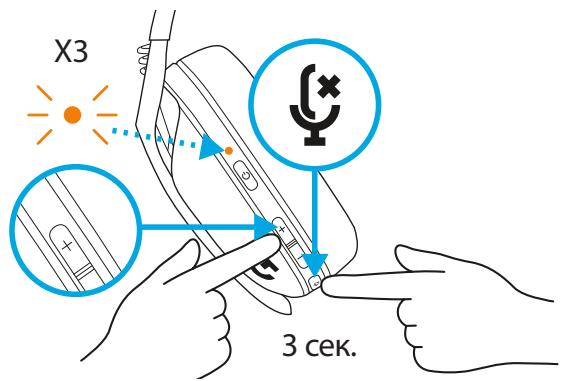
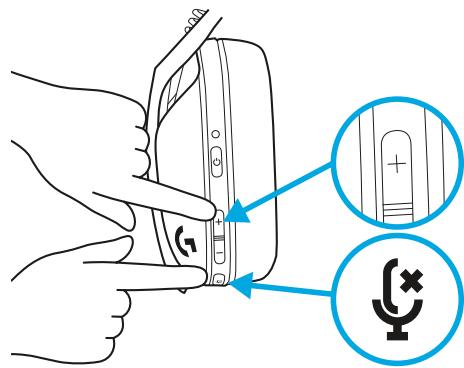
- Press and hold the Mute button and Volume UP for 3 seconds or longer.
- The LED will flash orange 3 times.
- Set to 85 dB
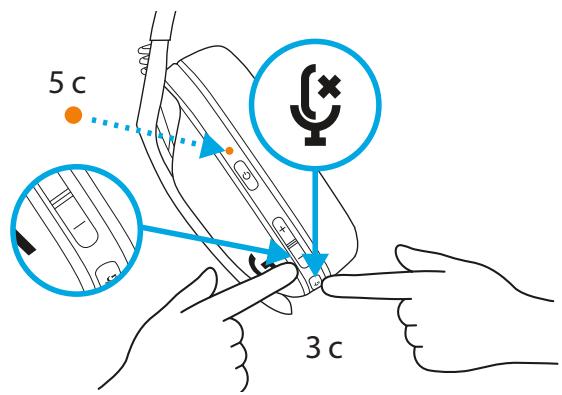
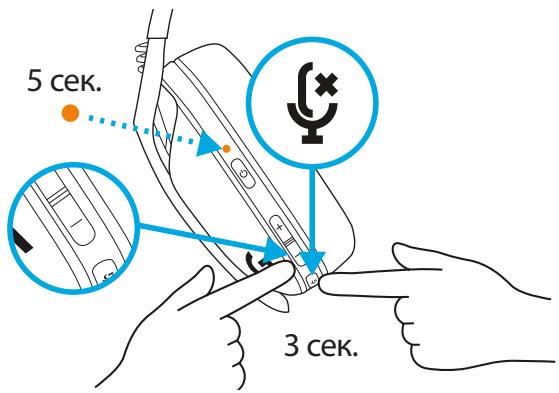
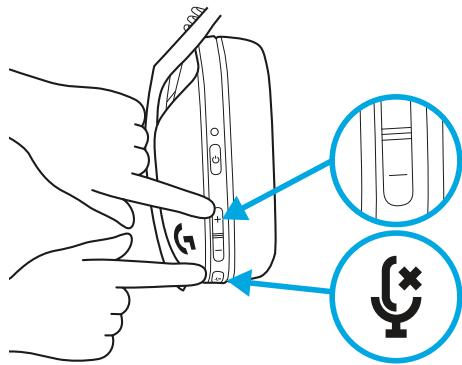
- Press and hold the Mute button and Volume DOWN for 3 seconds or longer.
- The LED will turn solid orange for 5 seconds.
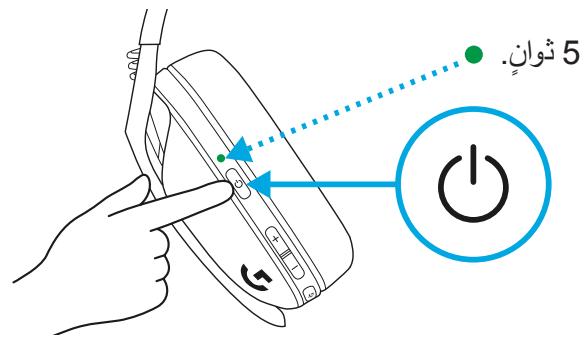
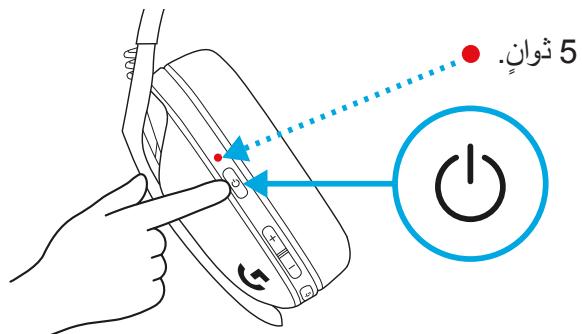
BATTERY CHECK
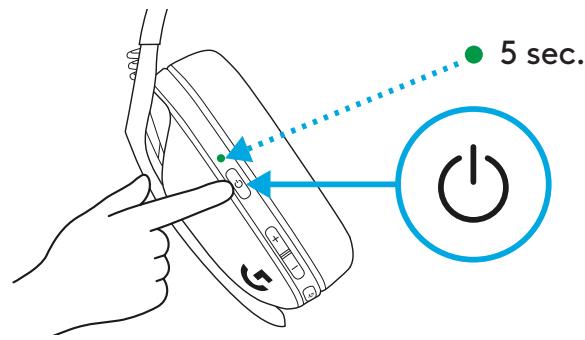
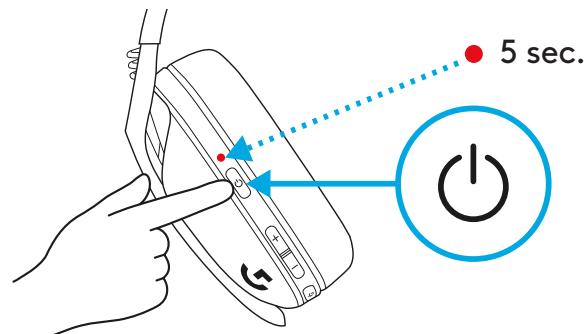
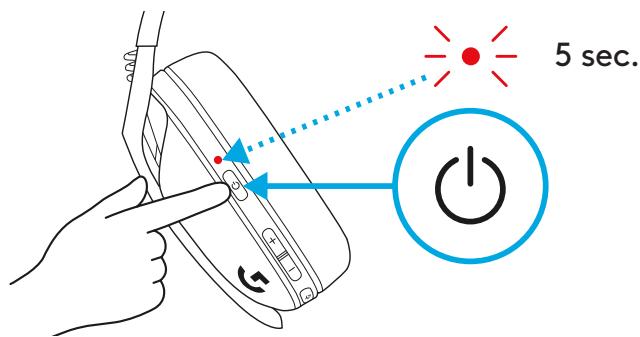
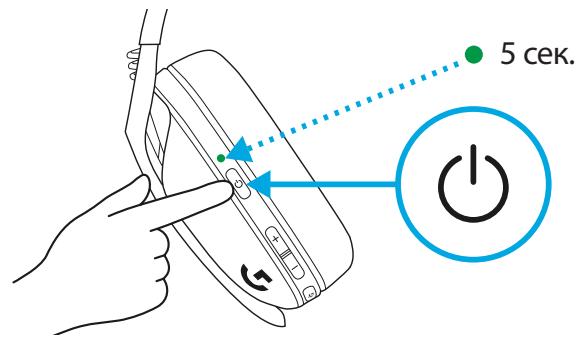
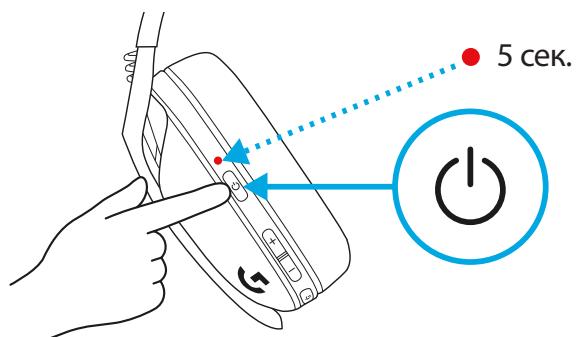
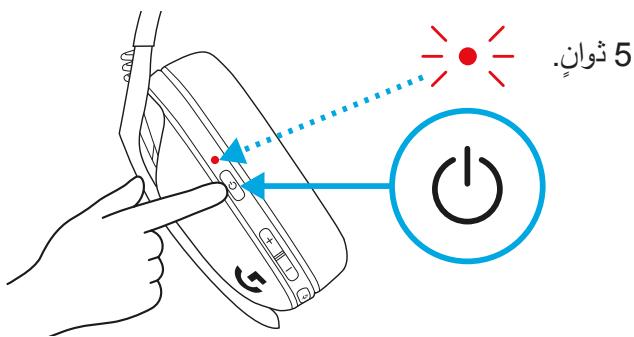
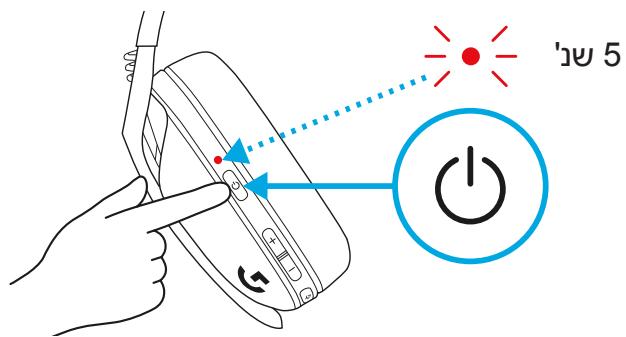
- Single press the Power button when the headset is ON.
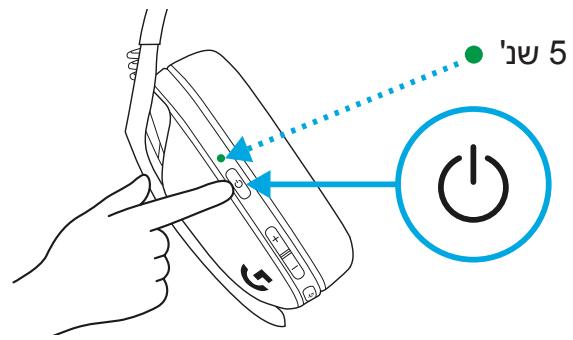
- Battery 31% to 100%: the LED will show green for 5 seconds.
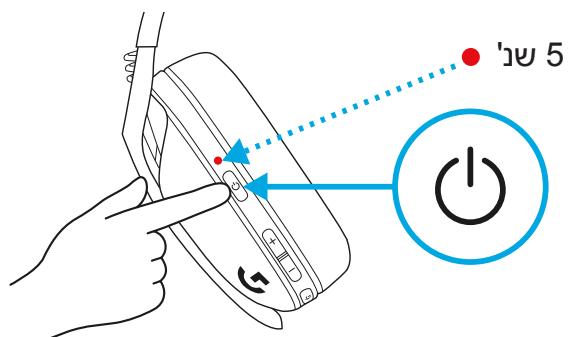
- Battery 15% to 30%: the LED will show red for 5 seconds.
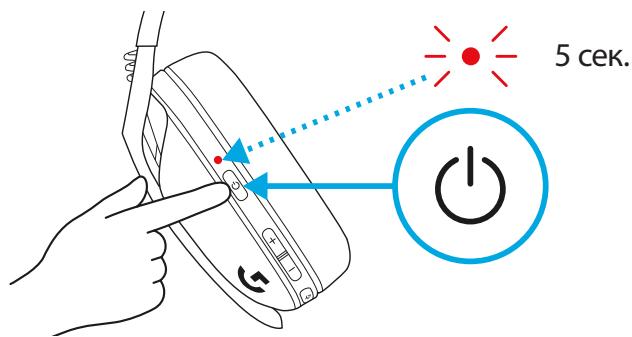
- When the battery is at 15%, the LED will flash red for 5 seconds.
SIDETONE
Sidetone lets you hear your voice while communicating with other people. It mirrors the experience of talking on a phone and allows you to adjust your speaking volume to a proper level.
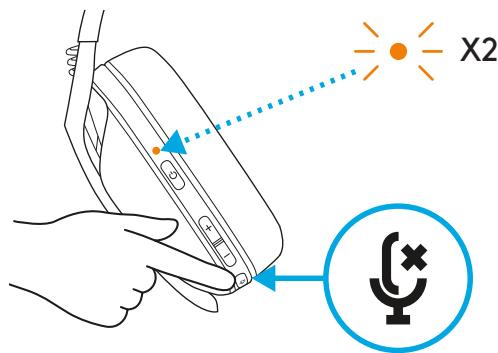
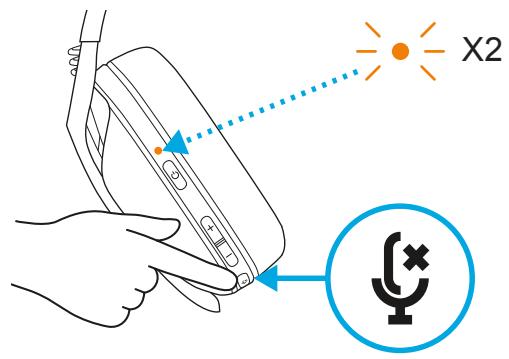
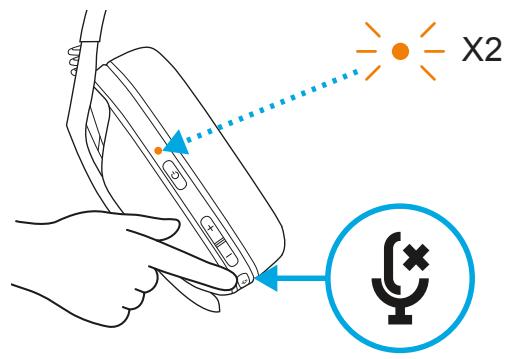
- Enable Sidetone
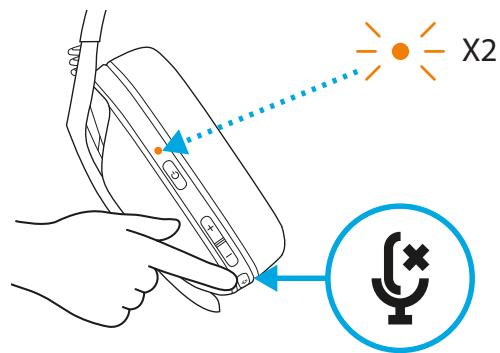
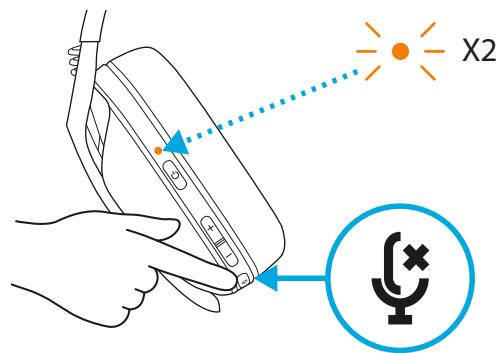
- Double press the Mute button and the LED will flash twice in orange.
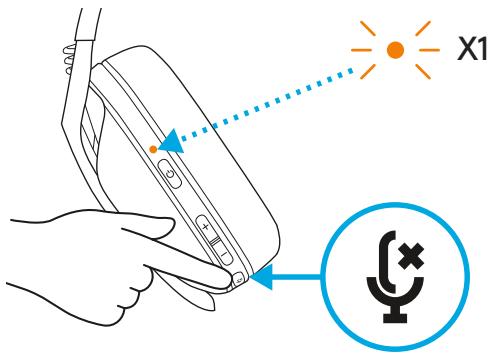
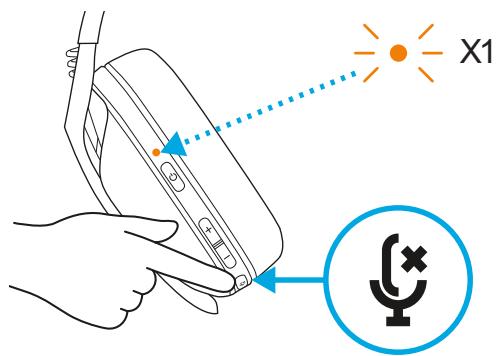
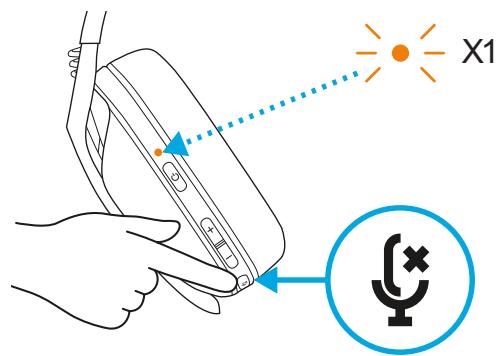
- Disable Sidetone
- Double press the Mute button and the LED will flash once in orange.
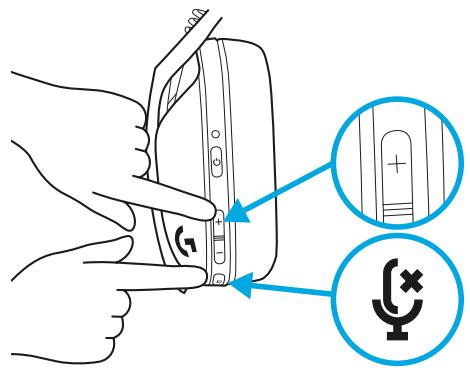
- Adjust Sidetone
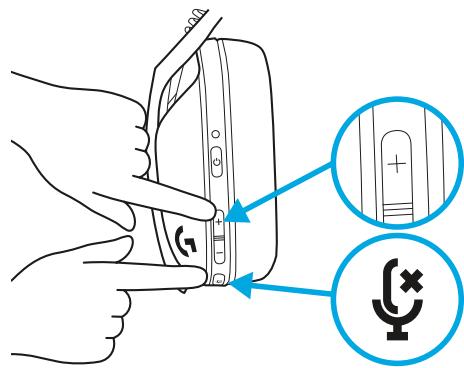
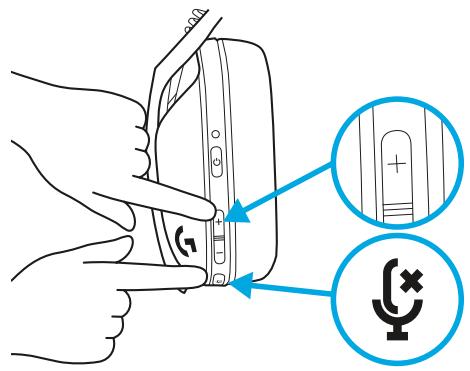
- UP = Single press Mute button + Volume UP.
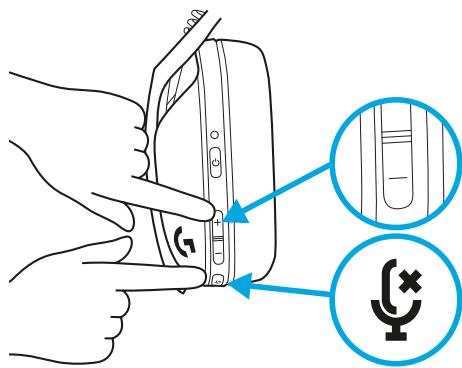
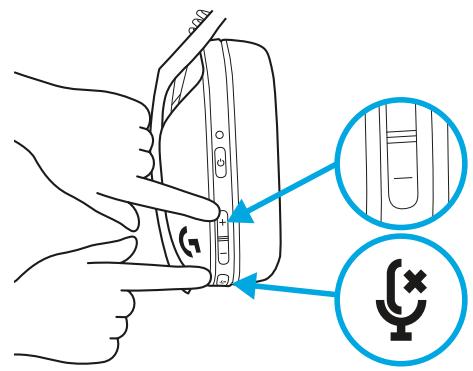
- DOWN = Single press Mute button + Volume DOWN.
SPARE PARTS
- Earpads
- Wireless USB Receiver
- Charging Cable
RECYCLING
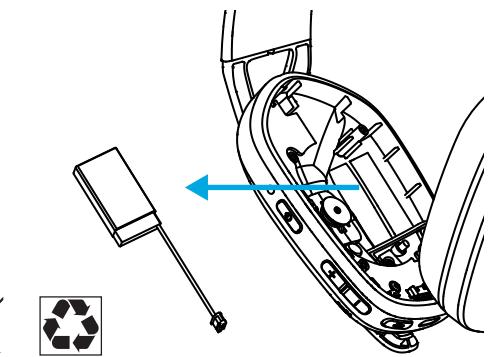
We encourage you to resell or donate working products. Otherwise, batteries, electronic and electrical equipment should not be disposed of with household waste. Wherever possible, they should be segregated and brought to an appropriate collection point to enable recycling and avoid potential impacts on the environment and human health. For more information, contact your local authorities or place of purchase, or visit www.logitech.com/recycling
QUESTIONS?
logitechG.com/support/G435
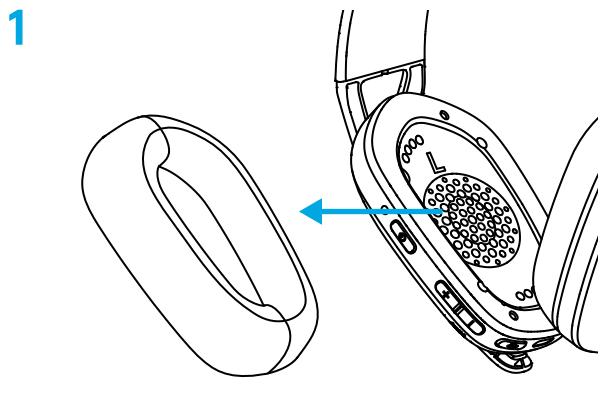
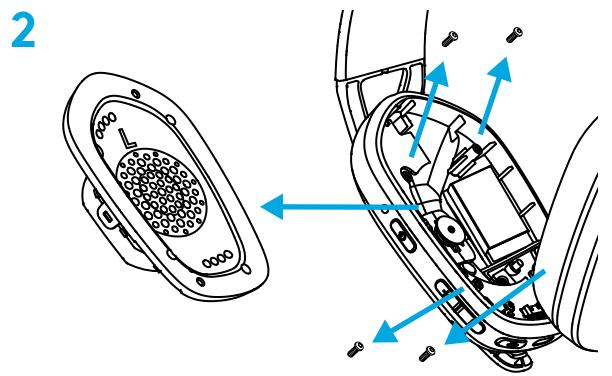
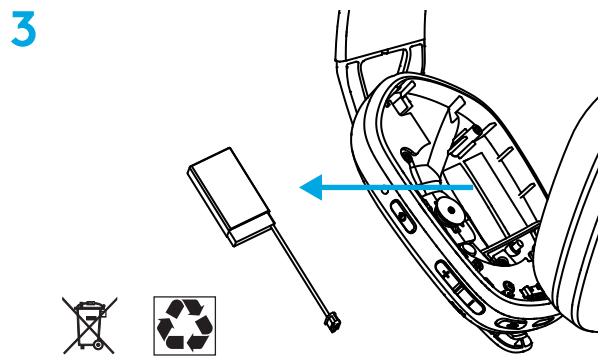
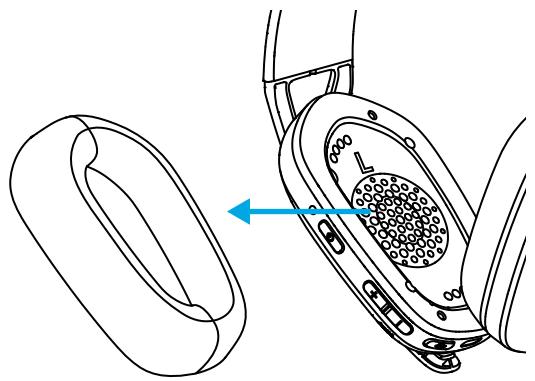
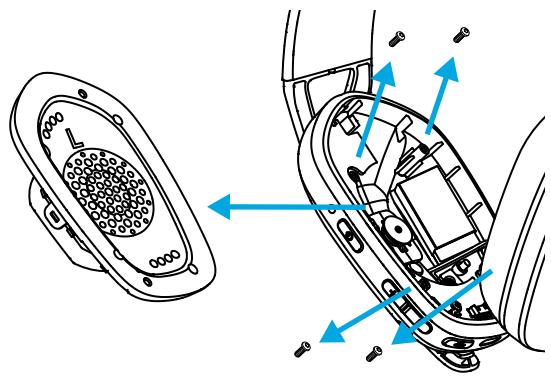
BATTERY REMOVAL
LIGHTSPEED CONNECTION
POWER OFF
- Press and hold the power button for 3 seconds if the headset is on.
Automatic power off
- After 30 minutes of inactivity.
MUTE/UNMUTE AND MAXIMUM VOLUME
MUTE/UNMUTE MICROPHONE
- Press the mute button once.
Set maximum volume
-100b
- Press and hold the sound on/off button and volume up button for at least 3 seconds.
- The LED indicator will blink orange 3 times.
- 85
- Press and hold the sound on/off button and volume down button for at least 3 seconds.
- The LED indicator will light up orange for 5 seconds.
BATTERY CHARGE CHECK
- Press the sound off button twice — the LED indicator blinks orange twice.
- Press the sound off button twice — the LED indicator blinks orange once.
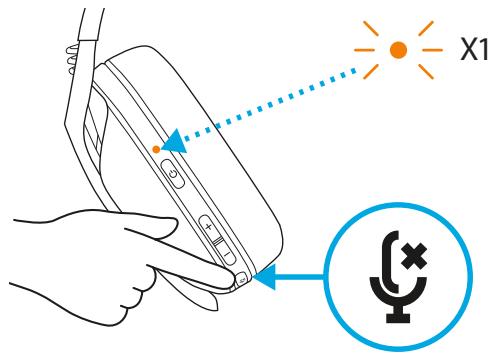
- Setting the local effect
- Press the mute button and increase the volume once.
- Press the mute button and decrease the volume once.
SPARE PARTS
- Ambush ears
- Wireless USB receiver cable for charging
RECYCLING AND DISPOSAL
We advise users to give or sell their devices when they are no longer needed. We remind that batteries, as well as electronic and electrical equipment, should not be disposed of with household waste. Where possible, they should be separated and taken to a recycling collection point to avoid potential harmful effects on the environment and human health. For more information, contact local authorities, the supplier, or visit www.logitech.com/recycling.
DO YOU HAVE QUESTIONS?
logitechG.com/support/G435
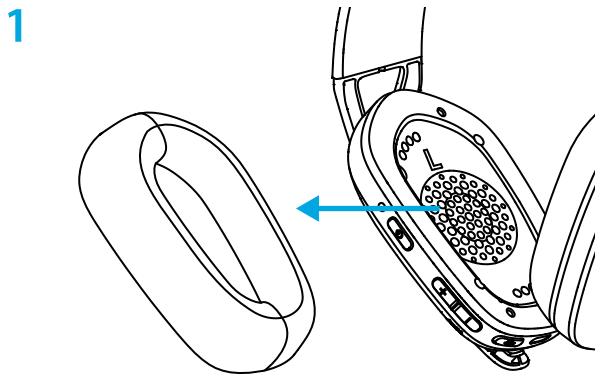
BATTERY REMOVAL
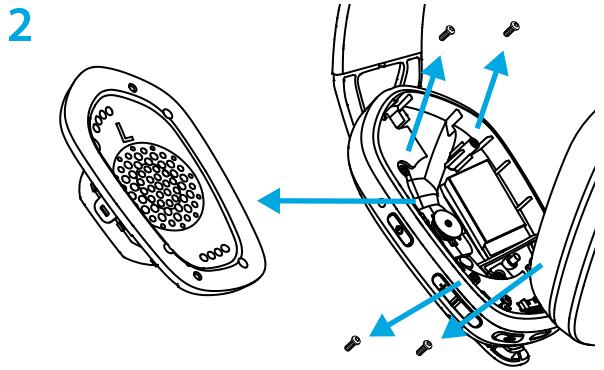
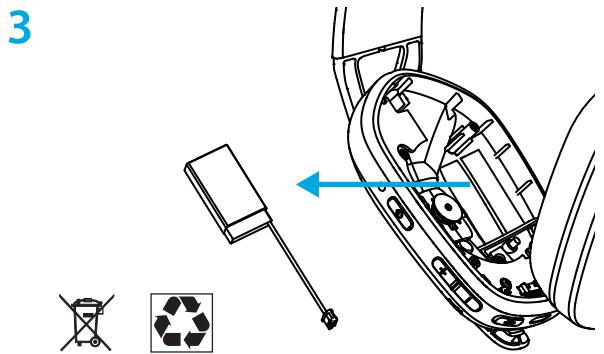
LIGHTSPEED CONNECTION
MUTE BUTTON
MUTE BUTTON
- Press the mute button and hold it for 1.5 seconds to turn on the headset.
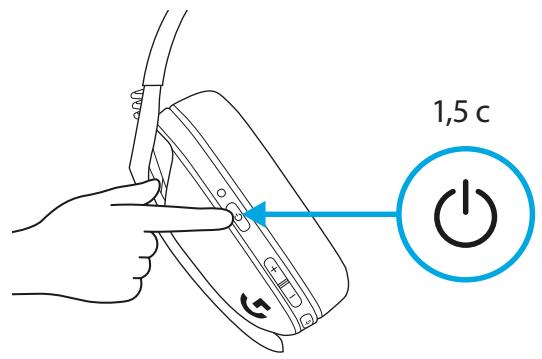
TURN ON/OFF
- Press the button to turn on the device and hold it for 3 seconds if the device is turned on.
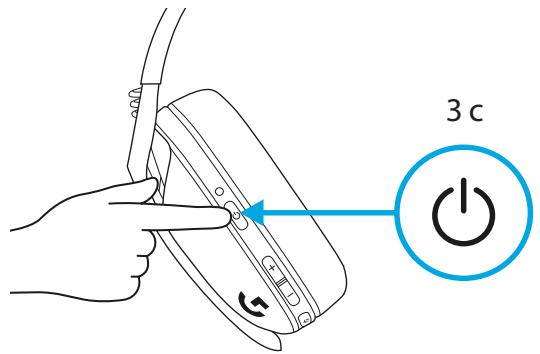
Automatic shutdown
- After 30 minutes of inactivity.
Turning on/off the sound and maximum volume
Turning on/off the microphone
- Press the sound button once.
Setting maximum volume
- Set to 100 dB
- Press and hold the sound button and volume increase for 3 seconds or longer.
- The indicator will flash orange 3 times.
Set to 85 dB
- Press and hold the sound button and volume decrease for 3 seconds or longer.
- The indicator will flash orange for 5 seconds.
BATTERY CHARGING INDICATOR
Adjust the volume
- UP = press the mute button + the volume UP button once.
- DOWN = press the mute button + the volume DOWN button once.
SPARE PARTS
- Ear cushions
- Wireless USB receiver
- Charging cable
RECYCLING
- The device will turn off after 30 minutes of inactivity.
TURNING THE SOUND ON/OFF AND MAXIMUM SOUND LEVEL
TURNING THE MICROPHONE ON/OFF
- Press the mute button briefly to turn off the sound.
Set the maximum sound level
- Set to 100 dB
- Press and hold for 3 seconds or press the button for sound exclusion + the button for sound amplification. The light will blink orange 3 times.
- Set to 85 dB
- Press and hold for 3 seconds or press the button for sound exclusion + the button for sound reduction.
- The light will turn orange for 5 seconds.
BATTERY CHECK
When the headphones are turned on, press the button on the right side.
- When the battery is from 31% to 100%, the light will glow green for 5 seconds.
- When the battery is from 15% to 30%, the light will glow red for 5 seconds.
- When the battery is less than 15%, the light will blink red for 5 seconds.
SELF-HEARING
The self-hearing mode allows you to hear your own voice while you speak with the microphone. This mode amplifies the speech through the phone and allows you to adjust the sound level to a suitable degree.
- Activating self-test
- Press the mute button twice to mute the sound, during which the LED will blink orange twice.
Deactivating self-test
- Press the mute button twice to mute the sound, during which the LED will blink orange twice.
- Adjusting self-test
- MODE = Press the mute button twice to mute the sound + increase the sound.
- MODE = Press the mute button twice to mute the sound + decrease the sound.
RESERVE PARTS
USB receiver - protective cable
RECYCLING
We advise you to take precautions before disposing of the product. In the opposite case, the batteries, electronics, and electrical equipment should not be disposed of as household waste. Where possible, they should be separated and taken to a suitable collection point, which will allow recycling and avoid potential negative effects on the environment and human health. For more information, contact your local authorities or the place of purchase, or visit www.logitech.com/recycling
Disposal?
logitechG.com/support/G435
g ( f/ x) = f/ y
a
5 5 LED
30% 15%
5 5 LED
LED 15%>sLd
5 1
a gil
g. j. 10000000000000000000000000000000000000000000000000000000000
a 15
i 1
a. golulal aolilb.
+
1
j.256
j 1dLg
USB
JSL
a.b.c.d.e
1
Jgds
2
JAA
logitechG.com/support/G435
3
LIGHTSPEED
4 Mac, PlayStation 5,
nui nX LIGHTSPEED
USB- n nn 7n oon
n1n7 1.5 nnn nn nn -
BLUETOOTH
nunnn nn nnnn nn nnnn 3 nn7 -
y Tnnnn nnnn -
LED- n ,30% 15% 5 DITN
nLED-n n,15%-nnnnn nn - 5 5
nxy nyu
y nnnn nn nnnnnnnnnnnnnnnnnnnnnnnnnnnnnnnnnnnnnnnnnnnnnnnnnnnnnnnnnnnnnnnnnnnnnnnnnnnnnnnnnnnnnnnnnnnnnnnnnnnnnnnnnnnnn
nyny nynu nnN
oynnnnLED-n nnnn nn nny
.
nnynnn
nnx y6n nLED-n nnnn nn n7 ny 7
.
yynnynnnNNN
nnon n7 nn nnnn nn nnnn = non - .nni
n