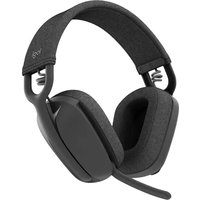
Zone Vibe 100 - Headphones LOGITECH - Free user manual and instructions
Find the device manual for free Zone Vibe 100 LOGITECH in PDF.



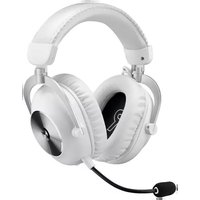
| Product type | Wireless headset |
| Brand | Logitech |
| Model | Zone Vibe 100 |
| Dimensions (headset) | 183.03 x 169.68 x 73 mm |
| Weight | 0.185 kg |
| Microphone type | Two omnidirectional MEMS microphones with directional beamforming and DSP |
| Frequency response (speaker) | 20-20 kHz (Music mode), 100-8 kHz (Talk mode) |
| Frequency response (microphone) | 100-8 kHz |
| Battery life | Up to 18 h talk time, up to 20 h listen time |
| Bluetooth version | 5.2 |
| Wireless range | Up to 30 m (line of sight) |
| Connectivity | USB-C (charging) |
| Charging time | 2 hours for a full charge |
| Quick charge | 5 minutes for 1 hour of playback |
| Compatibility | Windows, Mac, Chrome, iOS, Android |
| Box contents | Headset, USB-C charging cable, travel pouch, documentation |
| Main features | Call control, music control, mute via button or microphone, volume adjustment, Bluetooth pairing, Logi Tune |
| Care and cleaning | Use a soft, dry cloth |
| Safety | Follow charging and usage instructions |
| Spare parts and repairability | Contact Logitech support |
| General information | User manual available in PDF format |
Frequently Asked Questions - Zone Vibe 100 LOGITECH
User questions about Zone Vibe 100 LOGITECH
0 question about this device. Answer the ones you know or ask your own.
Ask a new question about this device
Download the instructions for your Headphones in PDF format for free! Find your manual Zone Vibe 100 - LOGITECH and take your electronic device back in hand. On this page are published all the documents necessary for the use of your device. Zone Vibe 100 by LOGITECH.
USER MANUAL Zone Vibe 100 LOGITECH
natural_image
Line drawing of a pair of modern headbuds with ear straps (no text or symbols)CONTENTS
English 3
Español. ..... 19
Français ..... 11
Português .....27
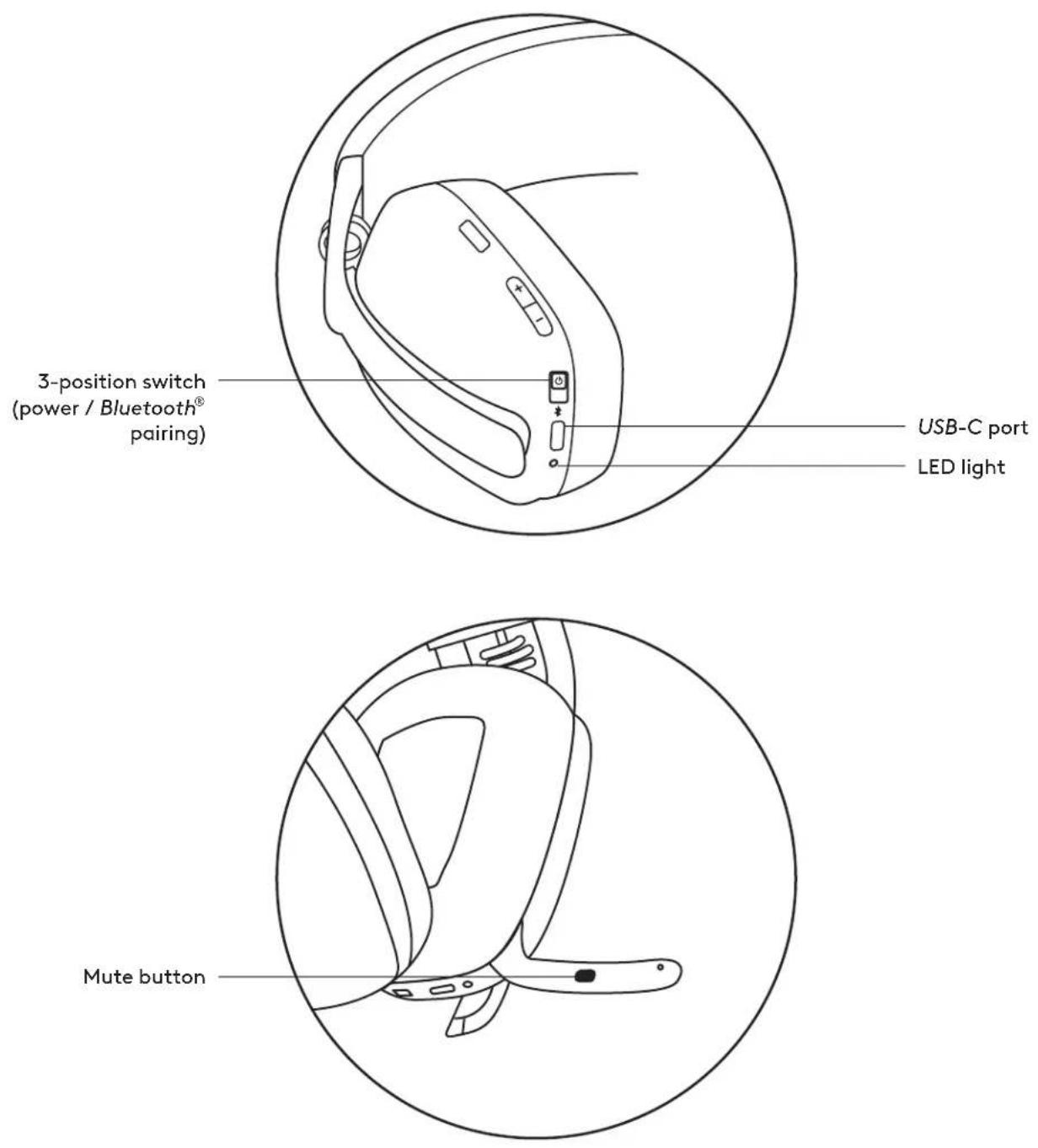
KNOW YOUR PRODUCT
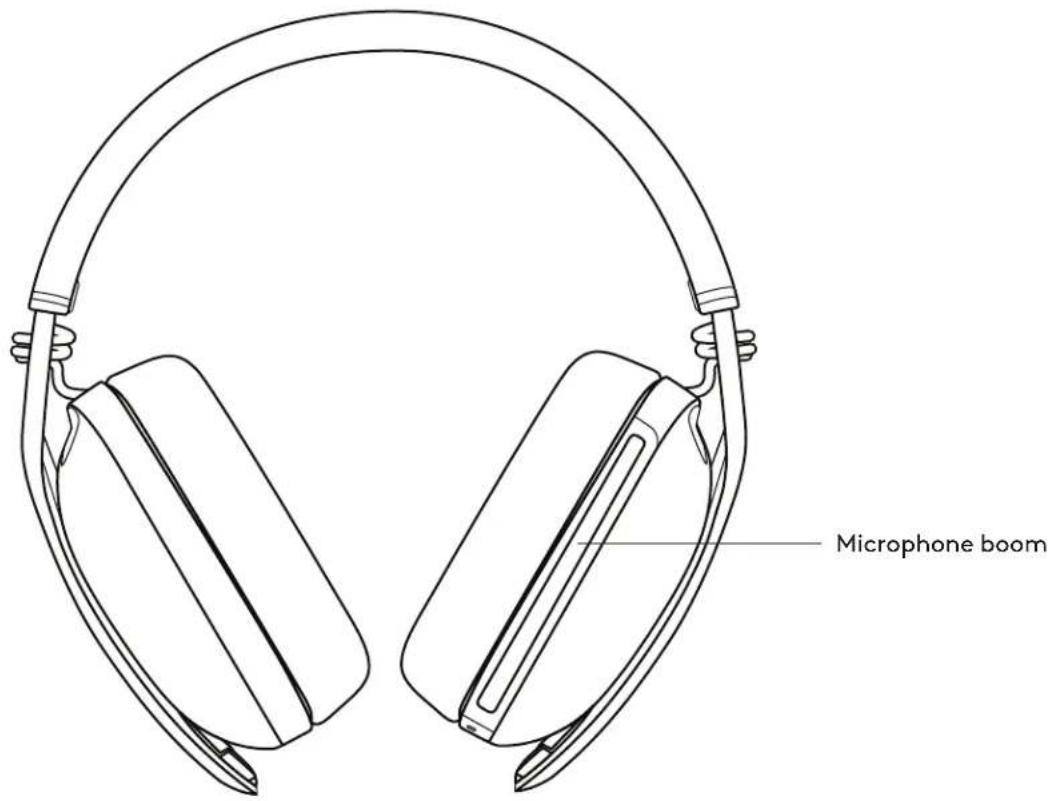
Front view:
Bottom view:
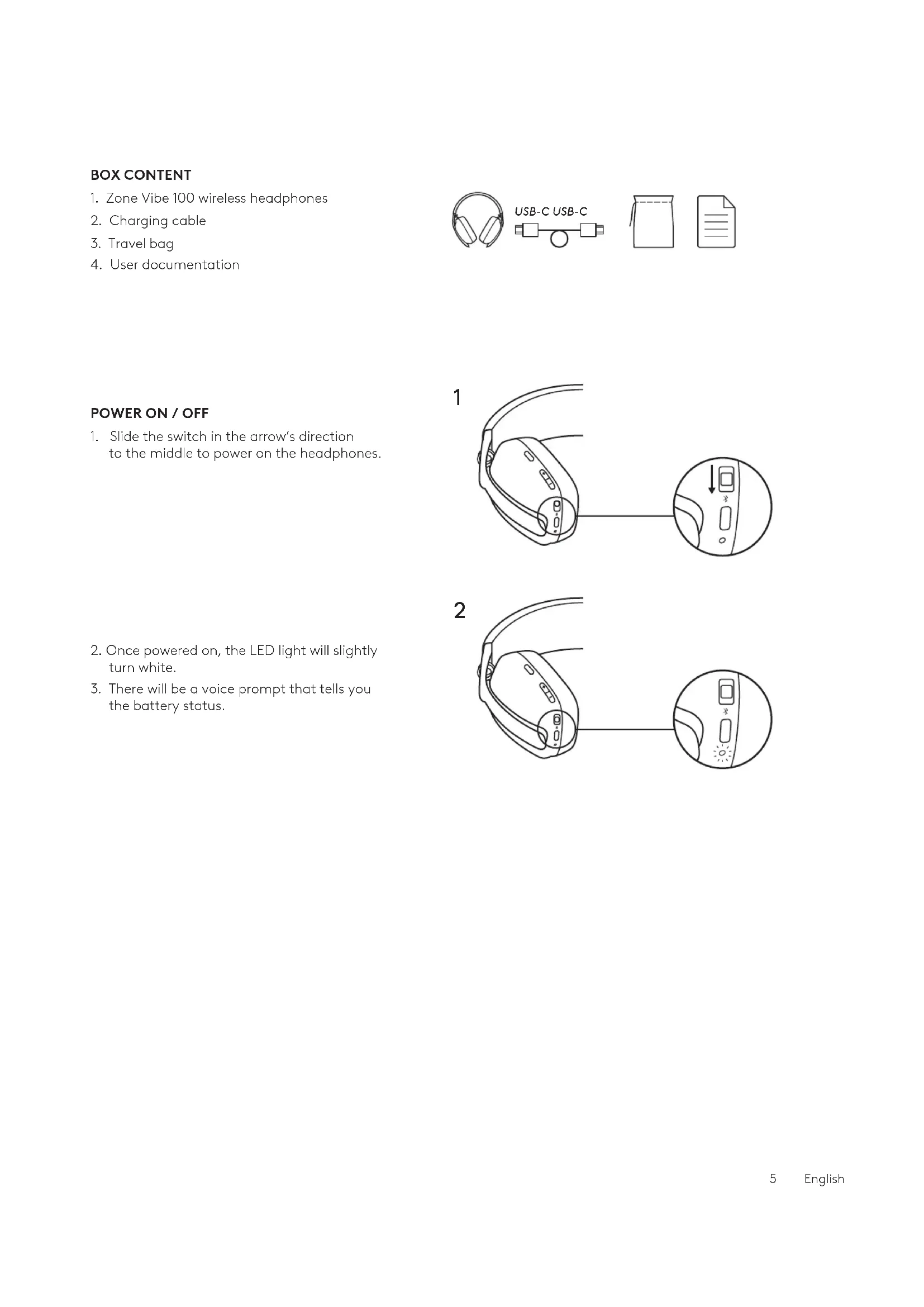
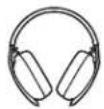
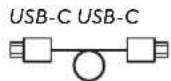
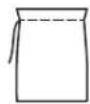
BOX CONTENT
- Zone Vibe 100 wireless headphones
- Charging cable
- Travel bag
- User documentation
POWER ON / OFF
-
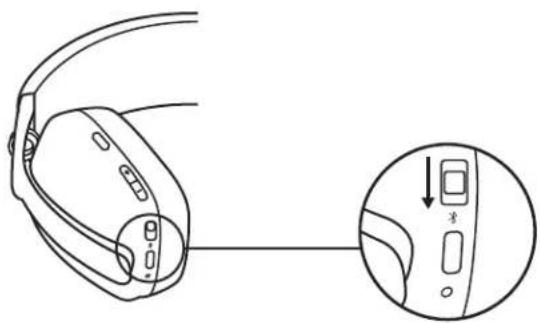
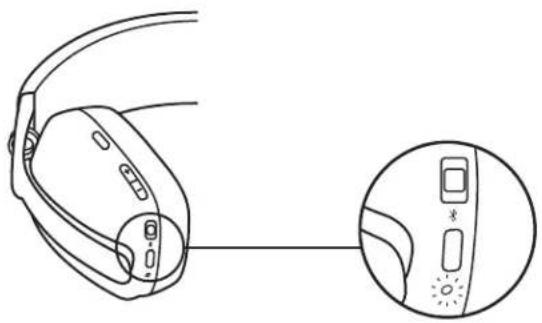
Slide the switch in the arrow's direction to the middle to power on the headphones.
-
Once powered on, the LED light will slightly turn white.
- There will be a voice prompt that tells you the battery status.
1
natural_image
Line drawing of a device with a close-up inset showing a control panel (no text or symbols)2

natural_image
Line drawing of a device with attached cables and a close-up inset showing a control panel (no text or symbols)Connect via BLUETOOTH®
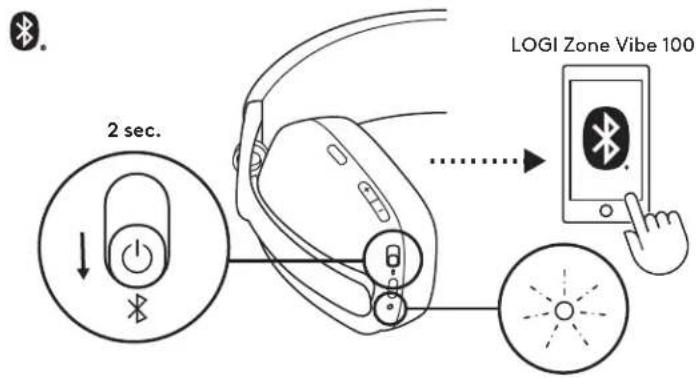
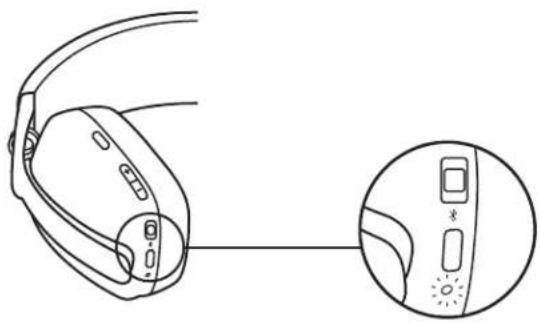
- Slide the switch to the bottom in the arrow's direction for 2 seconds to initiate pairing.
- The LED light will flash white rapidly.
- Open Bluetooth ^® settings on your device.
- Select Logi Zone Vibe 100 in discoverable devices.
- Once successfully paired, the LED light will turn solid white.
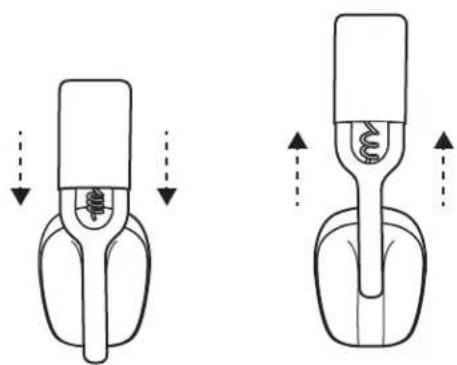
- Adjust the headphones by sliding earcups up and down the extended part of the headband.
- It may be easier to adjust the headphones on your head. Slide the earcups up and down the headband until they sit comfortably on your ears.
natural_image
Diagram showing two mechanical components with arrows indicating motion, no text or symbols presentHEADPHONES CONTROLS
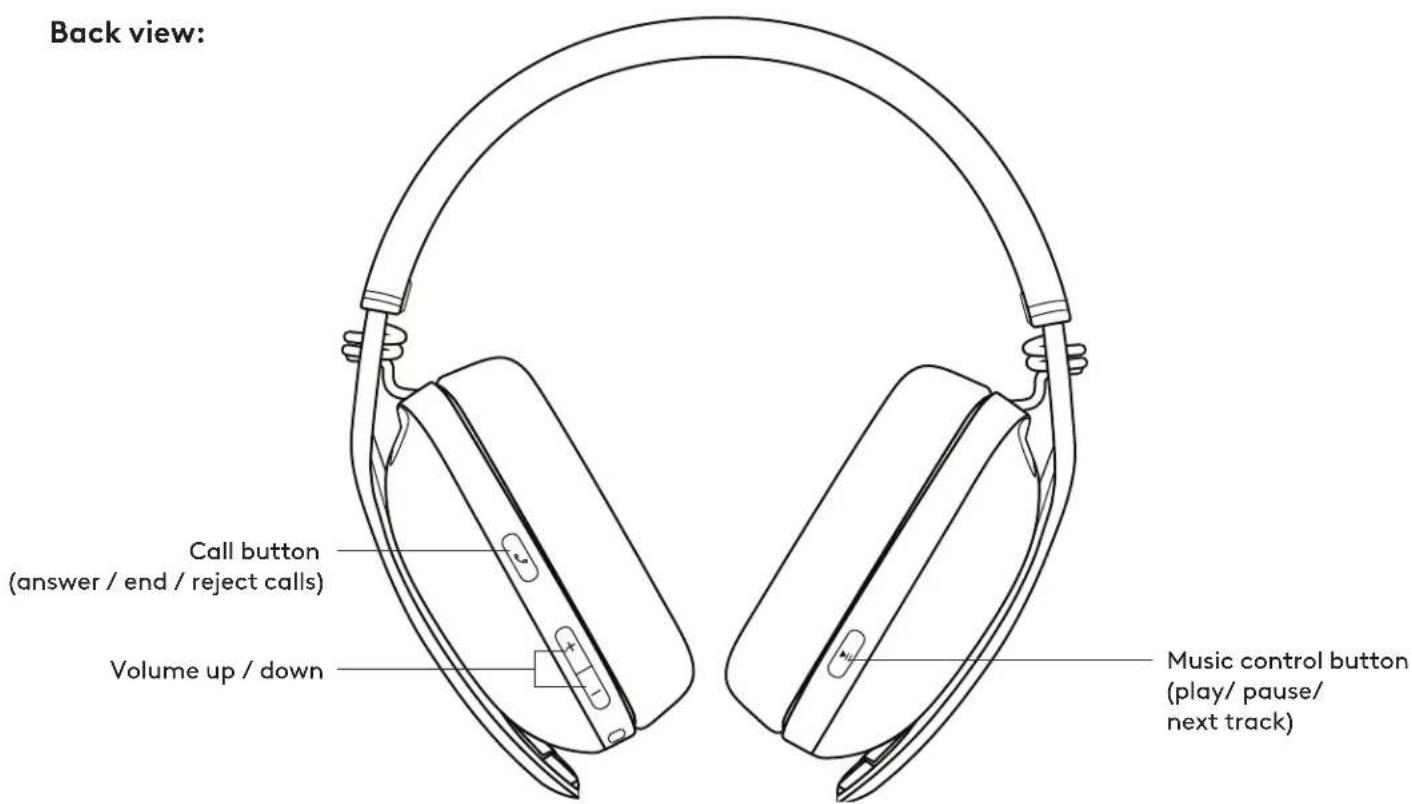
| For UC controls: | |||
| Usage Button | Action | ||
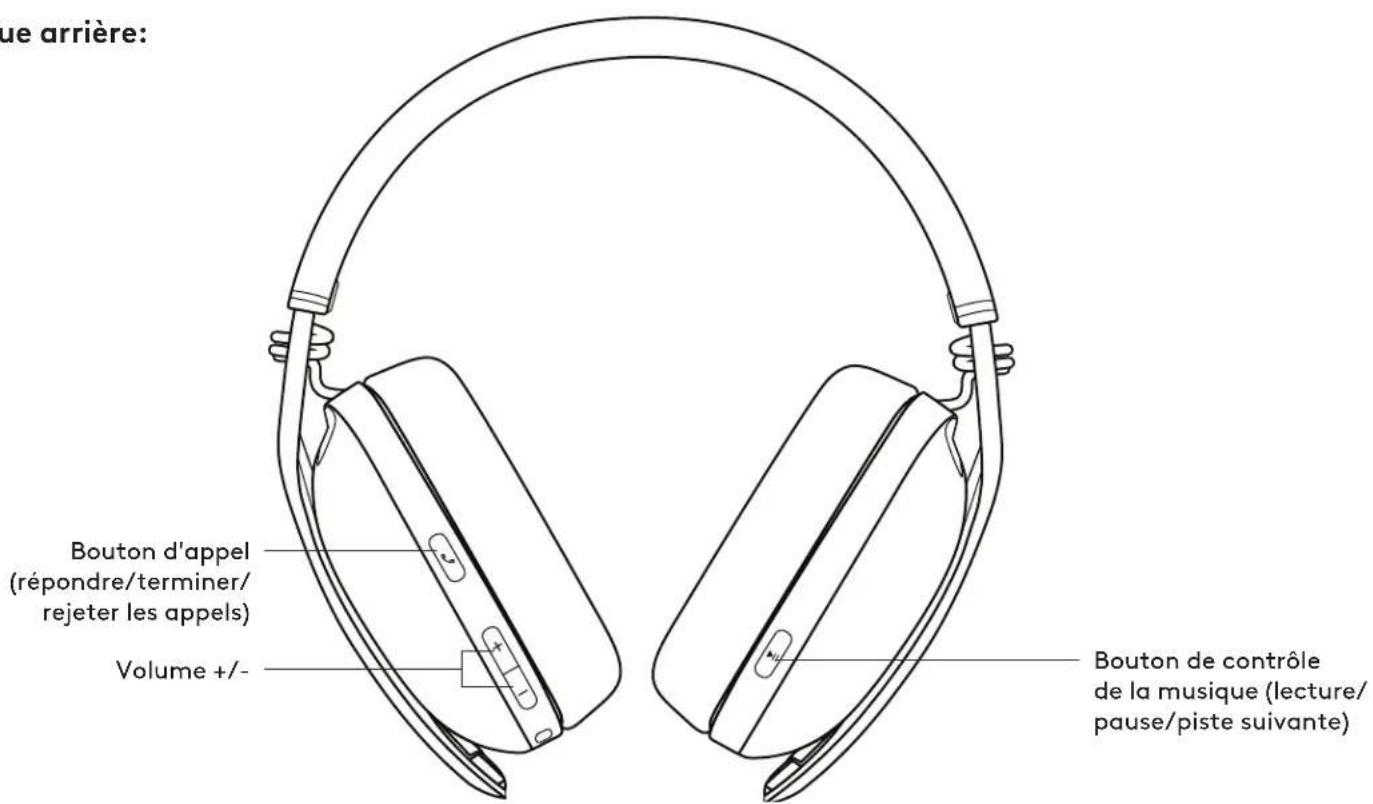
| Call controls | Answer / End call | Call button press | Short press |
| Reject call 2 sec. | |||
| Music controls | Play / Pause | Music control button | Short press |
| Track forward Double press | |||
| Volume | Volume up "+" | Short press | |
| Volume down "-" | |||
| Connectivity Bluetooth ® pairing Power button 2 sec. press | |||
Note:
- Media control functionality depends on the type of application.
- Call activities are always the first priority. When two Bluetooth® devices are connected, the last active device will override the other.
Tip: Music EQ controls available on Logi Tune.
MUTE
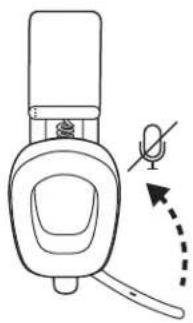
There are 2 ways to mute your microphone.
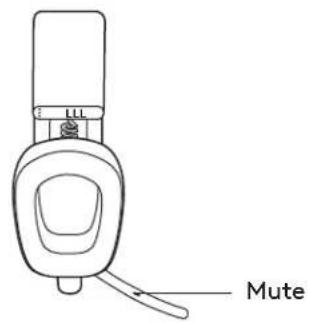
Press the button to mute. Flip up or down the mic boom to mute or unmute.
natural_image
Line drawing of a device with a handle and a curved arrow indicating motion or force (no text or symbols)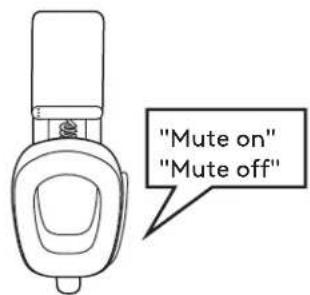
Voice notifications indicate when the microphone is on / off mute.
HEADPHONES LIGHT INDICATOR
| Category Status | Light | ||
| White | Power | Power ON Turn solid white and then dim | |
| Battery charging Breathing | |||
| Battery fully charged Solid and then off | |||
| Connectivity | Bluetooth® pairing Fast blinking | ||
| Bluetooth® connected Turn solid white and then dim | |||
| Calls | Active call Solid | ||
| Incoming call Slow blinking | |||
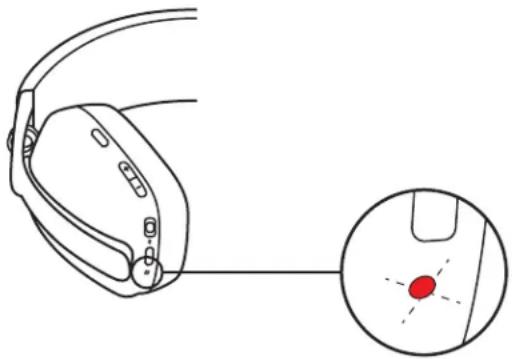
| Red | Calls Mute Solid | ||
| Power | Low battery (< 10%) | Slow blinking | |
| Factory reset | Fast blink from red to white for three times then LED turn off | ||
Note:
- User-triggered behaviors, such as Bluetooth® pairing, will be prioritized then revert back to its previous status once the behavior is completed.
CHARGING
To conserve battery life, headphones automatically power off after 30 minutes without usage.
Sleep timer could be adjusted in Logi Tune.
The LED light on the headphones will blink slowly in RED when the battery is low.
natural_image
Diagram of a medical device with an inset showing a red dot on a surface (no text or symbols present)Charging via USB cable
- Plug one end of the cable to the USB-C port on the bottom of the earcup and the other end into the USB-C charging port on your computer.
- The LED light will start breathing white when charging.
- The LED light will turn solid white when fully charged.
- 2 hours will fully charge the battery.
- 5 minutes will give you 1 hour of playback.
- The headphones can be used with Bluetooth ^® paired while charging.
LOGI TUNE
Logi Tune helps boost your headphones performance with periodic software and firmware updates.
It is recommended to update your headphones.
To do so, download Logi Tune from
www.logitech.com/tune

Logi Tune

Download on the App Store

www.logitech.com/tune

GETTON Google Play
ADJUSTING SIDETONE
Sidetone lets you hear your own voice during conversations so you are aware of how loud you are talking. In Logi Tune, select the sidetone feature, and adjust the dial accordingly.
- A higher number means you hear more external sound.
- A lower number means you hear less external sound.
AUTO SLEEP TIMER
By default, your headphones will automatically power off when not in use for 30 minutes.
Adjust the sleep timer in Logi Tune. To wake up your headphones, try sliding off/on the power switch again.
- Power the headphones on.
- Press and hold the call button and volume '-' button for 5 seconds.
- The LED light will quickly blink from red to white for 3 times and then turns off when your headphones are successfully reset.
- The headphones will turn off after reset.
DIMENSIONS
Headphones:
Height x Width x Depth: 183.03 x 169.68 x 73 mm
Weight: 0.185 Kg
Earpad:
Height x Width x Depth: 98.6 x 75.44 x 19.3 mm
SYSTEM REQUIREMENTS
Works with common calling applications across almost all platforms and operating systems.
Works with Windows, Mac, or Chrome-based computers via Bluetooth ^® and iOS or Android Bluetooth-enabled devices.
TECHNICAL SPECIFICATIONS
Microphone Type: Dual omni-directional MEMS mics with directional beamforming and DSP
Frequency response (Speaker): 20-20kHz (music mode), 100-8kHz (talk mode)
Frequency response (Microphone): 100-8kHz
Talk time up to 18 hrs
Listen time up to 20 hrs
Bluetooth ^® version: 5.2
Wireless range: Up to 30 m / 100 ft (open field line of sight)
Cable length (USB-C charging cable): 4.9 ft (1.5 m)
www.logitech.com/support/zonevibe100
PRÉSENTATION DU PRODUIT
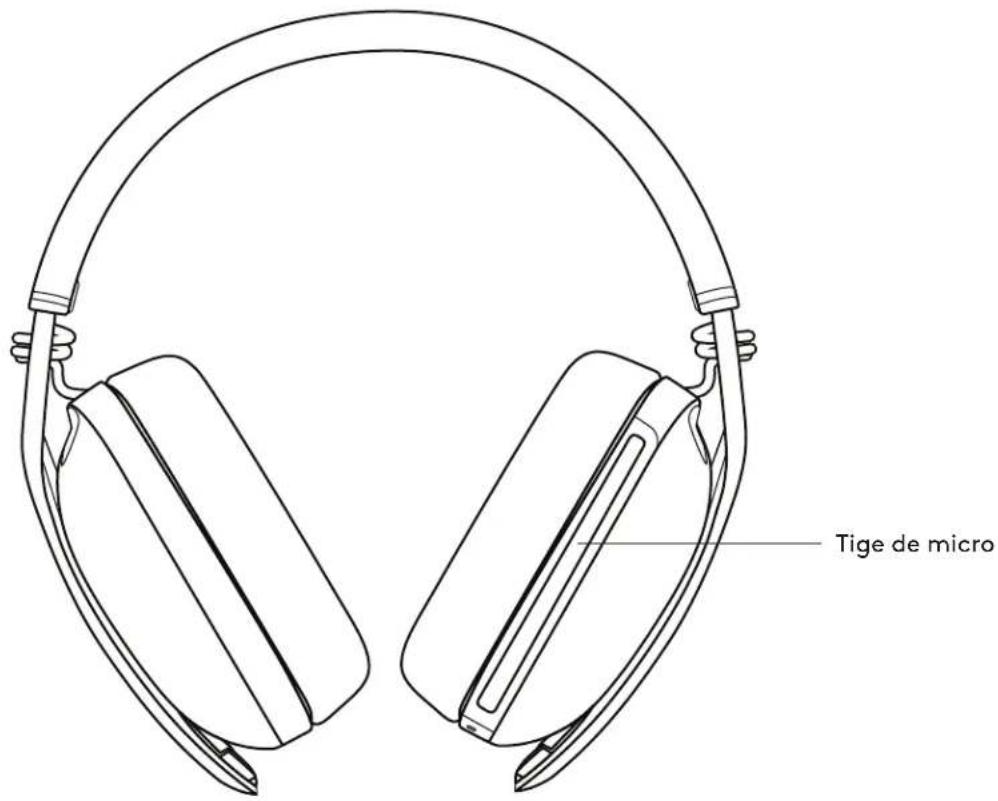
Vue avant:
Vue arrière:
natural_image
Line drawing of a device's rear panel with a close-up inset showing a button and connector (no text or symbols)2
natural_image
Line drawing of a handheld device with a close-up inset showing its internal components (no text or symbols)CONNEXION DE VOTRE CASQUE
Connexion via BLUETOOTH®
natural_image
Diagram showing two mechanical components with arrows indicating motion or force direction (no text or symbols)COMMANDES DU CASQUE
natural_image
Line drawing of a device with a handle and curved arrow indicating motion (no text or symbols)natural_image
Diagram of a medical device with an inset showing a red dot on a surface (no text or symbols present)Chargement via un câble USB
Download on the App Store
www.logitech.com/tune
GETITON Google Play
RÉGLAGE DE LA TONALITÉ
natural_image
Line drawing of a device with a close-up inset showing a control panel (no text or symbols)natural_image
Line drawing of a device with attached cables and a close-up inset showing a control panel (no text or symbols)natural_image
Diagram showing two mechanical components with arrows indicating motion, no text or symbols presentnatural_image
Line drawing of a device with a curved handle and a small inset showing a magnified view (no text or symbols)natural_image
Diagram of a medical device with an inset showing a red dot on the surface (no text or symbols present)Download on the App Store
www.logitech.com/tune
GETITON Google Play
AJUSTAR EL TONO LATERAL
natural_image
Line drawing of a device with a close-up inset showing a control panel (no text or symbols)2
natural_image
Line drawing of a device with attached cables and a close-up inset showing a control panel (no text or symbols)natural_image
Diagram showing two mechanical components with arrows indicating motion, no text or symbols presentnatural_image
Line drawing of a mechanical device with a curved arrow indicating motion or force (no text or symbols)natural_image
Diagram of a medical device with an inset showing a red dot on a surface (no text or symbols present)Carregando via cabo USB
Download on the App Store
www.logitech.com/tune
GETITON Google Play
AJUSTANDO SIDETONE

- CONTENTS
- KNOW YOUR PRODUCT
- BOX CONTENT
- POWER ON / OFF
- Connect via BLUETOOTH®
- Note:
- MUTE
- CHARGING
- Charging via USB cable
- LOGI TUNE
- ADJUSTING SIDETONE
- AUTO SLEEP TIMER
- DIMENSIONS
- SYSTEM REQUIREMENTS
- TECHNICAL SPECIFICATIONS
- PRÉSENTATION DU PRODUIT
- CONNEXION DE VOTRE CASQUE
- Connexion via BLUETOOTH®
- Chargement via un câble USB
- RÉGLAGE DE LA TONALITÉ
- AJUSTAR EL TONO LATERAL
- Carregando via cabo USB
- AJUSTANDO SIDETONE
Brand : LOGITECH
Model : Zone Vibe 100
Category : Headphones