H130 - Headphones LOGITECH - Free user manual and instructions
Find the device manual for free H130 LOGITECH in PDF.

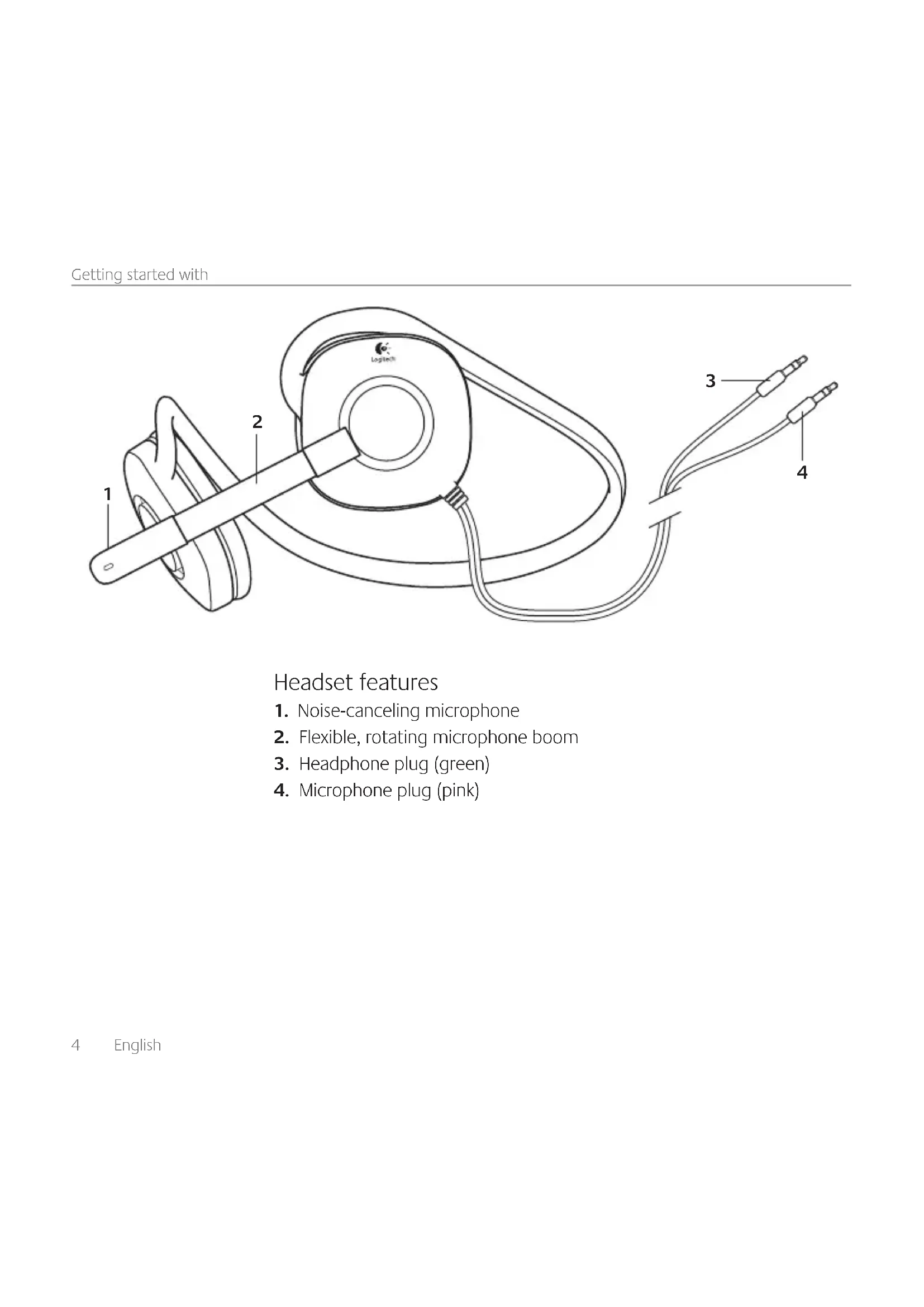


| Product type | Wired audio headset |
| Brand | Logitech |
| Model | H130 |
| Connection | 2 x 3.5 mm jacks (audio and mic) |
| Microphone | Noise-canceling microphone with adjustable boom |
| Cable length | Approximately 2 meters |
| Weight | Approximately 150 grams |
| Color | Black |
| Compatibility | PC with separate 3.5 mm jacks |
| Frequency response | 20 Hz - 20 kHz |
| Impedance | 32 ohms |
| Sensitivity | 94 dB SPL/mW |
| Transducer type | Dynamic, closed-back |
| Power | Powered by audio jack (not amplified) |
| Main functions | Audio listening, voice communication |
| Maintenance and cleaning | Wipe with a soft, dry cloth |
| Safety | Use at moderate volume to protect hearing |
| Spare parts and repairability | Not specified by the manufacturer |
| General information | Manual available online on the manufacturer's website |
Frequently Asked Questions - H130 LOGITECH
User questions about H130 LOGITECH
0 question about this device. Answer the ones you know or ask your own.
Ask a new question about this device
Download the instructions for your Headphones in PDF format for free! Find your manual H130 - LOGITECH and take your electronic device back in hand. On this page are published all the documents necessary for the use of your device. H130 by LOGITECH.
USER MANUAL H130 LOGITECH
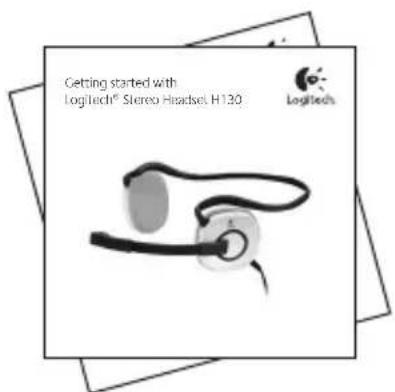
Getting started with
Logitech® Stereo Headset H130

Logitech.

Contents
English 4
Deutsch 7
Francais 10
Italiano 13
Espanol 16
Portugues. 19
Nederlands 22
Svenska 25
Dansk 28
Norsk 31
Suomi 34
Elambdaikα. 37
Pno-pycckn 40
Magyar 43
Ceská verze. 46
Po polsku 49
Eesti 52
Latviski 55
Lietuviu 58
Hrvatski 61
Srpski 64
Slovenscina 67
Slovencina 70
Romana 73
Былгарский. 76
yKpaIHcbKa 79
Türkce 82
87
www.logitech.com/support 91
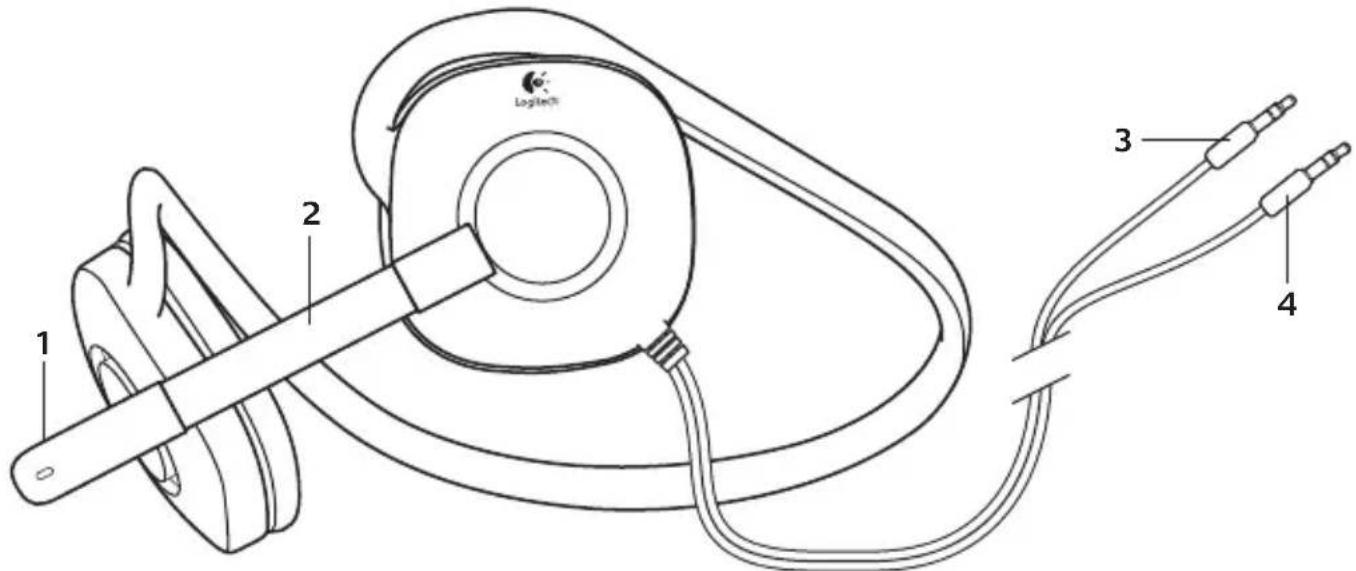
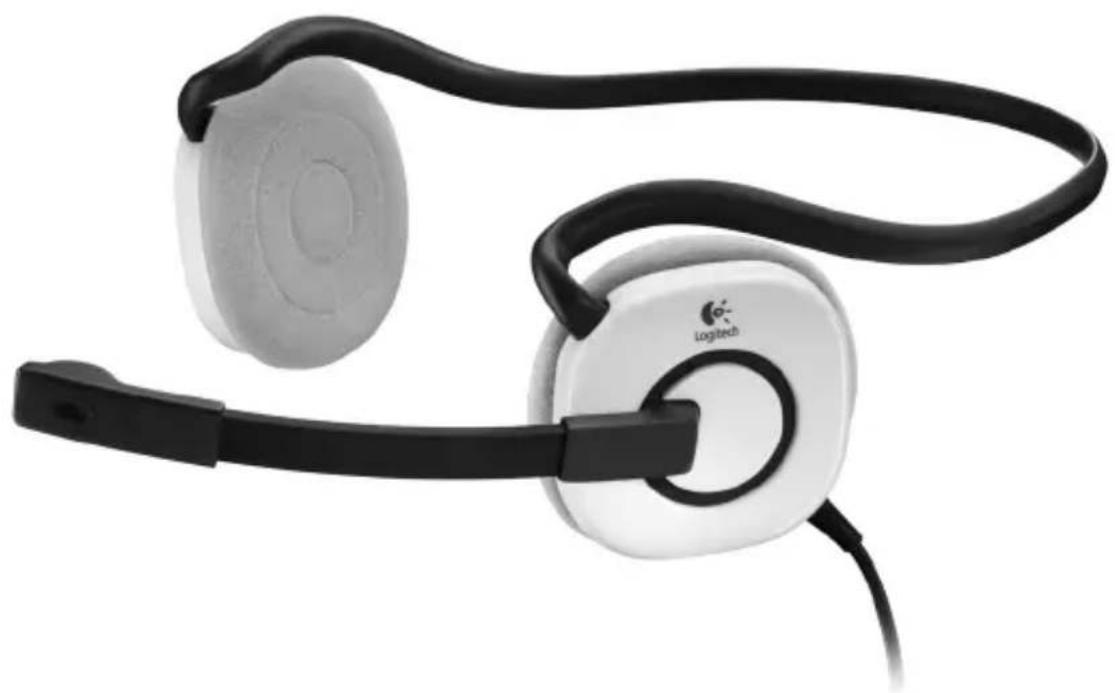
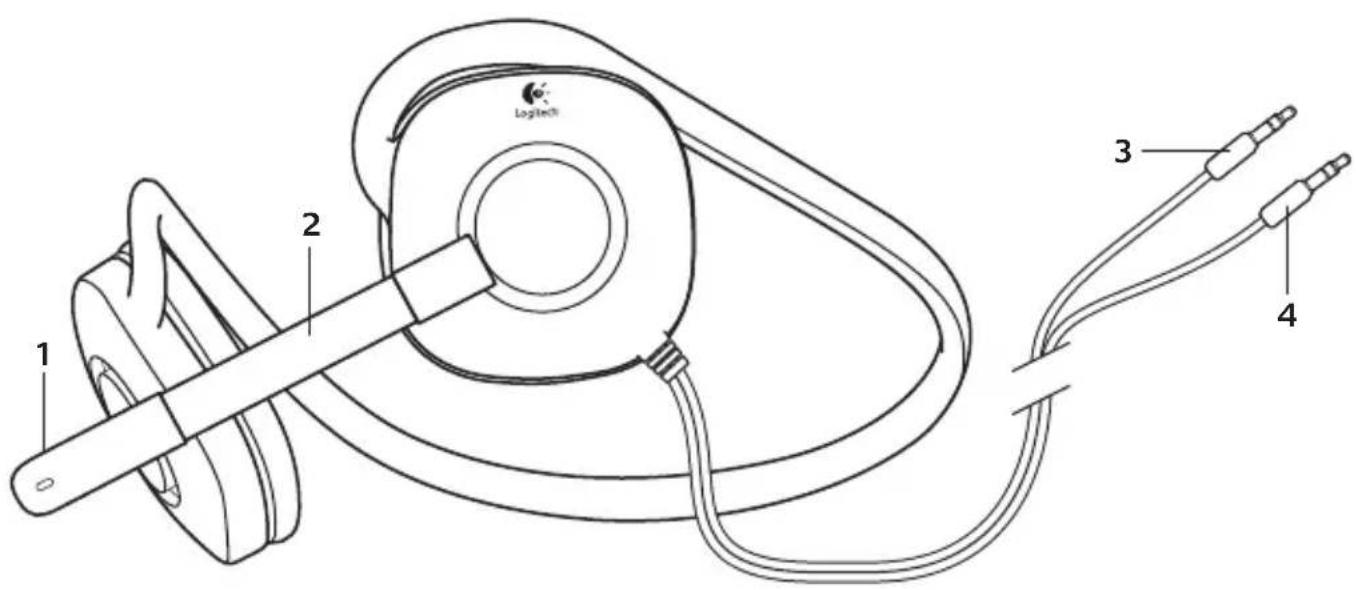
Headset features
- Noise-canceling microphone
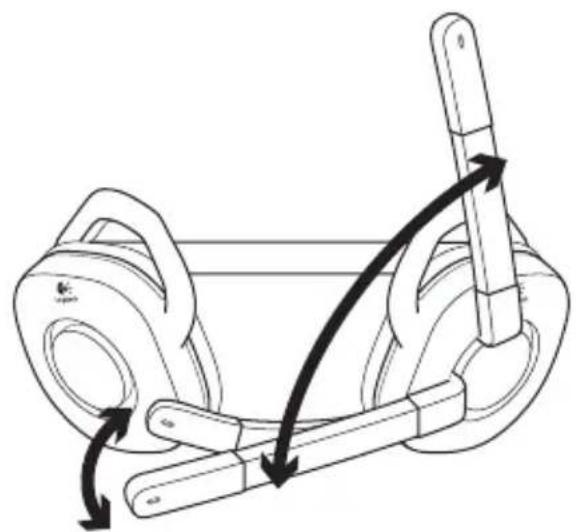
- Flexible, rotating microphone boom
- Headphone plug (green)
- Microphone plug (pink)
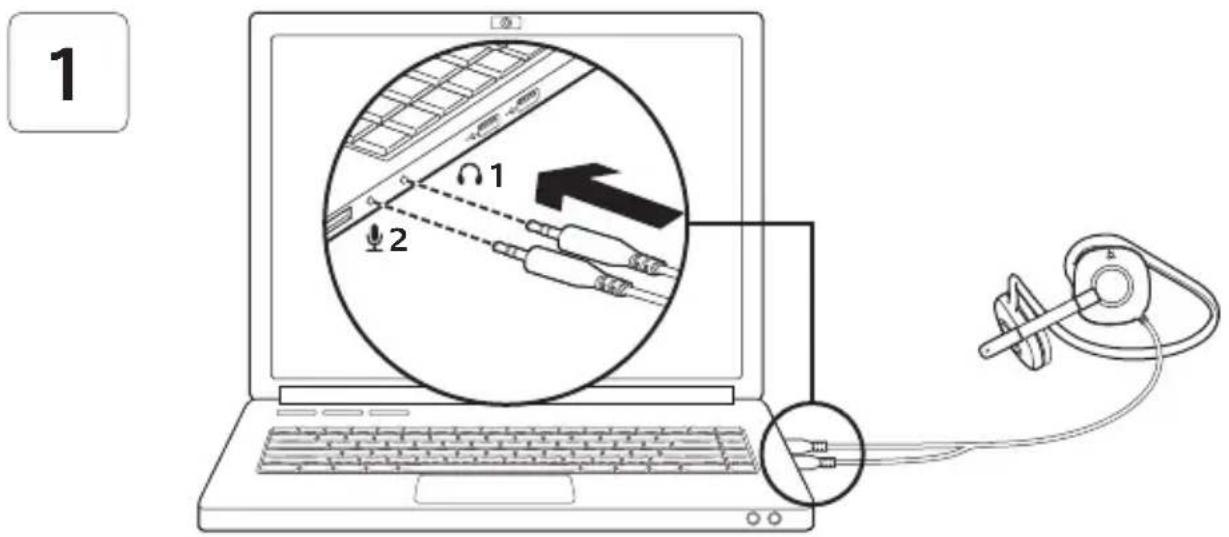
Connect the headset
-
Insert the 3.5mm headphone plug (green) into the headphone jack on your computer.
-
Insert the 3.5mm microphone plug (pink) into the microphone jack on your computer.

English
Help with setup: headset not working?
- Check both the headphone and microphone cable connections between the headset and your computer. The 3.5mm headphone plug (green) connects to the headphone jack on your computer, and the 3.5mm microphone plug (pink) connects to the microphone jack.
- Adjust the volume and microphone settings to an audible level in the application and operating system.
-
Try restarting the media application.
-
Close all media applications and check whether your computer soundcard has been selected in your Windows operating system for playback and voice.
Windows XP: Go to Start/Control Panel/ Sounds and Audio Devices/Audio tab.
Choose your sound card and click OK.
Go to the Voice tab, select your sound card, and click OK. Restart your media application.
Windows Vista and Windows 7:
Go to Start/Control Panel/Sounds/Playback Devices tab. Choose your sound card and click OK. Go to the Recording devices tab, choose your sound card, and click OK. Restart the media application.
For additional assistance, please visit www.logitech.com/support.
Headset-Funktionen
PoiKJIIOUHTe rAPHNTpy
(Sounds and Audio Devices)
.(Audo)
(a) (Voice) "C"
山士()OK
.bilwgl
Windows, Windows Vista
Socil a//(Start) 1a eia Jia:7
J (C) Control Panel)/Sounds)
(Playback Devices)
gall aolle l jll . (gfo) OK gjzai jg all
(Recording devices)
山士()OKgj
.bilwgl
gill ggo oJyj j. odslb1 no yj6
. www.logitech.com/support
Jooj y w Jl aclw :JyI 3 oJcLwbl
- jujj j 15 100 gao gao bilwgl lai bi gao
wJlldclaw wIgI g
www.logitech.com/support

| België/Belgique Dutch: +32-(0)2 200 64 44; French: +32-(0)2 200 64 40 | |
| Česká Republika | +420 239 000 335 |
| Danmark | +45-38 32 31 20 |
| Deutschland | +49-(0)69-51 709 427 |
| Espana | +34-91-275 45 88 |
| France | +33-(0)1-57 32 32 71 |
| Ireland | +353-(0)1 524 50 80 |
| Italia | +39-02-91 48 30 31 |
| Magyarország | +36 (1) 777-4853 |
| Nederland | +31-(0)-20-200 84 33 |
| Norge | +47-(0)24 159 579 |
| Österreich | +43-(0)1 206 091 026 |
| Polska | 00800 441 17 19 |
| Portugal | +351-21-415 90 16 |
| Poczerna | +7(495) 641 34 60 |
| Schweiz/Suisse | D +41-(0)22 761 40 12 |
| Svizzzera | F +41-(0)22 761 40 16 |
| I | +41-(0)22 761 40 20 |
| E | +41-(0)22 761 40 25 |
| South Africa | 0800 981 089 |
| Suomi | +358-(0)9 725 191 08 |
| Sverige | +46-(0)8-501 632 83 |
| Türkiye | 00800 44 882 5862 |
| United Arab Emirates | 8000 441-4294 |
| United Kingdom | +44-(0)203-024-81 59 |
| European, Mid. East., & African Hq. Morges, Switzerland | English: +41-(0)22 761 40 25 Fax: +41-(0)21 863 54 02 |
| Eastern Europe | English: 41-(0)22 761 40 25 |
| United States | +1 646-454-3200 |
| Argentina | +0800 555 3284 |
| Brasil | +0800 891 4173 |
| Canada | +1-866-934-5644 |
| Chile | +1230 020 5484 |
| Latin America | +1 800-578-9619 |
| Mexico +001 800 578 9619 | |

www.logitech.com
© 2011 Logitech. All rights reserved. Logitech, the Logitech logo, and other Logitech marks are owned by Logitech and may be registered. Microsoft, Windows, Windows Media, and the Windows logo are trademarks of the Microsoft group of companies. All other trademarks are the property of their respective owners. Logitech assumes no responsibility for any errors that may appear in this manual. Information contained herein is subject to change without notice.
620-003276.002

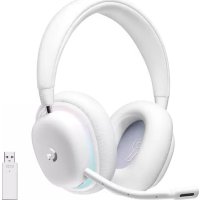
Brand : LOGITECH
Model : H130
Category : Headphones