G535 - Headphones LOGITECH - Free user manual and instructions
Find the device manual for free G535 LOGITECH in PDF.



| Product type | Wireless audio headset |
| Brand | Logitech |
| Model | G535 |
| Drivers | 40 mm |
| Frequency response | 20 Hz - 20 kHz |
| Impedance | 32 ohms |
| Sensitivity | 90 dB |
| Microphone | 6 mm unidirectional |
| Mute microphone | Flip-up (folds upward) |
| Connectivity | Wireless via USB receiver |
| Wireless range | 10 m |
| Battery life | Up to 20 hours |
| Charging time | 2 hours |
| Power | Rechargeable battery via USB-C |
| Weight | 250 g |
| Dimensions | 190 x 180 x 80 mm |
| Adjustments | Adjustable headband, adjustable ear cups |
| Software | Logitech G HUB (free download) |
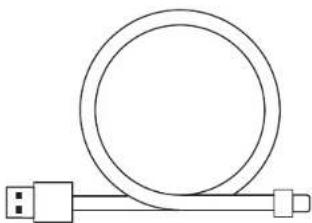
| Box contents | G535 headset, USB receiver, USB-C cable, documentation |
| Warranty | 2 years |
Frequently Asked Questions - G535 LOGITECH
User questions about G535 LOGITECH
0 question about this device. Answer the ones you know or ask your own.
Ask a new question about this device
Download the instructions for your Headphones in PDF format for free! Find your manual G535 - LOGITECH and take your electronic device back in hand. On this page are published all the documents necessary for the use of your device. G535 by LOGITECH.
USER MANUAL G535 LOGITECH
Wireless Gaming Headset
SETUP GUIDE
natural_image
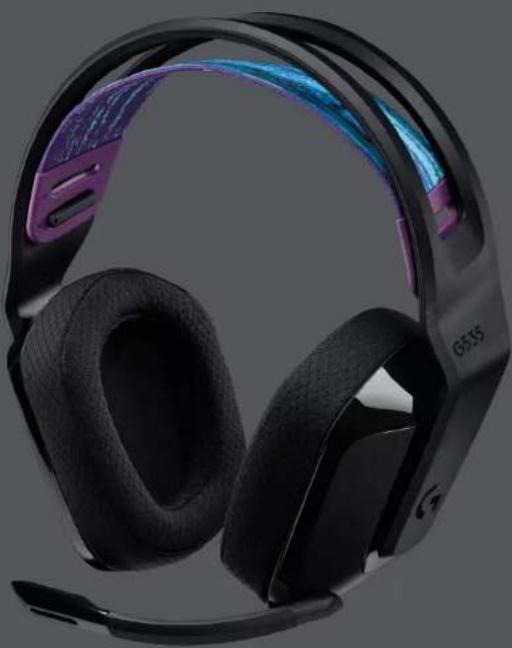
Black and purple headband headset with visible blue accent and 'G535' branding (no text or symbols on the headset itself)logitech

natural_image
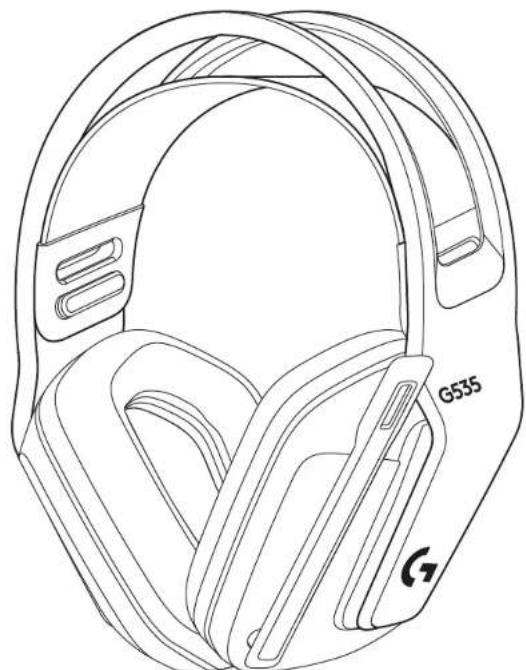
Line drawing of a helmet with labeled G535 and a circular button (no text or symbols beyond labels)
natural_image
Simple line drawing of a USB cable with a circular connector (no text or symbols)
English ..... 3 Česká verze.....63
Deutsch ..... 7 Slovenčina ..... 67
Français ..... 11 Українська ..... 71
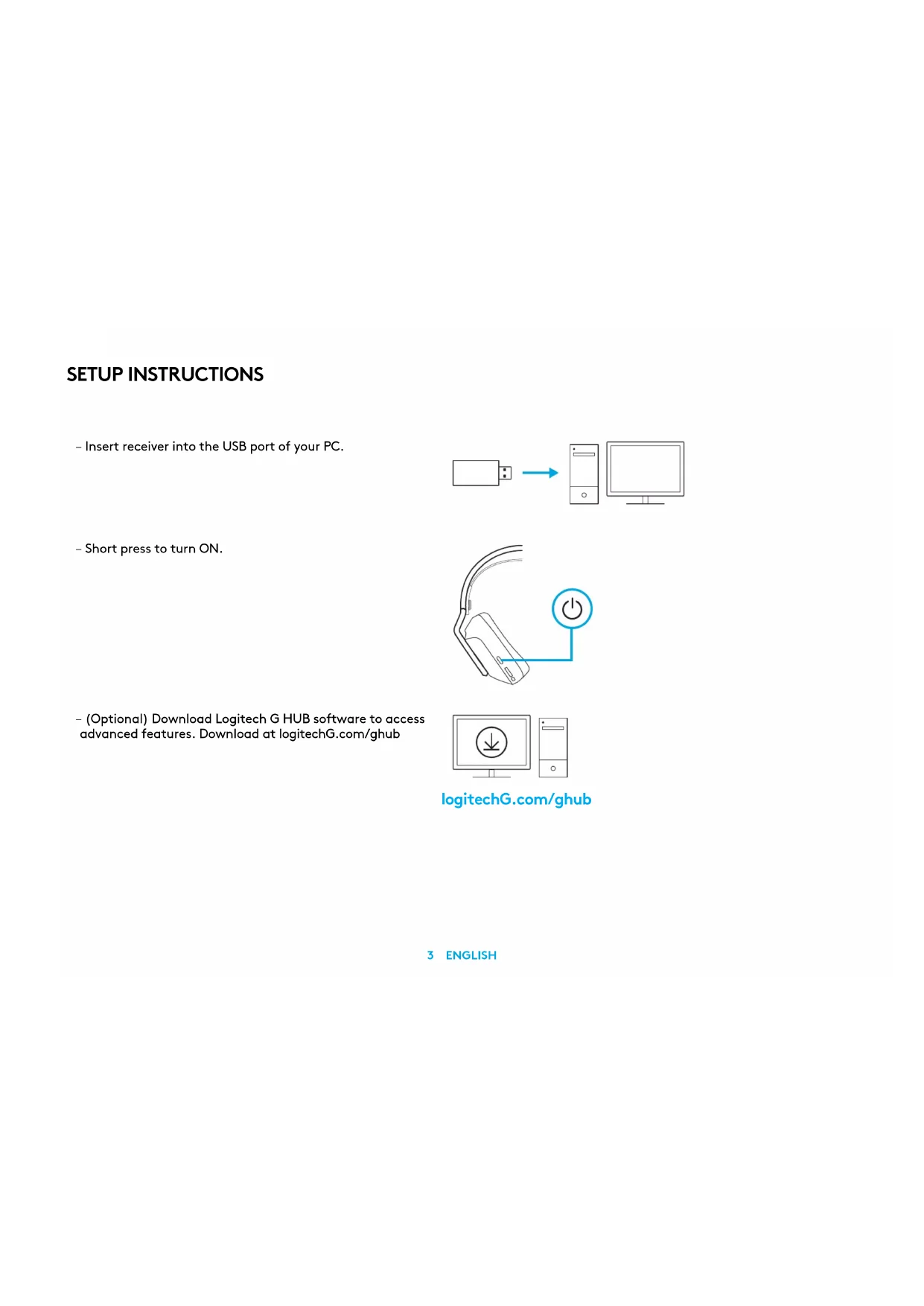
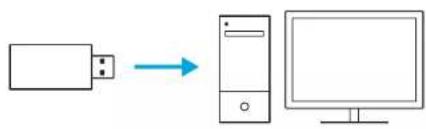
- Insert receiver into the USB port of your PC.
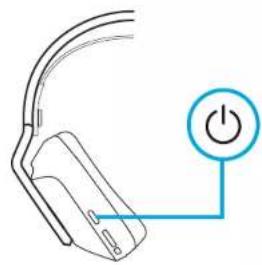
- Short press to turn ON.
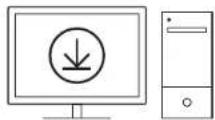
- (Optional) Download Logitech G HUB software to access advanced features. Download at logitechG.com/ghub
flowchart
graph LR
    A["Input"] --> B["Server"]
    B --> C["Computer"]
natural_image
Simple line drawing of a computer mouse with a power button (no text or symbols)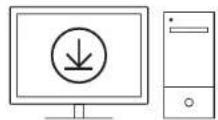
logitechG.com/ghub
3 ENGLISH
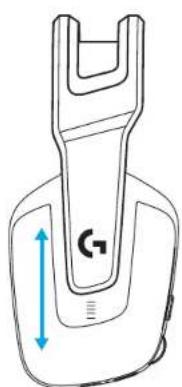
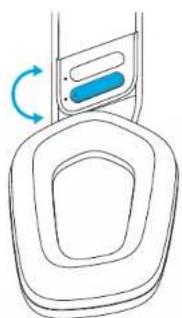
- The earcups can be adjusted up and down.
natural_image
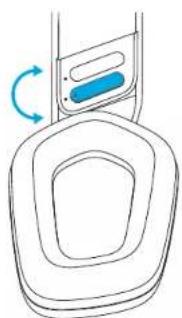
Technical line drawing of a mechanical component with a blue dimension arrow and label 'G7' (no text or symbols beyond the label)- The length of the headband can be adjusted.
natural_image
Diagram of a device with a blue component and circular base, showing rotational motion (no text or symbols)4 ENGLISH
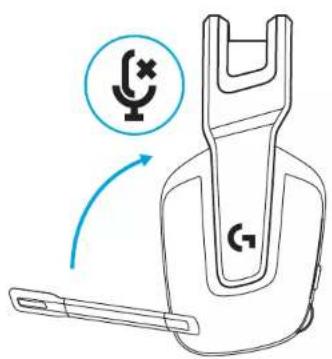
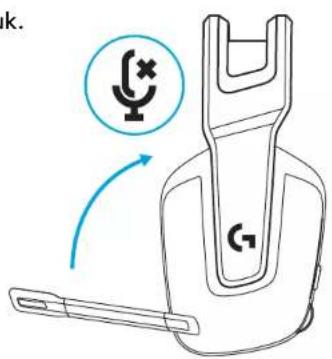
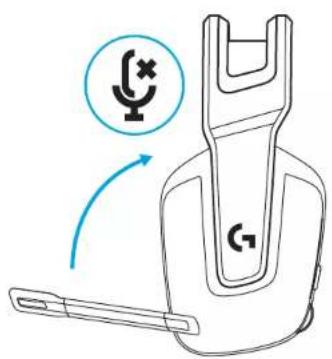
- Flip boom up to mute.
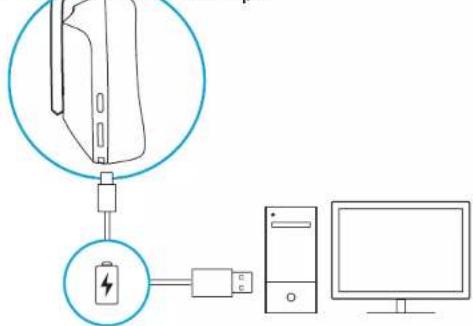
- Charge Headset when low on battery.
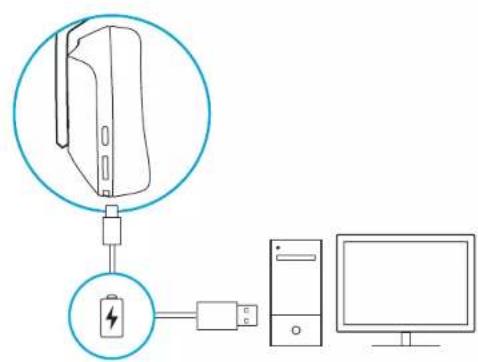
5 ENGLISH
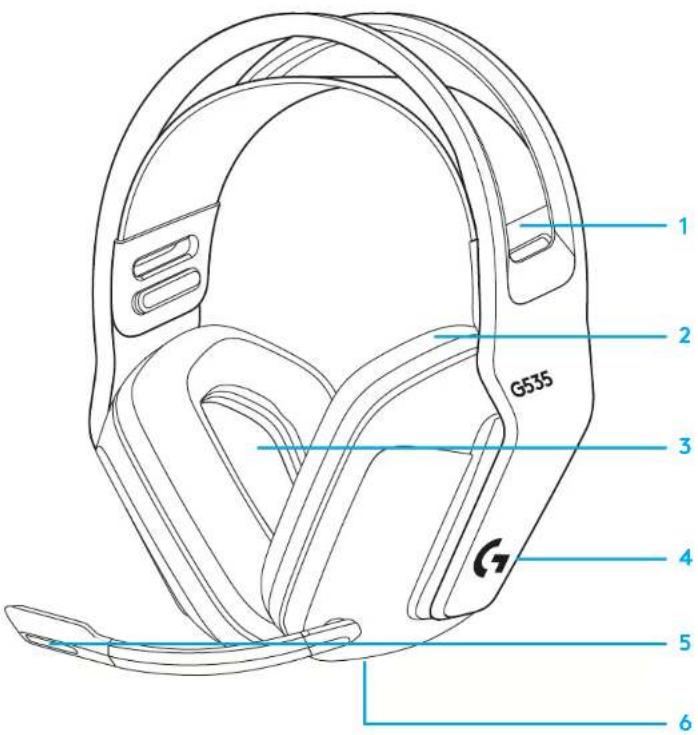
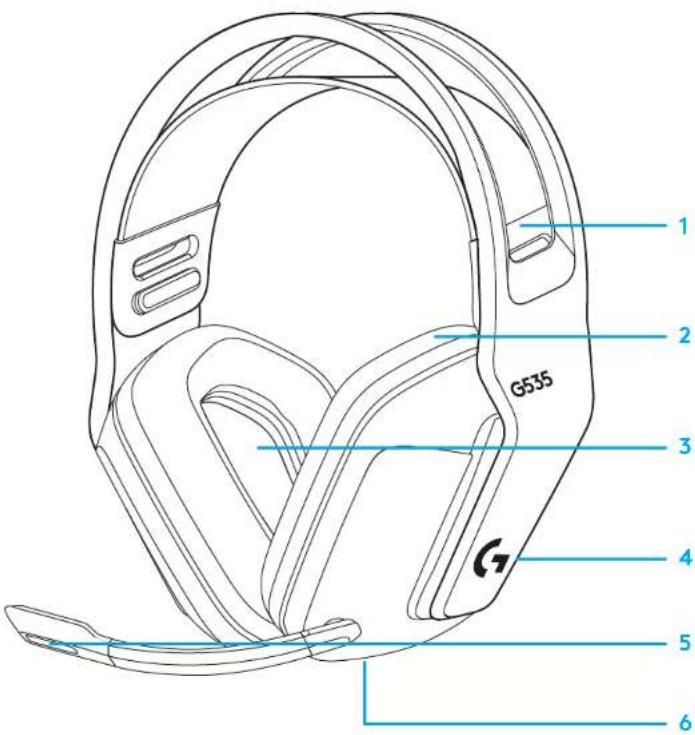
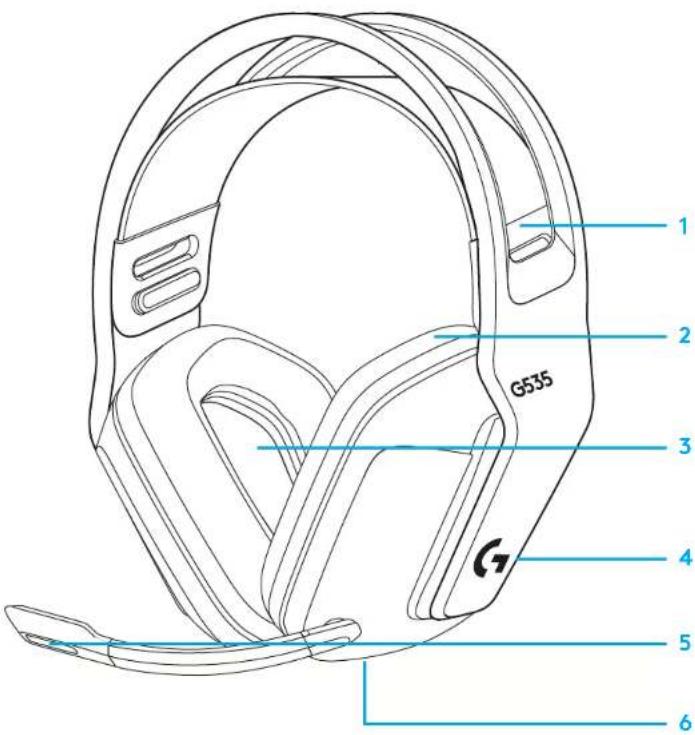
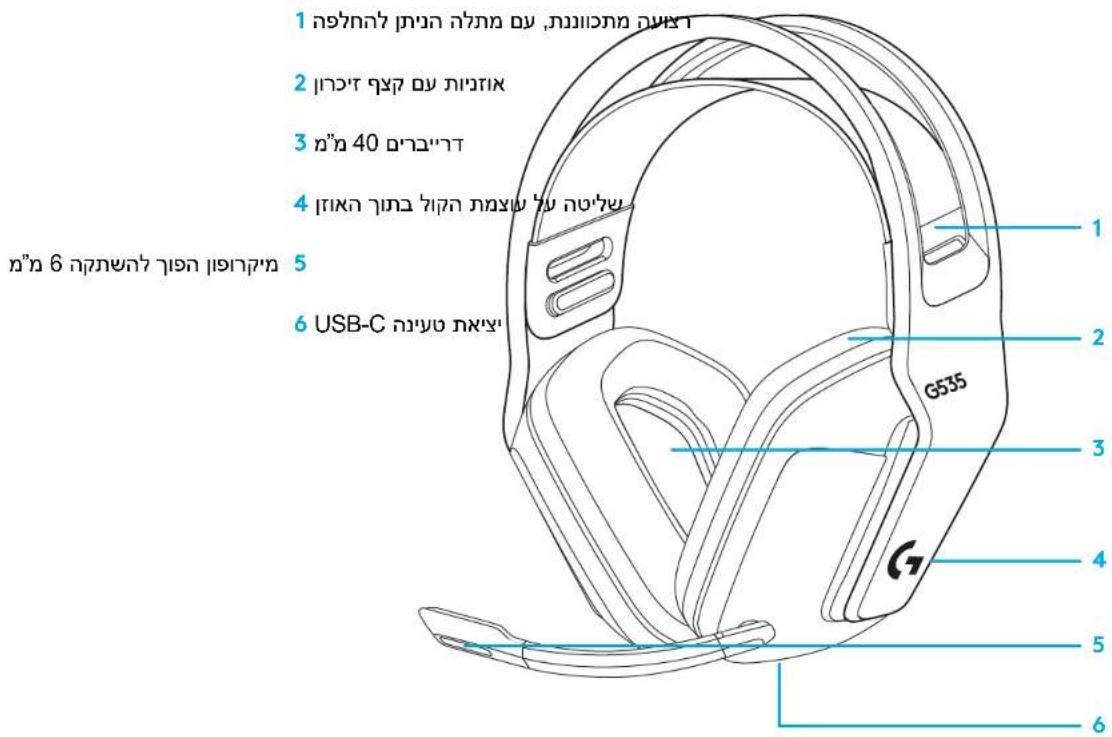
FEATURES
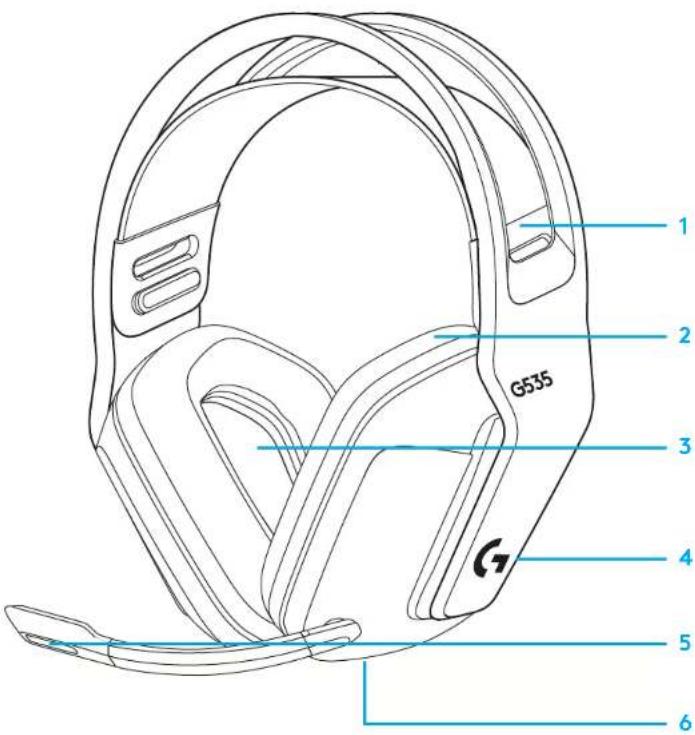
1 Adjustable, reversible suspension band
2 Memory foam earpads
3 40 mm drivers
4 On-ear volume control
5 Flip-to-mute 6-mm mic
6 USB-C charging port
FREQUENTLY ASKED QUESTIONS
www.logitechG.com/support/G535
6 ENGLISH
INSTALLATIONSANVISNINGAR
natural_image
Simple line drawing of a computer mouse with a power button (no text or symbols)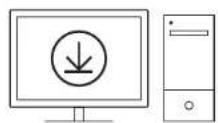
logitechG.com/ghub
natural_image
Technical line drawing of a mechanical component with a blue dimension arrow and label 'G7' (no text or symbols beyond the label)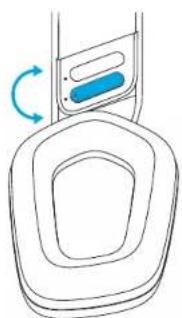
natural_image
Line drawing of a device with a blue button and circular arrow indicating rotation (no text or symbols)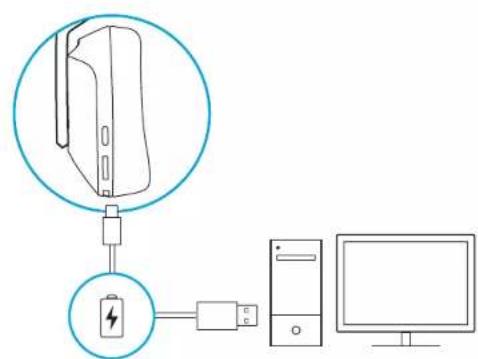
FUNKTIONER
natural_image
Simple line drawing of a computer mouse with a power button (no text or symbols)
logitechG.com/ghub
natural_image
Technical line drawing of a mechanical component with a blue dimension arrow (no text or symbols)natural_image
Line drawing of a device with a blue button and circular arrow indicating rotation (no text or symbols)12 DEUTSCH
13 DEUTSCH
natural_image
Simple line drawing of a handheld device with a power button icon (no text or symbols)
logitechG.com/ghub
natural_image
Technical line drawing of a mechanical component with a U-shaped top and blue vertical dimension arrow (no text or symbols)natural_image
Diagram of a device with a blue button and circular arrow indicating rotation (no text or symbols)17 FRANÇAIS
CARACTÉRISTIQUES
natural_image
Simple line drawing of a computer mouse with a power button (no text or symbols)
logitechG.com/ghub
natural_image
Technical line drawing of a mechanical component with a blue dimension arrow (no text or symbols)natural_image
Diagram of a device with a blue component and circular arrow indicating rotation (no text or symbols)21 ITALIANO
CARATTERISTICHE
natural_image
Simple line drawing of a computer mouse with a power button (no text or symbols)
logitechG.com/ghub
natural_image
Technical line drawing of a mechanical component with a blue dimension arrow (no text or symbols)natural_image
Diagram of a device with a blue component and circular arrow indicating rotation (no text or symbols)24 ESPAÑOL
CARACTERÍSTICAS
natural_image
Simple line drawing of a computer mouse with a power button (no text or symbols)
logitechG.com/ghub
natural_image
Technical line drawing of a mechanical component with a blue dimension arrow (no text or symbols)natural_image
Simple line drawing of a device with a blue button and circular arrow indicating rotation (no text or symbols)FUNCIONALIDADES
natural_image
Simple line drawing of a computer mouse with a power button (no text or symbols)
logitechG.com/ghub
natural_image
Technical line drawing of a mechanical component with a blue dimension arrow and 'G' label (no text or symbols beyond the label)natural_image
Simple line drawing of a device with a blue button and circular arrow indicating rotation (no text or symbols)32 NEDERLANDS
33 NEDERLANDS
FUNCTIES
natural_image
Simple line drawing of a computer mouse with a power button (no text or symbols)
logitechG.com/ghub
- ∅restykkerne kan justeres op og ned.
natural_image
Technical line drawing of a mechanical component with a blue dimension arrow and label 'G7' (no text or symbols beyond the label)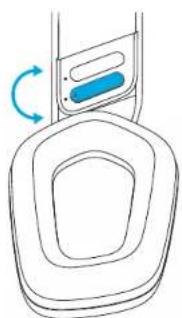
natural_image
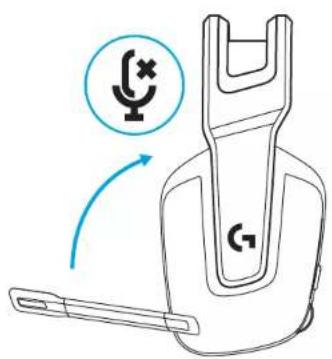
Diagram of a device with a blue component and circular base, showing rotational motion (no text or symbols)- Flyt mikrofonarmen op for at slå lyden fra.
FUNKTIONER
OFTE STILLEDE SP∅RGSMÅL
www.logitechG.com/support/G535
KONFIGURERINGSVEILEDNING
- Sett mottakeren inn i USB-porten på PC-en.
natural_image
Simple line drawing of a computer mouse with a power button icon (no text or symbols)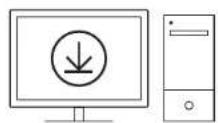
logitechG.com/ghub
natural_image
Technical line drawing of a mechanical component with a U-shaped top and blue vertical dimension arrow (no text or symbols)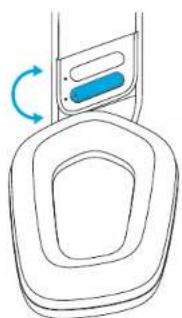
natural_image
Simple line drawing of a device with a blue button and circular arrow indicating rotation (no text or symbols)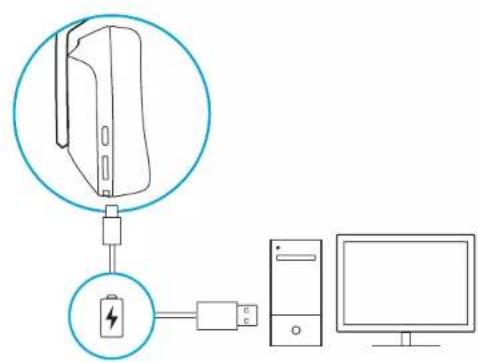
FUNKSJONER
1 Justerbart, reversibelt elastisk bänd
2 ∅reputer med minneskum
3 40 mm-drivere
4 Volumkontroll på øret
5 6 mm mikrofon med flipp-for-å-dempe
6 USB-C-ladeport
VANLIGE SP∅RSMÅL
www.logitechG.com/support/G535
ASENNUSOHJEET
natural_image
Simple line drawing of a computer mouse with a power button (no text or symbols)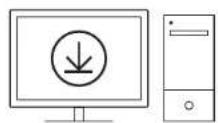
logitechG.com/ghub
natural_image
Technical line drawing of a mechanical component with a U-shaped top and blue vertical dimension arrow (no text or symbols)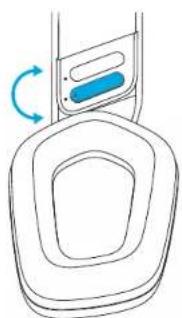
natural_image
Diagram of a device with a blue component and circular arrow indicating rotation (no text or symbols)OMINAISUUDET
natural_image
Simple line drawing of a handheld device with a power button icon (no text or symbols)
logitechG.com/ghub
natural_image
Technical line drawing of a mechanical component with a blue dimension arrow (no text or symbols)natural_image
Diagram of a device with a blue component and circular arrow indicating rotation (no text or symbols)ΧΑΡΑΚΤΗΡΙΣΤΙΚΑ
natural_image
Simple line drawing of a handheld device with a power button icon (no text or symbols)
logitechG.com/ghub
natural_image
Technical line drawing of a mechanical component with a U-shaped top and a blue double-headed arrow indicating vertical displacement (no text or symbols)natural_image
Diagram of a device with a blue component and circular arrow indicating rotation (no text or symbols)ХАРАКТЕРИСТИКИ
natural_image
Simple line drawing of a computer mouse with a power button (no text or symbols)
logitechG.com/ghub
natural_image
Technical line drawing of a mechanical component with a U-shaped top and blue vertical dimension arrow (no text or symbols)natural_image
Line drawing of a device with a blue button and circular arrow indicating rotation (no text or symbols)FUNKCJE
natural_image
Simple line drawing of a computer mouse with a power button (no text or symbols)
logitechG.com/ghub
natural_image
Technical line drawing of a mechanical component with a blue dimension arrow (no text or symbols)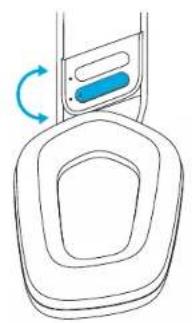
natural_image
Simple line drawing of a device with a blue button and circular base, no text or symbols present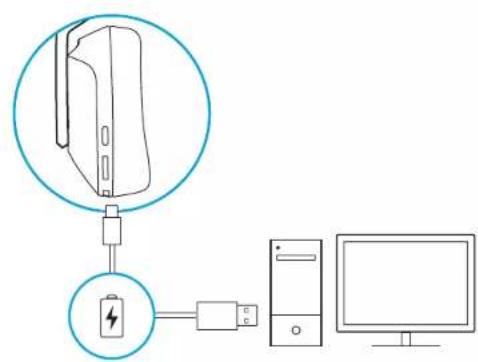
JELLEMZÓK
natural_image
Simple line drawing of a handheld device with a power button icon (no text or symbols)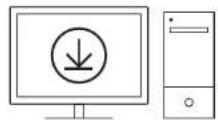
logitechG.com/ghub
natural_image
Technical line drawing of a mechanical component with a blue dimension arrow and label 'G7' (no text or symbols beyond the label)natural_image
Diagram of a device with a blue component and circular flow arrows indicating rotation (no text or symbols)FUNKCE
natural_image
Simple line drawing of a computer mouse with a power button (no text or symbols)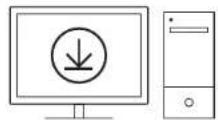
logitechG.com/ghub
natural_image
Technical line drawing of a mechanical component with a blue dimension arrow (no text or symbols)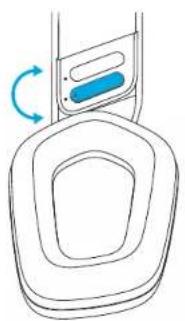
natural_image
Simple line drawing of a device with a blue button and circular base, no text or symbols presentFUNKCIE
natural_image
Simple line drawing of a computer mouse with a power button (no text or symbols)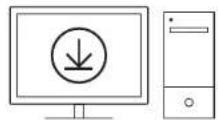
logitechG.com/ghub
natural_image
Technical line drawing of a mechanical component with a U-shaped top and blue directional arrows indicating measurement (no text or symbols)natural_image
Diagram of a device with a blue component and circular motion arrow, no text or symbols present72 УКРАЇНСЬКА
ХАРАКТЕРИСТИКИ
SEADISTAMISE JUHISED
natural_image
Simple line drawing of a computer mouse with a power button (no text or symbols)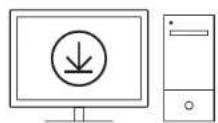
logitechG.com/ghub
natural_image
Technical line drawing of a mechanical component with a blue dimension arrow (no text or symbols)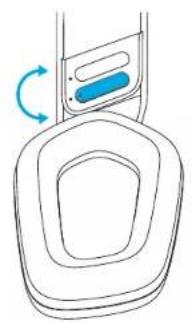
natural_image
Simple line drawing of a device with a blue button and circular base, no text or symbols present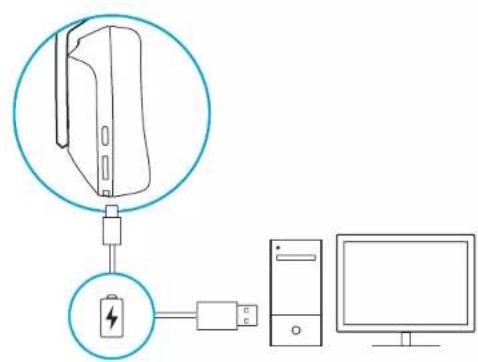
KIRJELDUS
natural_image
Simple line drawing of a computer mouse with a power button (no text or symbols)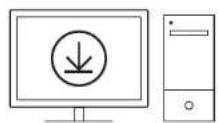
logitechG.com/ghub
natural_image
Technical line drawing of a mechanical component with a U-shaped top and blue vertical dimension arrow (no text or symbols)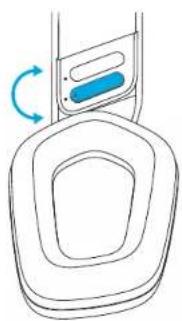
natural_image
Line drawing of a device with a blue button and circular arrow indicating rotation (no text or symbols)APRAKSTS
natural_image
Simple line drawing of a computer mouse with a power button (no text or symbols)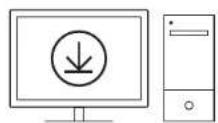
logitechG.com/ghub
natural_image
Technical line drawing of a mechanical component with a blue dimension arrow and label 'G7' (no text or symbols beyond the label)natural_image
Diagram of a device with a blue button and circular base, showing rotational motion (no text or symbols)FUNKCIJOS
natural_image
Simple line drawing of a handheld device with a power button icon (no text or symbols)
logitechG.com/ghub
natural_image
Technical line drawing of a mechanical component with a U-shaped top and a blue double-headed arrow indicating vertical displacement (no text or symbols)natural_image
Diagram of a device with a blue component and circular motion arrow, no text or symbols presentХАРАКТЕРИСТИКИ
natural_image
Simple line drawing of a handheld device with a power button icon (no text or symbols)
logitechG.com/ghub
- Školjke se mogu podešavati prema gore i prema dolje.
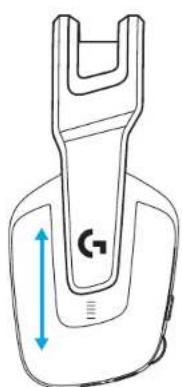
natural_image
Technical line drawing of a mechanical component with a blue dimension arrow and label 'G7' (no text or symbols beyond the label)- Duljina držača za glavu može se prilagoditi.
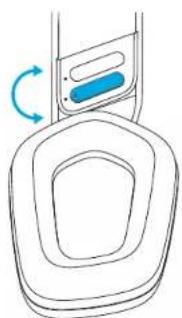
natural_image
Diagram of a device with a blue component and circular base, showing rotational motion (no text or symbols)ZNAČAJKE
1 Prilagodljiva, reverzibilna ovjesna traka
2 Jastučići za uši od memorijske pjene
3 Zvučnici od 40 mm
4 Regulator glasnoće na slušalicama
5 Mikrofon od 6 mm koji se utišava preokretanjem
6 USB-C priključak za punjenje
ČESTA PITANJA
www.logitechG.com/support/G535
UPUTSTVA ZA PODEŠAVANJE
natural_image
Simple line drawing of a handheld device with a power button icon (no text or symbols)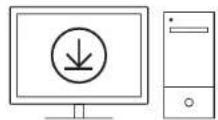
logitechG.com/ghub
natural_image
Technical line drawing of a mechanical component with a blue dimension arrow and label 'G7' (no text or symbols beyond the label)- Dužina držača za glavu se može podešavati.
natural_image
Diagram of a device with a blue component and circular base, showing rotational motion (no text or symbols)- Okrenite držač mikrofona nagore da biste isključili zvuk.
FUNKCIJE
1 Podesiva i zamenjiva traka za glavu
2 Jastučići za slušalice od memorijske pene
3 Drajveri od 40 mm
4 Kontrola jačine zvuka na slušalici
5 Mikrofon od 6 mm sa funkcijom isključivanja zvuka okretanjem
6 USB-C port za punjenje
NAJČEŠĆA PITANJA
www.logitechG.com/support/G535
NAVODILA ZA NAMESTITEV
natural_image
Simple line drawing of a computer mouse with a power button (no text or symbols)
logitechG.com/ghub
natural_image
Technical line drawing of a mechanical component with a blue dimension arrow and label 'G7' (no text or symbols beyond the label)natural_image
Diagram of a device with a blue component and circular base, showing rotational motion (no text or symbols)- Za utišanje preklopite držalo mikrofona.
FUNKCIJE
natural_image
Simple line drawing of a computer mouse with a power button (no text or symbols)
logitechG.com/ghub
natural_image
Technical line drawing of a mechanical component with a blue dimension arrow and label 'G7' (no text or symbols beyond the label)natural_image
Diagram of a device with a blue component and circular base, showing rotational motion (no text or symbols)CARACTERISTICI
natural_image
Simple line drawing of a computer mouse with a power button (no text or symbols)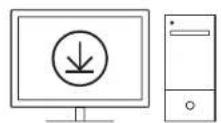
logitechG.com/ghub
natural_image
Technical line drawing of a mechanical component with a blue dimension arrow (no text or symbols)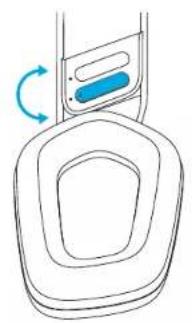
natural_image
Simple line drawing of a device with a blue button and circular base, no text or symbols presentÖZELLİKLER
natural_image
Line drawing of a computer mouse with a power button icon (no text or symbols)logitech G HUB (הכלה) – logitechG.com/ghub.
logitechG.com/ghub
natural_image
Technical line drawing of a mechanical component with a blue double-headed arrow indicating vertical displacement (no text or symbols)natural_image
Line drawing of a device with a blue button and circular base, no text or symbols present-הכלהה
תְבָרִי
©2022 Logitech. Logitech, Logitech G, Logi and their respective logos are trademarks or registered trademarks of Logitech Europe S.A. and/or its affiliates in the U.S. and other countries. All other trademarks are the property of their respective owners. Logitech assumes no responsibility for any errors that may appear in this manual. Information contained herein is subject to change without notice.
WEB-621-002134 002



- FEATURES
- FREQUENTLY ASKED QUESTIONS
- INSTALLATIONSANVISNINGAR
- FUNKTIONER
- CARACTÉRISTIQUES
- CARATTERISTICHE
- CARACTERÍSTICAS
- FUNCIONALIDADES
- FUNCTIES
- OFTE STILLEDE SP∅RGSMÅL
- KONFIGURERINGSVEILEDNING
- FUNKSJONER
- VANLIGE SP∅RSMÅL
- ASENNUSOHJEET
- OMINAISUUDET
- ΧΑΡΑΚΤΗΡΙΣΤΙΚΑ
- ХАРАКТЕРИСТИКИ
- FUNKCJE
- JELLEMZÓK
- FUNKCE
- FUNKCIE
- SEADISTAMISE JUHISED
- KIRJELDUS
- APRAKSTS
- FUNKCIJOS
- ZNAČAJKE
- ČESTA PITANJA
- UPUTSTVA ZA PODEŠAVANJE
- FUNKCIJE
- NAJČEŠĆA PITANJA
- NAVODILA ZA NAMESTITEV
- CARACTERISTICI
- ÖZELLİKLER
- תְבָרִי
Brand : LOGITECH
Model : G535
Category : Headphones