
BMC60X - Microwaves CANDY - Free user manual and instructions
Find the device manual for free BMC60X CANDY in PDF.



| Product type | Espresso coffee machine with grinder and milk frother |
| Brand | CANDY |
| Model | BMC60X |
| Electrical supply | 230 V / 50 Hz |
| Total power consumption | 1665 W |
| Coffee boiler power | 800 W |
| Steam boiler power | 800 W |
| Coffee pump pressure | 15 bar |
| Steam pump pressure | 2.5 bar |
| Water tank capacity | 2 liters |
| Included accessories | Pod filter holder, ground coffee filter holder, filters for 1 and 2 cups, ground coffee adapter, steam tube, cappuccinatore, hex key, measuring scoop, water filter, drip tray, tamper |
| Coffee functions | Manual and programmed dispensing, pod or ground coffee |
| Steam functions | Manual and programmed dispensing, cappuccino preparation and liquid heating |
| Water flow adjustment | Rotary knob to adjust hot water jet |
| Safety | Mandatory earthing, automatic shut-off on empty tank, overheating protection |
| Cleaning | External cleaning with a soft cloth and non-abrasive detergent; drip tray dishwasher safe; replaceable water filter |
| Repairability | Work to be carried out by an authorized technician; spare parts available through after-sales service |
| Installation type | Built-in under counter (mounting kit provided) |
| Net weight | Approximately 12 kg (estimate) |
| Dimensions (W x H x D) | Approximately 40 x 38 x 30 cm (estimate) |
Frequently Asked Questions - BMC60X CANDY
User questions about BMC60X CANDY
0 question about this device. Answer the ones you know or ask your own.
Ask a new question about this device
Download the instructions for your Microwaves in PDF format for free! Find your manual BMC60X - CANDY and take your electronic device back in hand. On this page are published all the documents necessary for the use of your device. BMC60X by CANDY.
USER MANUAL BMC60X CANDY
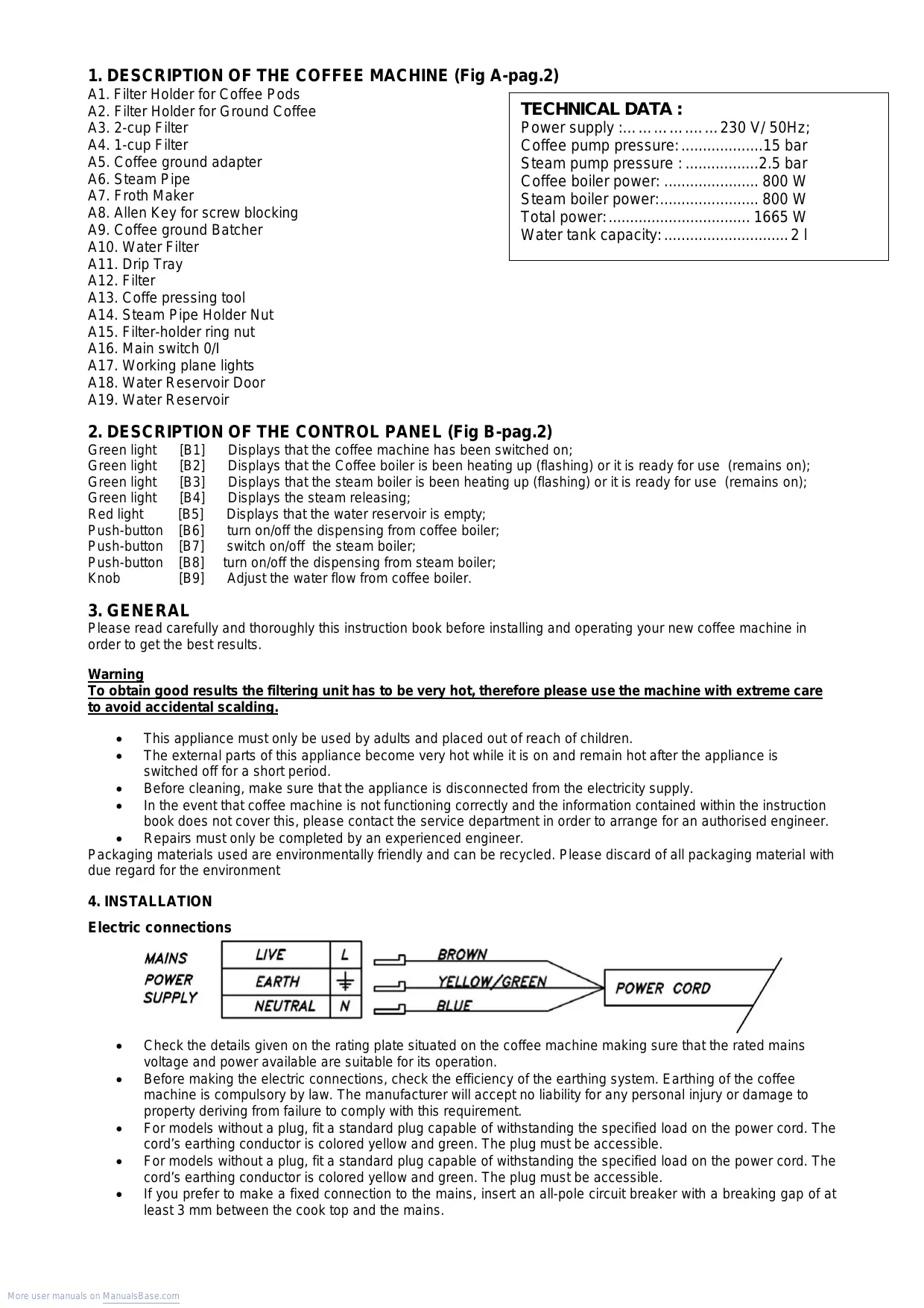
A1. Filter Holder for Coffee Pods
A2. Filter Holder for Ground Coffee
A3. 2-cup Filter
A4. 1-cup Filter
A5. Coffee ground adapter
A6. Steam Pipe
A7. Froth Maker
A8. Allen Key for screw blocking
A9. Coffee ground Batcher
A10. Water Filter
A11. Drip Tray
A12.Filter
A13. Coffe pressing tool
A14. Steam Pipe Holder Nut
A15. Filter-holder ring nut
A16. Main switch 0/1
A17. Working plane lights
A18. Water Reservoir Door
A19. Water Reservoir
TECHNICAL DATA :
Power supply: 230 V/50Hz;
Coffee pump pressure: 15 bar
Steam pump pressure : 2.5 bar
Coffee boiler power: 800 W
Steam boiler power: 800 W
Total power: 1665 W
Water tank capacity: 2 l
2. DESCRIPTION OF THE CONTROL PANEL (Fig B-pag.2)
Green light [B1] Displays that the coffee machine has been switched on;
Green light [B2] Displays that the Coffee boiler is been heating up (flashing) or it is ready for use (remains on);
Green light [B3] Displays that the steam boiler is been heating up (flashing) or it is ready for use (remains on);
Green light [B4] Displays the steam releasing;
Red light [B5] Displays that the water reservoir is empty;
Push-button [B6] turn on/off the dispensing from coffee boiler;
Push-button [B7] switch on/off the steam boiler;
Push-button [B8] turn on/off the dispensing from steam boiler;
Knob [B9] Adjust the water flow from coffee boiler.
3. GENERAL
Please read carefully and thoroughly this instruction book before installing and operating your new coffee machine in order to get the best results.
Warning
To obtain good results the filtering unit has to be very hot, therefore please use the machine with extreme care to avoid accidental scalding.
This appliance must only be used by adults and placed out of reach of children.
- The external parts of this appliance become very hot while it is on and remain hot after the appliance is switched off for a short period.
- Before cleaning, make sure that the appliance is disconnected from the electricity supply.
In the event that coffee machine is not functioning correctly and the information contained within the instruction book does not cover this, please contact the service department in order to arrange for an authorised engineer.
- Repairs must only be completed by an experienced engineer.
Packaging materials used are environmentally friendly and can be recycled. Please discard of all packaging material with due regard for the environment
4. INSTALLATION
Electric connections

- Check the details given on the rating plate situated on the coffee machine making sure that the rated mains voltage and power available are suitable for its operation.
- Before making the electric connections, check the efficiency of the earthing system. Earthing of the coffee machine is compulsory by law. The manufacturer will accept no liability for any personal injury or damage to property deriving from failure to comply with this requirement.
- For models without a plug, fit a standard plug capable of withstanding the specified load on the power cord. The cord's earthing conductor is colored yellow and green. The plug must be accessible.
-
For models without a plug, fit a standard plug capable of withstanding the specified load on the power cord. The cord's earthing conductor is colored yellow and green. The plug must be accessible.
If you prefer to make a fixed connection to the mains, insert an all-pole circuit breaker with a breaking gap of at least 3mm between the cook top and the mains. -
To connect the coffee machine power cord, loosen and remove the cover on the terminal block in order to access the contacts inside. Make the connection, blocking the cord in place with the cable clamp provided and then close the terminal block cover again immediately.
- If you have to change the cord, the length of the conductors between the cord anchorage and the terminals, shall be such that the current-carrying conductors become taught before the earthing conductor if the cord slip out of the cord anchorage.
Fixing the Coffee machine to the unit (fig. C,D - pag.3)
Mark on the piece of furniture the measure for the positioning of the blocking supports.
Fix to the piece of furniture the blocking supports, paying attention to place the nut cages [1] as shown in the picture C.
- Place the coffee machine on the piece of kitchen furniture so to be installed
The holes of the blocking screws are: Inside the area of the water reservoir, on the right as shown.(fig.D).
Fix the coffee machine with the screws and the allen key given. (Fig A8).
5. INSTRUCTIONS FOR FIRST USE
Filling the water reservoir (fig. E -pag.3)
- Push the reservoir door (Fig A18), which will open on the right hand side
- Remove reservoir from cabinet (Fig A19)
- Fill up reservoir with fresh water and place back in the cabinet, shut door (Fig A18)
- Ensure that the filter (Fig A10) has been placed in cold water for a few minutes prior to first use.
If the coffee machine has not been used for long periods of time, change the water in the reservoir.
Starting the Coffee Machine
- Switch the coffee machine on by pressing the Main switch 0/I (Fig A16)
- The green light [B1] will illuminate. At the same time the coffee boiler green light [B2] will flash indicating the coffee boiler is heating up.
- Please note that the red light [B5] will turn on when the water reservoir is empty
- The machine is ready for use when this green light [B2] stops flashing and remains on.
6. COFFEE DISPENSING
The coffee dispensing can be activated in "MANUAL" or "PROGRAMMED" setting by using the Push-button [B6] as follows:
"MANUAL" coffee dispensing setting: If the button [B6] is held down (for less than one second), the machine will dispense coffee. Press the button [B6] again to stop dispensing.
PROGRAMMED" coffee dispensing setting. This allows you to memorise a duration for coffee dispensing which could be call back in every moment:
- programming duration for coffee dispensing: hold on the push button [B6] for more that 5 seconds. Keeping the button [B6] pressed the appliance will memorise the time for coffee dispensing for as long as the button is held down. When the desired time is reached release the button [B6] and immediately press it twice. It is possible to memorise a duration of coffee dispensing once. Repeating the operation will erase the memory already set.
Using the coffee dispensing with programmed duration: In order to use the programmed time hold down the button [B6] for more than one second but less than five. After that the button [B6] has been released the machine will dispense coffee for the length of time programmed.
Press the button [B7] to turn on the steam boiler
The green light [B3] will flash to indicate the machine is heating up.
The machine is ready for use when this green light [B3] stops flashing and remains on.
In order to heat a liquid (i.e. milk, the.) with the steam pipe use a suited metallic kettle long and tight with an handle.
In the meantime the appliance is releasing steam it is advisable to move slowly the kettle from up and down in order to mix the liquid while it is heating up.
Check that the pipe is been always immersed into the kettle.
It is necessary to rotate the steam pipe out of the appliance and perform thae operation described above, paying attention to keep hold the kettle
At the end of steam releasing move the pipe over the drip tray and let it trickle
The coffee dispensing can be activated in "MANUAL" or "PROGRAMMED" setting by using the Push-button [B8] as follows:
"MANUAL" coffee dispensing setting: If the button [B8] is held down (for less than one second), the machine will dispense coffee. Press the button [B8] again to stop dispensing.
"PROGRAMMED" coffee dispensing setting. This allows you to memorise a duration for coffee dispensing which could be call back in every moment:
o programming duration for coffee dispensing: hold on the push button [B8] for more that 5 seconds. Keeping the button [B8] pressed the appliance will memorise the time for coffee dispensing for as long as the button is held down.
When the desired time is reached release the button [B8] and immediately press it twice. It is possible to memorise a duration of coffee dispensing once. Repeating the operation will erase the memory already set.
Using the coffee dispensing with programmed duration: In order to use the programmed time hold down the button [B8] for more than one second but less than five.
After that the button [B8] has been released the machine will dispense coffee for the length of time programmed.
8. EMPTY WATER TANK
The red light [B5] will illuminate when the tank is empty.
- All functions will stop automatically, including the steam boiler heating. Warning!: the coffee boiler remains turned on
- Fill the tank and reselect the function which had previously been activated.
9. ADJUSTING THE FLOW OF WATER FROM THE BOILER
- Rotate knob [B9] anticlockwise from "+" towards "-" in order to decrease the amount of water which flows out of the coffee boiler. This process is used to make drinks such as tea or tisanes which require a slower flow of water and less of it.
10. USE OF COFFEE PODS
- The use of coffee pods is an easy, practical and hygienic way to make a coffee. This is due to the special packaging that avoids coffee coming out and it can easily be removed after use.
- Switch On the machine (Fig A16).
- Insert one pod into the filter-holder (Fig A1) and place into the ring nut (Fig A15) making sure that it is correctly secured by turning the filter-holder handle from left to right.
- Put the cup underneath the nozzle (Fig A1).
- Check the light of the boiler [B2] is not flashing.
- Push the coffee button [B6].
- Pressing [B6] again will stop dispensing.
Once the dispensing is ended, take the filter-holder out of the ring nut and remove the pod.
11. USE OF GROUND COFFEE (Fig. E -pag.3)
The coffee maker can be used with ordinary ground coffee. The Coffee boiler is set to hold coffee pods, but it is possible to install an adapter.
Proceed as follow:
- Switch the coffee machine off and to prevent to burns it is recommended to wait until the appliance get cold. However it is better to protect hands with gloves.
Using a screwdriver unscrew the screw which the water filter for coffee pods to the coffee boiler (- do not lose the old screw) - Hook the adapter (1) to the dispensing unit (3), locking them together with the screw (2).
12. MAKING A CUP OF ESPRESSO
- Ensure the coffee machine is kept clean to get the best cup of espresso. (Make sure the filter units are cleaned after each use.)
Warm the cups prior to filling.
The quality and coarseness of the coffee grains can influence the flavour. - The coffe machine is provided with a coffee ground batcher (fig. A9). A single misure of ground coffee is worth for a one cup.
13. PREPARING A CAPPUCCINO
It is advisable to pay attention on carrying the described operation as the appliance release a steam spout
This coffee machine enables the user to make froth for cappuccinos in two different ways.
- Method 1: use the "steam pipe" (Fig. A 6) and immerse the steam spout into a container of milk. Press button [B7] to switch the steam boiler on. The flashing light [B3] indicates that the machine is heating up. When the light stops flashing the machine is ready for use.
- Press the steam dispensing button [B8] to dispense the steam either manually or automatically. When the steam starts coming out, move the container up and down slightly, until the milk makes the froth for the cappuccino.
- Other drinks, such as water, punch etc. can also be heated in this way.
Warning: the steam nozzle and dispensing spout must be cleaned every time they are used by discharging steam several times. Cleaning is best carried out when the components have cooled down and by separating the steam nozzle from the dispensing spout. Wipe them carefully using a clean sponge or cloth. When milk cools it creates impurities which block the steam discharge hole, causing the machine to function badly (Fig.E-pag.4).
- Method 2: remove the steam pipe (Fig A6) and replace it with the special cappuccino maker (Fig A7) available as an accessory. This operation is extremely simple as the various parts are interchangeable and the user simply has to use the connection set underneath the control panel (Fig.A14).
- Warning: the various components remain extremely hot for some time after the machine has been switched off so may burn.
- Press button [B7] to switch the steam boiler on. The green light [B3] flashing indicates that the machine is heating. When the light stays on the machine is ready for use.
After having fitted the "cappuccino maker" onto the machine, immerse the small tube into a container of milk. Place the cup of coffee under the dispensing spout and then press the steam dispensing button [B8] to dispense either manually or automatically. The spout will dispense the froth to make the cappuccino.
Warning: always clean the "cappuccino maker" after use by immersing the small tube in a container full of clean water and dispense several times. This will clear the tube of any residues. When milk cools, it creates impurities which block the steam discharge hole.
14. MAKING A CUP OF TEA USING LOOSE TEA LEAVES
Use filter holder (Fig A2) with Filter Cup (Fig A3 or A4)
Press the tea leaves with the press (Fig A13)
- Place filter holder (Fig A2) to ring nut (Fig A15) and twist from left to right ensuring it is in place.
- Adjust Coffee boiler water flow knob (Fig B9) to required setting. The lower the setting the stronger the tea.
- Check the red LED light of the boiler [B2] is not flashing.
- Push the coffee button [B6].
- Pressing [B6] again will stop dispensing.
Take the filter-holder out of the ring nut and clean filter holder.
15. MAKING TEA USING HOT WATER
It is advisable to pay attention on carrying the described operation as the appliance release a steam spout
- Place the steam nozzle (Fig A6) onto the holding nut (Fig A14)
- Put a cup underneath the steam pipe (Fig A6)
- Turn machine on (Fig A16)
- Push the steam button on/off [B7]. The green light [B3] will flash while the boiler heats up. When it remains on the appliance is ready to dispense.
- Push steam release button [B8] to begin.
- Once the water has been heated enough, stop the steam release by pressing the button [B8] again. Now is possible to immerse a tea-bag until the infuse become ready
16. CLEANING AND SERVICING
- Outer parts of the coffee machine should only be cleaned with warm soapy water using either a sponge or soft cloth. No abrasive cleaners should be used.
- The Drip tray can be removed and should be cleaned periodically (Fig. A11). It is also dishwasher proof.
- The filter (fig.A10) will need changing when you can see white granules in the filter. This can be obtained from our Spares Department.
- When cleaning the filter holder (fig.A1-A2) or steam nozzle (fig.A6), ensure they have been left to cool down prior to cleaning.
17. ACCESSORIES
- The coffee machine is equipped with two filter holders (Fig A-1 and A-2). The filter (Fig A-2) is for use with 1-cup filter (Fig A3) or 2-cup filter (Fig A4). The second one (Fig A1) is for use with pods.
- The drawer can be used for holding cups and saucers and a compartment for all other accessories such as the filters.
18 CUSTOMER CARE SERVICE
Before calling in the technical assistance:
If the coffee machine does not work, we recommend you:
o make sure that the plug is fitted properly in the power socket.
If you cannot find any reason for the malfunction:
Turn off the appliance and do not manhandle it. Call in the technical support service.
FR
TABLE DES MATIÈRES
(Fig A-B). .Pag. 2
(Fig C-D) .Pag. 3
(Fig E-F-G). .Pag. 4
1.DESCRIPTION DE LA MACHINE A CAFÉ (Fig A). .Pag.17
2.DESCRIPTION DU PANNEAU DE COMMANDE (Fig B). .Pag.17
3. INTRODUCTION.. .Pag. 17
4. INSTALLATION.. .Pag. 17
5. INSTRUCTIONS POUR LA PREMIÈRE MISE EN MARCHE............Pag. 18
6. DISTRIBUTION DU CAFÉ . . . . . . . . . . . . . . . . . . . . . . . . . . . . . . . . . . . . . . . . . . . . . . . . . . . . . . . . . . . . . . . . . . . .
7. BOUTON DISTRIBUTION VAPEUR... .Pag. 18
8. RÉSERVOIR DE L'EAU VIDE... .Pag. 19
9. RÉGLAGE DU JET D'EAU DE LA CHAUDière... .Pag. 19
10. EMPLOI DU CAFÉ EN DOSETTES... .Pag. 19
11. UTILISATION DU CAFÉ EN PoudRE(Fig F).... .Pag. 19
12.COMMENT PREPARER UN EXPRESSO.. .Pag.19
13. COMMENT PREPARER UN CAPPUCCINO......Pag. 19
14. COMMENT PREPARER UN THE EN FEUILLES... .Pag. 20
15. COMMENT PREPARER UN THE EN UTILISANT L'EAU CHAUBE......Pag. 20
16. NETTOYAGE ET ENTRETIEN.. .Pag. 20
17. ACCESSORIES.. .Pag. 20
18. SERVICE ASSISTANCE CLIENTS.. .Pag. 20