
RAS-3M18S3AV-E - RAS-3M26S3AV-E - Air-conditioner TOSHIBA - Free user manual and instructions
Find the device manual for free RAS-3M18S3AV-E - RAS-3M26S3AV-E TOSHIBA in PDF.



| Brand | TOSHIBA |
| Model | RAS-3M18S3AV-E / RAS-3M26S3AV-E |
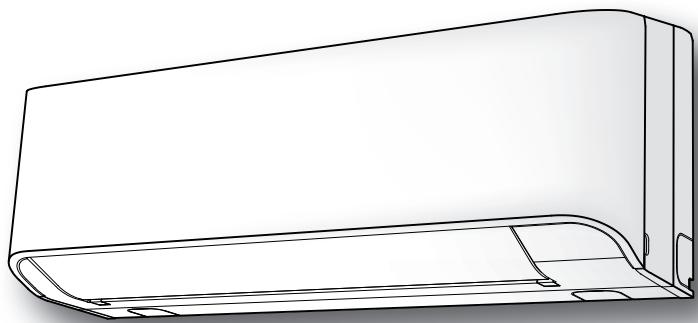
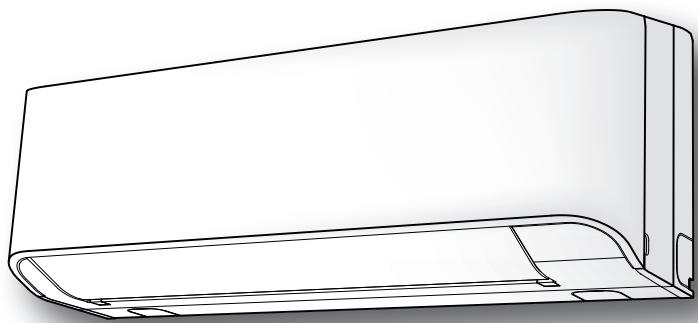
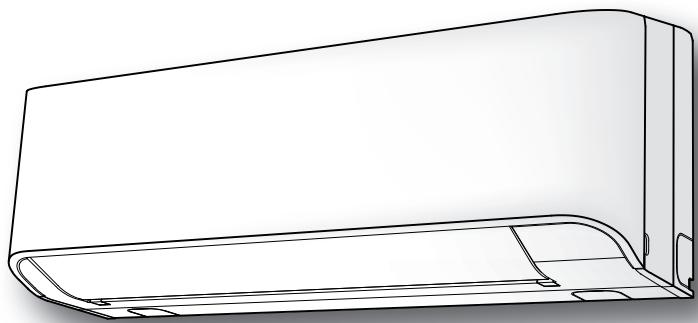
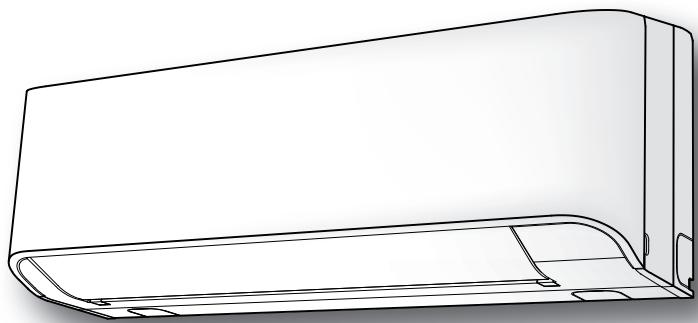
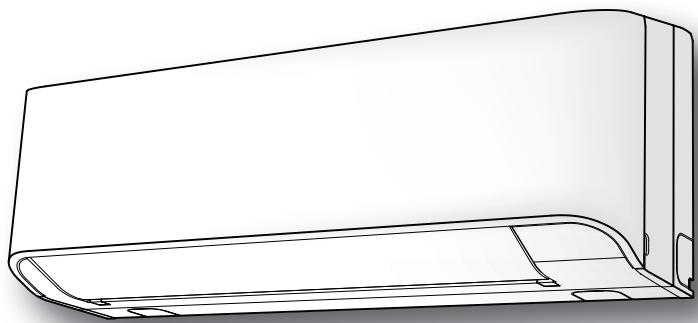
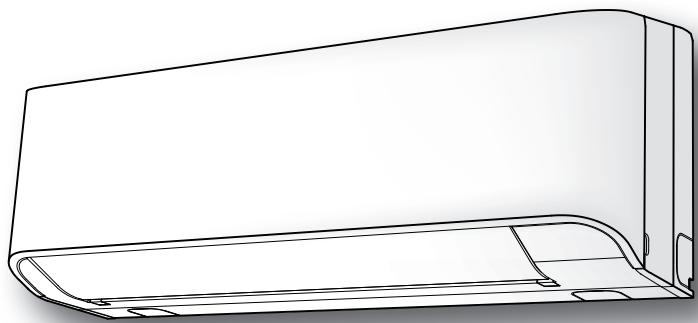
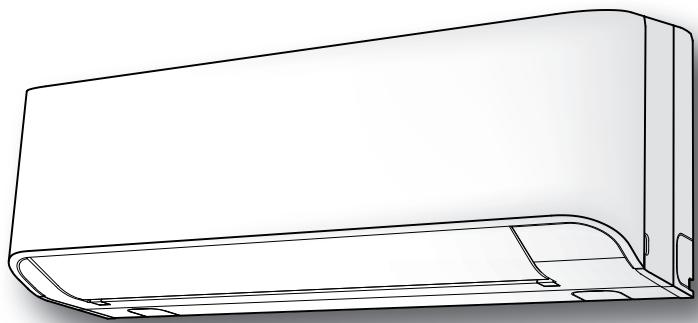
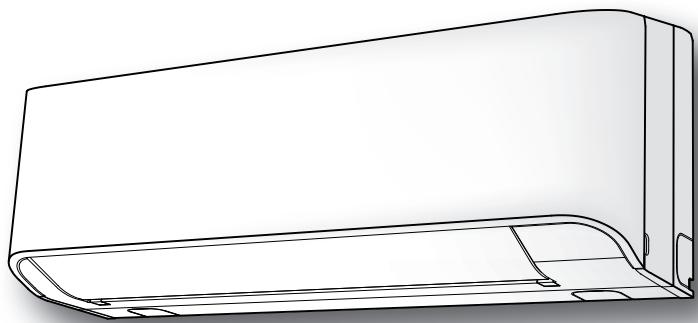
| Product type | Wall-mounted multi-split air conditioner |
| Operating modes | Auto, Cooling, Heating, Dehumidification, Fan only |
| Temperature range (cooling) | Outdoor: -15°C to 46°C / Indoor: 21°C to 32°C |
| Temperature range (heating) | Outdoor: -15°C to 24°C / Indoor: ≤28°C |
| Temperature range (dehumidification) | Outdoor: -15°C to 46°C / Indoor: 17°C to 32°C |
| Fan speeds | AUTO, LOW-, LOW+, MED-, MED+, HIGH |
| Hi-POWER function | Yes (quick cooling/heating) |
| ECO function | Yes (automatic energy saving) |
| Automatic cleaning function | Yes (cooling and dehumidification modes) |
| Off timer | 0.5 to 12 hours |
| Automatic restart after power failure | Yes (if timer not active) |
| Restart protection | 3 minutes |
| Pre-heating | 5 minutes before hot air blowing |
| Automatic defrosting | Yes (fans stopped) |
| Remote control | With LCD display, dedicated buttons, AAA batteries |
| Display brightness adjustment | 4 levels (d0 to d3) |
| Air filters | Washable, clean every 2 weeks |
| Maintenance | Damp cloth, no chemicals |
| Temporary operation function | Without remote control (RESET button) |
Frequently Asked Questions - RAS-3M18S3AV-E - RAS-3M26S3AV-E TOSHIBA
User questions about RAS-3M18S3AV-E - RAS-3M26S3AV-E TOSHIBA
0 question about this device. Answer the ones you know or ask your own.
Ask a new question about this device
Download the instructions for your Air-conditioner in PDF format for free! Find your manual RAS-3M18S3AV-E - RAS-3M26S3AV-E - TOSHIBA and take your electronic device back in hand. On this page are published all the documents necessary for the use of your device. RAS-3M18S3AV-E - RAS-3M26S3AV-E by TOSHIBA.
USER MANUAL RAS-3M18S3AV-E - RAS-3M26S3AV-E TOSHIBA
For general public use
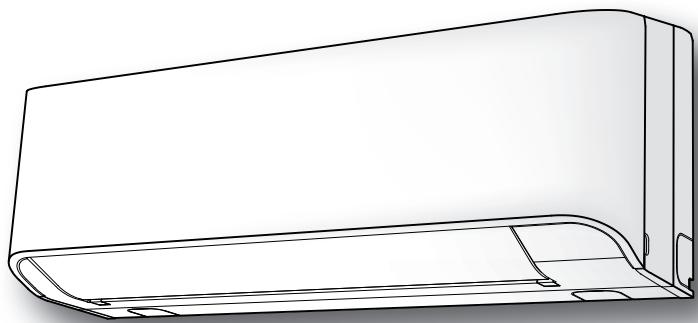
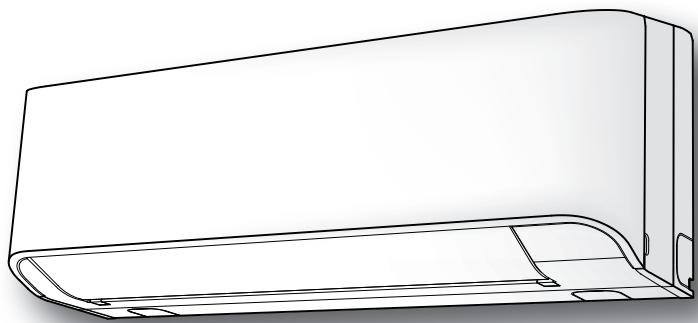
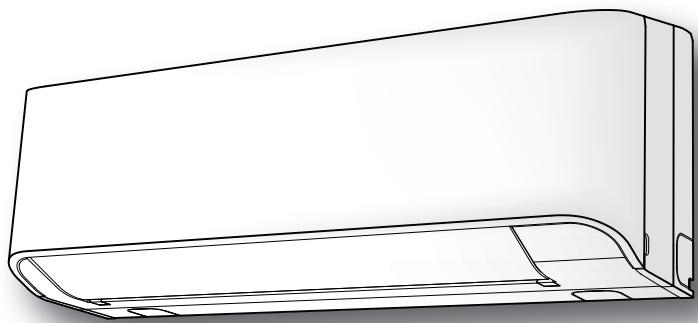
Indoor unit
RAS-07, 10, 13BKV-E
Outdoor unit
RAS-07, 10, 13BAV-E
PRECAUTIONS FOR SAFETY
| DANGER | • Do not install, repair, open or remove the cover. It may expose you to dangerous voltages. Ask the dealer or the specialist to do this. • Turning off the power supply will not prevent potential electric shock. • The appliance shall be installed in accordance with national wiring regulation. • Means for disconnection from the supply having a contact separation of at least 3 mm in all poles must be incorporated in the fixed wiring. |
| WARNING | • Do not expose your body directly to cool air for a long time. • Do not insert your finger or any article into the air inlet/outlet. • When an abnormality (burning smell, etc.) occurs, stop the air conditioner and disconnect the power supply or turn off the breaker. • This appliance is not intended for use by persons (including children) with reduced physical, sensory or mental capabilities, or lack of experience and knowledge, unless they have been given supervision or instruction concerning use of the appliance by a person responsible for their safety. • Children should be supervised to ensure that they do not play with the appliance. • Do not use any refrigerant different from the one specified for complement or replacement. Otherwise, abnormally high pressure may be generated in the refrigeration cycle, which may result in a failure or explosion of the product or an injury to your body. |
| CAUTION | • Do not wash the unit with water. It may cause an electric shock. • Do not use this air conditioner for other purposes such as preserving food, breeding animal, etc. • Do not step or put anything on the indoor/outdoor unit. It may cause an injury or damage the unit. • Do not touch aluminium fin because it may cause an injury. • Before cleaning the unit, turn off the main switch or the circuit breaker. • When the unit won't be used for a long time, turn off the main switch or the circuit breaker. • It is recommended that maintenance be performed by a specialist when the unit has been operated for a long time. • The manufacturer shall not assume any liability for the damage caused by not observing the description of this manual. |
1 INDOOR UNIT DISPLAY

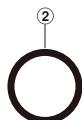
① TIMER (White)
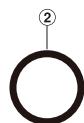
② OPERATION (White)
- Display brightness can be adjusted, follow procedure on ⑪.
2 PREPARATION BEFORE USE
Preparing Filters
- Open the air inlet grille and remove the air filters.
- Attach the filters. (see detail in the accessory sheet).
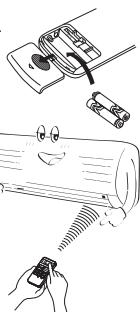
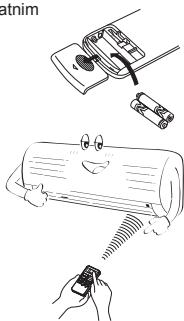
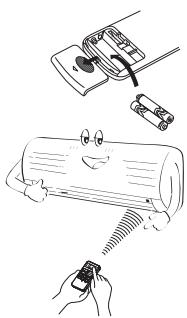
Loading Batteries (when use wireless operation.)
- Remove the slide cover.
- Insert 2 new batteries (AAA type) following the (+) and (-) positions.
Remote Control Reset
- Remove the batteries.

- Insert the batteries.
3
AIRFLOW DIRECTION
| 1 | Press FIX: Move the louver in the desired vertical direction. | |
| 2 | Press SWING: Swing the air automatically and press again to stop. | |
| 3 | For horizontal direction, adjust manually. |
Note:
- Do not move the louver manually by others.
- The louver may automation positioning by some operation mode.
4
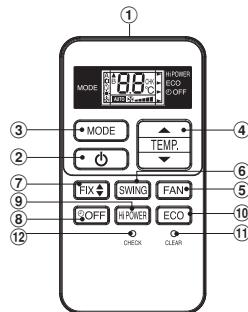
REMOTE CONTROL
① Infrared signal emitter
(2) Start/Stop button
③ Mode select button (MODE)
(4) Temperature button (TEMP)
(5) Fan speed button (FAN)
⑥ Swing louver button (SWING)
⑦ Set louver button (FIX)
⑧ Off timer button (OFF)
9 High power button (Hi-POWER)
Economy button (ECO)
11 Clear button (CLEAR)
12 Check button (CHECK)
5
AUTOMATIC OPERATION
To automatically select cooling, heating, or fan only operation
- Press MODE : Select A.

: Set the desired temperature.
: Select AUTO. LOWLOW+ MED
MED+ , or HIGH
6
: Set the desired temperature.
Cooling: Min. 17^ , Heating: Max. 30^ , Fan Only:
No temperature indication
- Press FAN : Select AUTO, LOW-, LOW+, MED-, MED+ , or HIGH
7
DRY OPERATION
For dehumidification, a moderate cooling performance is controlled automatically.
- Press MODE : Select Dry
: Set the desired temperature.
8
Hi-POWER OPERATION
To automatically control room temperature and airflow for faster cooling or heating operation (except in DRY and FAN ONLY mode)
Press HPOwER : Start and stop the operation.
To automatically control room to save energy (except in DRY and FAN ONLY mode)

: Start and stop the operation.
Note: Cooling operation; the set temperature will increase automatically 1 degree/hour for 2 hours (maximum 2 degrees increase). For heating operation the set temperature will decrease.
10 TIMER OPERATION
Set the timer when the air conditioner is operating.
| Setting the OFF timer | |
| 1 | Press ON/OFF for enter OFF timer setting. |
| 2 | Press TEMP for select desired OFF timer. (0.5 - 12 hrs) |
| 3 | Press OFF for set OFF timer. |
| 4 | Press OFF again for cancel OFF timer. |
11 DISPLAY LAMP BRIGHTNESS ADJUSTMENT
To decrease the display lamp brightness or turn it off.
- Press and hold FAN for 3 seconds until brightness level (d0, d1, d2 or d3) is shown on remote control LCD then release the button.
- Press ↑ ↑ ↑ ↑ ↑ ↑ ↑ ↑ ↑ ↑ ↑ ↑ ↑ ↑ ↑ ↑ ↑ ↑ ↑ ↑ ↑ ↑ ↑ ↑ ↑ ↑ ↑ ↑ ↑ ↑ ↑ ↑ ↑ ↑ ↑ ↑ ↑ ↑ ↑ ↑ ↑ ↑ ↑ ↑ ↑ ↑ ↑ ↑ ↑ ↑ ↑ ↑ ↑ ↑ ↑ ↑ ↑ ↑ ↑ ↑ ↑ ↑ ↑ ↑ ↑ ↑ ↑ ↑ ↑ ↑ ↑ ↑ ↑ ↑ ↑ ↑ ↑ ↑ ↑ ↑ ↑ ↑ ↑ ↑ ↑ ↑ ↑ ↑ ↑ ↑ ↑ ↑ ↑ ↑ ↑ ↑ ↑ ↑ ↑ ↑↑
| Remote control LCD | Operation display | Brightness |
| d3 | Lamp illuminates full brightness. | 100% |
| d2 | Lamp illuminates 50% brightness. | 50% |
| d1 | Lamp illuminates 50% brightness and the operation lamp is turned off. | 50% |
| d0 | All lamps are turned off. | All turned off |
- In the examples of d and d , the lamp illuminates for 5 seconds before going off.
12 TEMPORARY OPERATION
In case of the misplaced or discharged remote control
- Pressing the RESET button, the unit can start or stop without using the remote control.
Operation mode is set on AUTOMATIC operation, preset temperature is 24^ and fan operation is automatic speed.
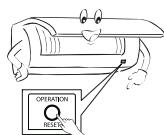
To automatically restart the air conditioner after the power failure (Power of the unit must be on.)
Setting
- Press and hold the RESET button on the indoor unit for 3 seconds to set the operation. (3 beep sound and OPERATION lamp blink 5 time/sec for 5 seconds)
- Press and hold the RESET button on the indoor unit for 3 seconds to cancel the operation. (3 beep sound but OPERATION lamp does not blink)
- In case of ON timer or OFF timer are set, AUTO START OPERATION does not activate.
To protect bad smell caused by the humidity in the indoor unit.
- If the button is pressed once during "Cool" or "Dry" mode, the fan will continue to run for other 30 minutes, then it will turn off automatically. This will reduce the moisture in the indoor unit.
- To stop the unit immediately, press the more 2 times within 30 seconds.

Firstly, turn off the circuit breaker.
Indoor Unit and Remote Control
- Clean the indoor unit and the remote control with a wet cloth when needed.
- No benzine, thinner, polishing powder or chemically-treated duster.
Air filters
Clean every 2 weeks.
- Open the air inlet grille.
- Remove the air filters.
- Vacuum or wash and then dry them.
- Reinstall the air filters and close the air inlet grille.
- Three-minute protection feature: To prevent the unit from being activated for 3 minutes when suddenly restarted or switched to ON.
- Preheating operation: Warm up the unit for 5 minutes before the heating operation starts.
- Warm air control: When the room temperature reaches the set temperature, the fan speed is automatically reduced and the outdoor unit will stop.
- Automatic defrosting: Fans will stop during defrost operation.
- Heating capacity: Heat is absorbed from outdoors and released into the room. When the outdoor temperature is too low, use another recommended heating apparatus in combination with the air conditioner.
- Consideration for accumulated snow: Select the position for outdoor unit where it will not be subjected to snow drifts, accumulation of leaves or other seasonal debris.
- Some minor cracking sound may occur when unit operating. This is normal because the cracking sound may be caused by expansion/ contraction of plastic. Note: Item 2 to 6 for Heating model
Air conditioner operating conditions
| Temp. Operation | Outdoor Temperature | Room Temperature |
| Heating | -15°C ~ 24°C | Less than 28°C |
| Cooling | -15°C ~ 46°C | 21°C ~ 32°C |
| Dry | -15°C ~ 46°C | 17°C ~ 32°C |
17 TROUBLESHOOTING (CHECK POINT)
| The unit does not operate. | Cooling or Heating is abnormally low. |
| · The power main switch is turned off. · The circuit breaker is activated to cut off the power supply. · Stoppage of electric current · ON timer is set. | · The filters are blocked with dust. · The temperature has been set improperly. · The windows or doors are opened. · The air inlet or outlet of the outdoor unit is blocked. · The fan speed is too low. · The operation mode is FAN or DRY. |
18 REMOTE CONTROL A-B SELECTION
To separate using of remote control for each indoor unit in case of 2 air conditioner are installed nearly.
Remote Control B Setup.
- Press RESET button on the indoor unit to turn the air conditioner ON.
- Point the remote control at the indoor unit.
-
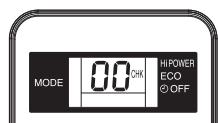
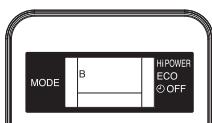
Push and hold check button on the Remote Control by the tip of the pencil. "00" will be shown on the display. (Picture ①)
-
Press MODE during pushing CHECK. "B" will show on the display and "00" will disappear and the air conditioner will turn OFF. The Remote Control B is memorized. (Picture ②)
Note: 1. Repeat above step to reset Remote Control to be A.
- Remote Control A has not "A" display.
- Default setting of Remote Control from factory is A.
①
2
| Information according to EMC Directive 2004/108/EC | |
| (Name of the manufacturer) | TOSHIBA CARRIER (THAILAND) CO., LTD. |
| (Address, city, country) | 144/9 MOO 5, BANGKADI INDUSTRIAL PARK, TIVANON ROAD, TAMBOL BANGKADI, AMPHUR MUANG, PATHUMTHANI 12000, THAILAND. |
| (Name of the Importer/Distributor in EU) | TOSHIBA CARRIER UK LTD. |
| (Address, city, country) | Porsham Close, Belliver Industrial Estate, PLYMOUTH, Devon, PL6 7DB. United Kingdom |
TOSHIBA
TOSHIBA
OWNER'S MANUAL
ESPANOL
AIR CONDITIONER (SPLIT TYPE)
For general public use
Indoor unit
RAS-07, 10, 13BKV-E
Outdoor unit
RAS-07, 10, 13BAV-E
| Information according to EMC Directive 2004/108/EC | |
| (Name of the manufacturer) | TOSHIBA CARRIER (THAILAND) CO., LTD. |
| (Address, city, country) | 144/9 MOO 5, BANGKADI INDUSTRIAL PARK, TIVANON ROAD, TAMBOL BANGKADI, AMPHUR MUANG, PATHUMTHANI 12000, THAILAND. |
| (Name of the Importer/Distributor in EU) | TOSHIBA CARRIER UK LTD. |
| (Address, city, country) | Porsham Close, Belliver Industrial Estate, PLYMOUTH, Devon, PL6 7DB. United Kingdom |
TOSHIBA
TOSHIBA
OWNER'S MANUAL
FRANÇAIS
AIR CONDITIONER (SPLIT TYPE)
For general public use
Indoor unit
RAS-07, 10, 13BKV-E
Outdoor unit
RAS-07, 10, 13BAV-E
| Information according to EMC Directive 2004/108/EC | |
| (Name of the manufacturer) | TOSHIBA CARRIER (THAILAND) CO., LTD. |
| (Address, city, country) | 144/9 MOO 5, BANGKADI INDUSTRIAL PARK, TIVANON ROAD, TAMBOL BANGKADI, AMPHUR MUANG, PATHUMTHANI 12000, THAILAND. |
| (Name of the Importer/Distributor in EU) | TOSHIBA CARRIER UK LTD. |
| (Address, city, country) | Porsham Close, Belliver Industrial Estate, PLYMOUTH, Devon, PL6 7DB. United Kingdom |
TOSHIBA
TOSHIBA
OWNER'S MANUAL
ITALIANO
AIR CONDITIONER (SPLIT TYPE)
For general public use
Indoor unit
RAS-07, 10, 13BKV-E
Outdoor unit
RAS-07, 10, 13BAV-E
PRECAUZIONI PER LA SICUREZZA
1 DISPLAY DELL'UNITÀ INTERNA
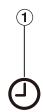
① TIMER (Bianco)
② OPERATION (Bianco)
| Information according to EMC Directive 2004/108/EC | |
| (Name of the manufacturer) | TOSHIBA CARRIER (THAILAND) CO., LTD. |
| (Address, city, country) | 144/9 MOO 5, BANGKADI INDUSTRIAL PARK, TIVANON ROAD, TAMBOL BANGKADI, AMPHUR MUANG, PATHUMTHANI 12000, THAILAND. |
| (Name of the Importer/Distributor in EU) | TOSHIBA CARRIER UK LTD. |
| (Address, city, country) | Porsham Close, Belliver Industrial Estate, PLYMOUTH, Devon, PL6 7DB. United Kingdom |
TOSHIBA
TOSHIBA
OWNER'S MANUAL
DEUTSCH
AIR CONDITIONER (SPLIT TYPE)
For general public use
Indoor unit
RAS-07, 10, 13BKV-E
Outdoor unit
RAS-07, 10, 13BAV-E
| Information according to EMC Directive 2004/108/EC | |
| (Name of the manufacturer) | TOSHIBA CARRIER (THAILAND) CO., LTD. |
| (Address, city, country) | 144/9 MOO 5, BANGKADI INDUSTRIAL PARK, TIVANON ROAD, TAMBOL BANGKADI, AMPHUR MUANG, PATHUMTHANI 12000, THAILAND. |
| (Name of the Importer/Distributor in EU) | TOSHIBA CARRIER UK LTD. |
| (Address, city, country) | Porsham Close, Belliver Industrial Estate, PLYMOUTH, Devon, PL6 7DB. United Kingdom |
TOSHIBA
TOSHIBA
OWNER'S MANUAL
PORTUGUES
AIR CONDITIONER (SPLIT TYPE)
For general public use
Indoor unit
RAS-07, 10, 13BKV-E
Outdoor unit
RAS-07, 10, 13BAV-E
PRECAUÇÖES RELATIVAS A SEGURANÇA
Clean every 2 weeks.
- Open the air inlet grille.
- Remover os filtros de ar.
- Vacuum or wash and then dry them.
- Reinstale os filtros de ar e feche a grelha de admissao.

OPERACAO E DESEMPENHO
| Information according to EMC Directive 2004/108/EC | |
| (Name of the manufacturer) | TOSHIBA CARRIER (THAILAND) CO., LTD. |
| (Address, city, country) | 144/9 MOO 5, BANGKADI INDUSTRIAL PARK, TIVANON ROAD, TAMBOL BANGKADI, AMPHUR MUANG, PATHUMTHANI 12000, THAILAND. |
| (Name of the Importer/Distributor in EU) | TOSHIBA CARRIER UK LTD. |
| (Address, city, country) | Porsham Close, Belliver Industrial Estate, PLYMOUTH, Devon, PL6 7DB. United Kingdom |
TOSHIBA
TOSHIBA
OWNER'S MANUAL
POLSKI
AIR CONDITIONER (SPLIT TYPE)
For general public use
Indoor unit
RAS-07, 10, 13BKV-E
Outdoor unit
RAS-07, 10, 13BAV-E
ZASADY BEZPIECZENSTWA
| Information according to EMC Directive 2004/108/EC | |
| (Name of the manufacturer) | TOSHIBA CARRIER (THAILAND) CO., LTD. |
| (Address, city, country) | 144/9 MOO 5, BANGKADI INDUSTRIAL PARK, TIVANON ROAD, TAMBOL BANGKADI, AMPHUR MUANG, PATHUMTHANI 12000, THAILAND. |
| (Name of the Importer/Distributor in EU) | TOSHIBA CARRIER UK LTD. |
| (Address, city, country) | Porsham Close, Belliver Industrial Estate, PLYMOUTH, Devon, PL6 7DB. United Kingdom |
TOSHIBA
TOSHIBA
OWNER'S MANUAL
ČESKY
AIR CONDITIONER (SPLIT TYPE)
For general public use
Indoor unit
RAS-07, 10, 13BKV-E
Outdoor unit
RAS-07, 10, 13BAV-E
BEZPEČNOSTNI OPATRENI
11 UPRAVA JASU KONTROLKY DISPLEJE
| Information according to EMC Directive 2004/108/EC | |
| (Name of the manufacturer) | TOSHIBA CARRIER (THAILAND) CO., LTD. |
| (Address, city, country) | 144/9 MOO 5, BANGKADI INDUSTRIAL PARK, TIVANON ROAD, TAMBOL BANGKADI, AMPHUR MUANG, PATHUMTHANI 12000, THAILAND. |
| (Name of the Importer/Distributor in EU) | TOSHIBA CARRIER UK LTD. |
| (Address, city, country) | Porsham Close, Belliver Industrial Estate, PLYMOUTH, Devon, PL6 7DB. United Kingdom |
TOSHIBA
TOSHIBA
OWNER'S MANUAL
HRVATSKI
AIR CONDITIONER (SPLIT TYPE)
For general public use
Indoor unit
RAS-07, 10, 13BKV-E
Outdoor unit
RAS-07, 10, 13BAV-E
MJERE SIGURNOSTI
| !OPASNOST | ·Nemojte ugrădivati, popravljati, otvarati niti skidatiPoklipac. Unutra se nalaze elementi pod visokimnaponom. Obavljanje toga prepustite prodavaču ili serviseru. ·Isključivanje mrežnog napona neće spijěčiti mogućnostnastanka elektrićnog udara. ·Urežaj mora biti ugradenu u skladu s nacionalnimstandarima ožičanja. ·Mogućnost isključivanja s izvora napajanja, s razmakomizme du kontakata od rajmanje 3 mm na svim polovima, mora biti ugrădenu u fiksni sustav ožičanja. |
| UPOZORENJE | ·Nemojte svojce tijelo dulje vrijeme izravno izlagatihladnome zraku. ·Nemojte gurati prste ni druge predmete u otvore za ulaz i izlaz zraka. ·U slučaju nastanka neuobičajenih pojava (mirisa zagorjelosti i sl.), isključite klimatski urežaj i iskopćajte mrežni naponi ili zvizadne osigurac. ·Urežajem ne smiju rukovati osobe (ukljućujić dijecu)smanjenih tjelesnih, osjetilinih ili mentalinh spoobnosti, te osobe bez izkustva i znanja, osim ako nisu pod nadzorom ili su dobili naputke od osobe koja je odgovorna za njihovu sigurnost. ·Djeca moraju biti pod nadzorom kako se ne bi igrala urežajem. ·Nemojte koristiti ni Jedno drugo rashladno sredstvoosim specificiranog za dopunjavanje ili zamjenu. U suprotnom,MZE go stvoriti nenormalno jak tlak u krugu rashlašivanja, štoMZE go prouzročiti kvar ili eksploziju proizvoda ili tjelesnu ozljedu. |
| !OPREZ | ·Urežaj ne perite vodom. To bi moglo izazvati elektrICI udar. ·Klimatski urežaj nemojte koristiti u svrhe za koje nije namijenjen, primjerice za zamrzavanje hrane, uzgajanjeŽivotinja i sl. ·Nemojte gaziti niti bilo Što stavljati na unutarnju i vanjsku jodicinicu. ToMZE go prouzročiti ozljede i osetiti urežaj. ·Nemojte dotici aluminjsko rebro jer seMZe gozljediti. ·PrijeŽišćenja urežaja, isključite glavni prekidač ili izvaditeosigurač. ·Ako urežaj dulje vrijeme neće biti korišten, isključiteglavni prekidač ili izvaditeosigurač. ·U slučaju dugotrajnog rada preporučuje se da oderžavanje provodi ovlăstena osoba. ·Proizvodačne preuzima nikakvu odgovornost za oshtećenja uzrokovana nepoštivanjem opisa u ovom priručniku. |
1 PRIKAZ UNUTARNJE JEDINICE


① TIMER (Bijela)
② OPERATION (Bijela)
- Svjetlina zaslona moze se podesiti, slijedite postupak na ⑪.
2 PRIJE UPORABE
Priprema filtrara
- Otvorite rešetku usisa zraka i izvadite filtrze za zrak.
- Ugradite filtr. (pogledajte detailj na listu s dodatnim componentama)
Stavljanje baterija (in cazul utilizarii fara fir.)
- Scoateji capacul culisant.
- Stavite 2 nove baterjie velicine AAA, pazeci pritom na isprawan položaj polova (+) i-).
Resetiranje daljinskog upravljača
- Uklonite bateriju.
- Pritisnite tipku
- Umetnite bateriju.
| Information according to EMC Directive 2004/108/EC | |
| (Name of the manufacturer) | TOSHIBA CARRIER (THAILAND) CO., LTD. |
| (Address, city, country) | 144/9 MOO 5, BANGKADI INDUSTRIAL PARK, TIVANON ROAD, TAMBOL BANGKADI, AMPHUR MUANG, PATHUMTHANI 12000, THAILAND. |
| (Name of the Importer/Distributor in EU) | TOSHIBA CARRIER UK LTD. |
| (Address, city, country) | Porsham Close, Belliver Industrial Estate, PLYMOUTH, Devon, PL6 7DB. United Kingdom |
TOSHIBA
TOSHIBA
OWNER'S MANUAL
MAGYAR
AIR CONDITIONER (SPLIT TYPE)
For general public use
Indoor unit
RAS-07, 10, 13BKV-E
Outdoor unit
RAS-07, 10, 13BAV-E
BIZTONSÁGIE LÖÍRÁSK
| Information according to EMC Directive 2004/108/EC | |
| (Name of the manufacturer) | TOSHIBA CARRIER (THAILAND) CO., LTD. |
| (Address, city, country) | 144/9 MOO 5, BANGKADI INDUSTRIAL PARK, TIVANON ROAD, TAMBOL BANGKADI, AMPHUR MUANG, PATHUMTHANI 12000, THAILAND. |
| (Name of the Importer/Distributor in EU) | TOSHIBA CARRIER UK LTD. |
| (Address, city, country) | Porsham Close, Belliver Industrial Estate, PLYMOUTH, Devon, PL6 7DB. United Kingdom |
TOSHIBA
TOSHIBA
OWNER'S MANUAL
NEDERLANDS
AIR CONDITIONER (SPLIT TYPE)
For general public use
Indoor unit
RAS-07, 10, 13BKV-E
Outdoor unit
RAS-07, 10, 13BAV-E
VEILIGHEIDSVOORZORGEN
1 DISPLAY BINNENMODULE


① TIMER (Witte)
② OPERATION (
8 HOOGVERMOGENSWERKING
| Information according to EMC Directive 2004/108/EC | |
| (Name of the manufacturer) | TOSHIBA CARRIER (THAILAND) CO., LTD. |
| (Address, city, country) | 144/9 MOO 5, BANGKADI INDUSTRIAL PARK, TIVANON ROAD, TAMBOL BANGKADI, AMPHUR MUANG, PATHUMTHANI 12000, THAILAND. |
| (Name of the Importer/Distributor in EU) | TOSHIBA CARRIER UK LTD. |
| (Address, city, country) | Porsham Close, Belliver Industrial Estate, PLYMOUTH, Devon, PL6 7DB. United Kingdom |
TOSHIBA
TOSHIBA
OWNER'S MANUAL
EΛΛHNIKA
AIR CONDITIONER (SPLIT TYPE)
For general public use
Indoor unit
RAS-07, 10, 13BKV-E
Outdoor unit
RAS-07, 10, 13BAV-E
PPOΦYΛAΞEΙΣ AΣΦΑΛΕΙΑΣ
| KINΔYNOS | Mny tototheite, mny etiokeuaçête, mny avoiye tkei mny aqaipéite to kαλuμa. Evéxetai va ekteθeite σe etikivoucε στáθεeç tácnq. Avitipooatneia n de kátoiov e iδiikeμev o texvićo va to kávei. H atteyepoytoianη nts ouakeuçíδ εv acs tripoataeuei attó πθavó kivduvo tópkalŋancn λεκptopllacic. H totoθetηn Θ ouakeuçúδ Εa πpêtei va yivei αμφuva μe tov ebvić kavoviajó tou aφopá tç kαλwiöaeic. θa πpêtei va tripexetai Θtny móviŋ kαwdiωη Πpθtoc attouuvóncs ànto thpaxoh, μe diaxupiaóu tó etapwν touláxiotov katá 3 mm, αe álouc Μouc πóluoc. |
| ΠPOEIIΔONIOIHΣ | Mny ektiheate atteuheiac σtov kvuo épea eti μeyalace xovikés TEPIDOOUC. Mny ióayete ta δàxtulá oacn h avtikeijeva atny eioayuyñ/égo do Tou aepa. Ota vttapxouv μn quatioayoké evdeieic (ooun kauévou k.ltt.) di kαopte tri λεitoupya vou klaatiatikou kai attouvóse to to ató nty pica n katebäote nγo aρáleia. H ouakeuñ autn dév tpoopciéta iya xρηon ató atóuja (oumpetipiajauvóéuvu vou tārviðùv) μe peiwéveç quaiuké, aiəntniptiec n tveupatiaké κavotntε. h elaileuŋ uetaipiac kai yvwaewev, ektcós kαev βpiaokovtai utó etiβaevn n kαθoynjónn αxetiká μn xρηon nts ouakeuçíns ató atóu oteuθvuo yia nγo aφaéiaiou tcus. Taa triadó πpêtei va emiβaetovai wote v a égaαφalizctai otd eviçouv μe n touakeuñ. Tia oujμλnpωan n avitkatapotaan tou wukinku, μn xρηaιοitoié tácoia diabopétikó ató to kαθopiajévo. Δiapopetiká, aouviθiota uunlán tieon μtópei va tapaixθei otv Kuklo υüeçns, yevovc sòu μtópei va obnynei os atoxia n ékpnjén tou pioiδvtos n Εe tpaupiatiμo. |
| ΠPOΦYΛAΕΗ | Mny πλevetetnyovádo ma vepó. Mtopei va tpoklnei ηλeκtpotlanyia. Mny xρηaɪoitoiéite to klaatiatikó autó yia állouc σοτοιός, απtως n αυνtɪŋpən tnpoiuν, n ektpoŋζωv κλtτ. Na μη πatáte kai va μnytovtoftei tmtota etátvw atónu eoueipirikn/égwtepiknó vóda; Mtopei va tpauiatipiete i na va tpokaláéteze ζηiua ottn yovda. Mny akoumitáte nty tpepiδa alouviou kαθως μtópei va tpoklnei btau puaianióc. Pivovn kαθaipiajó tns movádoac, kλeίate to γevikó biakótttn n'tov aαφailebiadiokotttn. Otaiv n yovádoδ εdv tpxoketai va xρηaɪoitoiŋθiye iya μeγánln xpvokni TEPIDIO, kλeίote to yevikó aφailebiadiokotttn. Σuviotatai va yivetai n ouvtɪŋpən ató to texvićo òatv n oukeuñ éχi λεitoupye n ei tmačpov. O katakeuaattcδ dev θa avaláβe kajia euθüvn yia ζjula tou μtópei va tpoklnei λαуw μn tɪŋpɑnç tʊv πepiypawv ole autó to éyχepidio. |
1 ENADEIEEIEZ EQUTEPIKHZ MONADAA


① Auxvia TIMER (Aotnpo)
② Auxvia OPERATION (Aotipo)
H. qneitovrtnaTnOboVc mptoe va Tpooapnootei, aokaouBHTe Tn diaikaaia stn ov vnto 1
2) PPOETIMAZIA PIN ANO TH XPHZH
Ipoetoiagia twv qtpw
- Avoliet yjplia eiooou tou aepa kai apaipote ta qilapa aepa.
- ToTERTOTeTa APTaP. (Bλ. AETITIOpeEIEc OTo QAALO aEGoUOd)
Totothettony nvtatapiwv (kata tn xipn oe aoupatn aeitoupyia.
- AphiéoTe To kaluμa Tns μTataiac.
- Tontotertjote 2 vecs μatapapié (tou AAA), μισμωνα με τις θεοεις (+) και (-).
Etnavopopa tnaexepiotnpiou
- AΦaipεοτην μπιαρία.

- TOnToTeTnToTe TnV μntatapia.
3 KATEYOYNsH POH
| Information according to EMC Directive 2004/108/EC | |
| (Name of the manufacturer) | TOSHIBA CARRIER (THAILAND) CO., LTD. |
| (Address, city, country) | 144/9 MOO 5, BANGKADI INDUSTRIAL PARK, TIVANON ROAD, TAMBOL BANGKADI, AMPHUR MUANG, PATHUMTHANI 12000, THAILAND. |
| (Name of the Importer/Distributor in EU) | TOSHIBA CARRIER UK LTD. |
| (Address, city, country) | Porsham Close, Belliver Industrial Estate, PLYMOUTH, Devon, PL6 7DB. United Kingdom |
TOSHIBA
TOSHIBA
OWNER'S MANUAL
SUOMI
AIR CONDITIONER (SPLIT TYPE)
For general public use
Indoor unit
RAS-07, 10, 13BKV-E
Outdoor unit
RAS-07, 10, 13BAV-E
VAROTOIMENPITEET
| Information according to EMC Directive 2004/108/EC | |
| (Name of the manufacturer) | TOSHIBA CARRIER (THAILAND) CO., LTD. |
| (Address, city, country) | 144/9 MOO 5, BANGKADI INDUSTRIAL PARK, TIVANON ROAD, TAMBOL BANGKADI, AMPHUR MUANG, PATHUMTHANI 12000, THAILAND. |
| (Name of the Importer/Distributor in EU) | TOSHIBA CARRIER UK LTD. |
| (Address, city, country) | Porsham Close, Belliver Industrial Estate, PLYMOUTH, Devon, PL6 7DB. United Kingdom |
TOSHIBA
TOSHIBA
OWNER'S MANUAL
AIR CONDITIONER (SPLIT TYPE)
For general public use
Indoor unit
RAS-07, 10, 13BKV-E
Outdoor unit
RAS-07, 10, 13BAV-E
SIKKERHEDSFORBEHOLD
| Information according to EMC Directive 2004/108/EC | |
| (Name of the manufacturer) | TOSHIBA CARRIER (THAILAND) CO., LTD. |
| (Address, city, country) | 144/9 MOO 5, BANGKADI INDUSTRIAL PARK, TIVANON ROAD, TAMBOL BANGKADI, AMPHUR MUANG, PATHUMTHANI 12000, THAILAND. |
| (Name of the Importer/Distributor in EU) | TOSHIBA CARRIER UK LTD. |
| (Address, city, country) | Porsham Close, Belliver Industrial Estate, PLYMOUTH, Devon, PL6 7DB. United Kingdom |
TOSHIBA
TOSHIBA
OWNER'S MANUAL
ROMÁNA
AIR CONDITIONER (SPLIT TYPE)
For general public use
Indoor unit
RAS-07, 10, 13BKV-E
Outdoor unit
RAS-07, 10, 13BAV-E
MÁSURI DE SIGURANTA
| Information according to EMC Directive 2004/108/EC | |
| (Name of the manufacturer) | TOSHIBA CARRIER (THAILAND) CO., LTD. |
| (Address, city, country) | 144/9 MOO 5, BANGKADI INDUSTRIAL PARK, TIVANON ROAD, TAMBOL BANGKADI, AMPHUR MUANG, PATHUMTHANI 12000, THAILAND. |
| (Name of the Importer/Distributor in EU) | TOSHIBA CARRIER UK LTD. |
| (Address, city, country) | Porsham Close, Belliver Industrial Estate, PLYMOUTH, Devon, PL6 7DB. United Kingdom |
TOSHIBA
TOSHIBA
OWNER'S MANUAL
AIR CONDITIONER (SPLIT TYPE)
For general public use
Indoor unit
RAS-07, 10, 13BKV-E
Outdoor unit
RAS-07, 10, 13BAV-E
MEPKN 3A BE3ONACHOCT
| Information according to EMC Directive 2004/108/EC | |
| (Name of the manufacturer) | TOSHIBA CARRIER (THAILAND) CO., LTD. |
| (Address, city, country) | 144/9 MOO 5, BANGKADI INDUSTRIAL PARK, TIVANON ROAD, TAMBOL BANGKADI, AMPHUR MUANG, PATHUMTHANI 12000, THAILAND. |
| (Name of the Importer/Distributor in EU) | TOSHIBA CARRIER UK LTD. |
| (Address, city, country) | Porsham Close, Belliver Industrial Estate, PLYMOUTH, Devon, PL6 7DB. United Kingdom |
TOSHIBA
TOSHIBA
OWNER'S MANUAL
EESTI
AIR CONDITIONER (SPLIT TYPE)
For general public use
Indoor unit
RAS-07, 10, 13BKV-E
Outdoor unit
RAS-07, 10, 13BAV-E
ETTEVAATUSABINÖUD
17 VEAD (CHECK POINT)
| Information according to EMC Directive 2004/108/EC | |
| (Name of the manufacturer) | TOSHIBA CARRIER (THAILAND) CO., LTD. |
| (Address, city, country) | 144/9 MOO 5, BANGKADI INDUSTRIAL PARK, TIVANON ROAD, TAMBOL BANGKADI, AMPHUR MUANG, PATHUMTHANI 12000, THAILAND. |
| (Name of the Importer/Distributor in EU) | TOSHIBA CARRIER UK LTD. |
| (Address, city, country) | Porsham Close, Belliver Industrial Estate, PLYMOUTH, Devon, PL6 7DB. United Kingdom |
TOSHIBA
TOSHIBA
OWNER'S MANUAL
LATVISKI
AIR CONDITIONER (SPLIT TYPE)
For general public use
Indoor unit
RAS-07, 10, 13BKV-E
Outdoor unit
RAS-07, 10, 13BAV-E
PROFILAKTISKIE DROŠIBAS PASAKUMI
| Information according to EMC Directive 2004/108/EC | |
| (Name of the manufacturer) | TOSHIBA CARRIER (THAILAND) CO., LTD. |
| (Address, city, country) | 144/9 MOO 5, BANGKADI INDUSTRIAL PARK, TIVANON ROAD, TAMBOL BANGKADI, AMPHUR MUANG, PATHUMTHANI 12000, THAILAND. |
| (Name of the Importer/Distributor in EU) | TOSHIBA CARRIER UK LTD. |
| (Address, city, country) | Porsham Close, Belliver Industrial Estate, PLYMOUTH, Devon, PL6 7DB. United Kingdom |
TOSHIBA
TOSHIBA
OWNER'S MANUAL
SLOVENCINA
AIR CONDITIONER (SPLIT TYPE)
For general public use
Indoor unit
RAS-07, 10, 13BKV-E
Outdoor unit
RAS-07, 10, 13BAV-E
11) UPRAVA JASU KONTROLKY DISPLEJA
17 RIESENIE PROBLEMOV (KONTROLNY BOD)
| Information according to EMC Directive 2004/108/EC | |
| (Name of the manufacturer) | TOSHIBA CARRIER (THAILAND) CO., LTD. |
| (Address, city, country) | 144/9 MOO 5, BANGKADI INDUSTRIAL PARK, TIVANON ROAD, TAMBOL BANGKADI, AMPHUR MUANG, PATHUMTHANI 12000, THAILAND. |
| (Name of the Importer/Distributor in EU) | TOSHIBA CARRIER UK LTD. |
| (Address, city, country) | Porsham Close, Belliver Industrial Estate, PLYMOUTH, Devon, PL6 7DB. United Kingdom |
TOSHIBA
TOSHIBA
OWNER'S MANUAL
AIR CONDITIONER (SPLIT TYPE)
For general public use
Indoor unit
RAS-07, 10, 13BKV-E
Outdoor unit
RAS-07, 10, 13BAV-E
SLOVENŠČINA
VARNOSTNA OPOZORILA
| Information according to EMC Directive 2004/108/EC | |
| (Name of the manufacturer) | TOSHIBA CARRIER (THAILAND) CO., LTD. |
| (Address, city, country) | 144/9 MOO 5, BANGKADI INDUSTRIAL PARK, TIVANON ROAD, TAMBOL BANGKADI, AMPHUR MUANG, PATHUMTHANI 12000, THAILAND. |
| (Name of the Importer/Distributor in EU) | TOSHIBA CARRIER UK LTD. |
| (Address, city, country) | Porsham Close, Belliver Industrial Estate, PLYMOUTH, Devon, PL6 7DB. United Kingdom |
TOSHIBA
TOSHIBA
OWNER'S MANUAL
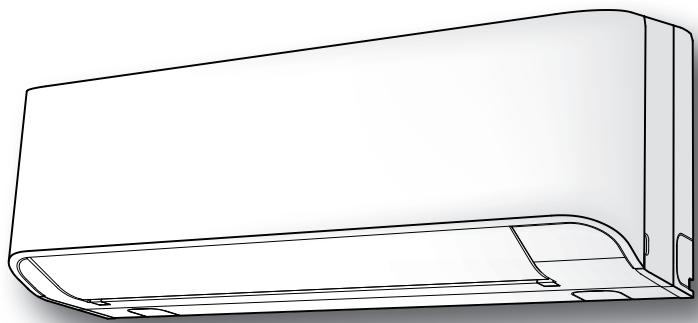
AIR CONDITIONER (SPLIT TYPE)
For general public use
Indoor unit
RAS-07, 10, 13BKV-E
Outdoor unit
RAS-07, 10, 13BAV-E
LIETUVI
SAUGOS PRIEMONÉS
| Information according to EMC Directive 2004/108/EC | |
| (Name of the manufacturer) | TOSHIBA CARRIER (THAILAND) CO., LTD. |
| (Address, city, country) | 144/9 MOO 5, BANGKADI INDUSTRIAL PARK, TIVANON ROAD, TAMBOL BANGKADI, AMPHUR MUANG, PATHUMTHANI 12000, THAILAND. |
| (Name of the Importer/Distributor in EU) | TOSHIBA CARRIER UK LTD. |
| (Address, city, country) | Porsham Close, Belliver Industrial Estate, PLYMOUTH, Devon, PL6 7DB. United Kingdom |