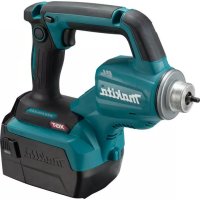
MAK-DCM500Z - Power Tools MAKITA - Free user manual and instructions
Find the device manual for free MAK-DCM500Z MAKITA in PDF.



User questions about MAK-DCM500Z MAKITA
0 question about this device. Answer the ones you know or ask your own.
Ask a new question about this device
Download the instructions for your Power Tools in PDF format for free! Find your manual MAK-DCM500Z - MAKITA and take your electronic device back in hand. On this page are published all the documents necessary for the use of your device. MAK-DCM500Z by MAKITA.
USER MANUAL MAK-DCM500Z MAKITA
WARNING AND SAFETY RULES
- This appliance can be used by children aged from 8 years and above if they have been given supervision or instruction concerning use of the appliance in a safe way and if they understand the hazards involved. Cleaning and user maintenance shall not be made by children unless they are older than 8 and supervised. Keep the appliance and its cord out of reach of children aged less than 8 years.
-
Appliances can be used by persons with reduced physical, sensory or mental capabilities or lack of experience and knowledge if they have been given supervision or instruction concerning use of the appliance in a safe way and understand the hazards involved.
Children shall not play with the appliance. -
This appliance is intended to be used in household and similar applications such as:
-
staff kitchen areas in shops, offices and other working environments;
-farm houses;
-by clients in hotels, motels and other residential type environments;
-bed and breakfast type environments.
Do not use the appliance other than its intended use.
- Read all instructions.
- Surfaces are liable to get hot during use. Do not touch hot surfaces.
- To protect against fire, electric shock, do not immerse cord, plugs, or appliance in water or in any other liquid.
- Unplug from outlet when not in use and before cleaning. Allow to cool before putting on or taking off parts, and before cleaning the appliance.
- Do not operate any appliance with a damaged cord or plug after the appliance malfunctions, or has been damaged in any manner. Return appliance to the nearest authorized service facility for examination, repair or adjustment.
- The use of accessory attachments not recommended by the appliance manufacturer may result in fire, electric shock or injury to persons.
-
Do not let cord hang over edge of table or counter, or touch hot surfaces.
-
Do not place on or near a hot gas or electric burner, or in a heated oven.
- Always attach plug to appliance first, then plug cord into wall outlet. To disconnect, turn any control to "off," then remove plug from wall outlet.
11.Do not use appliance for other than intended use. - Do not open the water tank lid during the brewing cycles.
- Scalding may occur if the filter holder is removed during the brewing cycles.
- Place the appliance on a hard, flat level surface to avoid interruption of airflow underneath the appliance.
- To reduce the risk of fire or electric shock, do not remove the bottom cover. No user serviceable parts inside. Service and repair should only be performed by an authorized service center.
- For DC supply, the appliance is only to be used with the power supply unit provided with the appliance.
- Disconnect the battery cartridge from the appliance before making any adjustments, changing accessories, or storing appliance. Such preventive safety measures reduce the risk of starting the appliance accidentally.
- Recharge only with the charger specified by the manufacturer. A charger that is suitable for one type of battery cartridge may create a risk of fire when used with another battery cartridge.
- Use appliances only with specifically designated battery cartridges. Use of any other battery cartridges may create a risk of injury and fire.
- When battery cartridge is not in use, keep it away from other metal objects, like paper clips, coins, keys, nails, screws or other small metal objects, that can make a connection from one terminal to another. Shorting the battery terminals together may cause burns or a fire.
- Under abusive conditions, liquid may be ejected from the battery; avoid contact. If contact accidentally occurs, flush with water. If liquid contacts eyes, additionally seek medical help. Liquid ejected from the battery may cause irritation or burns.
- Do not use a battery cartridge or appliance that is damaged or modified. Damaged or modified batteries may exhibit unpredictable behavior resulting in fire, explosion or risk of injury.
-
Do not expose a battery cartridge or appliance to fire or excessive temperature. Exposure to fire or temperature above 130^ may cause explosion.
-
Have servicing performed by a qualified repair person using only identical replacement parts. This will ensure that the safety of the product is maintained.
- Be careful not to spill liquid on the connector. If liquid spills on the connector, unplug/remove the battery.
SAVE THESE INSTRUCTIONS.
IMPORTANT SAFETY INSTRUCTIONS
FOR BATTERY CARTRIDGE
- Before using battery cartridge, read all instructions and cautionary markings on (1) battery charger, (2) battery, and (3) appliance using battery.
- Do not disassemble battery cartridge.
- If operating time has become excessively shorter, stop operating immediately. It may result in a risk of overheating, possible burns and even an explosion.
- If electrolyte gets into your eyes, rinse them out with clear water and seek medical attention right away. It may result in loss of your eyesight.
- Do not short the battery cartridge:
(1) Do not touch the terminals with any conductive material.
(2) Avoid storing battery cartridge in a container with other metal objects such as nails, coins, etc.
(3) Do not expose battery cartridge to water or rain. A battery short can cause a large current flow, overheating, possible burns and even a breakdown.
6. Do not store the appliance and battery cartridge in locations where the temperature may reach or exceed 50^ (122^) .
7. Do not incinerate the battery cartridge even if it is severely damaged or is completely worn out. The battery cartridge can explode in a fire.
8. Be careful not to drop or strike battery.
9. Do not use a damaged battery.
10. Follow your local regulations relating to disposal of battery.
Tips for maintaining maximum battery life
- Charge the battery cartridge before completely discharged.
Always stop appliance operation and charge the battery cartridge when you notice less appliance power. - Never recharge a fully charged battery cartridge. Overcharging shortens the battery service life.
- Charge the battery cartridge with room temperature at 10^ - 40^ (50^ - 104^) . Let a hot battery cartridge cool down before charging it.
- Charge the battery cartridge once in every six months if you do not use it for a long period of time.
Symbols
The following show the symbols used for the appliance. Be sure that you understand their meaning before use.

- Read instruction manual.

- Only for EU countries
Do not dispose of electric equipment or battery pack together with household waste material! In observance of the European Directives, on Waste Electric and Electronic Equipment and Batteries and Accumulators and Waste Batteries and Accumulators and their implementation in accordance with national laws, electric equipment and batteries and battery pack(s) that have reached the end of their life must be collected separately and returned to an environmentally compatible recycling facility.
SPECIFICATIONS
| Model | DCM500 |
| Power source | AC (see the nameplate on the appliance for the operating voltage), 50-60 Hz or 18 V DC (using a battery cartridge BL1830 or BL1840) |
| Water tank capacity | 150 ml |
| Dimensions (l/w/h) | 222 x 115 x 214 mm |
| Weight | 0.9 kg without cord, battery 1.7 kg with battery |
- Due to our continuing program of research and development, the specifications herein are subject to change without notice.
- Specifications and battery cartridge may differ from country to country.
- Weight, with battery cartridge, according to EPTA-Procedure 01/2003
OPERATION
PARTS IDENTIFICATION (Fig. C)
- Button
- Red indicator
- Battery cartridge
- Star marking
- Tank lid
- Water tank
- Filter
- Filter holder
- Cup rest (for up to 88 mm tall cups or mugs)
- Power switch
- Bottom plate
- AC power socket
- DC power socket
- Measure (a level scoop of coffee: 6.5 g)
- Battery holder
- AC power cord
- "LIMIT" island
- Overflow opening
PREPARATION
When using the appliance first time, or after long period of storage, perform the following steps:
- Remove all packing materials from the appliance.
- Clean the appliance exterior and wash the filter and filter holder (refer to the CLEANING section).
- To clear any residue from the appliance, pour 150 ml of fresh water into the water tank and brew (refer to the BREWING section) without ground coffee in the filter until the water tank is empty. Repeat the same operation at least twice.
USE WITH AC POWER (Fig. D)
Plug the AC power cord into the AC power socket on the appliance, and then into the AC outlet.
NOTE
- Do not plug both the AC power cord and battery holder into the sockets on the appliance at the same time.
-
A short power-supply cord is provided to reduce risks resulting from becoming entangled in or tripping over a longer cord. If you use longer detachable power-supply cords or extension cords:
-
Use longer detachable power-supply cords or extension cords with care.
- Use detachable power-supply cord or extension cord marked with an electrical rating at least as great as the electrical rating of the appliance.
- Use grounding type 3-wire cord only.
- Arrange the longer cord so that it will not drape over the counter top or table top where it can be pulled on by children or tripped over.
USE WITH BATTERY
Installing or removing battery cartridge (Fig. A)
CAUTION
- Always switch off the appliance before installing or removing of the battery cartridge.
- Hold the battery holder and the battery cartridge firmly when installing or removing battery cartridge. Failure to hold the battery holder and the battery cartridge firmly may cause them to slip off your hands and result in damage to the appliance and battery cartridge and a personal injury.
To remove the battery cartridge, slide it from the battery holder while sliding the button (Fig. A-1) on the front of the cartridge.
To install the battery cartridge, align the tongue on the battery cartridge with the groove in the housing and slip it into place. Insert it all the way until it locks in place with a little click. If you can see the red indicator (Fig. A-2) on the upper side of the button, it is not locked completely.
CAUTION
- Always install the battery cartridge fully until the red indicator (Fig. A-2) cannot be seen. If not, it may accidentally fall out of the battery holder, causing injury to you or someone around you.
- Do not install the battery cartridge forcibly. If the cartridge does not slide in easily, it is not being inserted correctly.
Battery protection system
The appliance is equipped with a battery protection system. This system automatically cuts off power to the appliance to extend battery life.
The appliance will automatically stop during operation if the appliance and/or battery are placed under one of the following conditions:
Overheated:
If the appliance does not start, the battery is overheated. In this situation, let the battery cool before pressing the power switch again.
- Low battery voltage:
The remaining battery capacity is too low and the appliance will not operate. In this situation, remove and recharge the battery.
NOTE
- The overheat protection works only with a battery cartridge with a star mark (Fig. B-4).
Connecting the battery holder (Fig. E)
Plug the battery holder into the DC power socket on the appliance.
NOTE
- Do not plug both the AC power cord and battery holder into the sockets on the appliance at the same time.
BREWING
- Open the water tank lid (Fig. C-5) and pour 150ml of fresh cold water. Pour water until the "LIMIT" island (Fig. F-17) just sinks.
NOTE
-
Do not pour in too much water, or water may run out of the overflow opening (Fig. F-18).
-
Remove the filter holder (Fig. C-8) with filter (Fig. C-7) from the appliance, put 6.5 gram of ground coffee into the filter using the measure (Fig. C-14), and then reinsert the filter holder in the appliance.
NOTE
- Place the filter correctly in the filter holder (Fig. G-8). Otherwise, the filter holder cannot be inserted correctly.
-
Adjust the amount of ground coffee to your preference.
-
Place a cup on the cup rest (Fig. C-9).
- Press the power switch (Fig. C-10).
The power switch lights up and the brewing cycle begins.
When the brewing cycle has ended, the appliance automatically turns off and the power switch light goes off.
NOTE
- To stop brewing, press the power switch (Fig. C-10). The appliance turns off and the power switch light goes off.
- With AC operation, a brewing cycle takes approx. 3 minutes, while with battery operation, it takes approx. 7 minutes (the cycle time varies depending on the amount of water, temperature, and other conditions). The longer the brewing cycle, the stronger the coffee.
CAUTION
- To reduce the risk of scalding, do not remove the filter holder (Fig. C-8) during the brewing cycle.
- When the brewing section marked with (Fig. H) is steaming, do not touch it.
- Steam builds up under the filter holder (Fig. C-8).
- Do not touch the bottom plate (Fig. C-11) during the brewing cycle.
- After the brewing cycle completes, wait at least 5 minutes before removing the filter holder.
- If another brewing cycle is to be started, wait at least 5 minutes before pouring in cold water. Otherwise, steam and hot water could be released and scalding may result.
CLEANING
Proper maintenance will ensure years of service for your appliance. Clean the appliance after every use to maintain quality coffee flavor.
WARNING
- Do not immerse the appliance, AC power cord, or battery holder in water or other liquids.
- Unplug the AC power cord/battery holder from the appliance and allow the appliance to cool.
- Wipe the exterior with a soft cloth moistened with water.
NOTE
-
Do not use abrasive cleansers or scouring pads.
-
Remove the filter holder (Fig. C-8) with filter (Fig. C-7) from the appliance, wash them in hot, soapy water, and then rinse them with hot water.
- Allow the appliance and all parts to dry completely.
NOTE
- Do not dry the inside of the water tank (Fig. C-6) with a cloth, as lint may remain.
STORAGE
- To prevent fire or burning, allow the appliance to cool down completely before you store it.
- Do not store the discharged battery for long periods, as it can shorten its service life.
- To maintain product SAFETY and RELIABILITY, repairs, any other maintenance or adjustment should be performed by Makita Authorized Service Centers, always using Makita replacement parts.
MAINTENANCE
WARNING
- When servicing is required, ask a Makita authorized service center which deals genuine replacement parts. Use of any other parts may create a hazard or cause product damage.
WARNING
- To avoid serious personal injury, always remove the AC power cord or battery cartridge from the unit when cleaning or performing any maintenance.
GENERAL MAINTENANCE
Never use gasoline, benzine, thinner, alcohol or the like when cleaning plastic parts. Discoloration, deformation or cracks may result. After appliance cooled, use clean clothes to remove dirt, dust, oil, grease etc.
OPTIONAL ACCESSORY
CAUTION
- These accessories or attachments are recommended for use with your appliance specified in this manual. The use of any other accessories or attachments might present a risk of injury to persons. Only use accessory or attachment for its stated purpose.
If you need any assistance for more details regarding these accessories, ask your local Makita Service Center.
- Makita genuine battery and charger
NOTE
- Some items in the list may be included in the appliance package as standard accessories. They may differ from country to country.
MISE EN GARDE ET CONSIGNES DE SECURITÉ
WAARSCHUWING EN VEILIGHEIDSVOORSCHRIFTEN
OPTIONELE ACCESSOIRES
VOORZICHTIG
Bortskaf违法犯罪 Bortskaf计划生育 issues Bortskaf's role in the U.S. Army Bortskaf's role in the U.S. Army Bortskaf's role in the U.S. Army Bortskaf's role in the U.S. Army Bortskaf's role in the U.S. Army Bortskaf's role in the U.S. Army Bortskaf's role in the U.S. Army Bortskaf's role in the U.S. Army Bortskaf's role in U.S. Army Bortskaf's role in U.S. Army Bortskaf's role in U.S. Army Bortskaf's role in U.S. Army Bortskaf's role in U.S. Army Bortskaf's role in U.S. Army Bortskaf's role in U.S. Army Bortskaf's role in U.S. Army Bortskaf's role in U.S. Navy Bortskaf's role in U.S. Navy Bortskaf's role in U.S. Navy Bortskaf's role in U.S. Navy Bortskaf's role in U.S. Navy Bortskaf's role in U.S. Navy Bortskaf's role in U.S. Navy Bortskaf's role in U.S. Navy Bortskaf's role in U.S. Navy BortSKAF'S role in U.S. Navy BortSKAF'S role in U.S. Navy BortSKAF'S role in U.S. Navy BortSKAF'S role in U.S. Navy BortSKAF'S role in U.S. Navy BortSKAF'S role in U.S. Navy BortSKAF'S role in U.S. Navy BortSKAF'S role in U.S. Navy BortSKAF'S role in U/S. BortSKAF'S role in U/S BortSKAF'S role in U/S BortSKAF'S role in U/S BortSKAF'S role in U/S BortSKAF'S role in U/S BortSKAF'S role in U/S BortSKAF'S role in U/S BortSKAF'S role in U/S BortSKAF'S role in U/S BortSKAF'S role in U/S BortSKAF'S role in U/S
SPECIFICATIONER
- Móvo yia tiC xwpeC tnc EE
Mny atoppittTcTv nAektpiko Eotlioo n Tnv mttapia ma ce Ta oikiaKa atoppipmuata! uupwva ie Tc Eupwtaiecs Ondyie yia tv atobnto nAektpko kai nAektpoviko EOITAOIO KAI Tc mttatapies KAI ouawpeuteKai Tc atobantec mttatapies KAI ouawpeuteC KAI Tnv Evawatwn Touc ouwovae Tne TEvikn VouoBcia, o nAektpkoc Eotliooos KAI mttatapia Ka T a TAKeTa mttatapiw vTuO exouv pTaTei To TEACs Zns Tou TpETeV auaAevoytai Exwpiota Ka va EtIOTpeovtai OE EkyataaTaeic TepiBaAovtka OuBpatnc avakkuwong.
IPOAIAΓPAΦΕΣ